
Help that knows your rates.
The AI assistants work from your own settings and the same pricing engine as your booking page — so the price in a chat is the price on the page. Nothing changes in your account until you press Confirm.
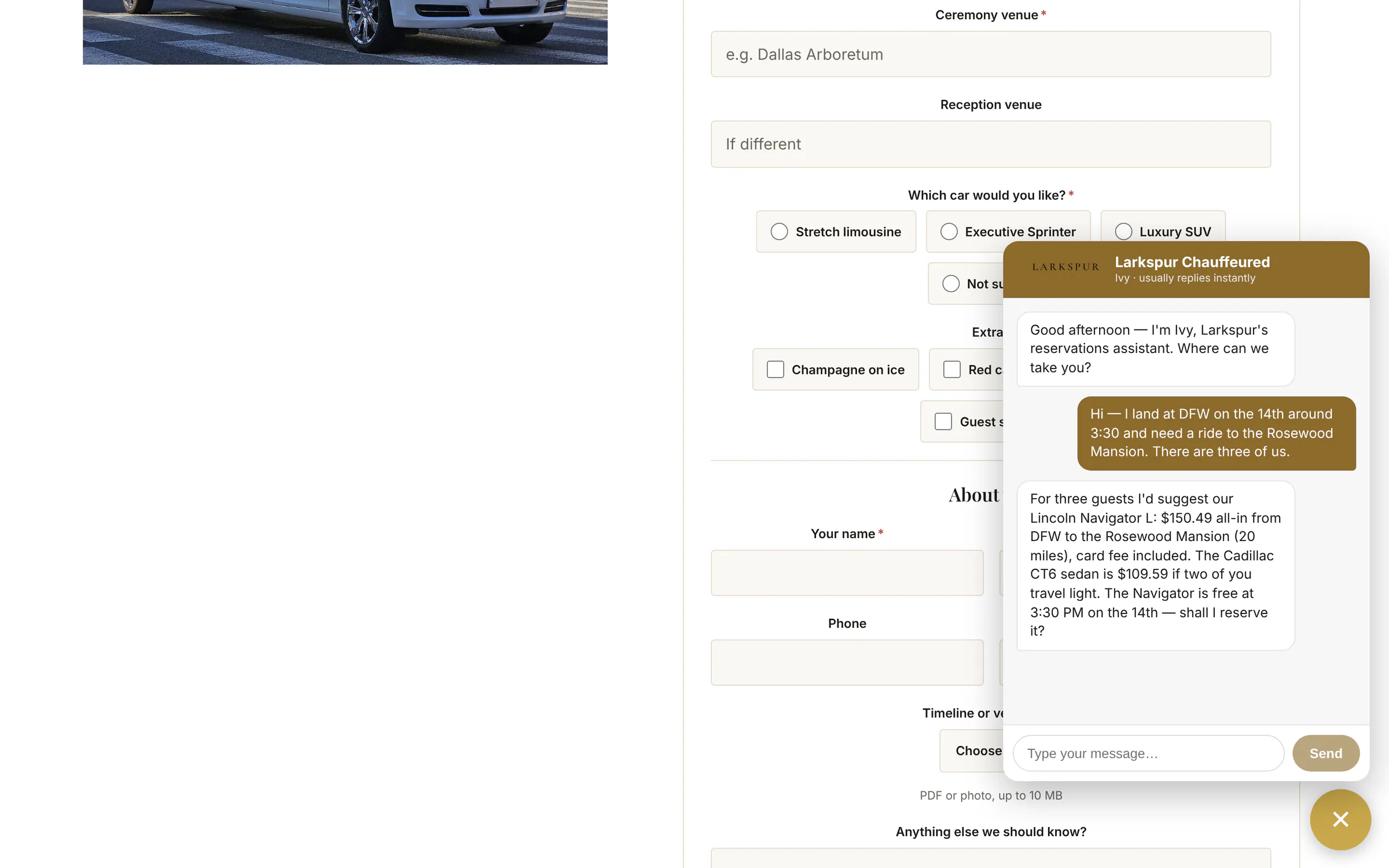
The concierge on your website Add-on
A chat on your site that answers questions, quotes real trips and takes the booking — or hands the conversation to you.
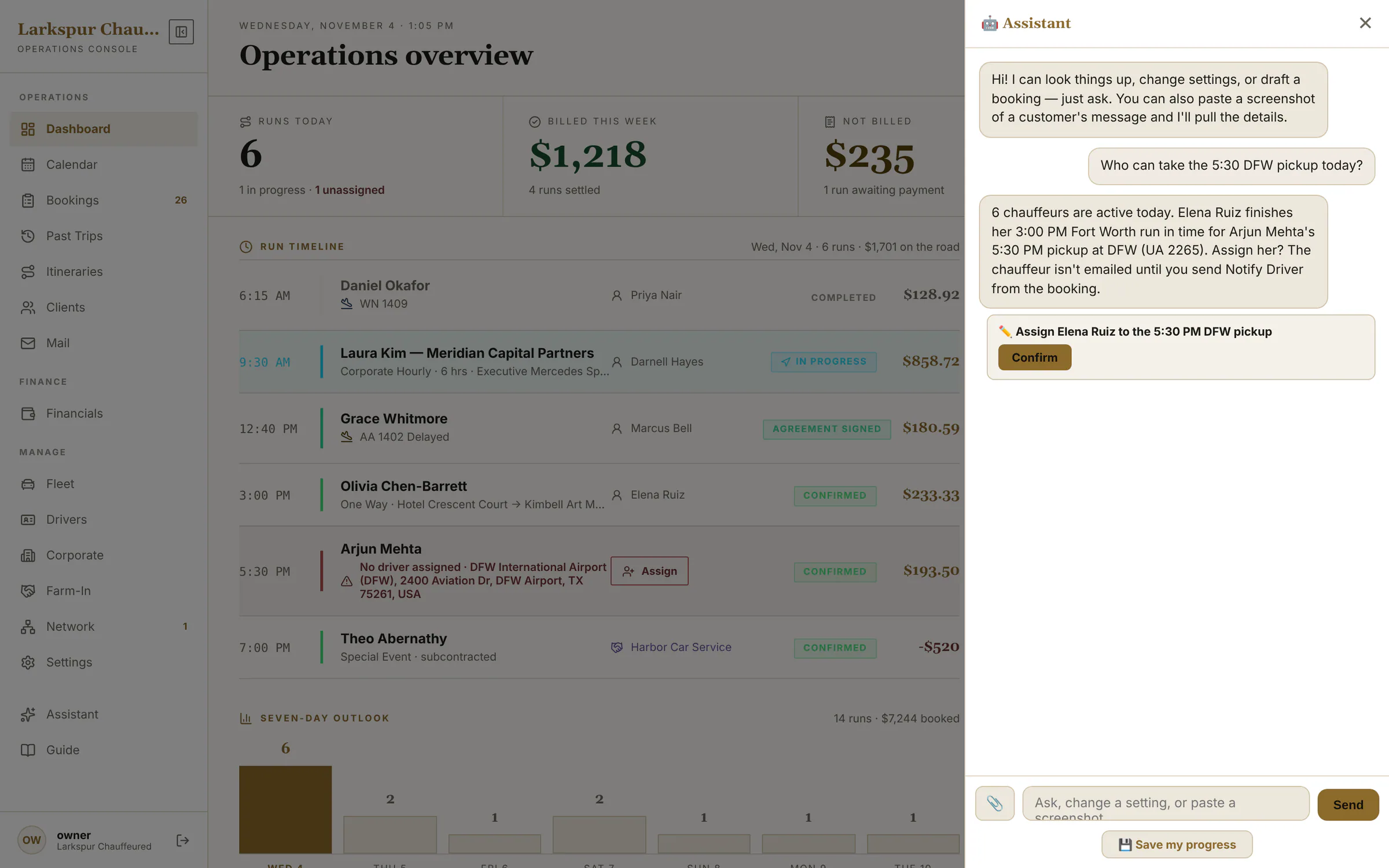
The admin copilot Add-on
Ask in plain English — “who can take the 5:30 DFW pickup?” It reads your bookings and chauffeurs and proposes the change on a card. You press Confirm, or you don't.
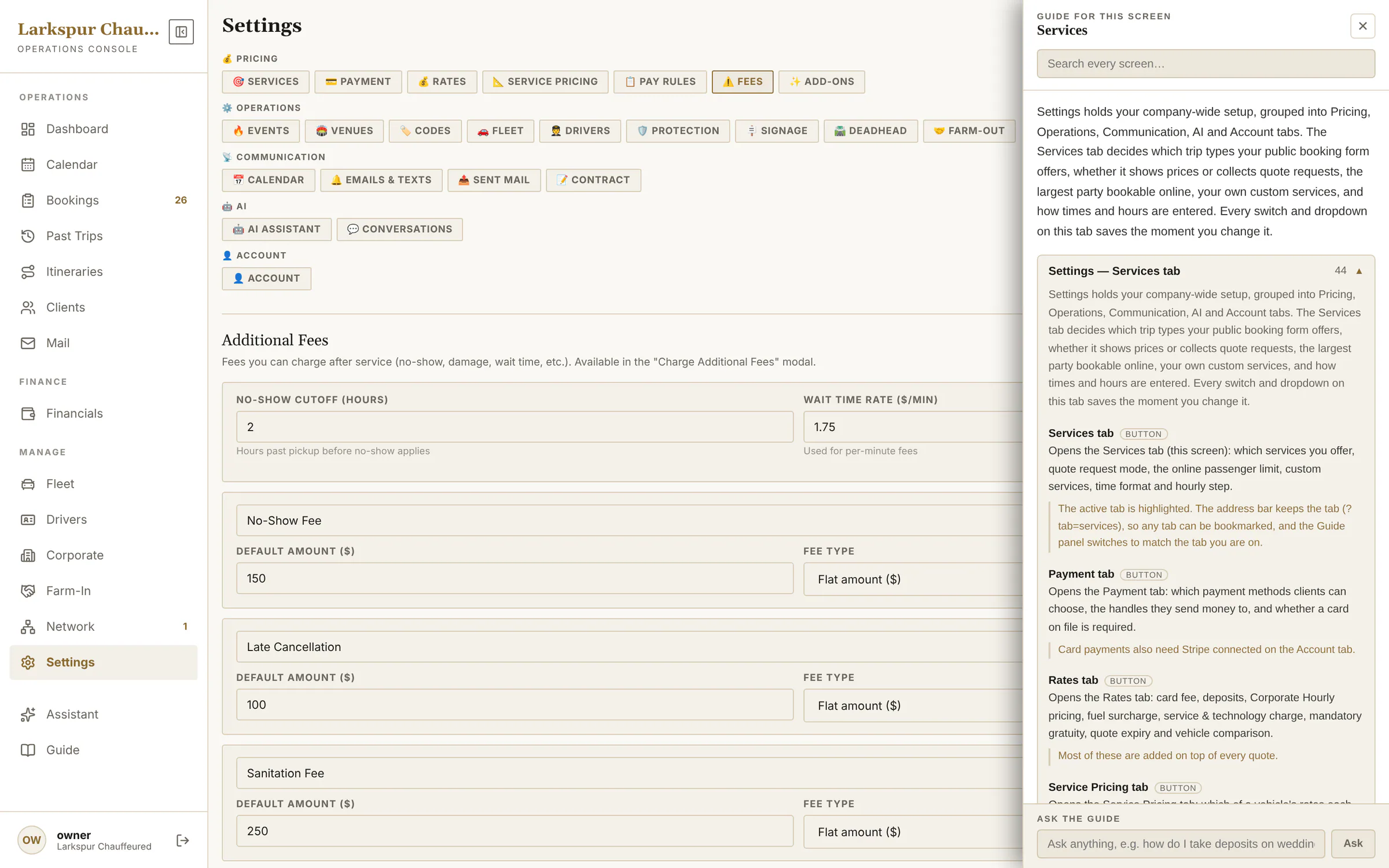
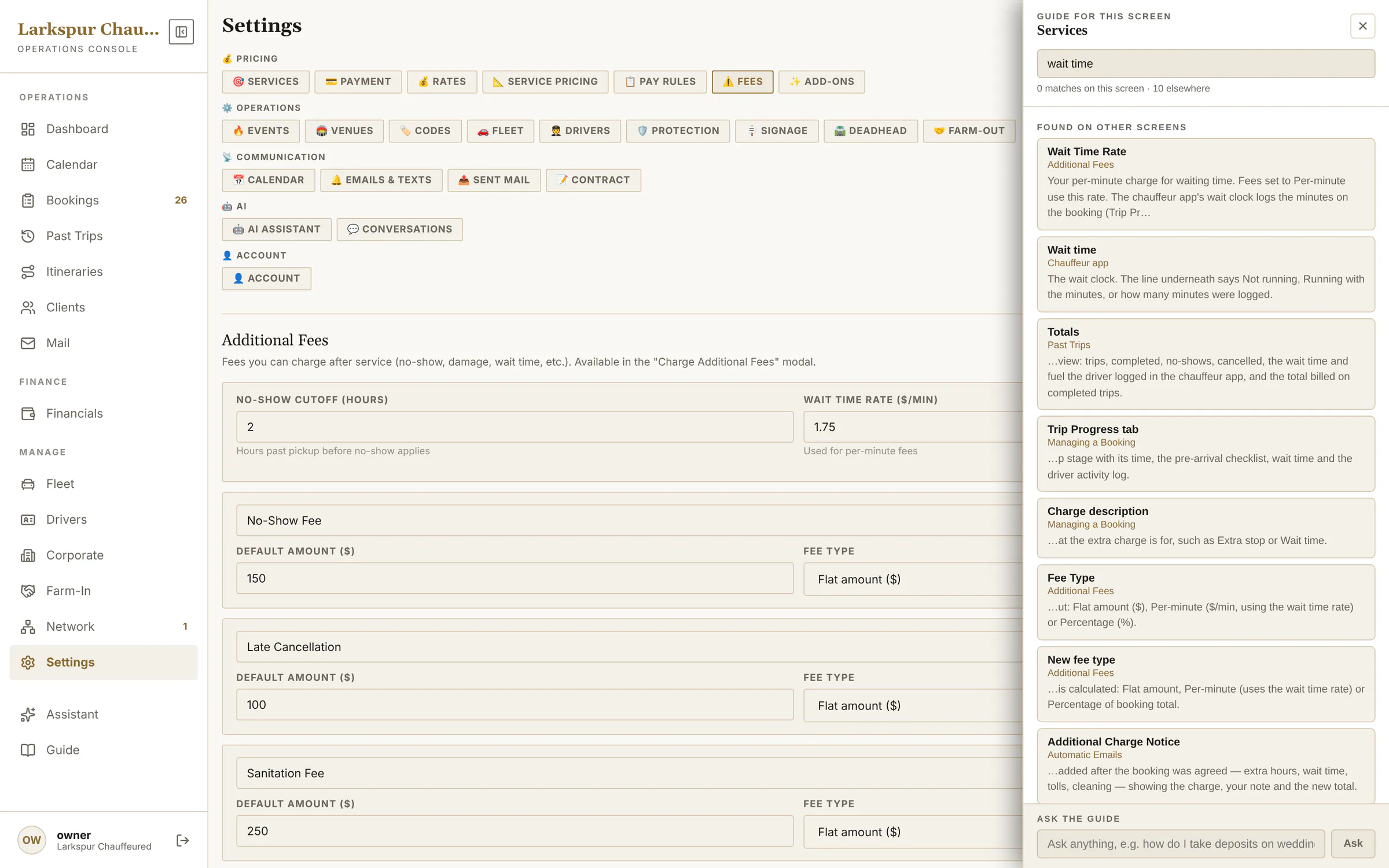
The Guide — free on every account
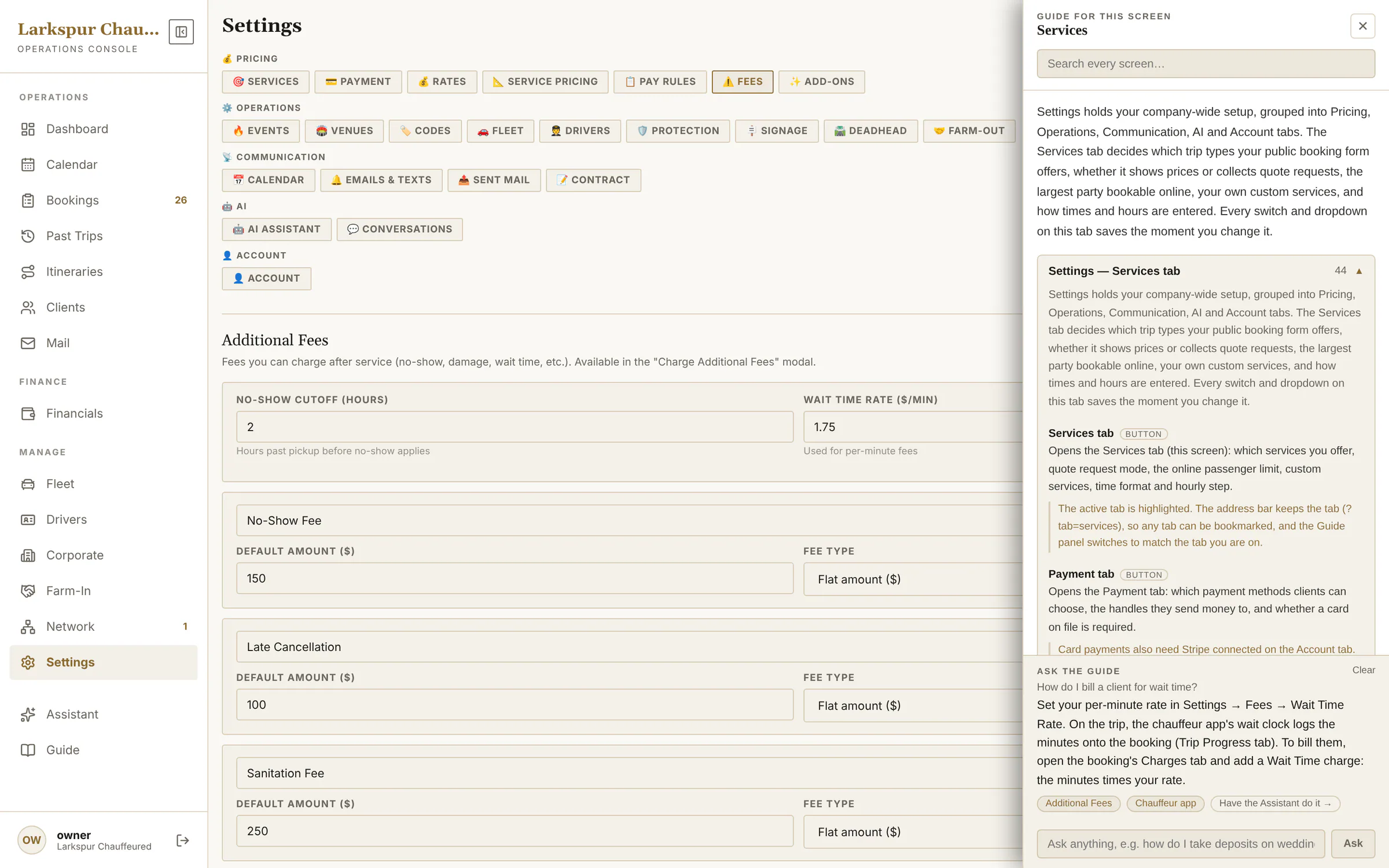
A manual that follows you from screen to screen, explaining every setting where it sits. Search every screen at once, or ask a how-to question and get an answer written from the Guide with links to the screens it used.
You see every conversation Add-on
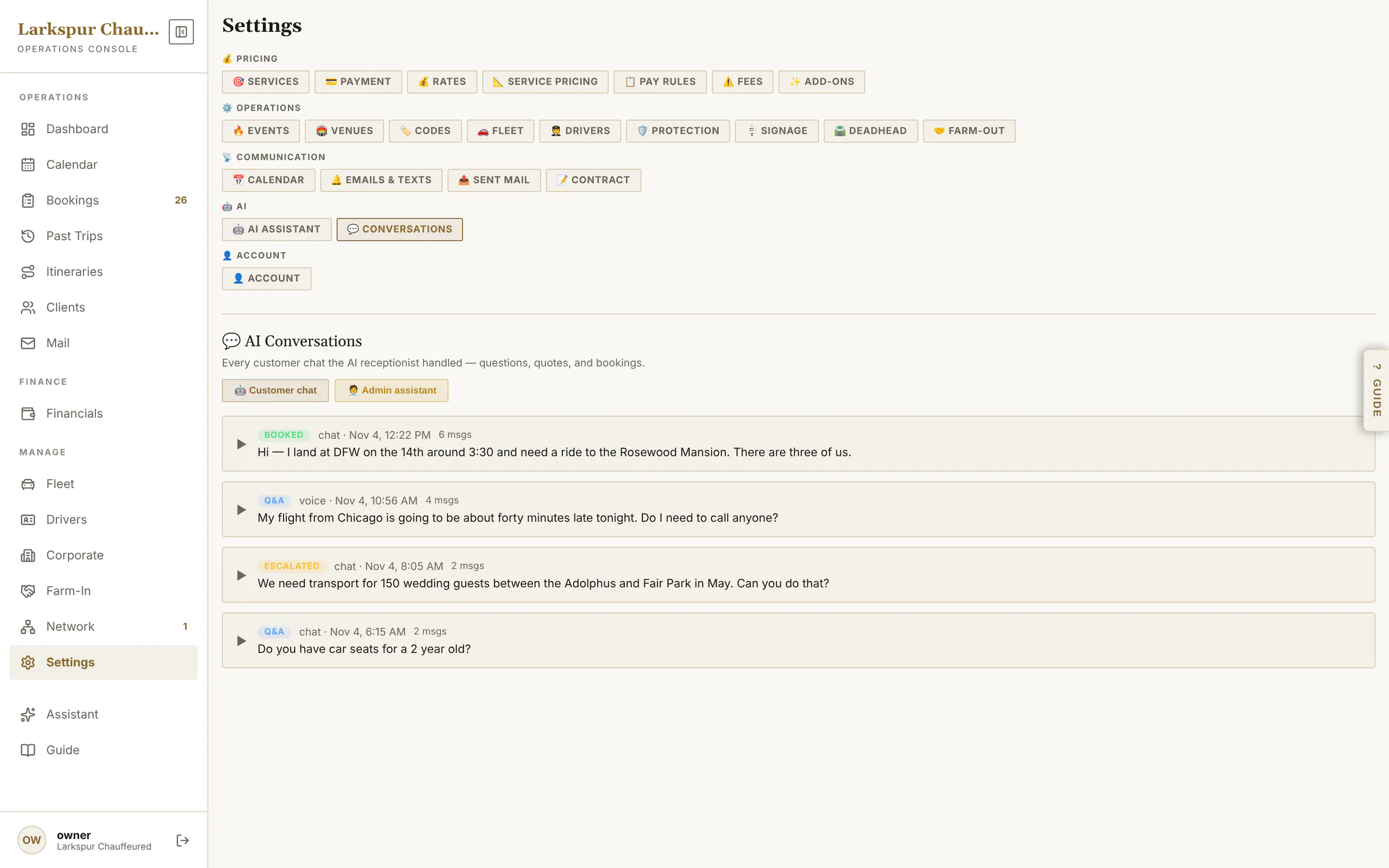
Every chat and phone call the assistant handled — booked, escalated or answered — with the transcript, and this month's usage.
Four steps, no guessing.
The model writes the sentences. Your software supplies every fact in them.
It reads your settings
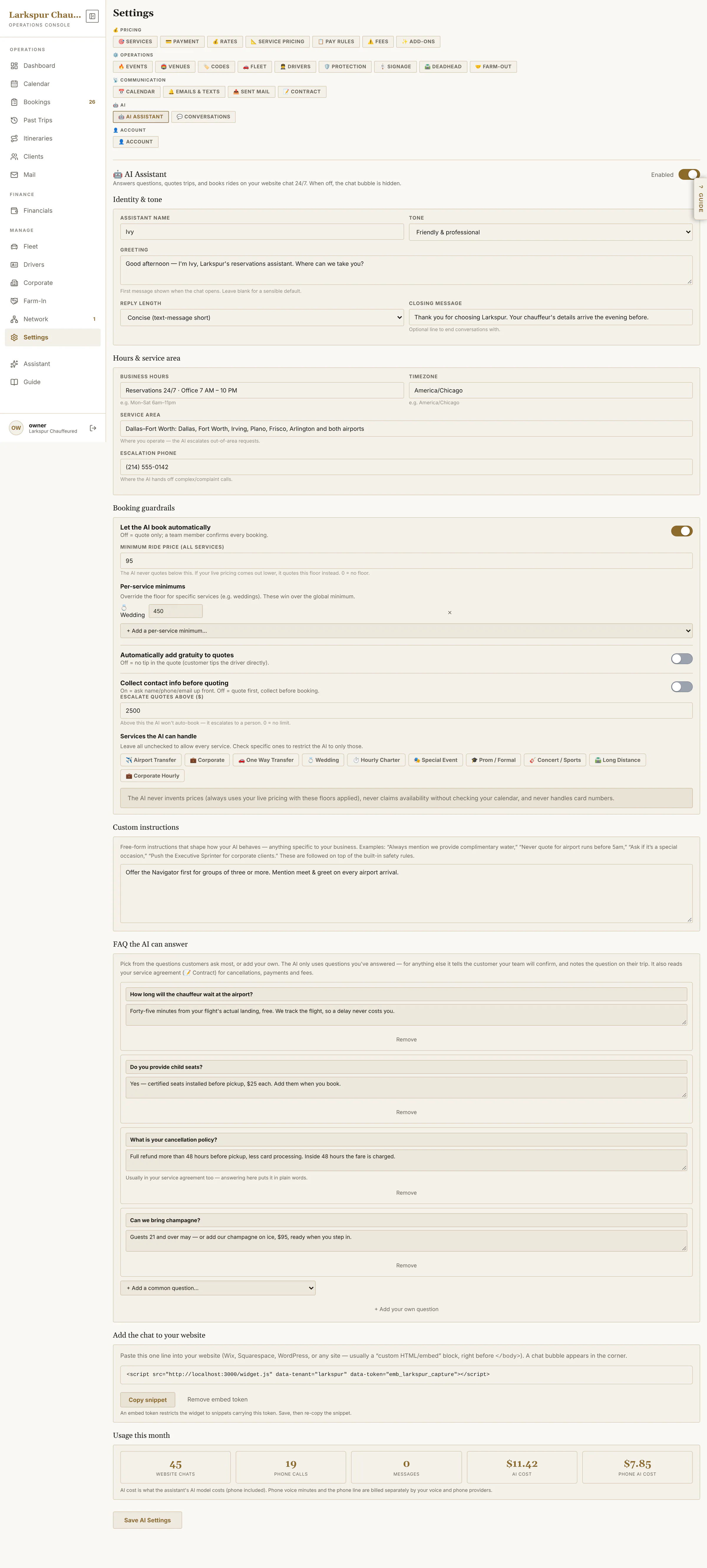
Services, fleet and seats, rates, add-ons, hours and service area, your FAQ answers and your guardrails.
It calls your software
A price comes only from the quote tool — the same engine as your booking page. Availability, addresses and reservations come from their own tools.
Guardrails decide
Minimum and maximum quote values, which services it may book, and whether it books directly. The copilot can only propose; you confirm.
You see it all
Conversations, outcomes and transcripts, an escalation to your phone when it should, and the month's cost.
Tested, not trusted
631 automated tests across 32 test files check the assistants' logic on every change — among them that an AI quote equals the booking page's quote, one trip per call, hourly minimums, multi-stop mileage, confirm-before-write, client matching and text-message consent.
What the screenshots show
The quotes in the chat above — $150.49 for the Navigator, $109.59 for the CT6 — came from running the concierge's own quote tool against the demo company. The same trip in Quick Quote shows the same two numbers. Read the ZDT AI Guide.
Be one of the first operators on ZDT.
We're onboarding operators one at a time, by hand. Join the waitlist and we'll reach out personally when a spot opens.