
Every feature
The complete list — with a picture of each.
Every function below is a real screen in the software. Live is in the product today; Add-on is switched on per account; Rolling out is built and being released now. Click a thumbnail to zoom.
Booking experience
| Function | What it does | Status | Screen |
|---|---|---|---|
| Choose a service | Your customers start on your own booking page: your logo, your colours, the services you offer. | Live | 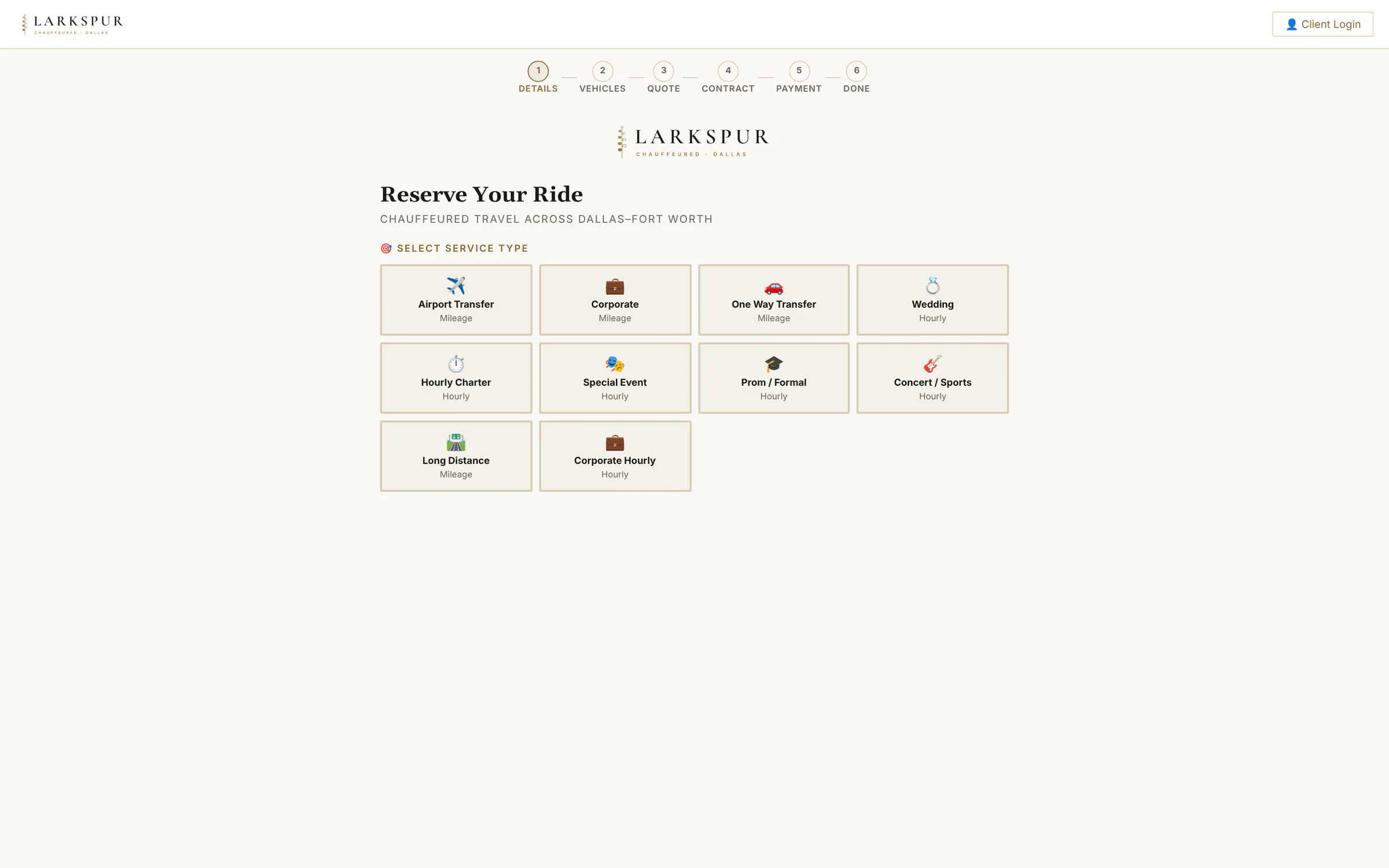 |
| The time wheel | Hour, minute and AM/PM on three scrolling reels — spin with a thumb, or just type “2:37 PM”. | Live | 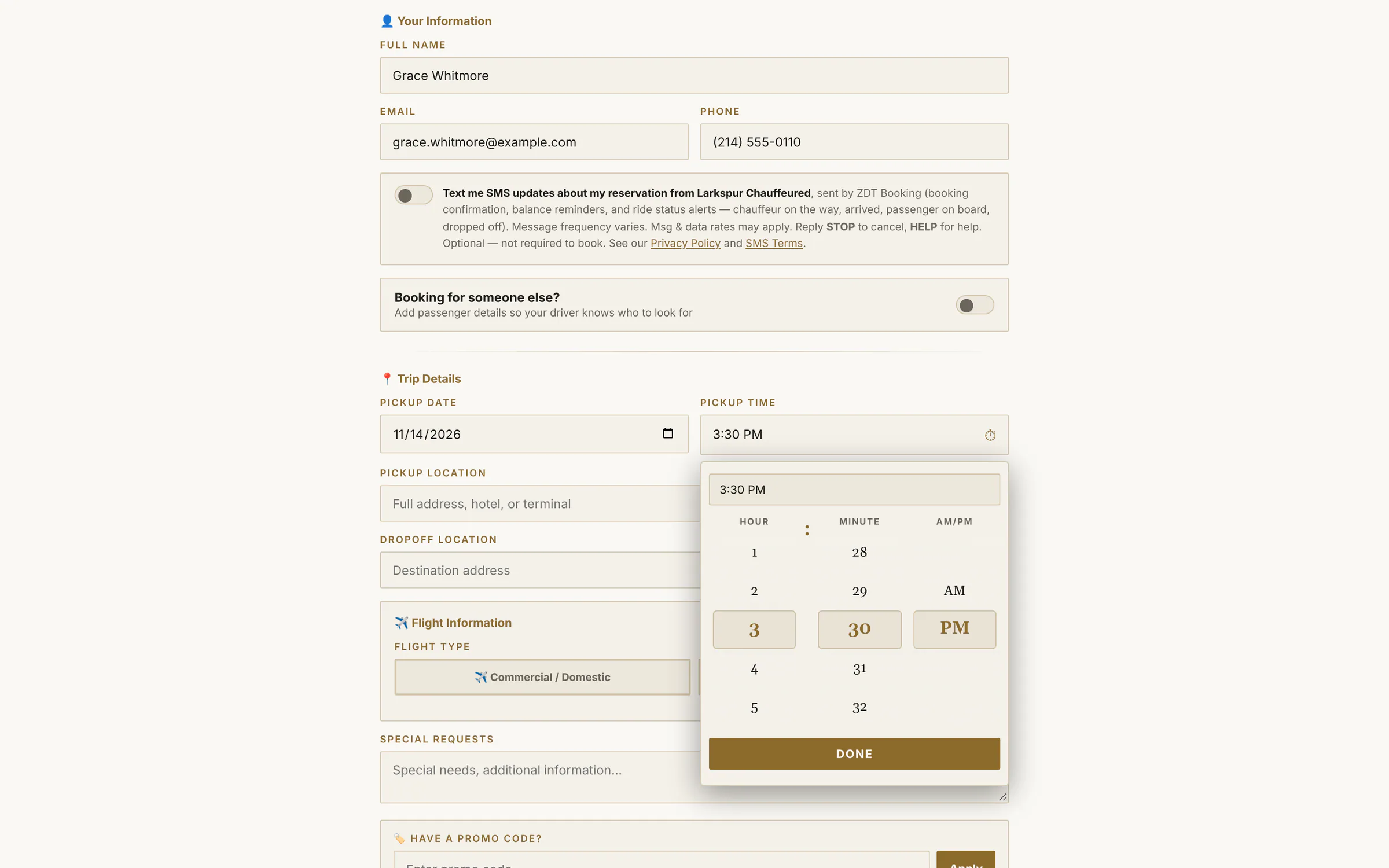 |
| The time wheel, up close | Type 3:30 PM or spin the reels — the wheel lands on it, in your accent colour and display font. | Live | 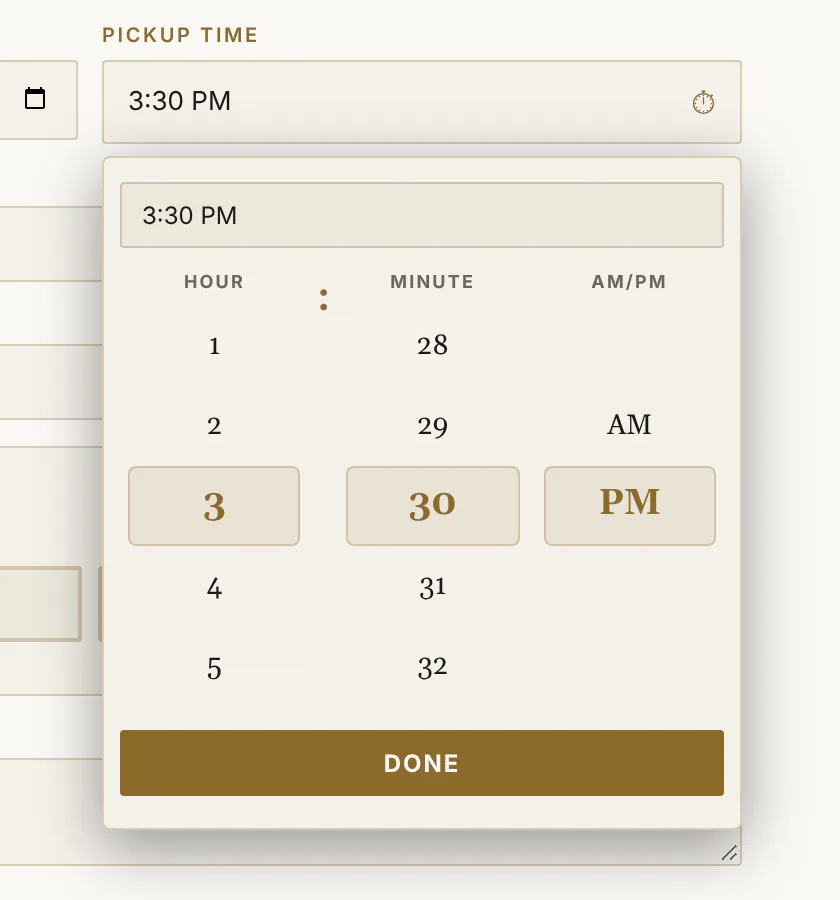 |
| Address search | Airports, hotels and venues come up as the customer types. | Live | 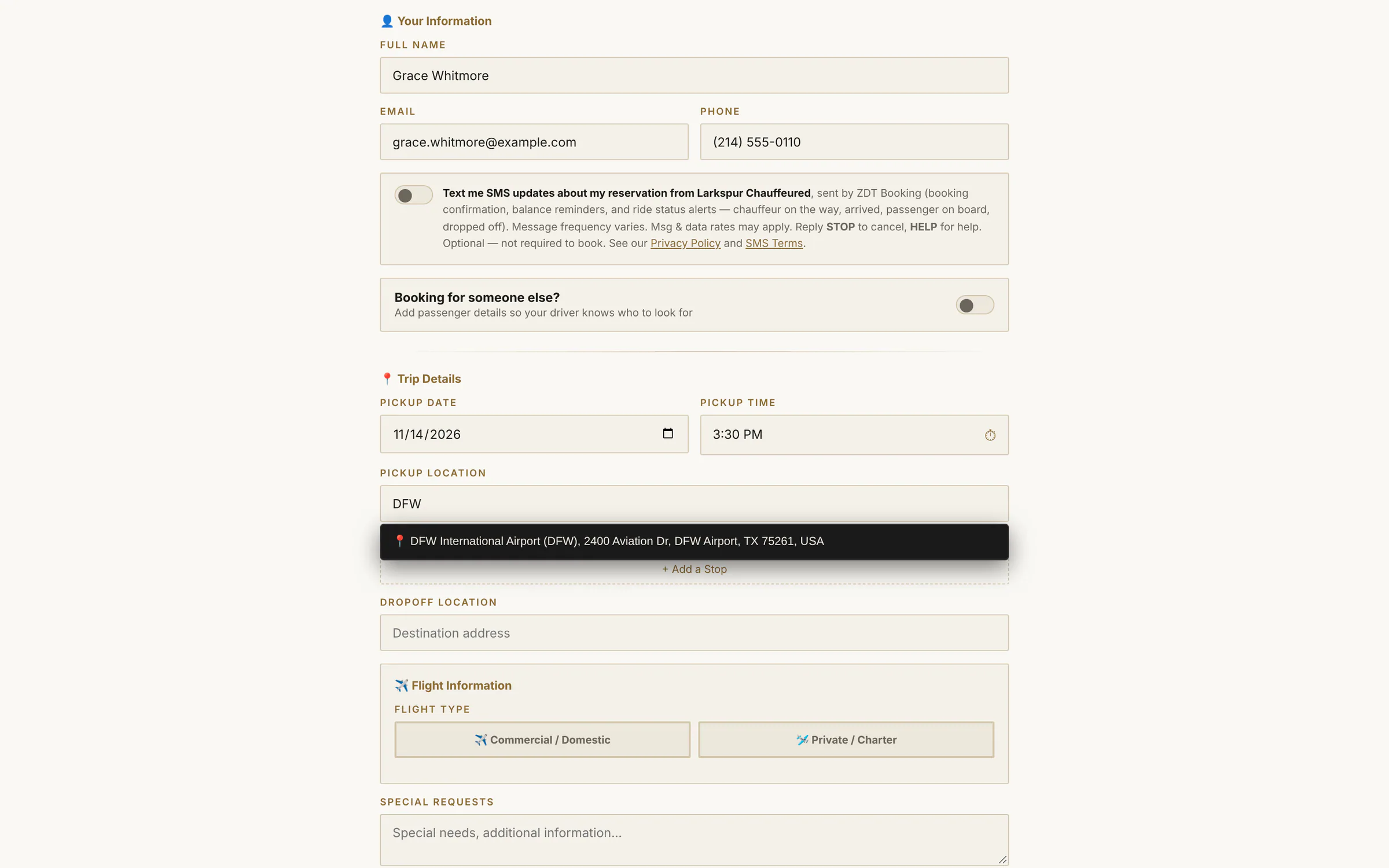 |
| Live trip estimate | Miles and drive time are measured as soon as both addresses are in. | Live | 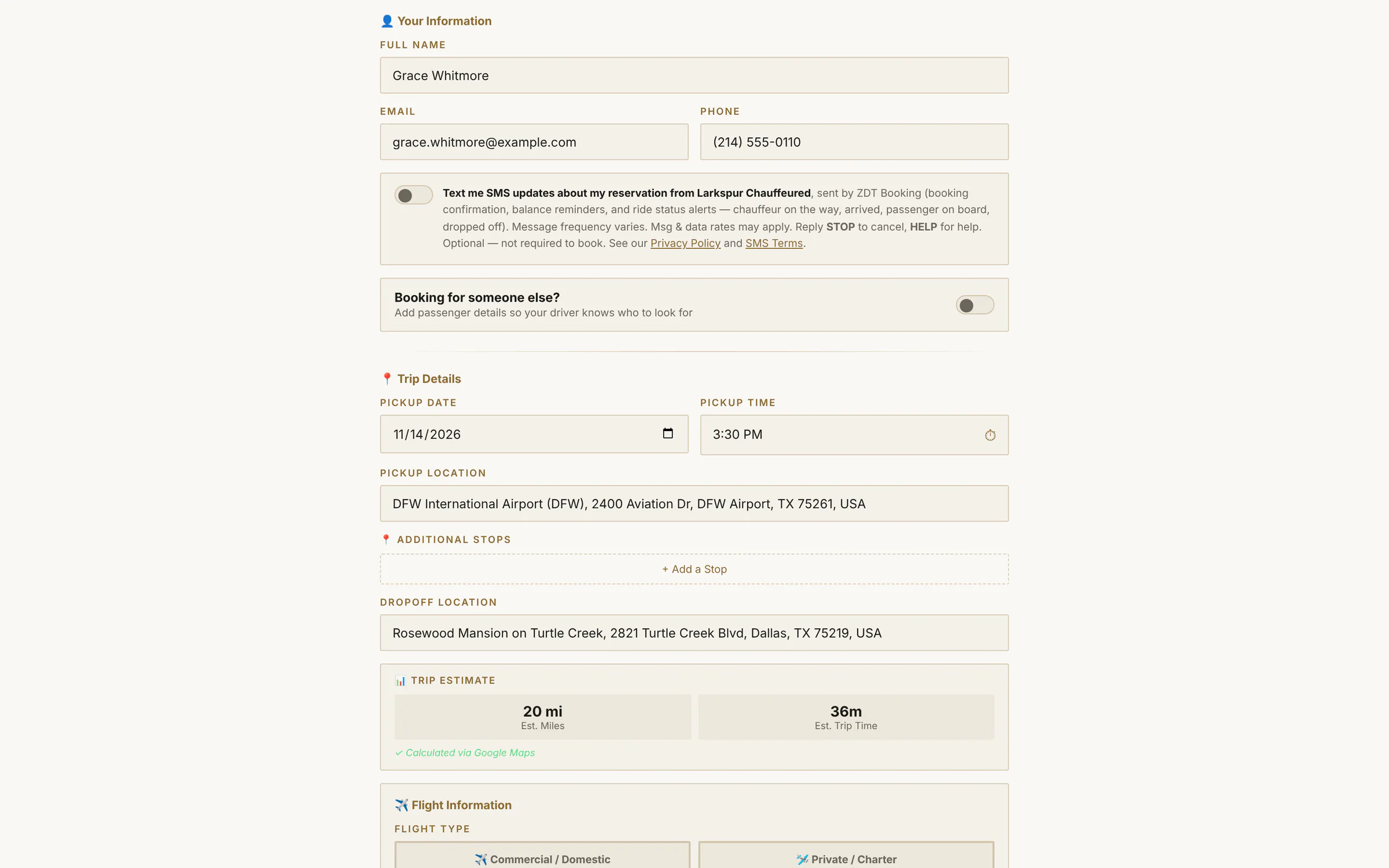 |
| Choose a vehicle | Real photos, seats, bags and an all-in starting price for this exact trip. | Live | 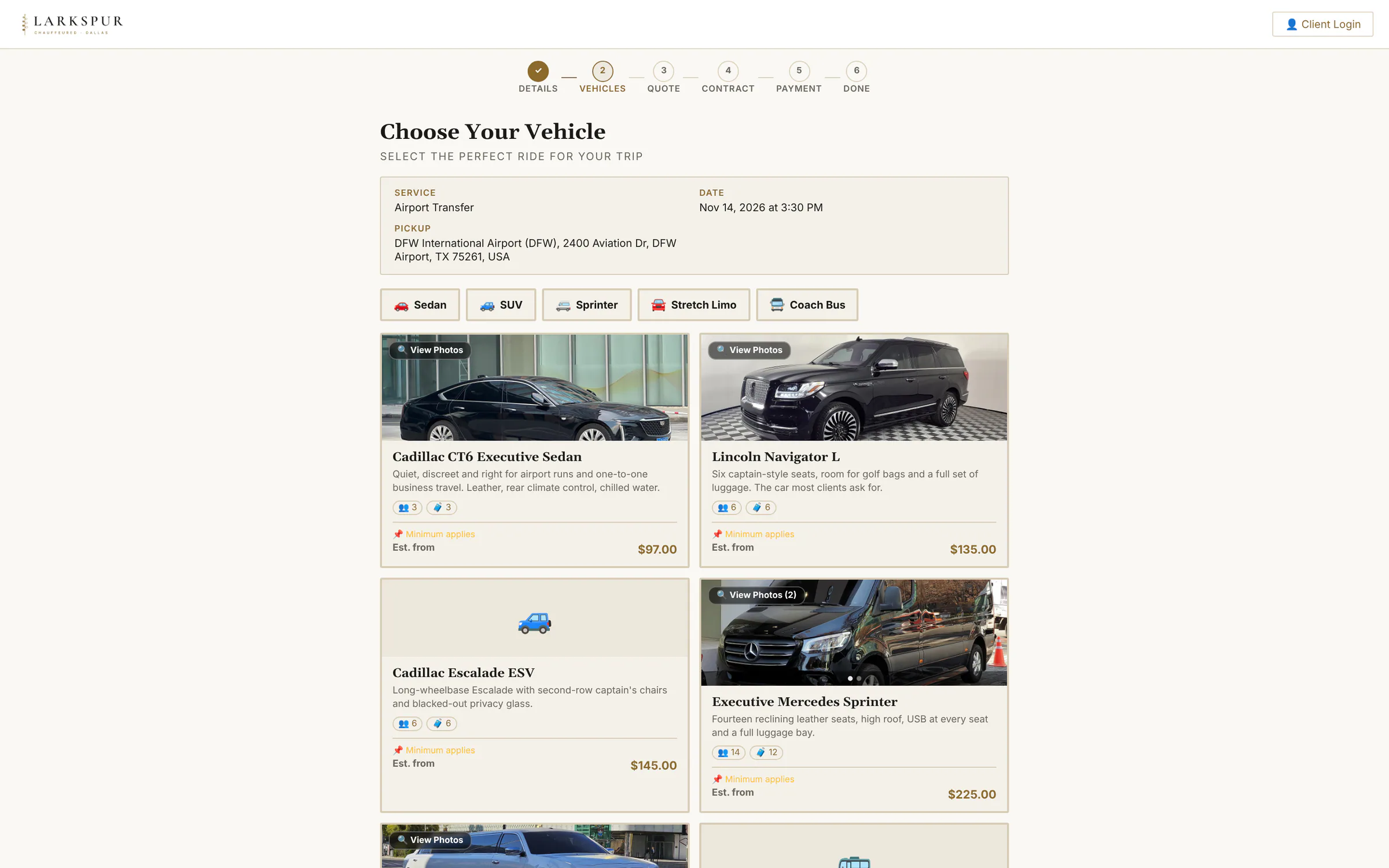 |
| Photo gallery | Customers can look inside the car before they choose it. | Live | 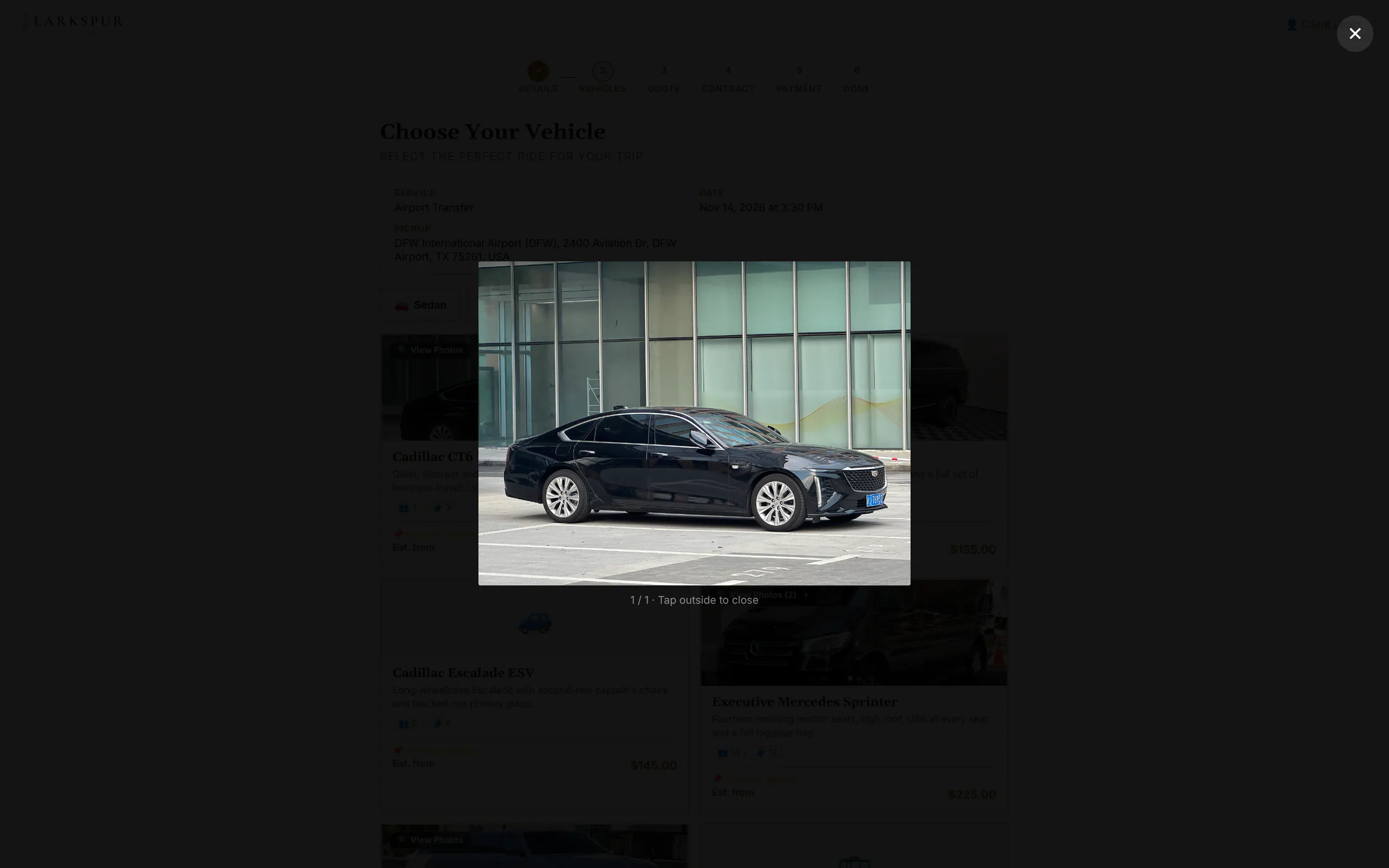 |
| Your quote | An itemised quote for the exact trip — nothing to call about. | Live | 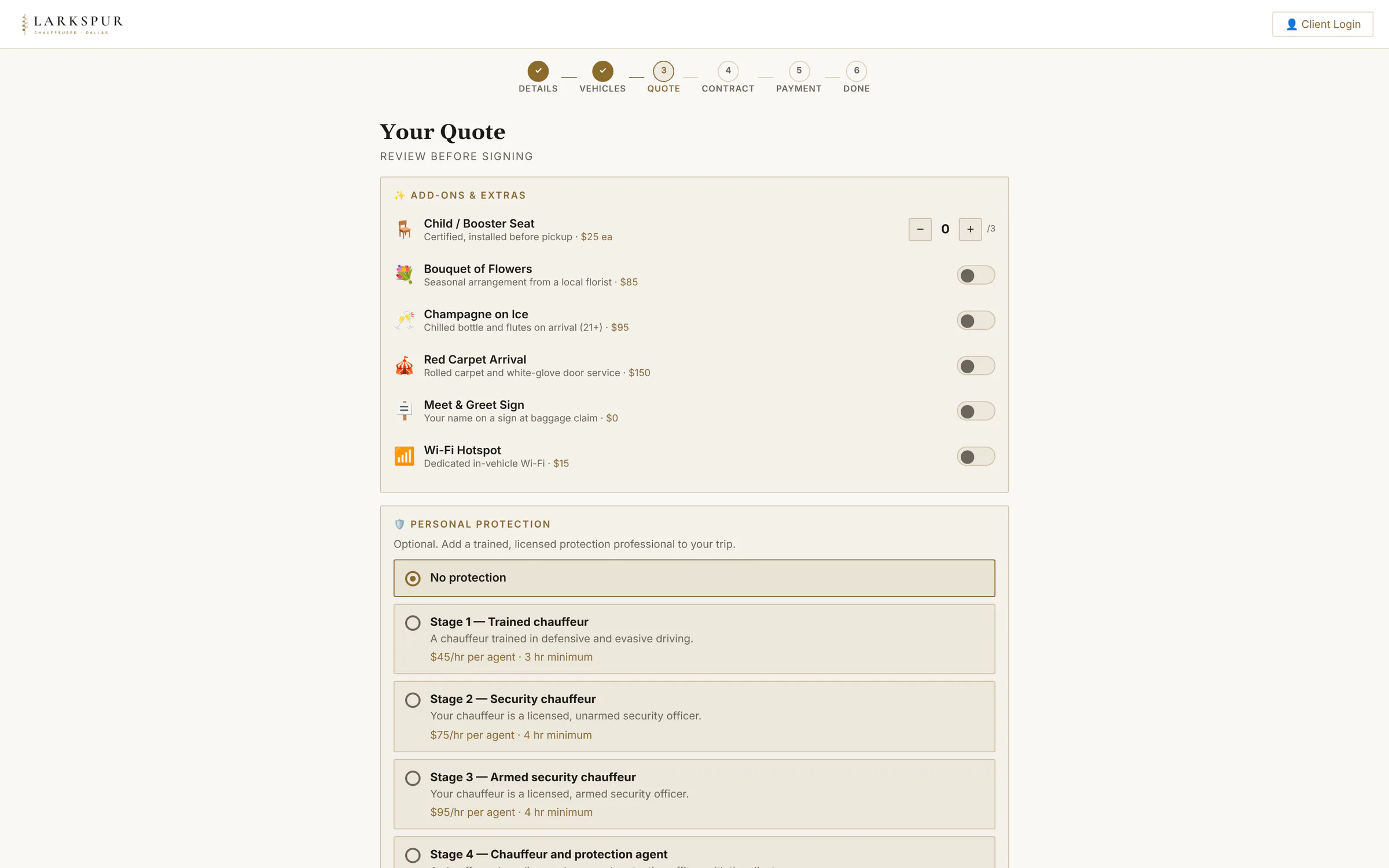 |
| Personal protection | Security chauffeurs and protection agents, offered on the booking page only at the levels your licensed drivers can staff. | Rolling out | 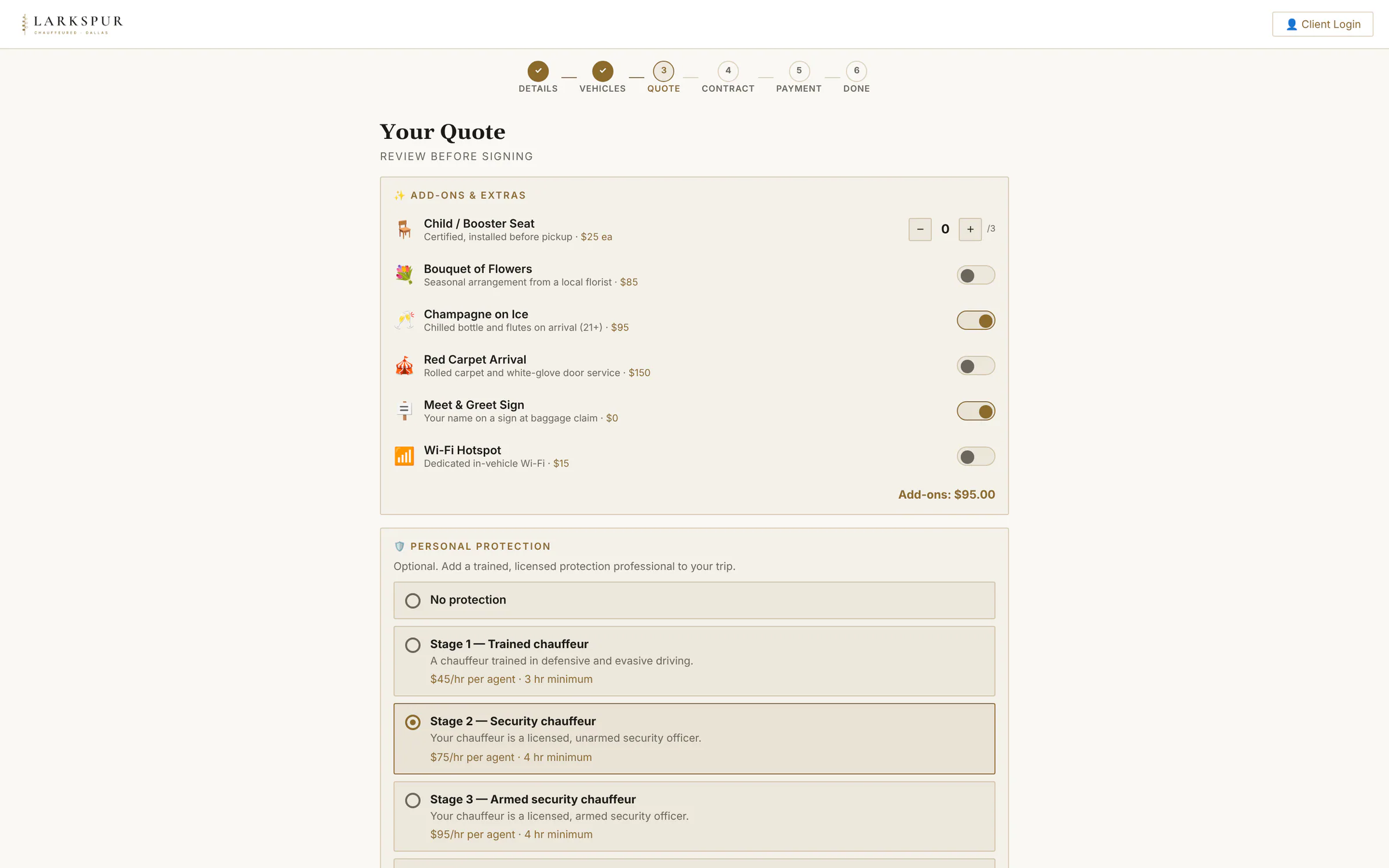 |
| Gratuity and summary | Gratuity tiles and a line-by-line summary: fare, fuel, service charge, add-ons, discount, card fee. | Live | 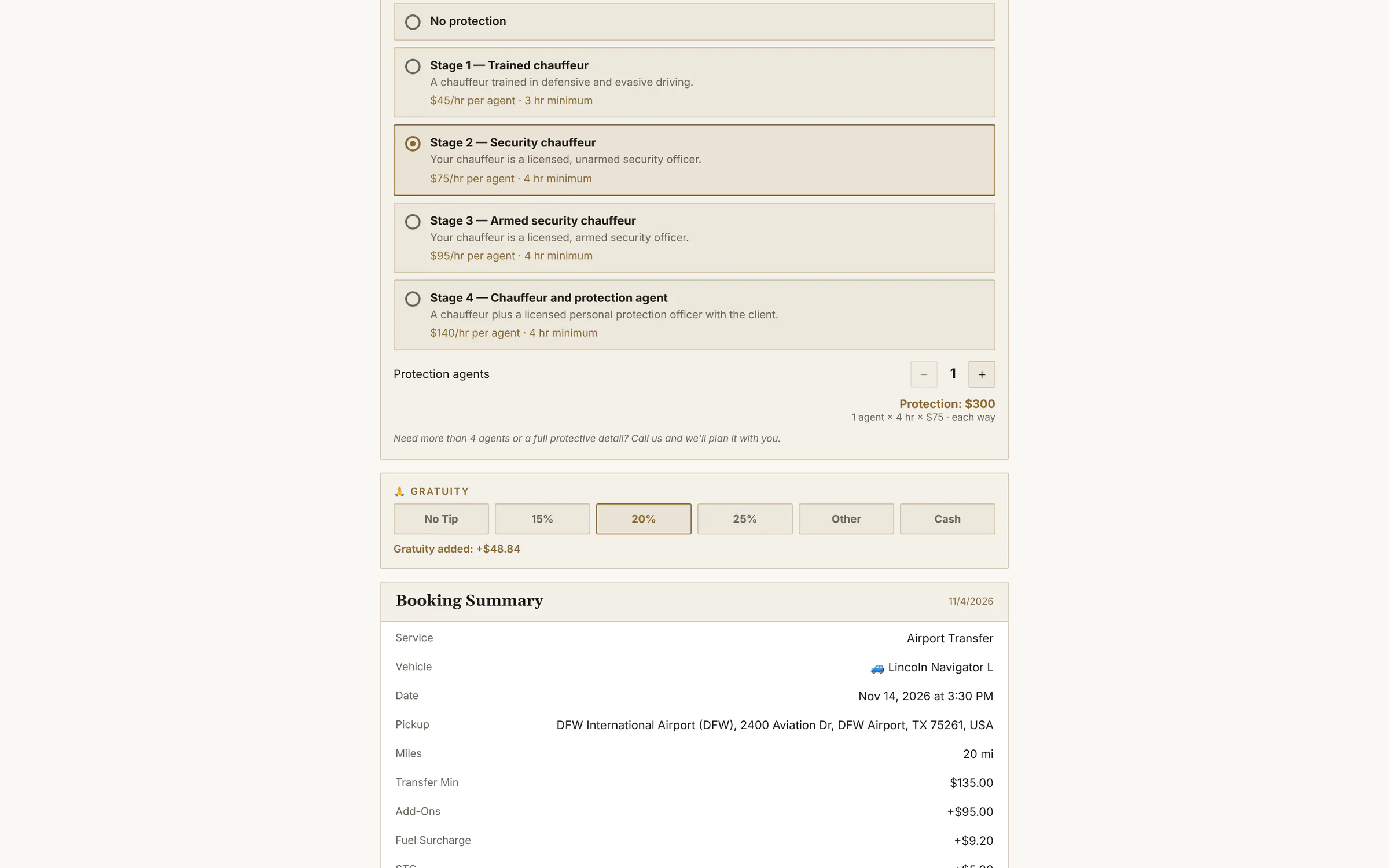 |
| The agreement | Your own terms, section by section. Each box ticked is time-stamped. | Live | 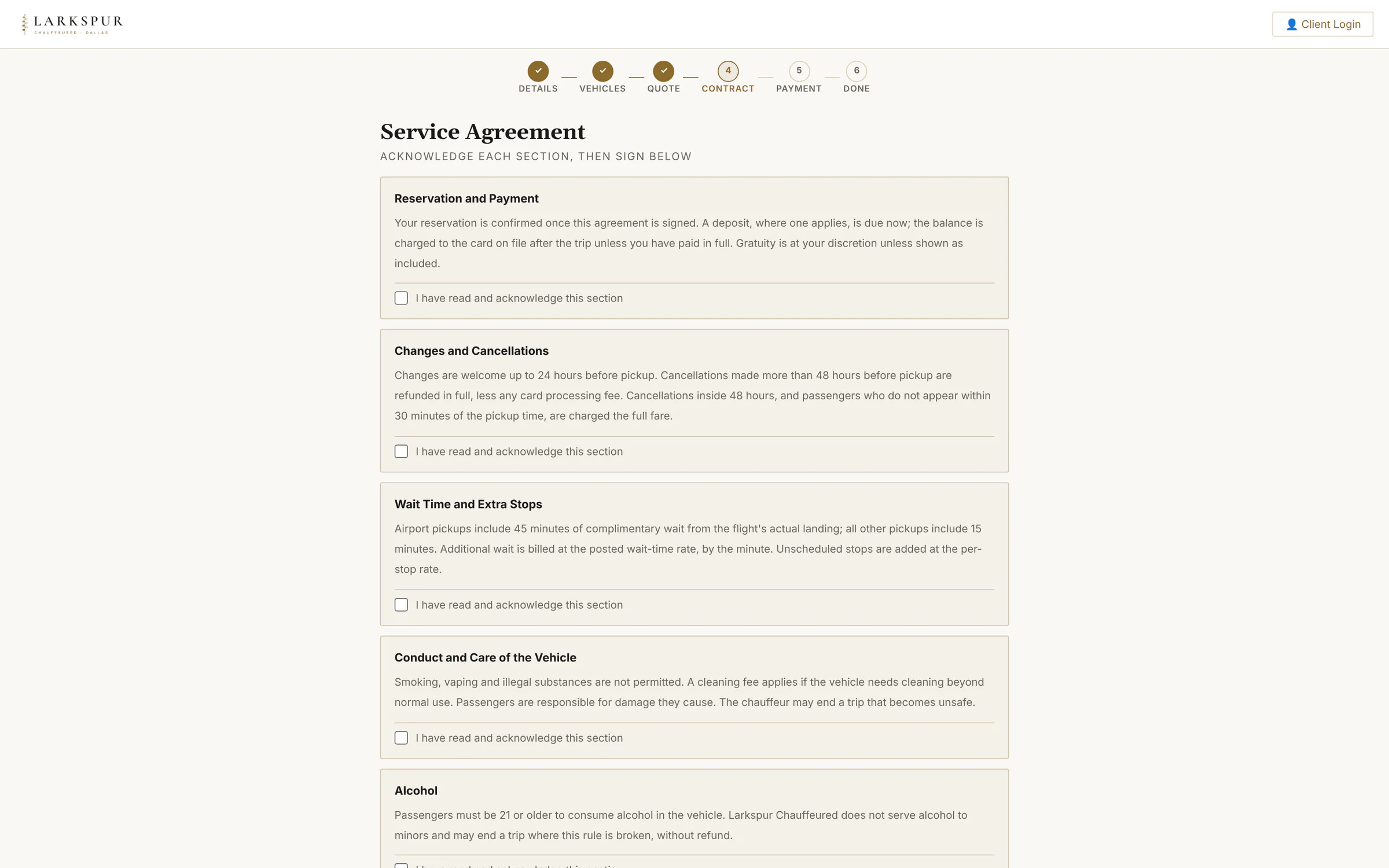 |
| Sign with a finger | Drawn signature, typed legal name, time stamp, IP address and device — all kept with the booking. | Live | 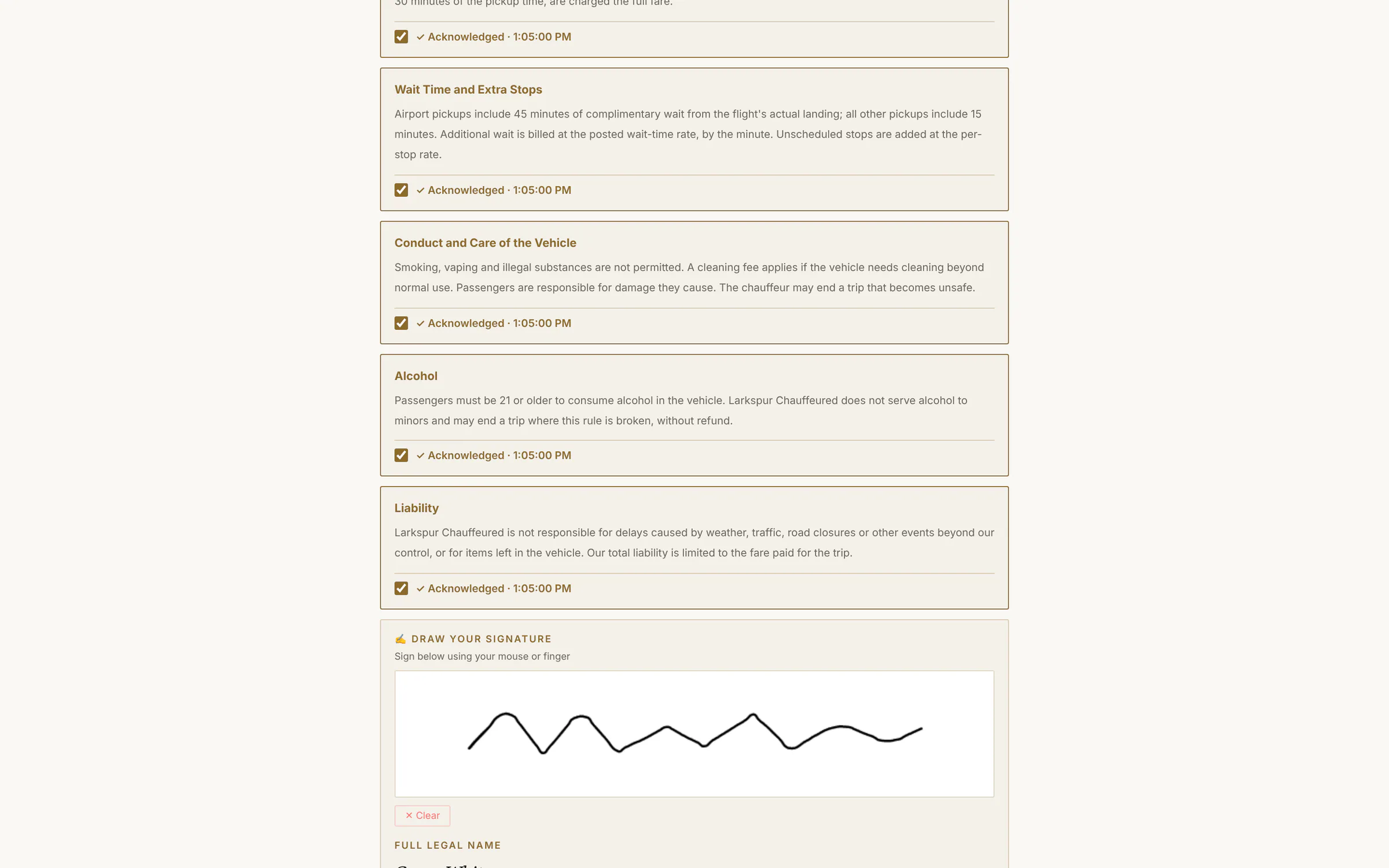 |
| Secure payment | Deposit or pay in full, by card or the methods you accept — straight into your own Stripe account. | Live | 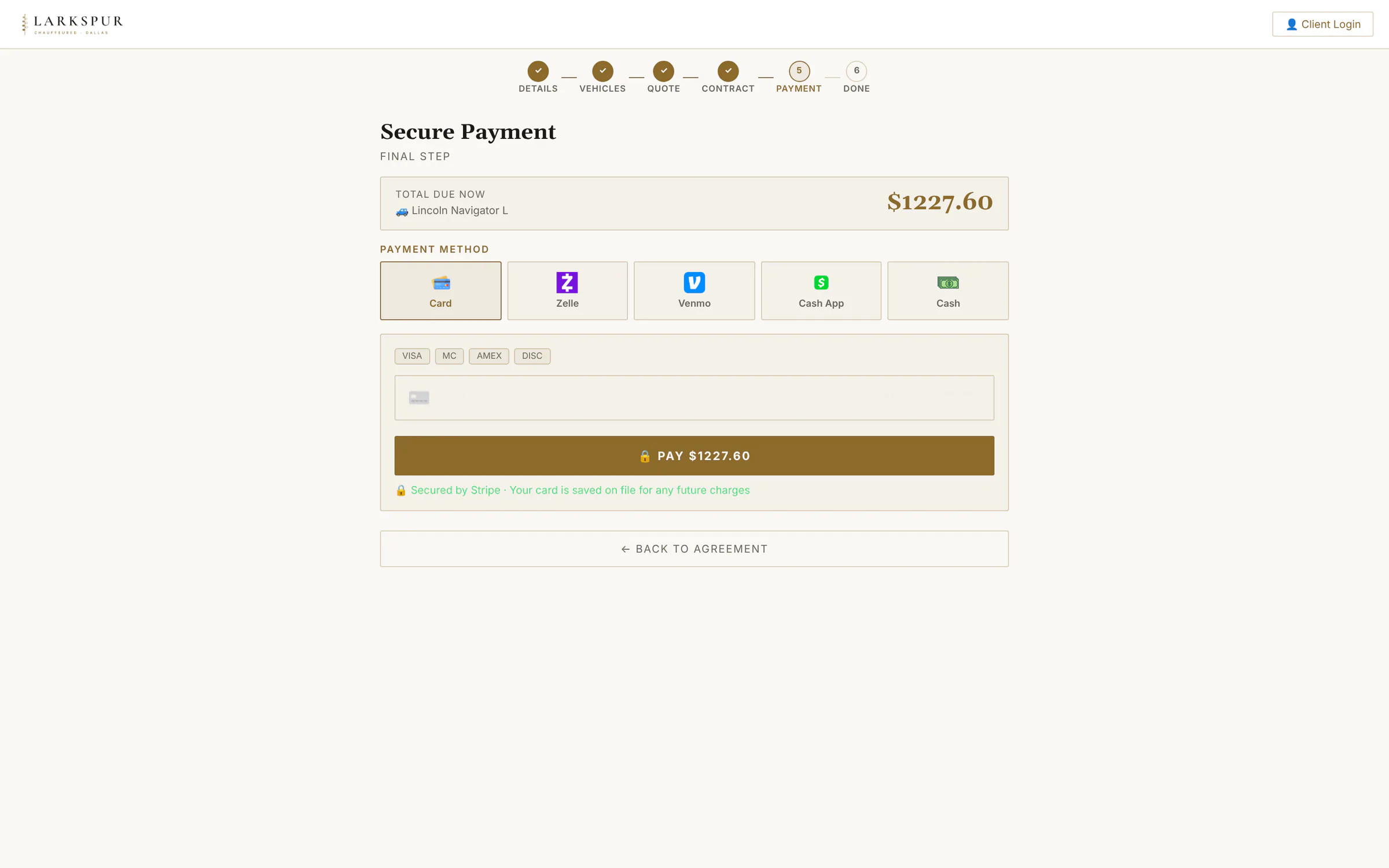 |
| Card payment | Card details go straight to Stripe; the payment lands in your own account. | Live | 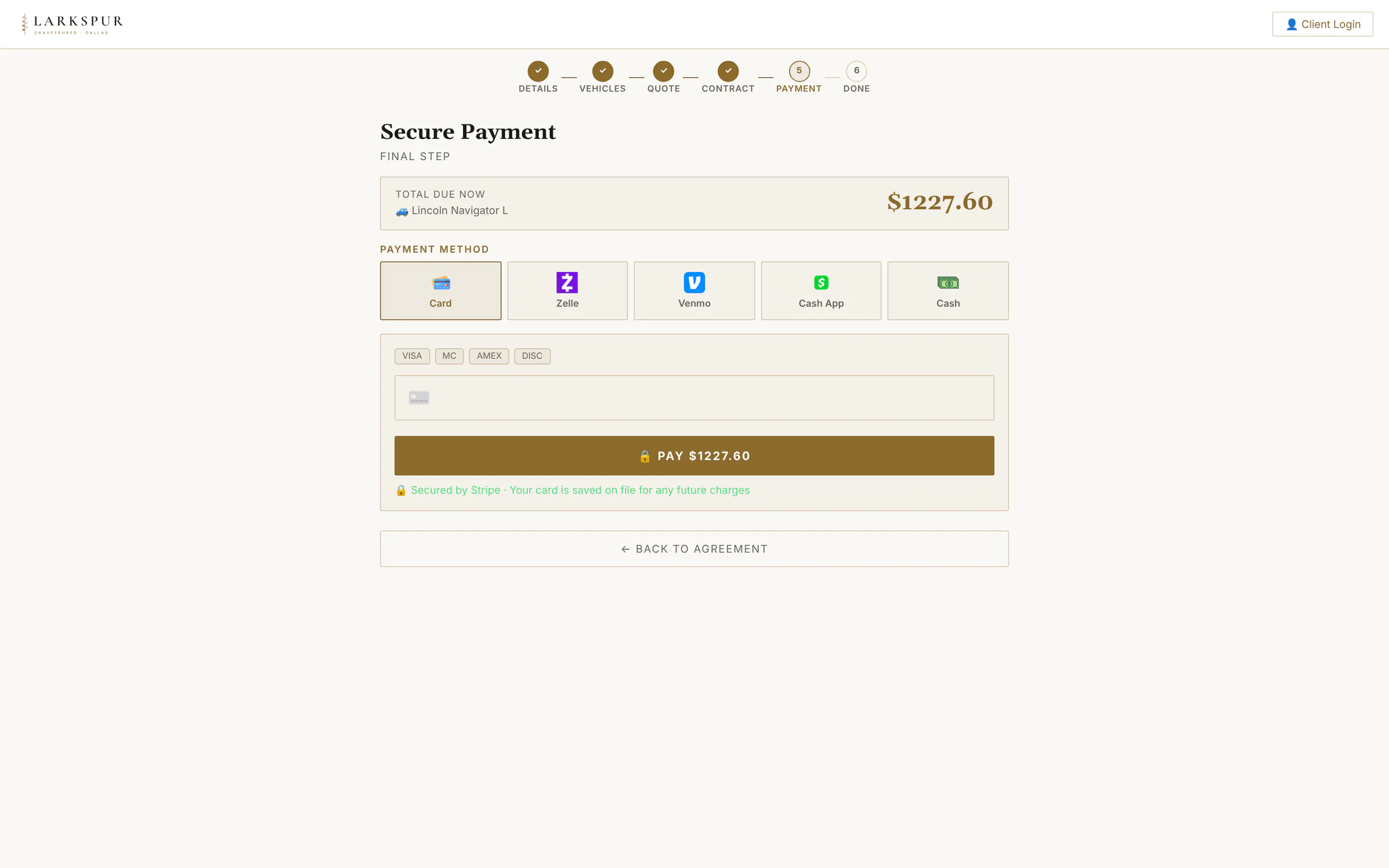 |
| Booking without Stripe | No card processor yet? Customers still book, sign and choose Zelle, Venmo, Cash App or cash — you collect the way you already do. | Live | 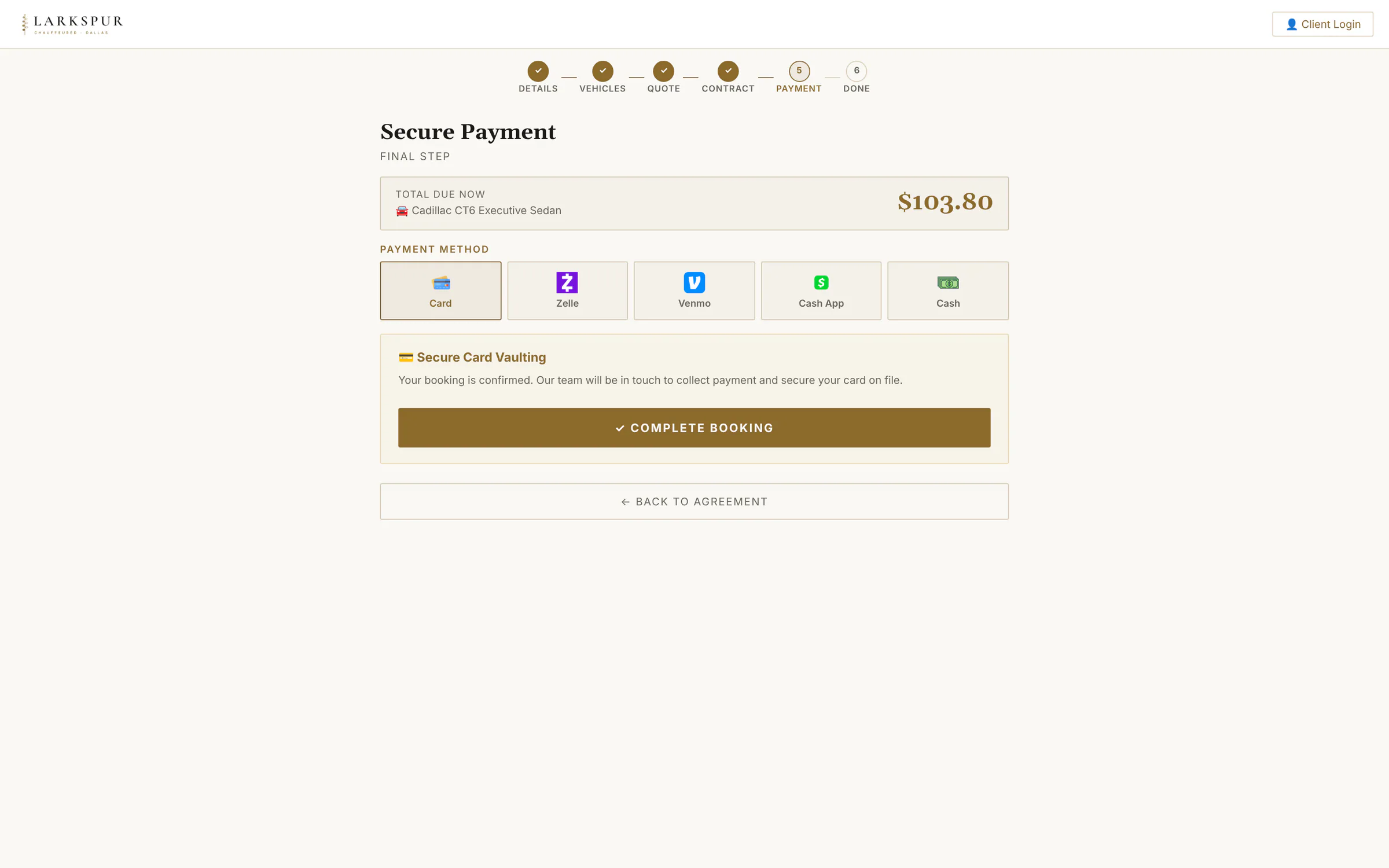 |
| Booked | A confirmation on screen and by email for the customer — and the booking on your dashboard, already priced and signed. | Live | 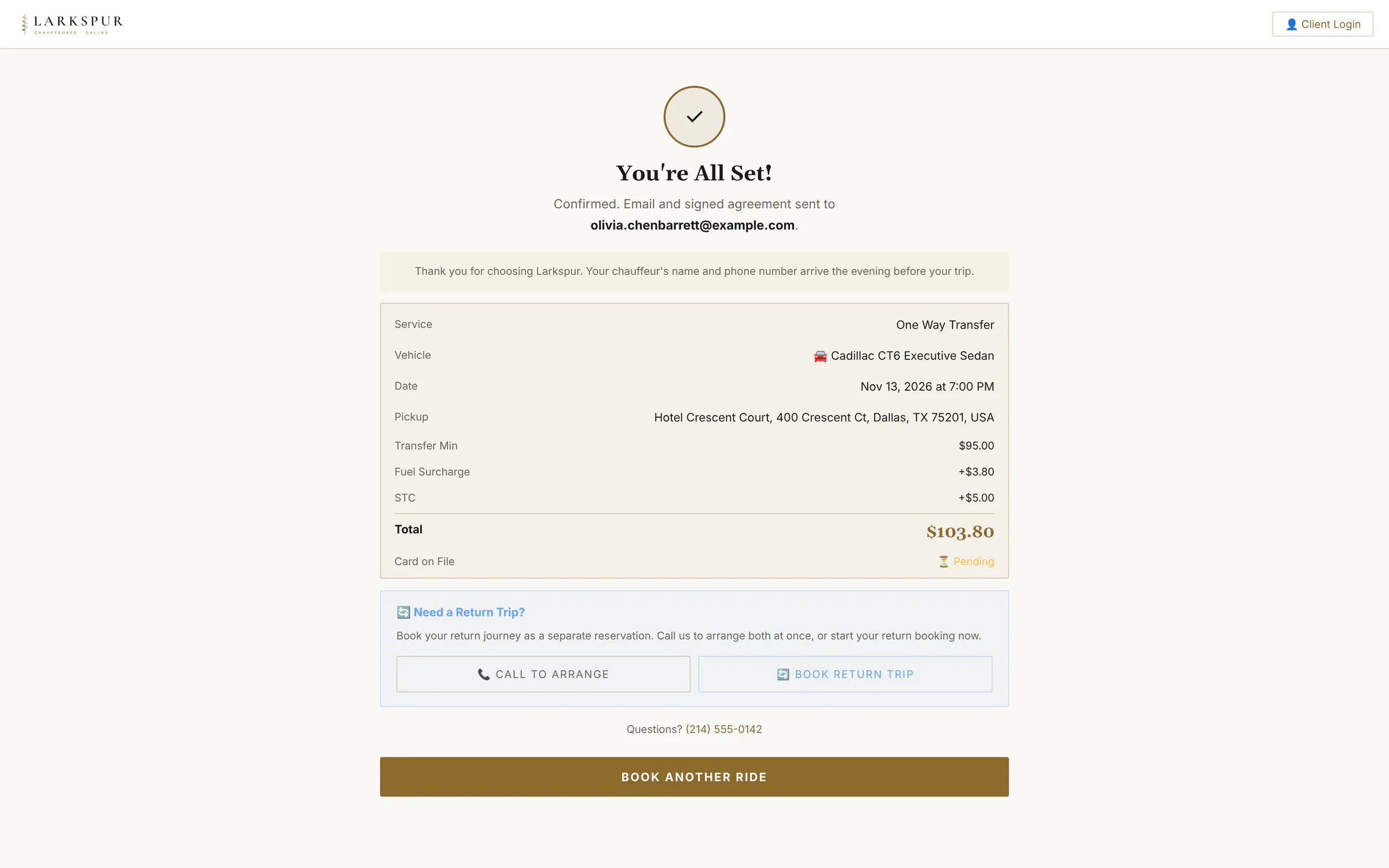 |
| Quote Request Mode | Prefer to price every job yourself? Switch on Quote Request Mode: customers choose a car and send a request instead of paying. | Live | 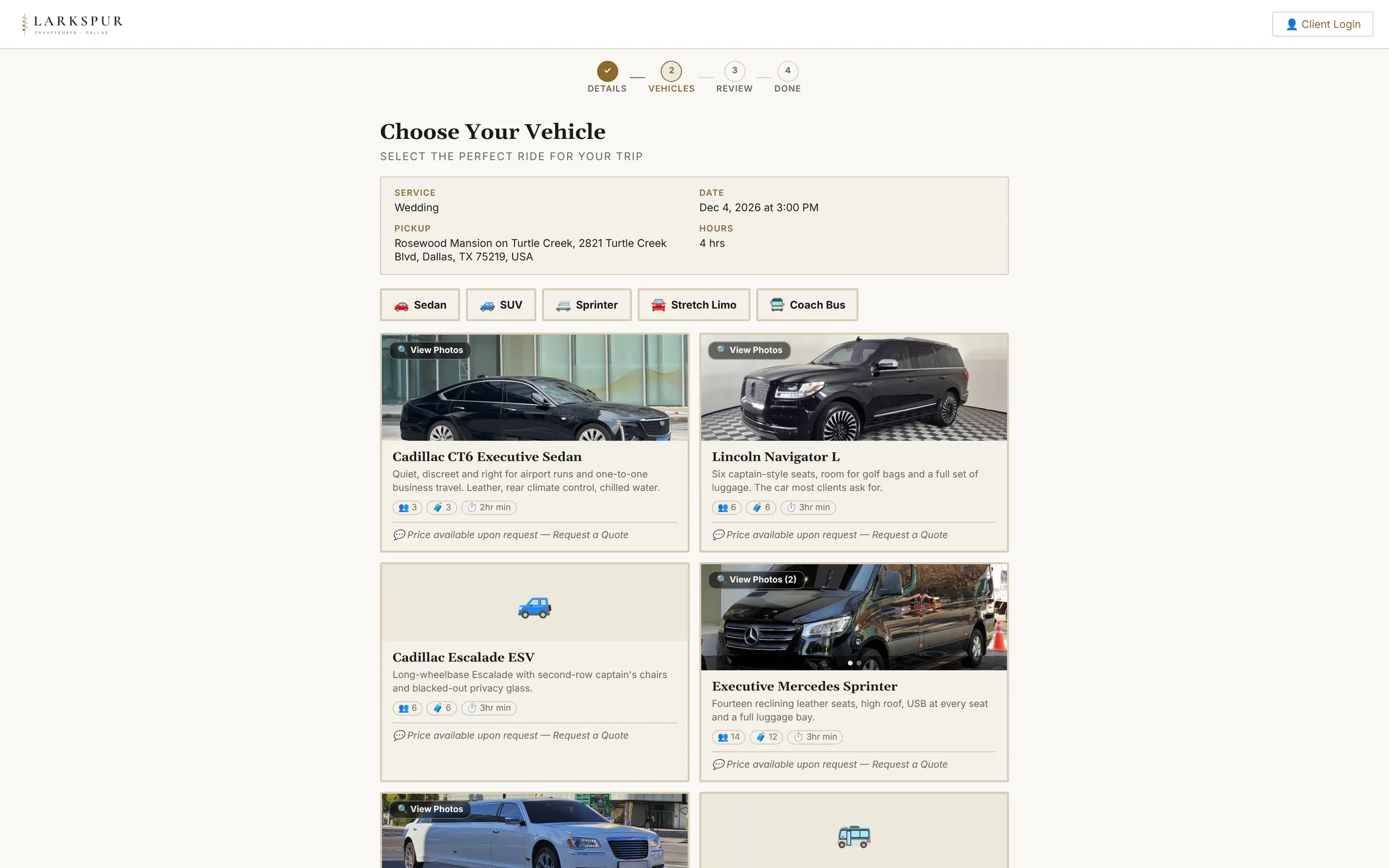 |
| Review the request | No payment yet — the customer reviews the trip and sends it to you. | Live | 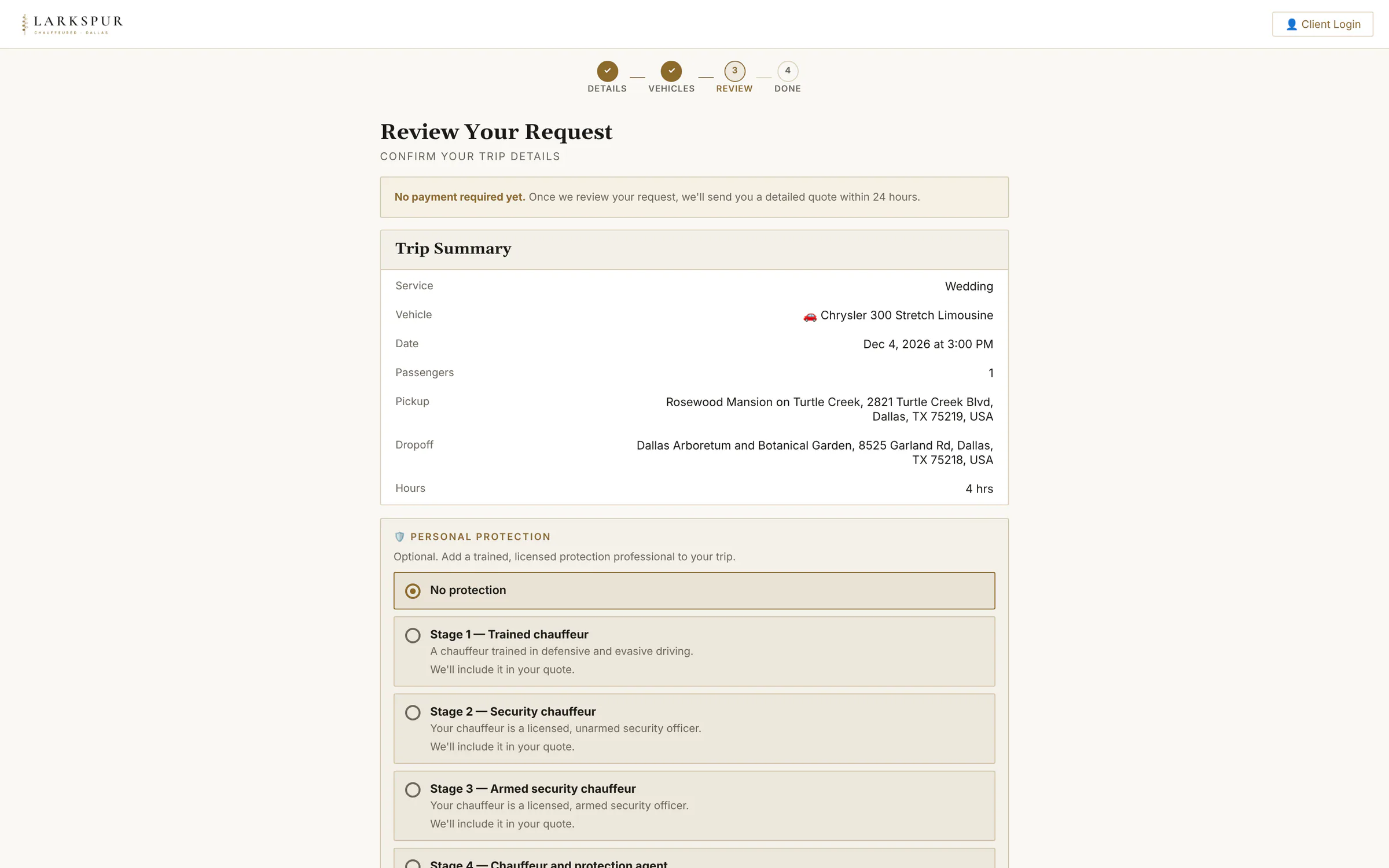 |
| Request received | The request lands on your dashboard as Quote Requested, ready for you to price it. | Live | 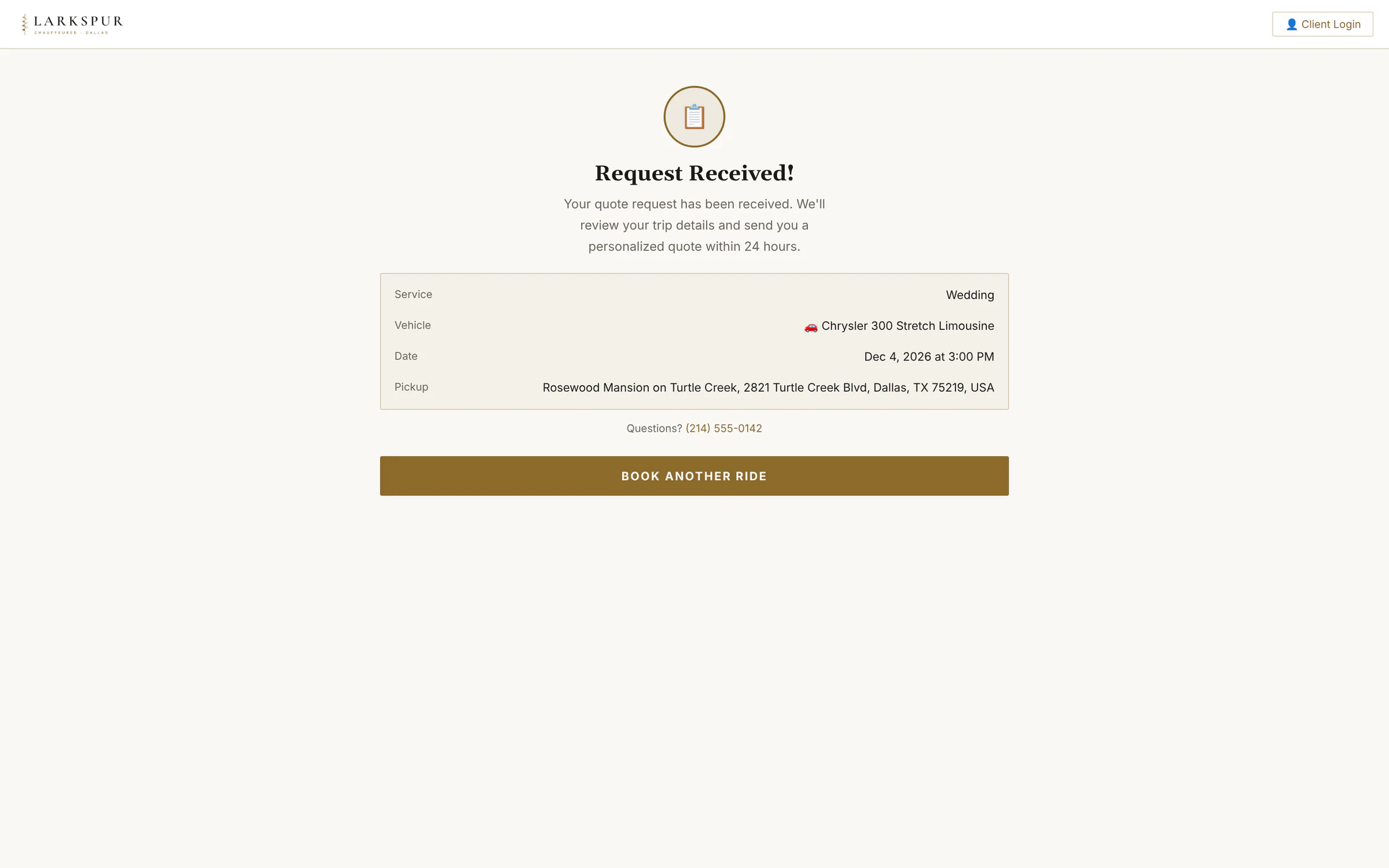 |
| Trip details | Passengers, contact details and the option to book for someone else — in one short form. | Live | 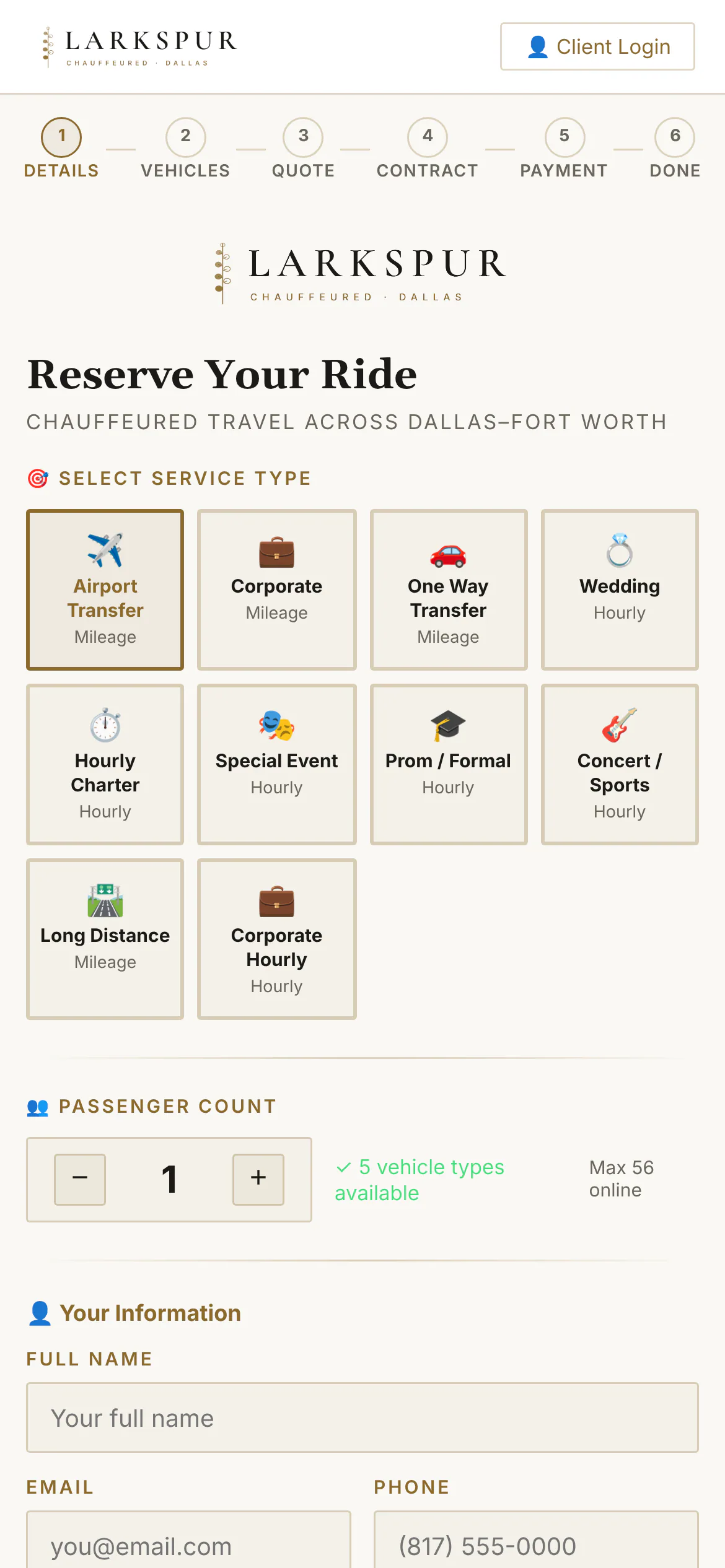 |
| By the hour | Hourly trips ask for the hours needed, and each car shows your minimum hours for it. | Live | 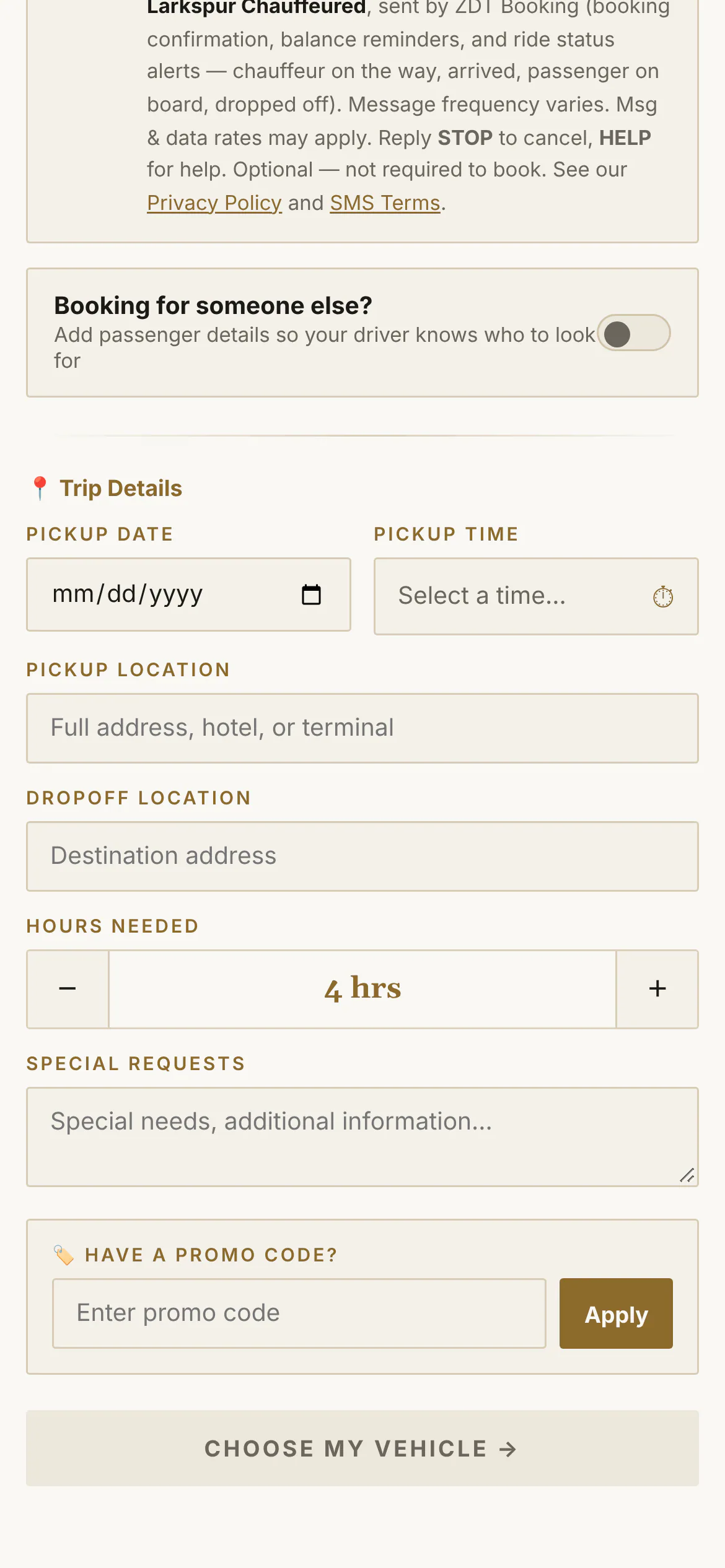 |
| Flight details | Airport bookings take the flight number, curbside or meet & greet, and checked bags — so the chauffeur is there when the plane actually lands. | Live | 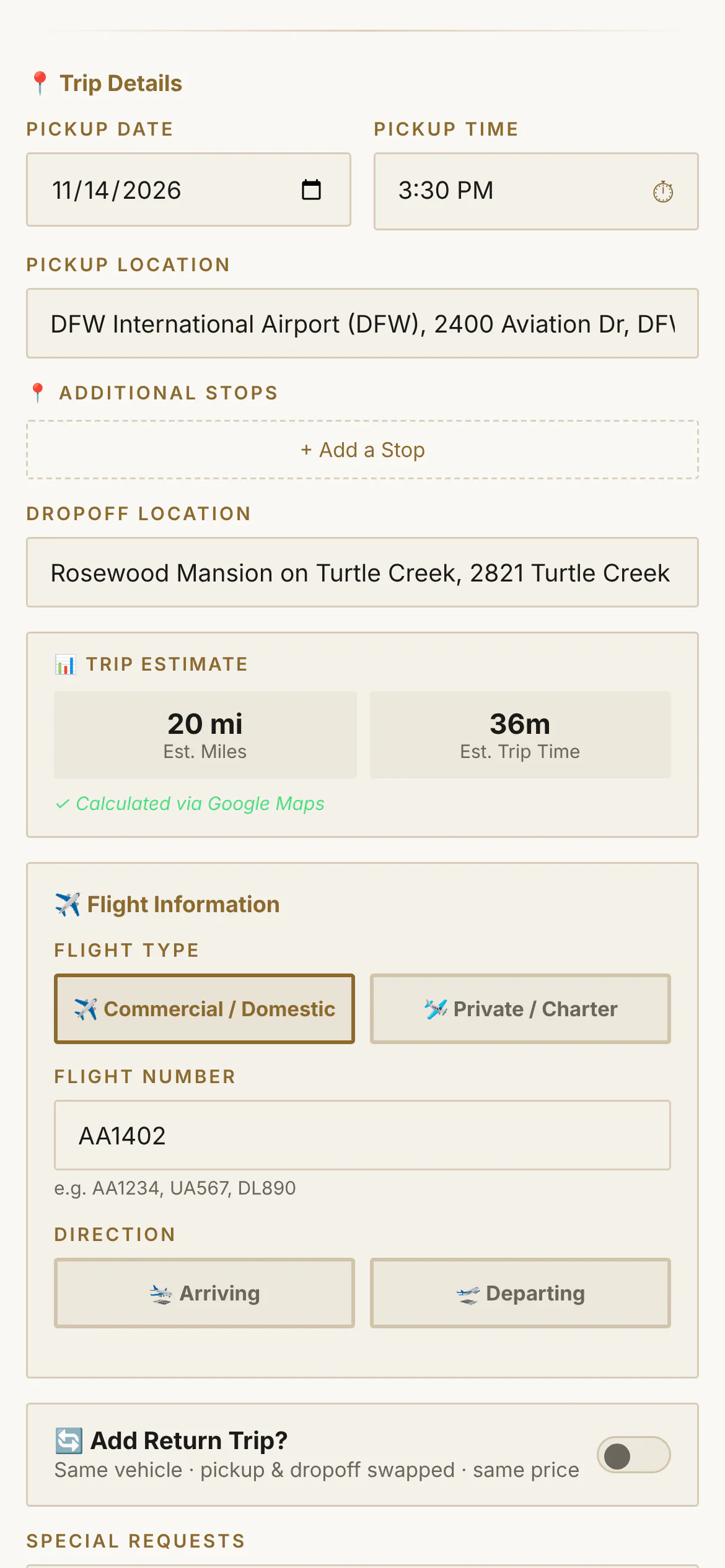 |
| Private and charter flights | Flying private? The form asks for the tail number and the FBO instead of an airline — and the chauffeur sees the same. | Live | 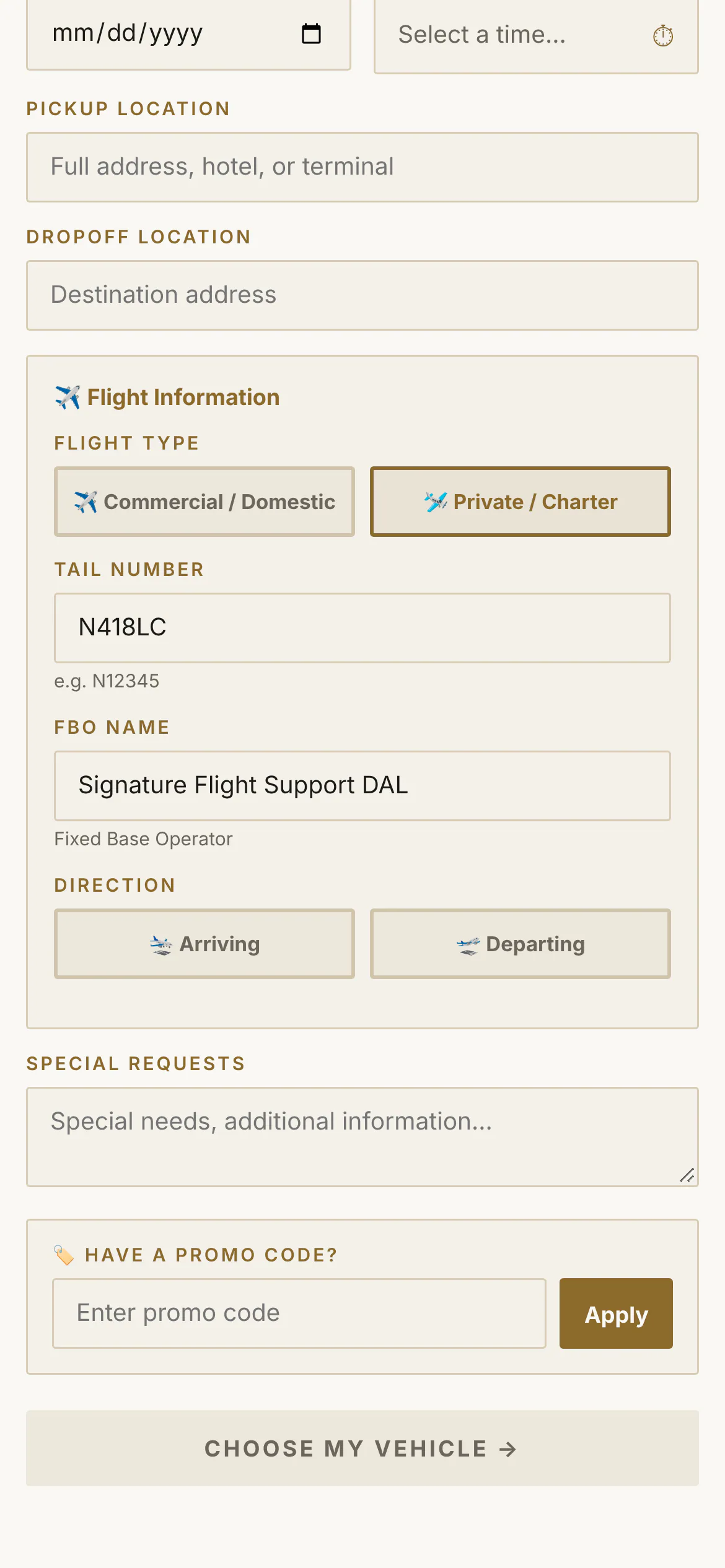 |
| Round trips in one go | One switch books the ride home — same car, pickup and drop-off swapped. | Live | 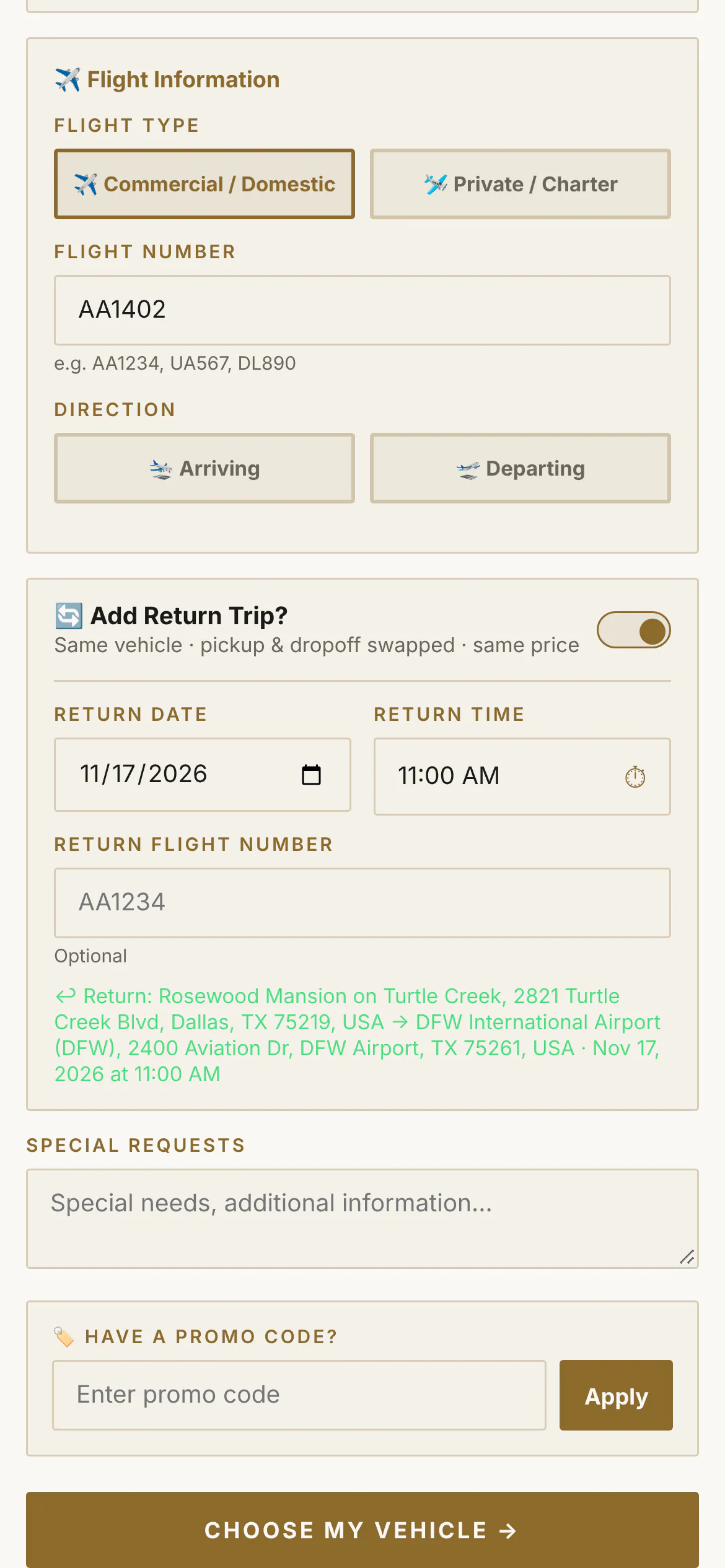 |
| Promo codes | A code the customer types moves the price straight away. | Live | 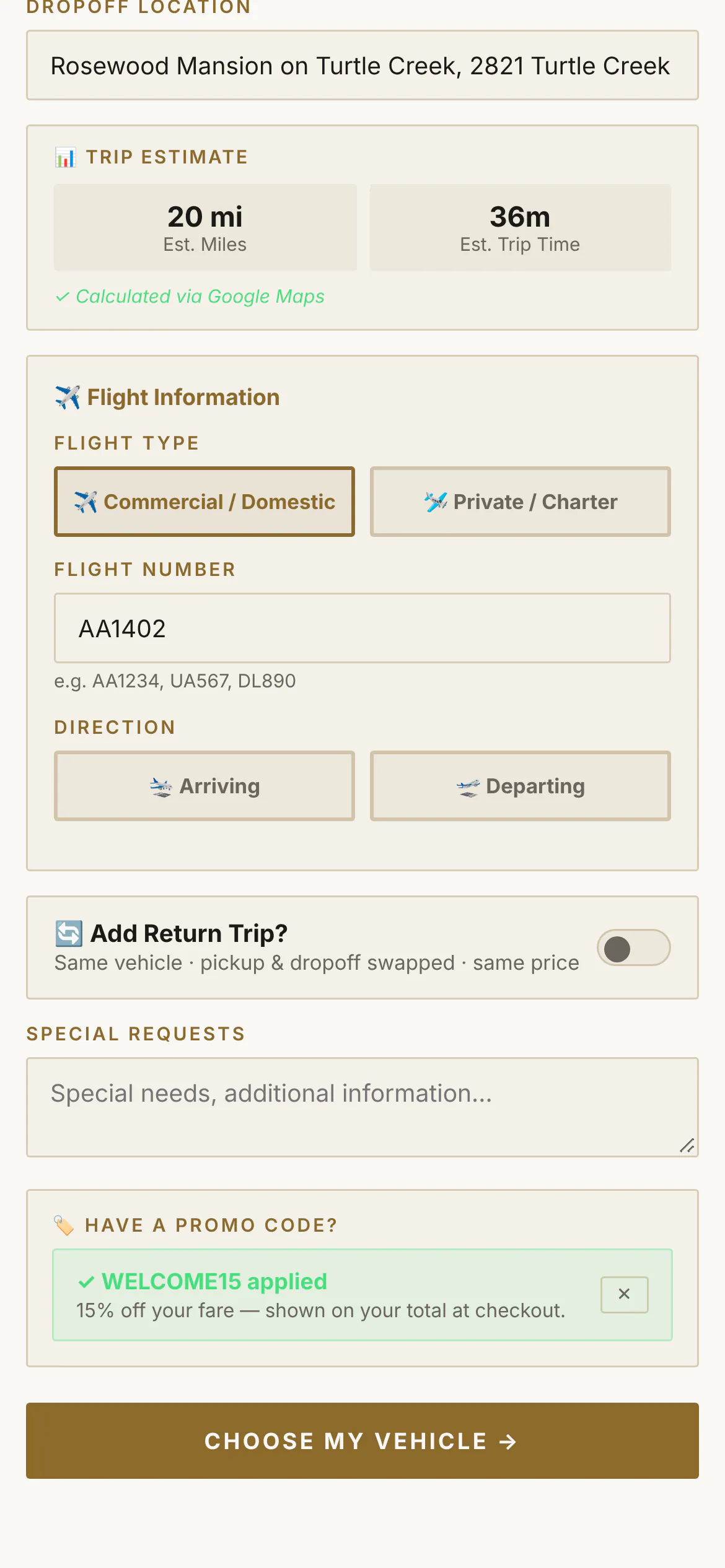 |
| The whole fleet | Every car that seats the party, with a price for this trip — and “price on request” for the motorcoach. | Live | 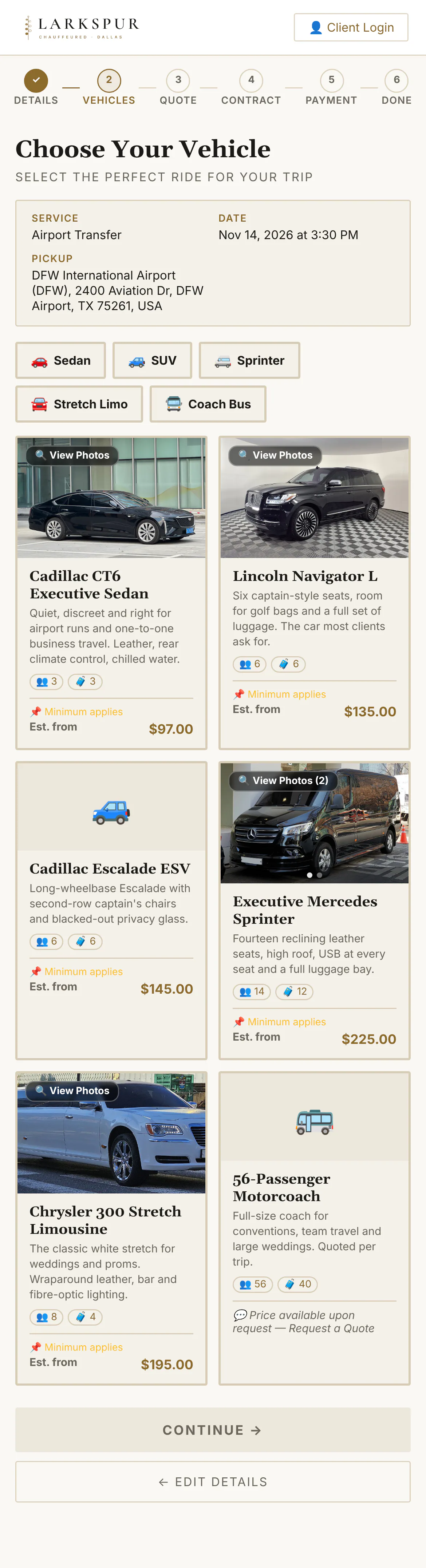 |
| Add-ons | Champagne, child seats, a red carpet — each add-on priced and switched on by you. | Live | 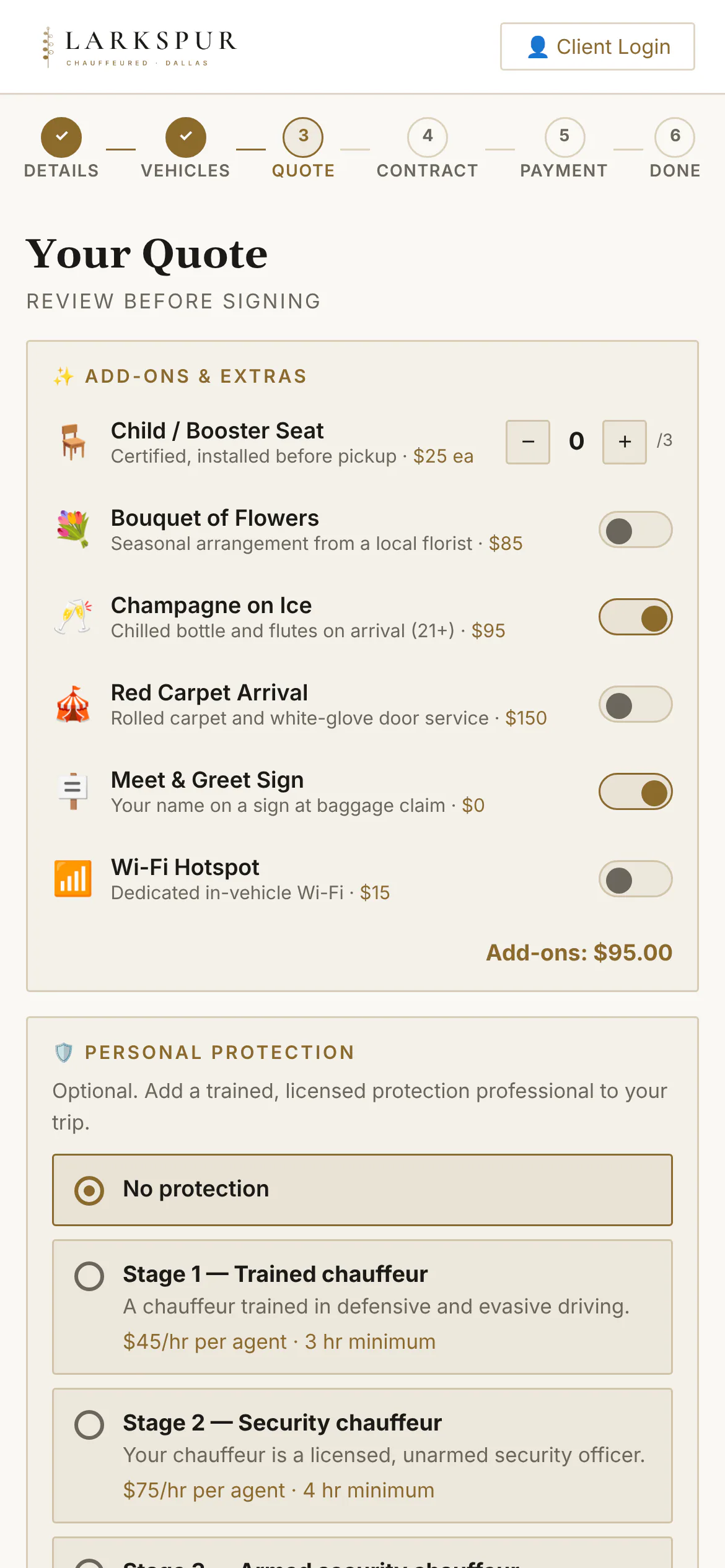 |
| Booking summary | Outbound and return legs, the deposit due now and the combined total. | Live | 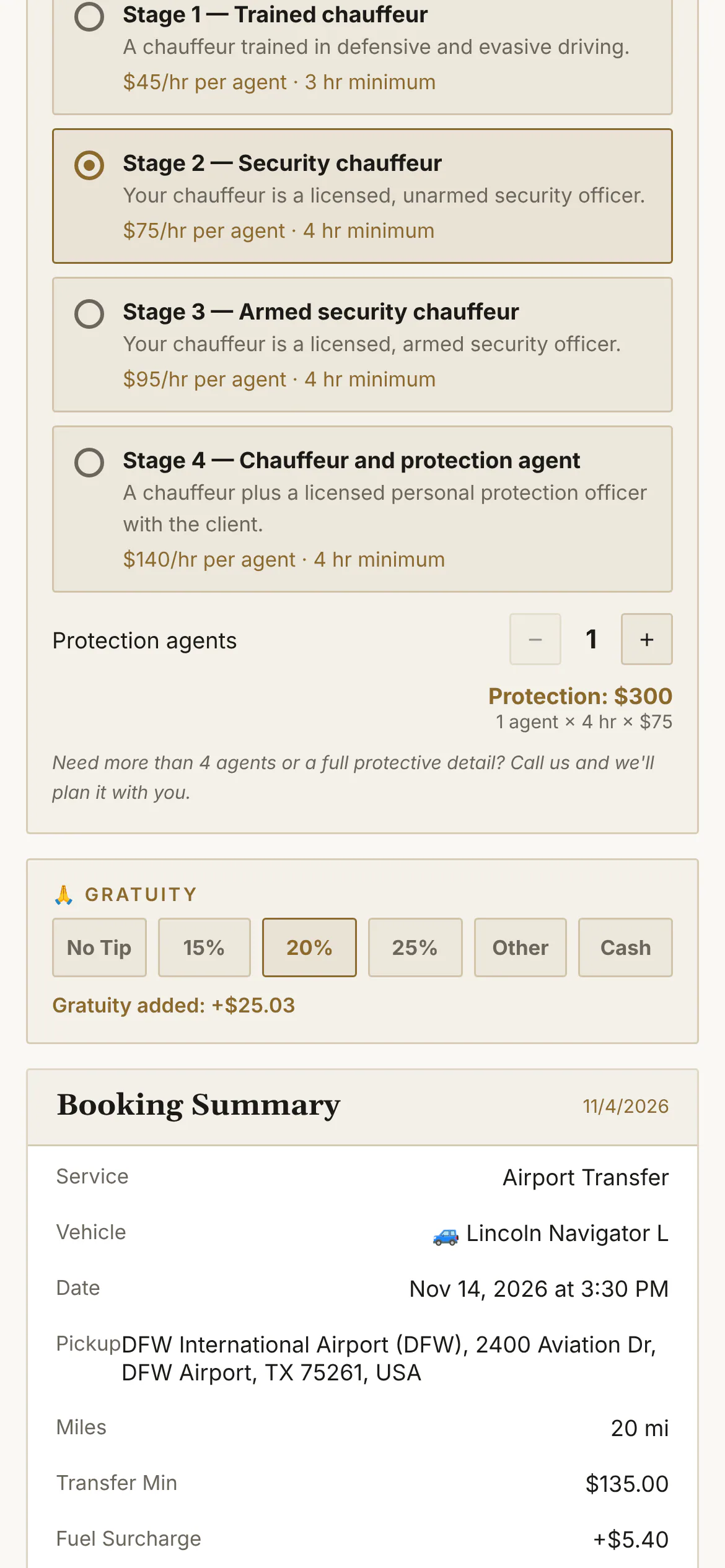 |
| Zelle, Venmo, Cash App, cash | Customers who'd rather not pay by card see exactly where to send it, and how much. | Live | 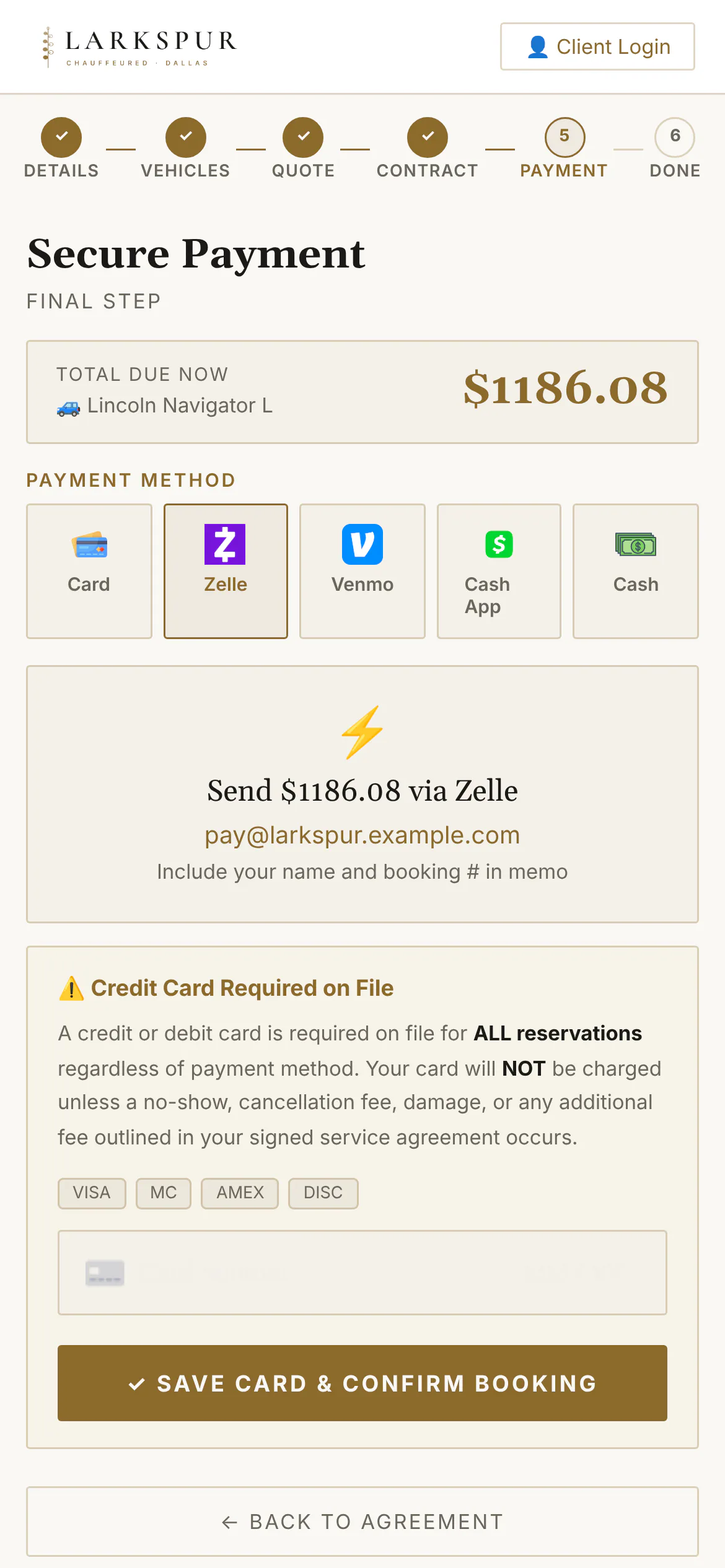 |
| Holiday and event dates | Set a date as an event — Thanksgiving, New Year's Eve, a big game — and the booking page says so and prices it. | Live | 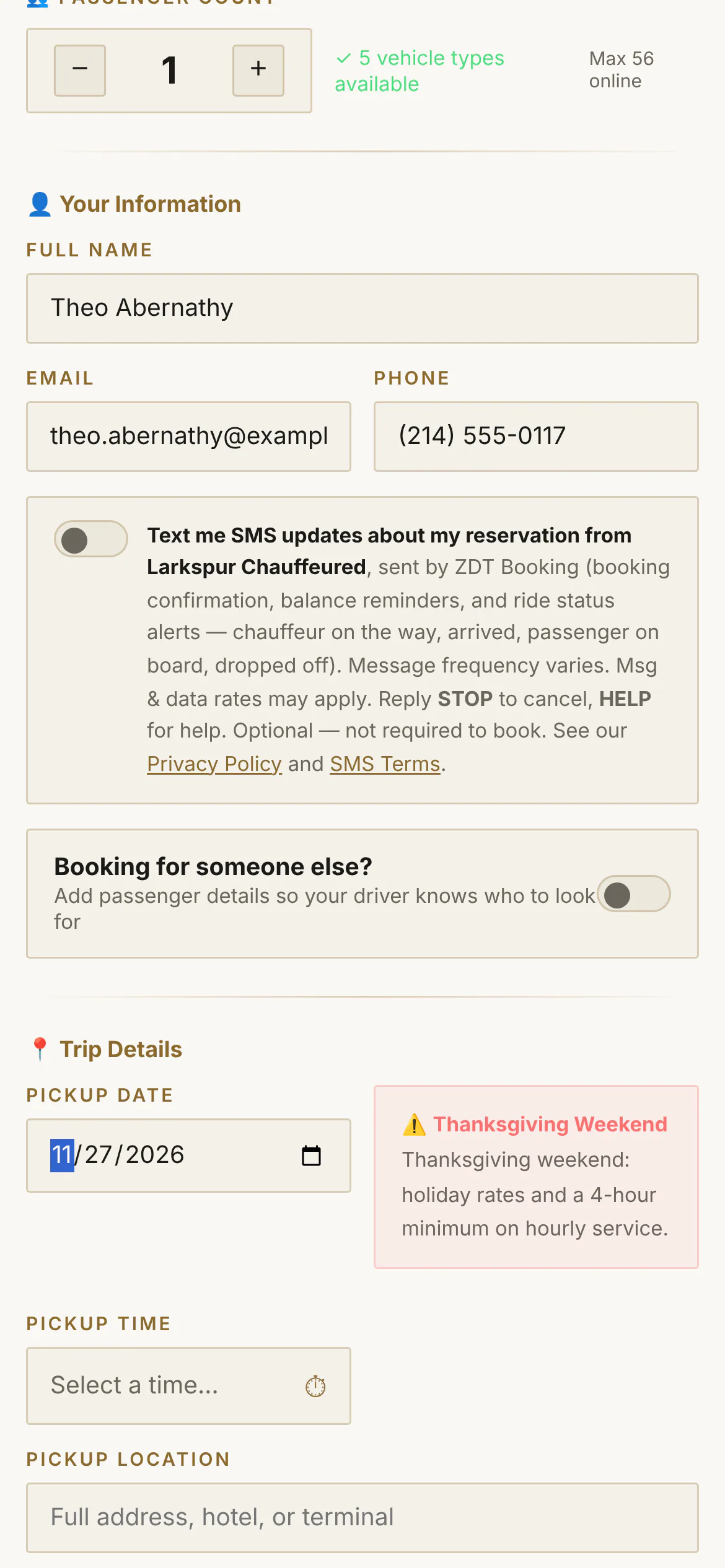 |
| Event-date notices on the quote | Holiday and event pricing explains itself: the quote carries your notice, your minimum and your rates for that date. | Live | 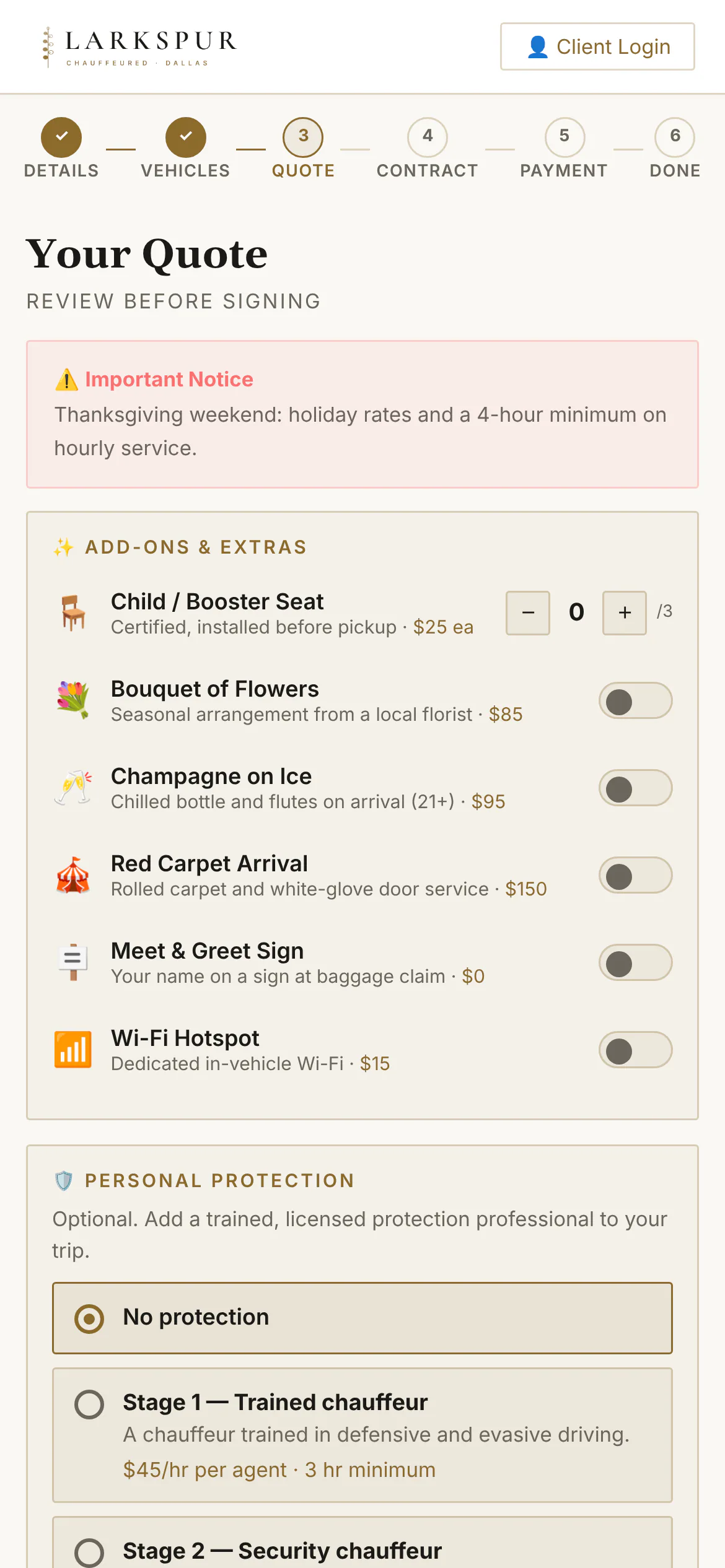 |
| Corporate bookings | Corporate services ask for the company, the passenger and a PO number — and can skip payment for invoiced accounts. | Live | 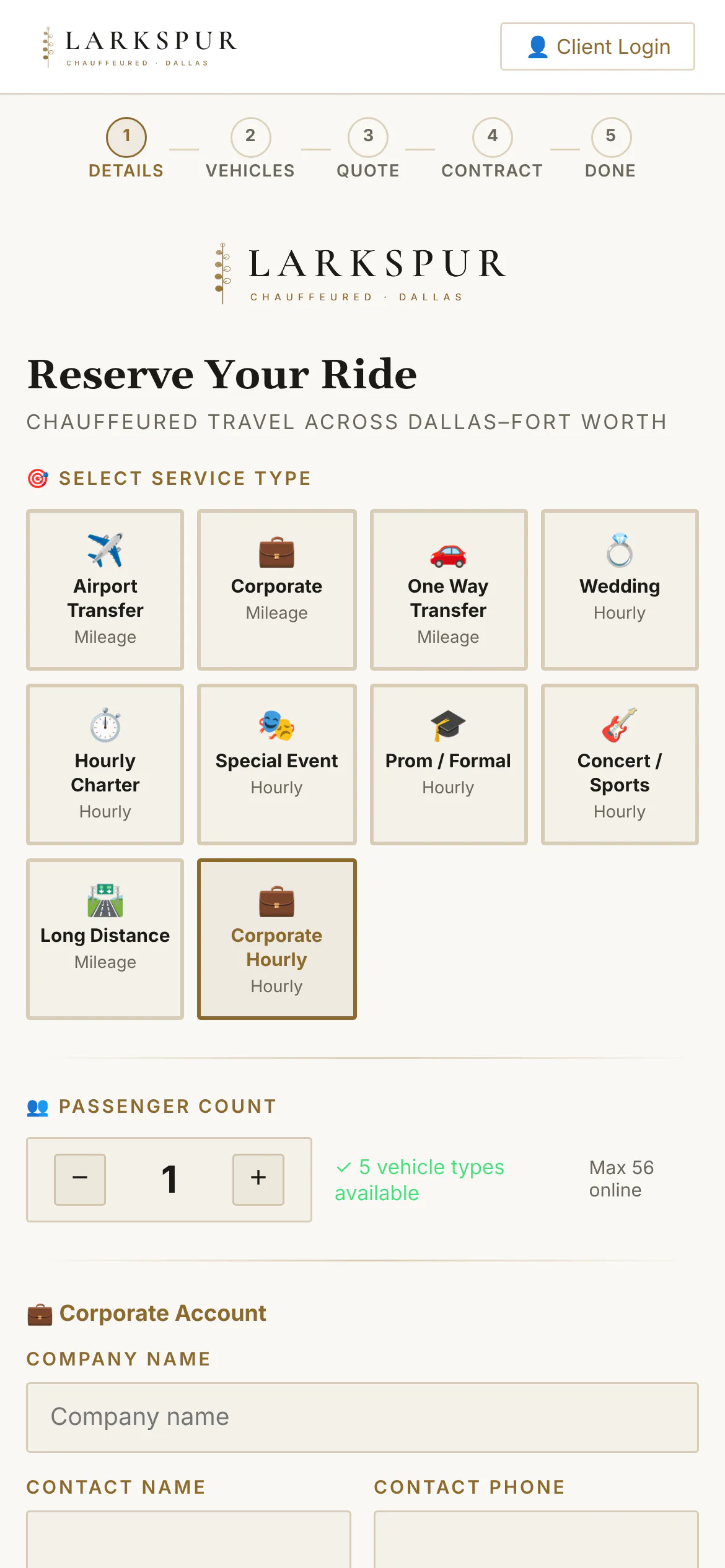 |
Quote, sign & pay
| Function | What it does | Status | Screen |
|---|---|---|---|
| The quote, as your client sees it | One link: the trip, the car, an itemised price and two buttons — Accept or Decline. | Live | 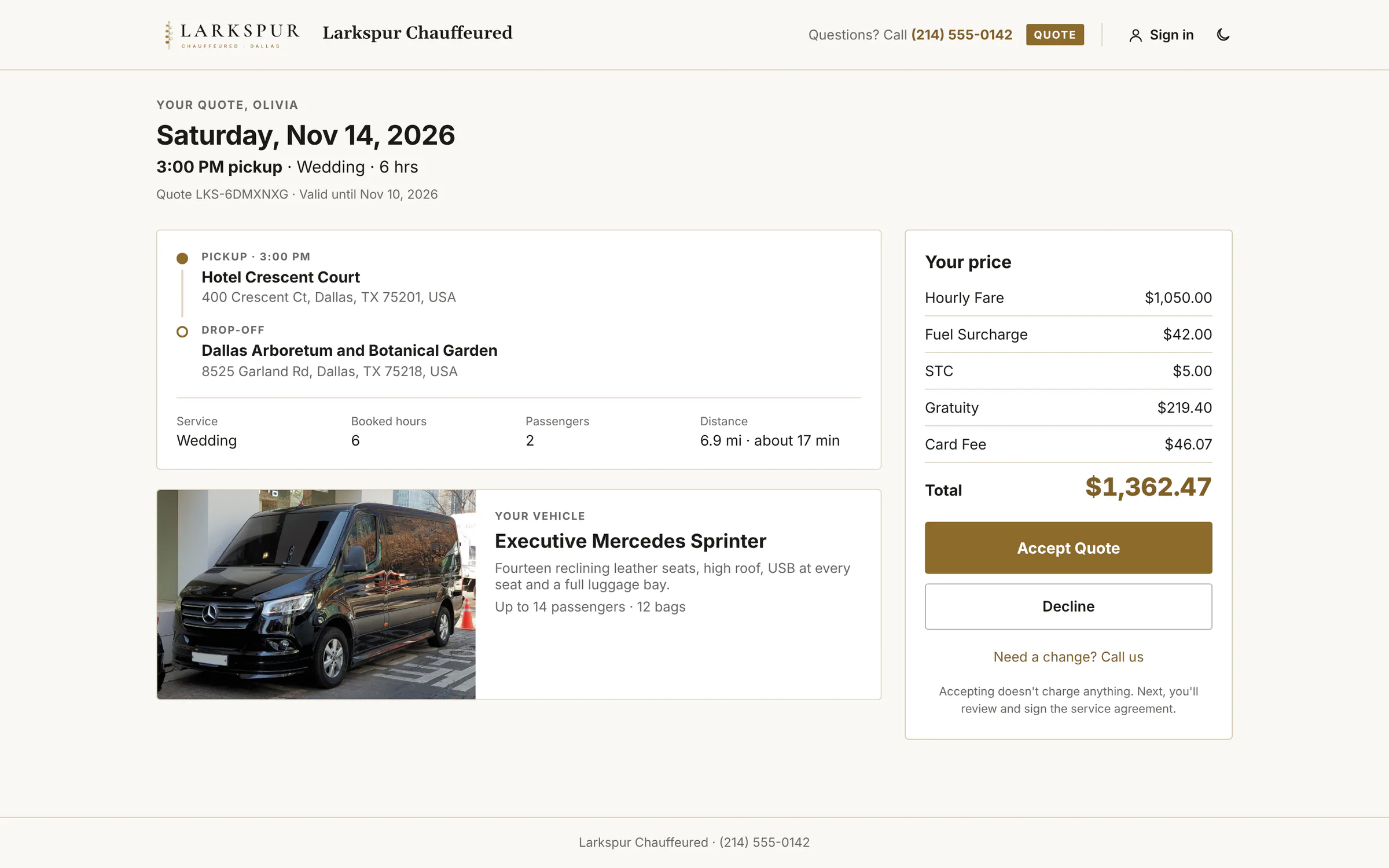 |
| Accepted — straight on to sign | One tap on Accept and the client is taken to the agreement, then payment. You get an alert the moment it happens. | Live | 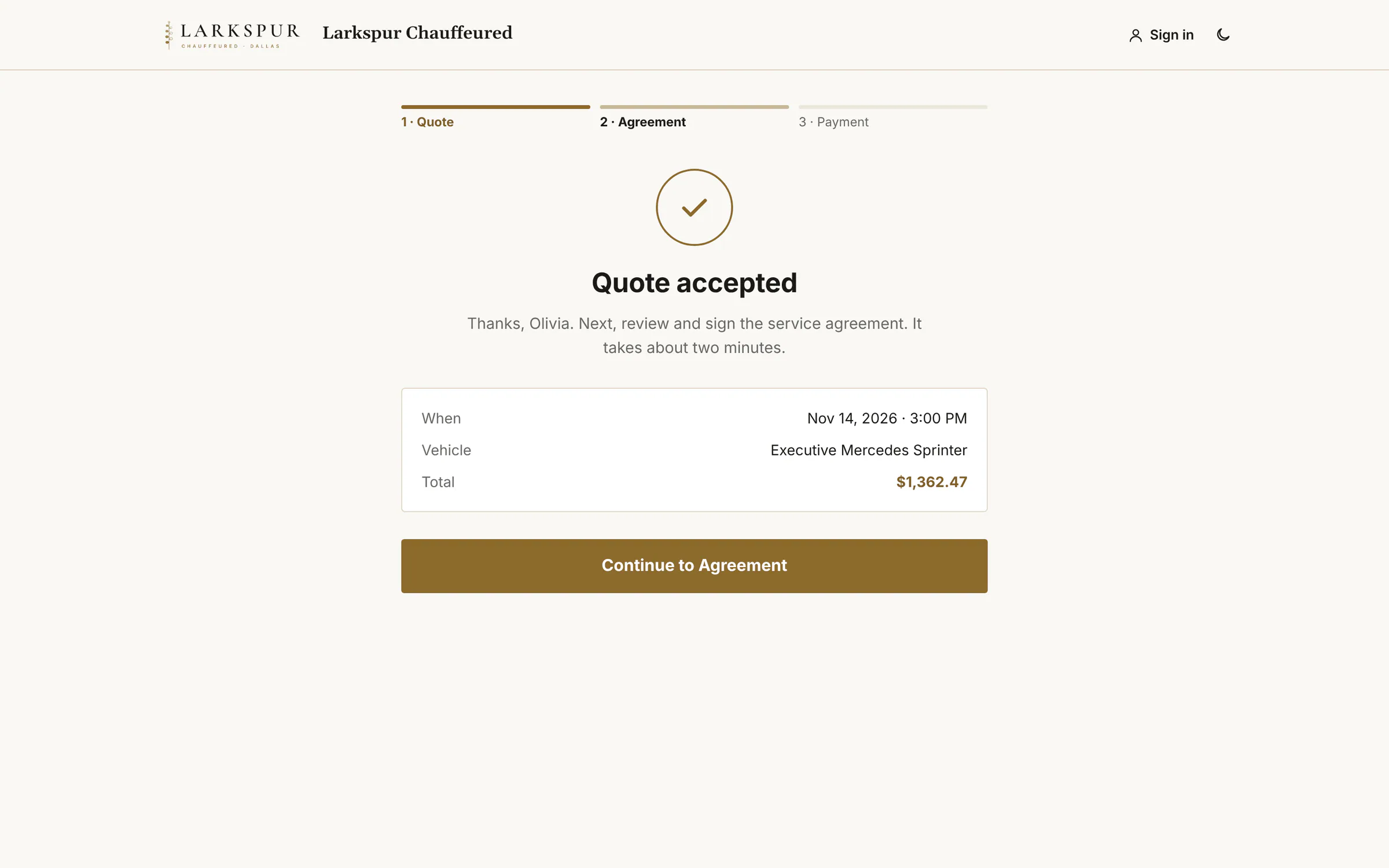 |
| Declines tell you why | A client who says no picks a reason — the price, plans changed, booked elsewhere — and can add a note, so you learn from every lost quote. | Live | 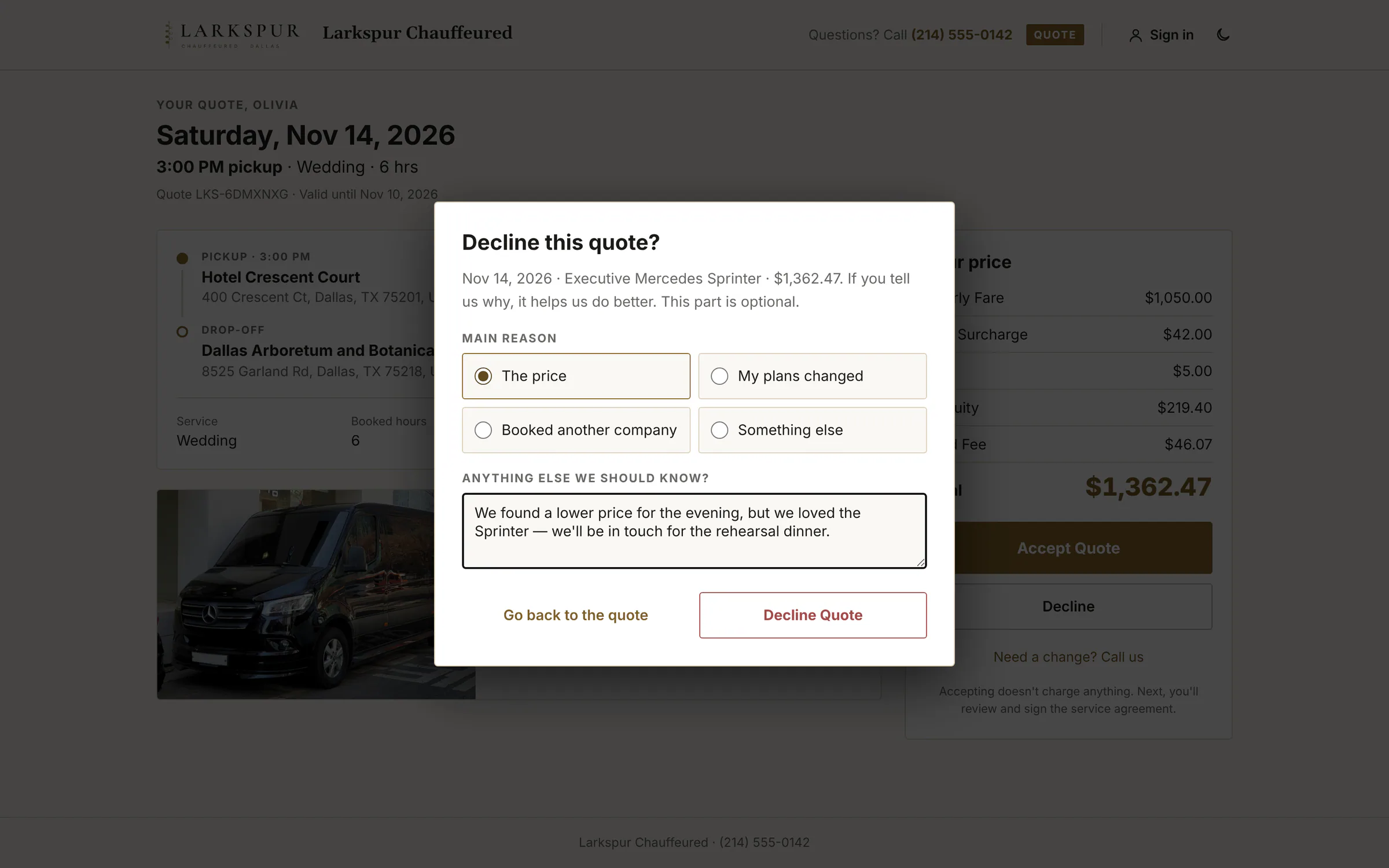 |
| A gracious no | The client is thanked, told nothing was charged, and given a way back if they change their mind. | Live | 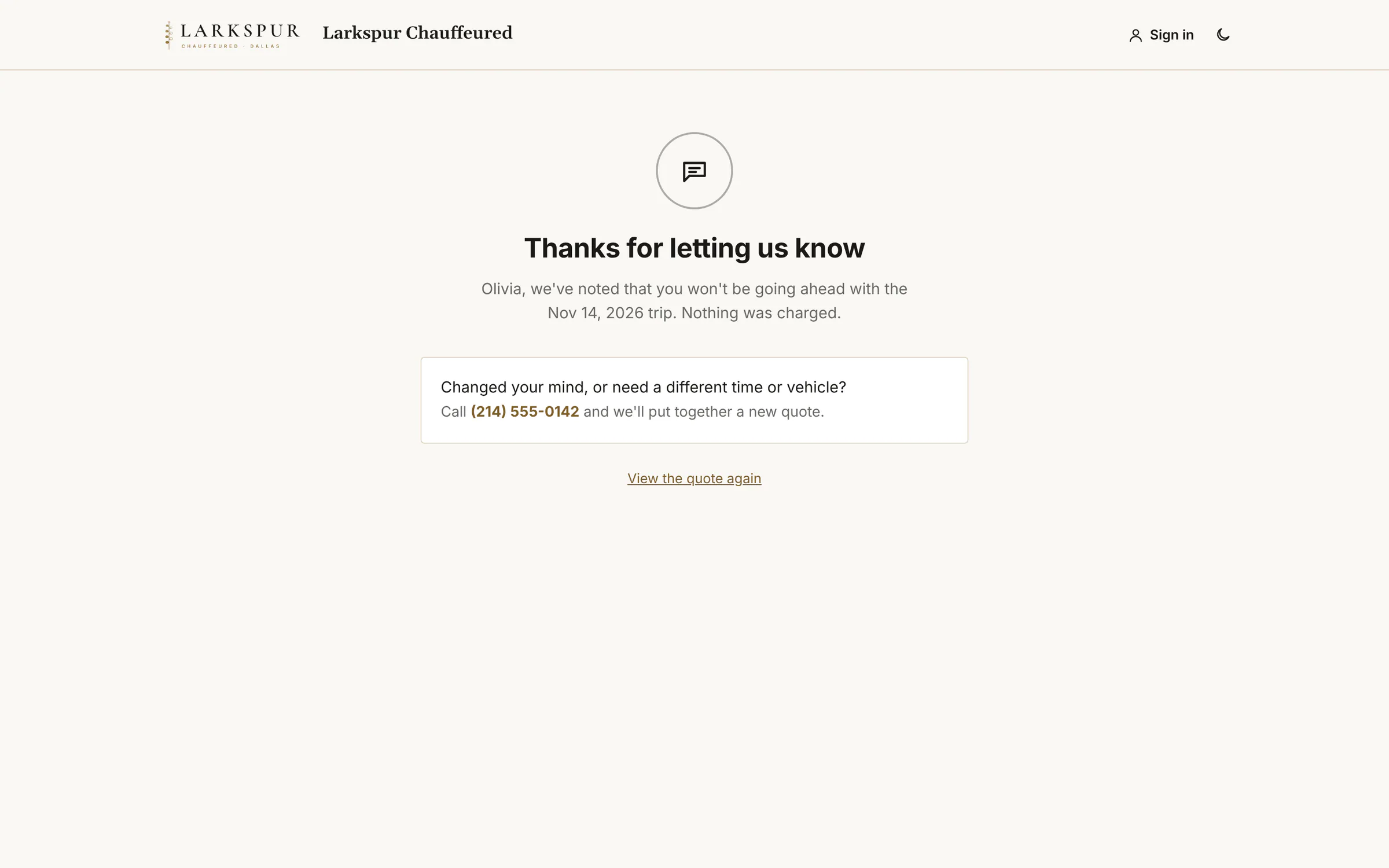 |
| Sign from a link | Send a signing link from any booking: summary, charges, your agreement and a signature pad. | Live | 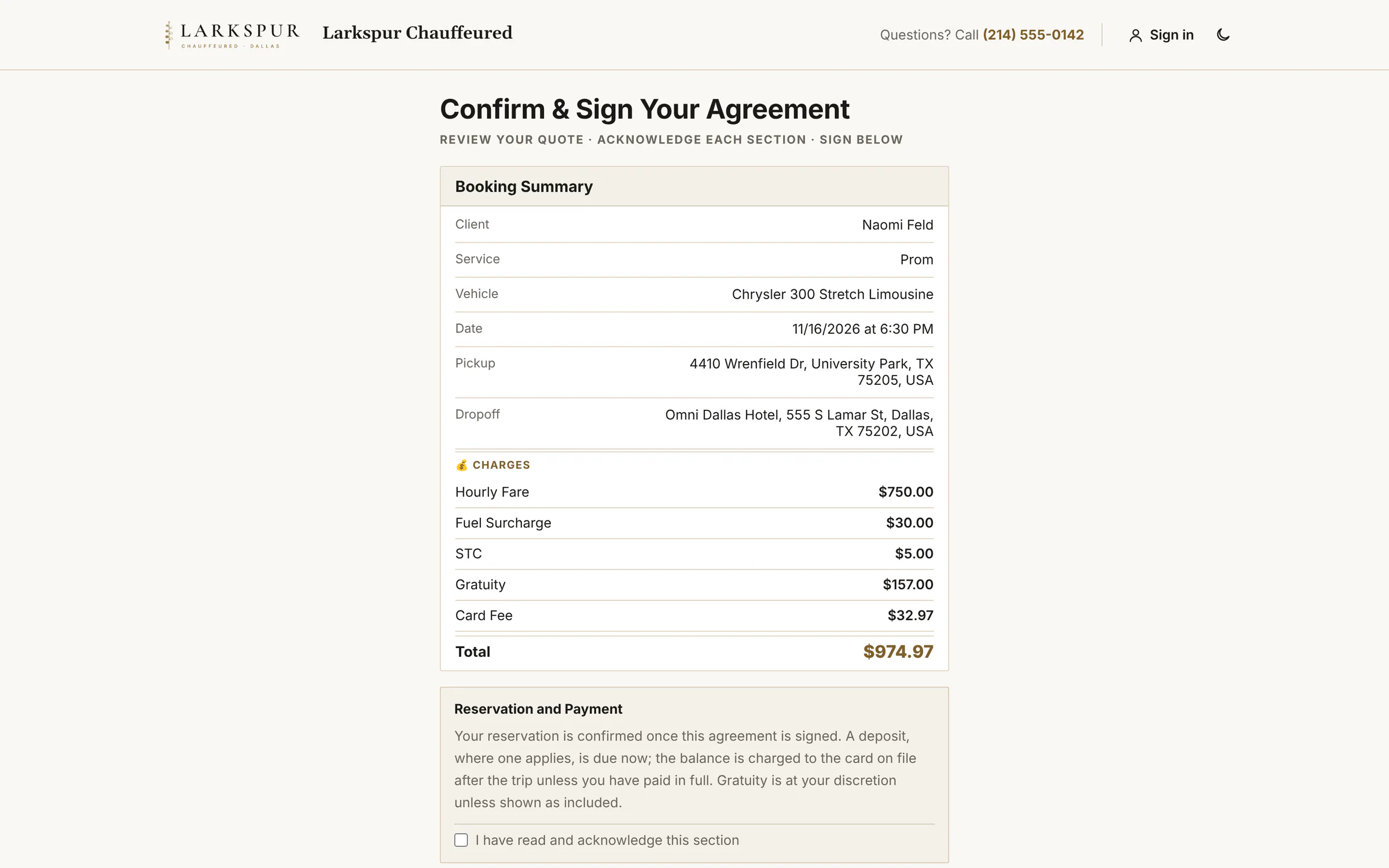 |
| Photo ID on file | Switch on Require Photo ID and the client adds their ID — camera or file, front and back — before signing. | Live | 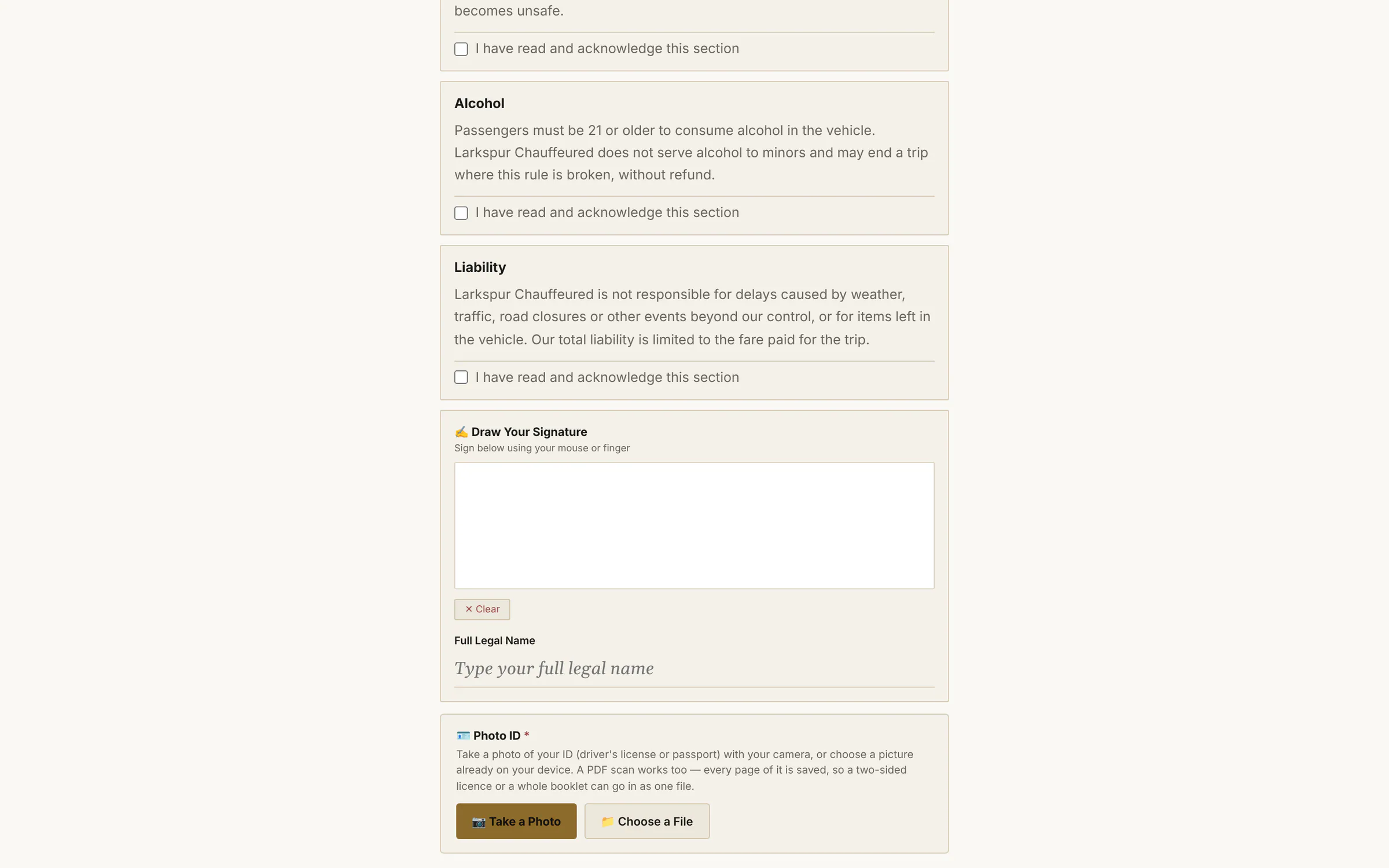 |
| Multi-day itineraries | A three-day retreat on one bill: every leg listed, one signature covers them all. | Live | 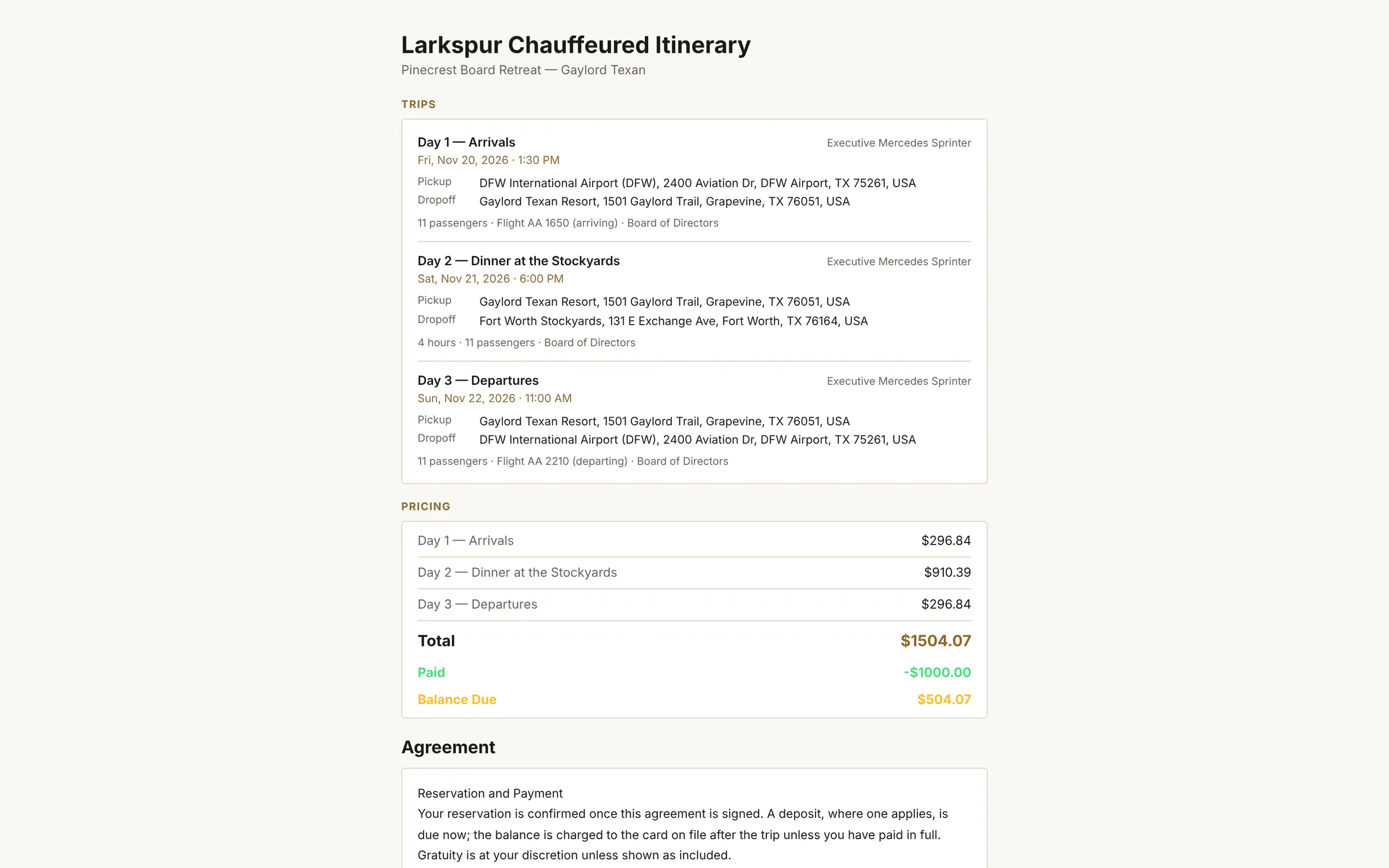 |
| Pay a balance | A pay link for any balance: the charges, what's paid, what's left, and a card field. | Live | 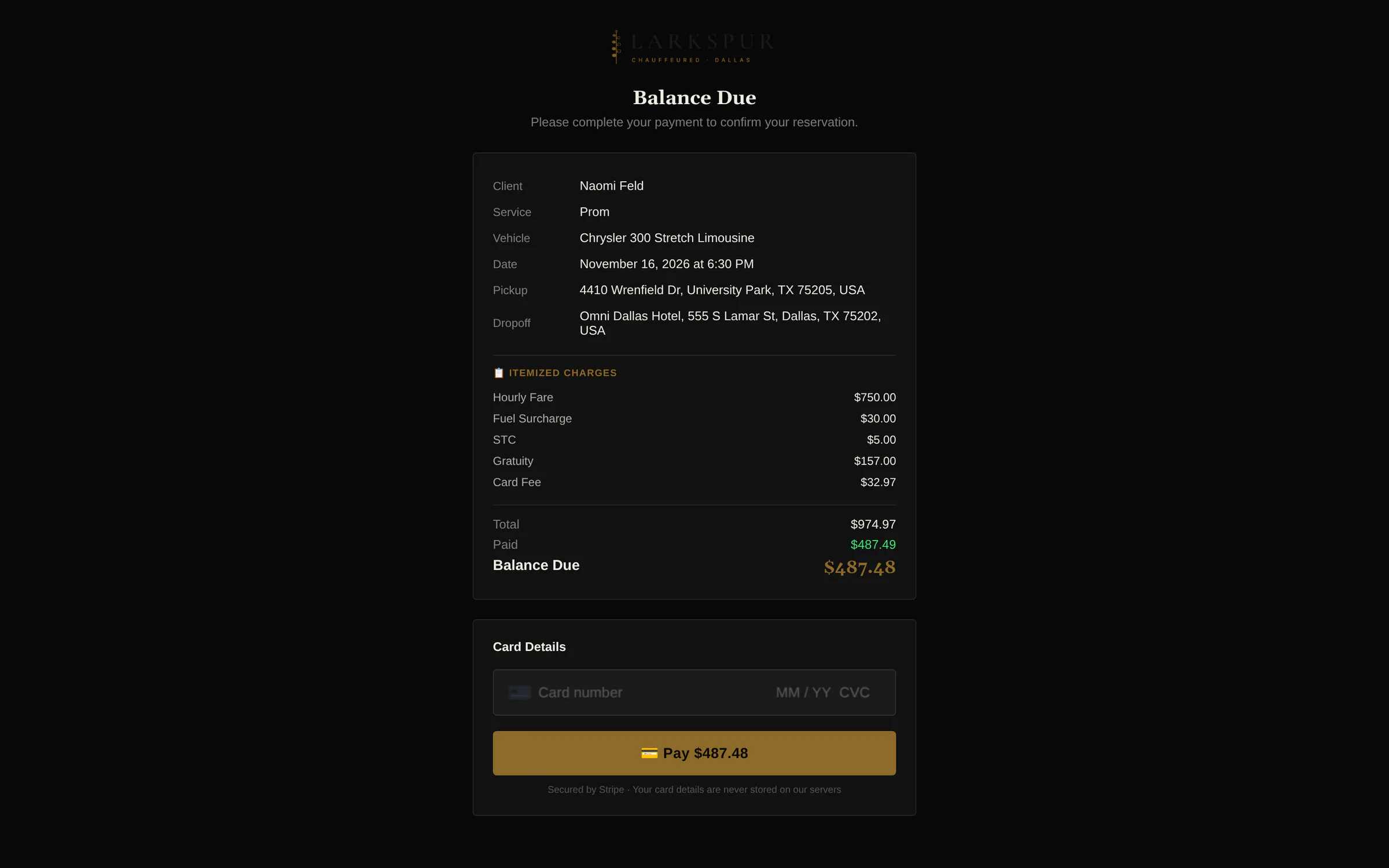 |
| Pay an itinerary | Itineraries can be paid in full or in any amount, day by day. | Live | 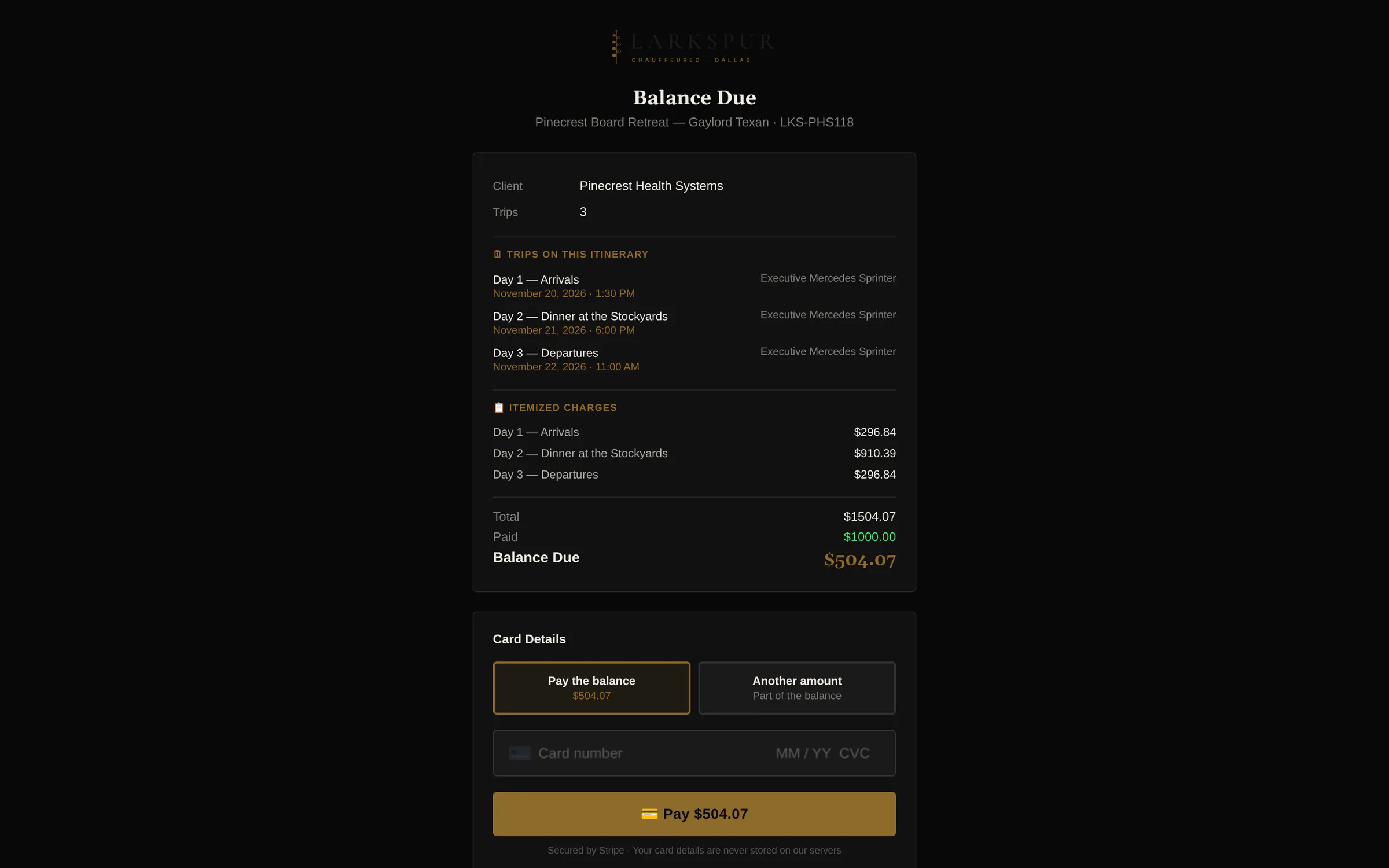 |
| Add a gratuity after the ride | A tip link after the trip — preset percentages or any amount. | Live | 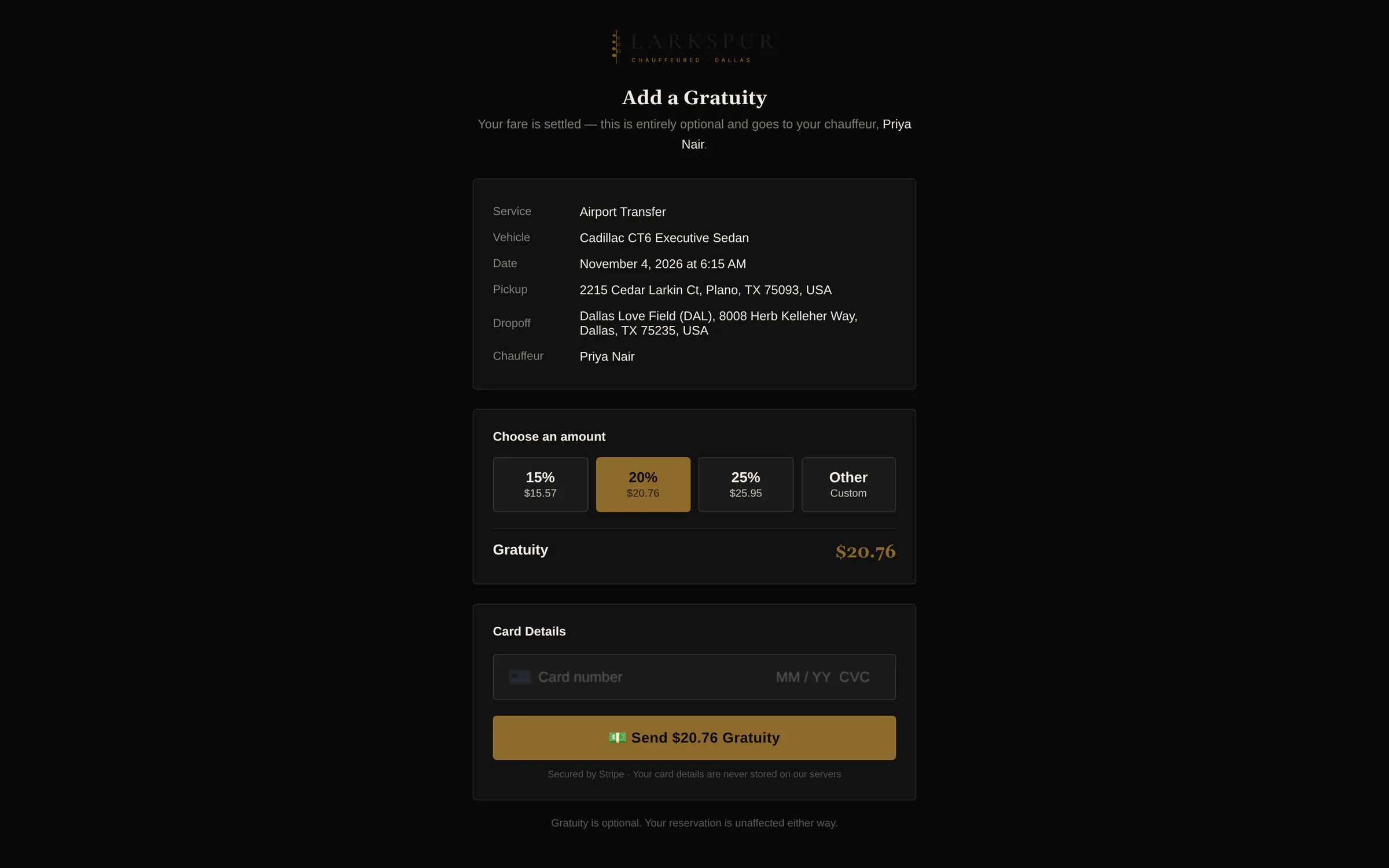 |
| Card on file | Ask for a card without charging it — for wait time, damage or a balance later. | Live | 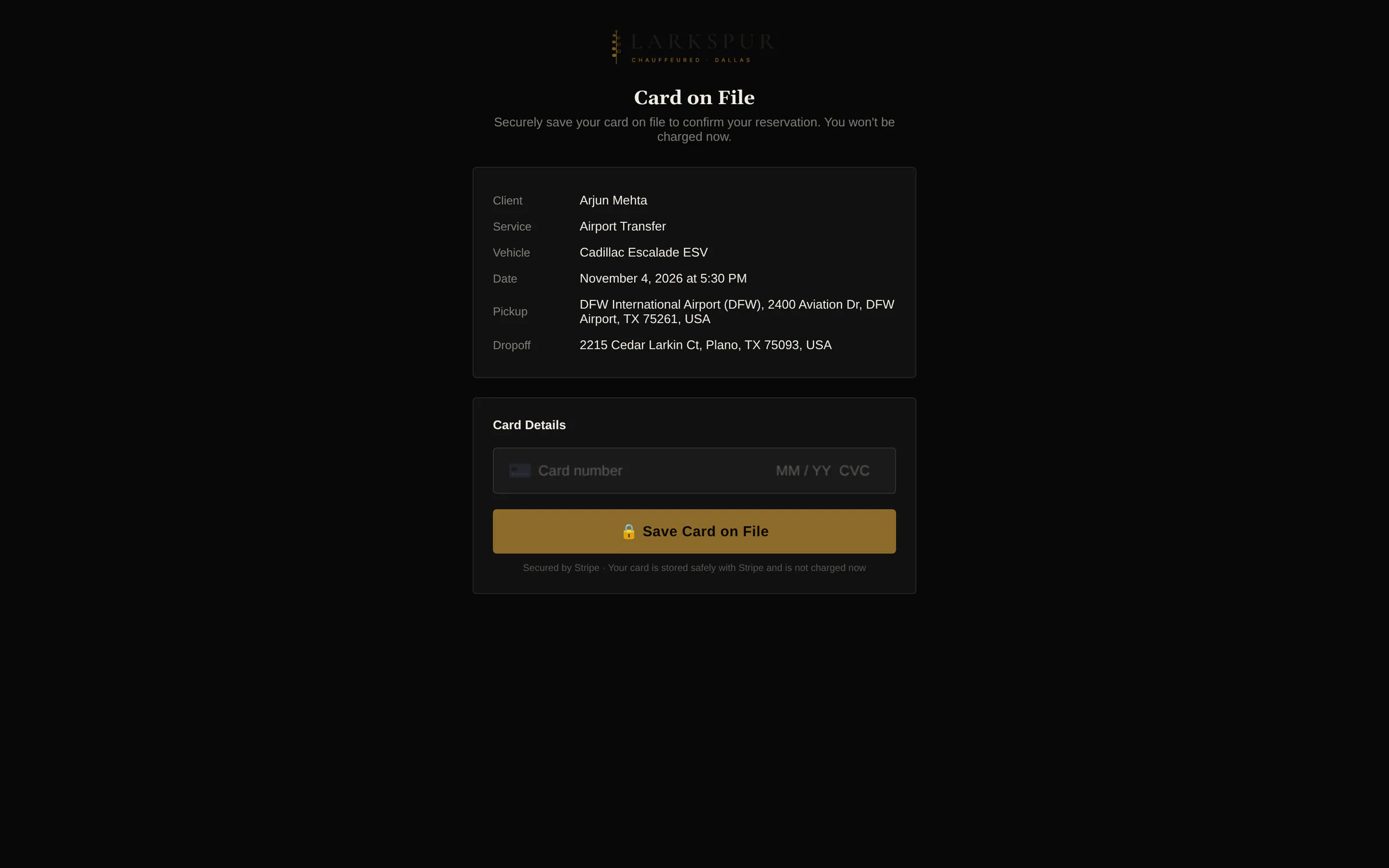 |
| The client picks the car | Your offer side by side — photos, seats and the all-in price for each — held until the date you set. | Live | 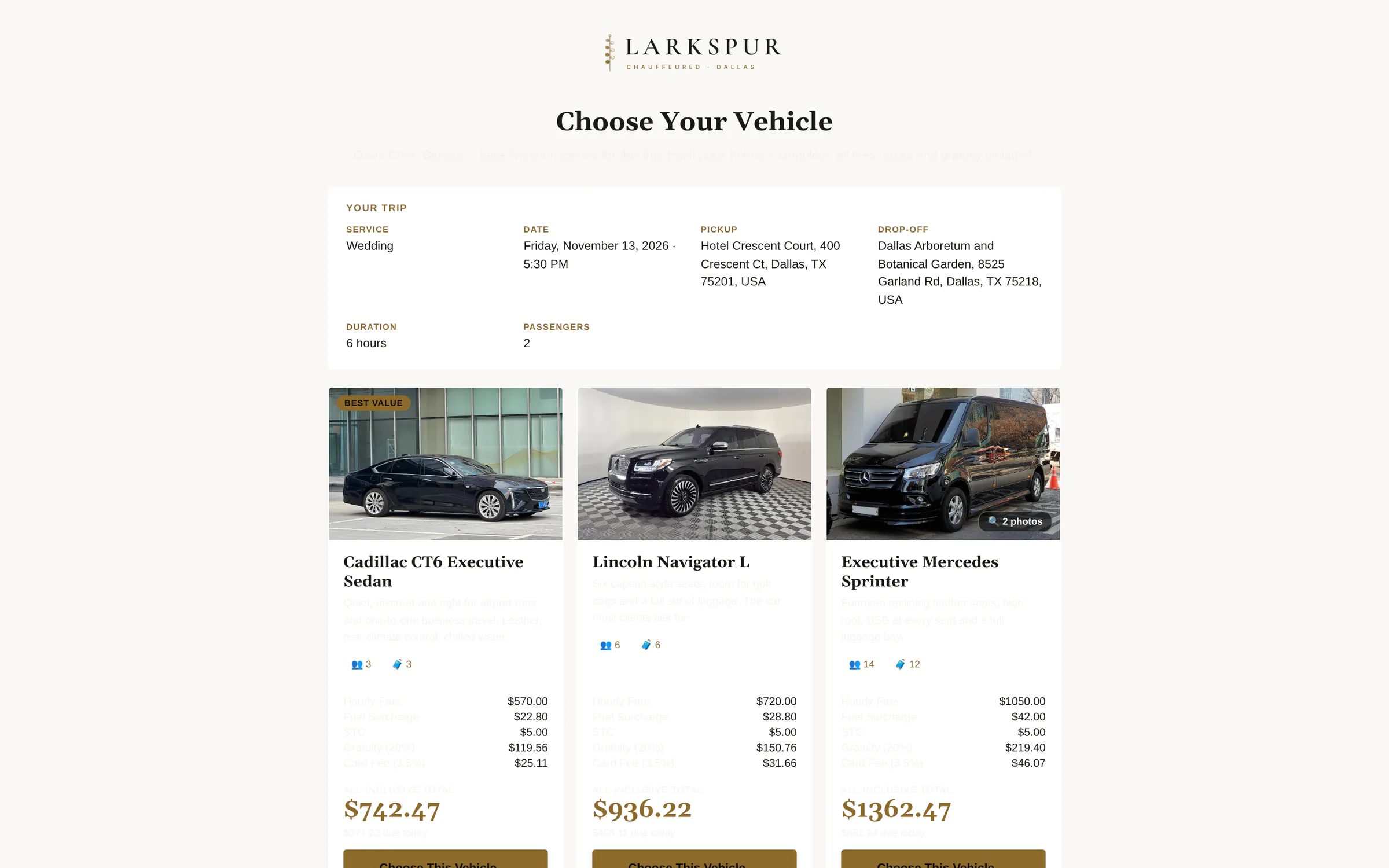 |
| One more tap to reserve | The client confirms their choice; the booking switches to that car and goes straight to signing and payment. | Live | 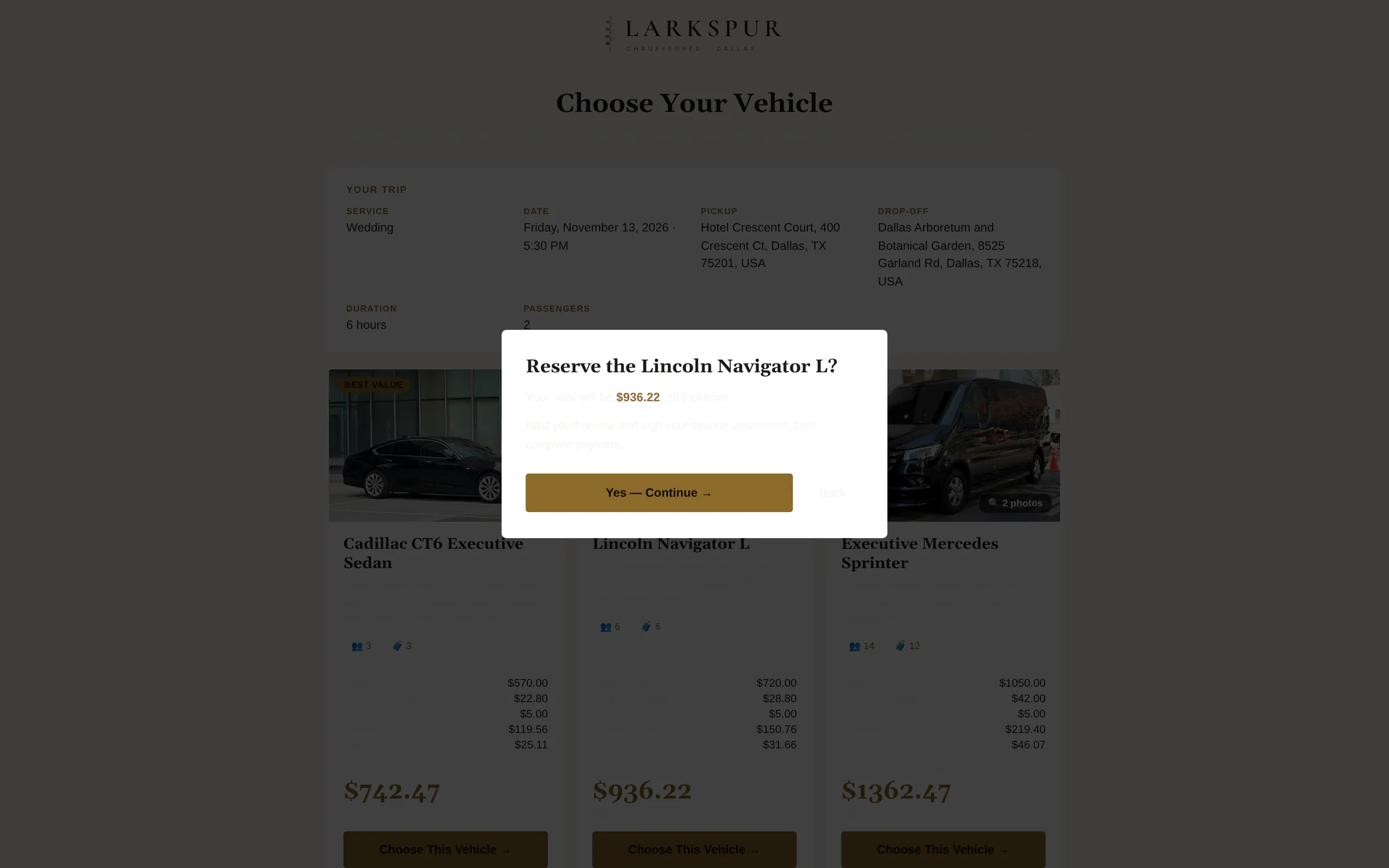 |
| The full quote | Everything on one scrolling page, on a phone. | Live | 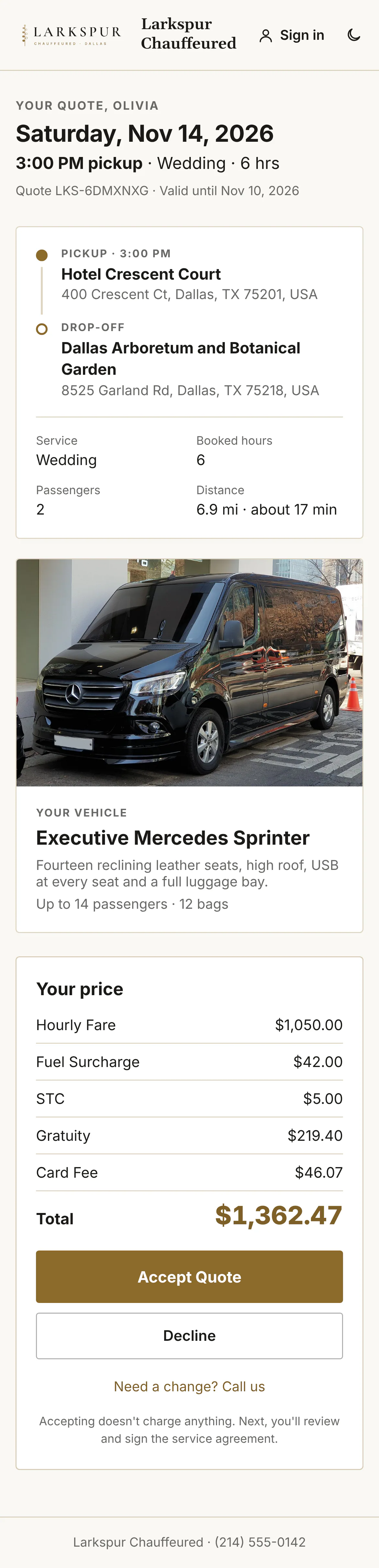 |
| Signed — one last step | Straight after signing: an optional tip and the balance, already paid here — or a deposit or card on file when it isn't. | Live | 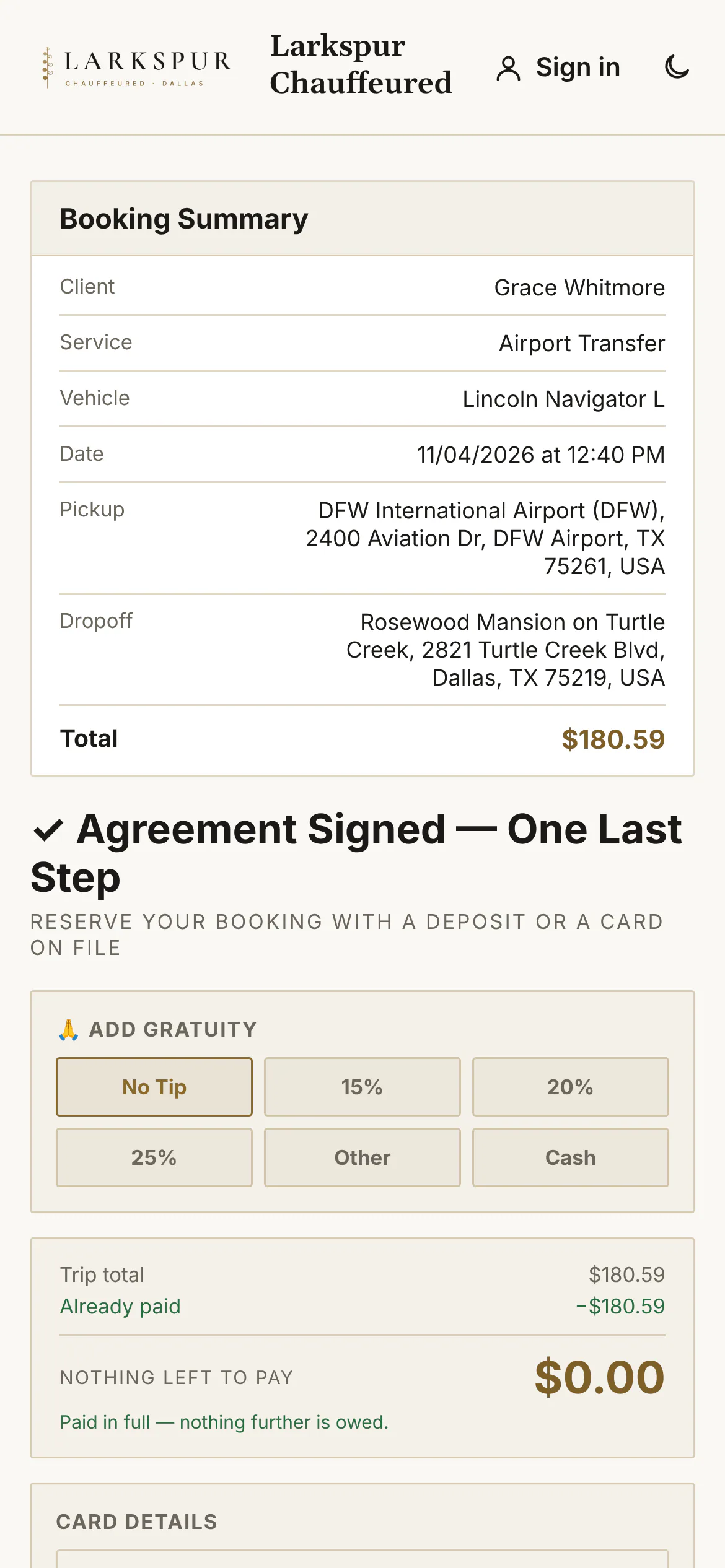 |
| Every option, on a phone | The whole comparison in one scroll. | Live |  |
Emails & PDFs
| Function | What it does | Status | Screen |
|---|---|---|---|
| The quote email | The trip, the car and the price, with one button to view and accept the quote. | Live | 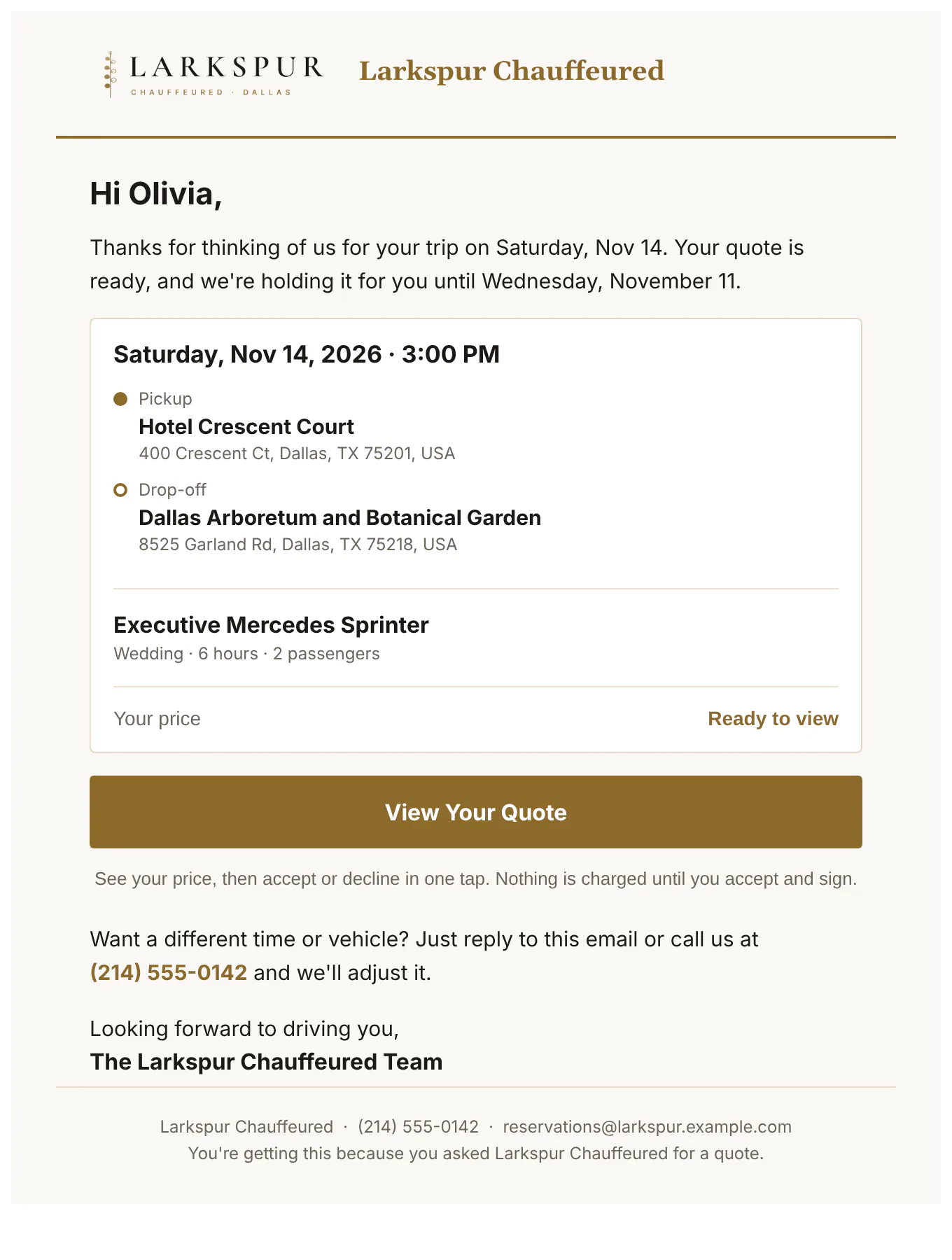 |
| “Your vehicle options” | The comparison email: each car with its photo and all-in price, and one button to choose. | Live | 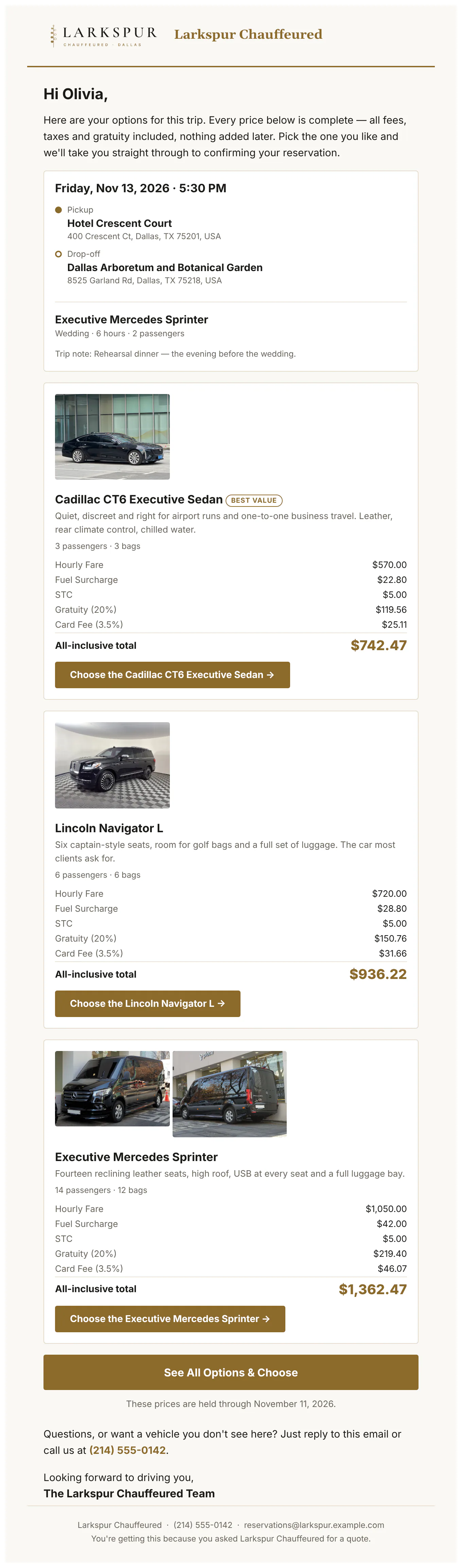 |
| “You're confirmed” | Every detail of the ride, the confirmation number, and the money: the route, each charge and the trip total. | Live | 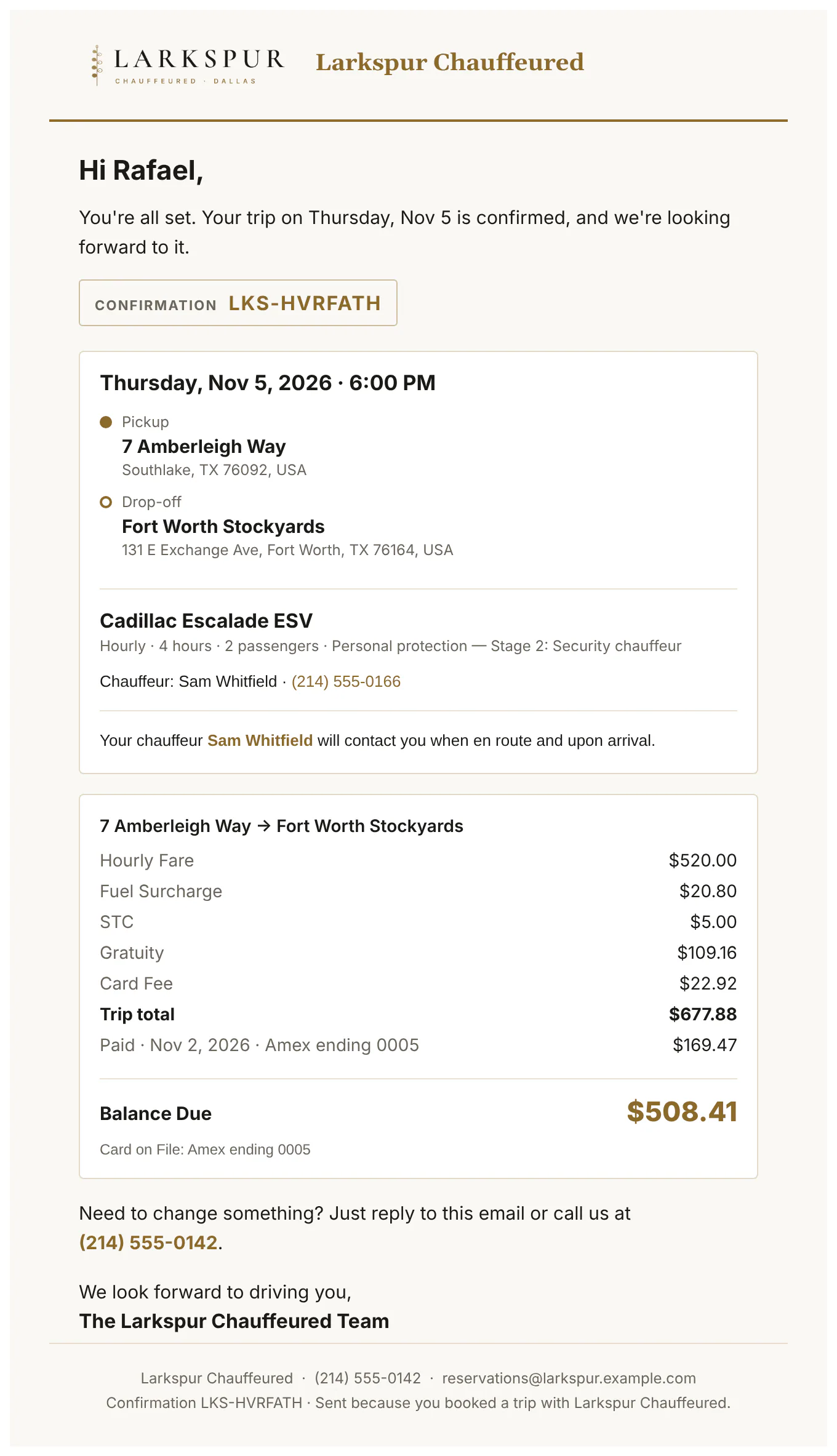 |
| Round trips, trip by trip | Each leg under its own route with its own charges and total, then the round trip together and the balance due. | Live | 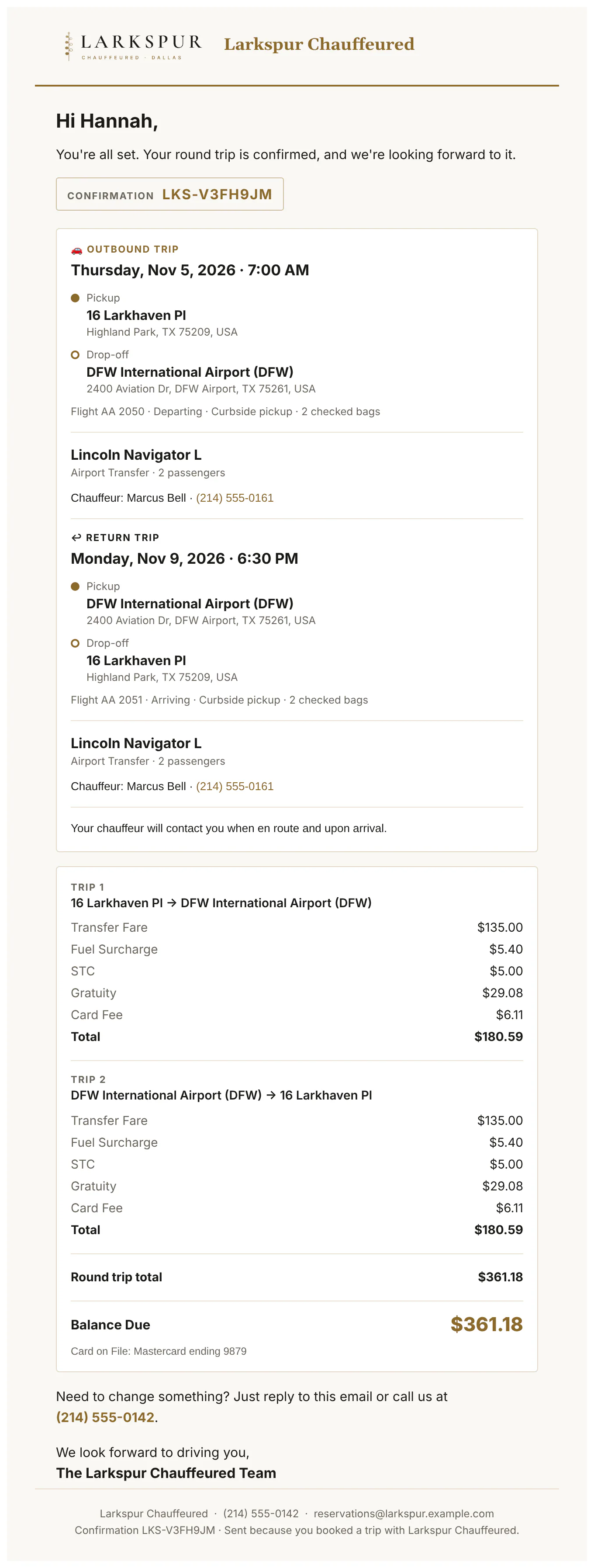 |
| “Your chauffeur” | The chauffeur's name, photo, car and plate, sent before the ride. | Live | 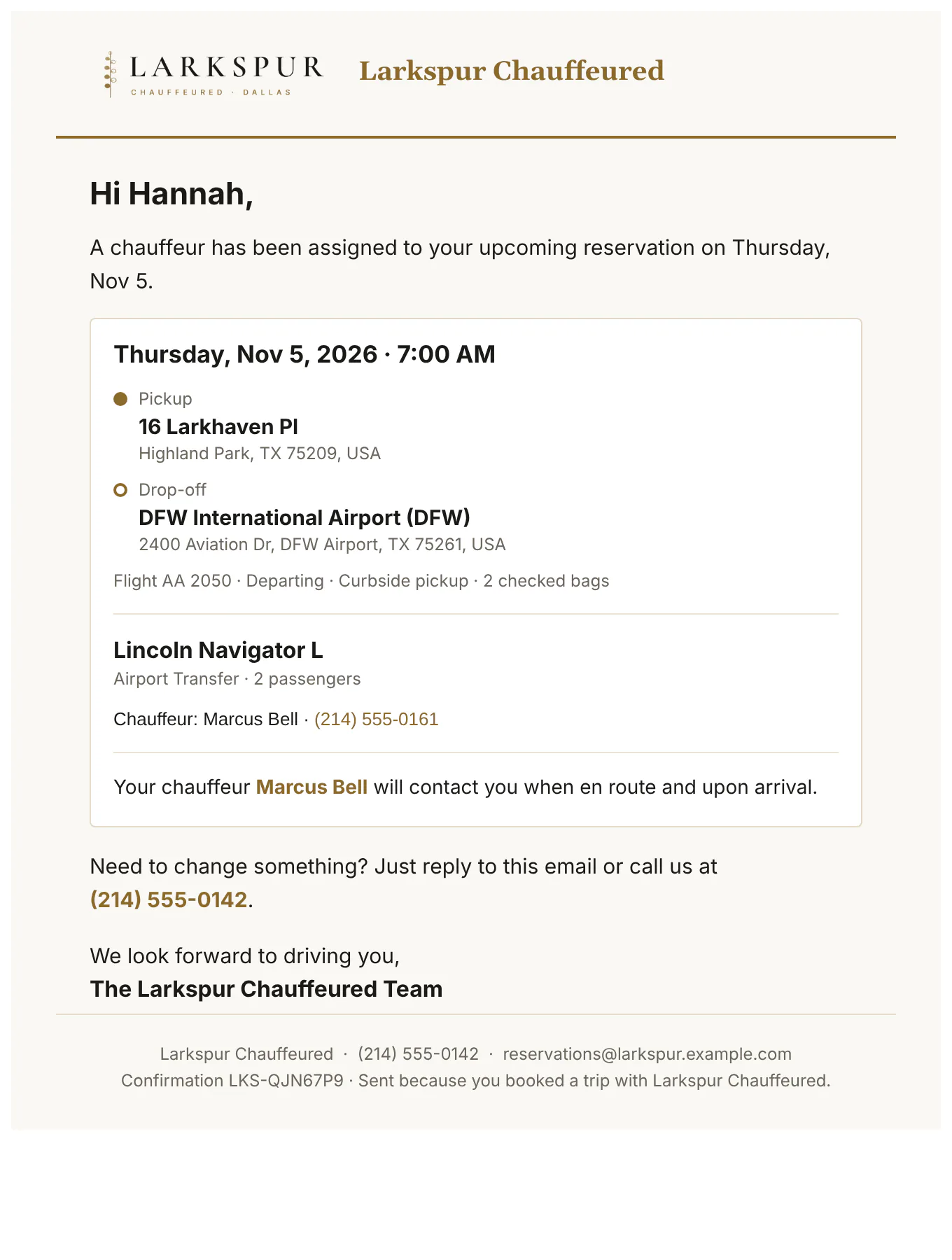 |
| Balance reminder | What's still owed and a secure link to pay it. | Live | 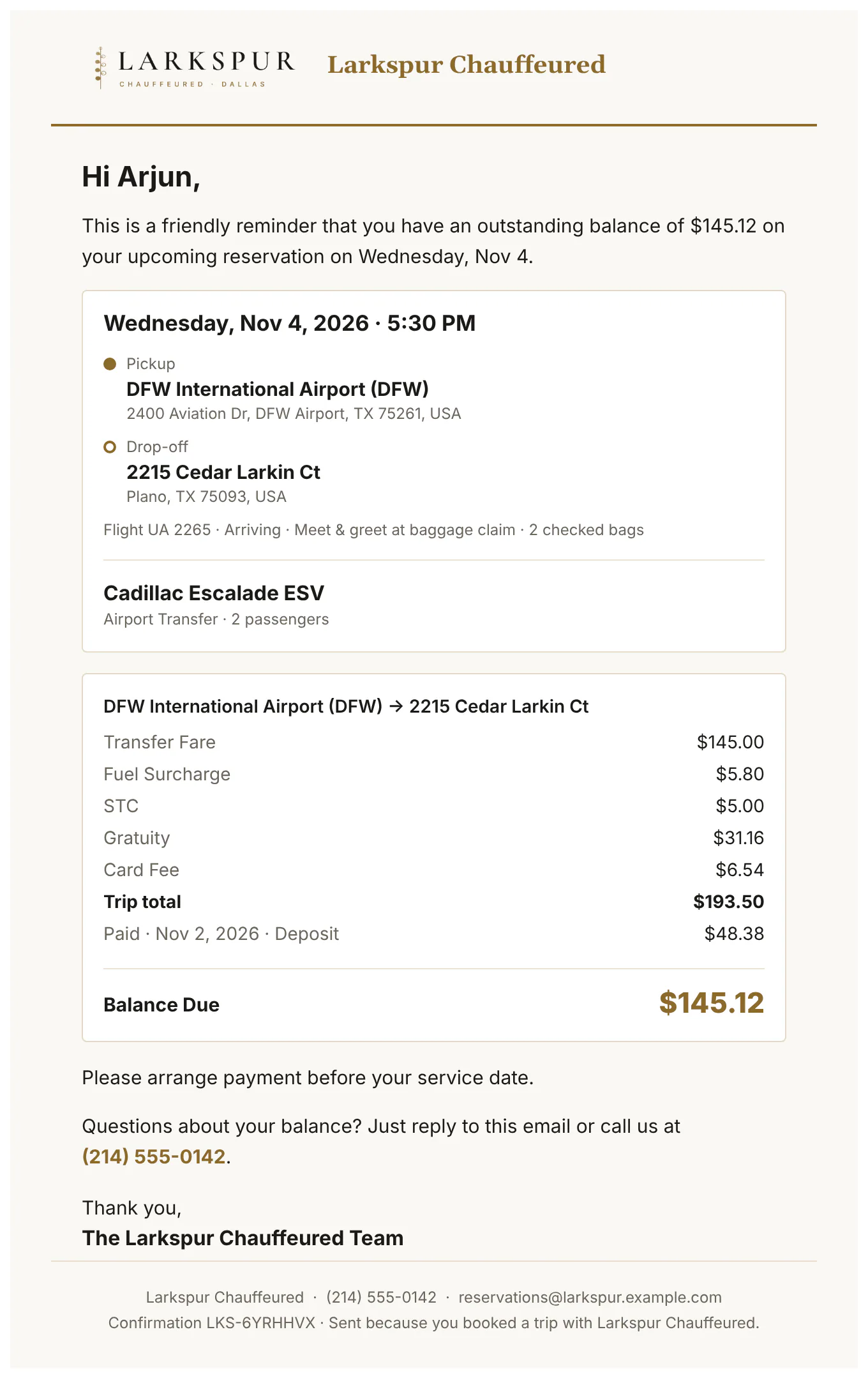 |
| Thank you, with the receipt | Sent after the ride: thanks from the company and the itemised receipt. | Live | 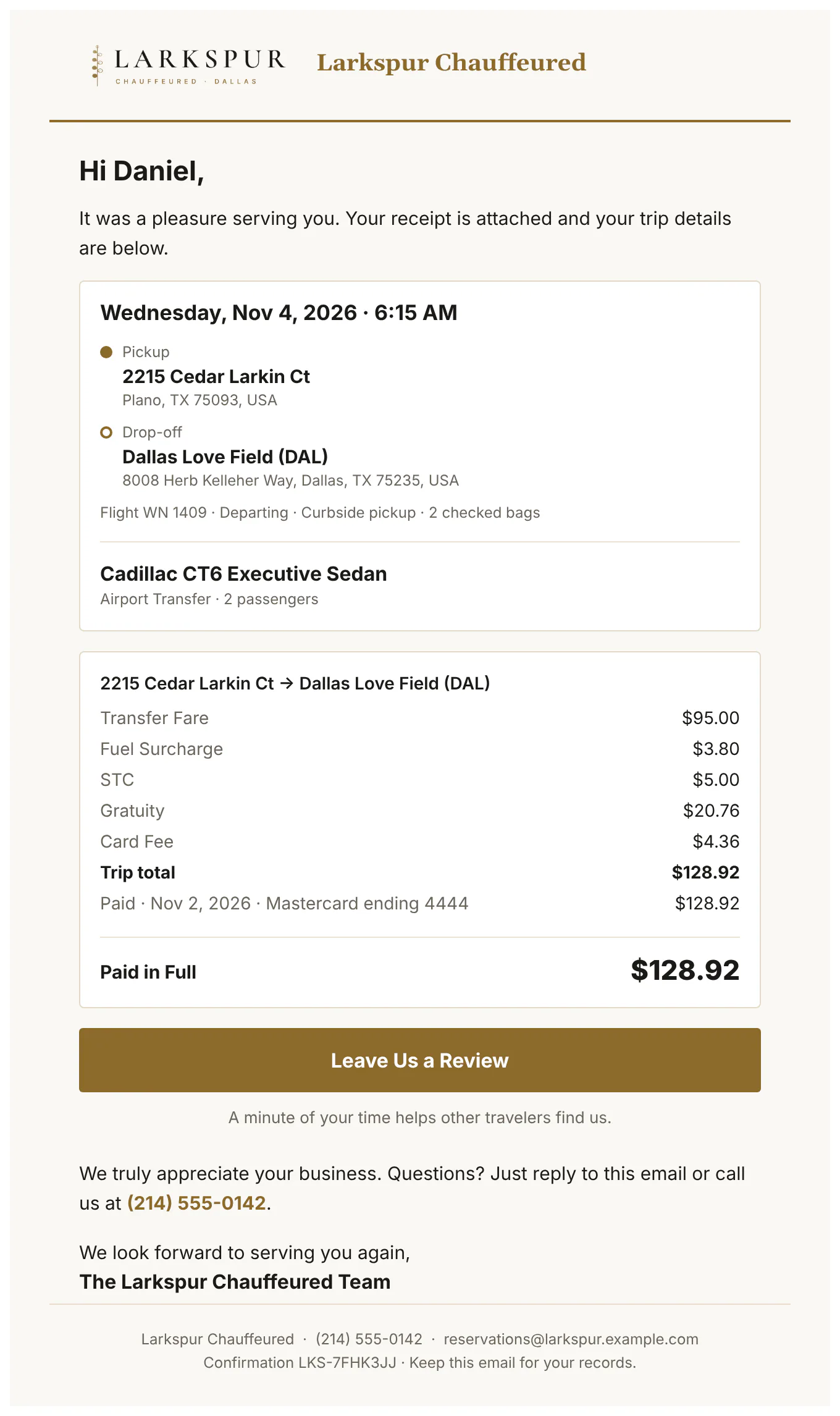 |
| Sign your agreement | A link to read and sign the agreement — and add a card or photo ID if you ask for one. | Live | 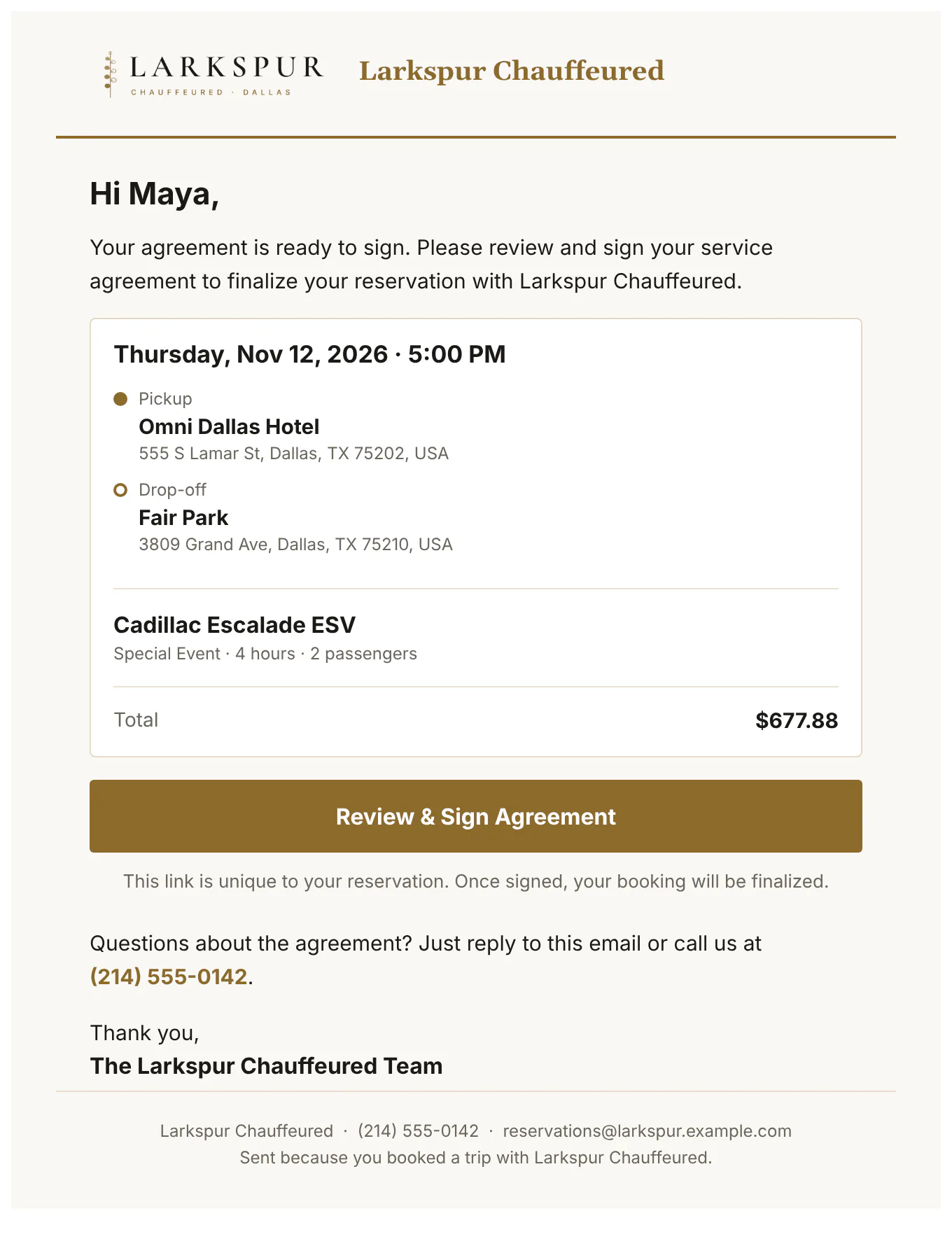 |
| Trip confirmation PDF | A branded one-page confirmation to attach or print — corporate and farm-in clients get their own versions. | Live | 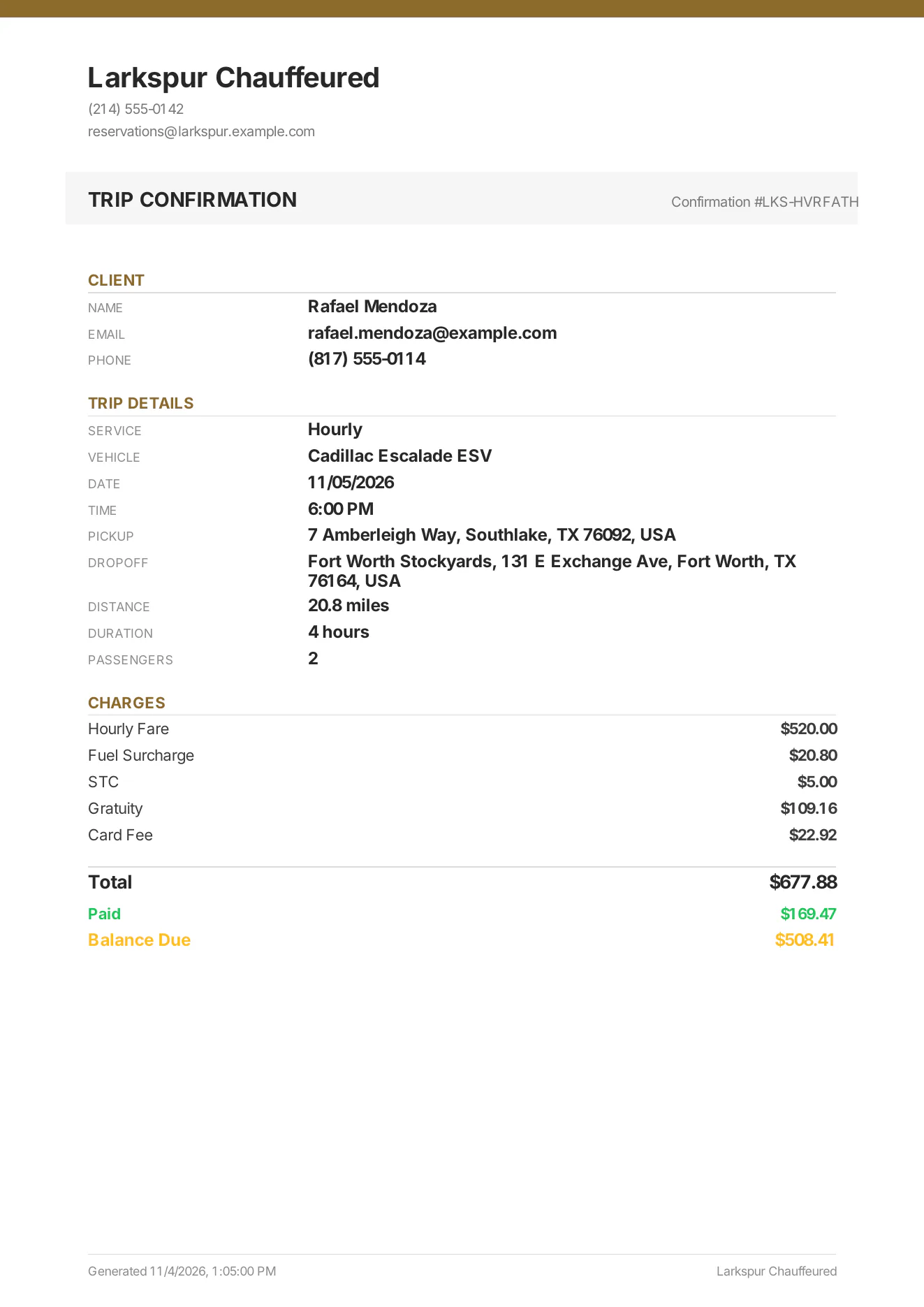 |
| Receipt and invoice PDF | Itemised charges, payments and balance — the same PDF that's attached to the receipt email. | Live | 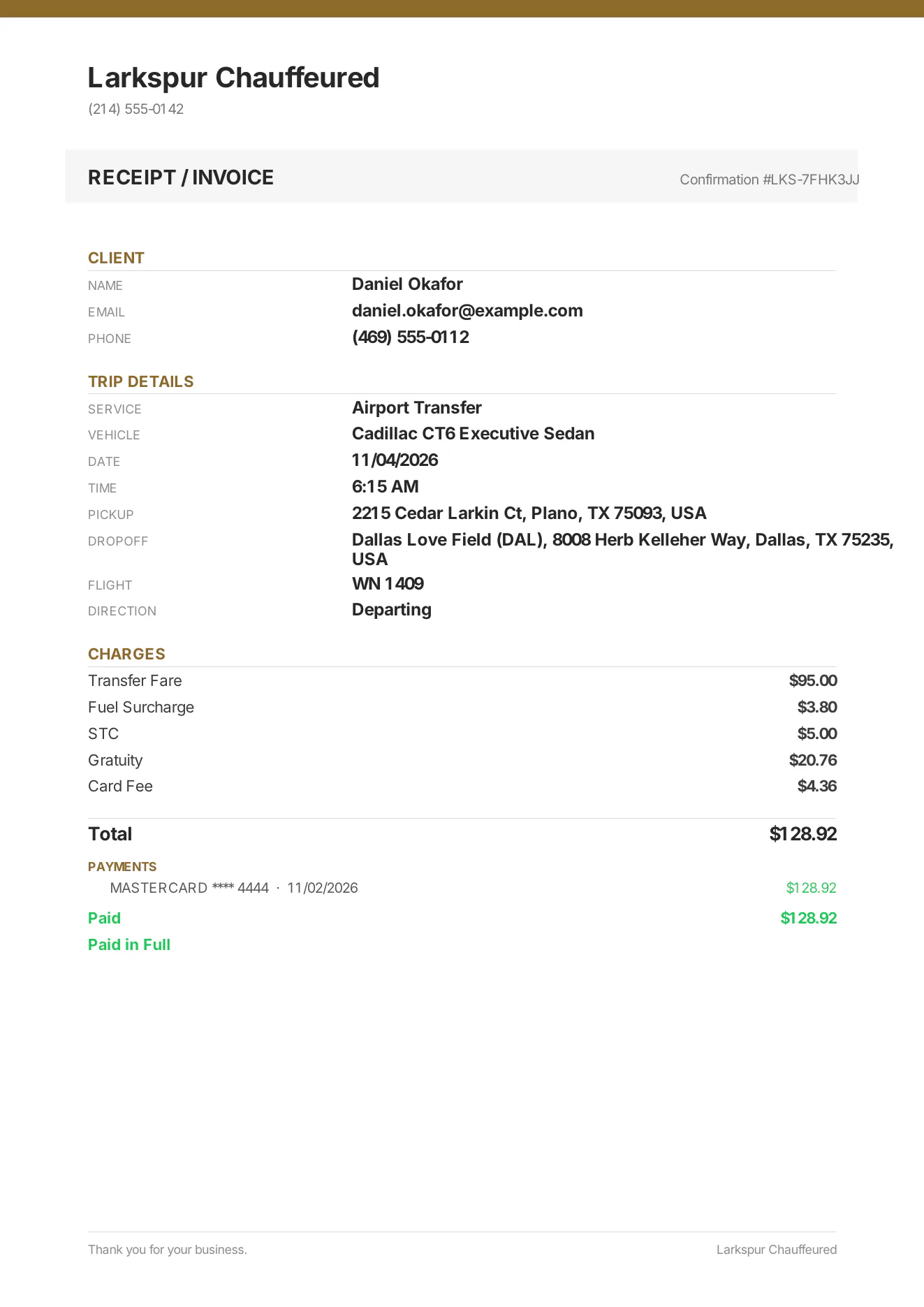 |
| The signed agreement, as a PDF | Every section as signed, the signature, time, IP address and device — attached to the client's copy automatically. | Live | 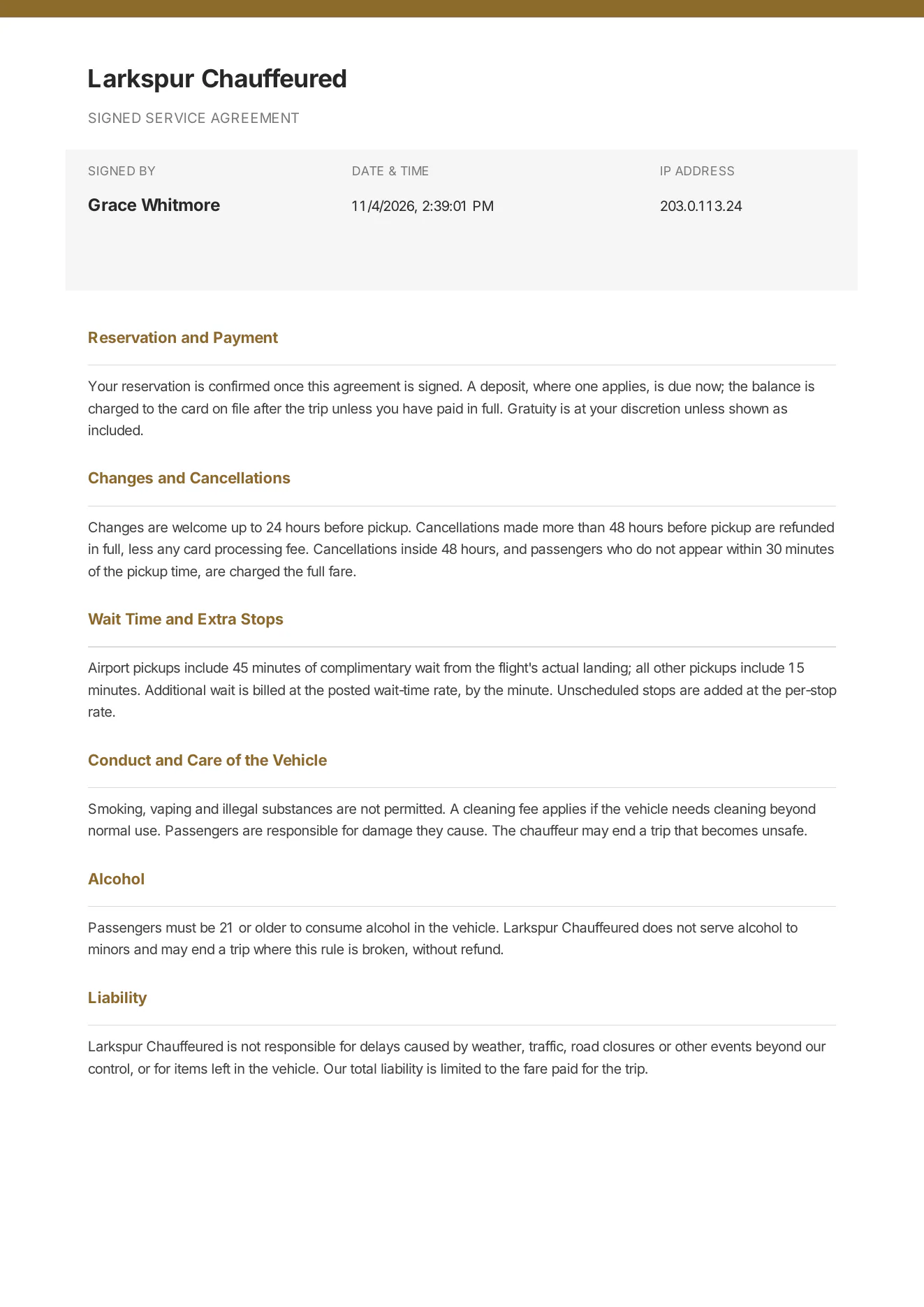 |
Client portal
| Function | What it does | Status | Screen |
|---|---|---|---|
| Client portal sign-in | No passwords: clients sign in with a six-digit code sent to their email. | Live | 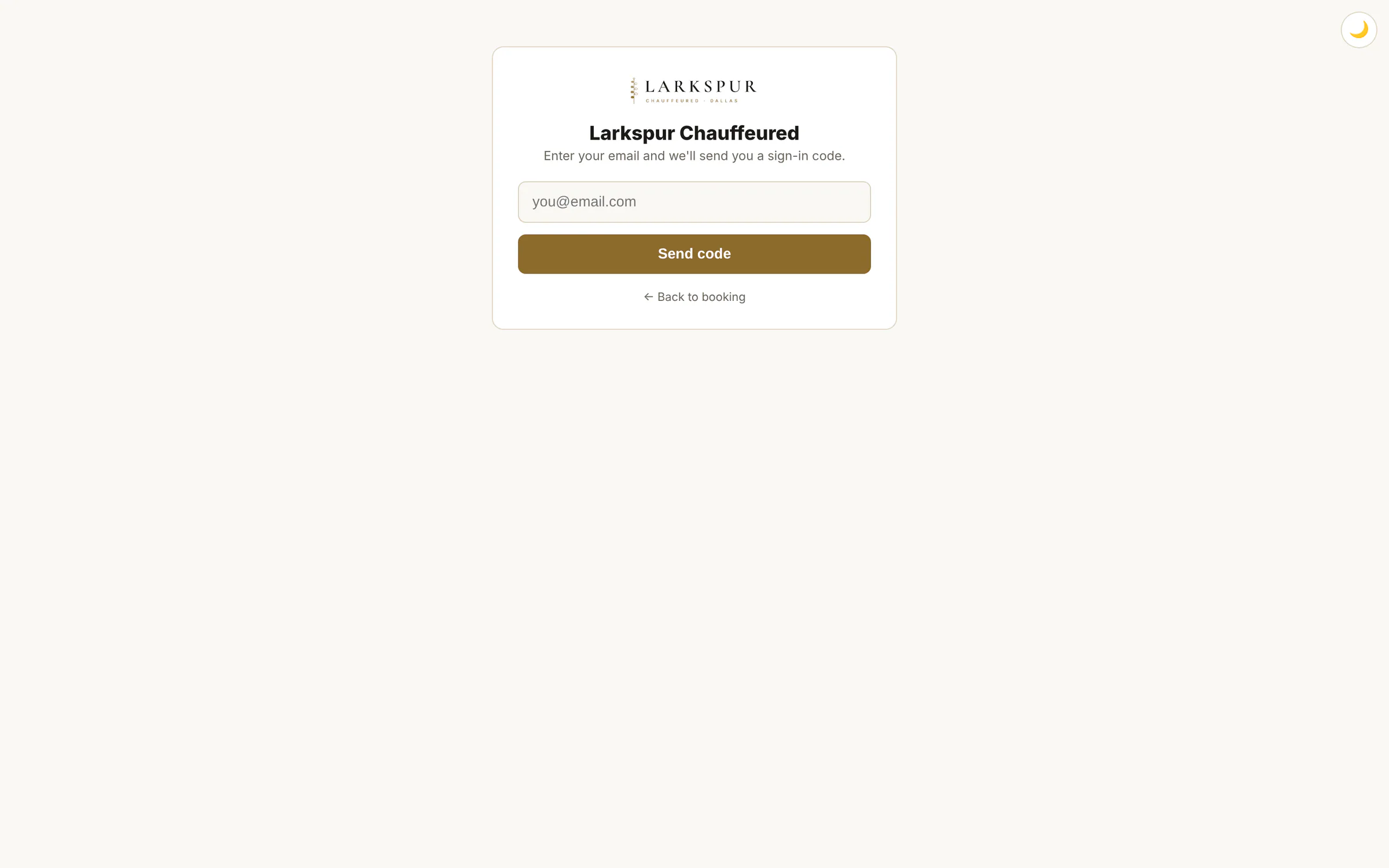 |
| Enter the code | Sign-in codes expire in minutes and lock after repeated wrong tries. | Live | 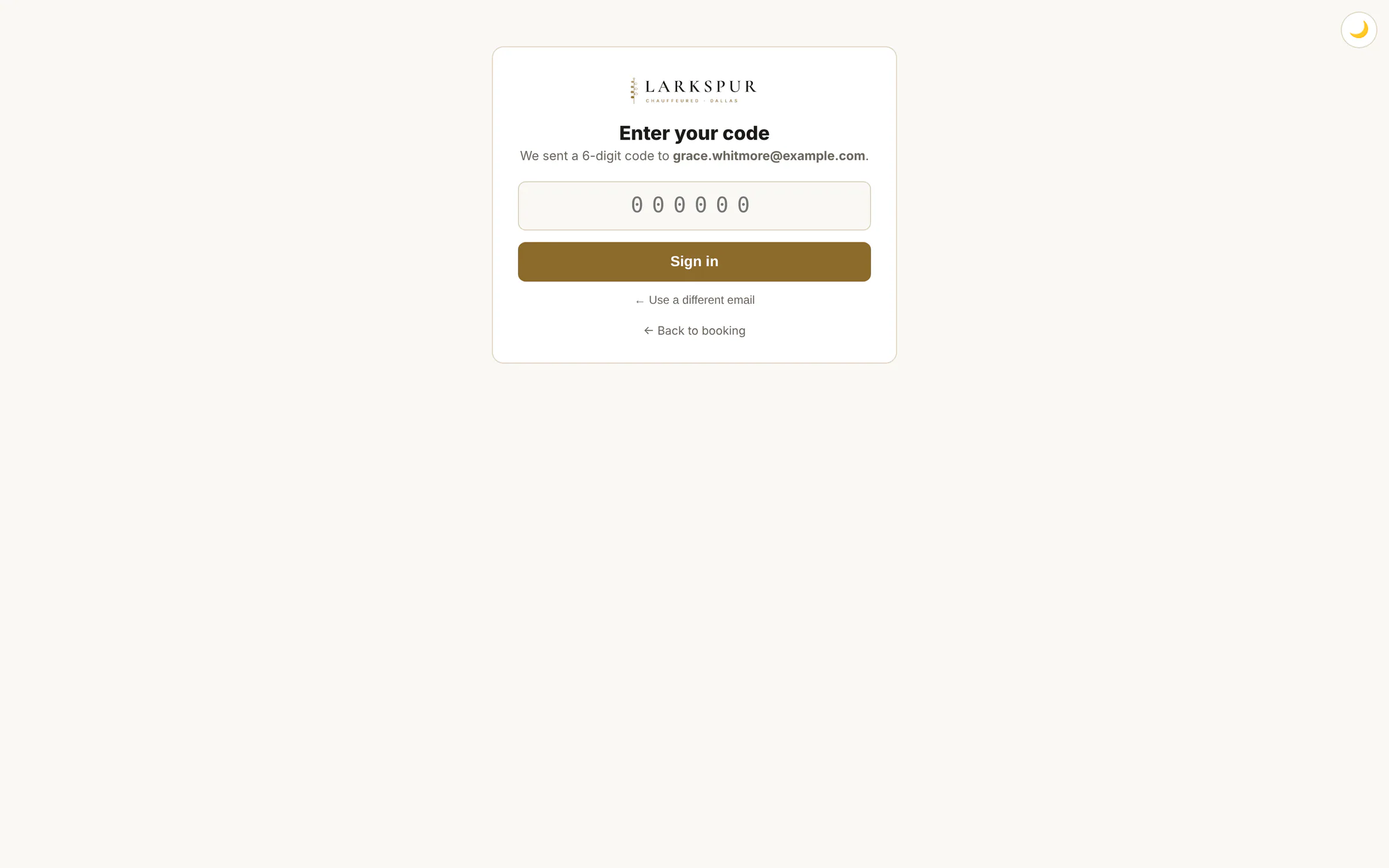 |
| My trips | Every upcoming and past trip, with repeat, duplicate and pay buttons. | Live | 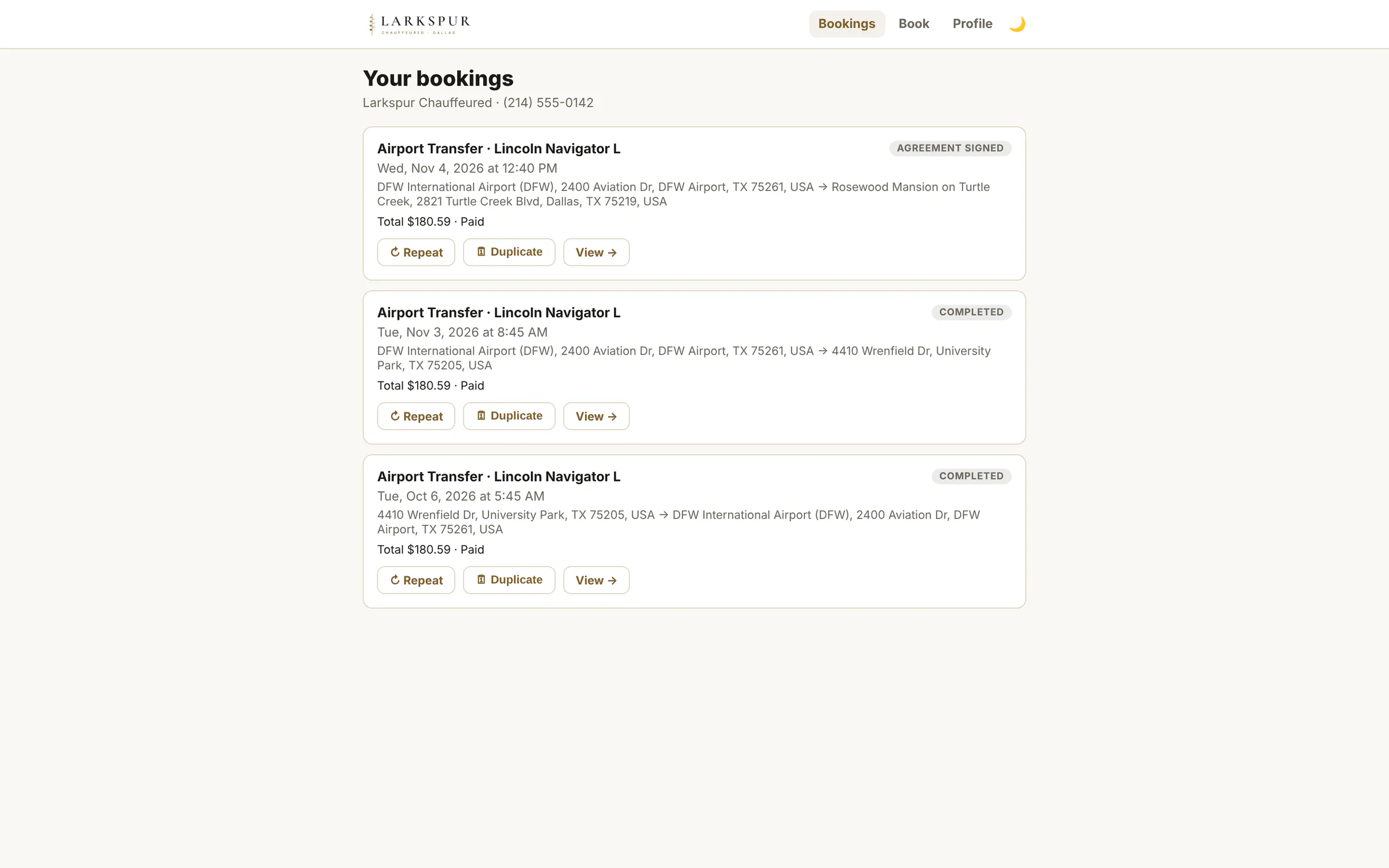 |
| Trip detail and receipt | The itemised receipt, the signed agreement and a pay button for any balance. | Live | 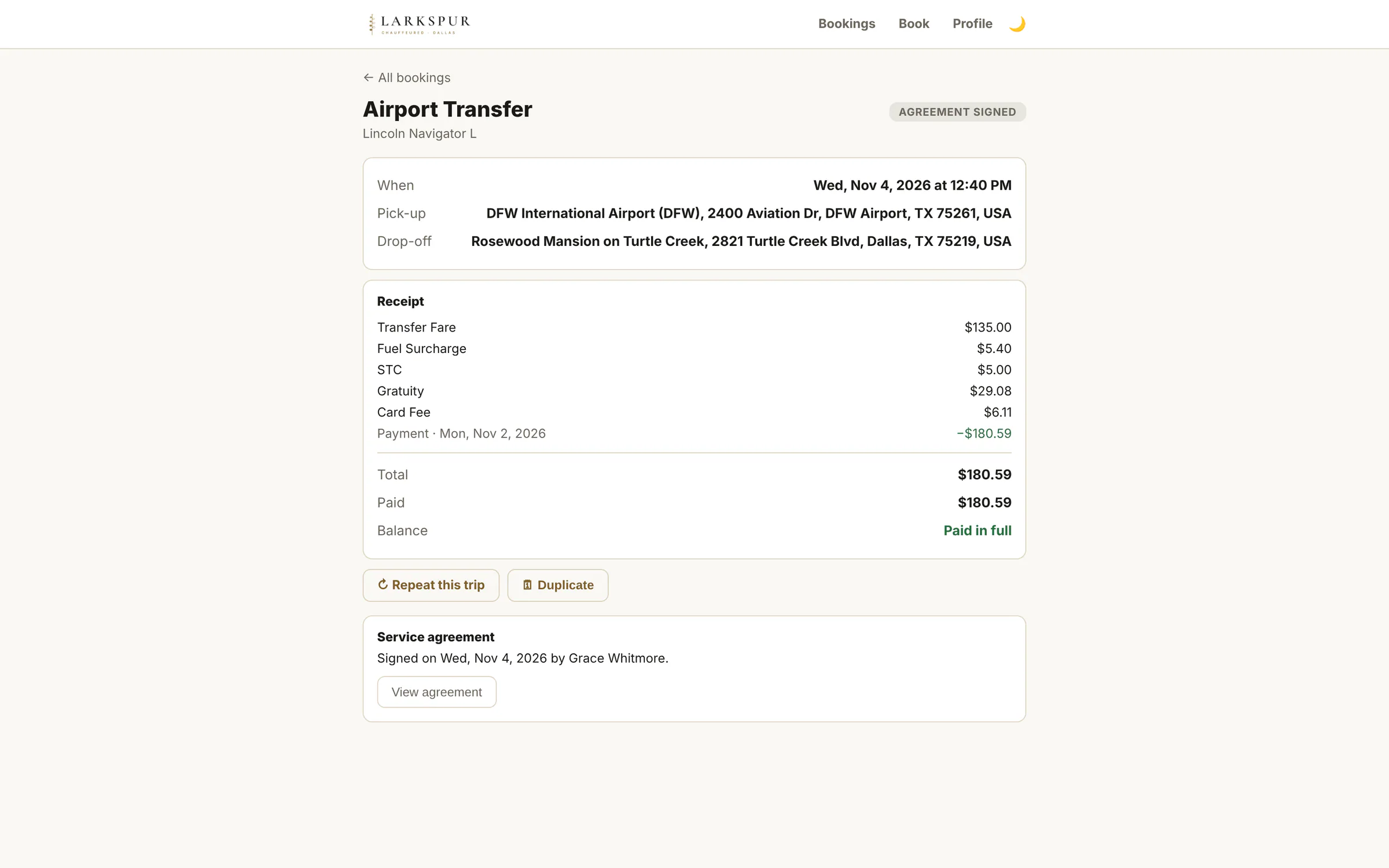 |
| Duplicate a trip | Regulars book the same ride again by picking new dates on a calendar. | Live | 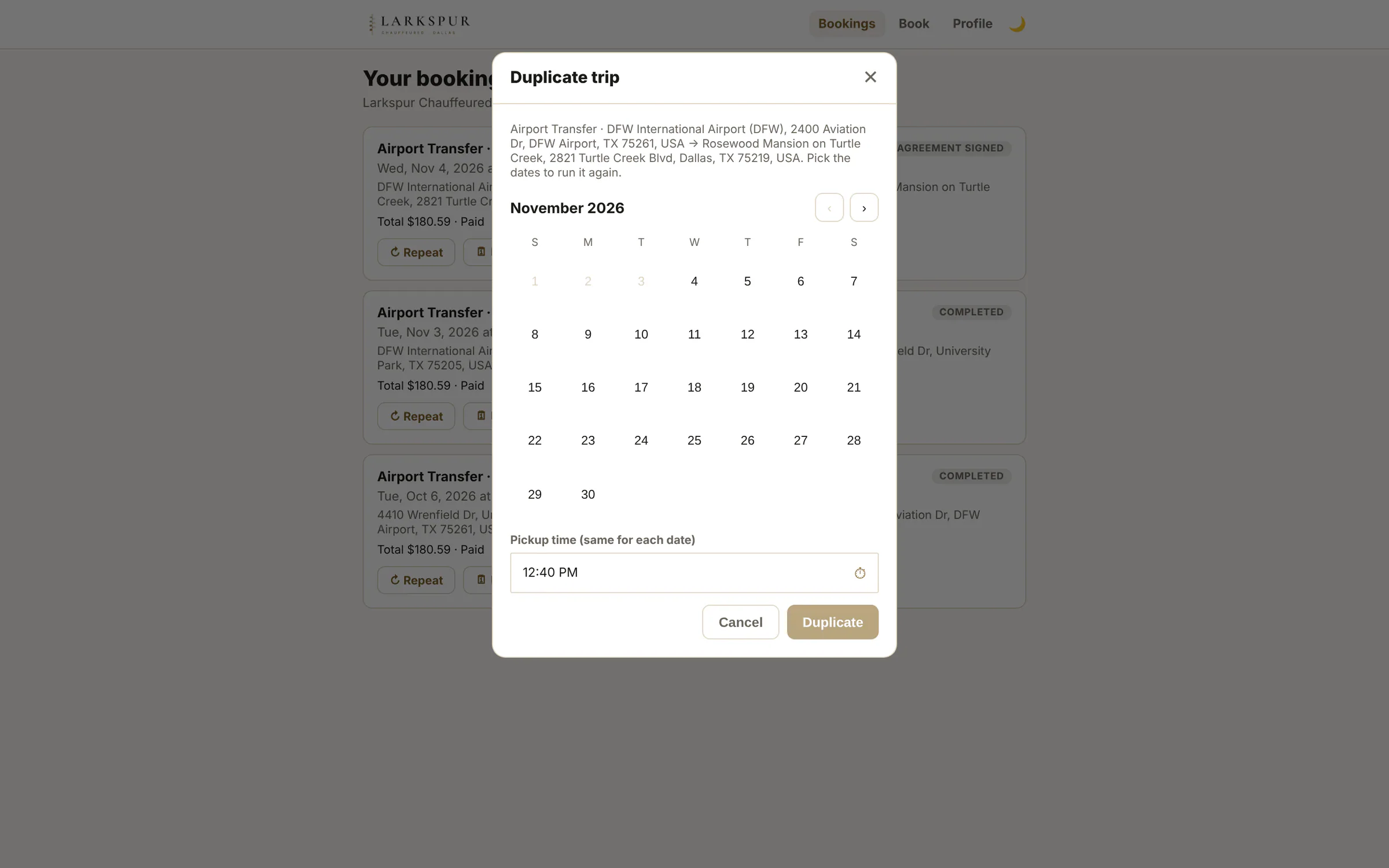 |
| Request a quote | Signed-in clients request trips for themselves or their saved passengers. | Live | 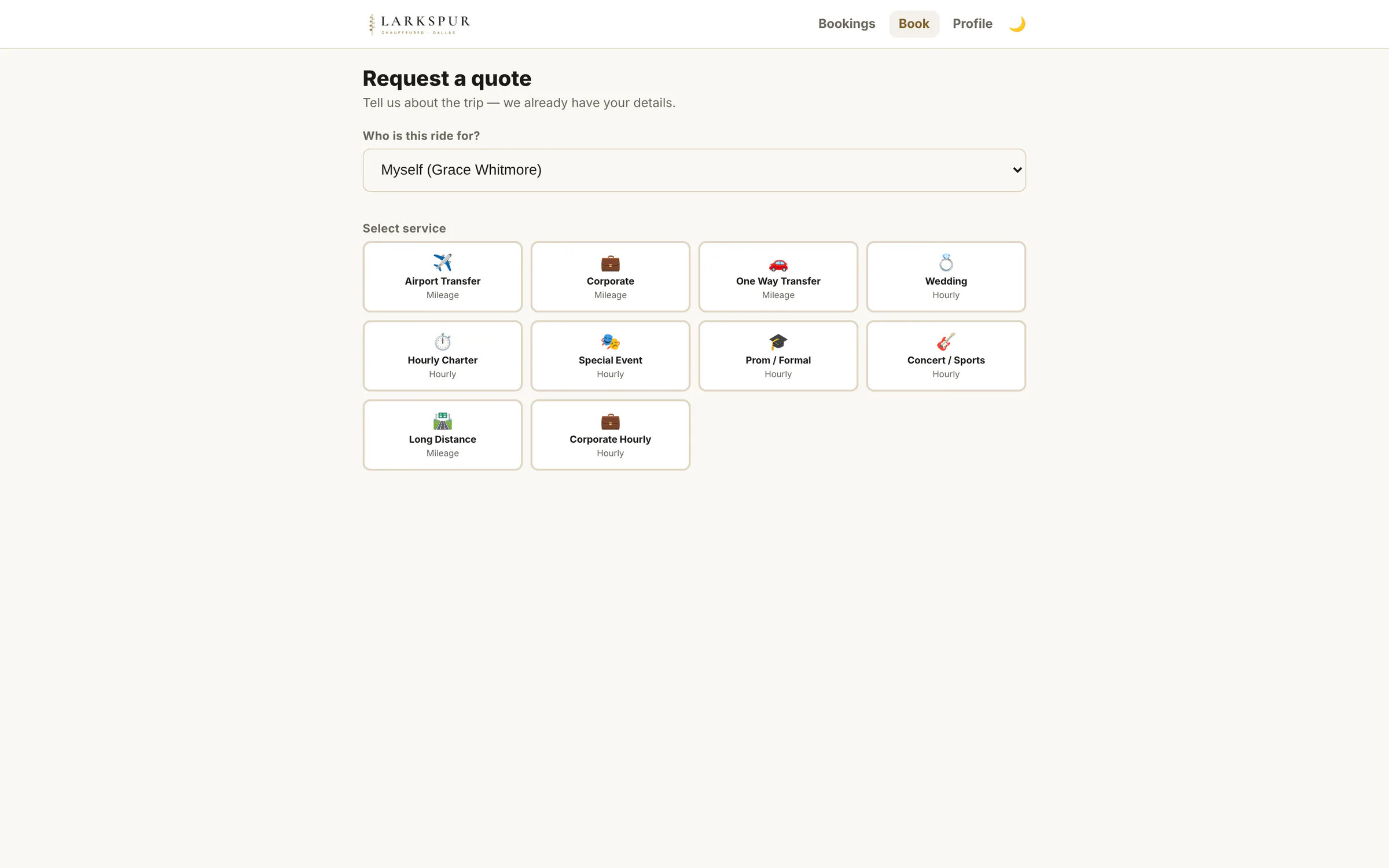 |
| Profile, passengers and cards | Clients manage their own passengers and saved cards; a change to their details comes to you as a request to approve. | Live | 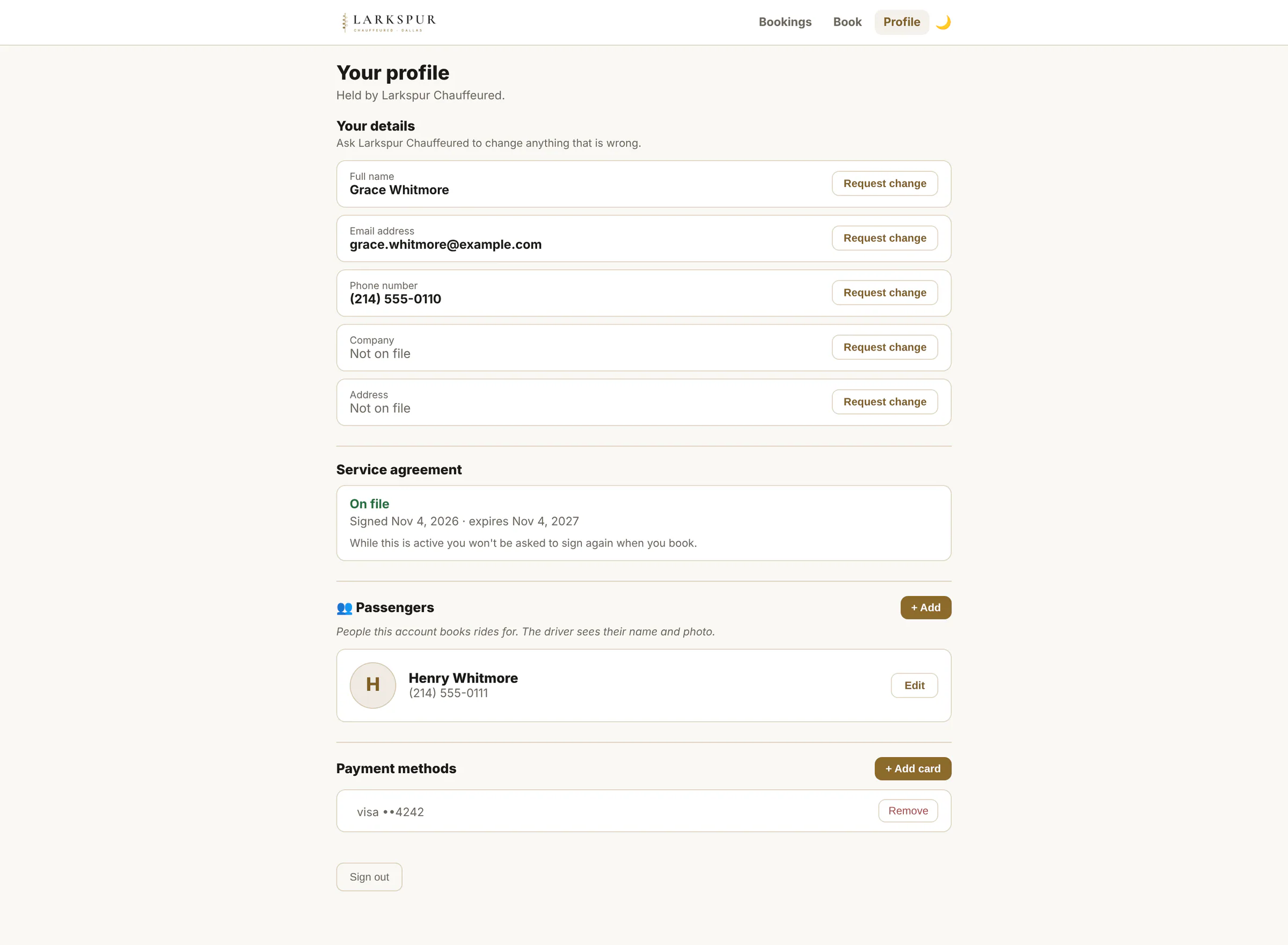 |
| Trip history | The whole history in one scroll. | Live | 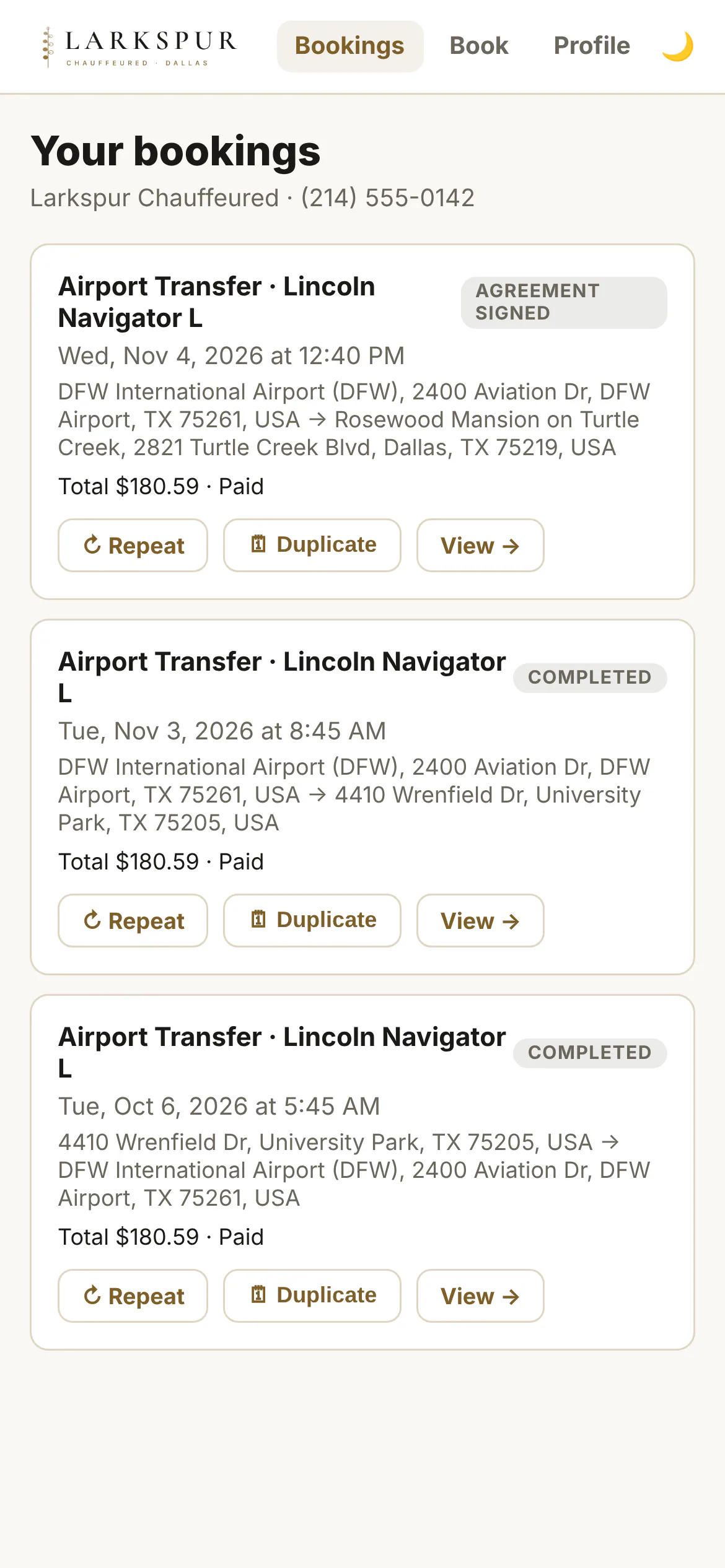 |
Your website
| Function | What it does | Status | Screen |
|---|---|---|---|
| On your own website | Your site, your domain: the booking page drops in with one line of code. | Live | 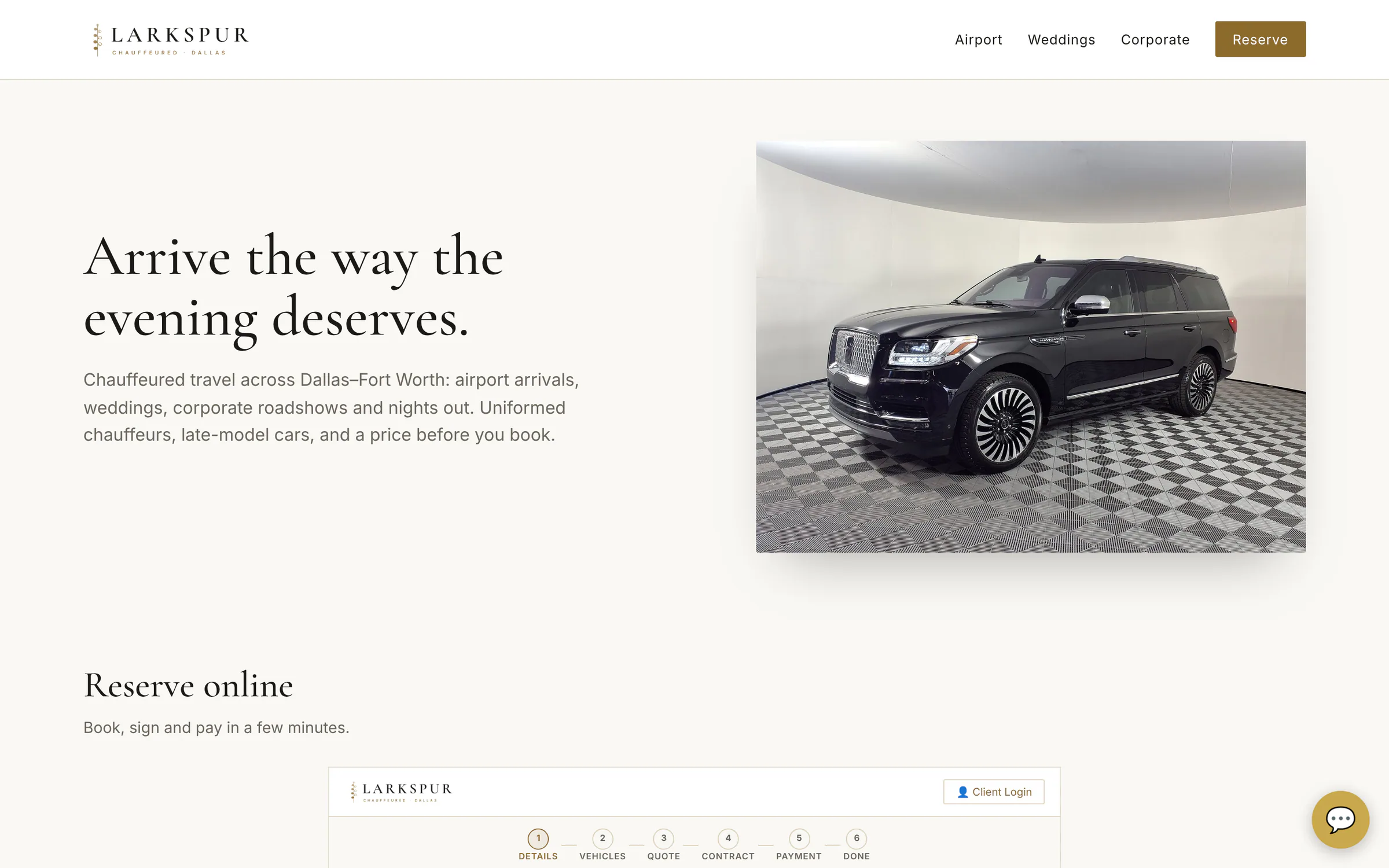 |
| Booking, embedded | The full booking page inside your website — it grows to fit, no scroll bars. | Live | 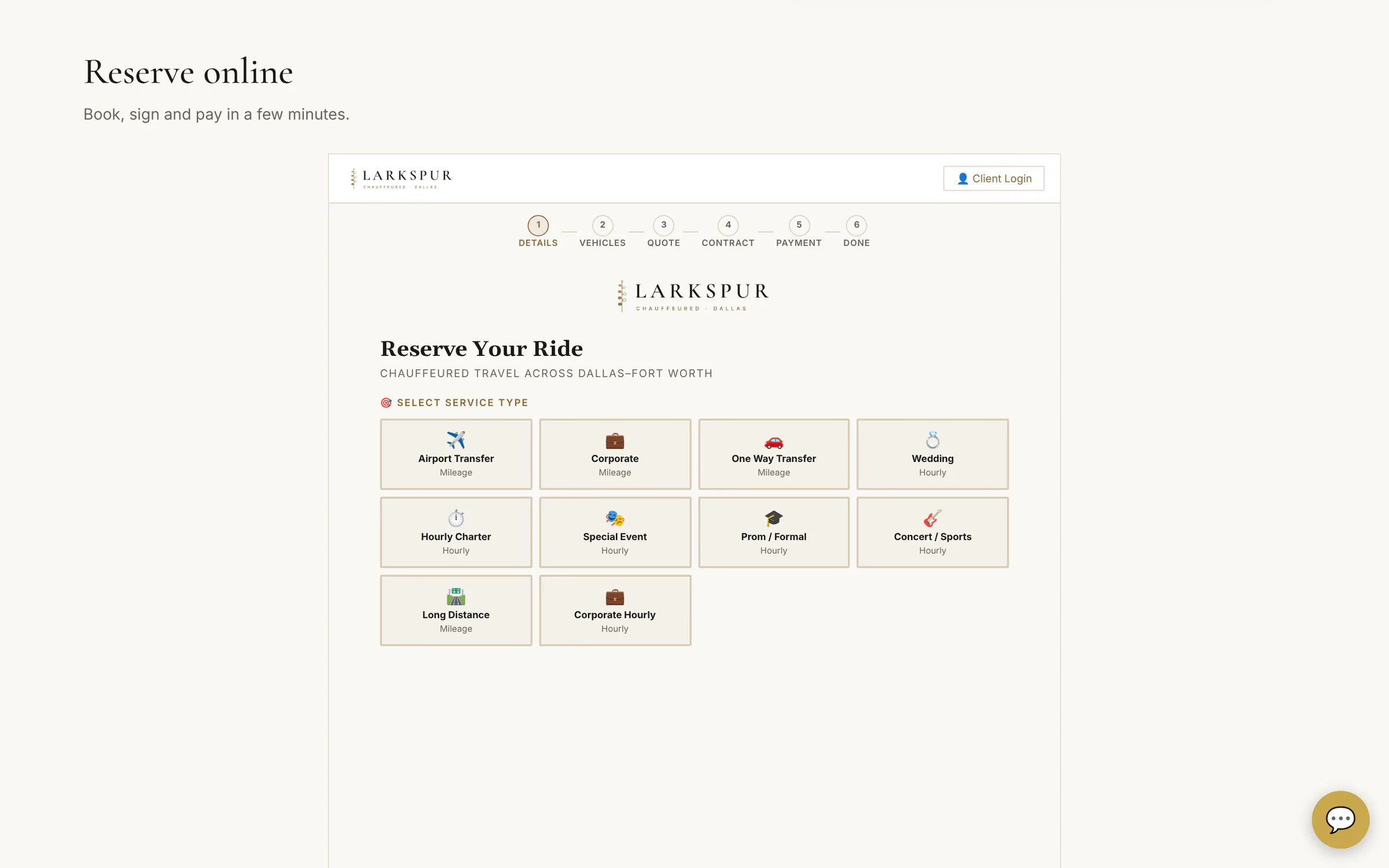 |
Operator console
| Function | What it does | Status | Screen |
|---|---|---|---|
| Operations overview | Today's runs, what's billed and what isn't, who needs a call — and every unassigned run in red, fixable from here. | Live | 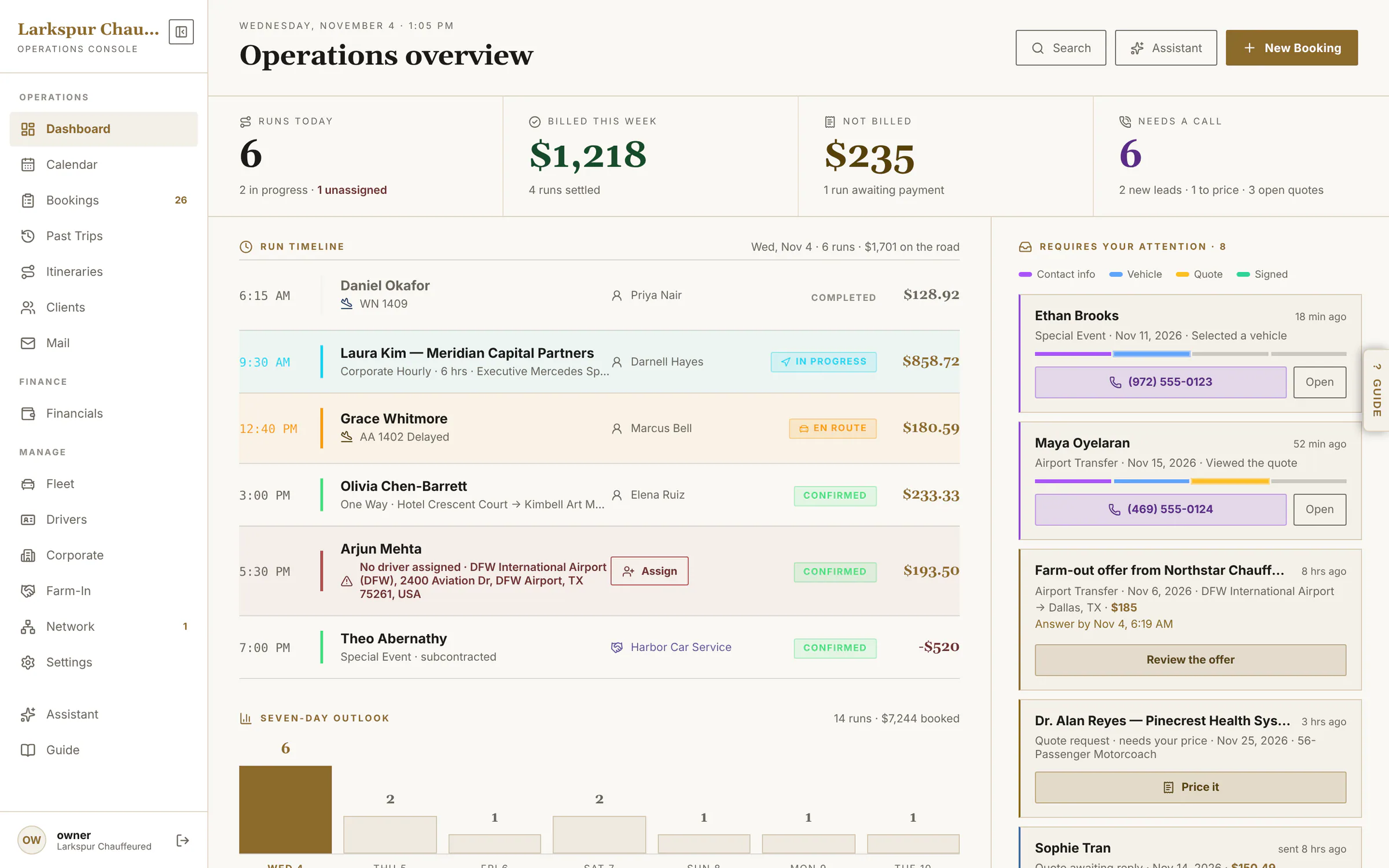 |
| The whole dashboard | Seven-day outlook, the ranked attention queue, chauffeurs on shift and recent activity. | Live | 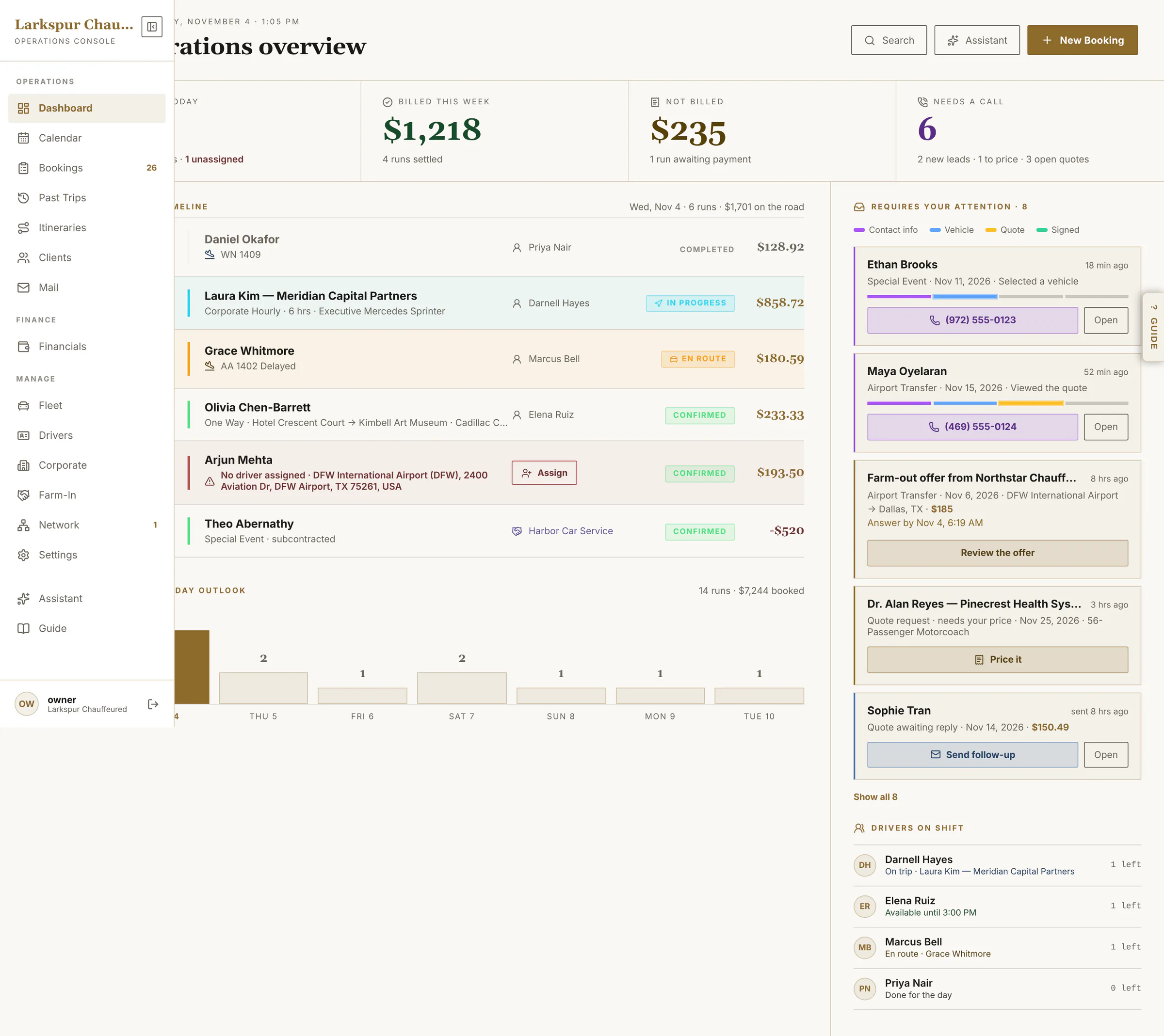 |
| Assign from the dashboard | Pick a chauffeur for an unassigned run without leaving the dashboard — with their schedule checked. | Live | 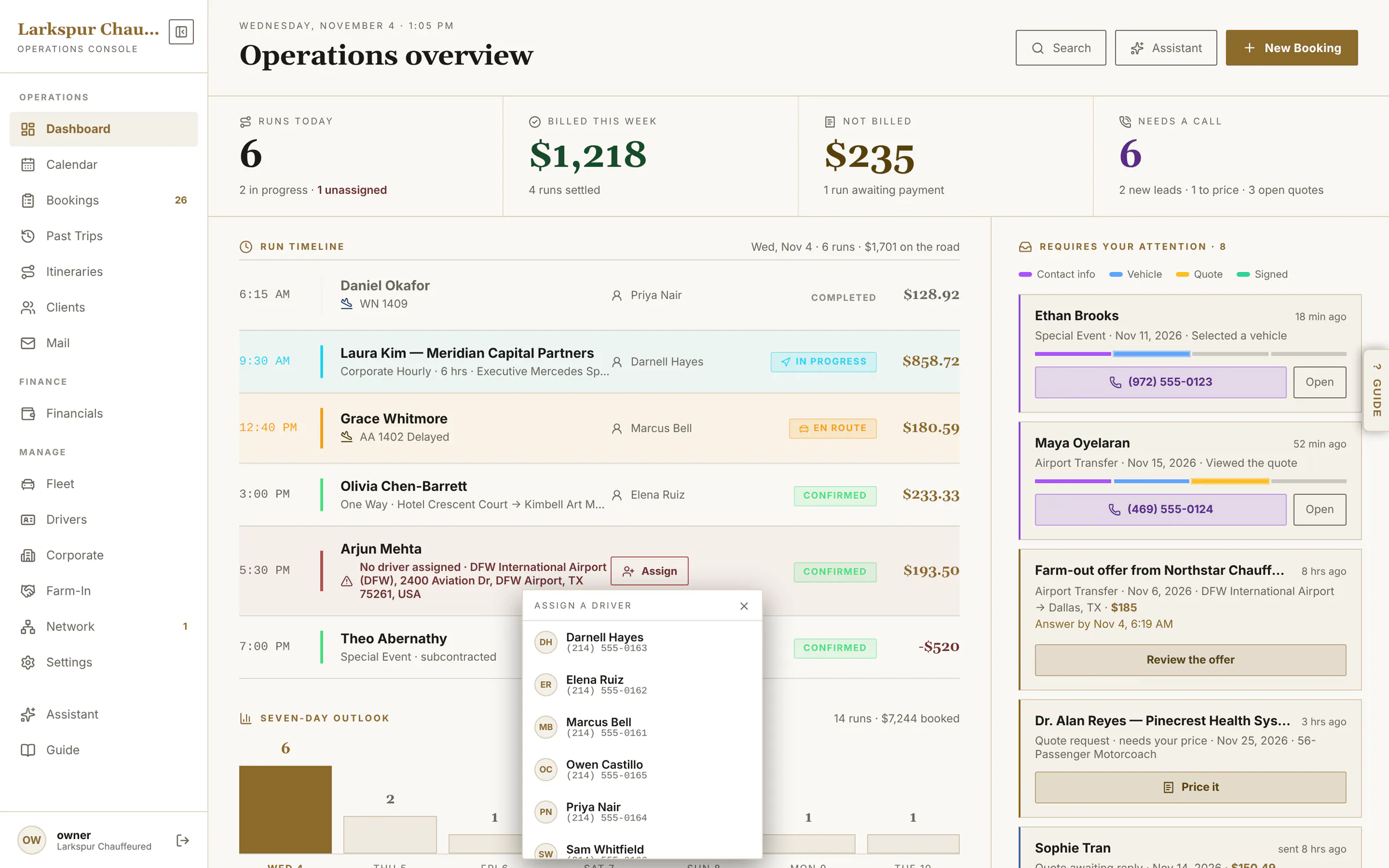 |
| Every reservation in one ledger | Grouped by day: filter by status, search anything, and tick rows to act on several at once. | Live | 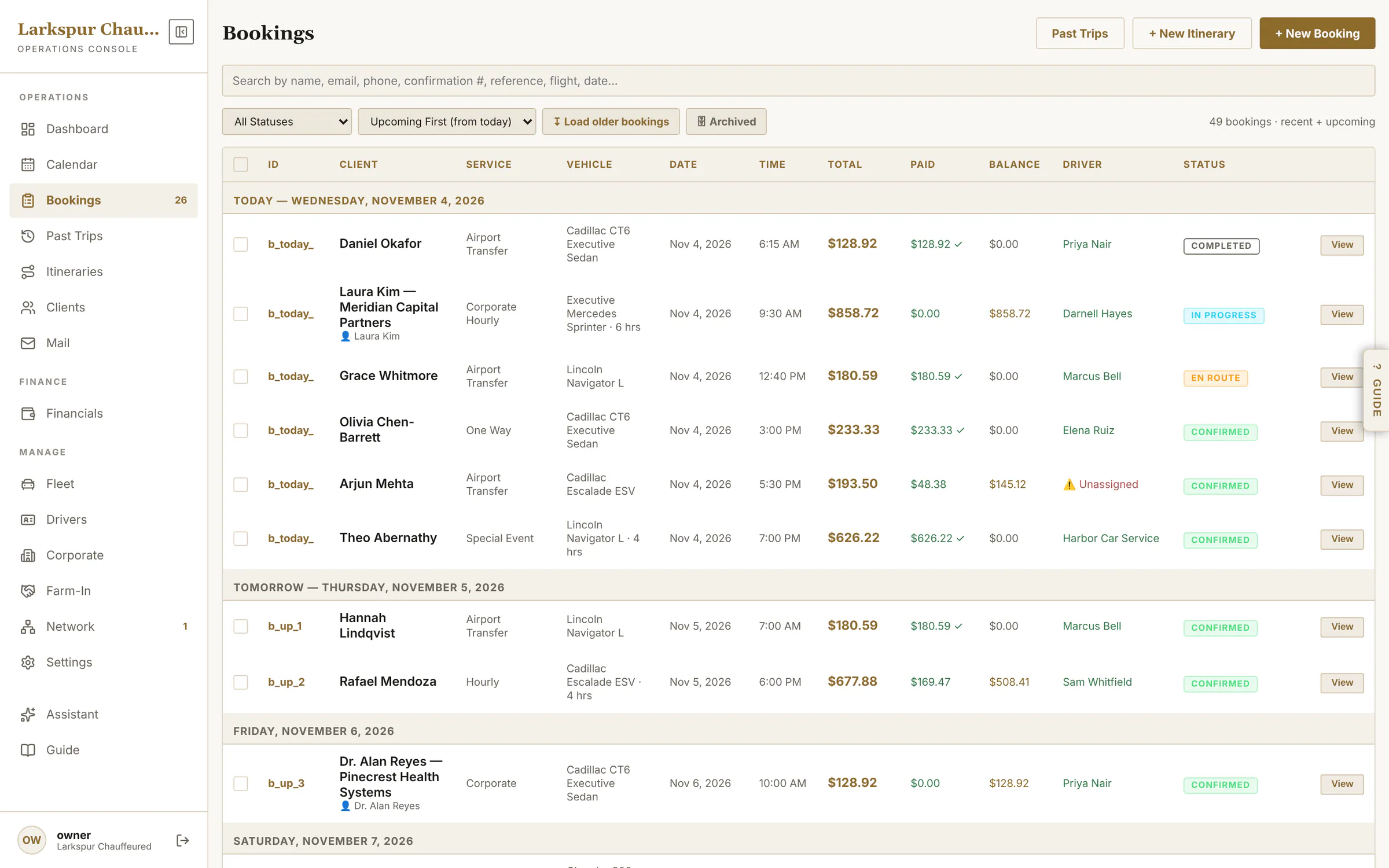 |
| Bulk actions | Tick several bookings to mark them paid or completed, assign a chauffeur or archive them — with the total of what's selected, and Undo. | Live | 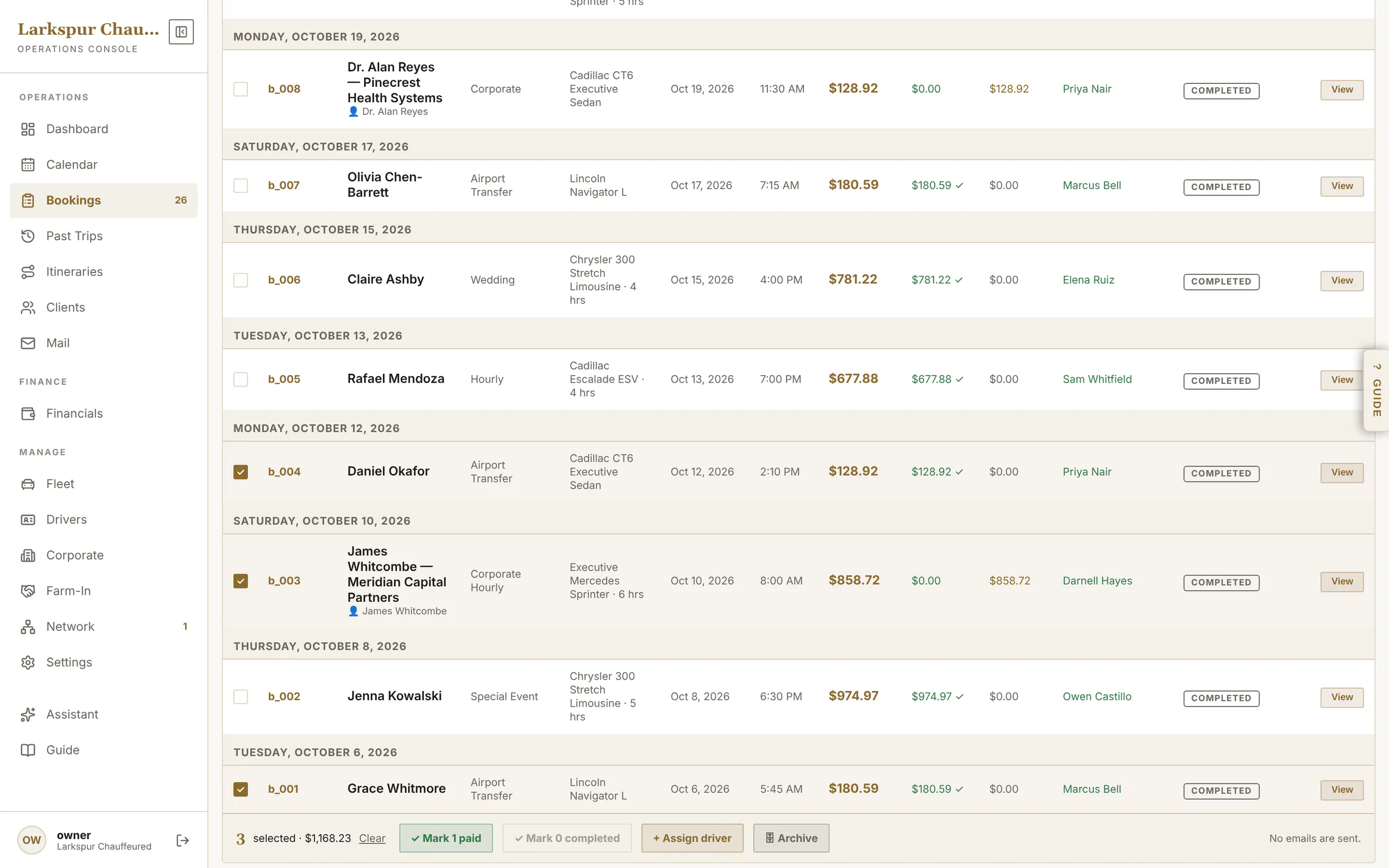 |
| Past trips by chauffeur | Each chauffeur's completed rides by month, plus farm-outs and anything left unassigned. | Live | 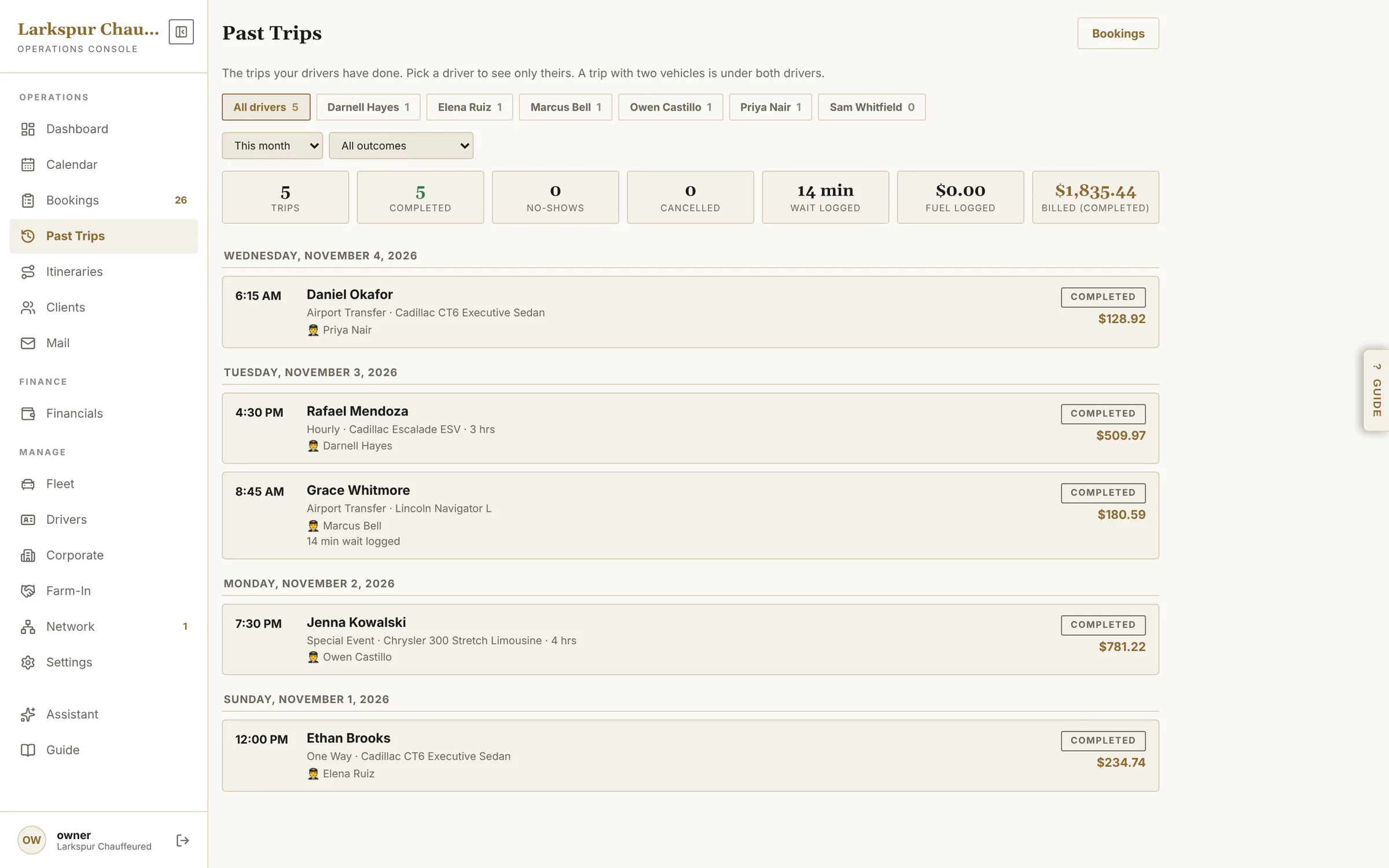 |
| Unfinished bookings become leads | Someone who gives their details on your booking page and stops is saved as a lead: how far they got, when, and where they stopped — call while it's warm. | Live | 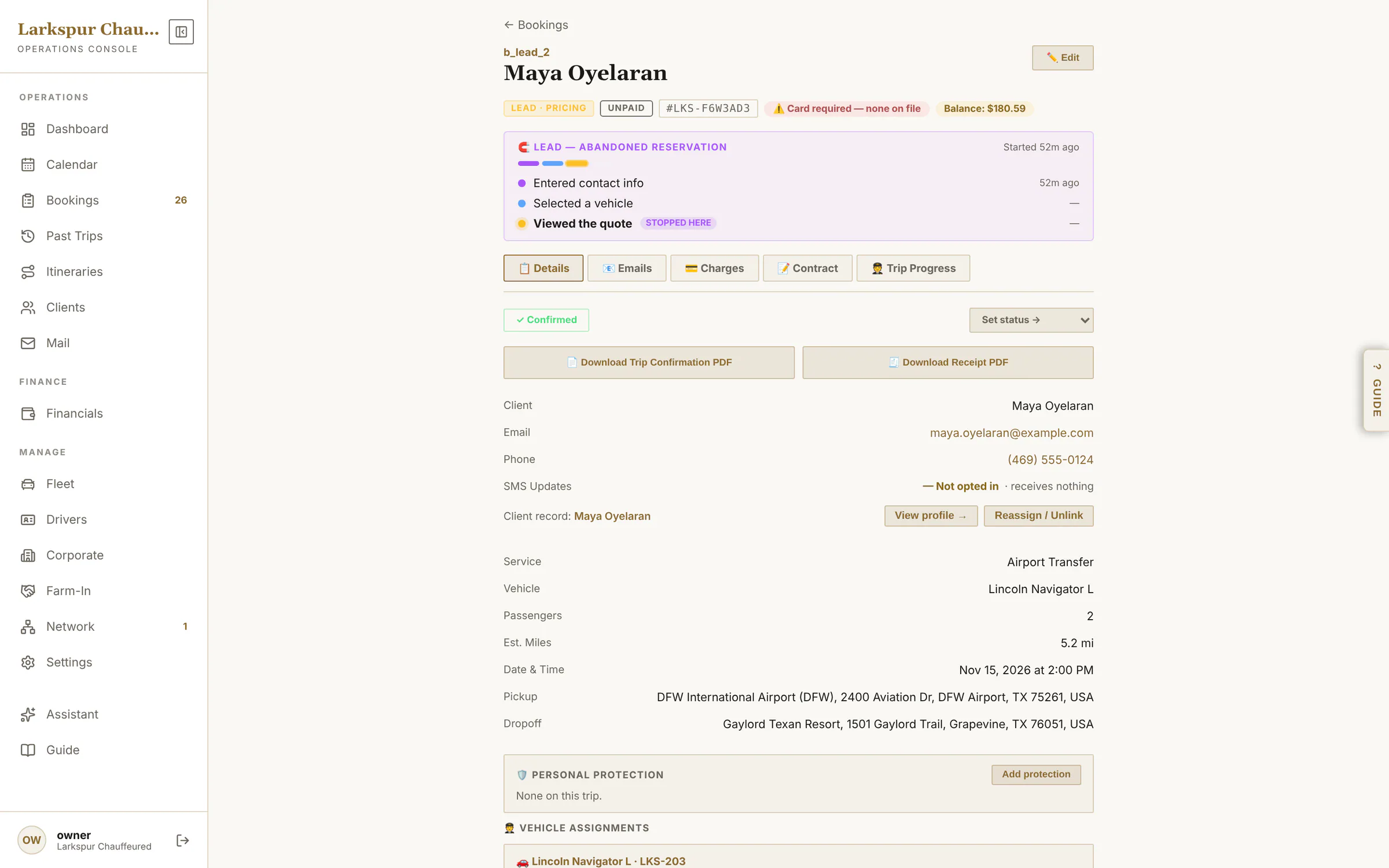 |
| A setup checklist that checks itself | New accounts get ten steps, from services to Stripe — each ticked off from your real data, with a button to open it and one to ask the assistant. | Live | 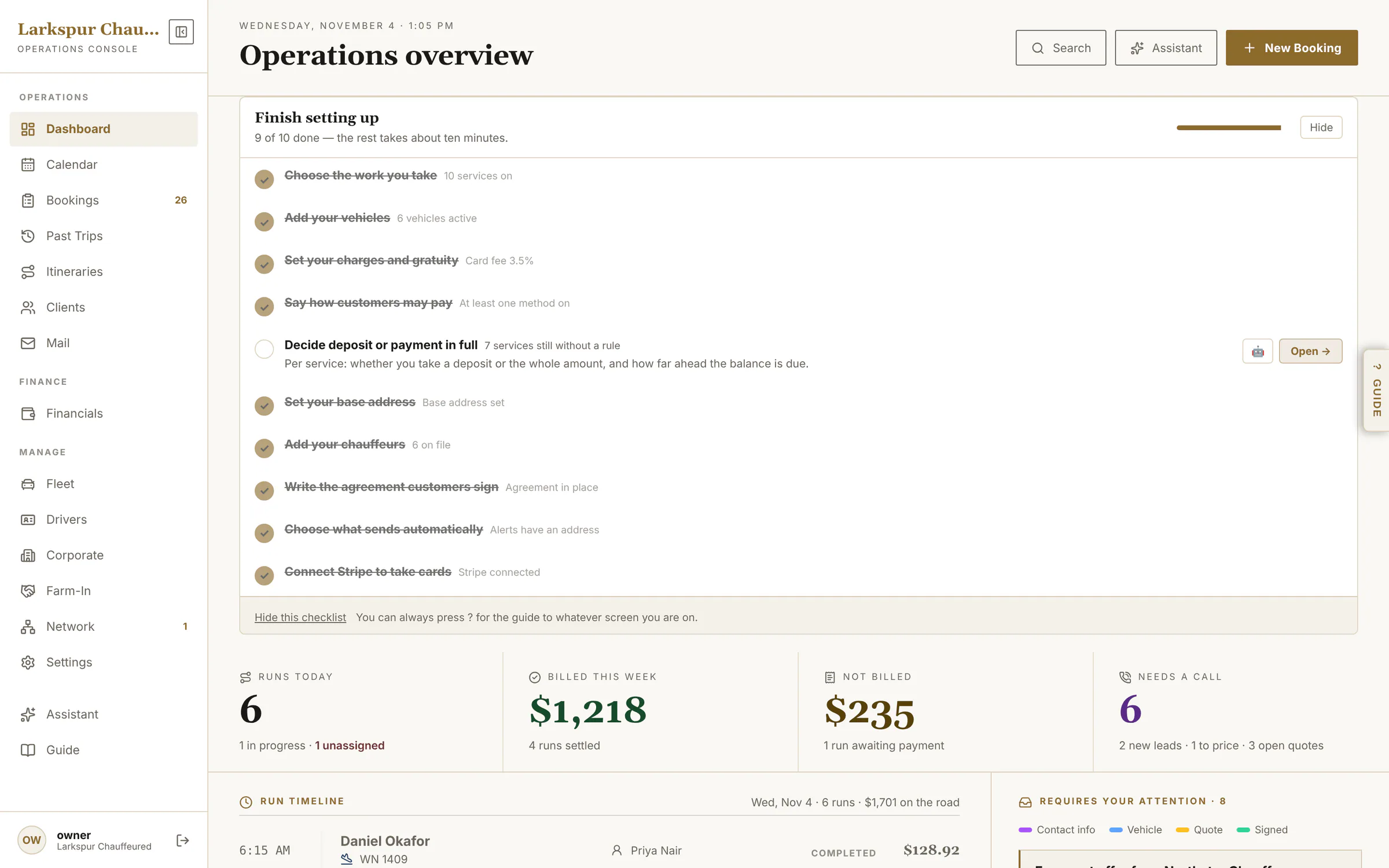 |
| The booking page | Everything about one trip on one page: status, flight, car, chauffeur, cards, money and every email sent. | Live | 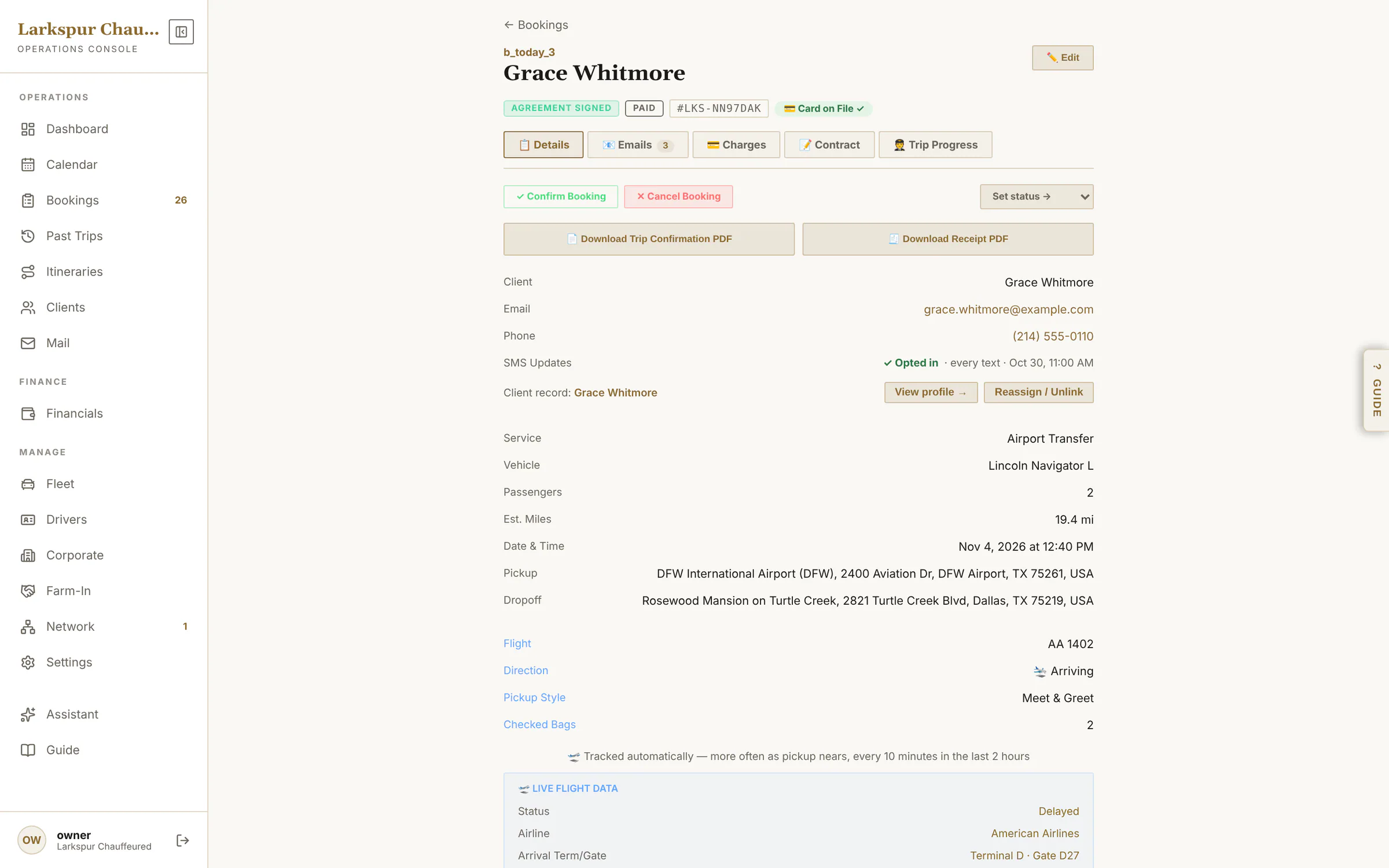 |
| The whole booking | Client, trip, flight, vehicle and chauffeur, payment, cards on file and email actions. | Live | 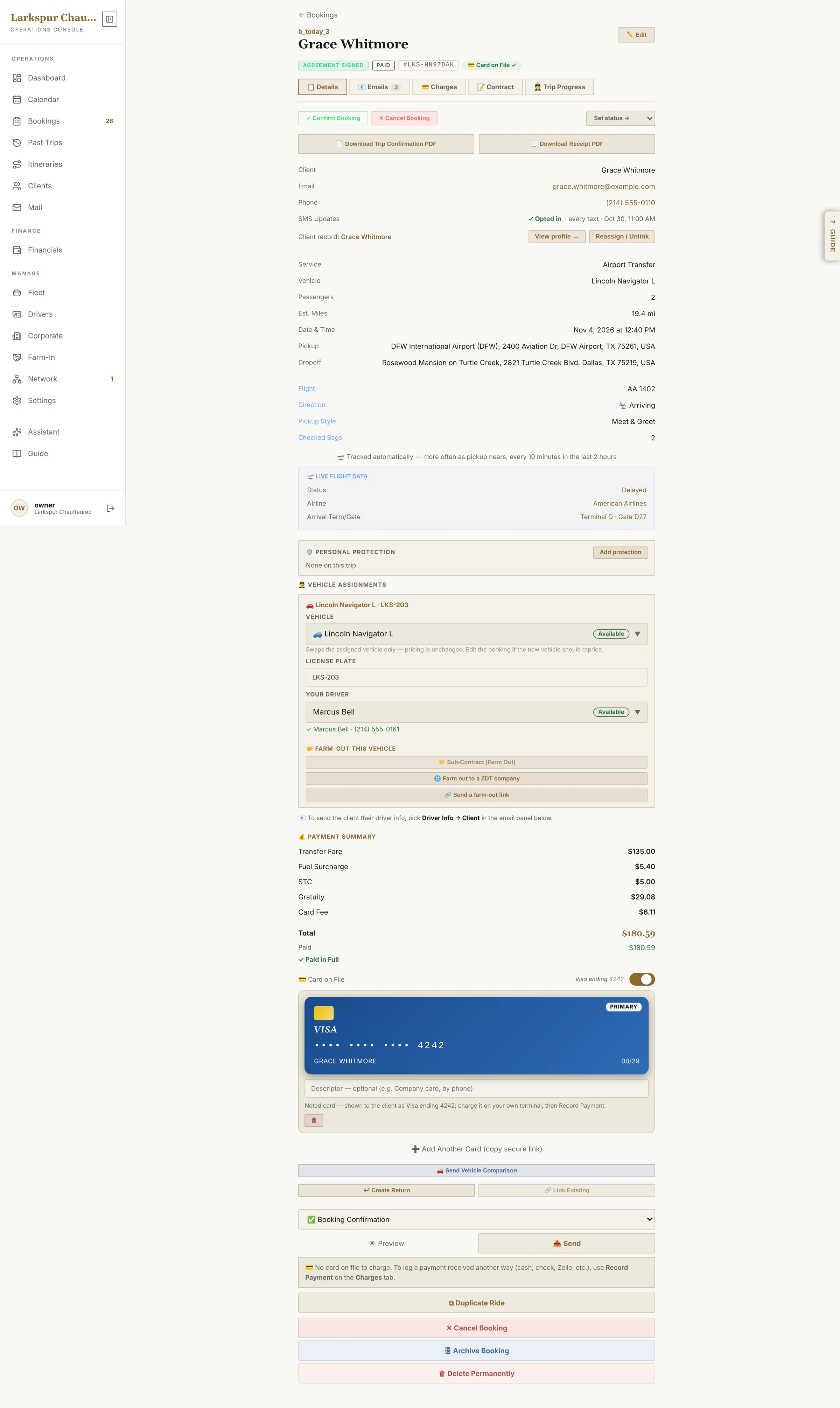 |
| Every email, with proof | Sent, delivered, opened — for every email on the booking. | Live | 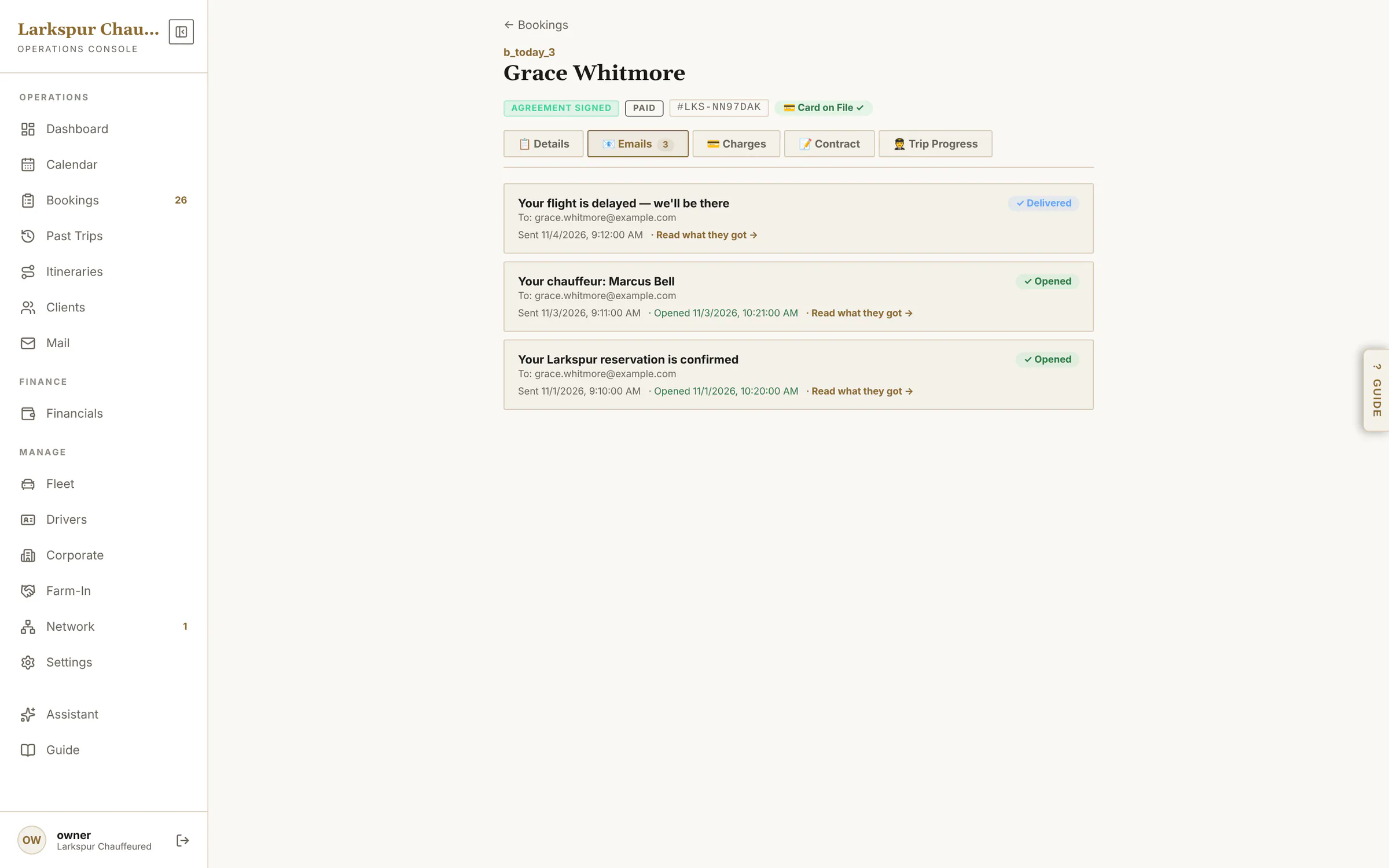 |
| Charges and payments | Itemised charges, quick-adds for gratuity, fuel and wait time, payments, credits and refunds. | Live | 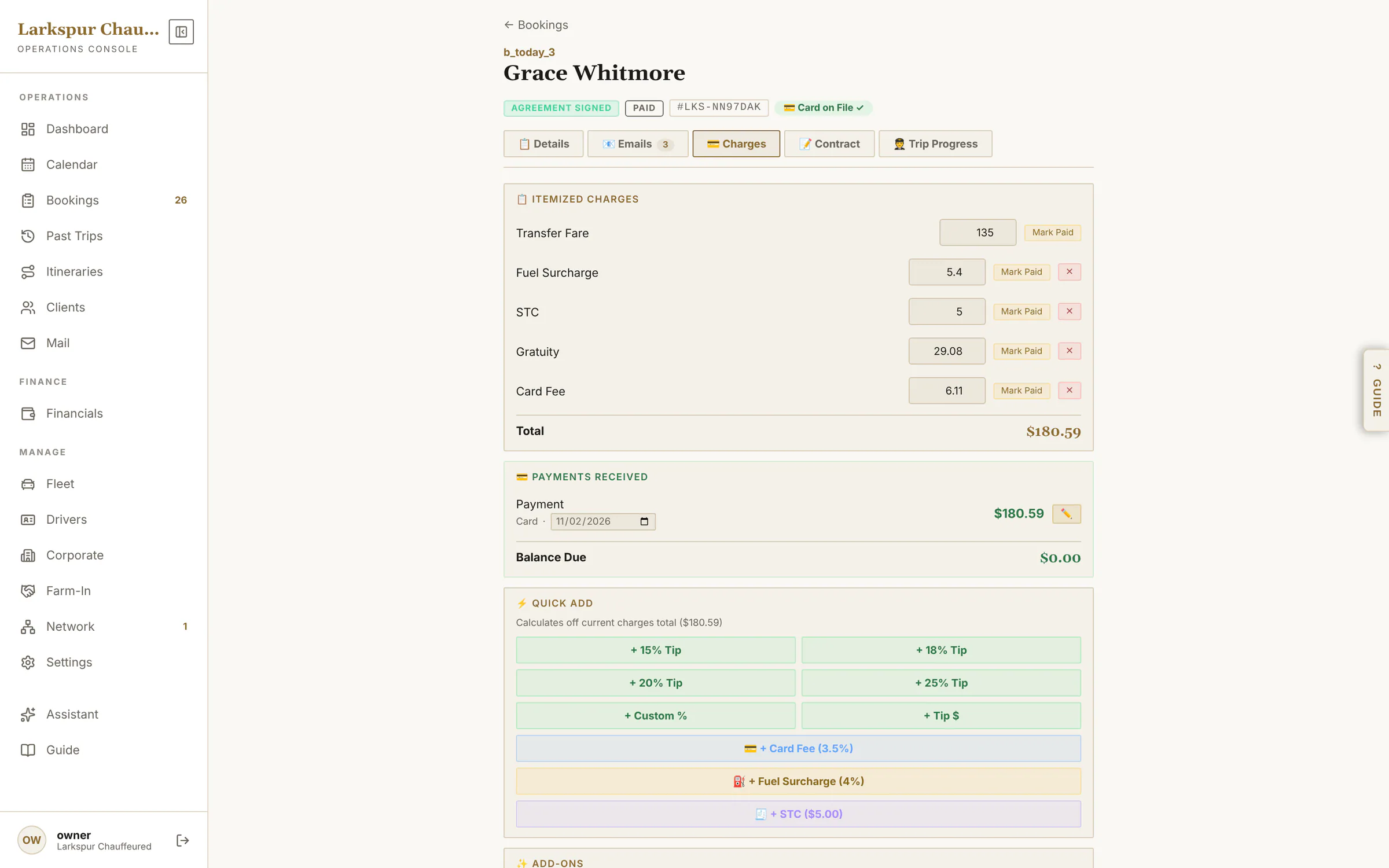 |
| The signed agreement | The agreement as signed, each section's time stamp, the signature, IP and device. | Live | 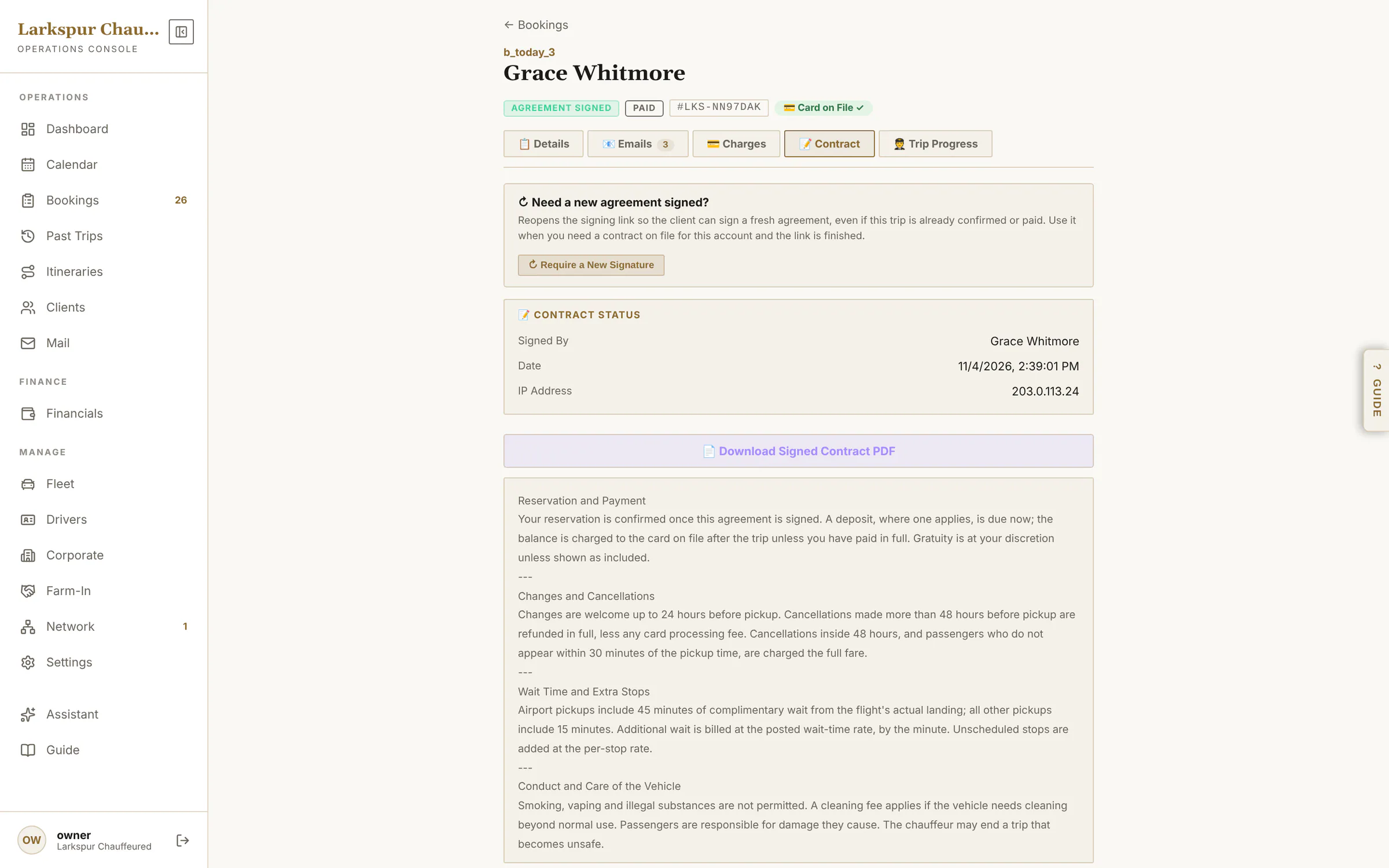 |
| Live trip progress | Every chauffeur status time-stamped, the pre-trip checklist, wait time and a Text the client button. | Live | 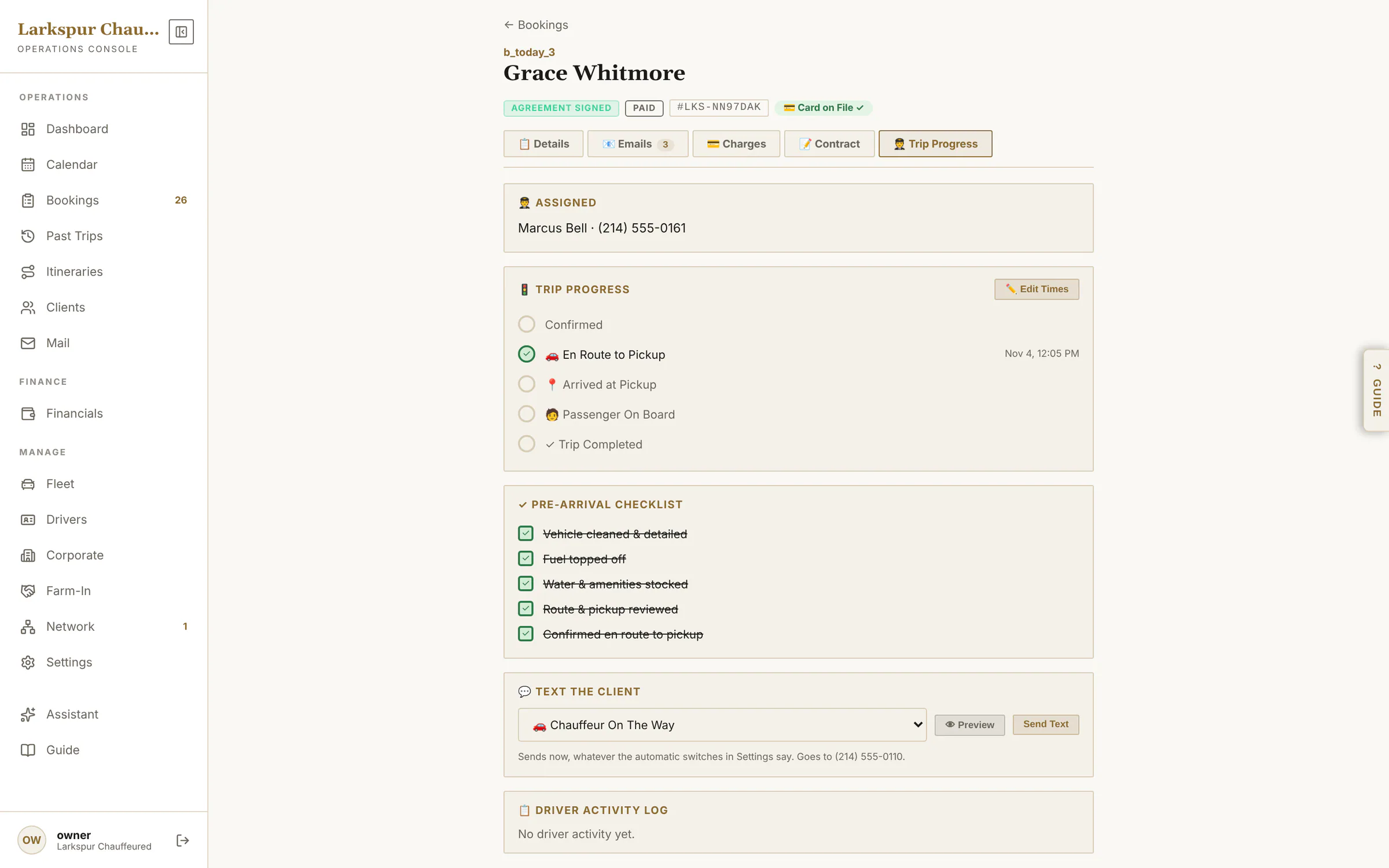 |
| Protection on the booking | Stage, agents and hours on the booking — and only chauffeurs licensed for that stage can be assigned. | Rolling out | 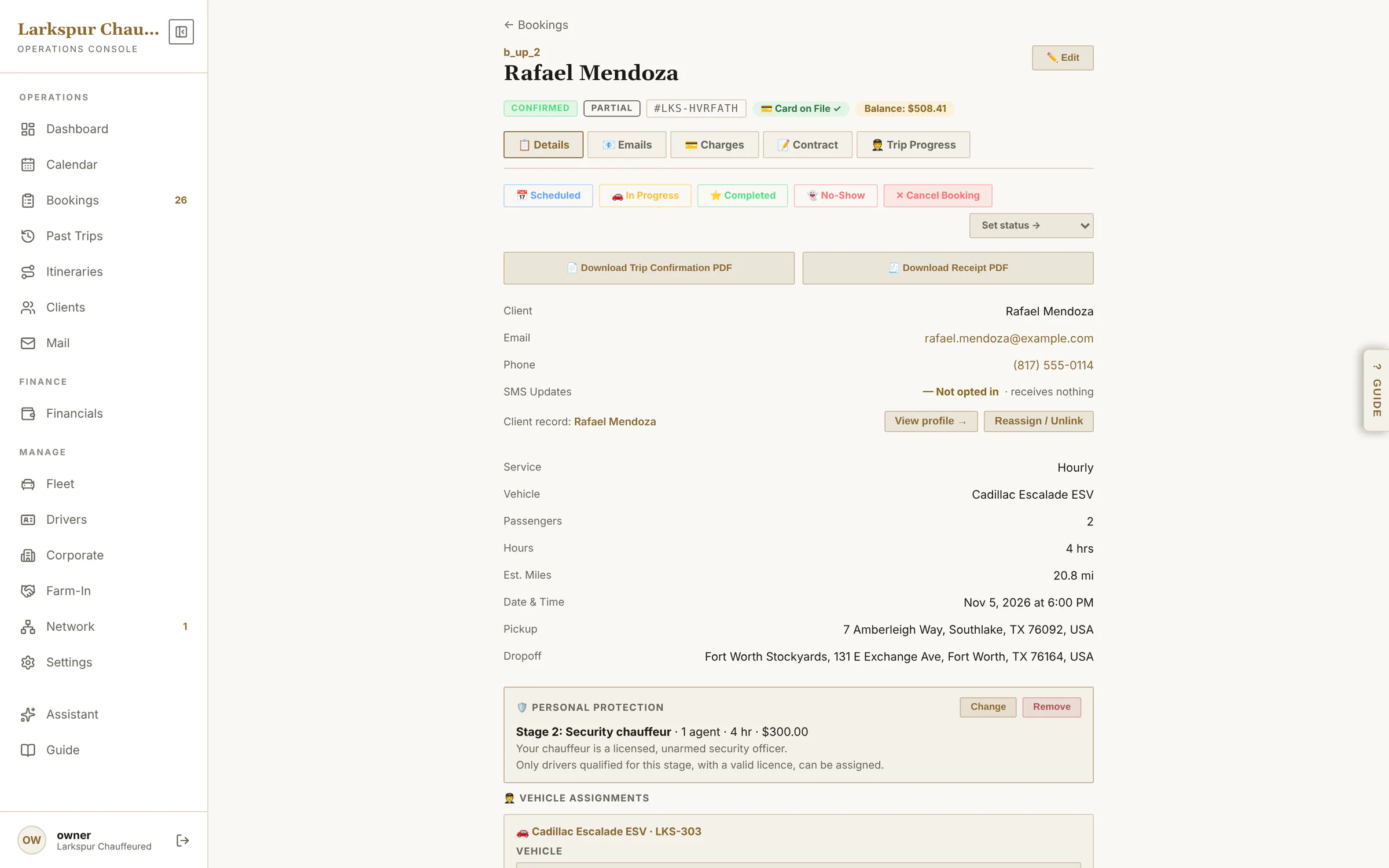 |
| See the email before it goes | Every email opens in a preview first — exactly what lands in the client's inbox, your personal note at the top. | Live | 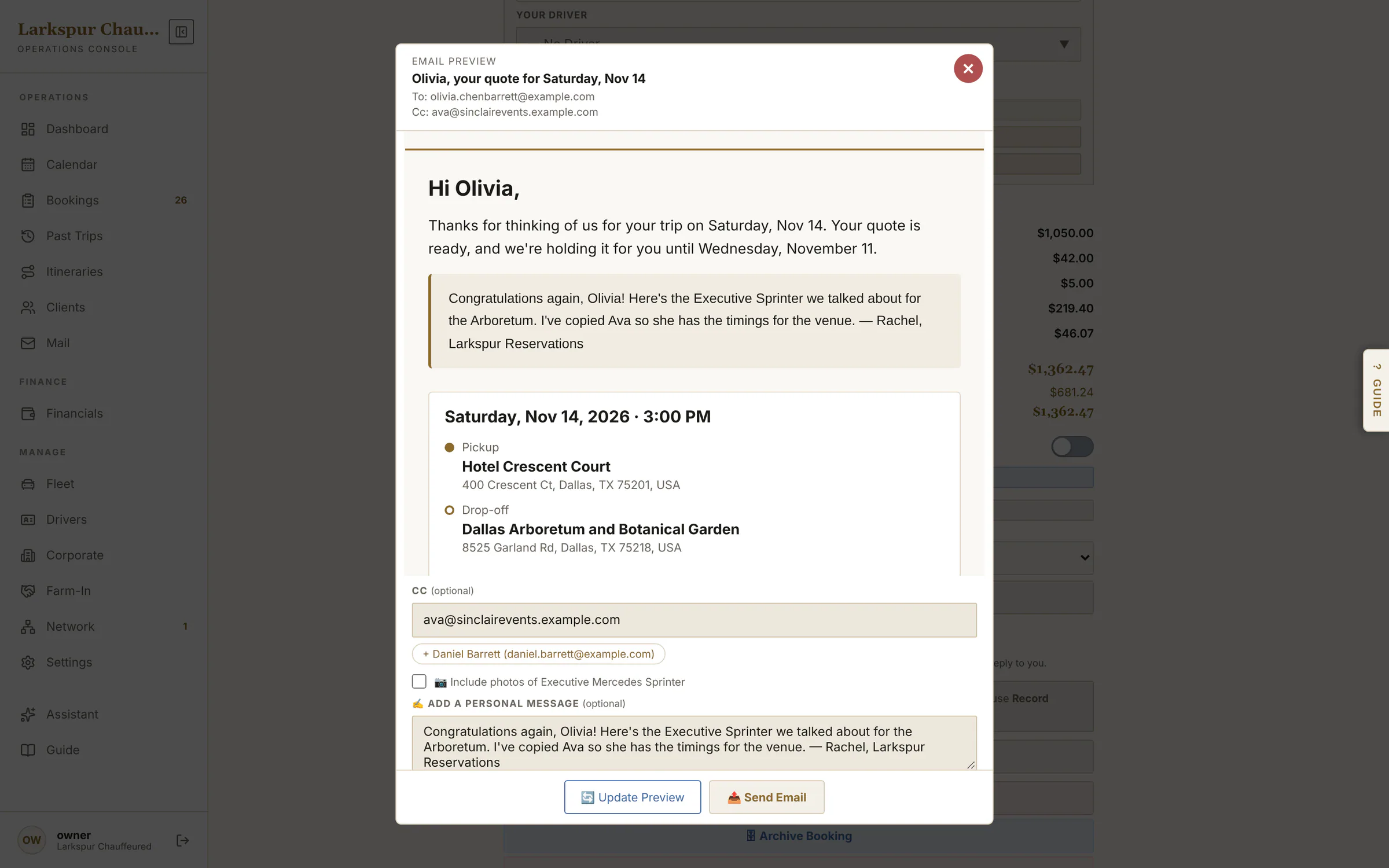 |
| Cc anyone, add a personal note | Copy in a planner, an assistant or a spouse — the people on the account are one tap away — and write a note that appears at the top of the email. | Live | 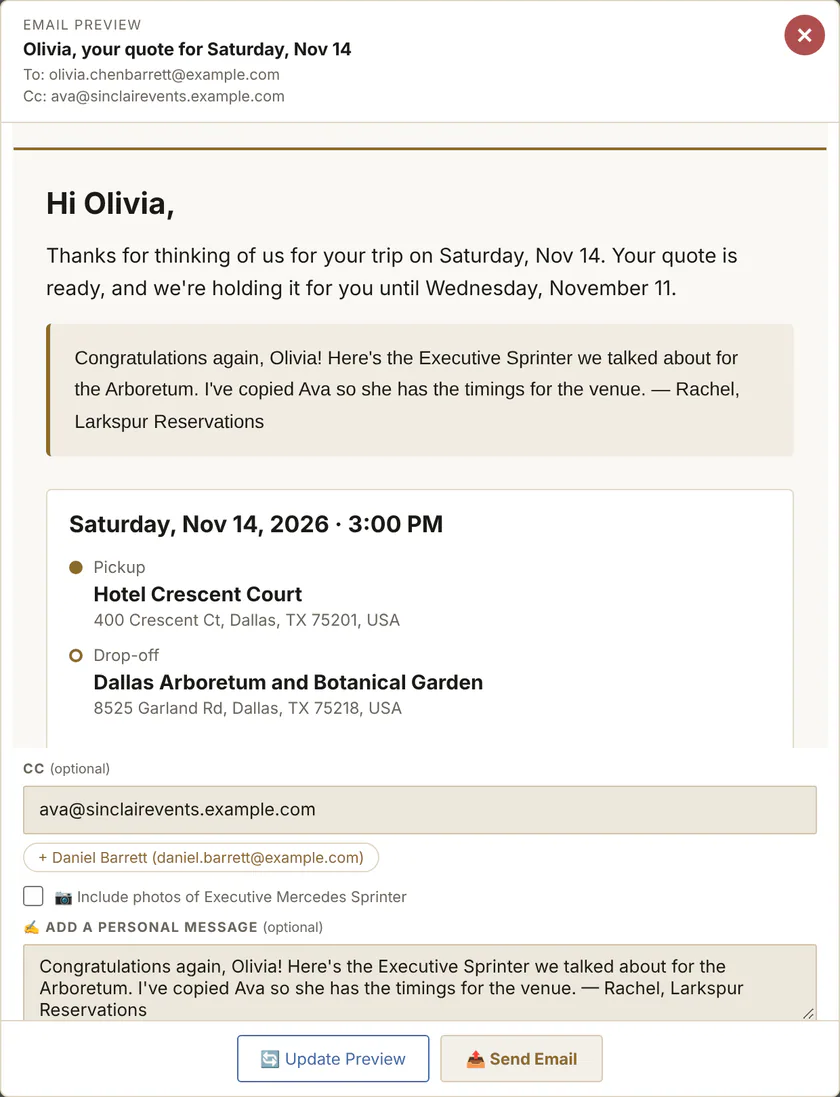 |
| Nothing goes by accident | One last check names who gets it — Cc included — before anything is sent. | Live | 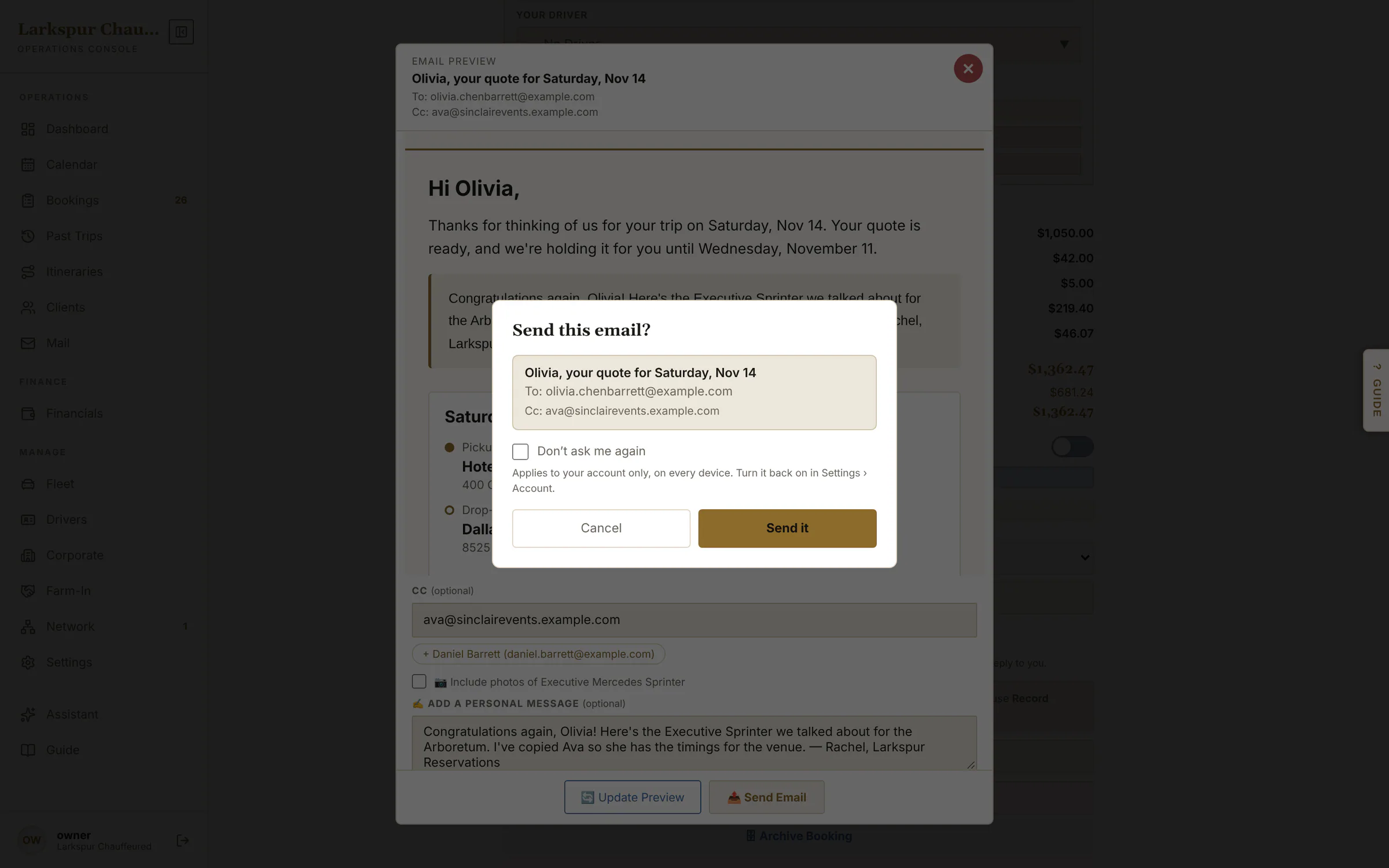 |
| Take a phone booking | Client search, service, vehicle, addresses and flight — priced live as you type. | Live | 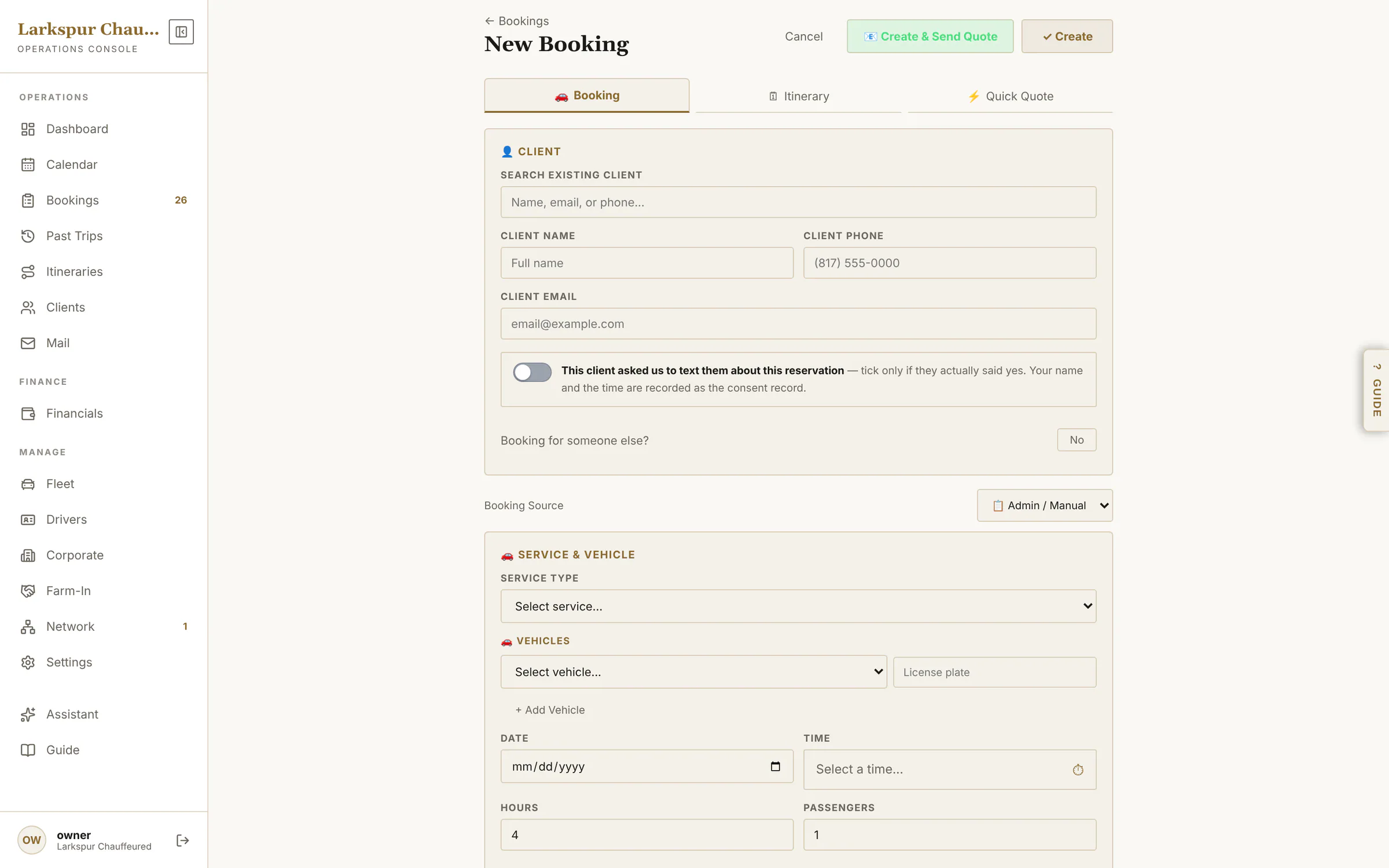 |
| Quick Quote | “What does a Navigator to the Rosewood cost?” Every car, all-in, in seconds — then one tap turns it into a booking. | Live | 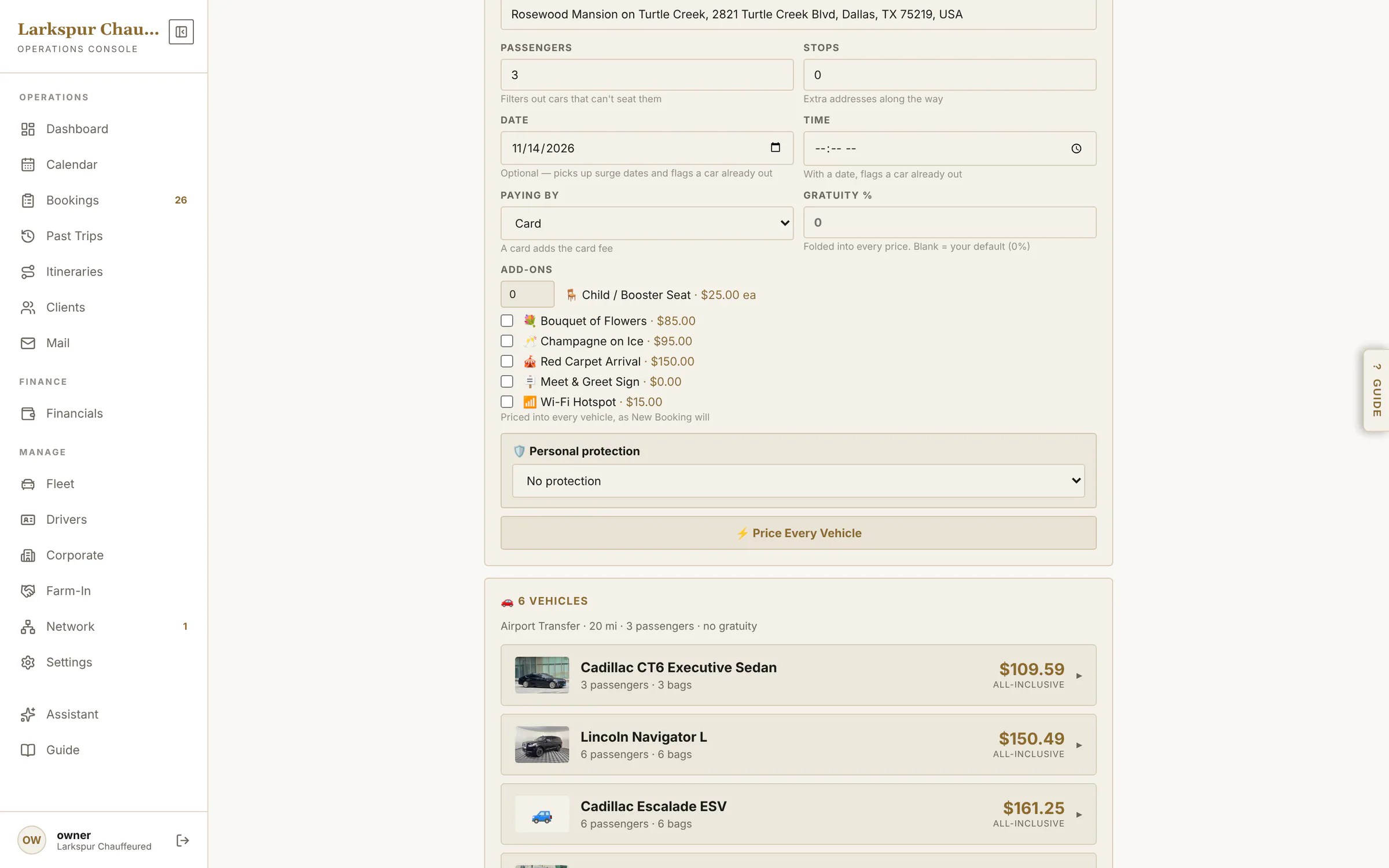 |
| Protection in Quick Quote | Add protection to any quote: stage, agents, hours — and how many of your chauffeurs can staff it that day. | Rolling out | 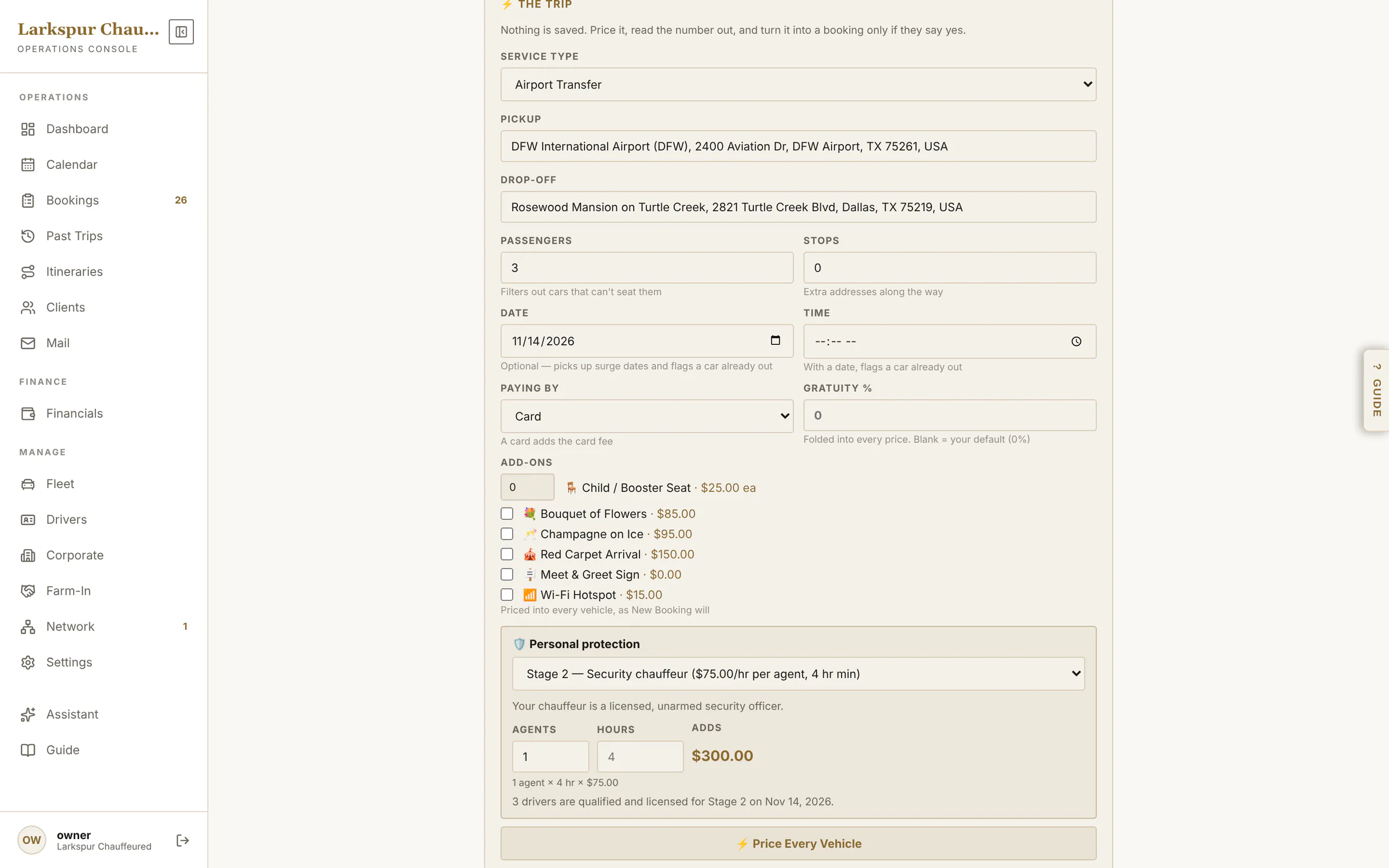 |
| The office sees the answer | The booking shows the client accepted, when, and that they've gone on to sign. | Live | 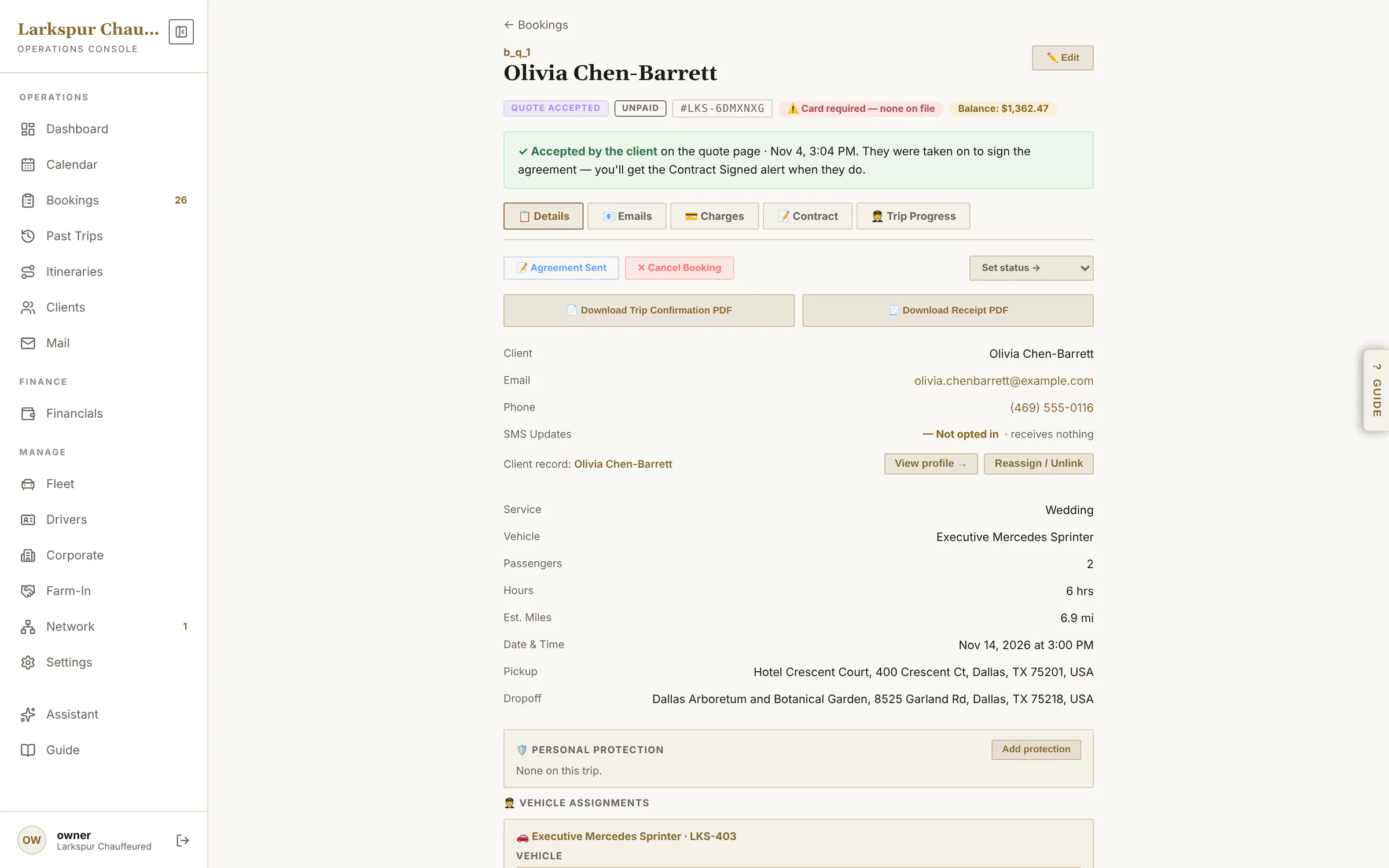 |
| Why you lost it — and Re-quote | A declined quote shows the reason and the client's own words, comes off the calendar, and can be re-quoted in one tap. | Live | 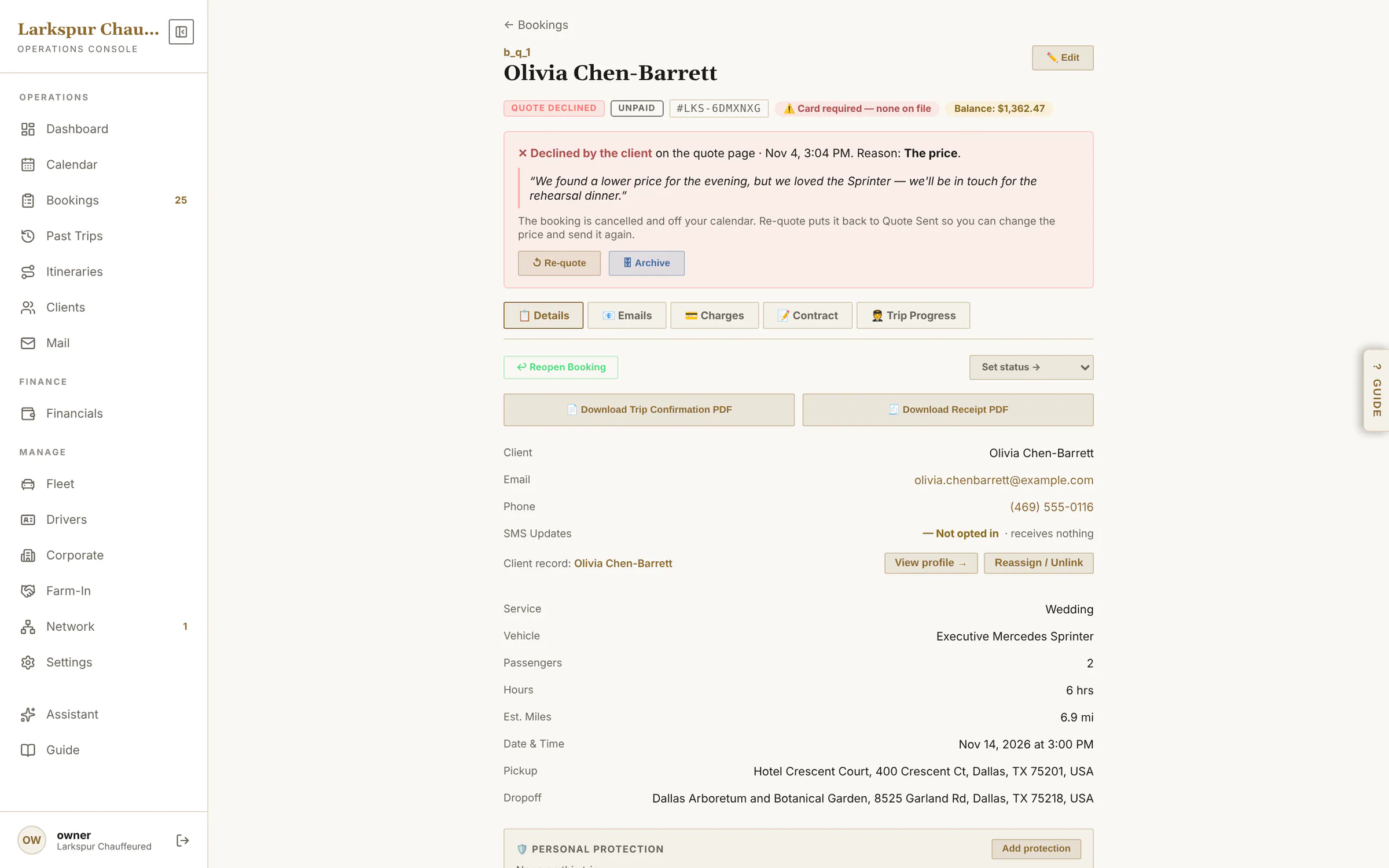 |
| Itineraries | Multi-day weddings and roadshows on one bill and one agreement. | Live | 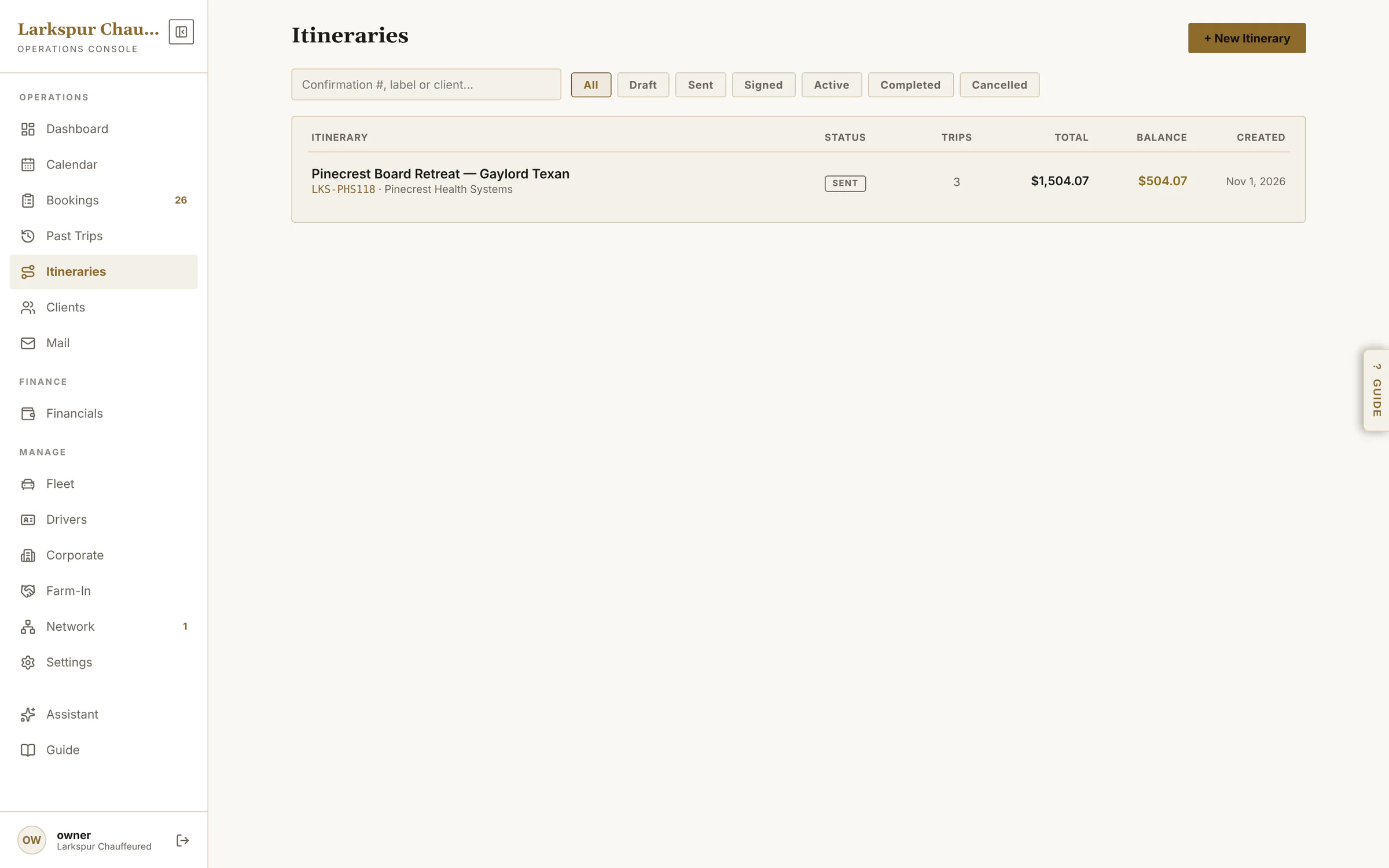 |
| One itinerary, three days | Every leg dispatched as normal; the money, the signature and the changes kept together. | Live | 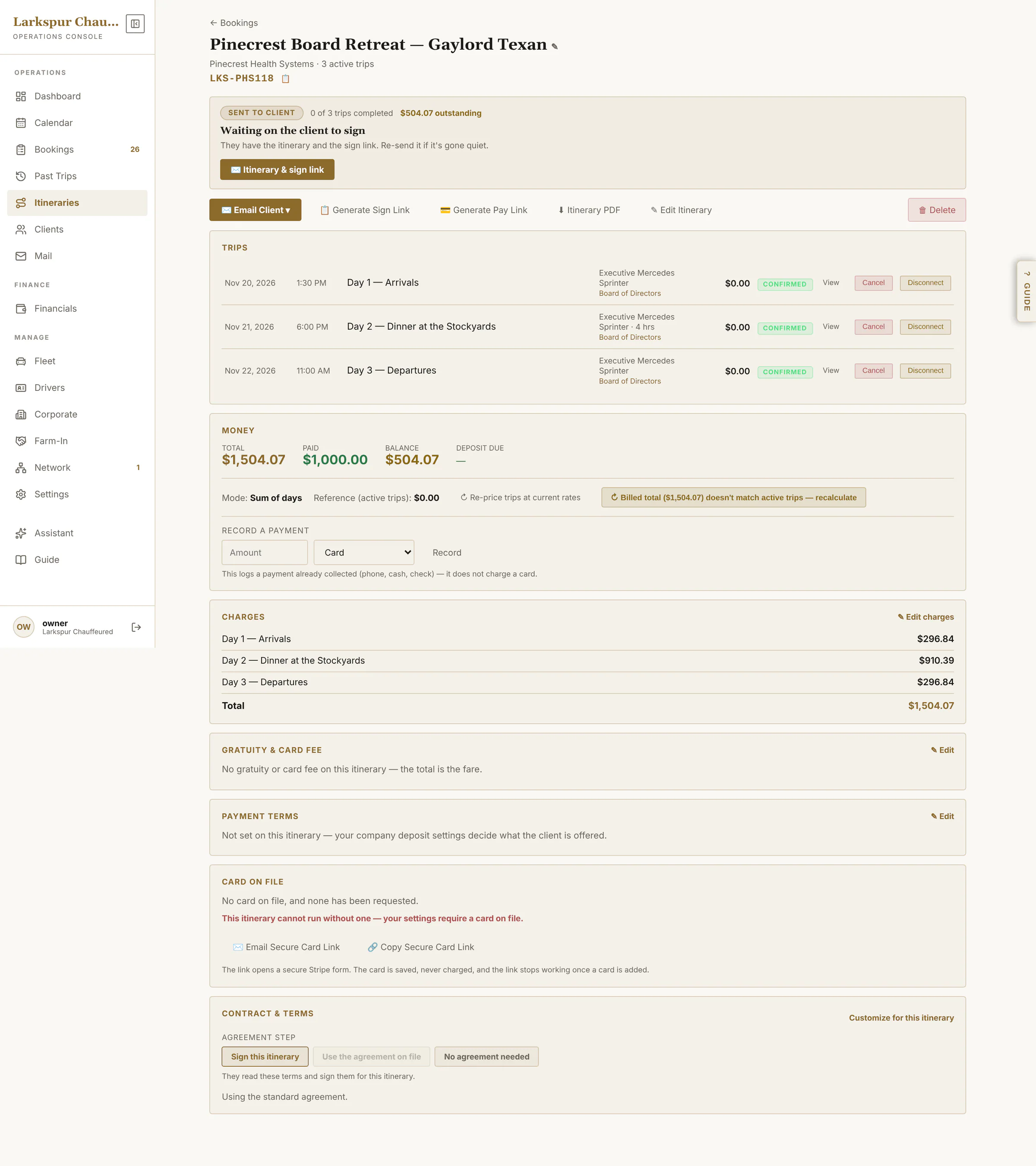 |
| Build a multi-day job | Days down the side, each trip in turn, then one price for the package or per trip — and one link for the client to sign. | Live | 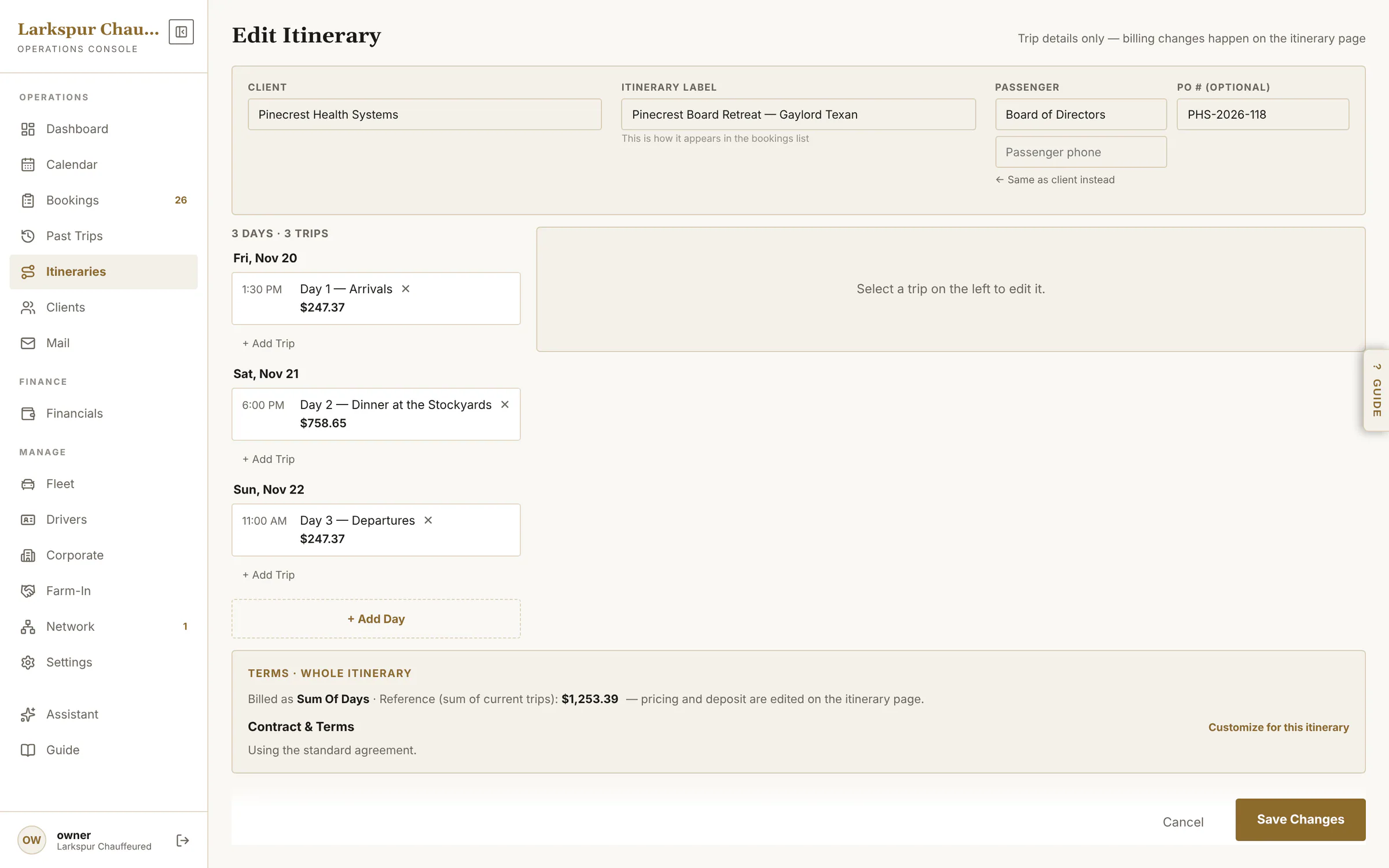 |
| Offer a choice of cars | Pick two to four vehicles, each priced all-in from your rates — override any price, set how long they're held — and send one link. | Live | 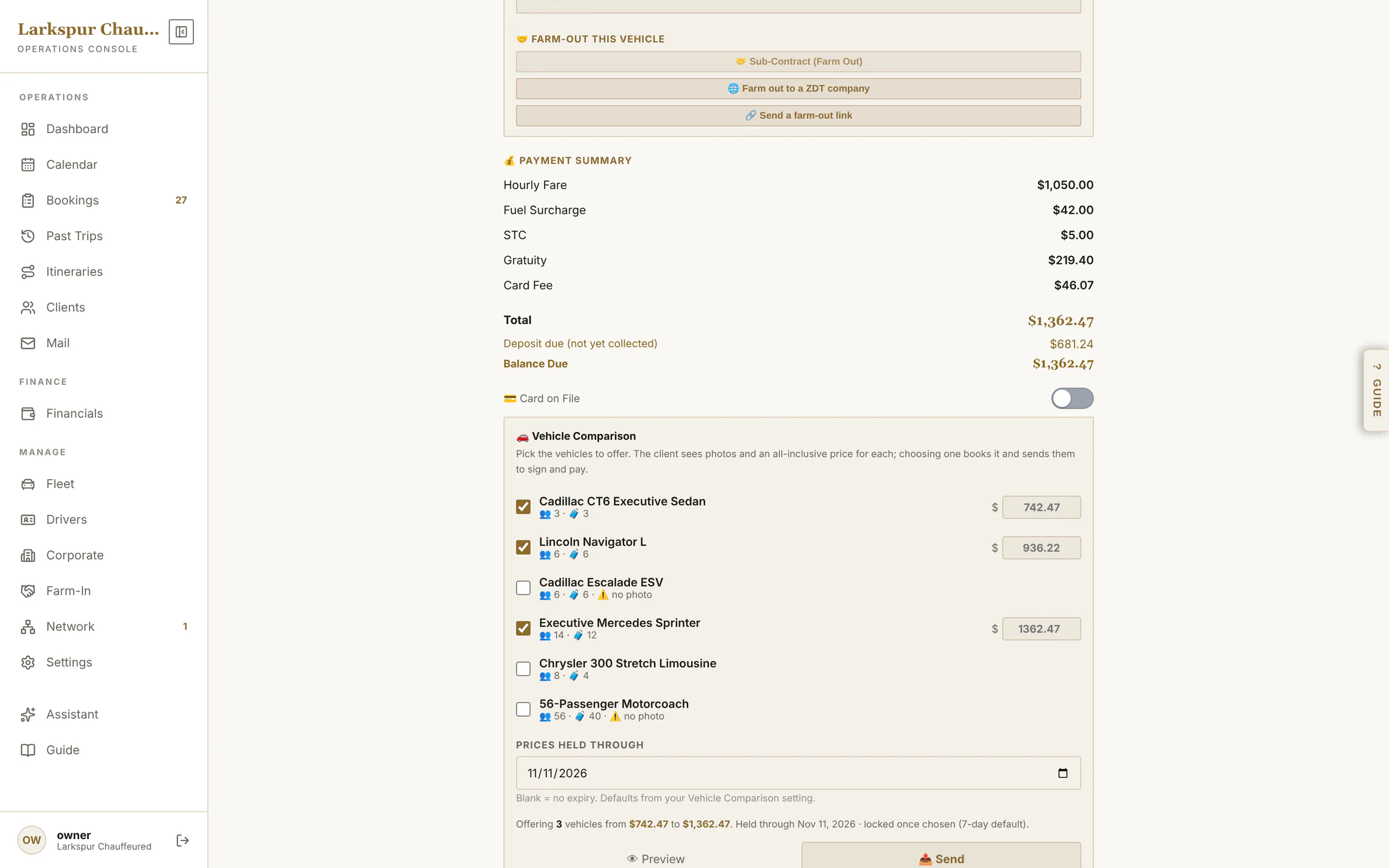 |
| Change anything, re-price in one tap | Edit the trip — stops, hours, a second vehicle, a fare override or no service charge — and Recalculate Total from your rates. | Live | 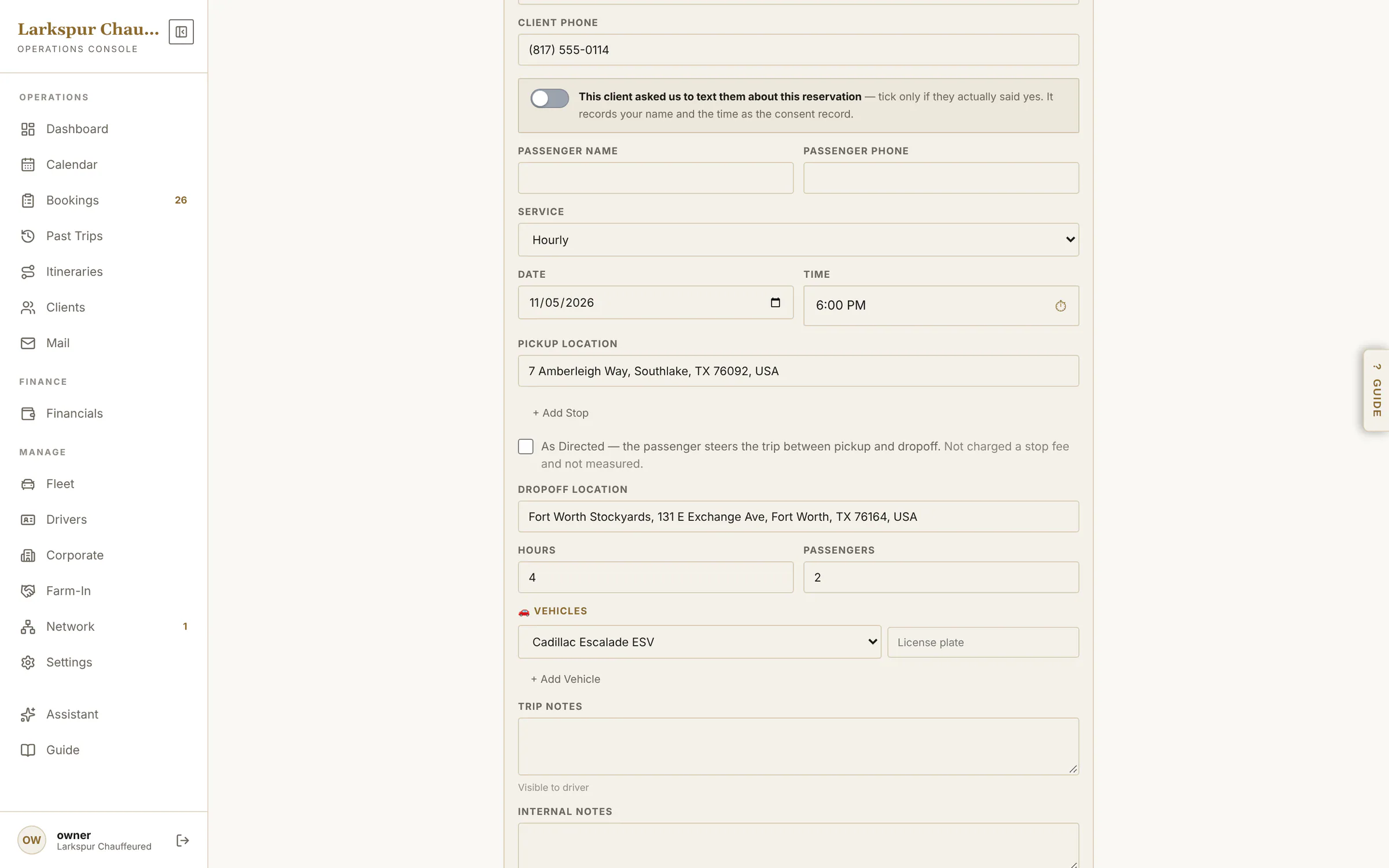 |
| Who's free, who's tight, who's booked | Every chauffeur and car is checked against the schedule as you pick — Available, Tight or Conflict, with the reason. | Live | 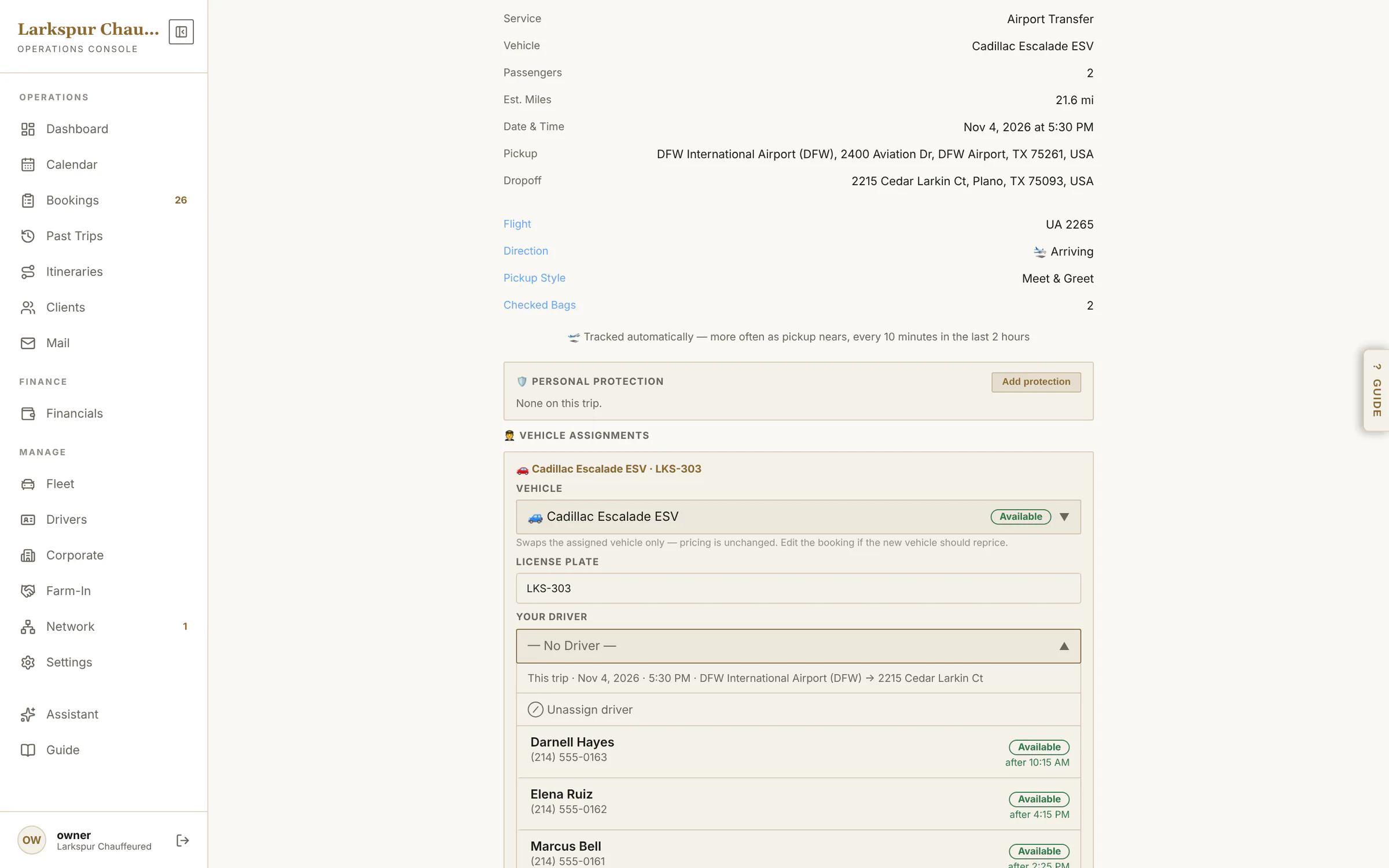 |
| The month at a glance | Every run on the calendar, the chosen day's trips beside it. | Live | 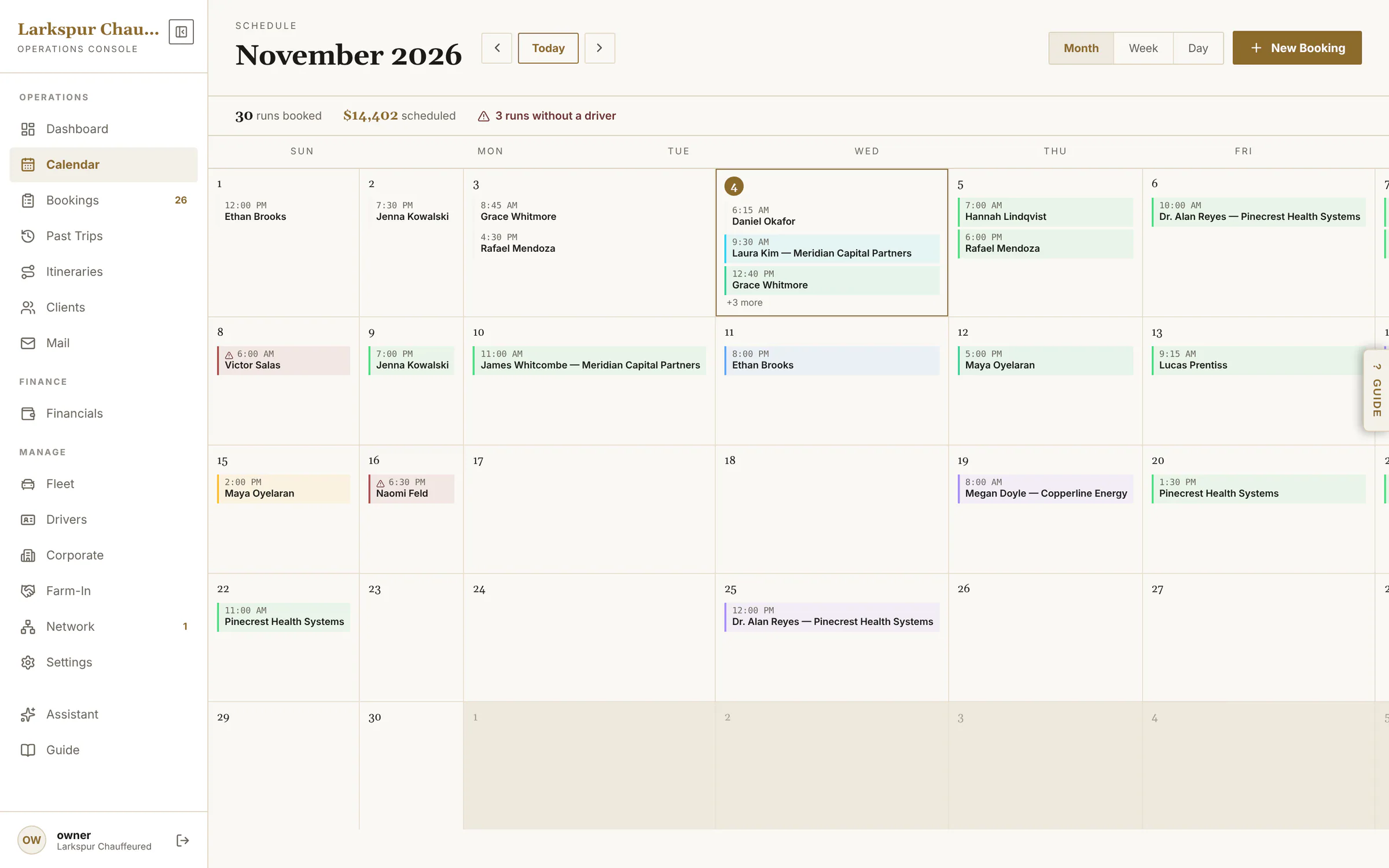 |
| Week view | Time blocks and the week's unassigned count. | Live | 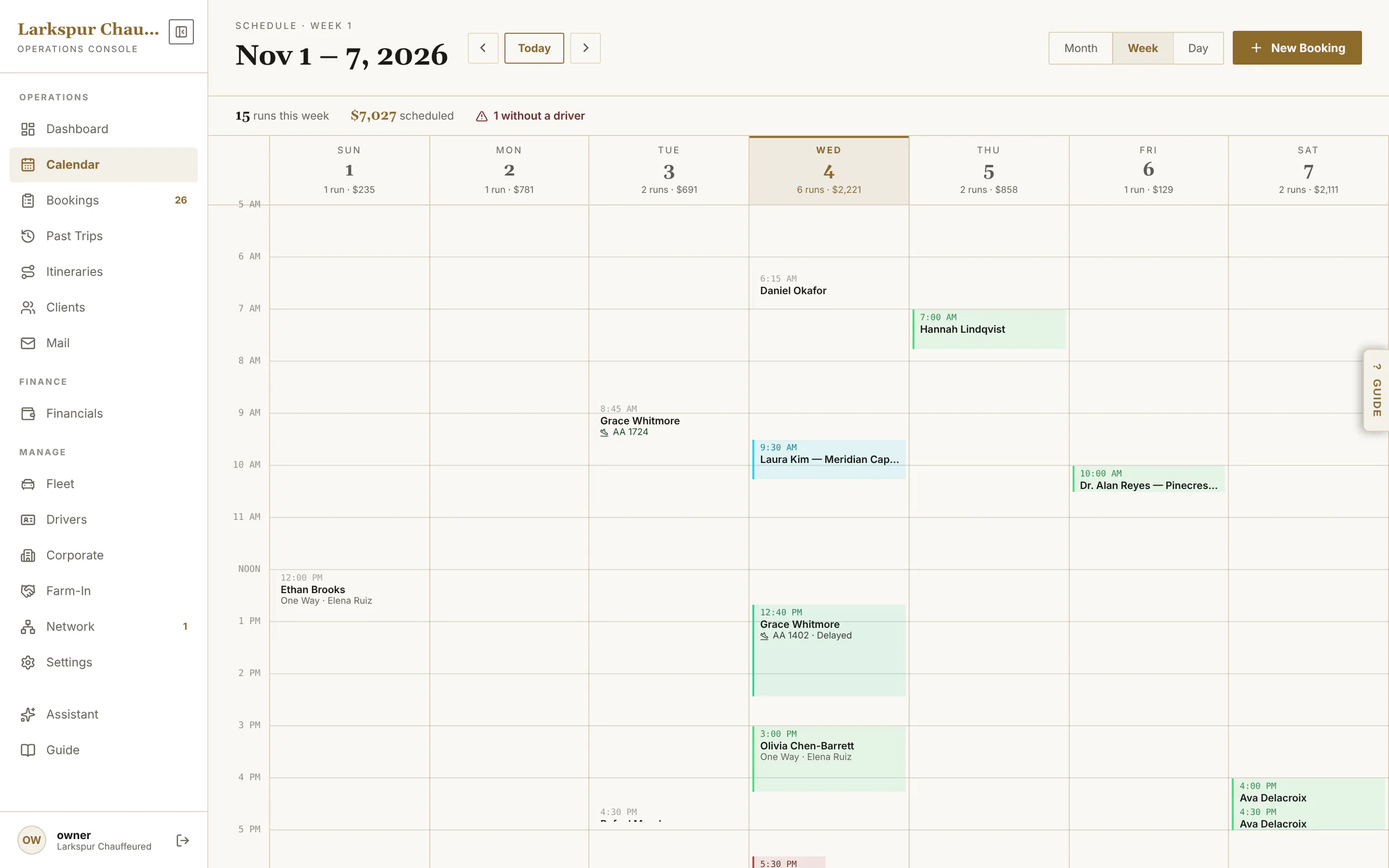 |
| The dispatch board | Day view is a dispatch board: a lane per chauffeur, shifts, and an unassigned lane. | Live | 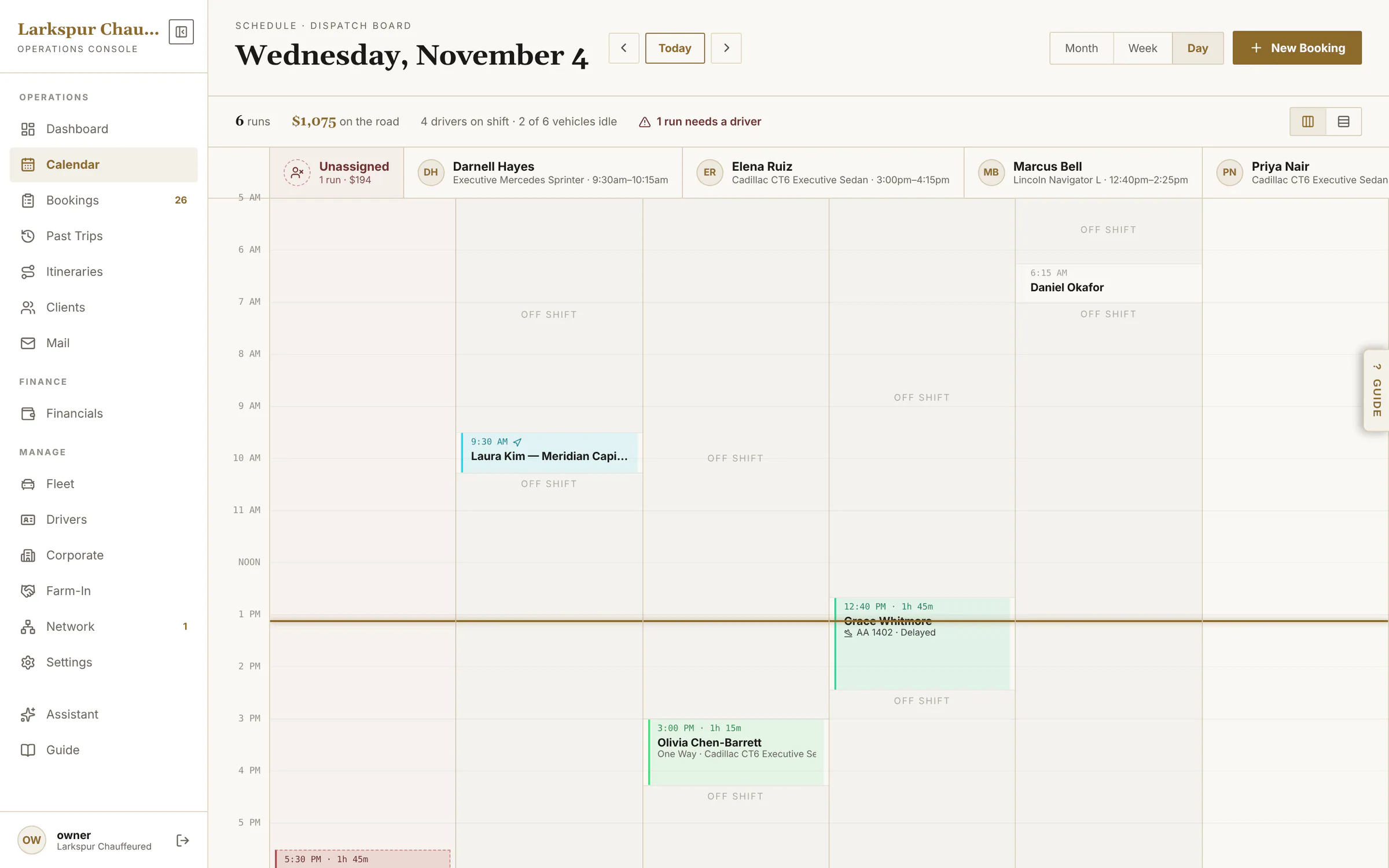 |
| Clients | Your client book — individuals, corporate accounts and farm-in partners — with import, export and duplicate cleanup. | Live | 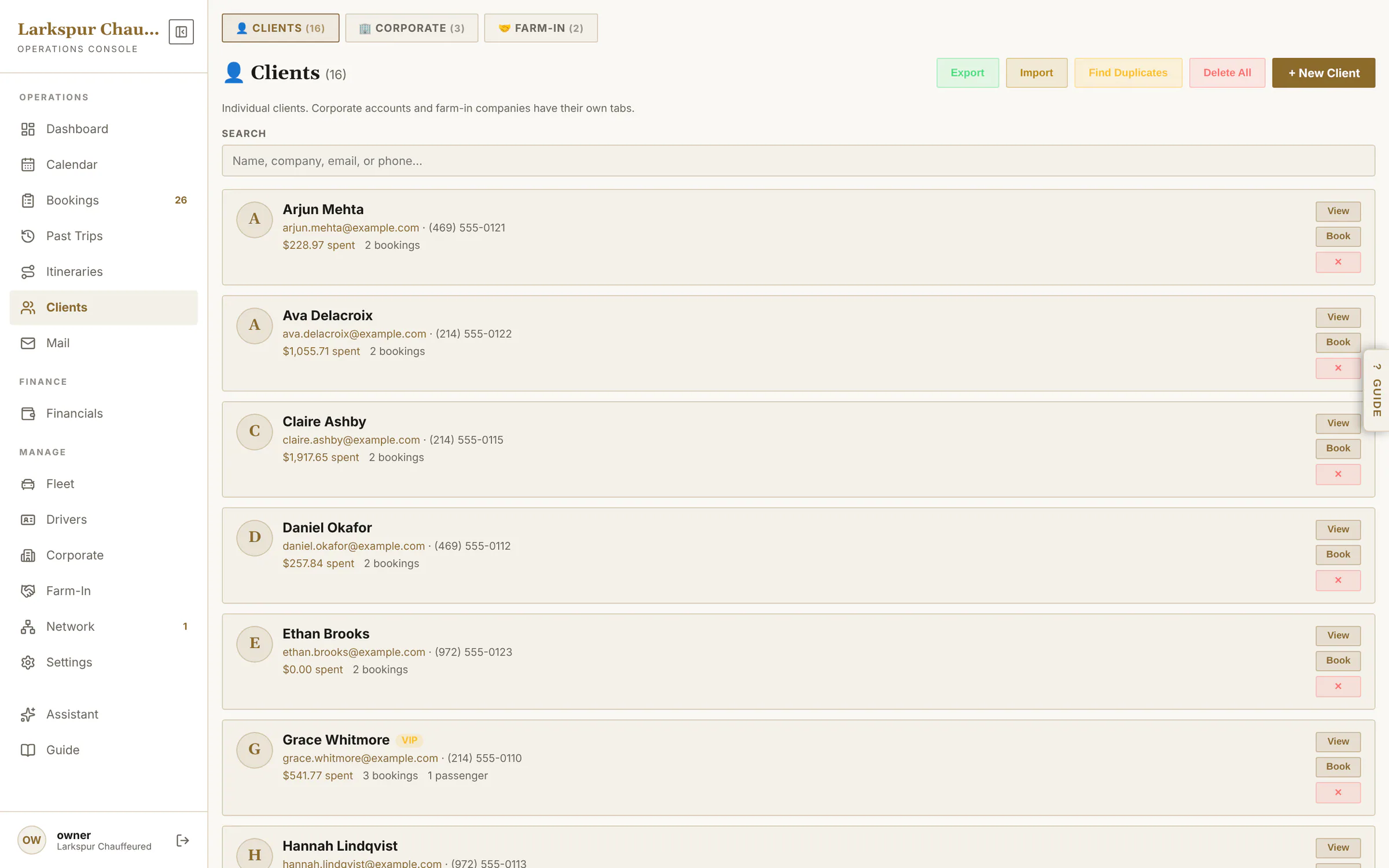 |
| Prepaid credit | Sell packages: a client's prepaid balance, every draw against it, and a warning before it runs out. | Live | 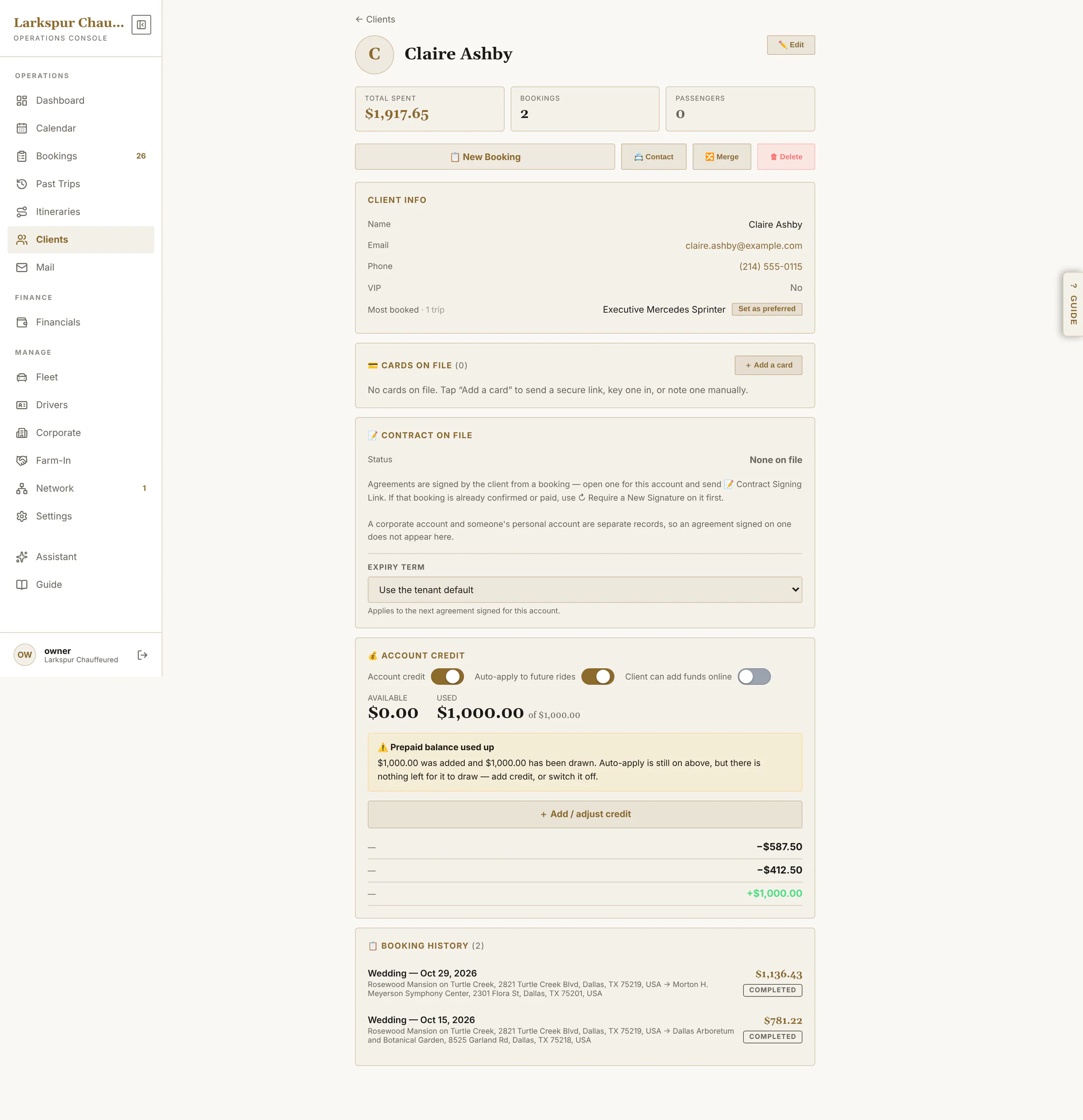 |
| Client profile | Cards on file, agreement on file, passengers and the whole trip history. | Live | 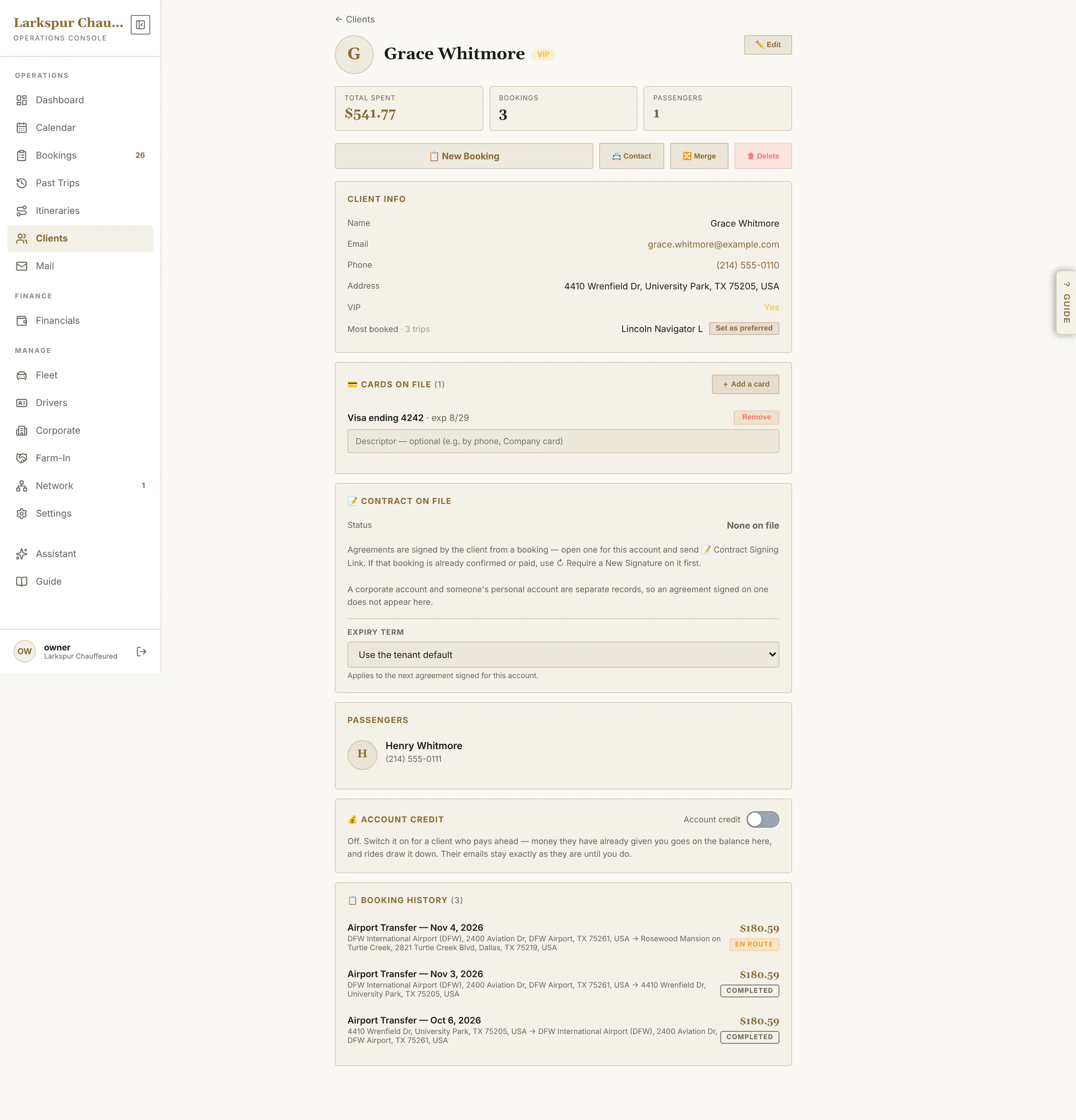 |
| Find and merge duplicates | The same person entered twice — by phone, email or name — found in one pass and merged, bookings and cards included. | Live | 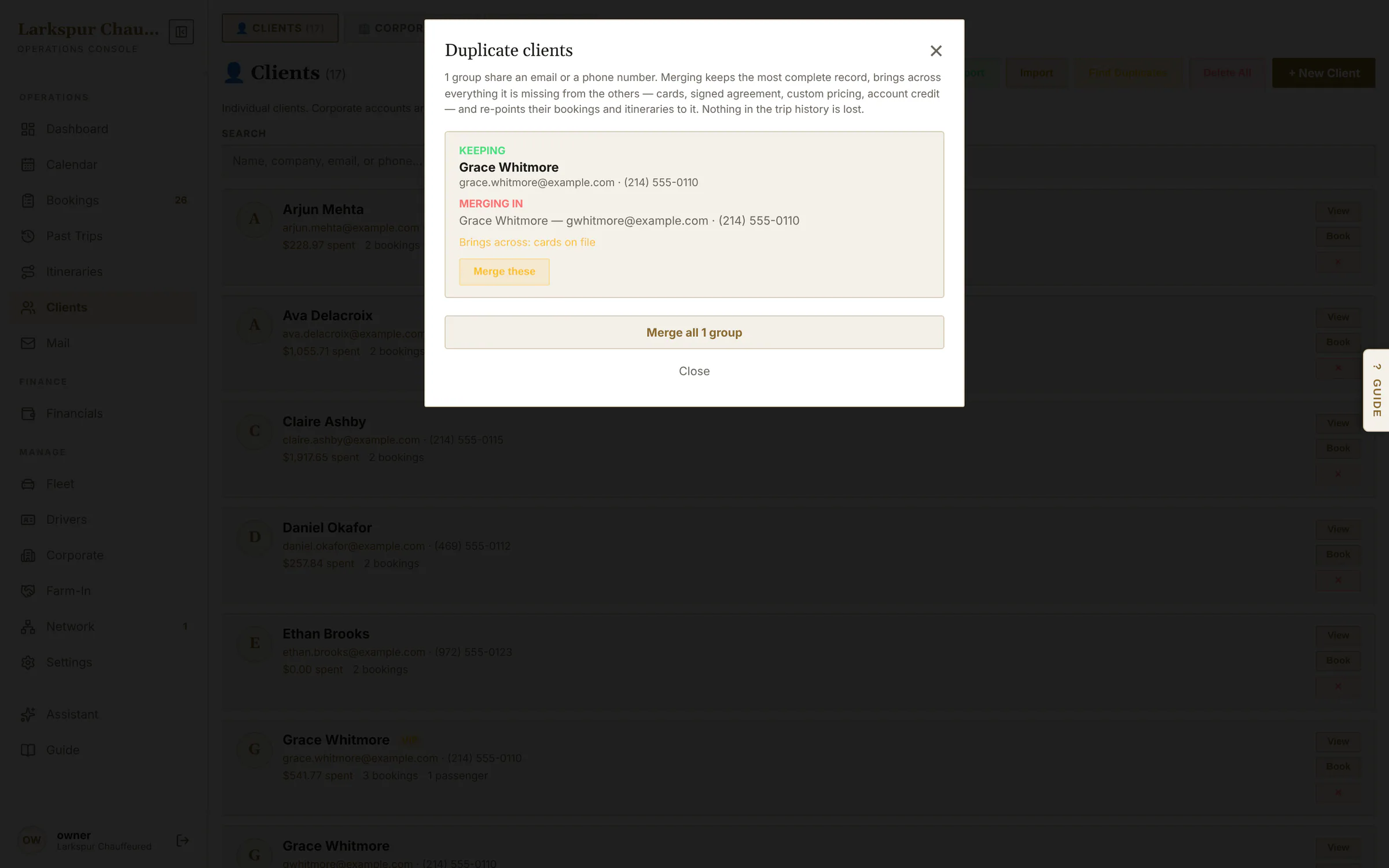 |
| Corporate accounts | Company accounts with their contact, billing address and employees — open one to give it negotiated rates. | Live | 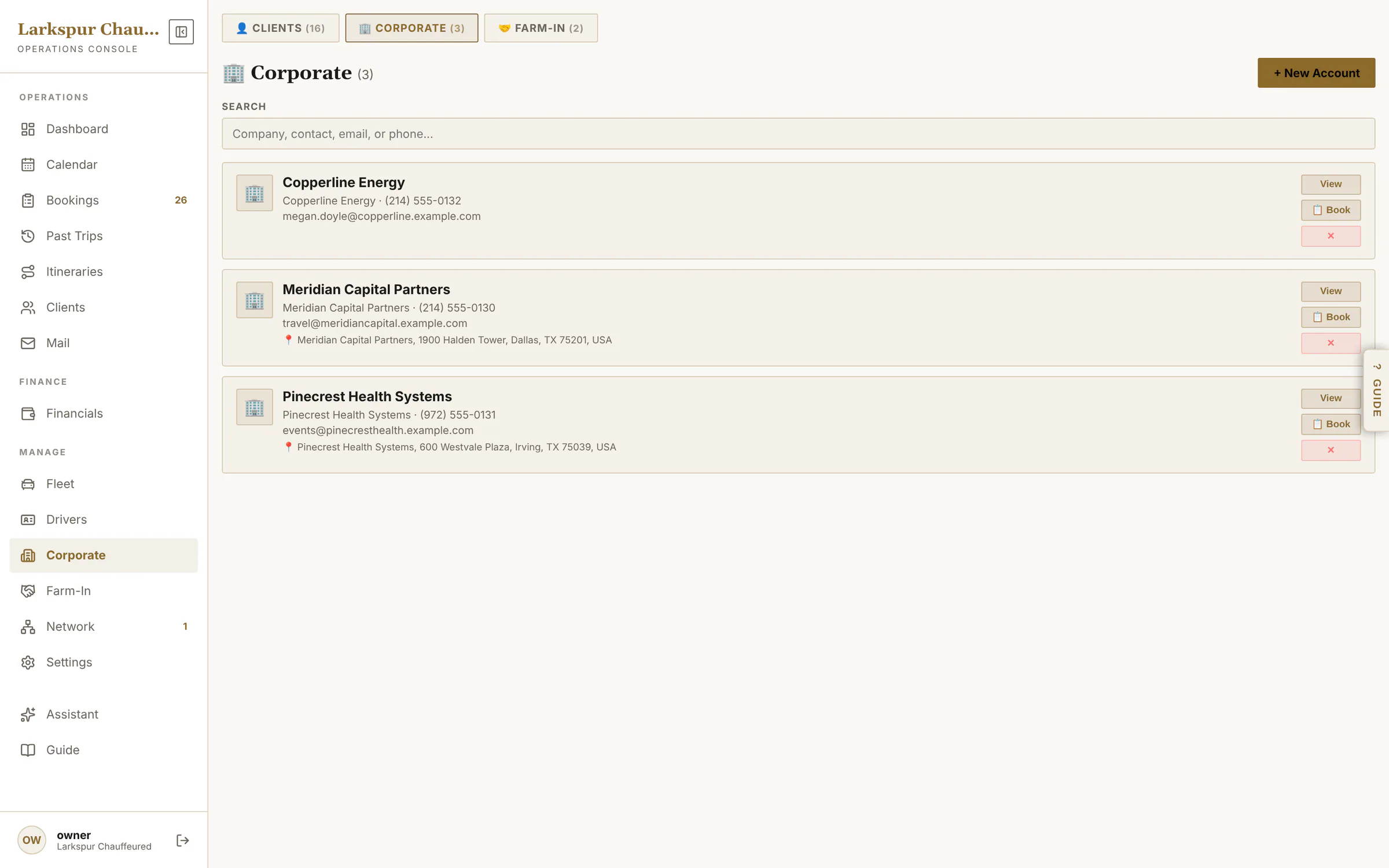 |
| Negotiated rates per account | Give a corporate account — or one client, or one employee — a flat rate or a percentage off, service by service. | Live | 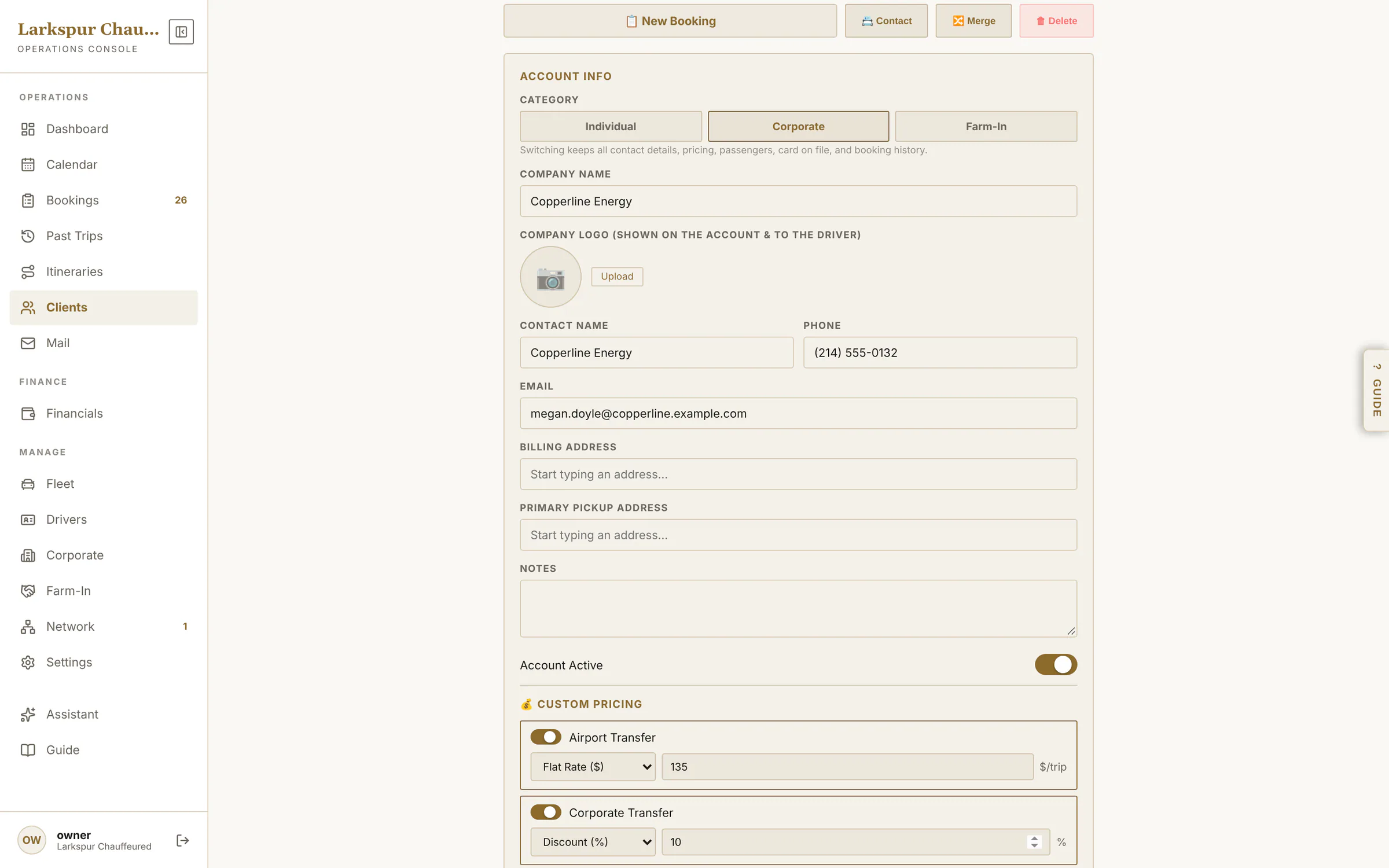 |
| Farm-in partners | The companies that send you work, what each has billed, and a Book button that starts their next trip. | Live | 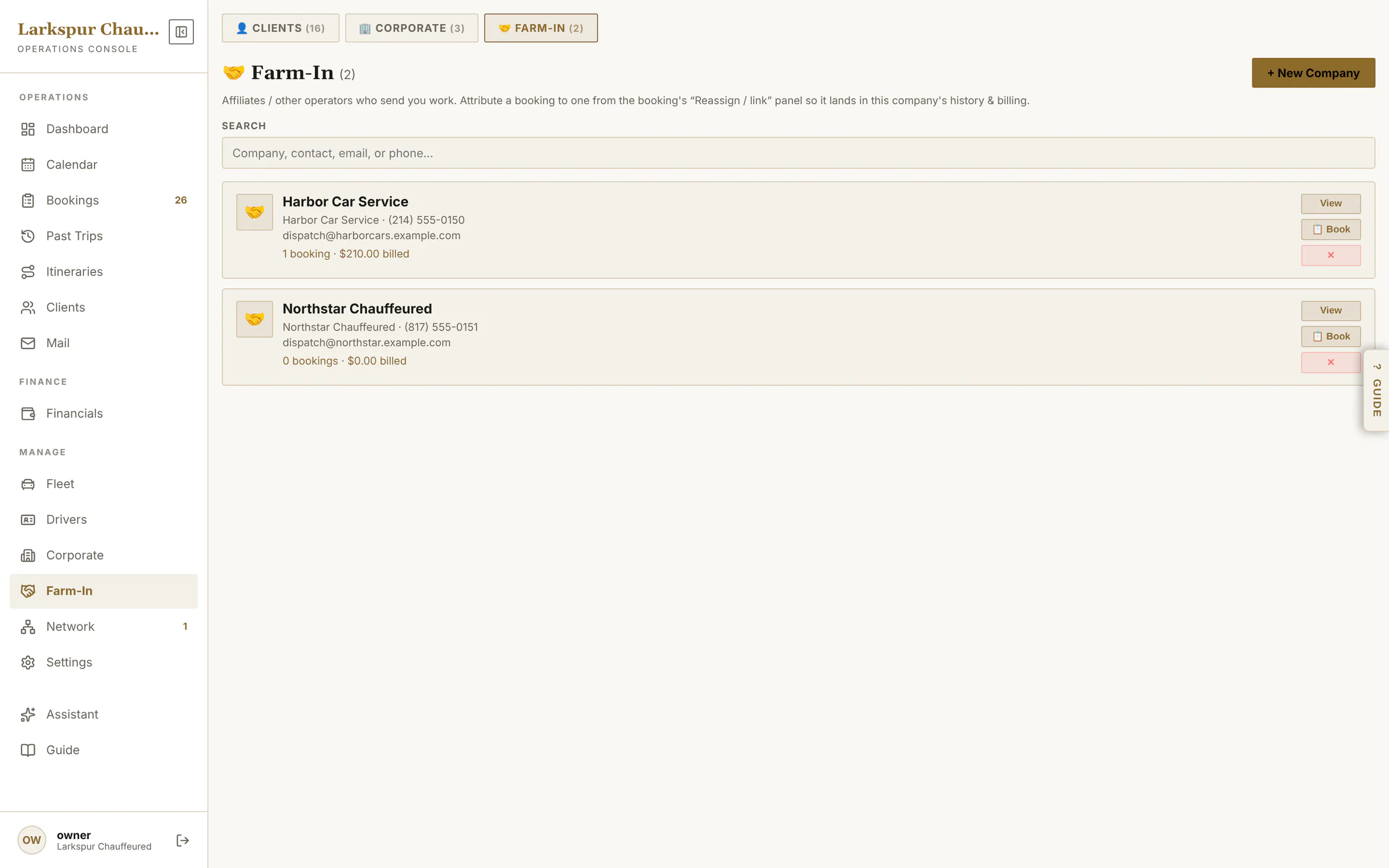 |
| Financials | Collected, expenses, farm-out cost, farm-in revenue, net profit and outstanding — for any period. | Live | 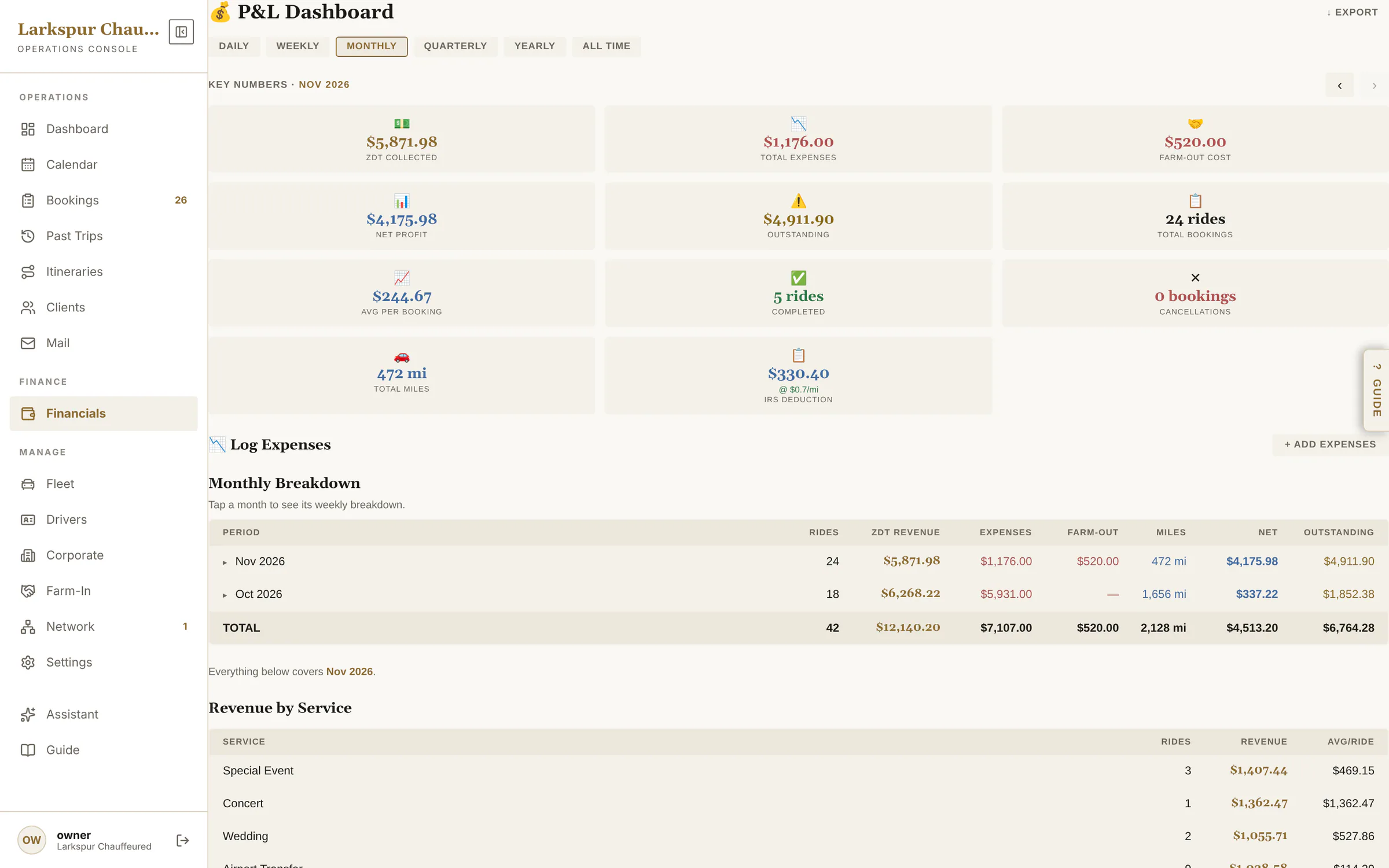 |
| Profit and loss, in full | Revenue by service, vehicle and chauffeur, expenses by category, top clients and who still owes you. | Live | 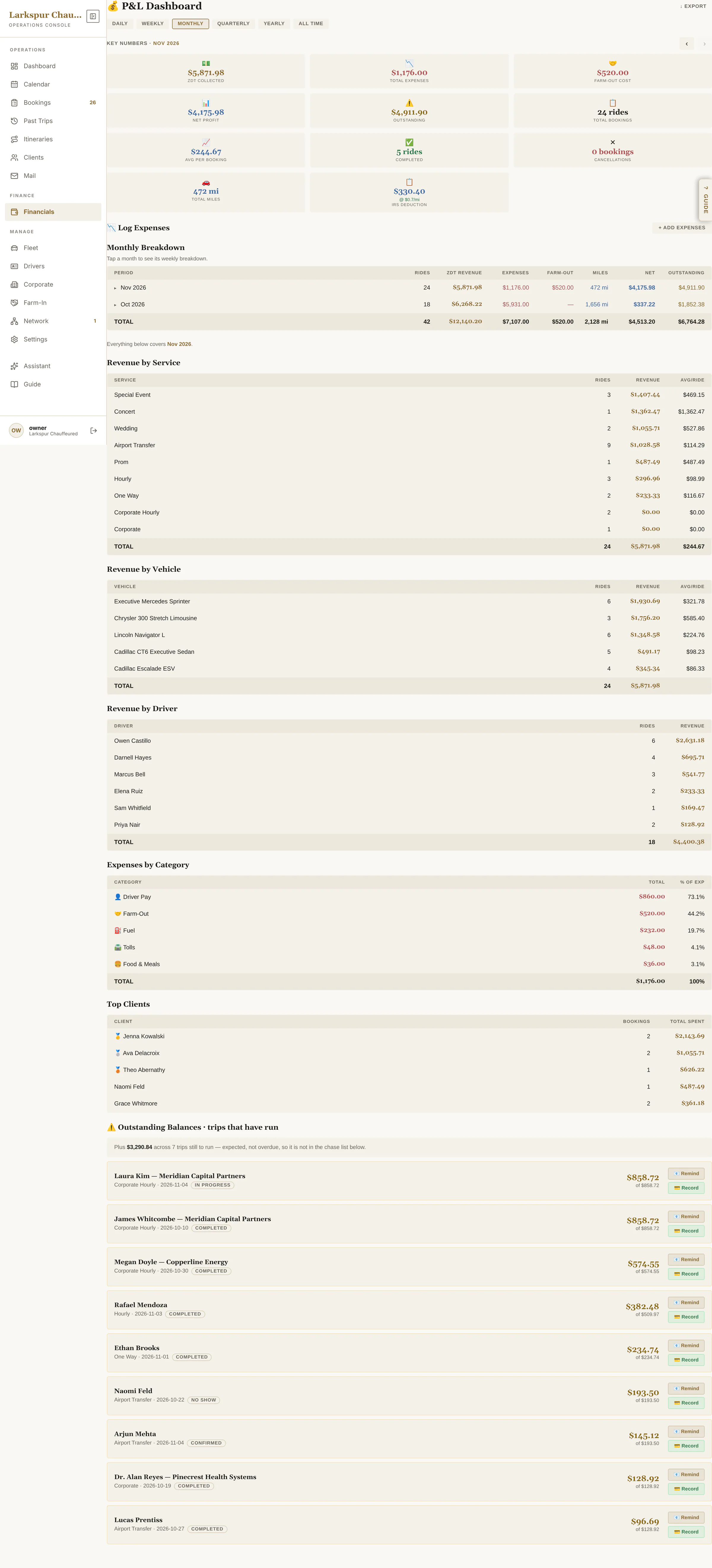 |
| Log expenses and mileage | Fuel, tolls, insurance and the rest, by category — miles too, with the standard mileage deduction worked out for you. | Live | 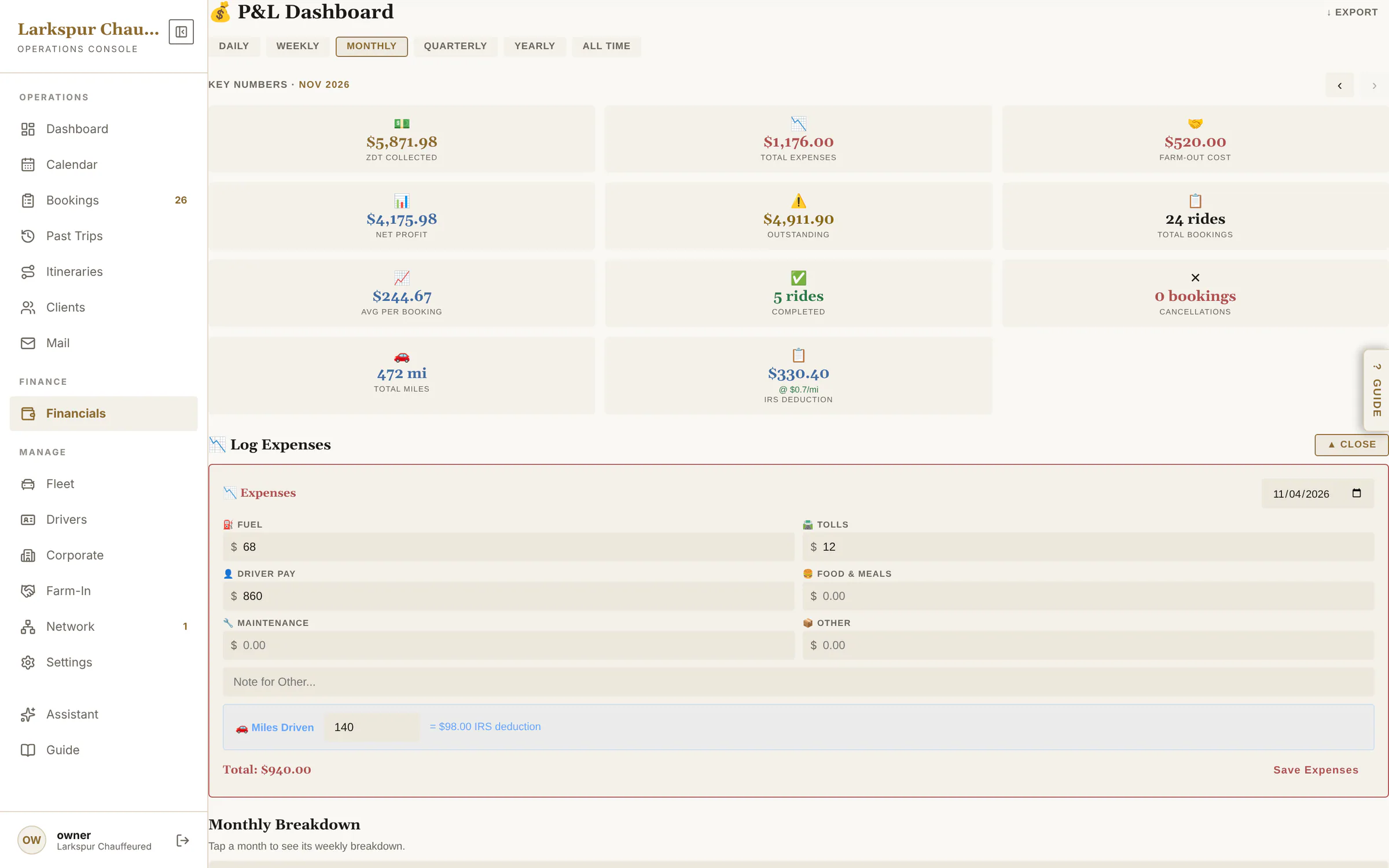 |
| Proof of every email | Every email the system sent: delivered, opened, clicked or bounced — and the email itself. | Live | 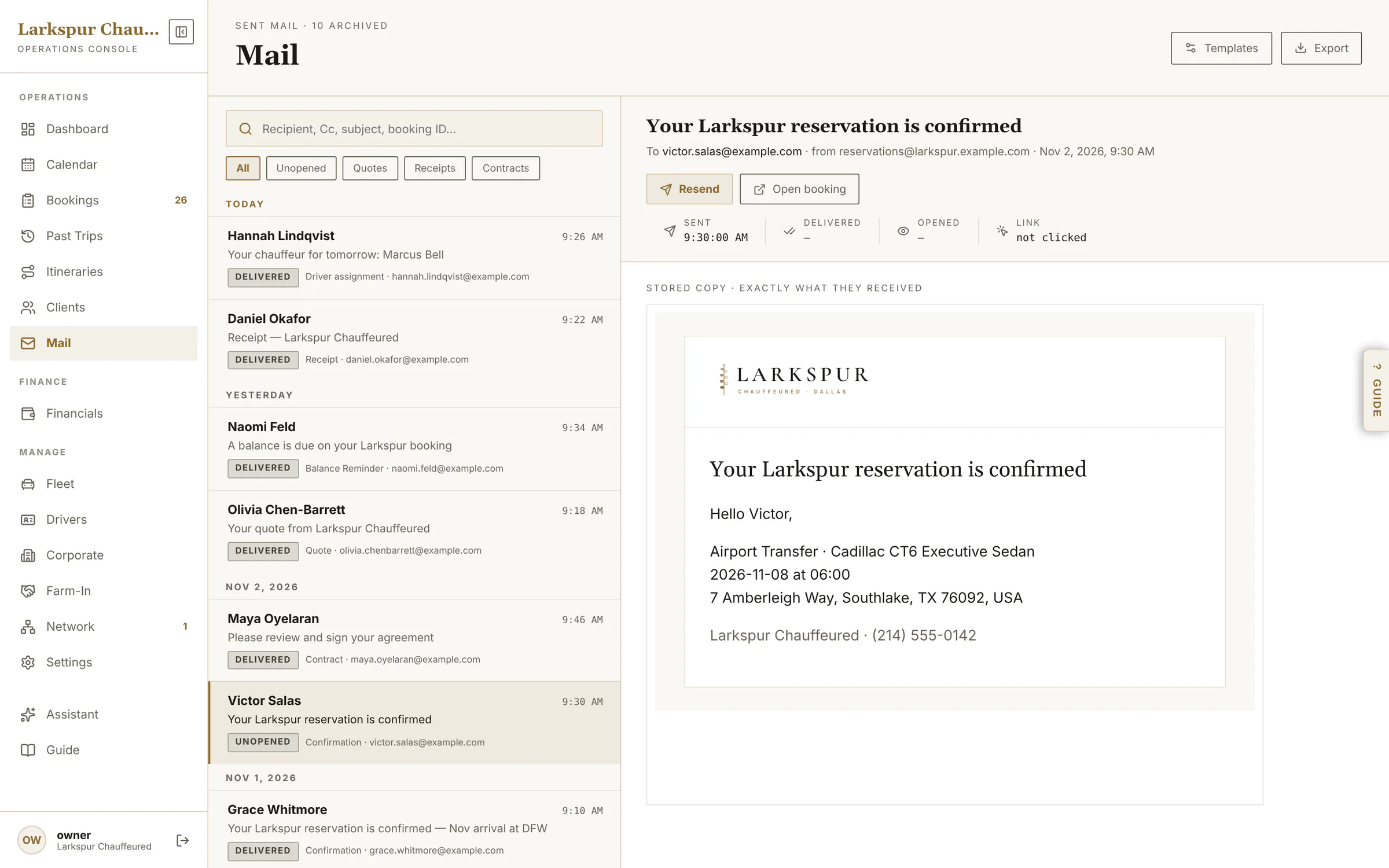 |
| When an email doesn't arrive | A bounced email is flagged in red — on Mail and on the booking — with the mail server's reason, so you can call or fix the address. | Live | 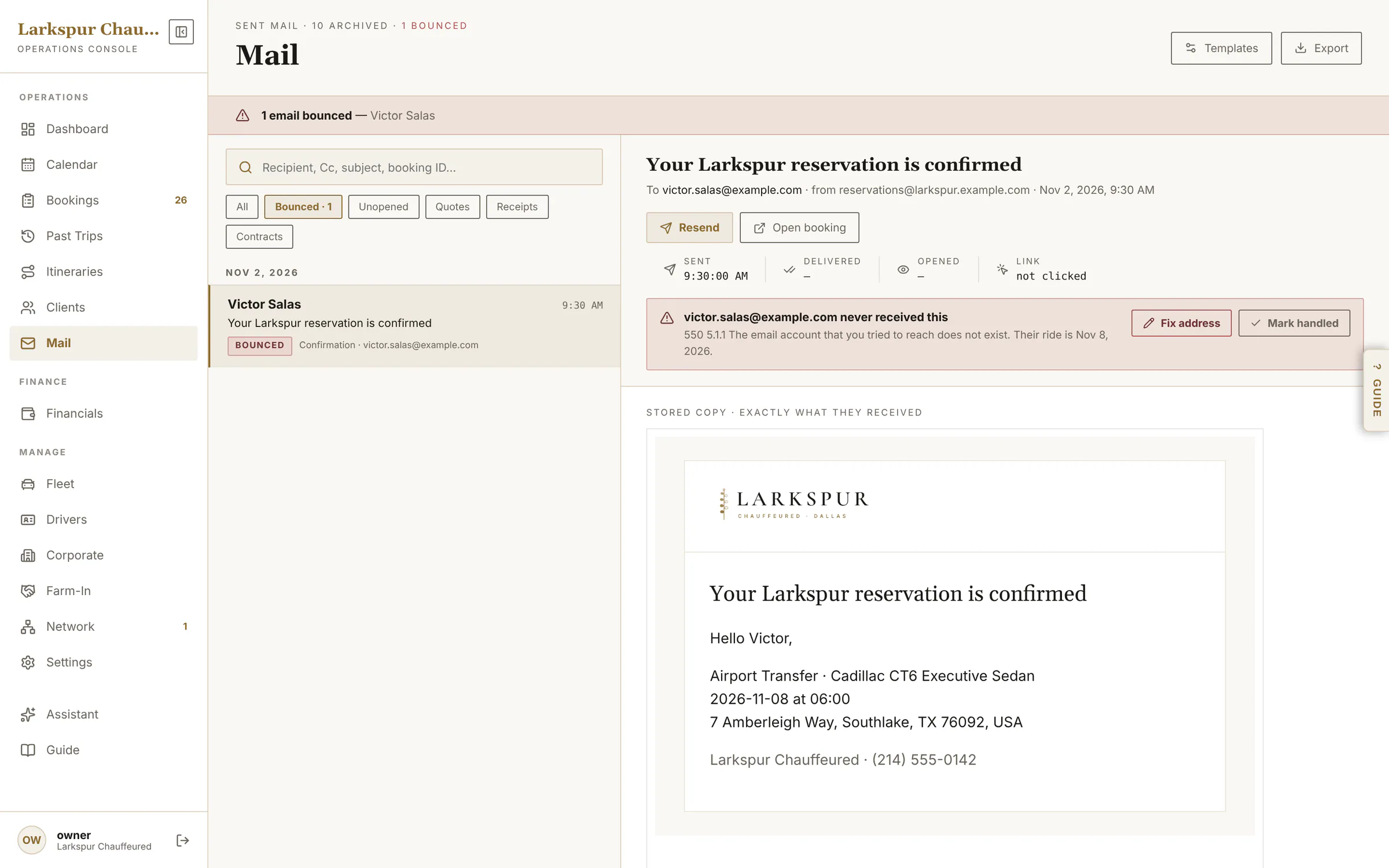 |
| Add-ons | Champagne, car seats, red carpet — priced, with an icon, on or off. | Live | 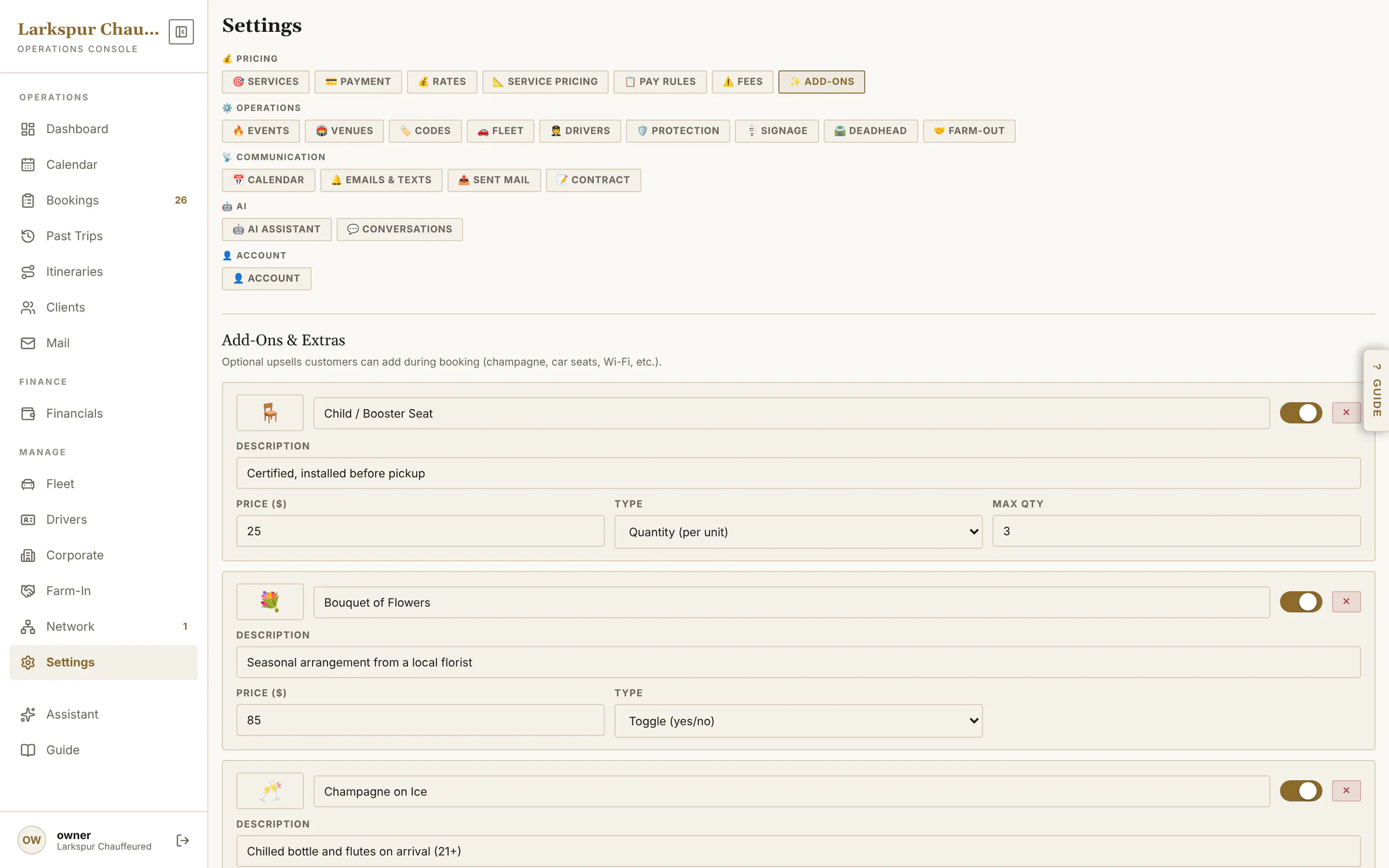 |
| Google Calendar | Every booking goes onto your Google Calendar — added, moved and removed as it changes, with a nightly tidy-up — plus an iCal feed for anyone else. | Live | 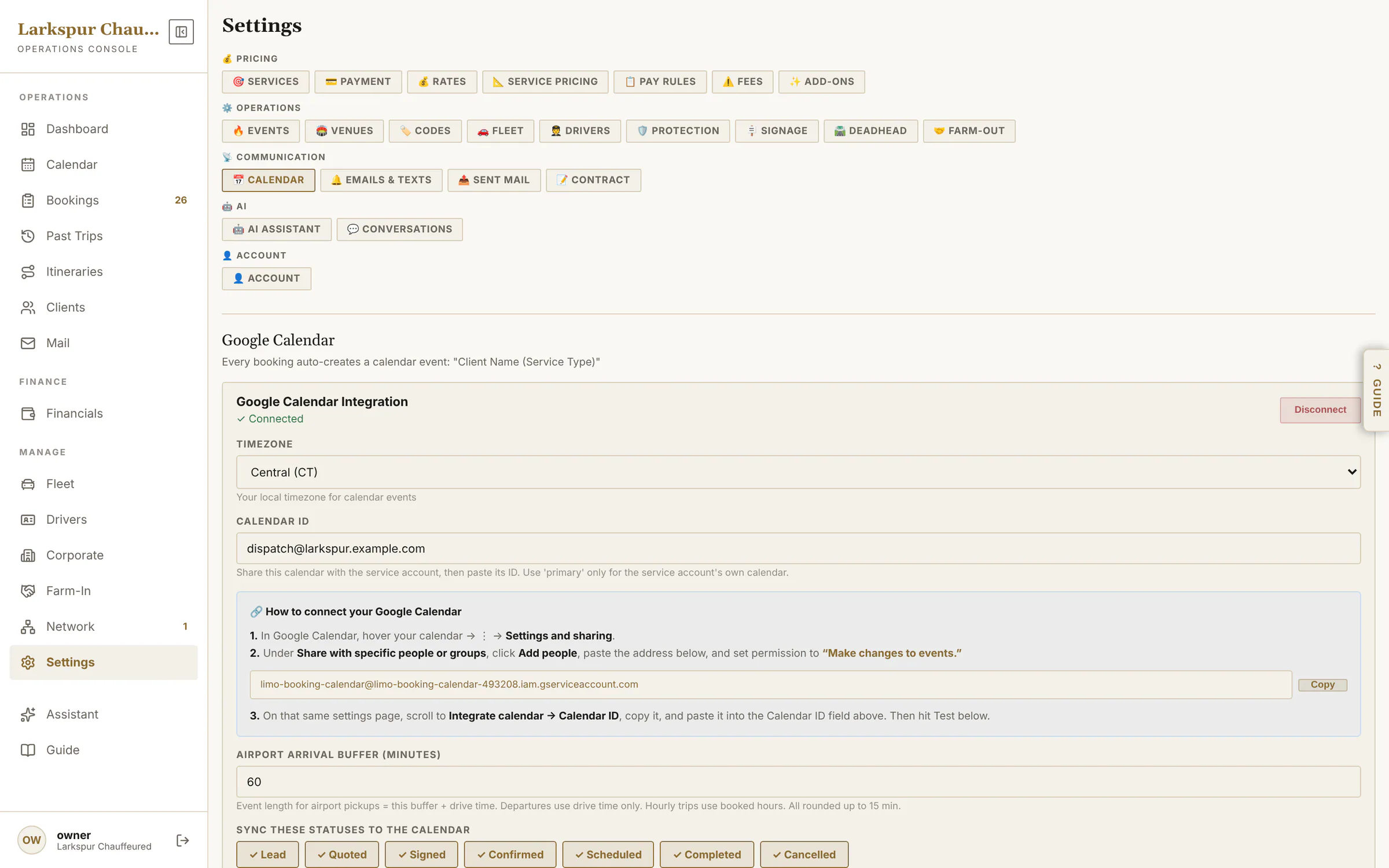 |
| Promo codes | Percentage or flat codes, once per client, by service, with an expiry. | Live | 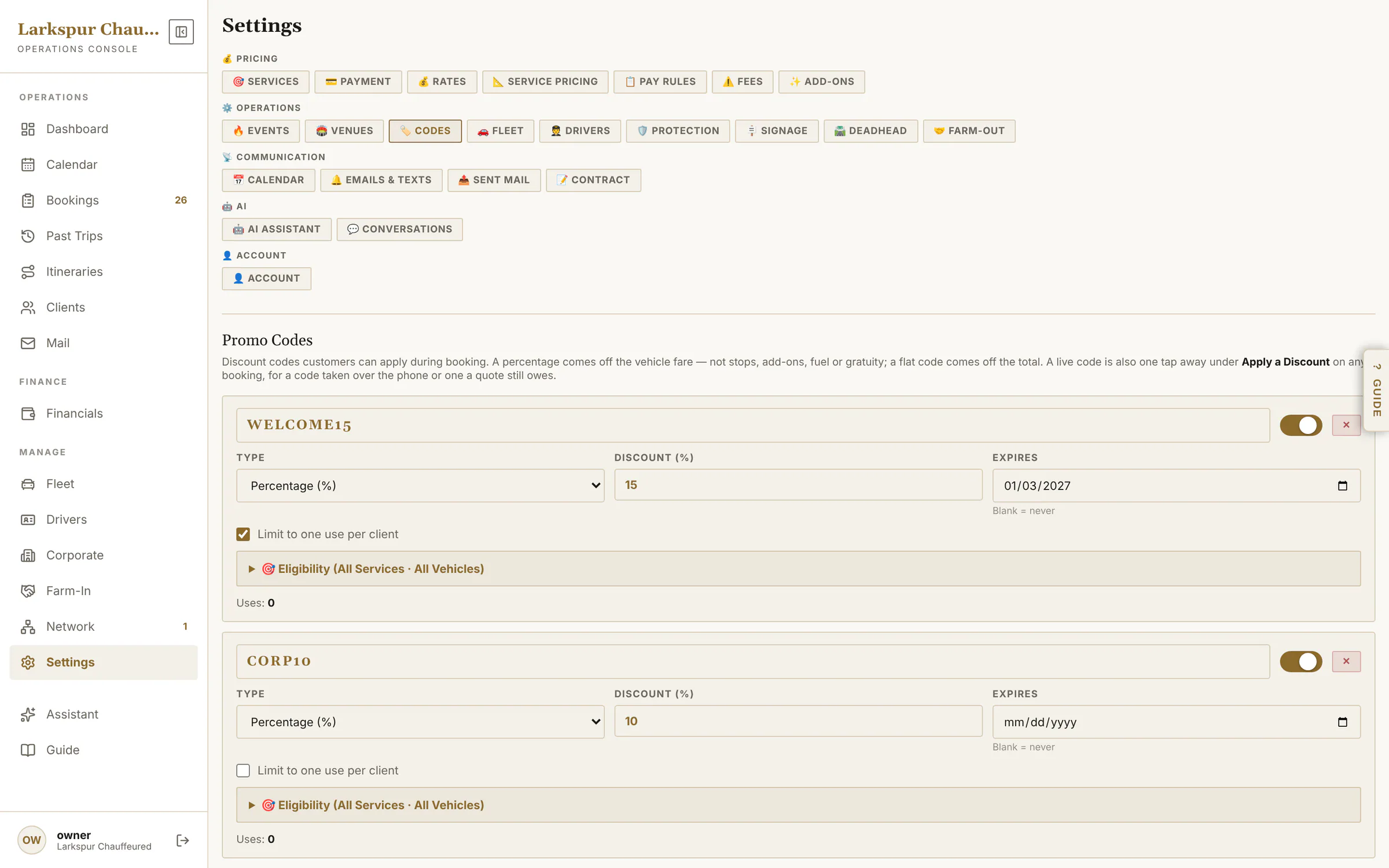 |
| Your agreement | Write your agreement in sections, preview it as the client sees it, and require photo ID. | Live | 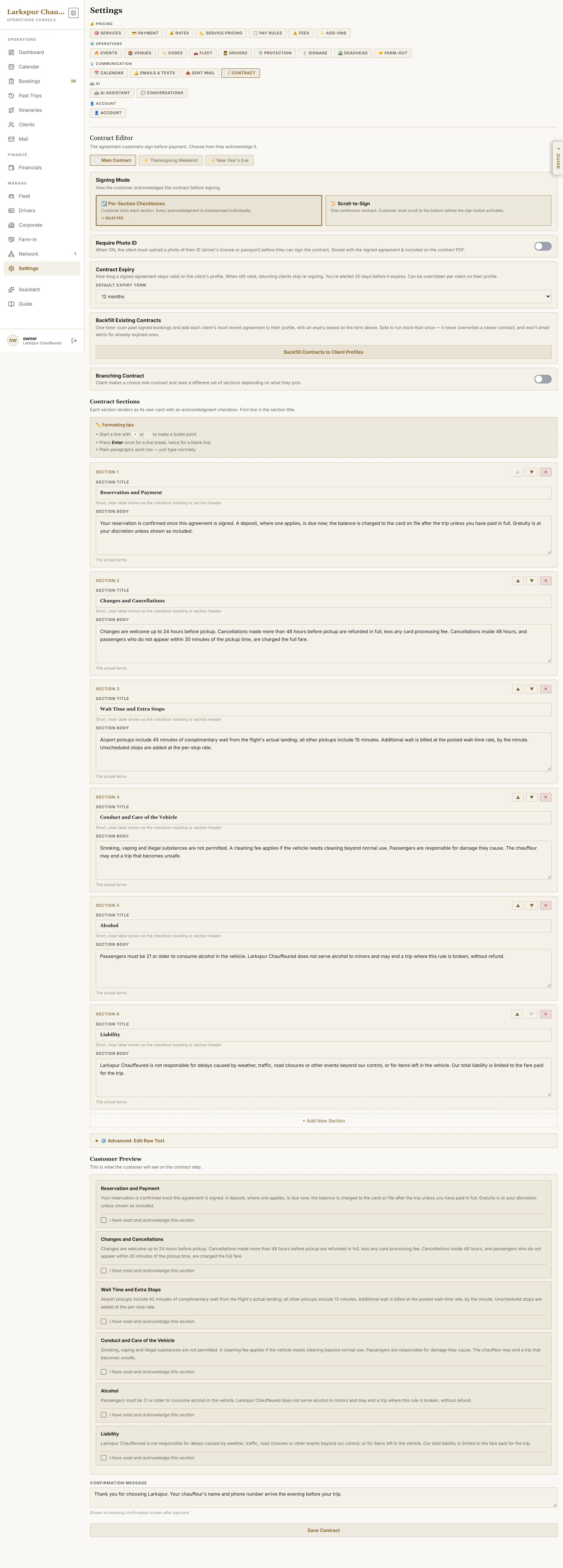 |
| Deadhead | Charge for the drive from your garage when a pickup is far away. | Live | 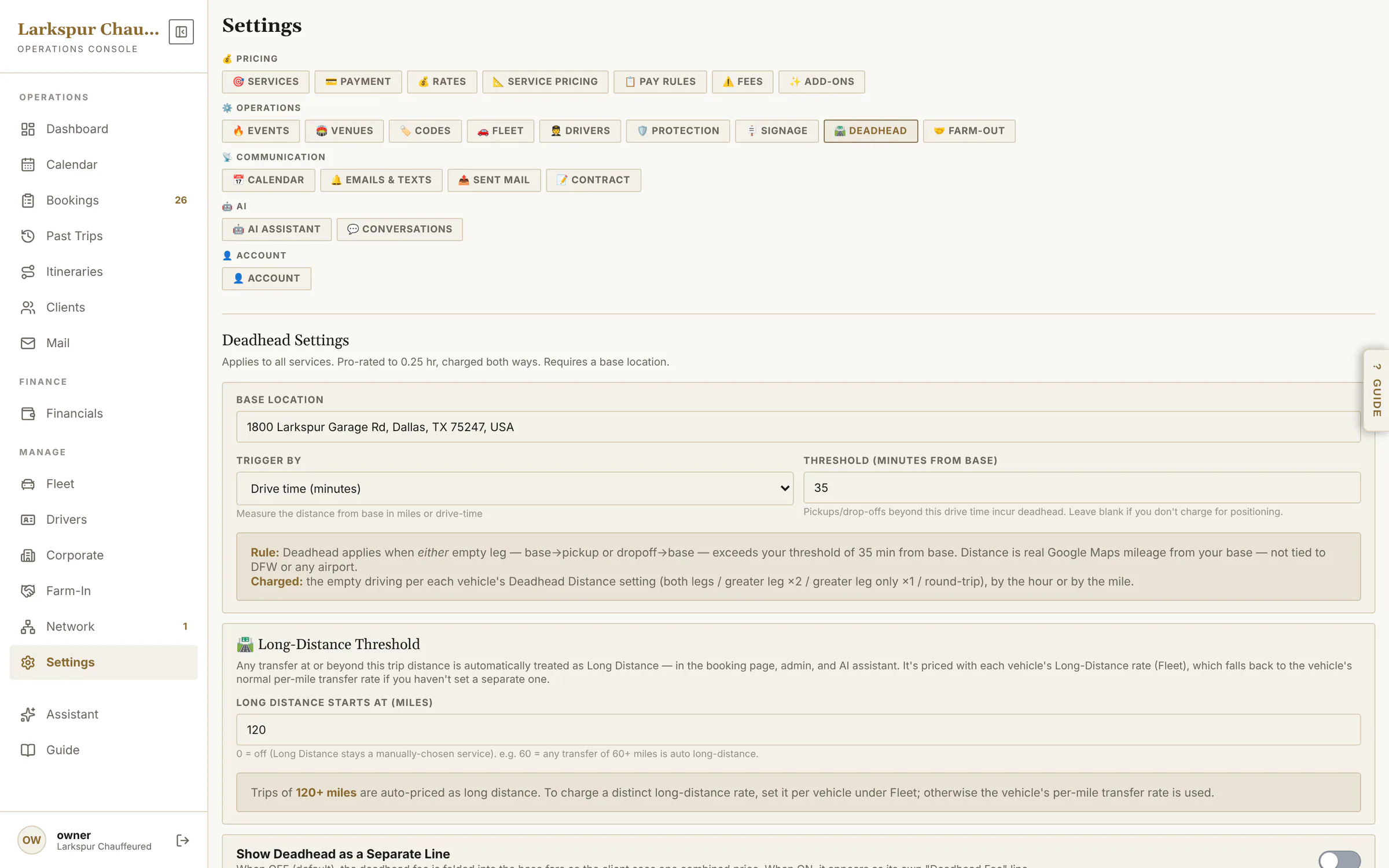 |
| Chauffeurs | Profiles, licence alerts, logins for the chauffeur app and protection qualifications. | Live | 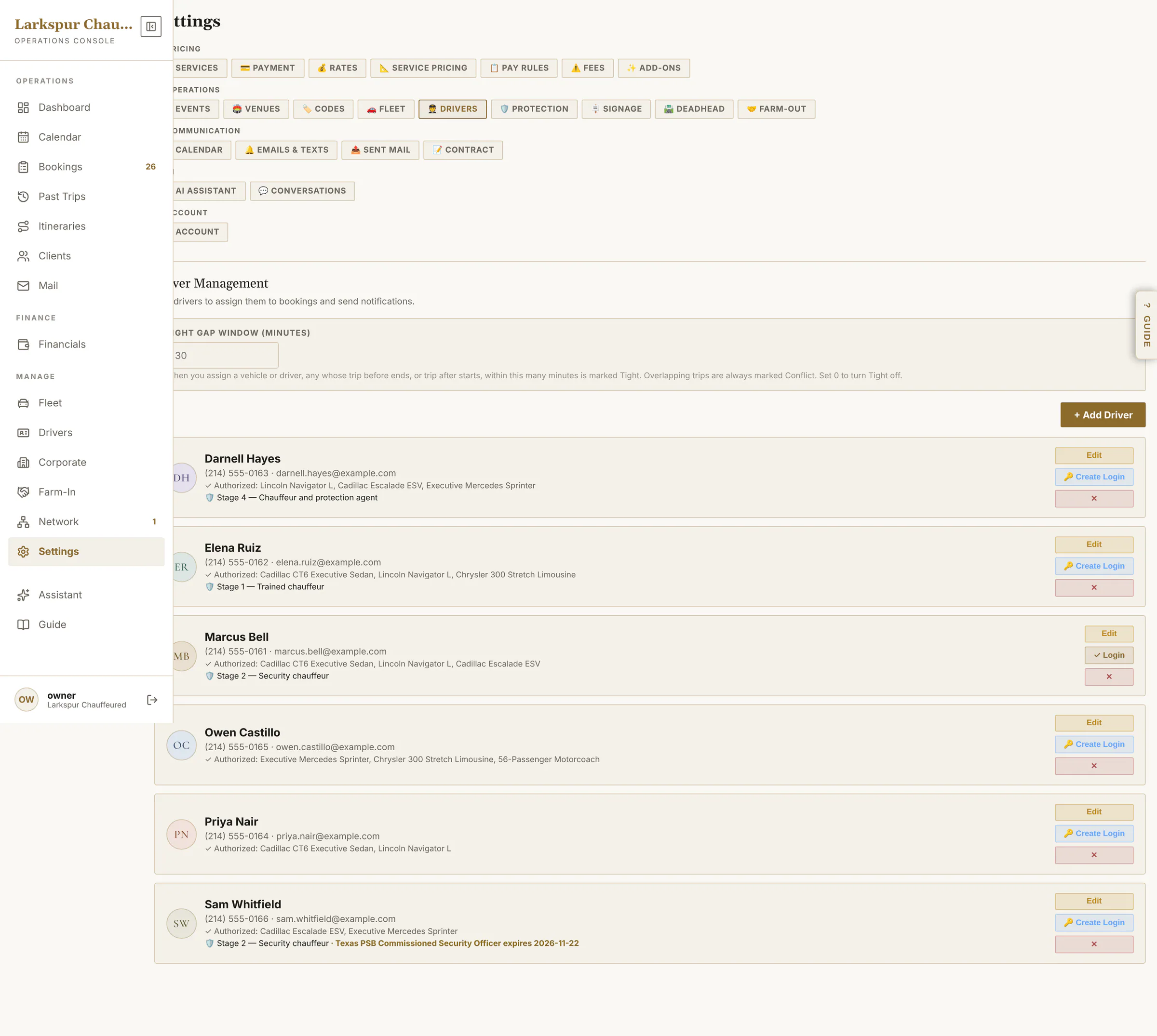 |
| Farm-out partners | Companies you send work to, with their drivers and cars. | Live | 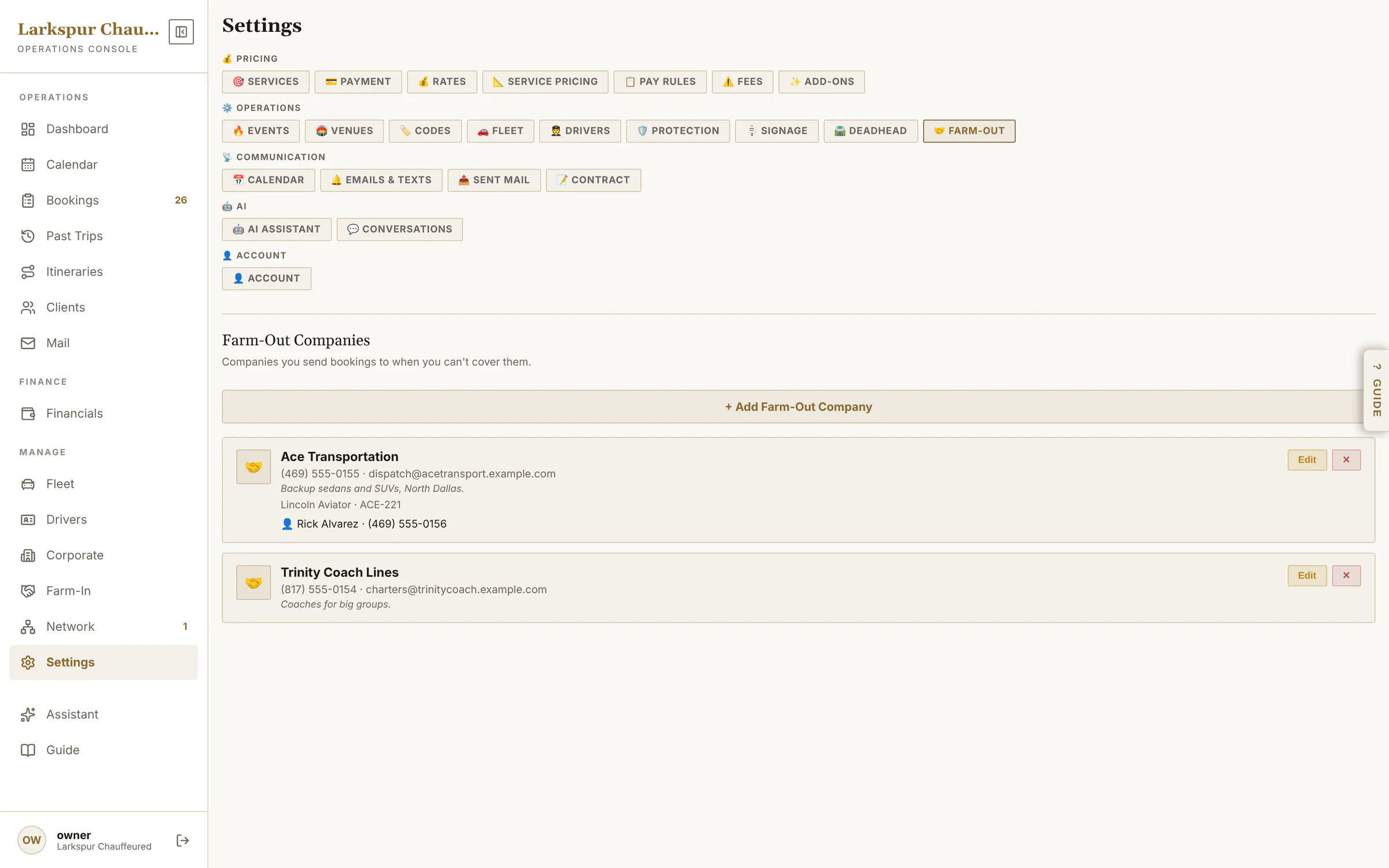 |
| Fees | No-show, late cancellation, cleaning and per-minute wait time. | Live | 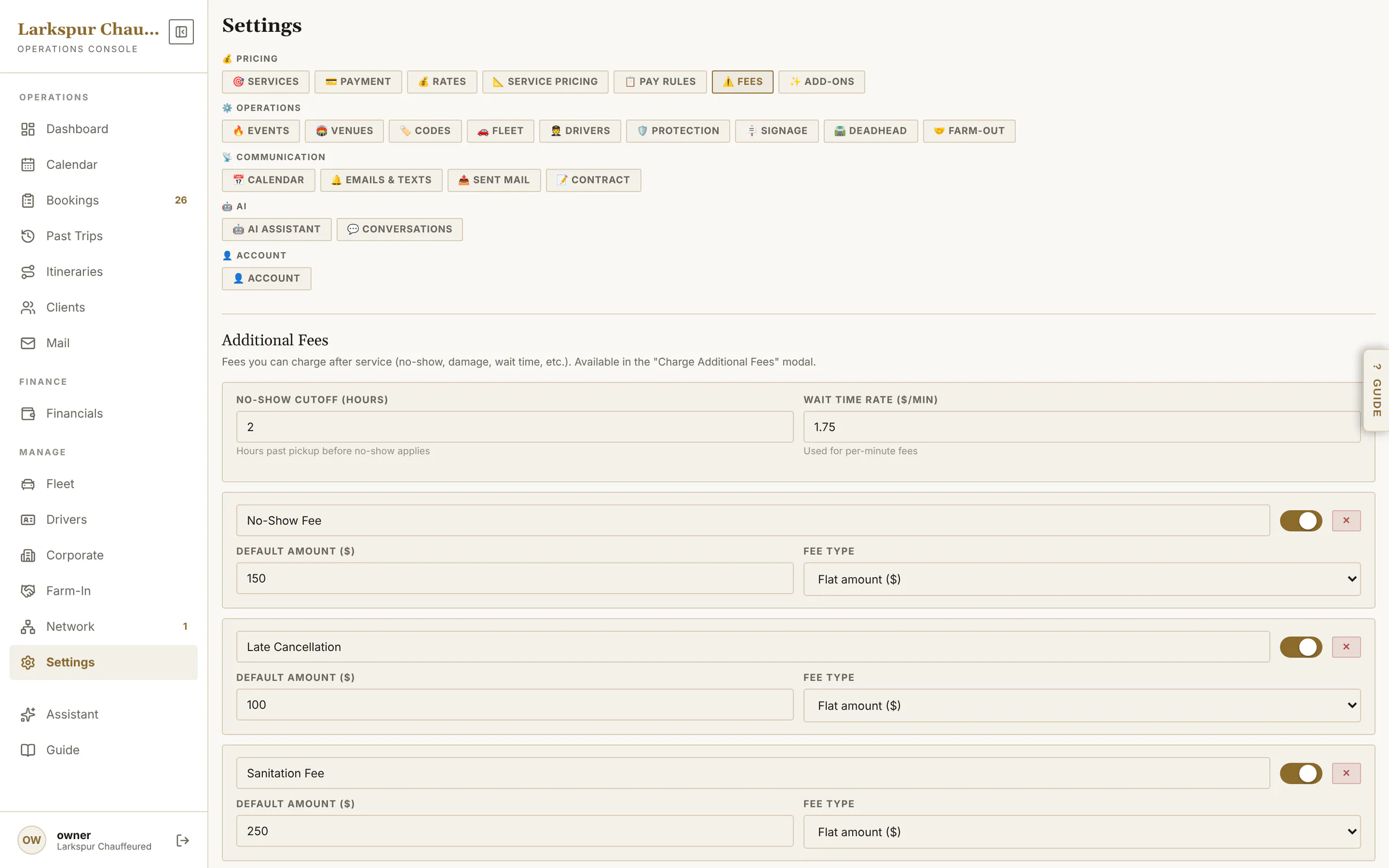 |
| Fleet | Every price starts from your vehicles: photos, seats, rates and which services each car runs. | Live | 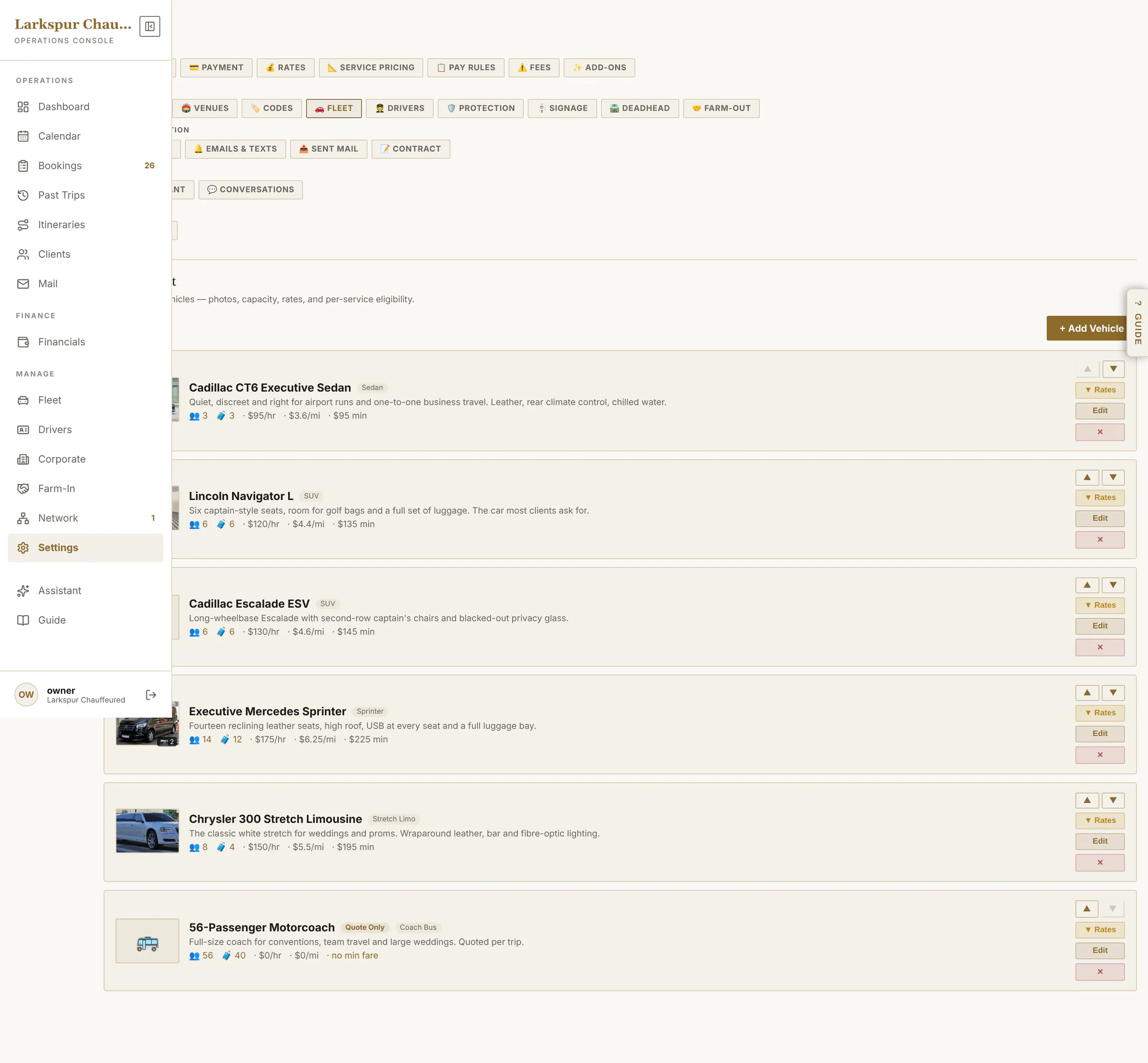 |
| Emails and texts | Every email — Auto, Manual or Off — for the client, for you and for the chauffeur, with your own sign-off. | Live | 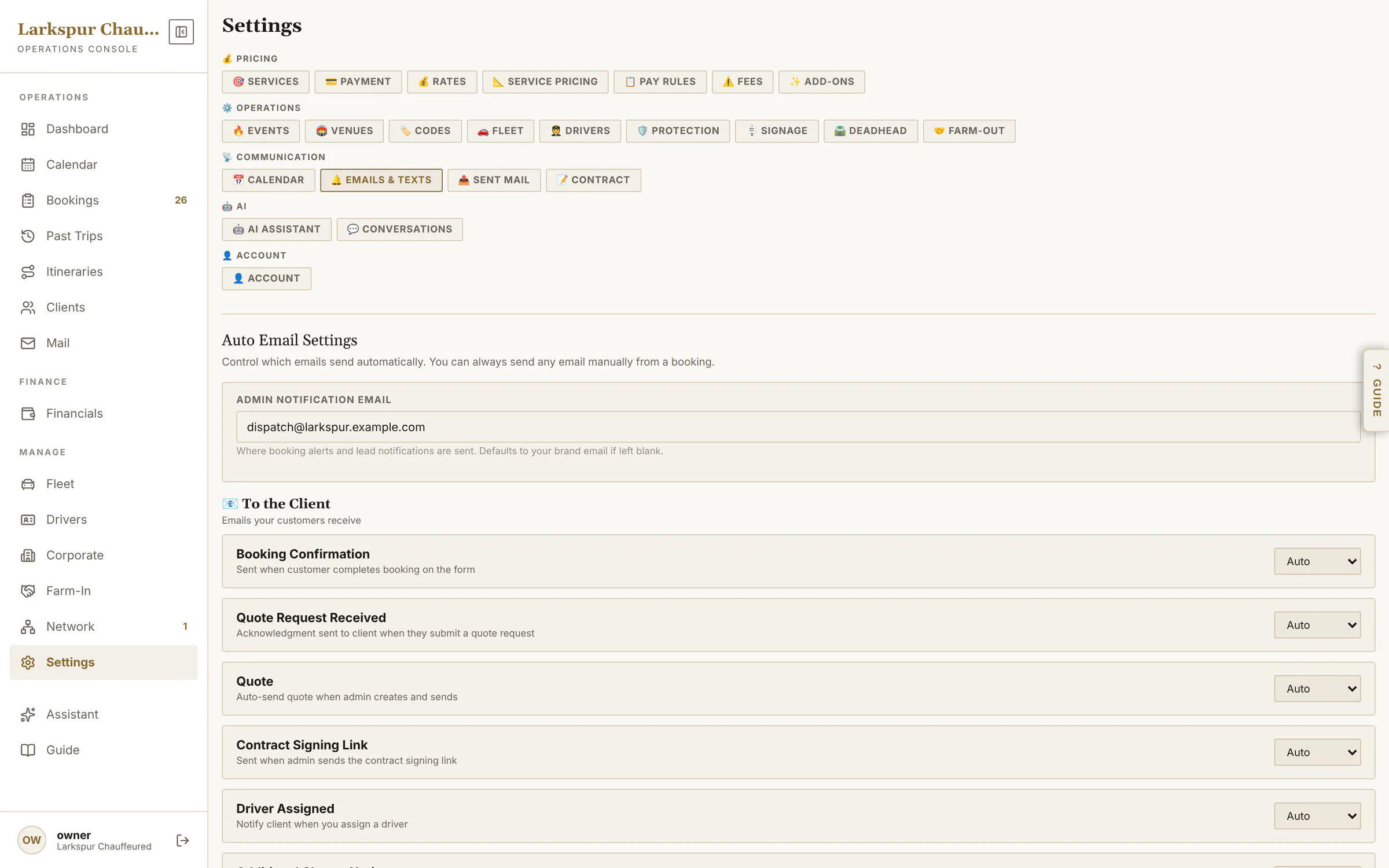 |
| Payment methods | Card, Zelle, Venmo, Cash App, PayPal, cash — offer what you accept, with your own handles. | Live | 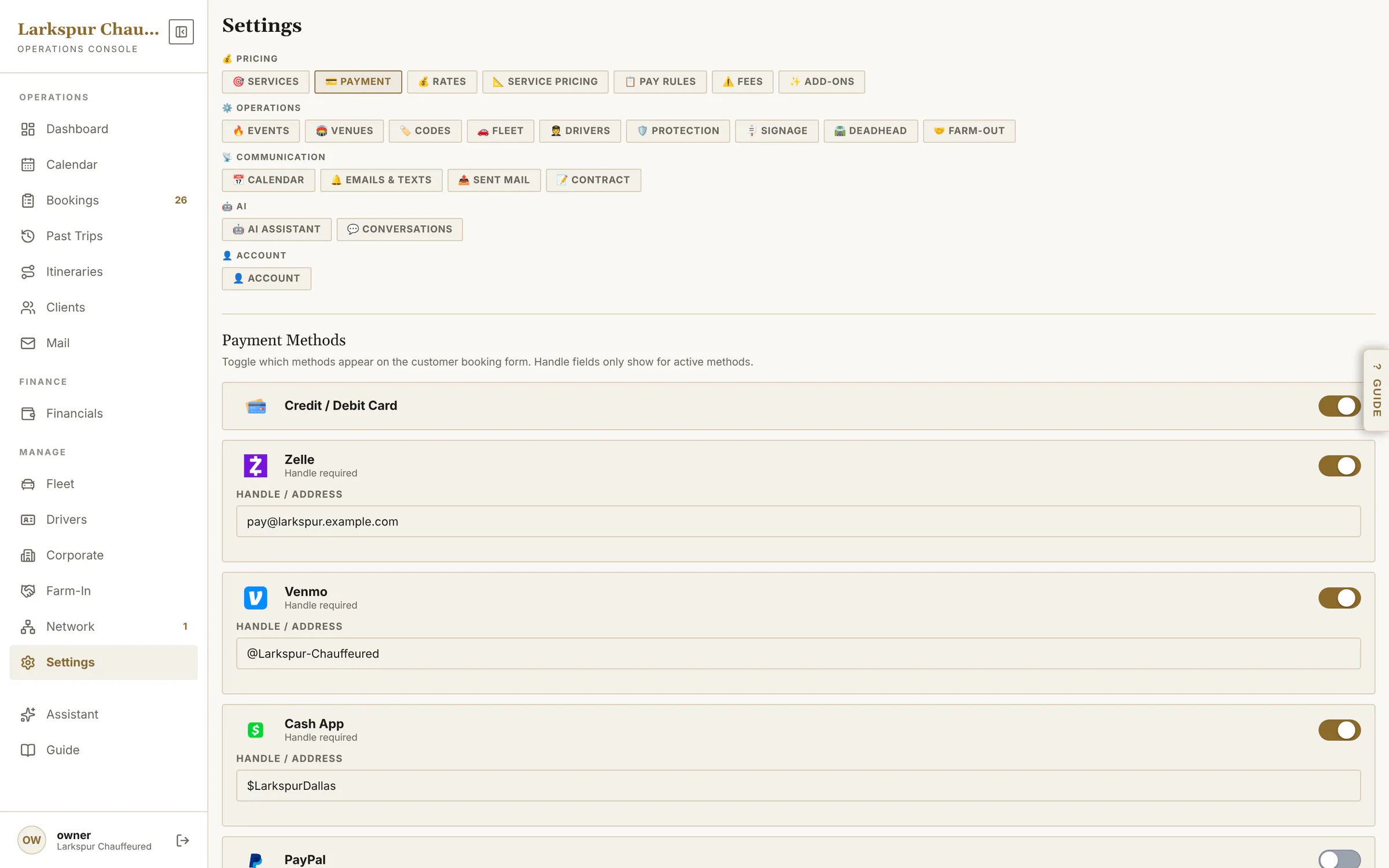 |
| Pay rules | Deposits for weddings, pay in full for airport runs — per service. | Live | 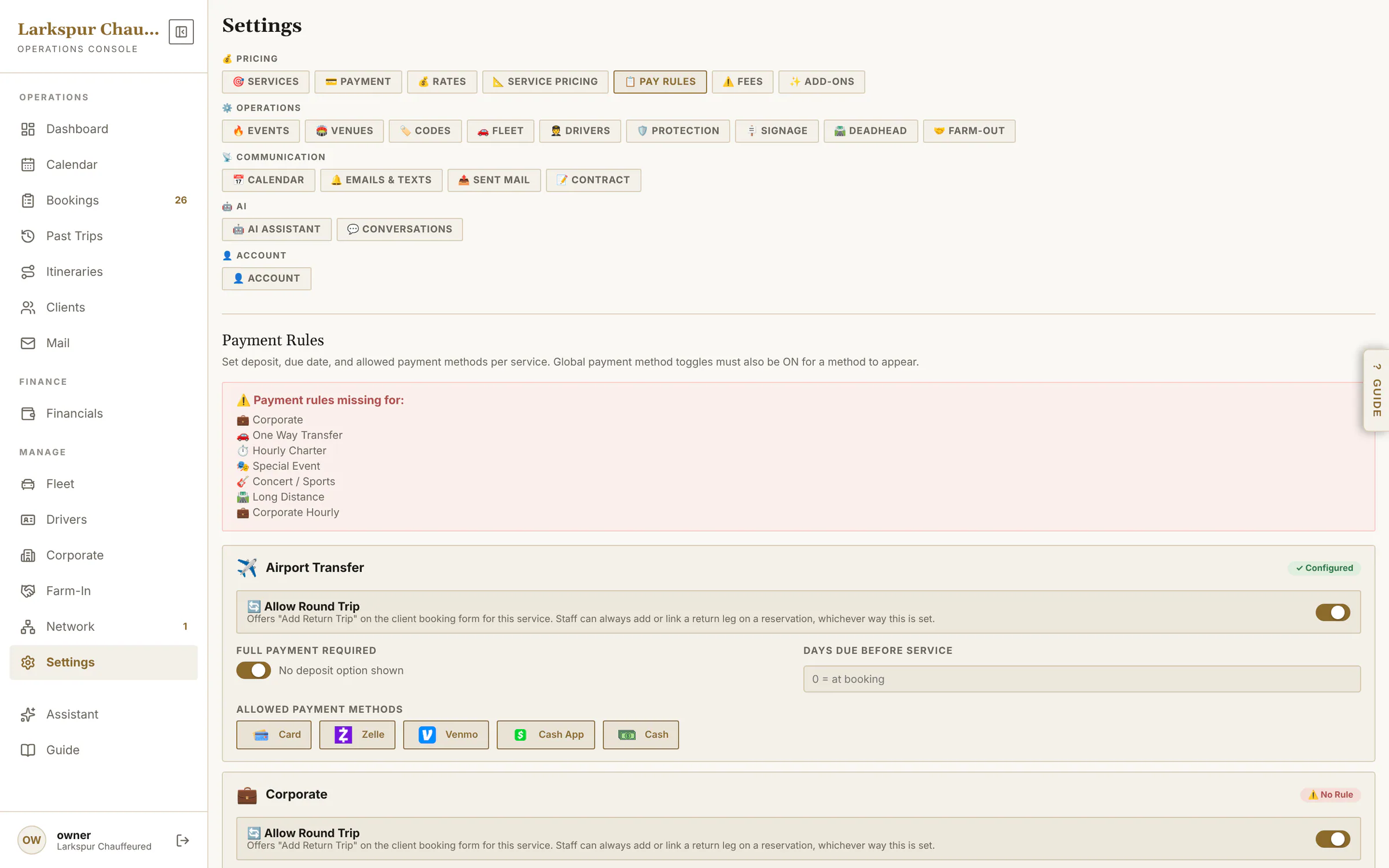 |
| Personal protection | Five stages, priced per agent-hour, offered only where your licensed chauffeurs can staff them. | Rolling out | 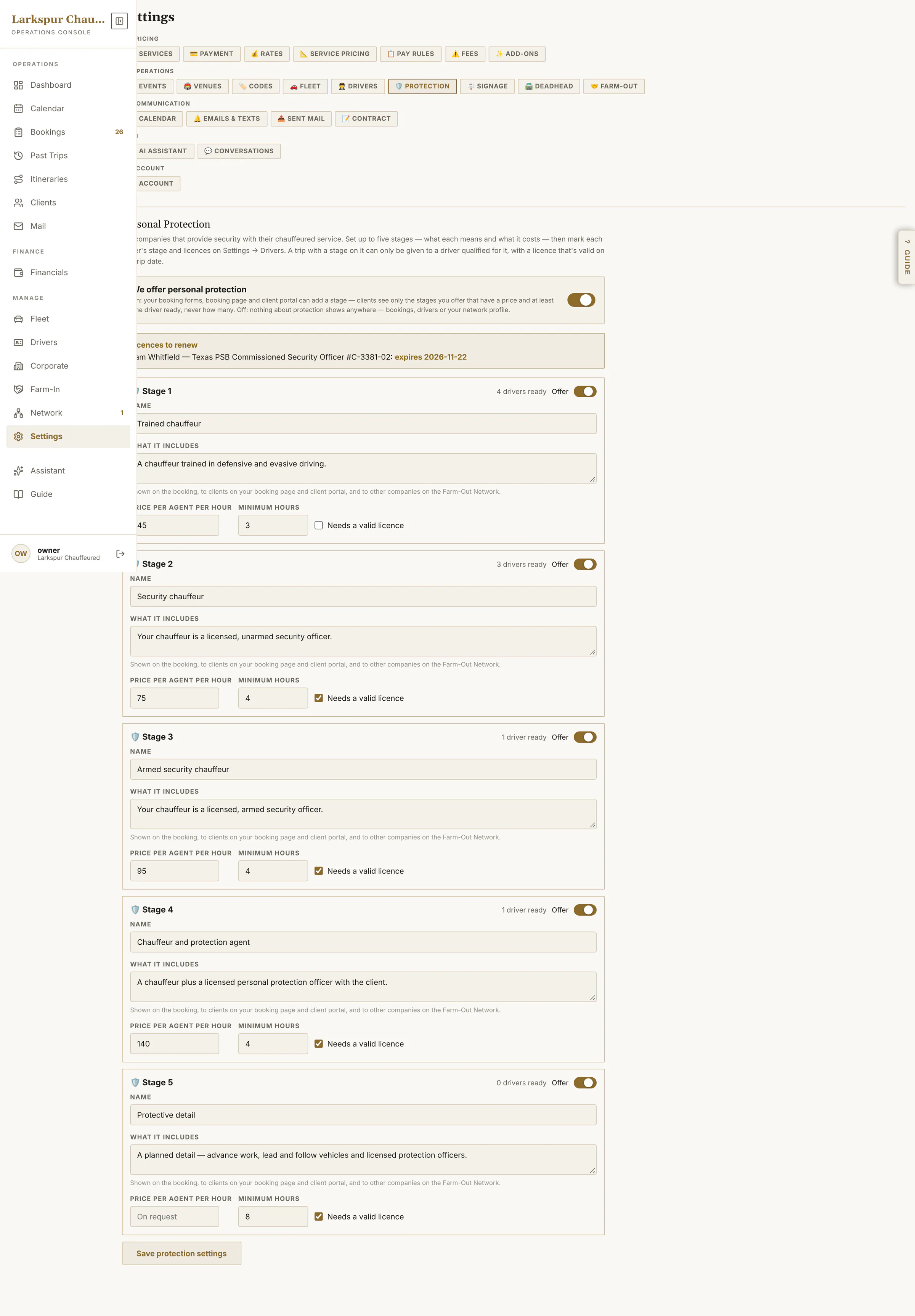 |
| Rates | Card fee, deposit, fuel surcharge, service charge, gratuity and quote expiry. | Live | 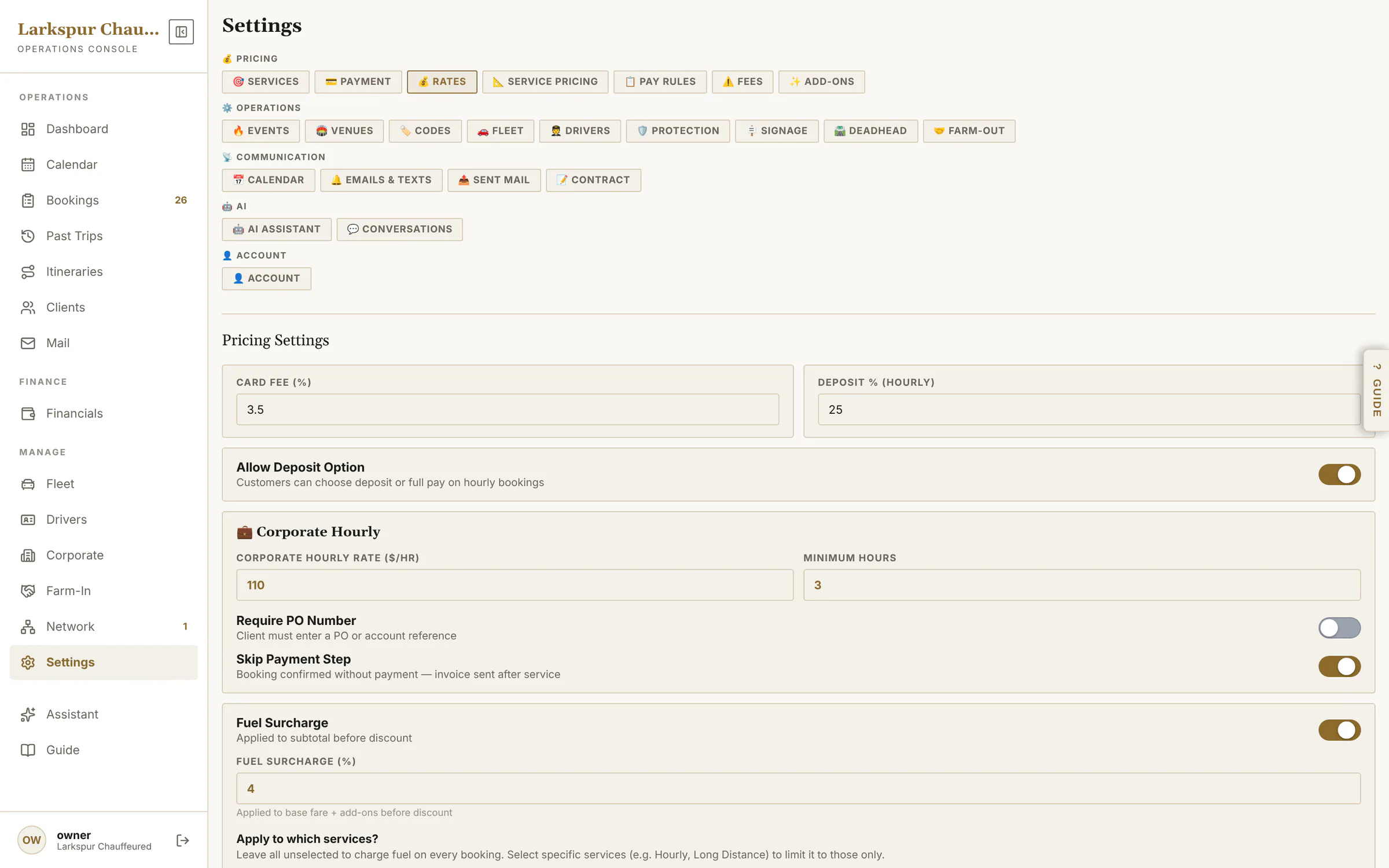 |
| Services | Switch services on and off, add your own, or turn on Quote Request Mode. | Live | 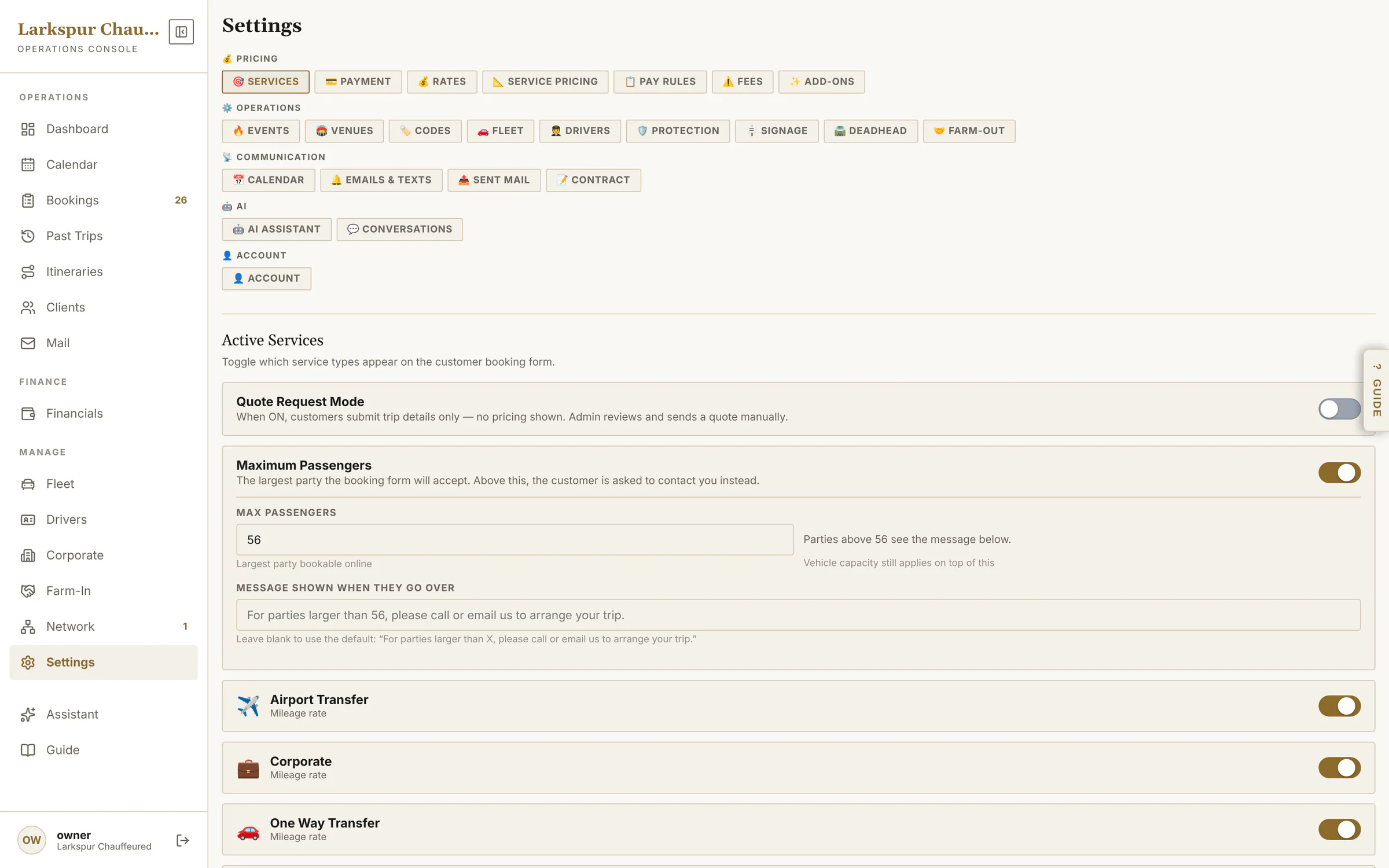 |
| Design the meet & greet sign | Your logo, colours and greeting — one sign for individuals and one for corporate guests — previewed exactly as the chauffeur's phone shows it. | Live | 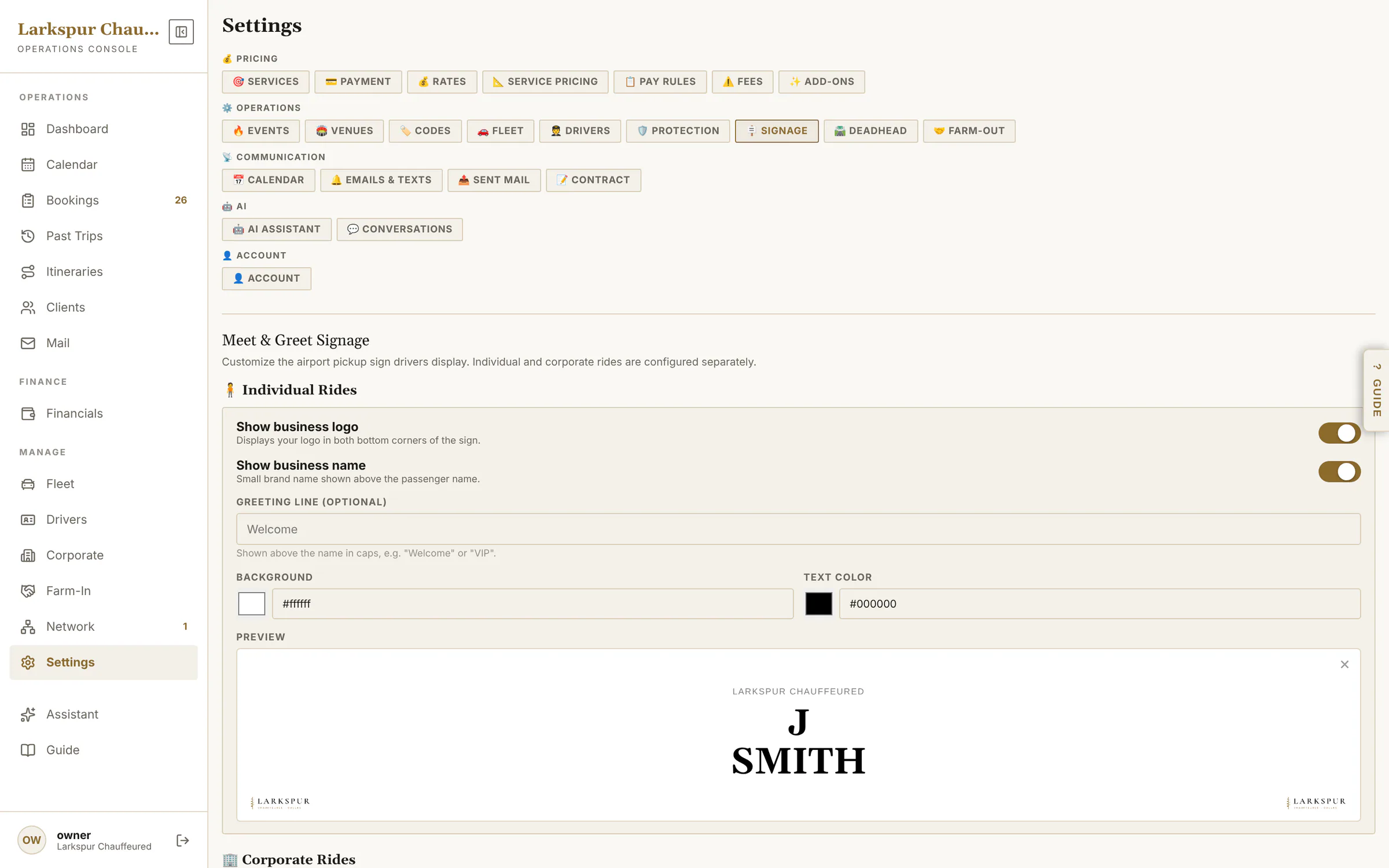 |
| Event dates | Holiday and event pricing with minimums, deposits and a notice on the booking page. | Live | 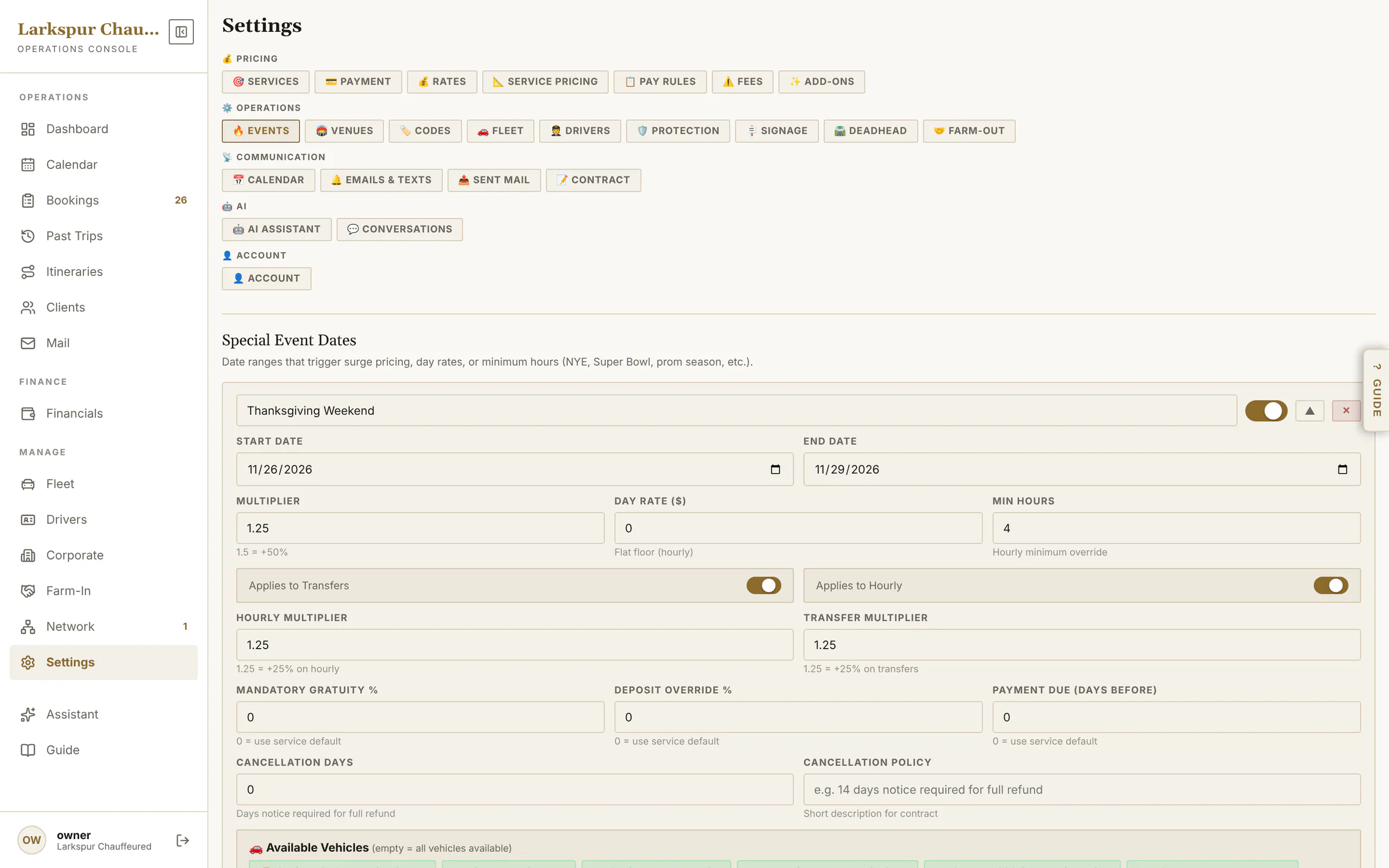 |
| Paid into your own Stripe | Your Stripe account, connected and locked — card payments go straight to you. Below it, your booking page link and one-line embed code. | Live | 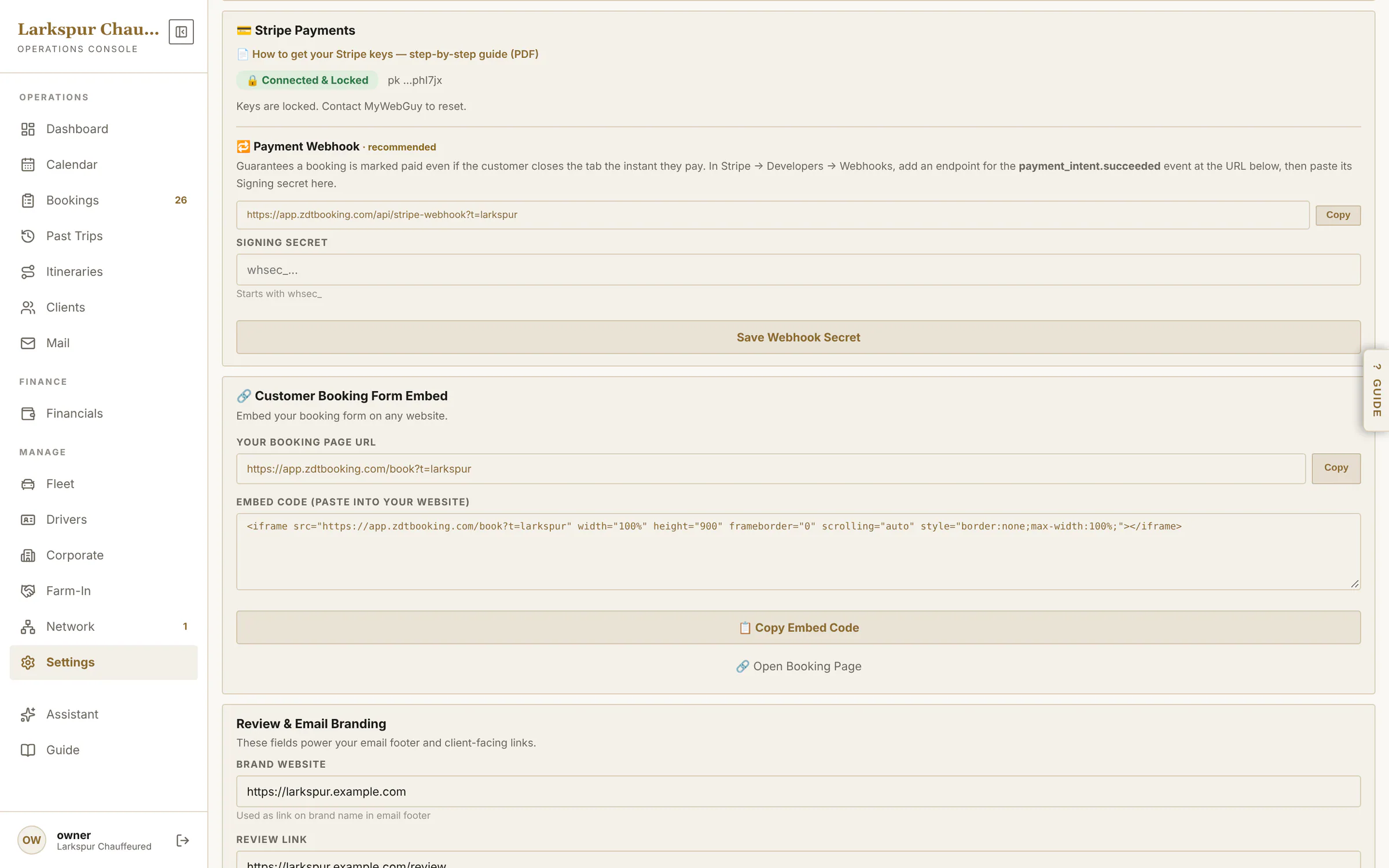 |
| Text messages | On the way, arrived, on board, receipts and pay links by text — each on or off — plus staff alerts, all from your own number. | Live | 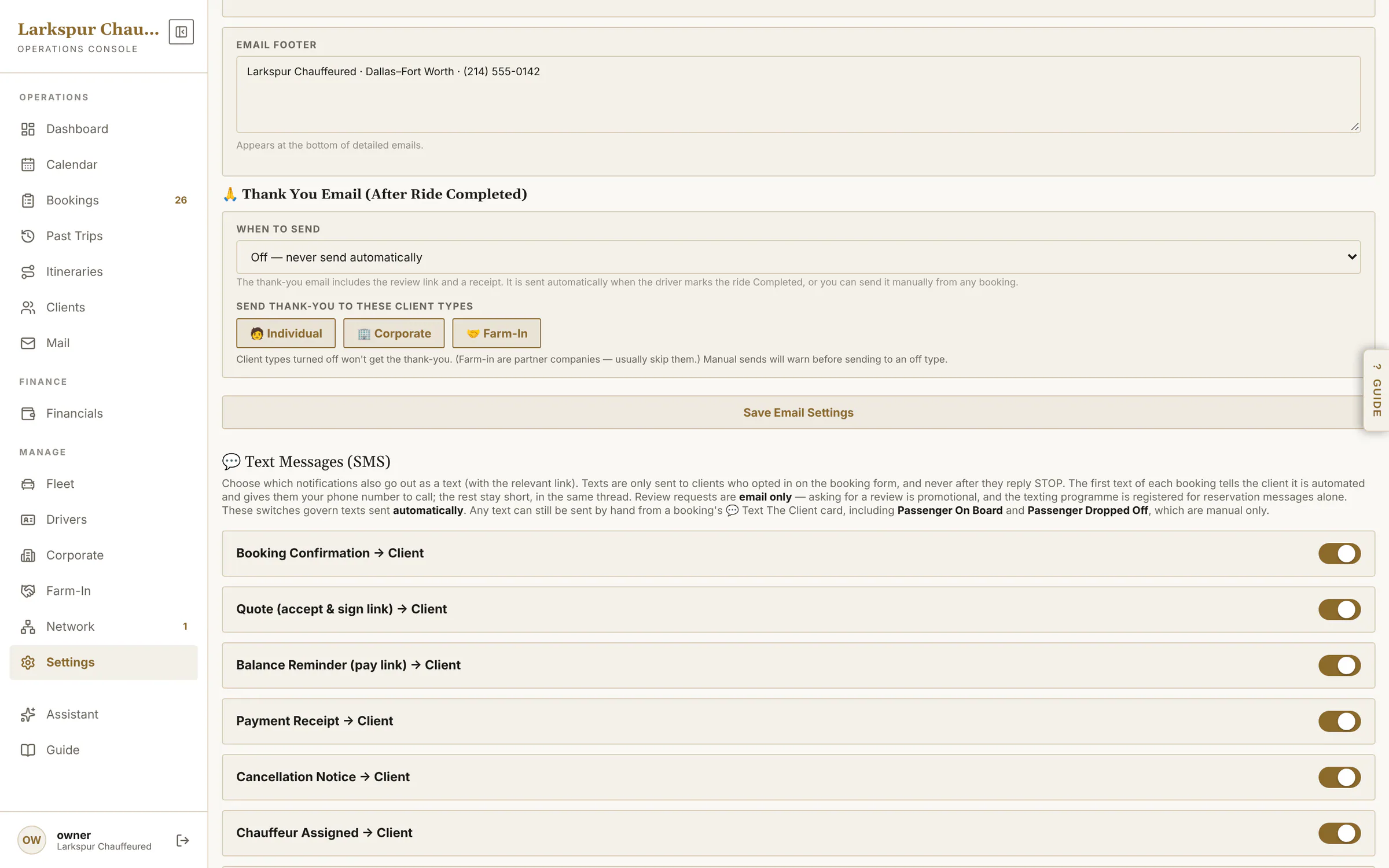 |
| Venues | Stadium and arena rules applied the moment an address matches. | Live | 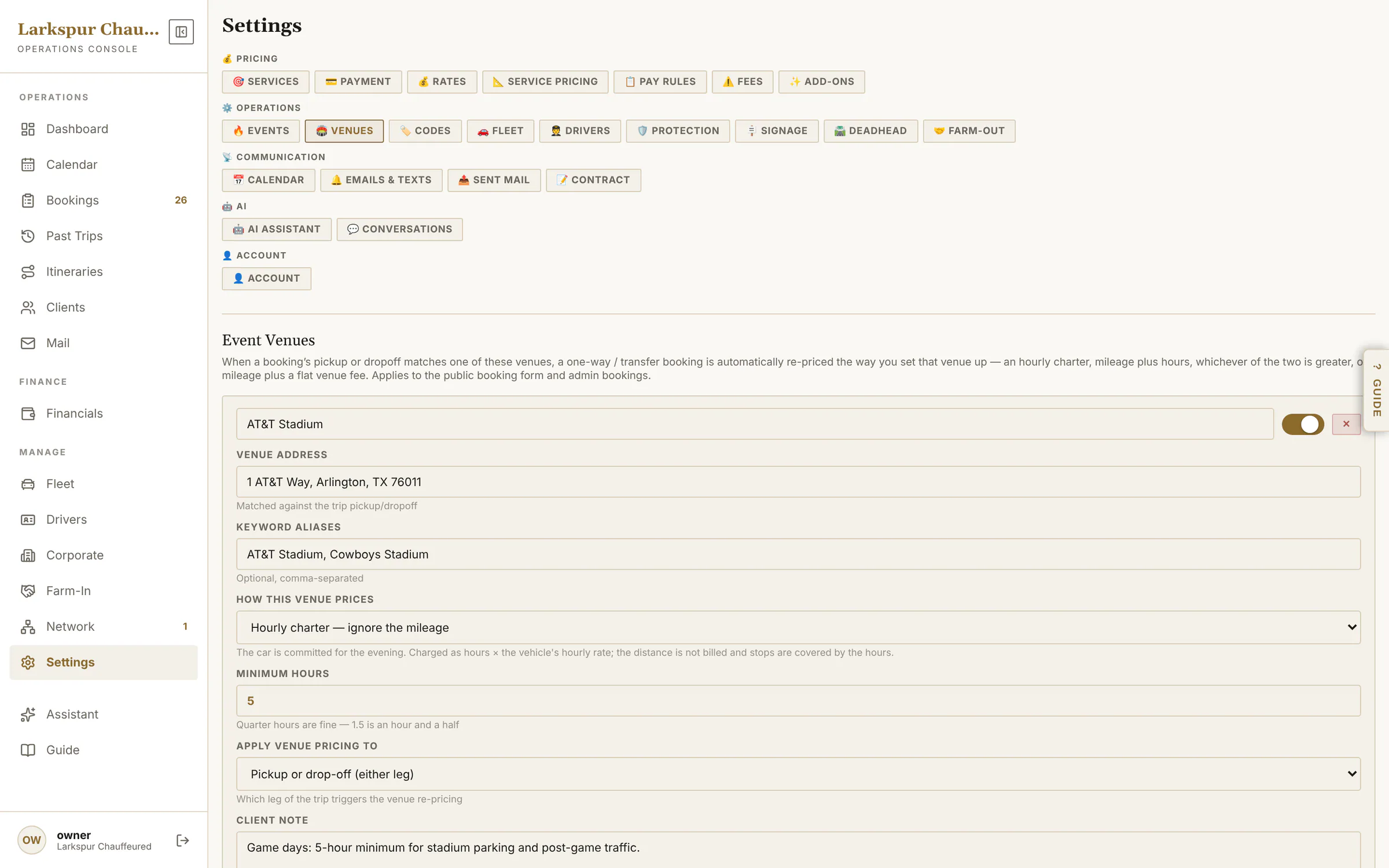 |
| Edit a vehicle | Base rates, mileage bands, per-passenger and luggage pricing, long distance, and which services it runs. | Live | 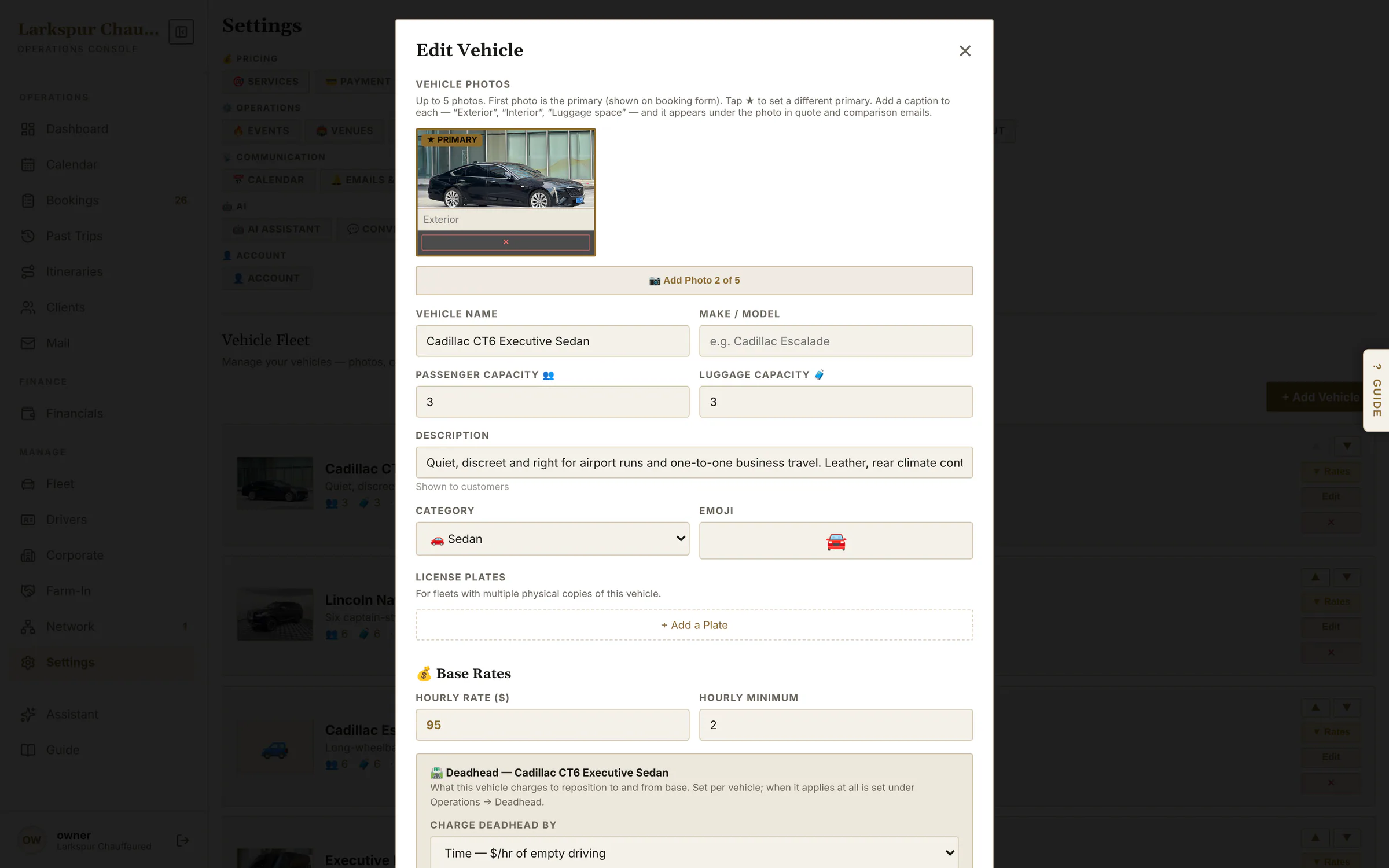 |
| Each chauffeur's record | Login, the cars they're cleared to drive, their photo for the client, protection licences and what partners see on the network. | Live | 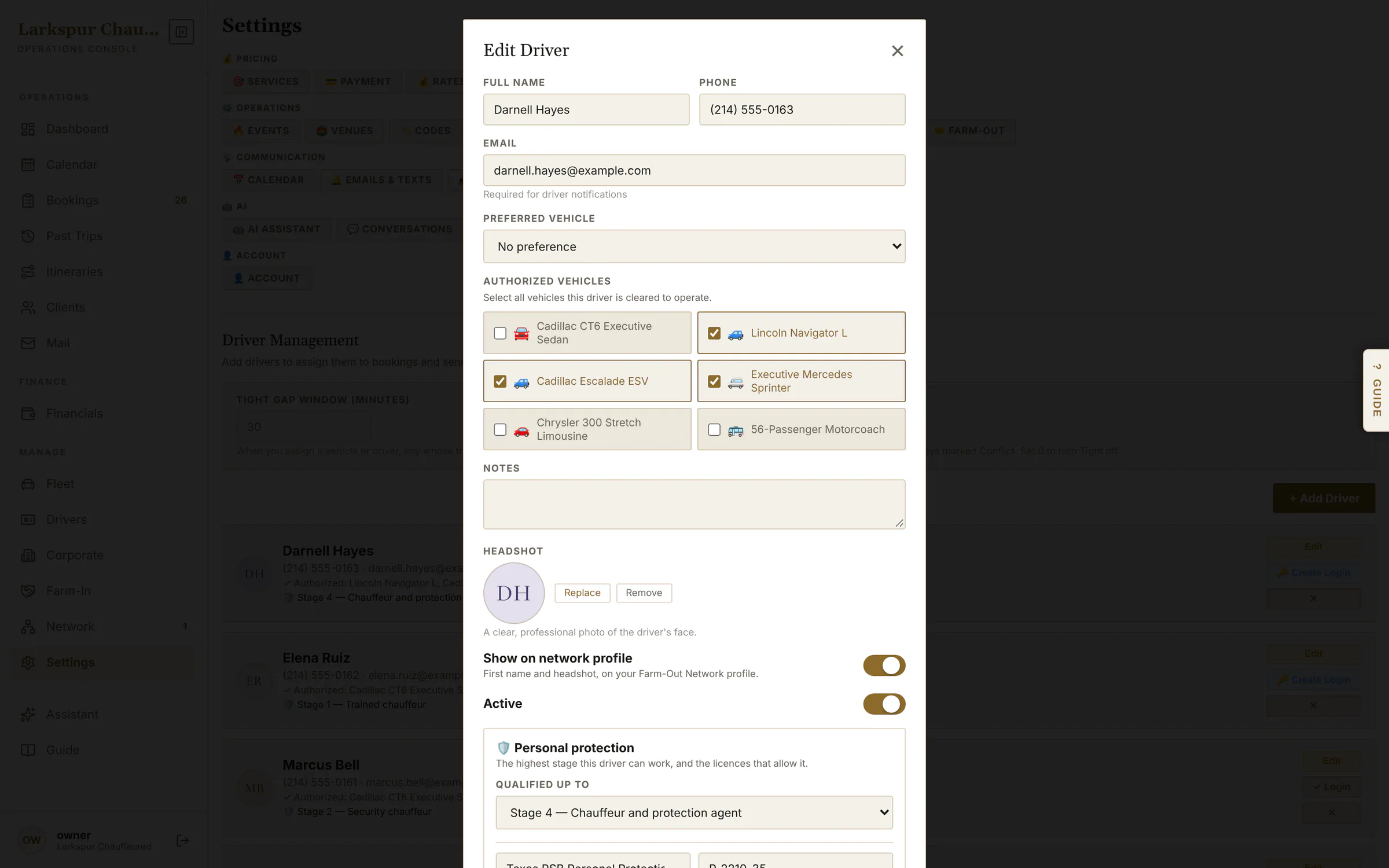 |
Chauffeur app
| Function | What it does | Status | Screen |
|---|---|---|---|
| Today's rides | Each chauffeur sees only their own rides — with the flight already flagged if it's late. | Live | 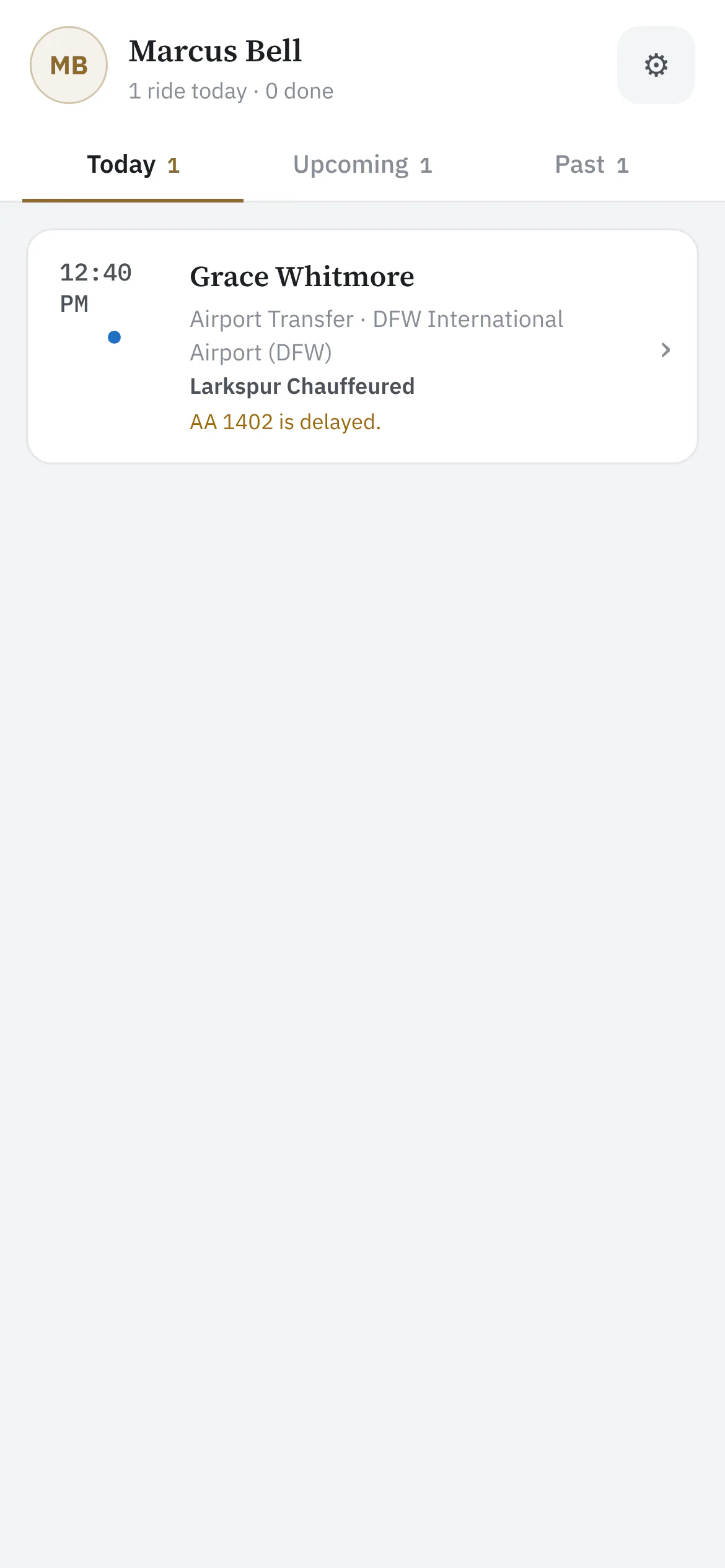 |
| The ride | Pickup, passenger, flight, notes — and one big button for the next step: start drive, on location, passenger on board, complete. | Live | 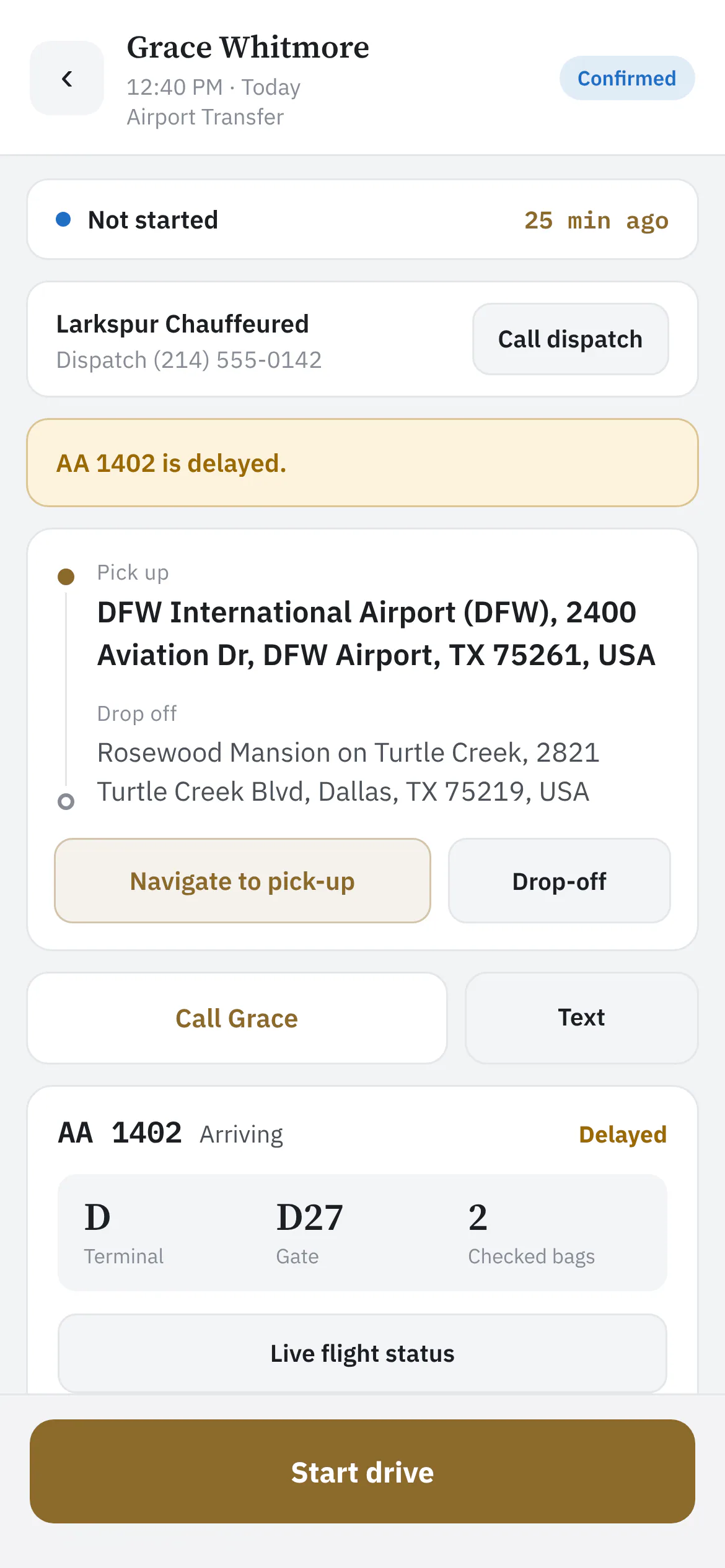 |
| Everything for the ride | Flight panel with terminal, gate and baggage belt; checklist; wait clock; notes to dispatch. | Live | 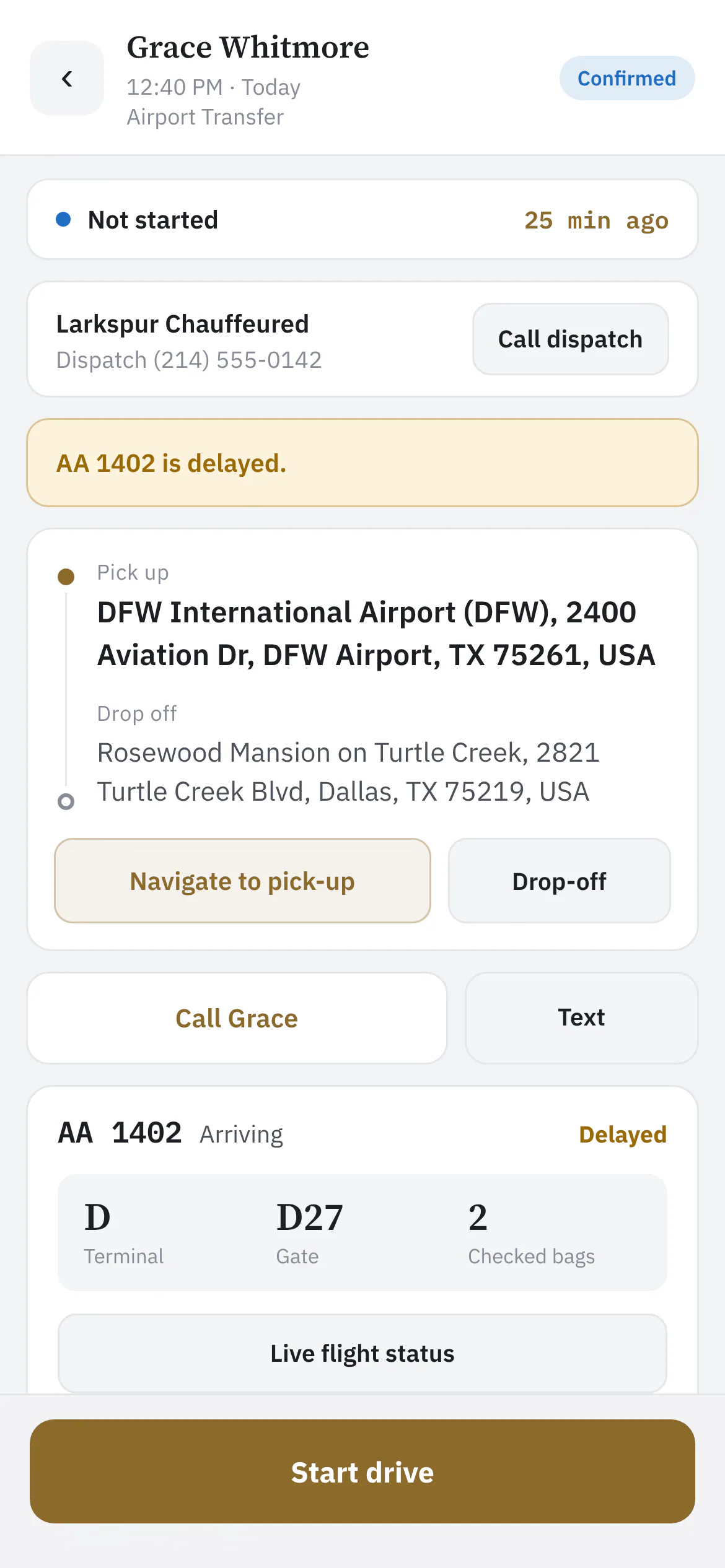 |
| Live flight details | Terminal, gate, baggage belt and the delay, without leaving the ride. | Live | 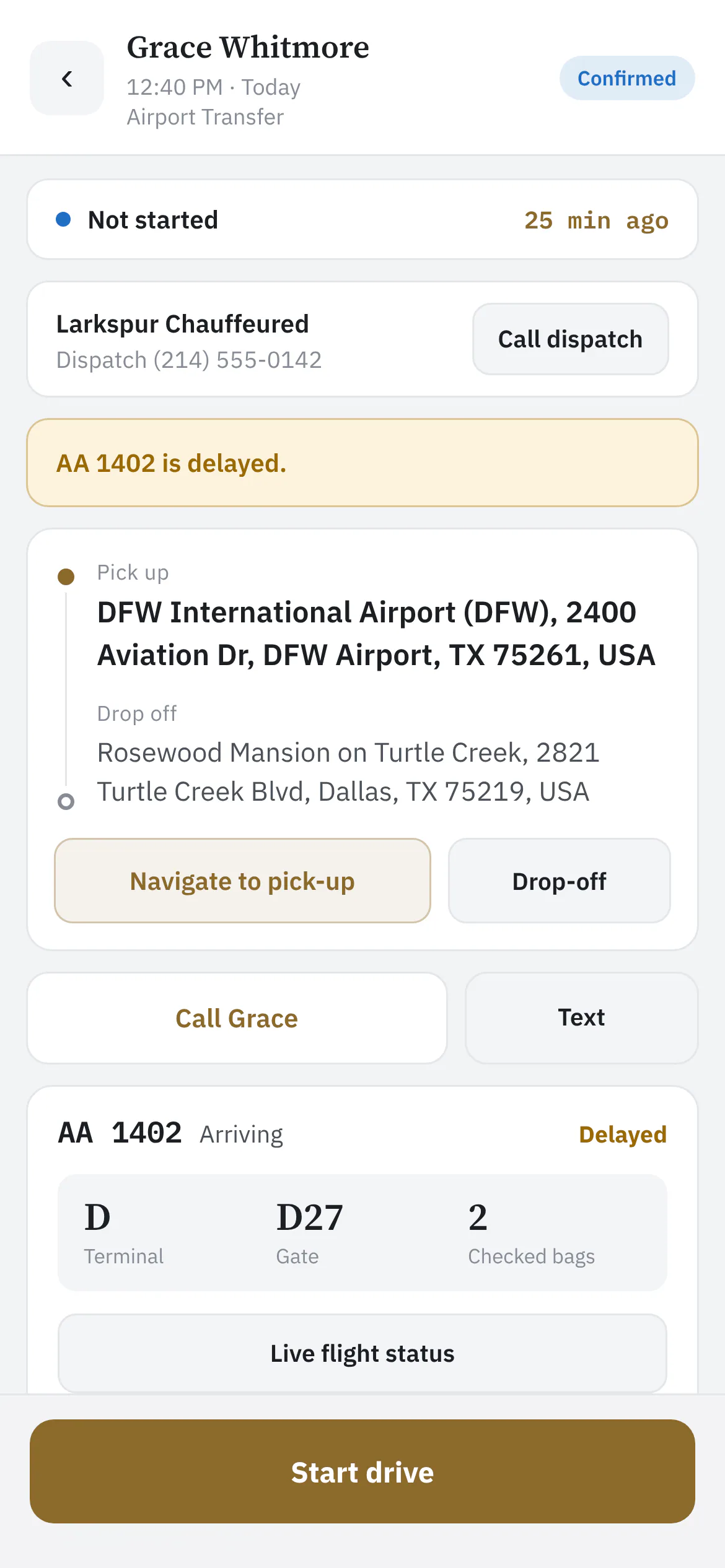 |
| The wait clock | Start the clock the moment you're parked — dispatch bills wait time from it, and the minutes land on the booking. | Live | 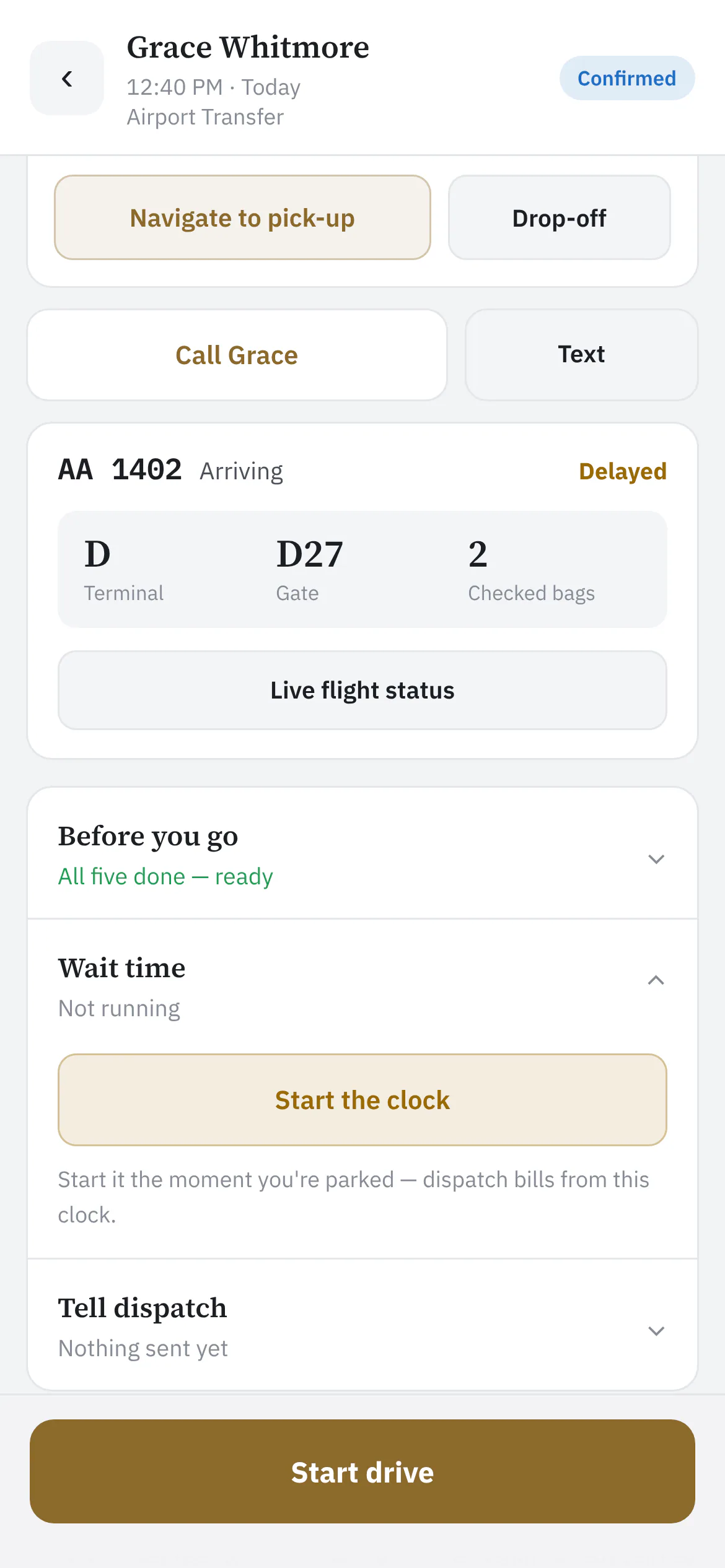 |
| Tell the client you're on the way | Starting the drive asks for an ETA first — nothing is texted until the chauffeur picks one, so a mis-tap never sends anyone to the kerb. | Live | 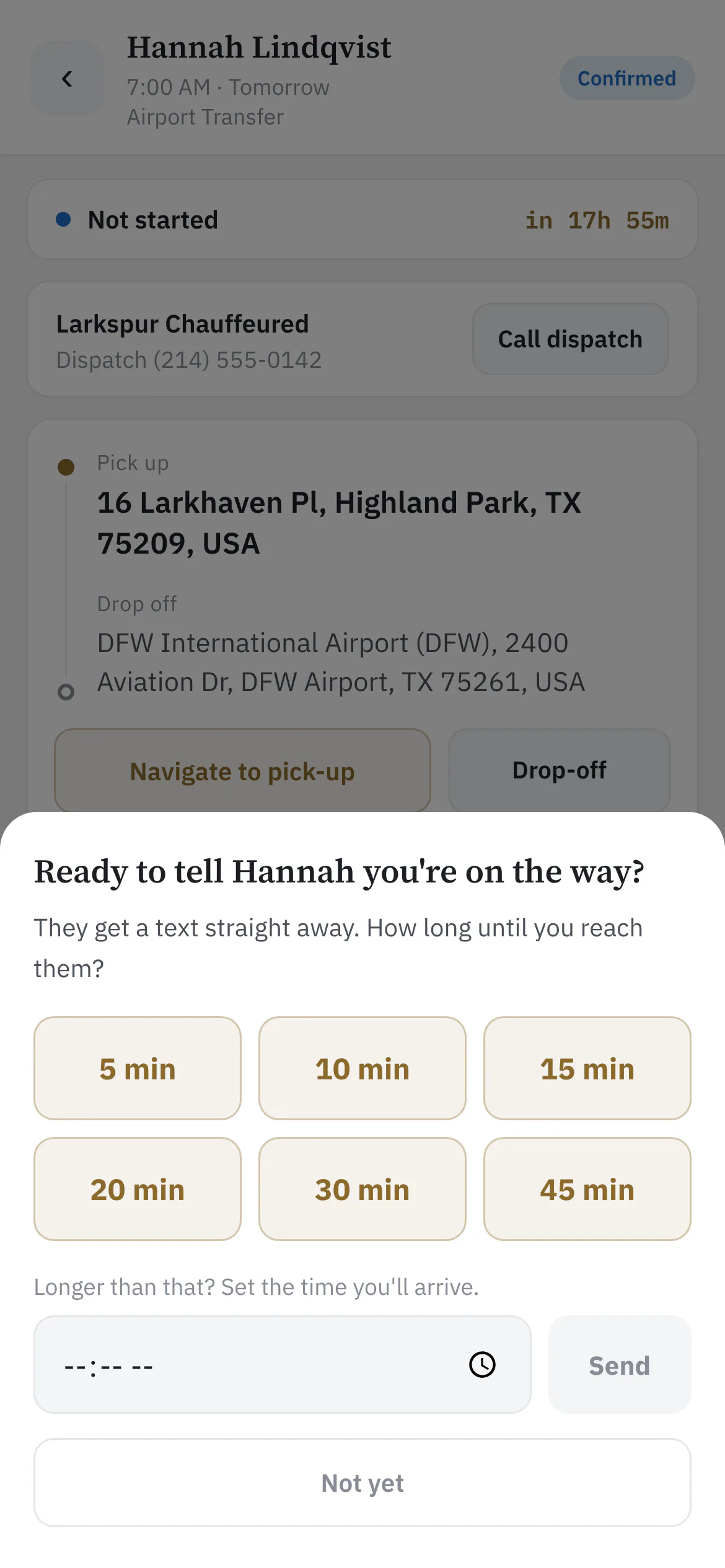 |
| The Meet & Greet sign | Full screen, white paper, the passenger's name and your logo — the phone becomes the sign at baggage claim. | Live |  |
| Upcoming | Tomorrow and beyond, ready to read the night before. | Live | 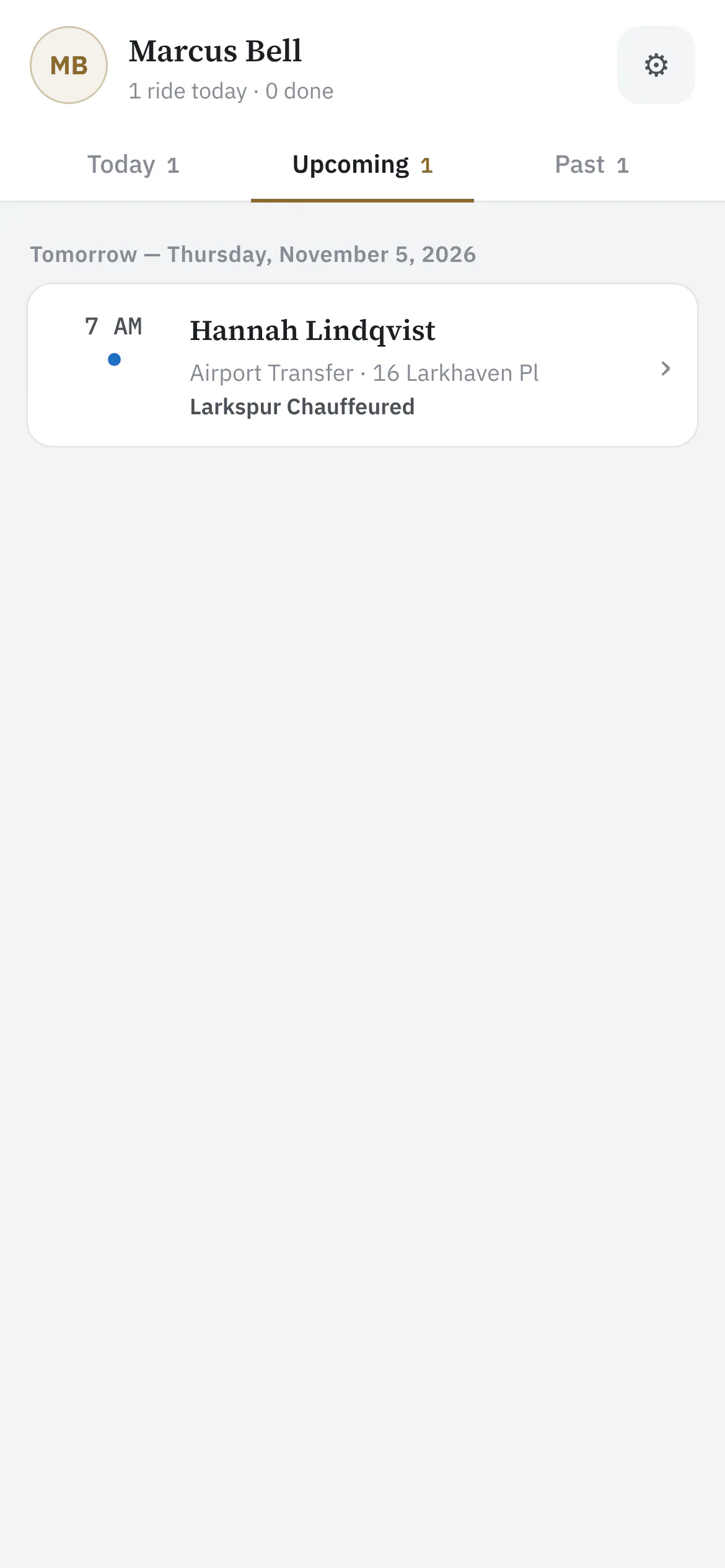 |
| Past trips | Finished rides by month — completed, cancelled or no-show — with addresses and phone numbers no longer shown once a ride is done. | Live | 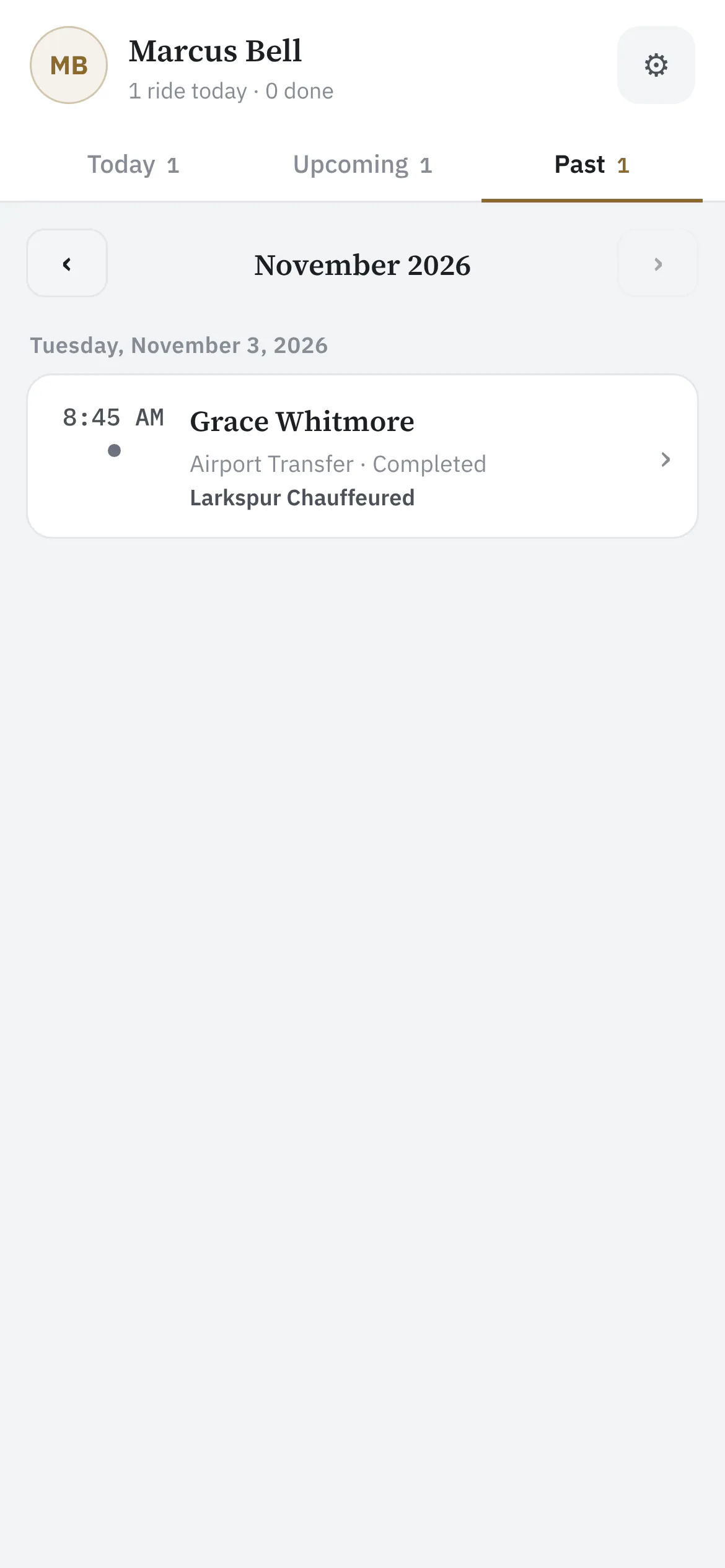 |
| Finish the ride | Completing a trip tells dispatch the chauffeur is clear and sends the client their receipt — so it asks first. | Live | 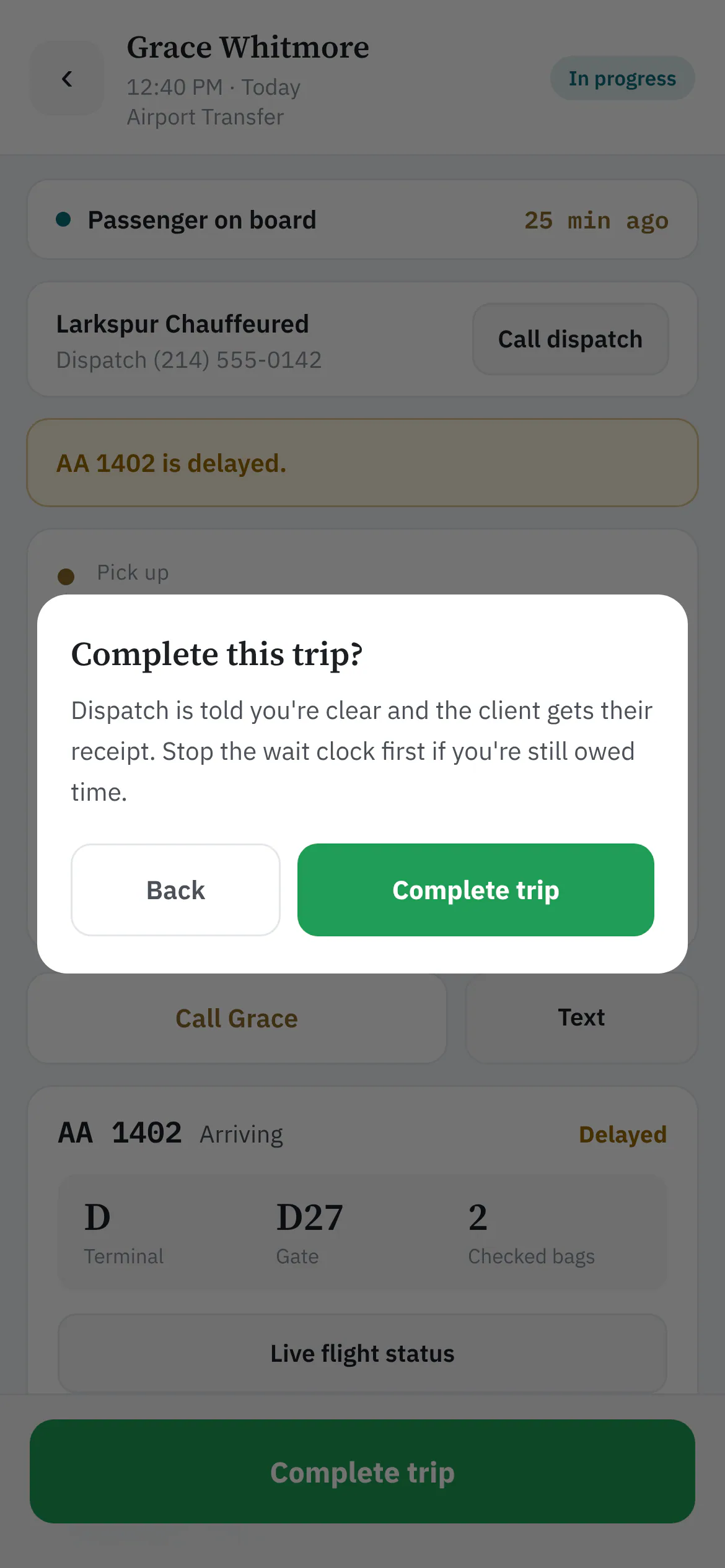 |
| The chauffeur's own settings | Light or dark, normal or large text, and every company they drive for — set once on their own phone. | Live | 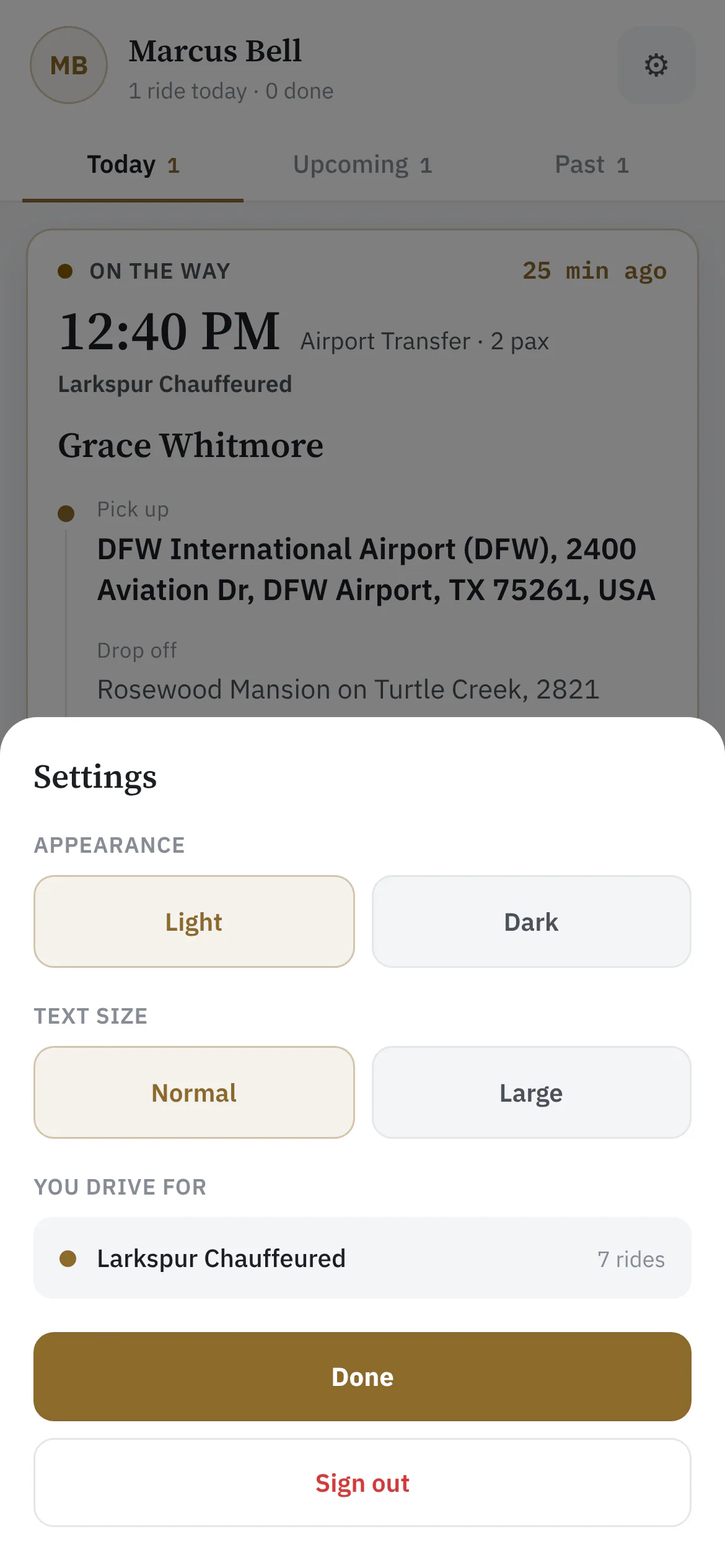 |
Farm-Out Network
| Function | What it does | Status | Screen |
|---|---|---|---|
| Farmed out, still yours | A trip farmed out to Harbor Car Service: their chauffeur, car and live status on your own booking. | Rolling out | 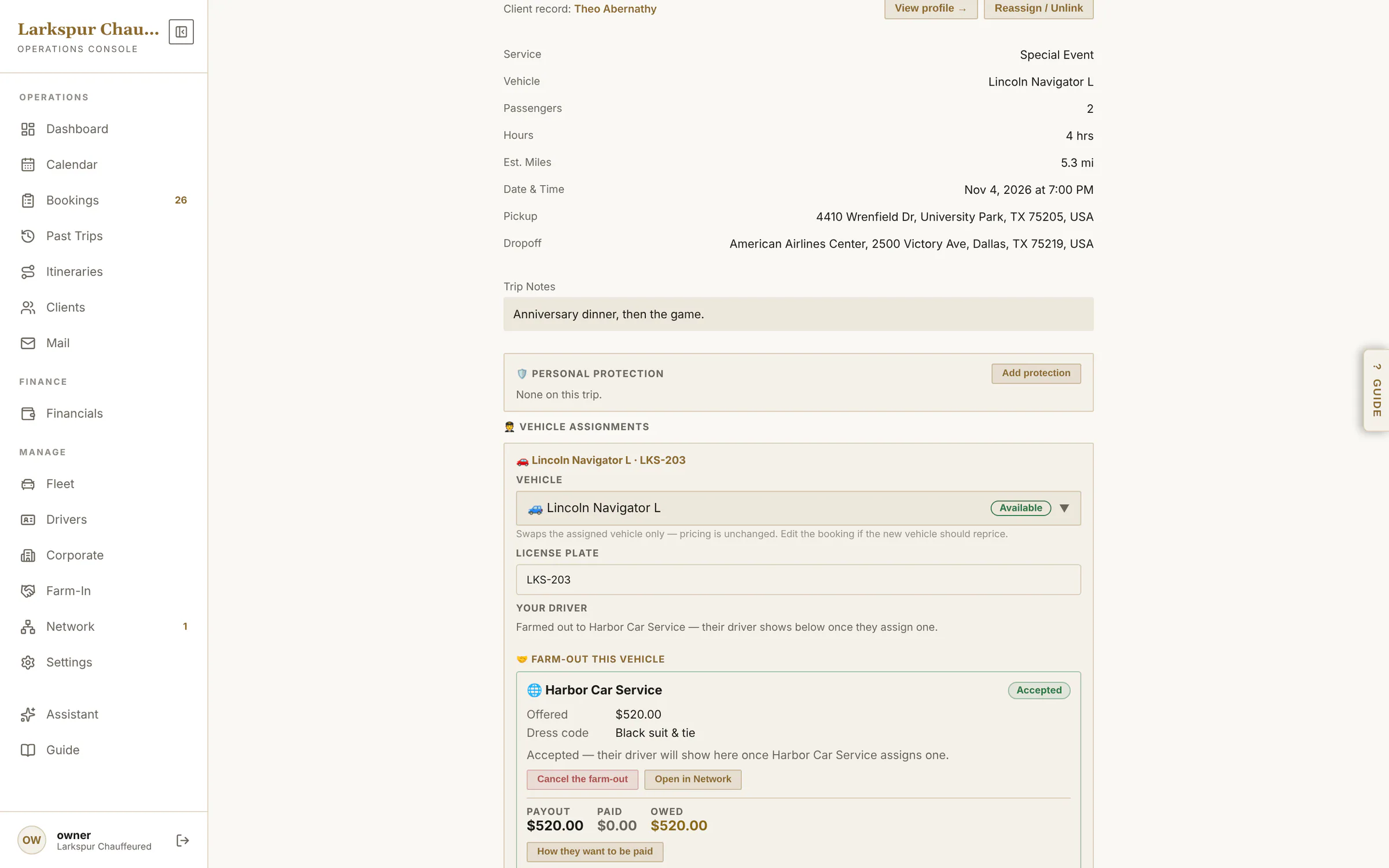 |
| Farm out to a ZDT company | Choose a partner from the network — their fleet, prices and whether they've signed your agreement — and send the offer. | Rolling out | 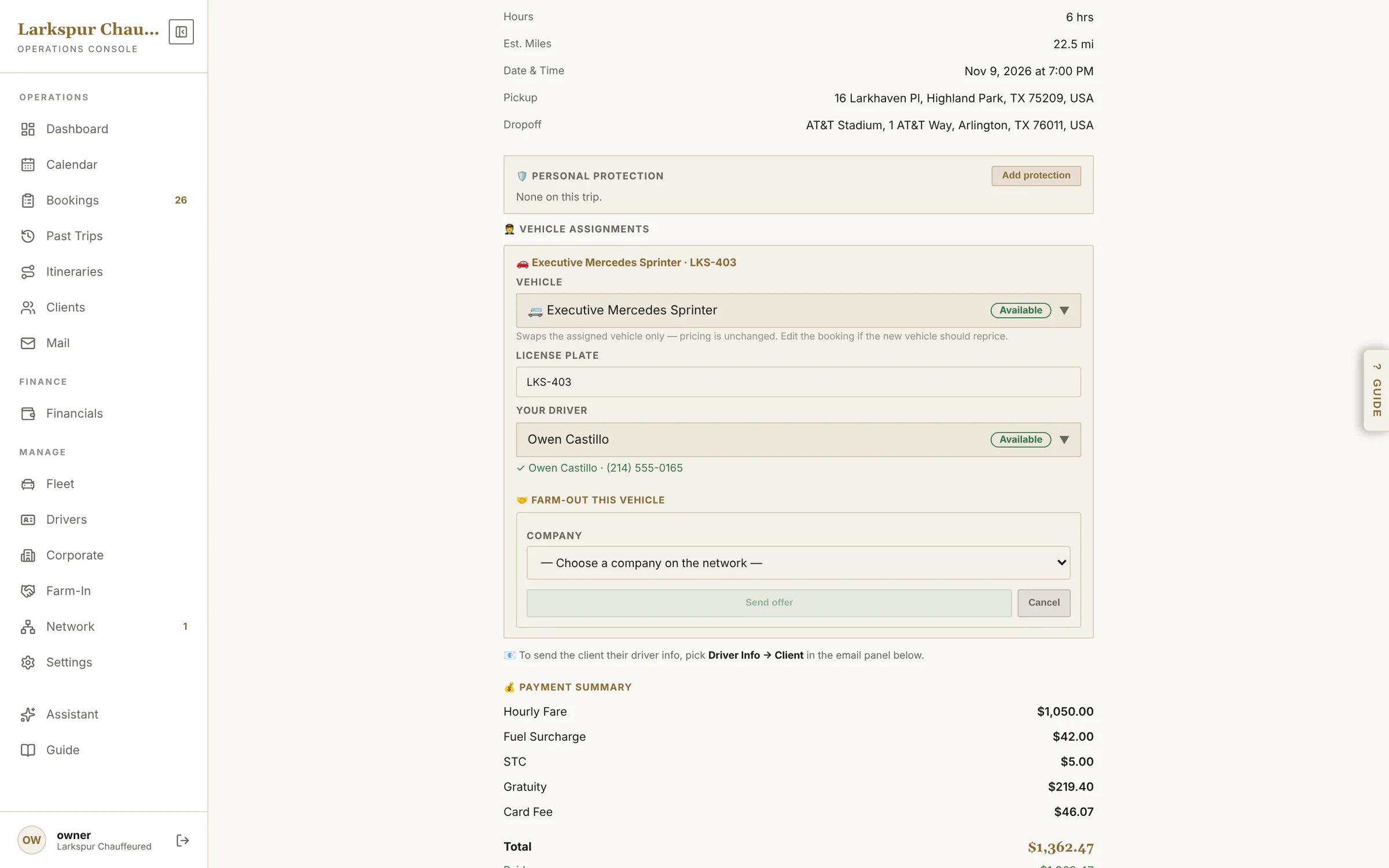 |
| Send a farm-out link | Partners who aren't on ZDT get the trip by link — same offer, same agreement, same tracking. | Rolling out | 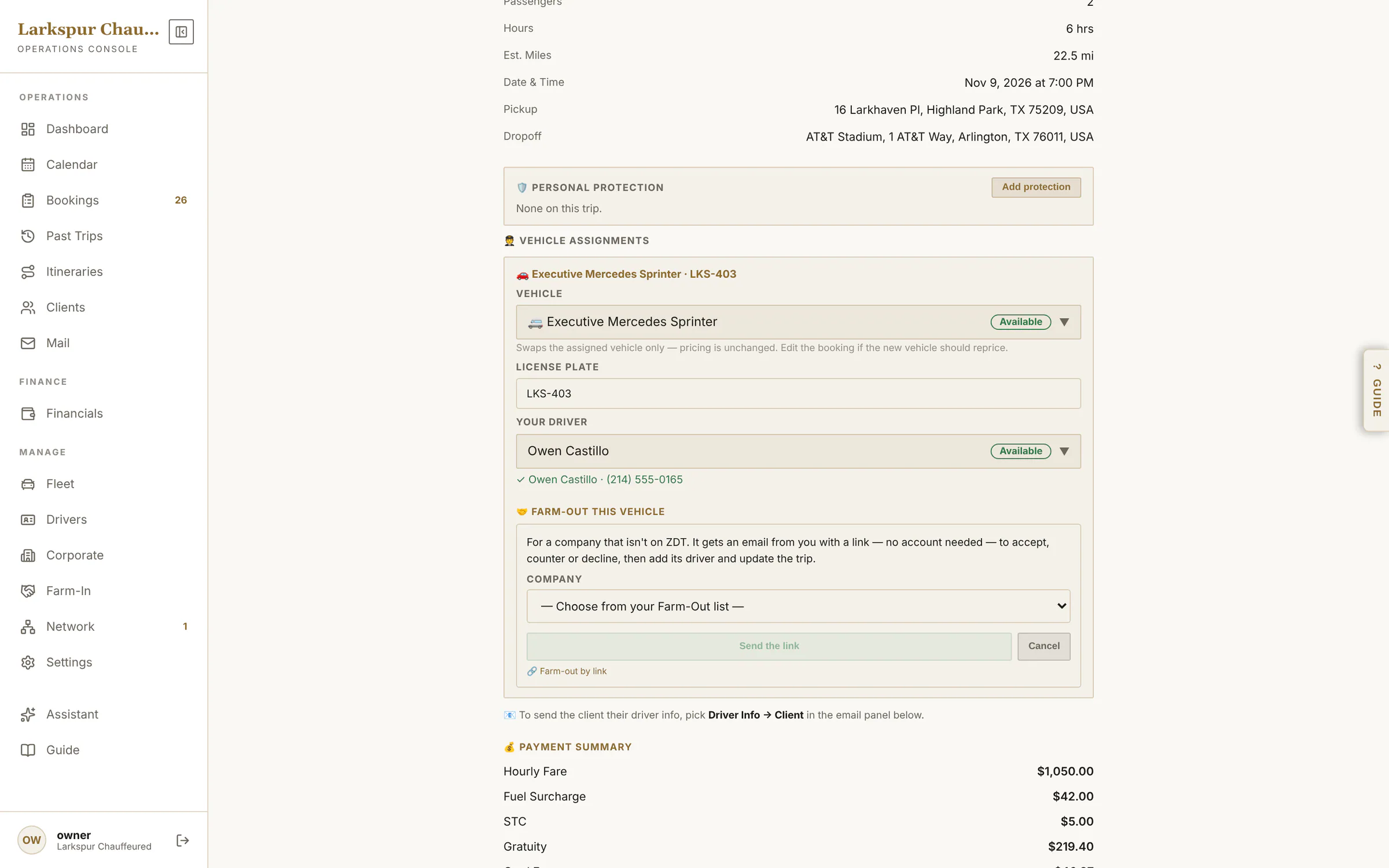 |
| A farm-out link for any company | Partners who aren't on ZDT get a link: the payout, the trip in outline and Accept, Counter or Decline. | Rolling out | 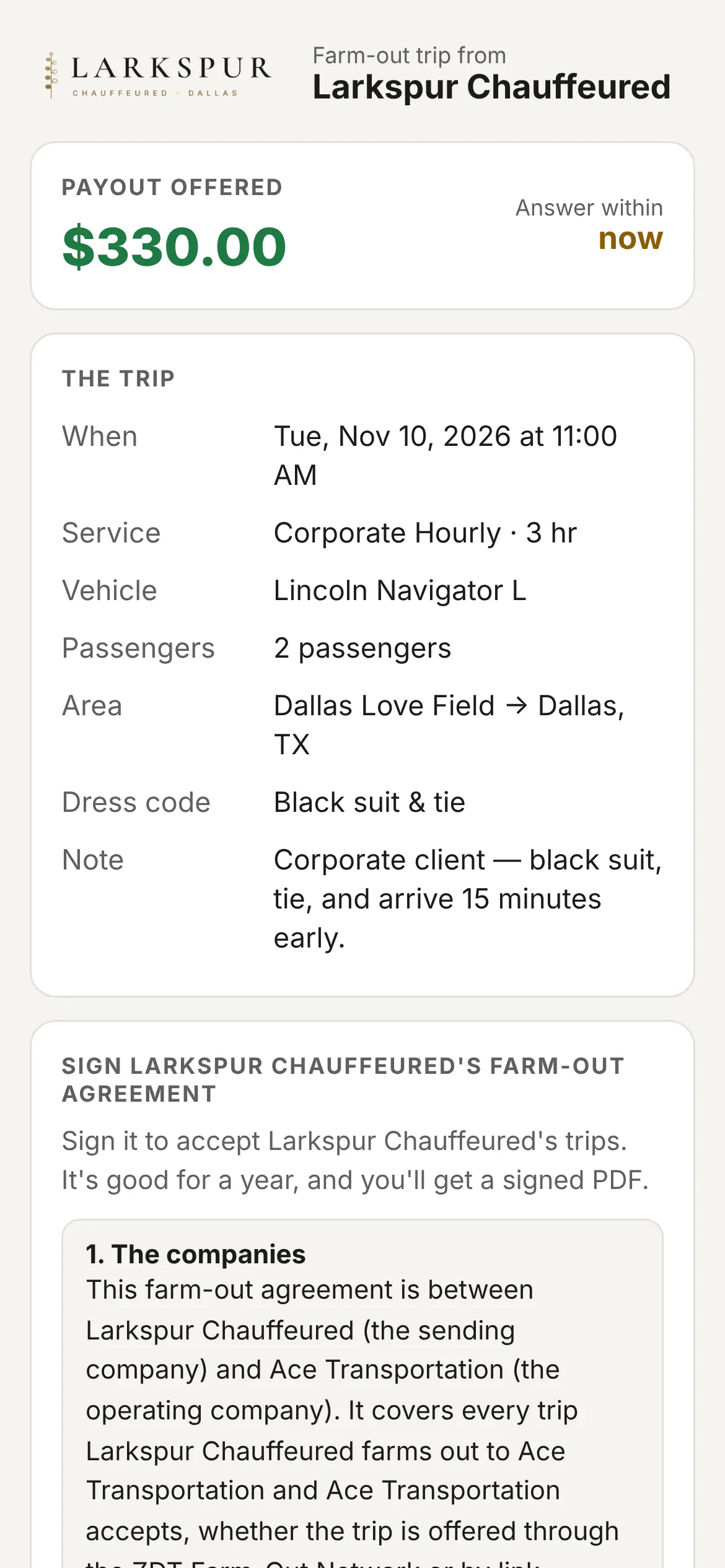 |
| The whole offer, and your agreement | The offer page carries your farm-out agreement: the partner signs it once, and it holds for a year. | Rolling out | 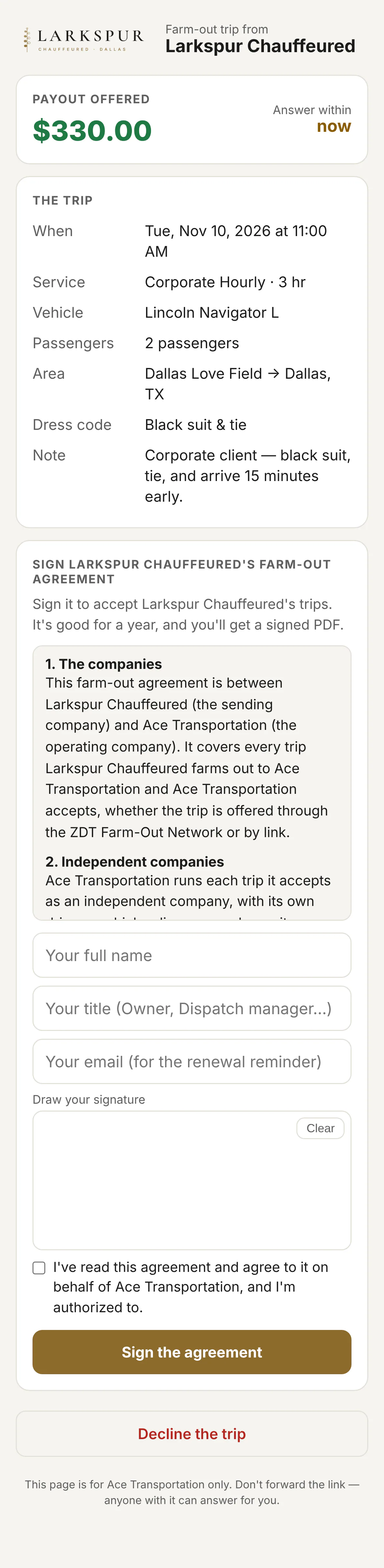 |
| Signed on the company's behalf | Typed name, title and a drawn signature — kept with the time, IP and the version of the wording they signed. | Rolling out | 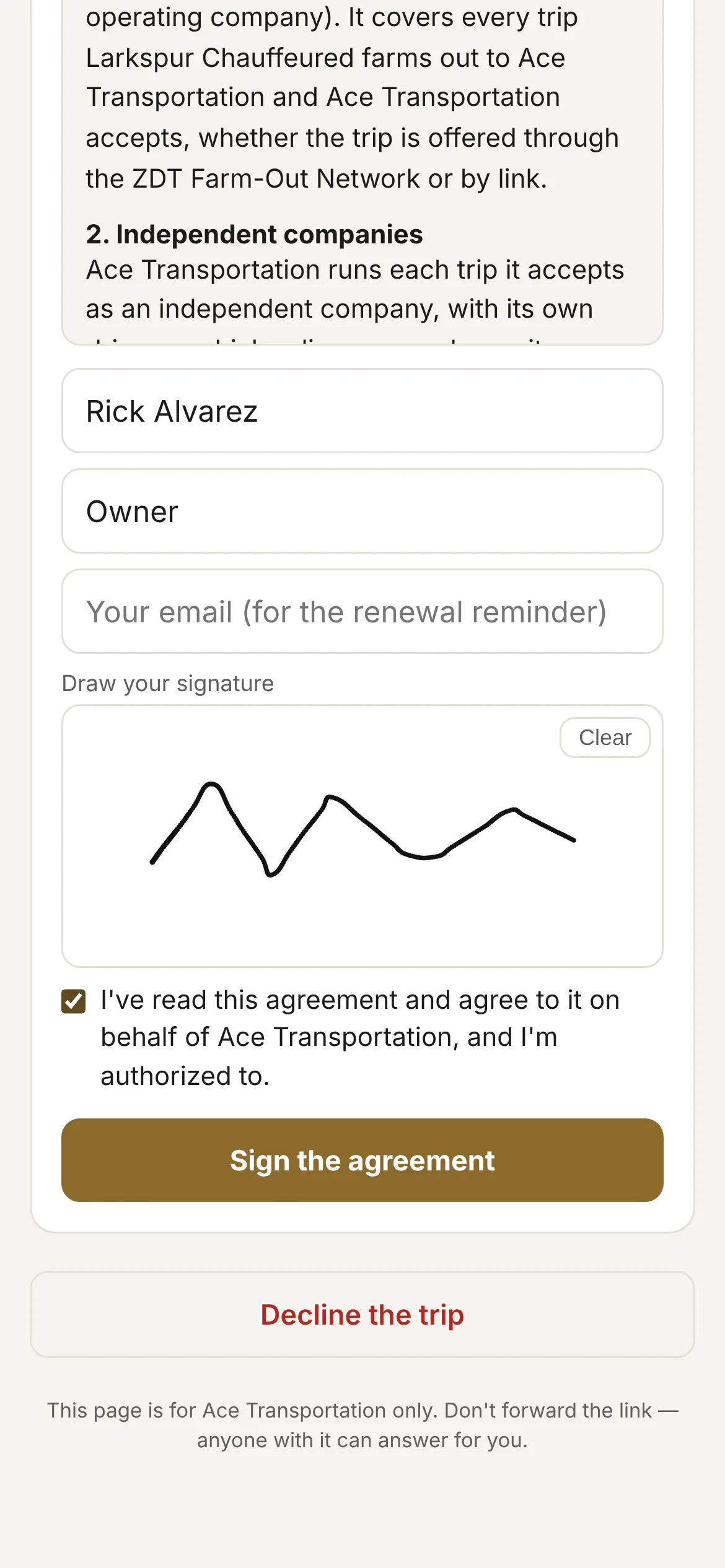 |
| Accepted: the full trip sheet | Once accepted, the partner sees the full trip, adds their driver and car, and picks how they'd like to be paid. | Rolling out | 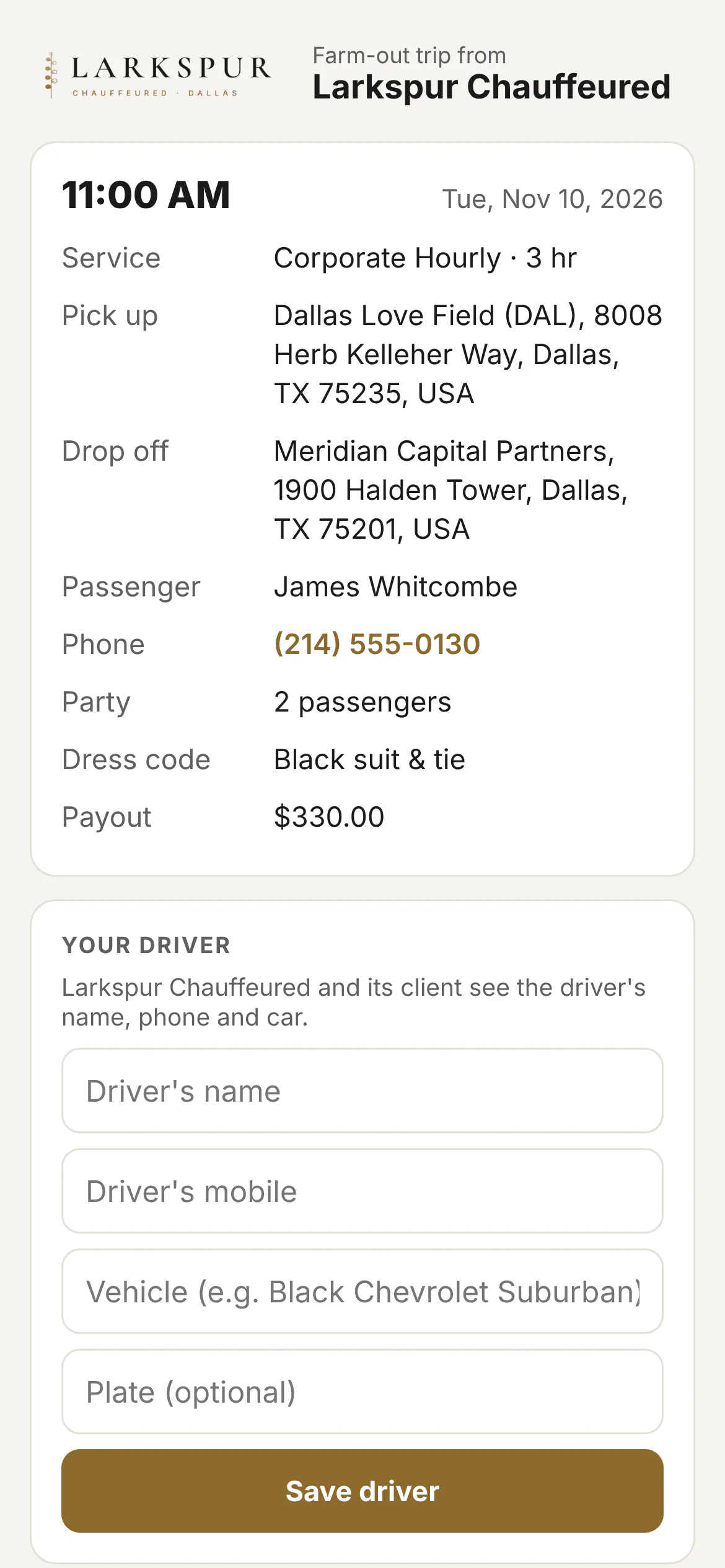 |
| Offers waiting on you | Work from other operators: the payout, the trip in outline, an answer-by countdown — accept, counter or decline. | Rolling out | 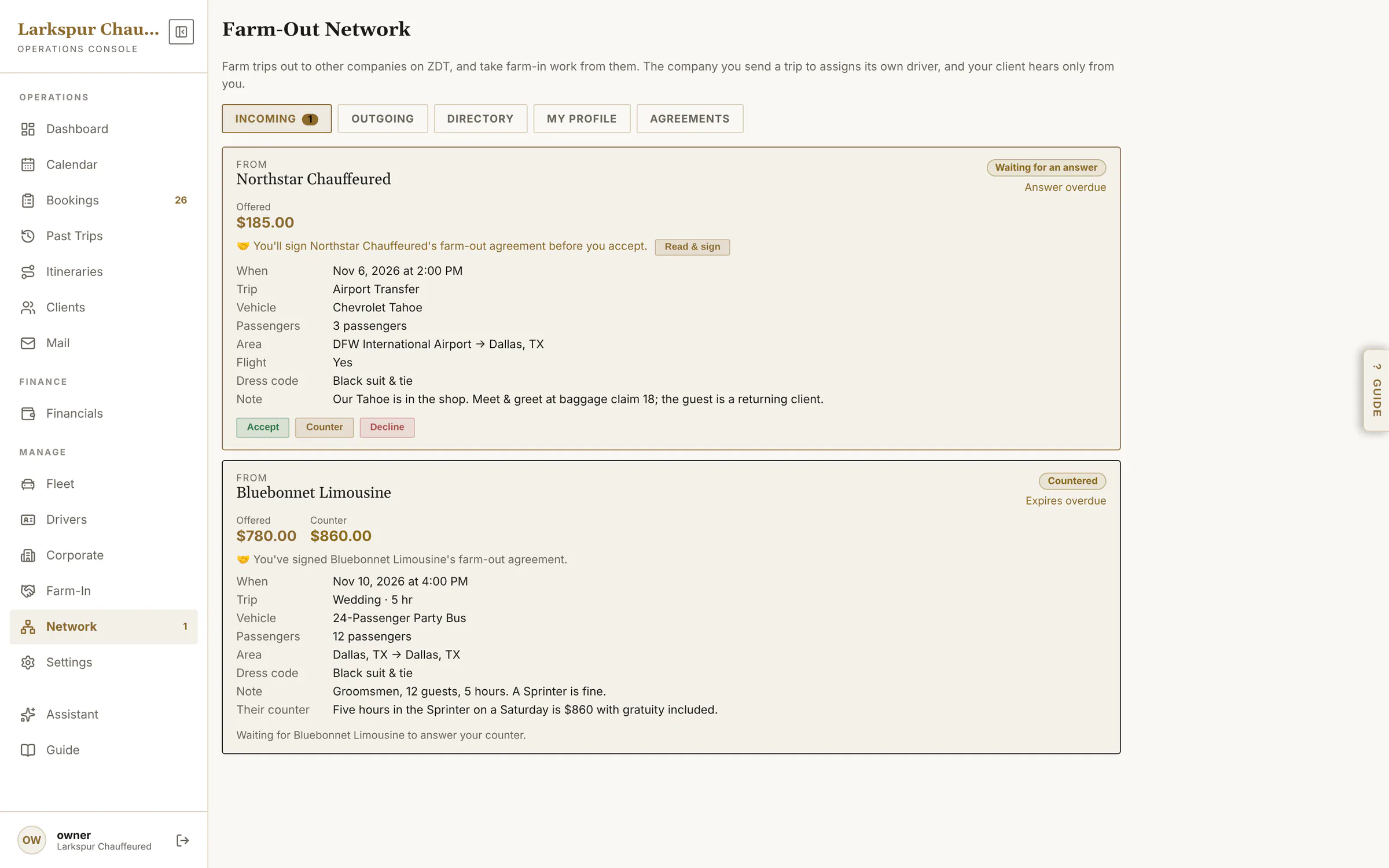 |
| Sign their agreement first | Before you accept a partner's first trip you sign their farm-out agreement — once a year, or again if they change the wording. | Rolling out | 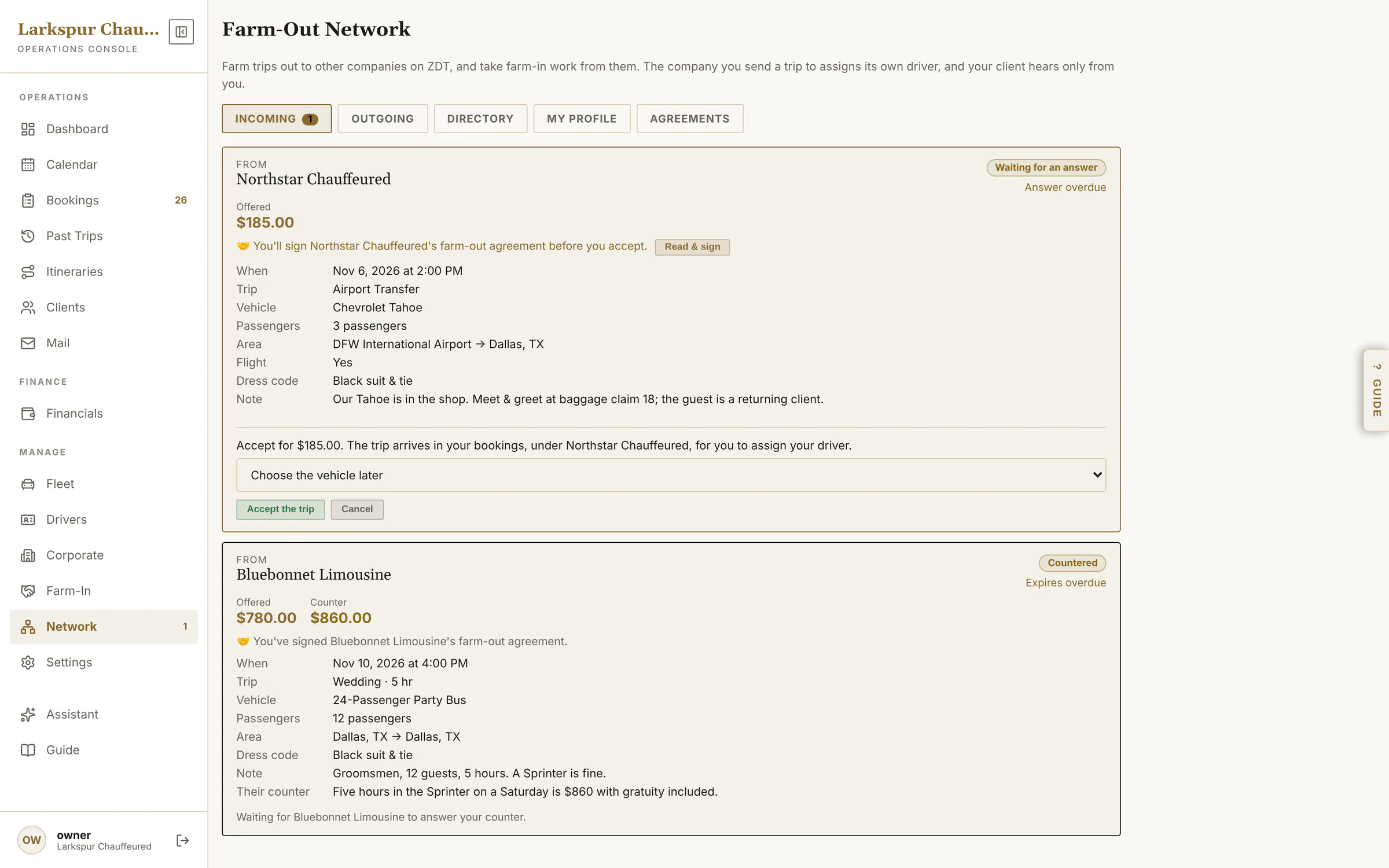 |
| Trips you've farmed out | Every trip you sent: pending, accepted, the partner's chauffeur and car, live status and the payout. | Rolling out | 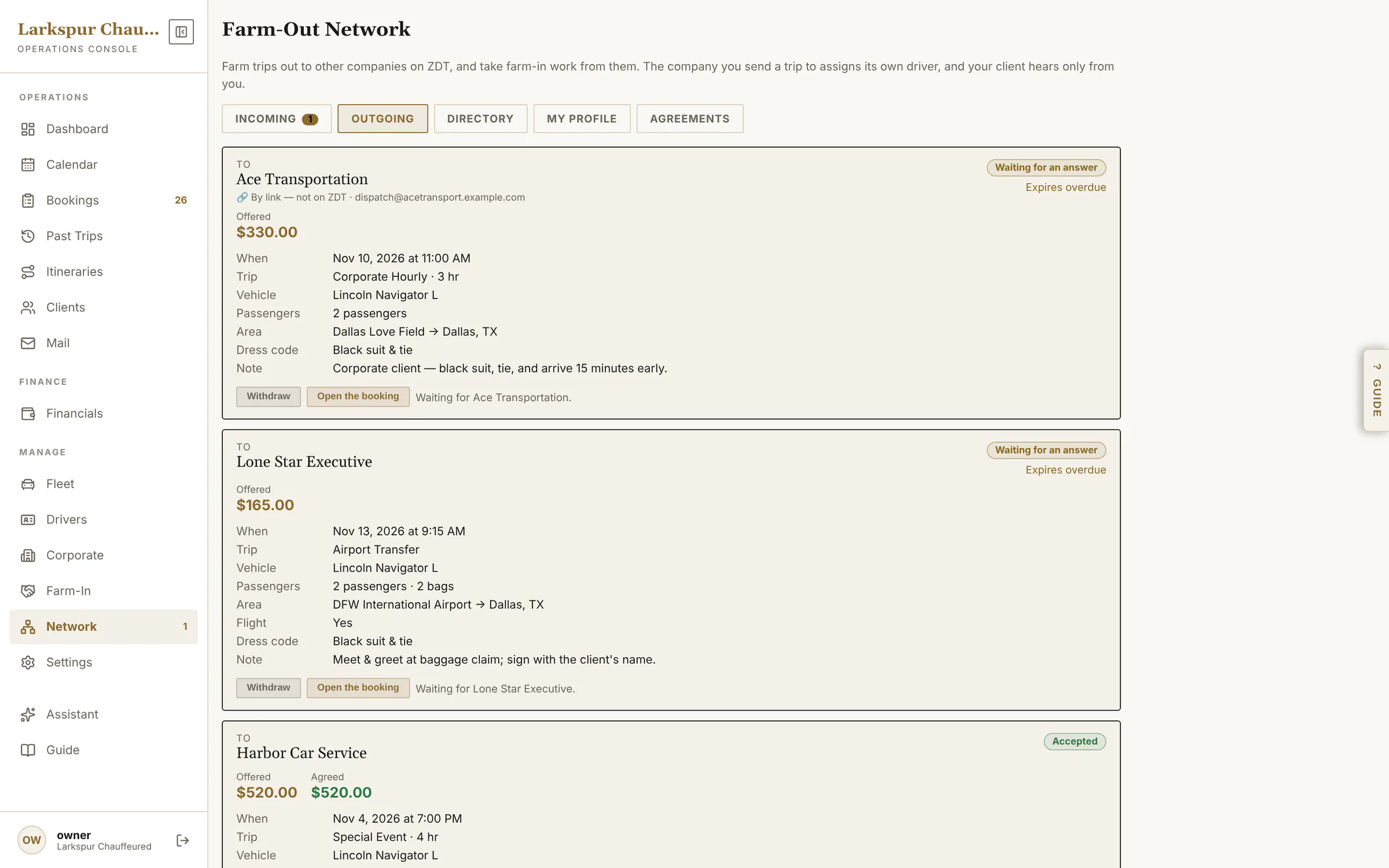 |
| Payouts, tracked | What you owe each partner, adjustments, and how they want to be paid — mark it paid when it's done. | Rolling out | 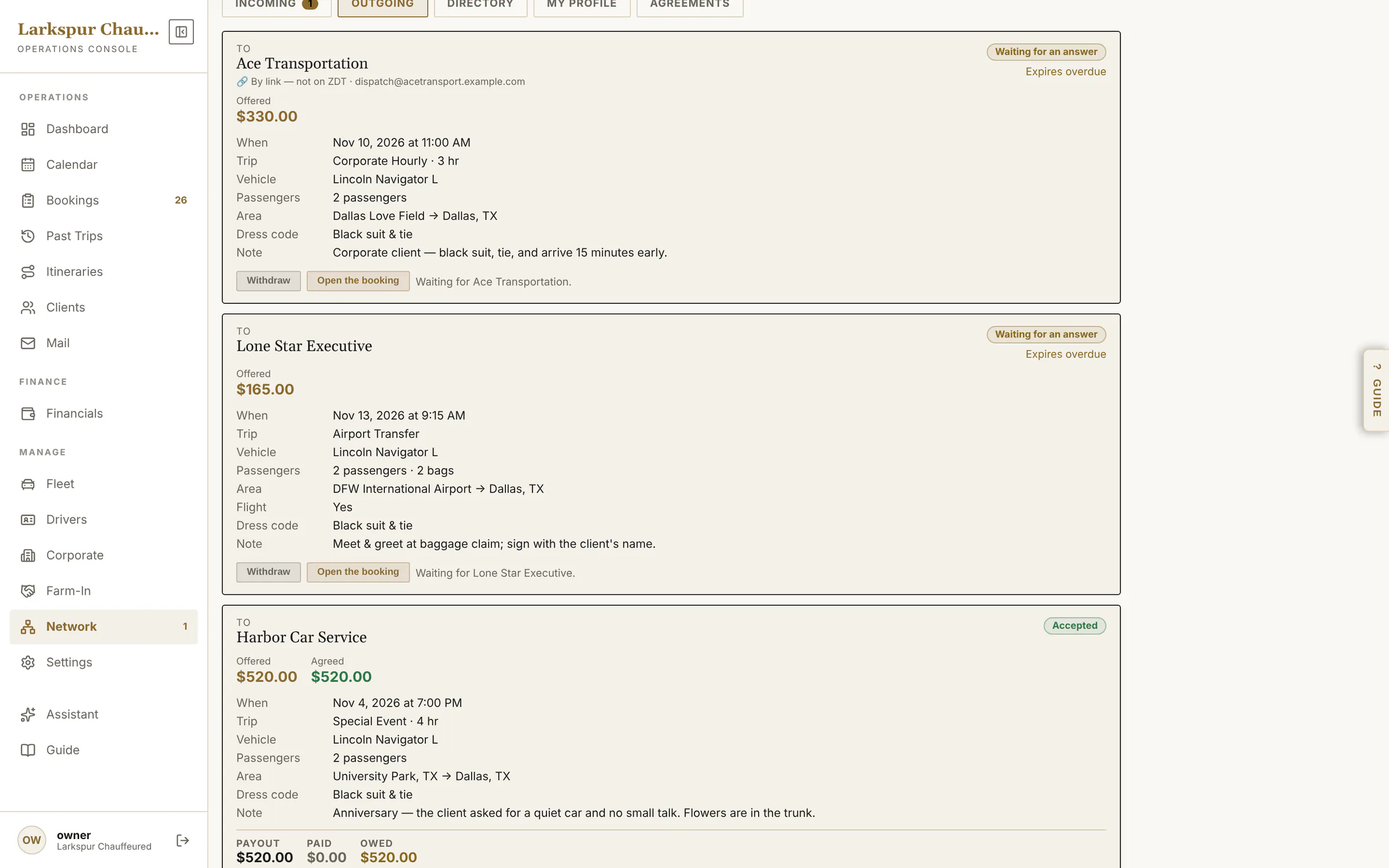 |
| The directory | Find a partner by city, airport, vehicle type, passengers or protection — with their fleet and prices. | Rolling out | 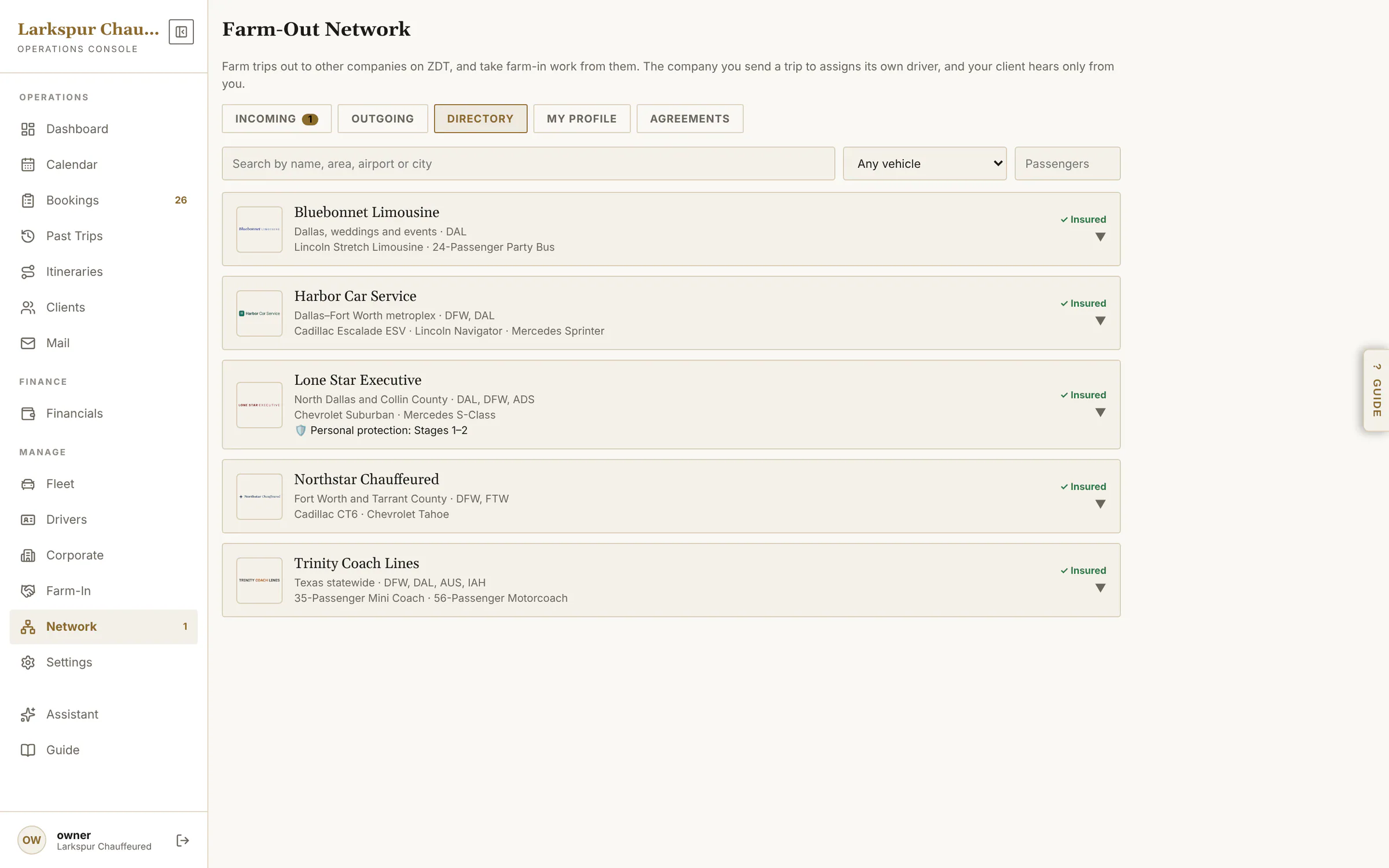 |
| A partner's profile | Fleet and prices, chauffeurs, dress code, insurance and permits — checked before you send them a client. | Rolling out | 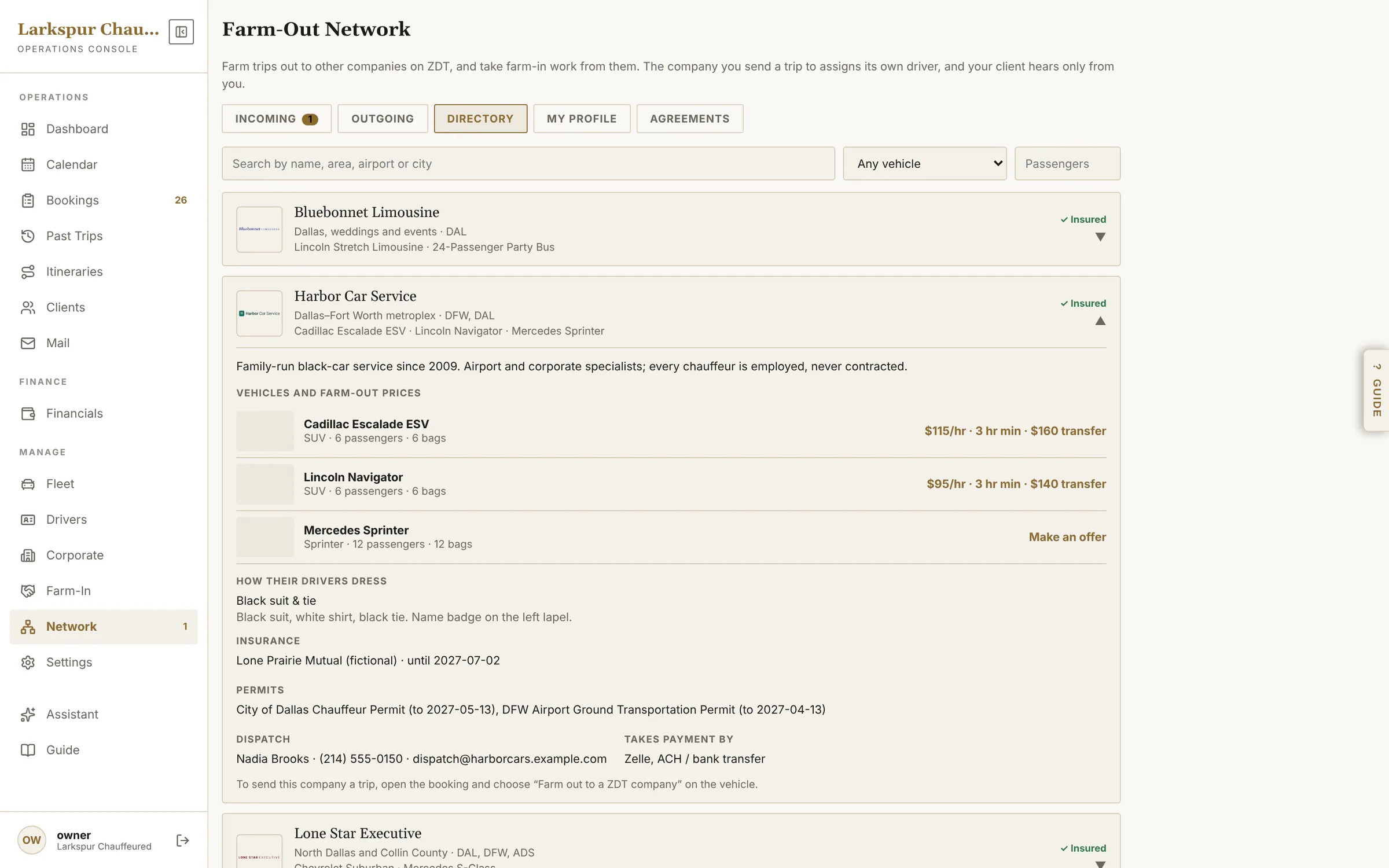 |
| Your network profile | What other operators see: your area, airports, cars and farm-in prices, chauffeurs, dress code and insurance. | Rolling out | 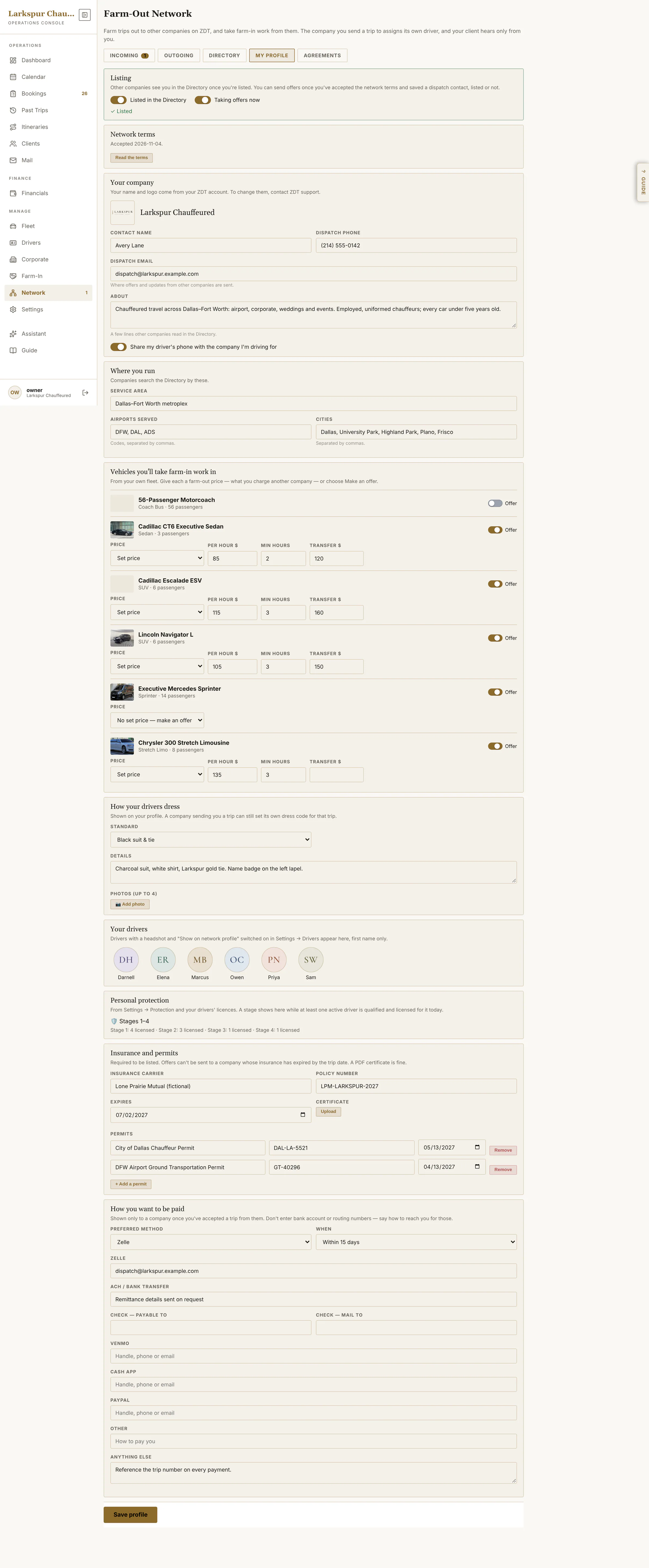 |
| Farm-out agreements | Your own agreement for partners, from ZDT's template: edit, reorder, preview — and see who has signed which version. | Rolling out | 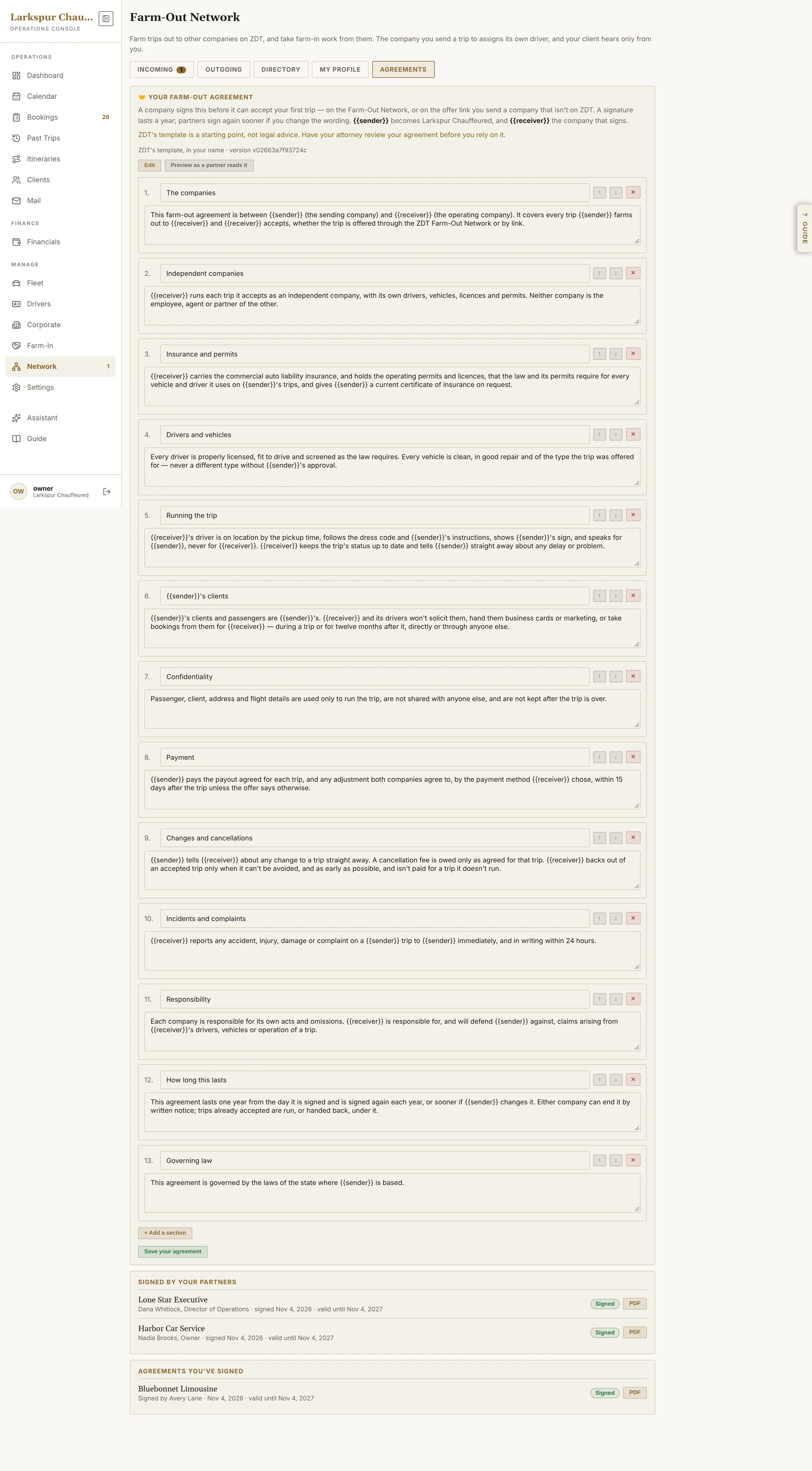 |
| Offers on your dashboard | Network offers join the attention queue: review the offer, answer a counter, find another driver. | Rolling out | 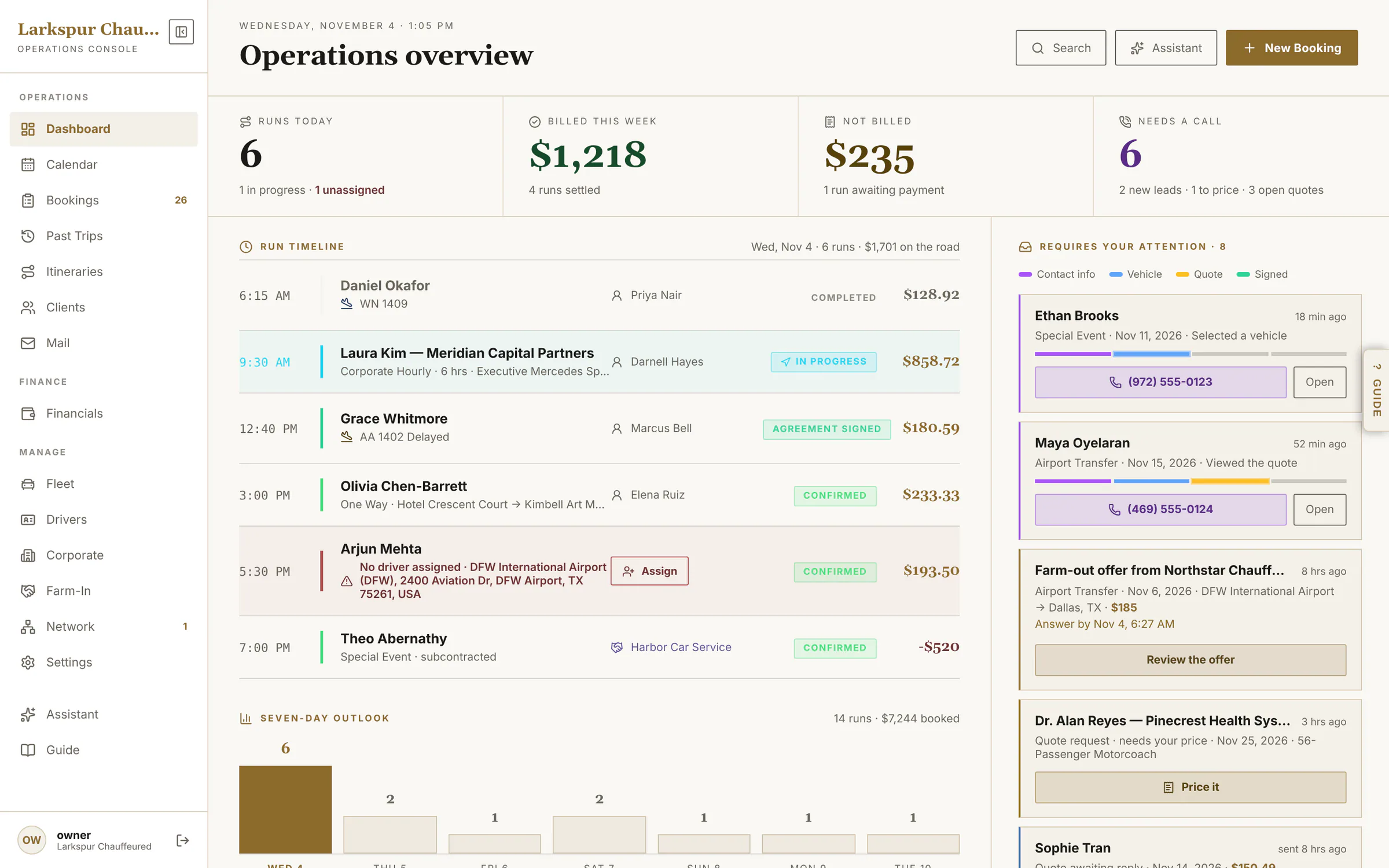 |
| The other side: farm-in work | Harbor Car Service sees the trip it accepted from Larkspur, with the payout and the trip's status. | Rolling out | 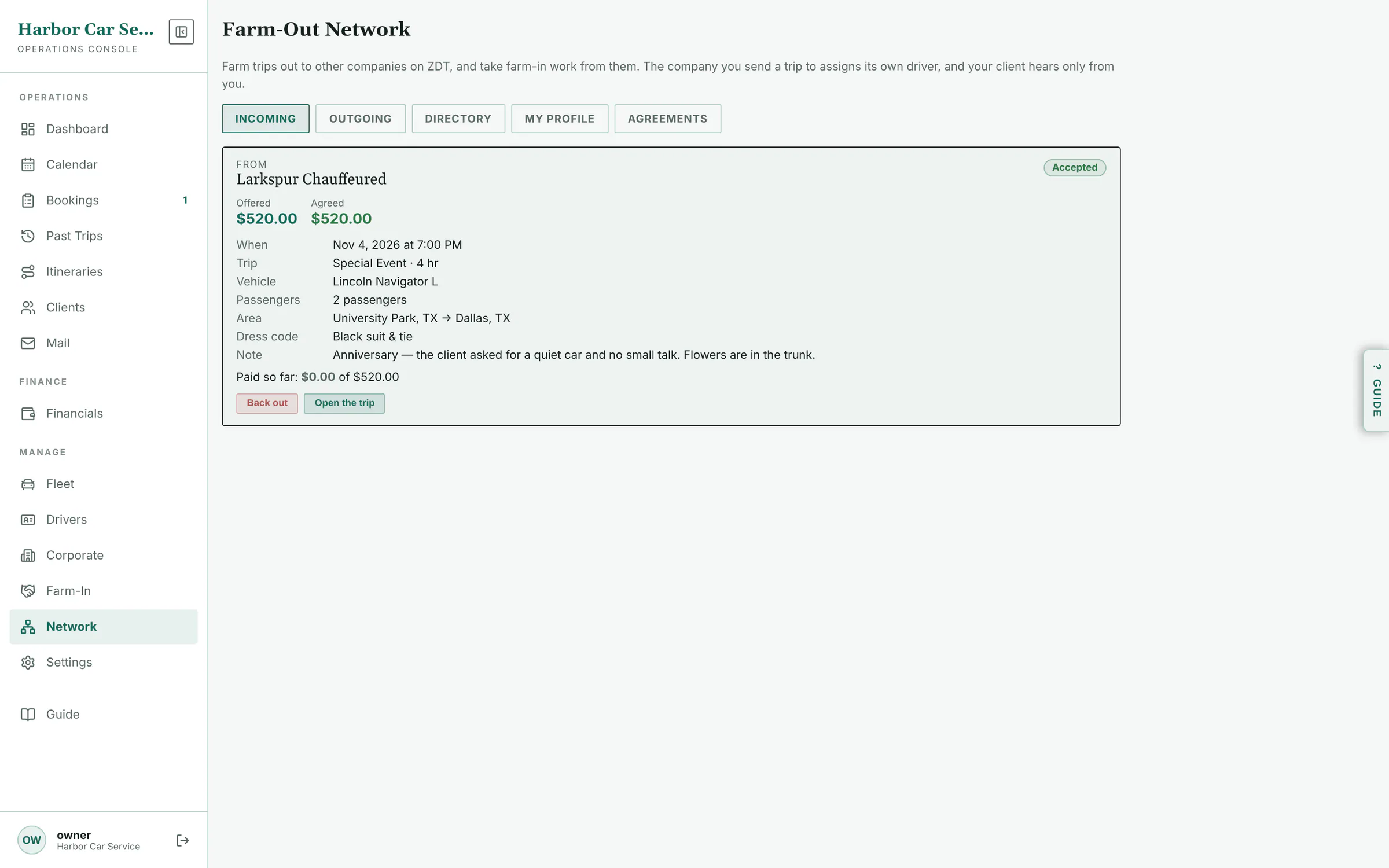 |
AI & the Guide
| Function | What it does | Status | Screen |
|---|---|---|---|
| AI Assistant settings | Name, tone, hours, guardrails, FAQs, the chat snippet for your website, and this month's usage. | Add-on | 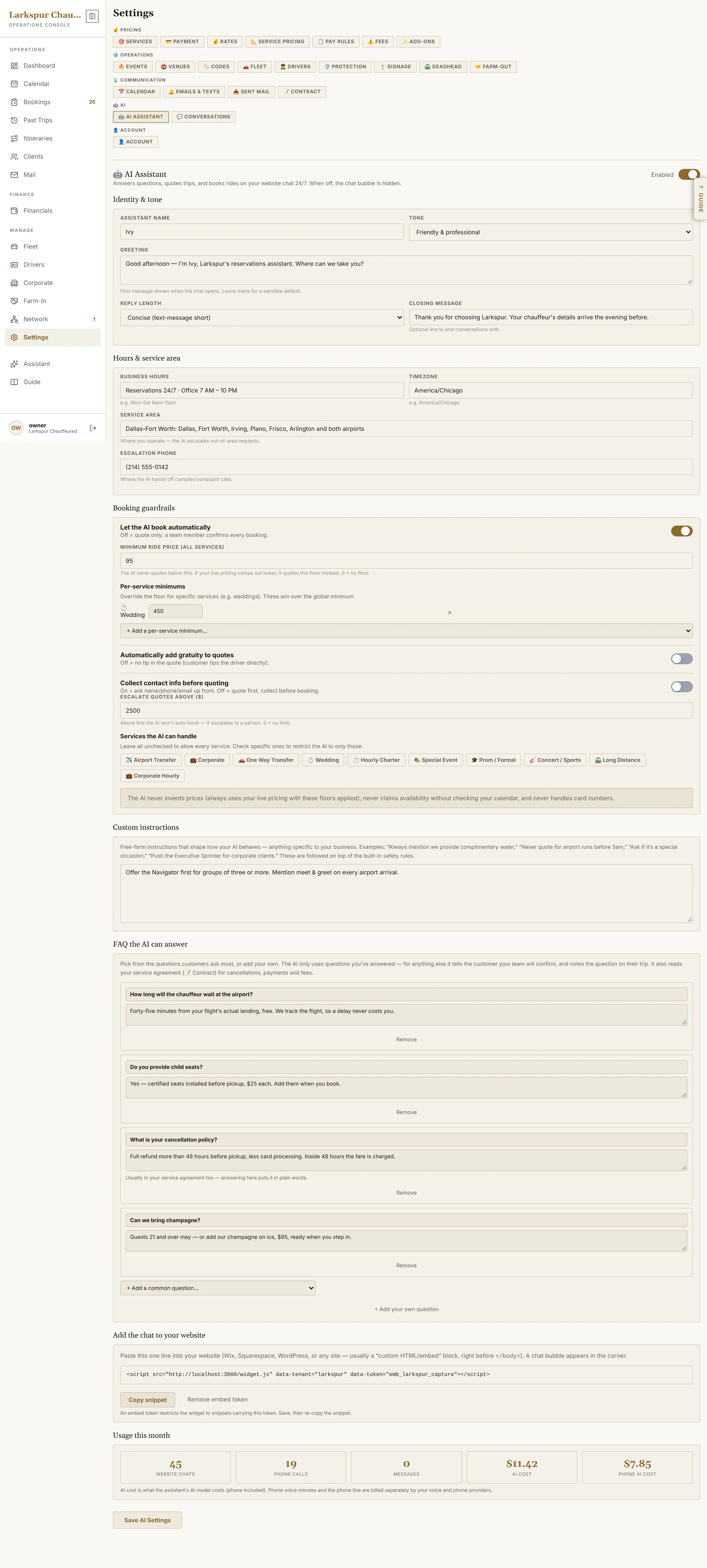 |
| AI conversations | Every chat and phone call the assistant handled: booked, escalated or answered. | Add-on | 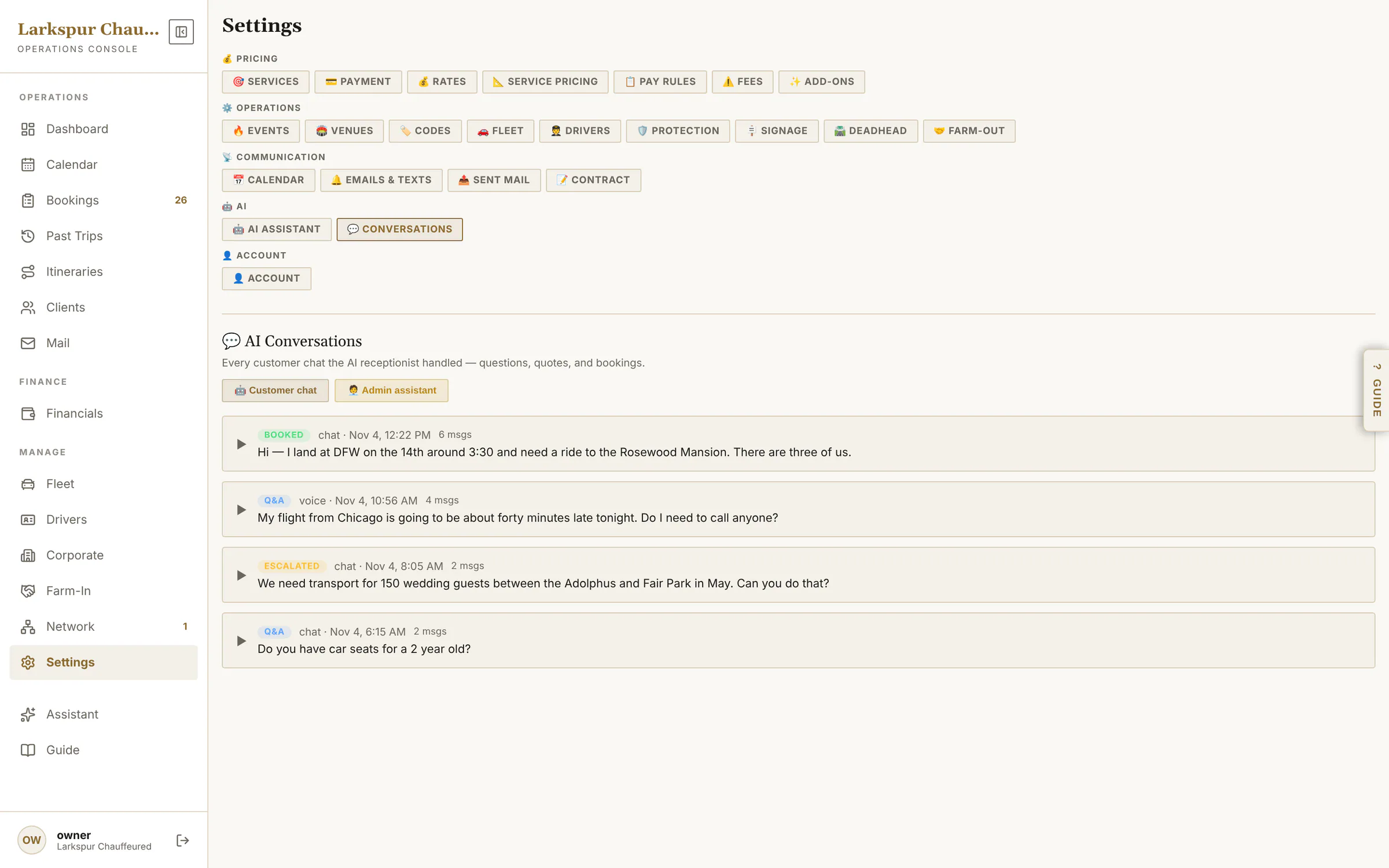 |
| The admin copilot | Ask in plain English. It reads your bookings and proposes the change — nothing happens until you press Confirm. | Add-on | 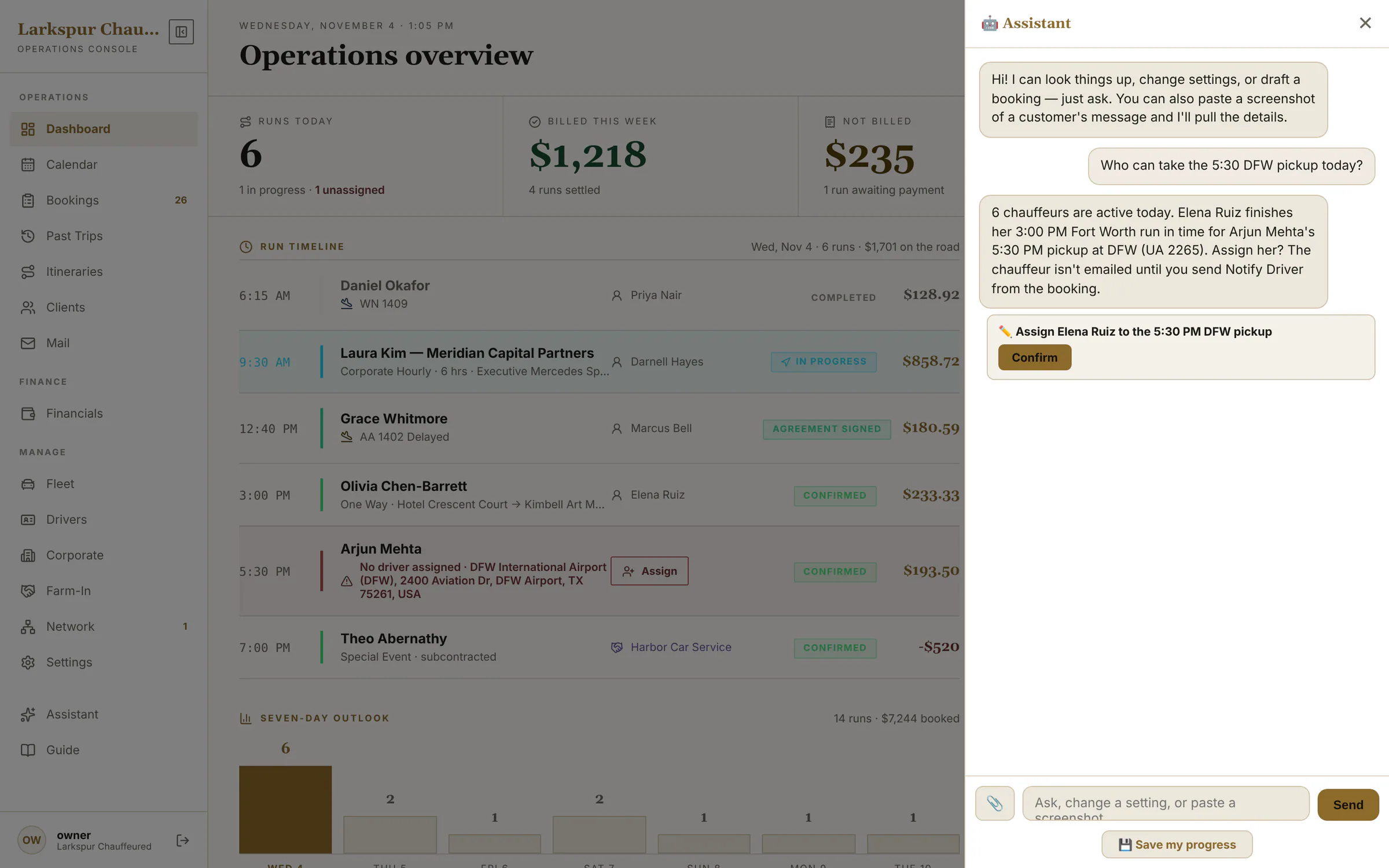 |
| The Guide, beside every screen | A manual that follows you: open it on any screen and it explains that screen's every setting. | Live | 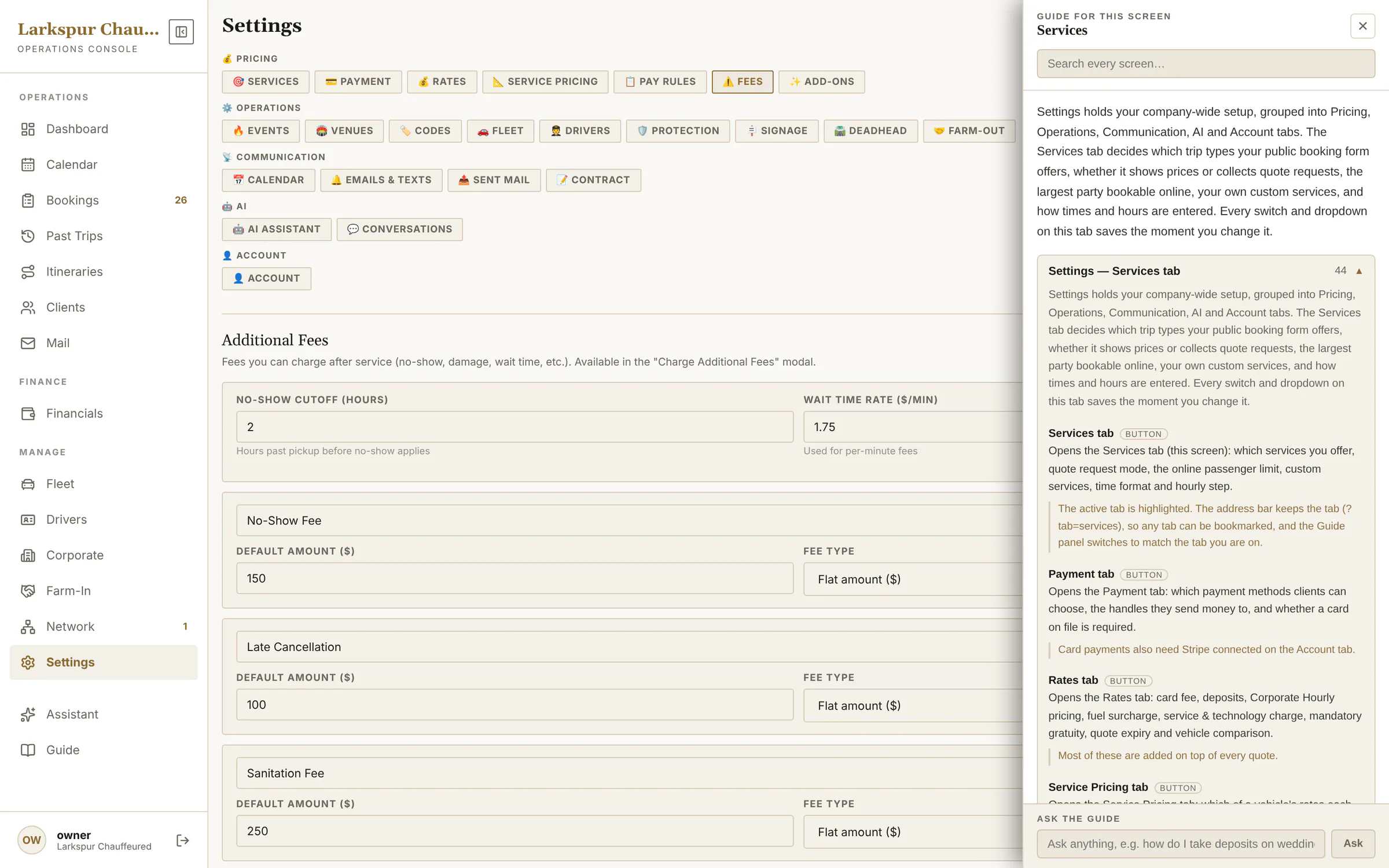 |
| Search the whole manual | Search every screen's help at once — instant, no AI needed. | Live | 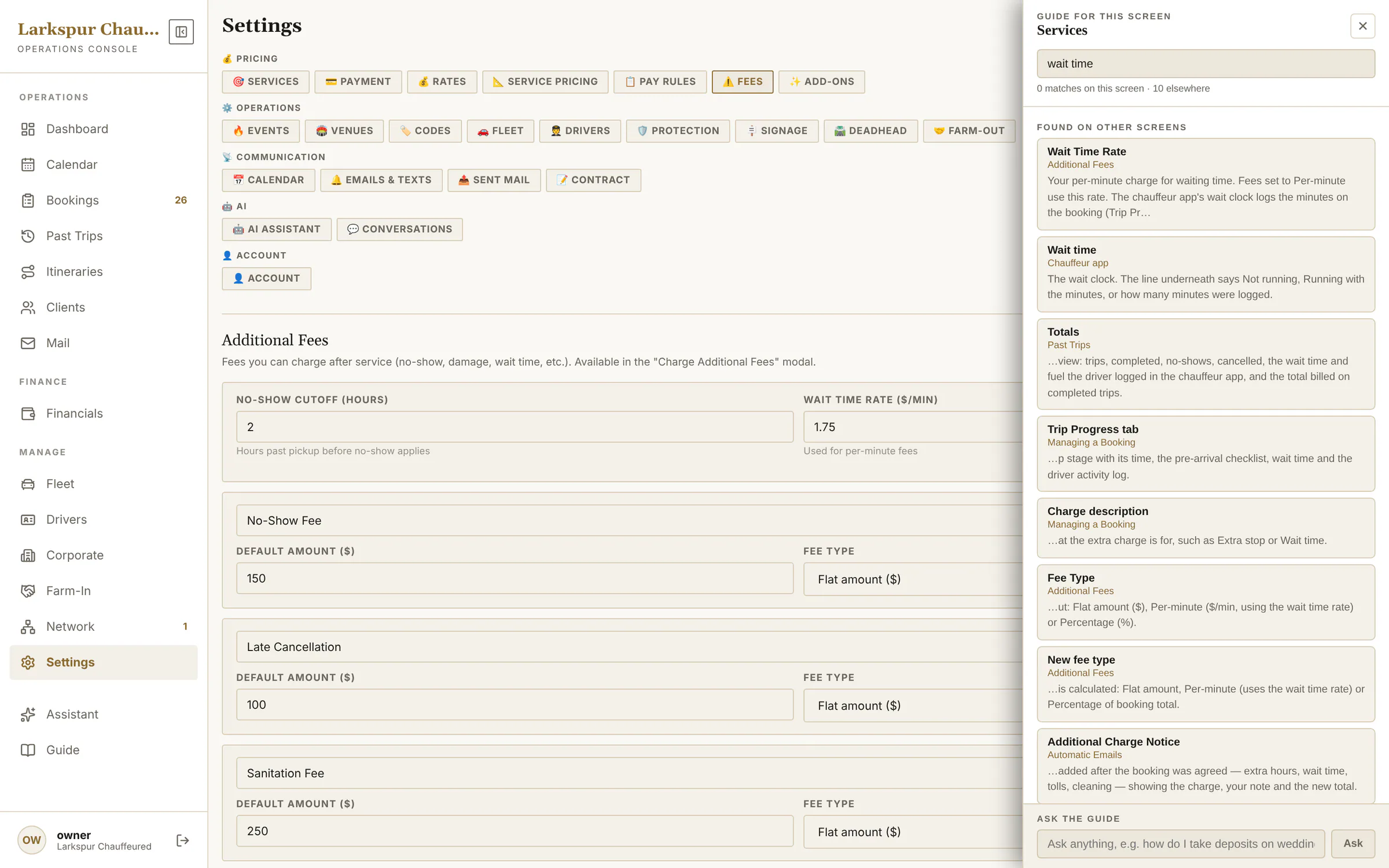 |
| Ask the Guide | Ask a how-to question; the answer is written from the Guide itself and links to the screens it used. | Live | 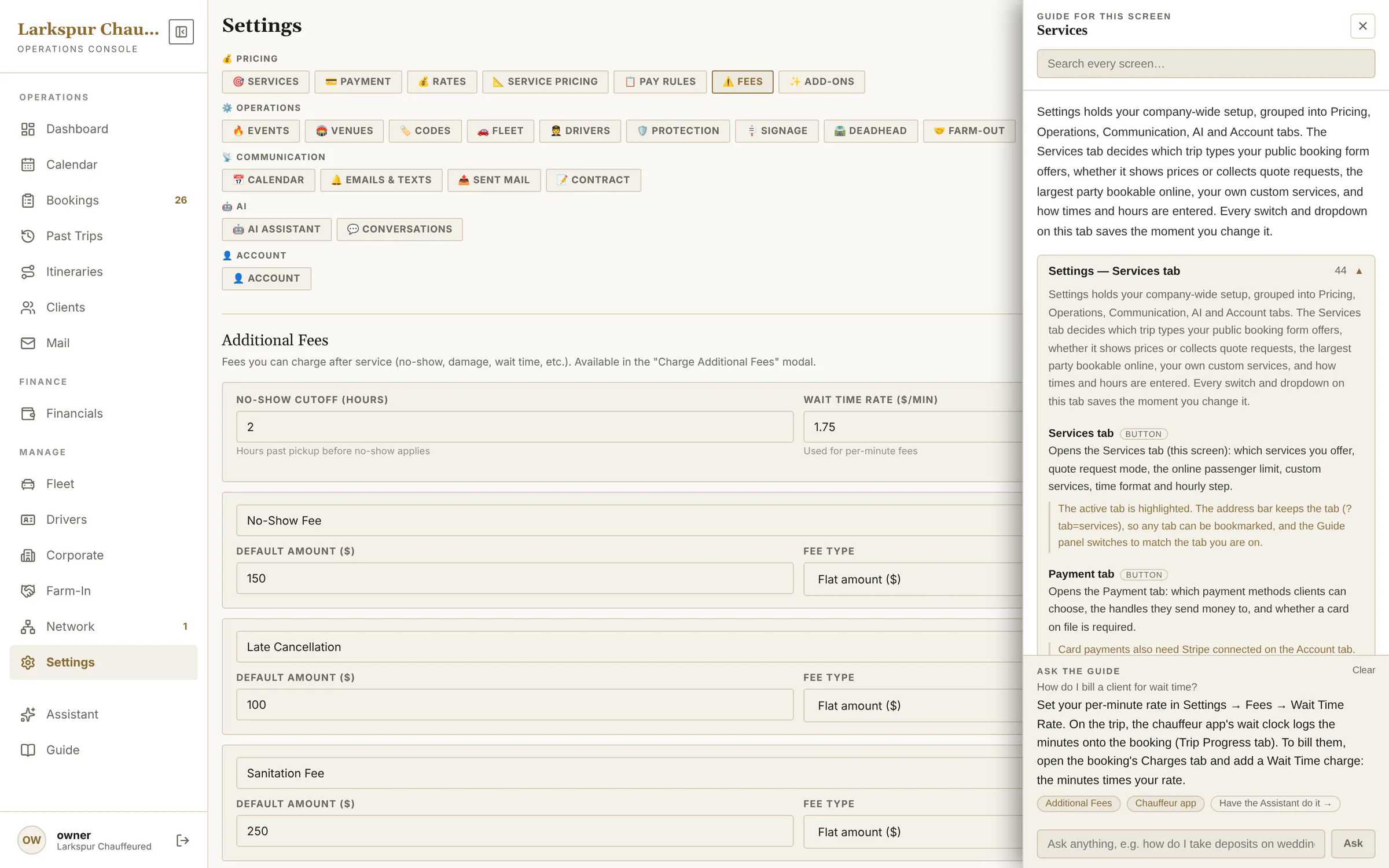 |
| The AI concierge on your website | A chat that quotes real prices from your own rates — every number comes from the same engine as your booking page. | Add-on | 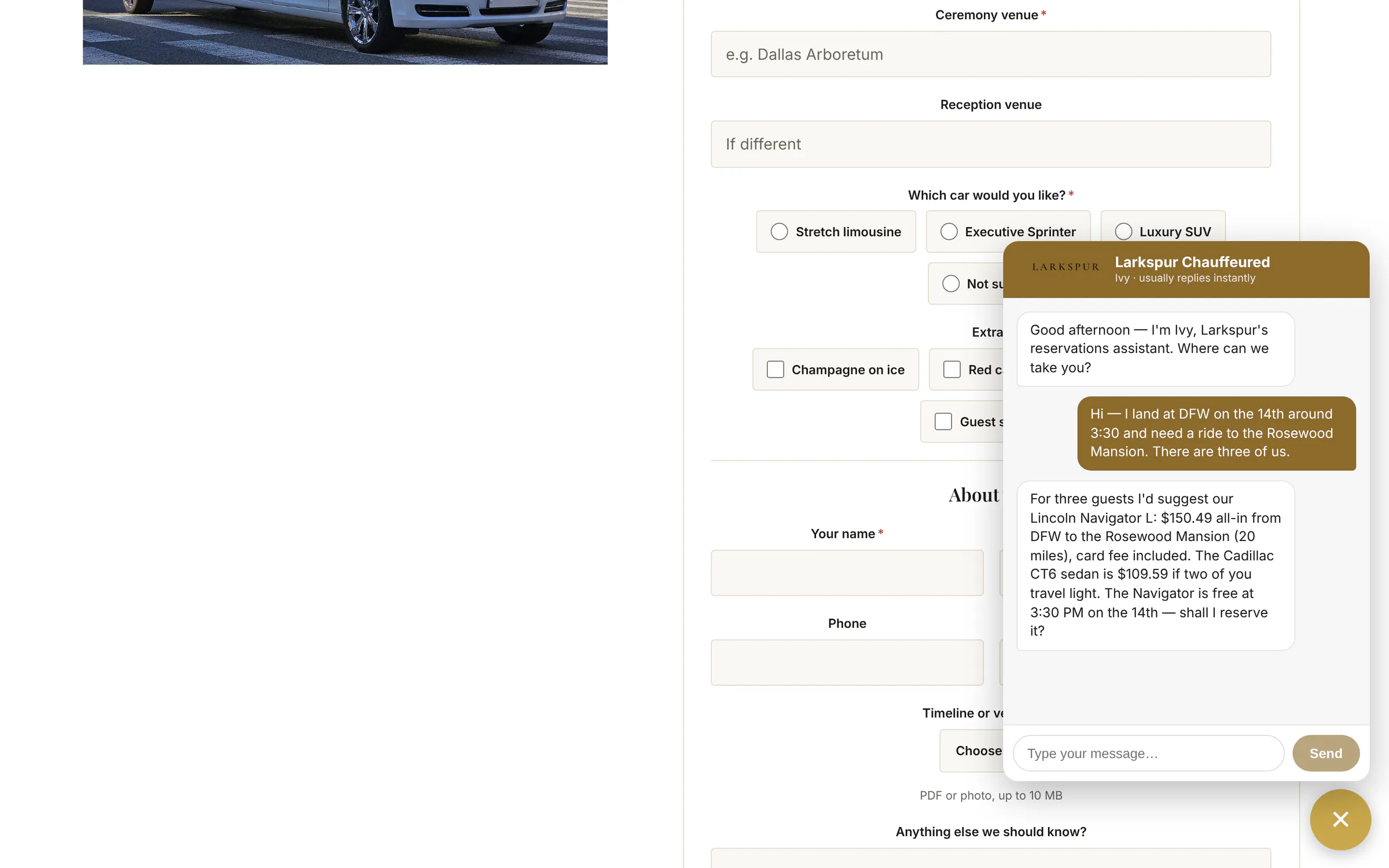 |
Doorstep Mail
| Function | What it does | Status | Screen |
|---|---|---|---|
| Doorstep Mail dashboard | Subscribers, the latest campaign's opens and clicks, and — linked to ZDT — your booking clients already on the list. | Add-on | 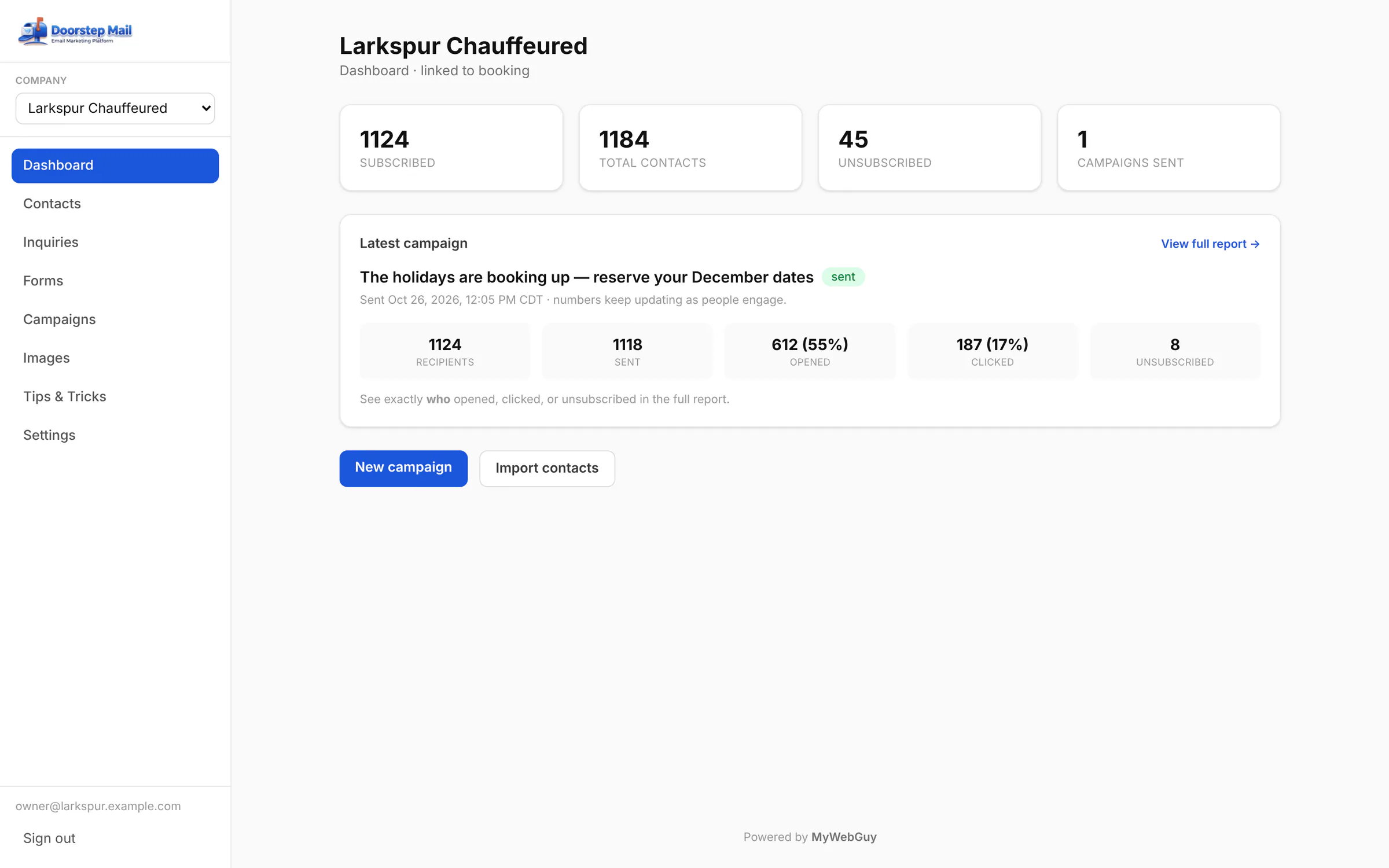 |
| Contacts and groups | Every contact with their source — synced from ZDT bookings, imported, or signed up — in groups like VIP and Weddings. | Add-on | 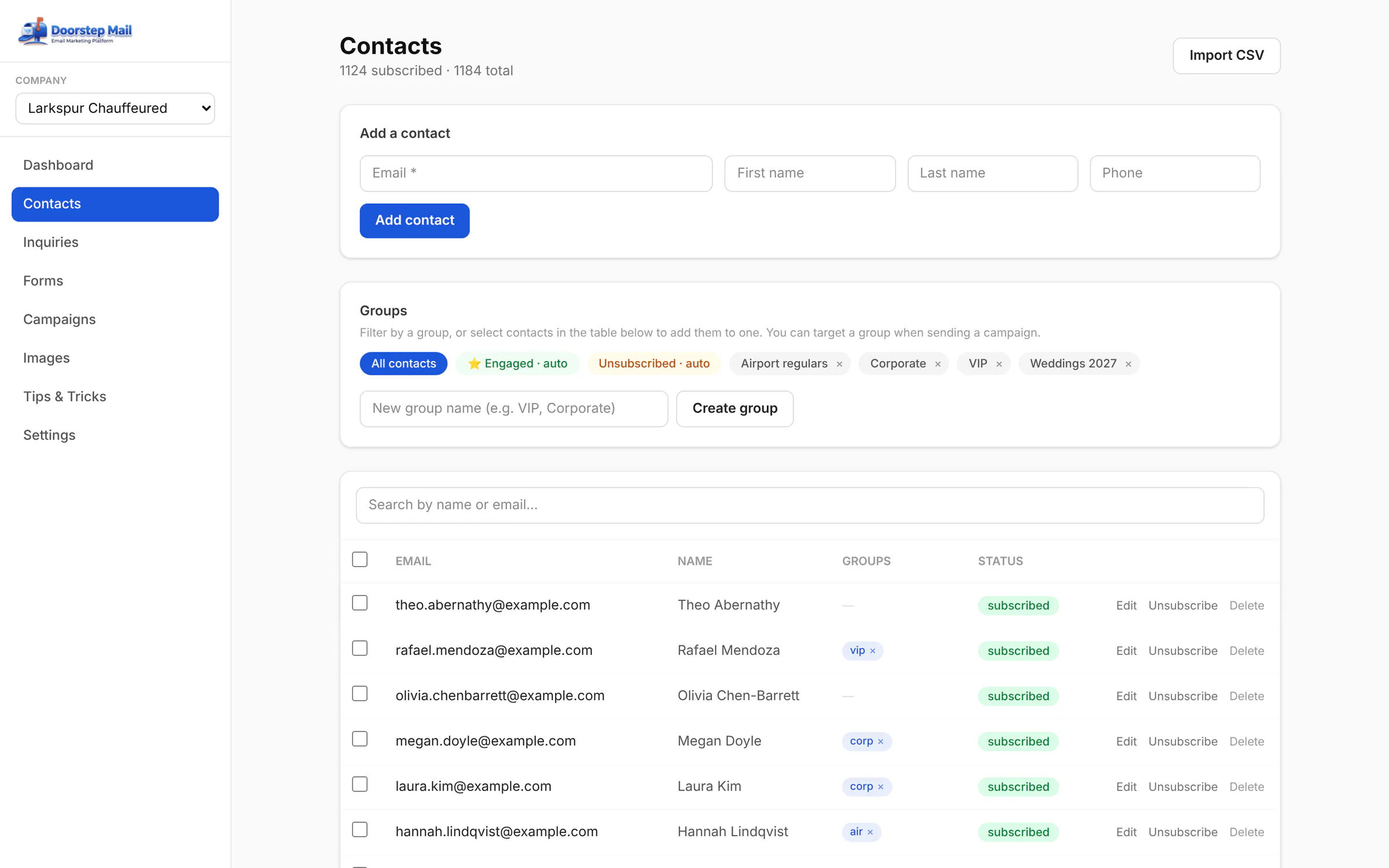 |
| Engaged, automatically | The Engaged group fills itself with everyone who opened or clicked lately — send your best offers there. | Add-on | 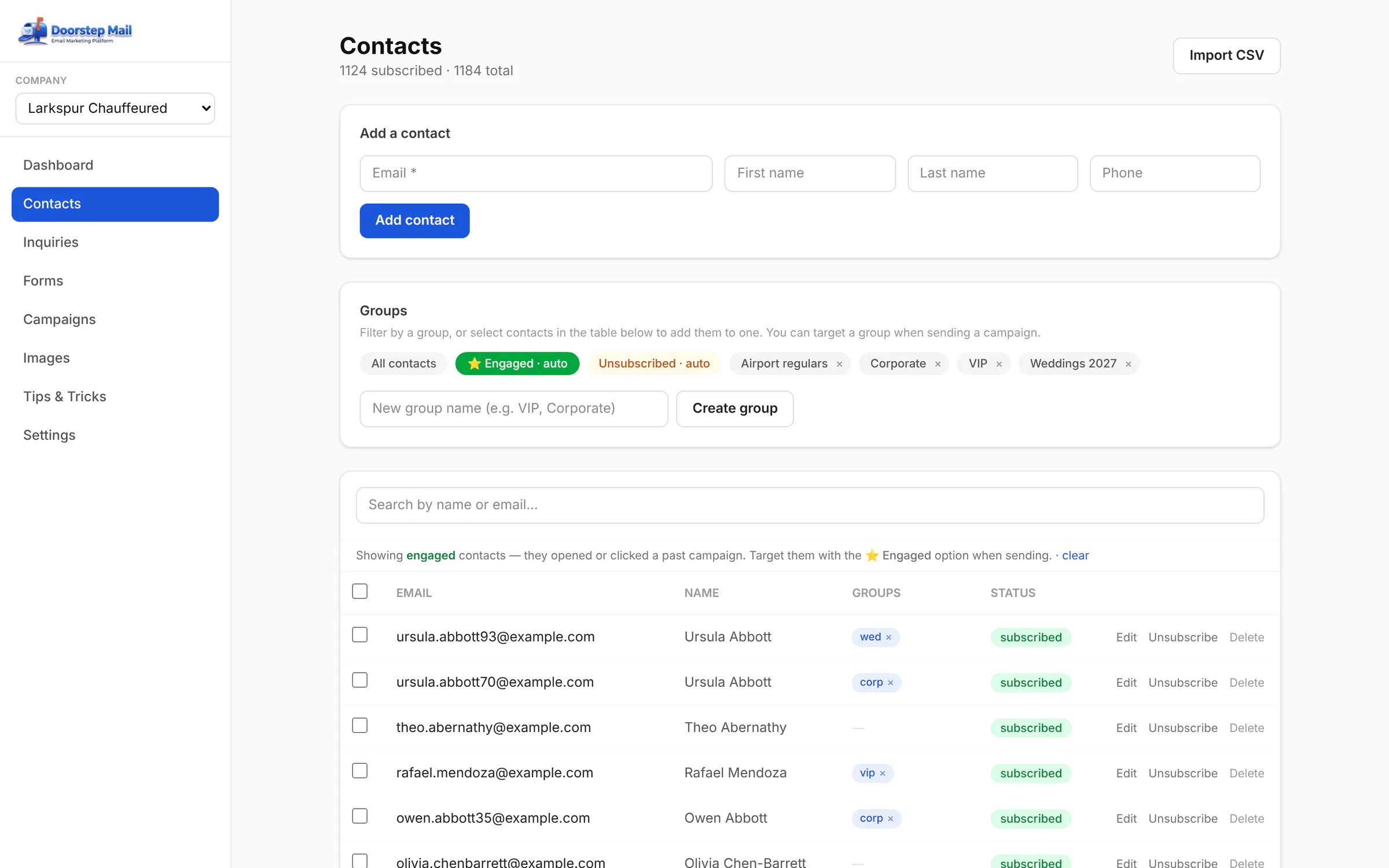 |
| Import a spreadsheet | Drop in a CSV from Google, Outlook or your phone — columns detected, duplicates and unsubscribes skipped. | Add-on | 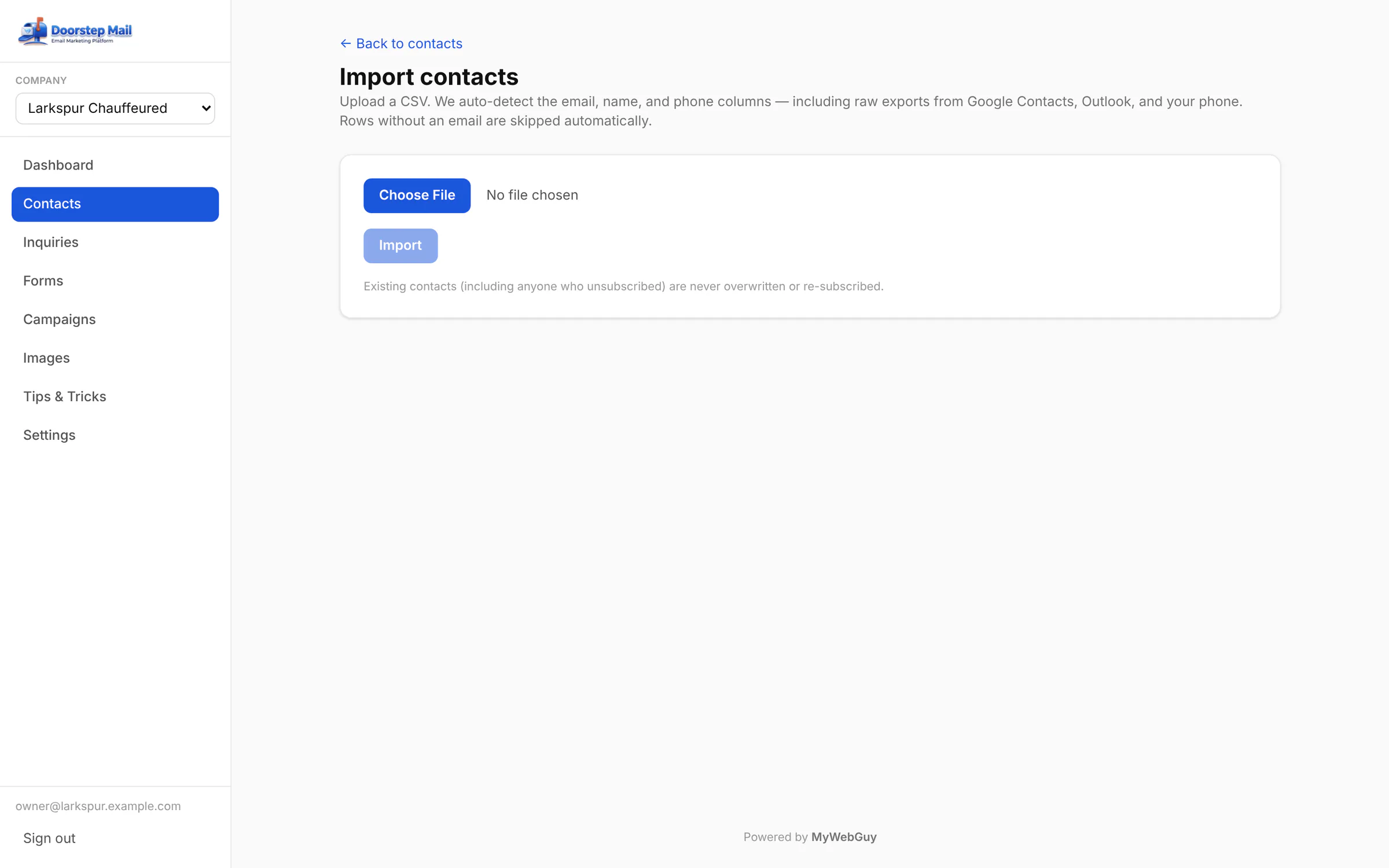 |
| The inquiries inbox | Every lead from your website forms: the answers, any attachments, the page it came from — mark it quoted, won or lost. | Add-on | 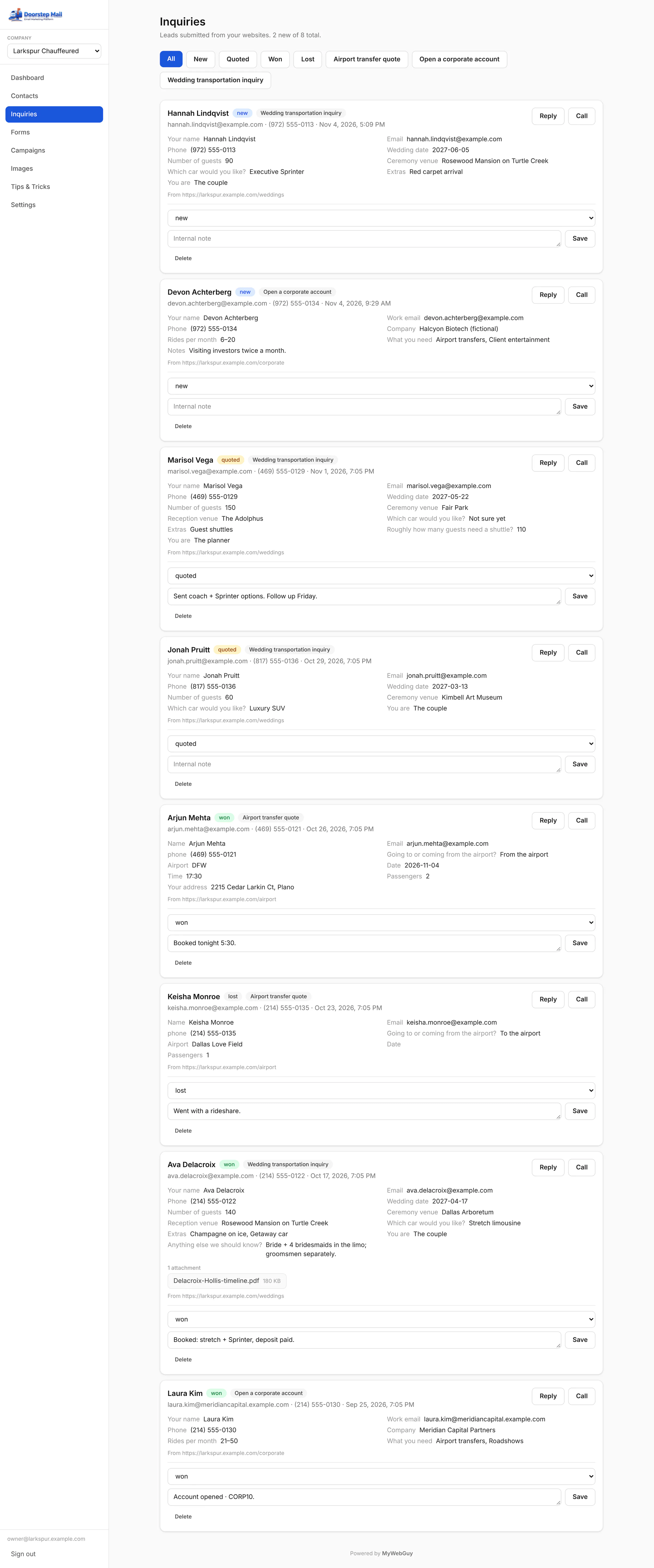 |
| Your forms | Wedding inquiries, corporate accounts, airport quotes — each live or paused, with its embed code. | Add-on | 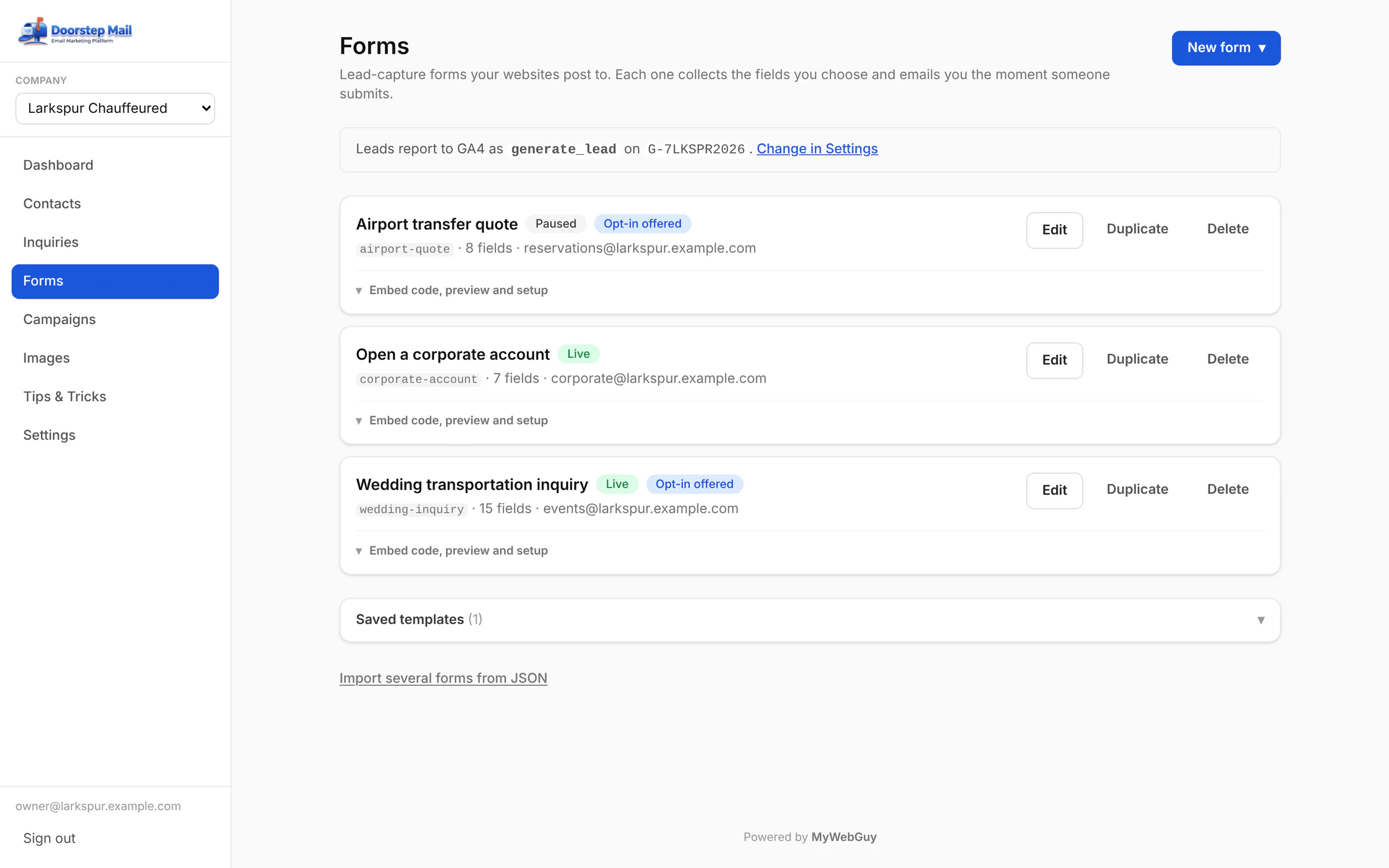 |
| One line on your website | Copy one script tag onto any website; the form draws itself in your colours and reports leads to GA4. | Add-on | 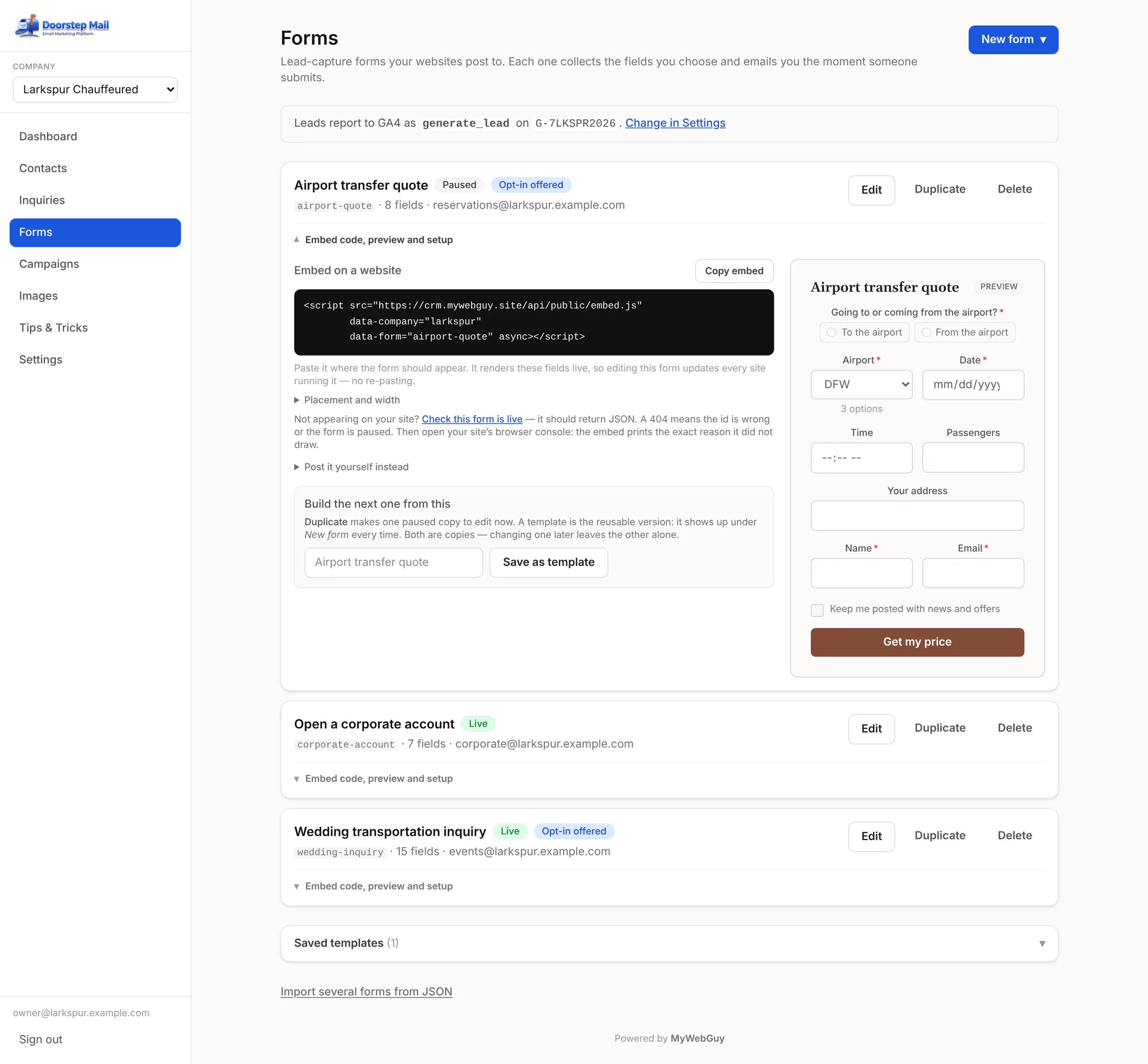 |
| Build a form | Text, dates, choices, yes/no, file uploads and section headings — with show-when logic and a live preview. | Add-on | 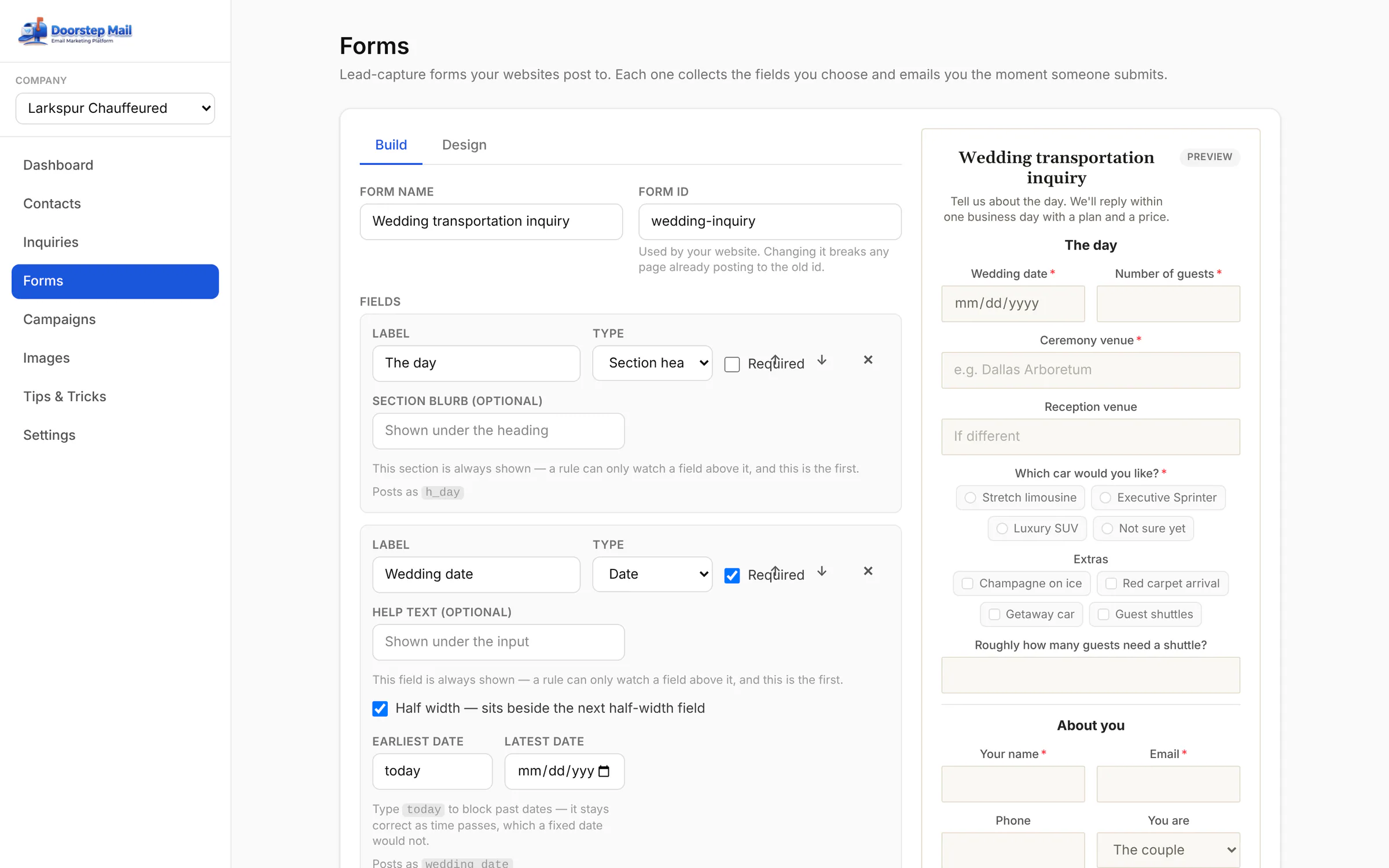 |
| Show-when logic | Ask the follow-up only when it matters: “How many guests need a shuttle?” appears only if they ticked Guest shuttles. | Add-on | 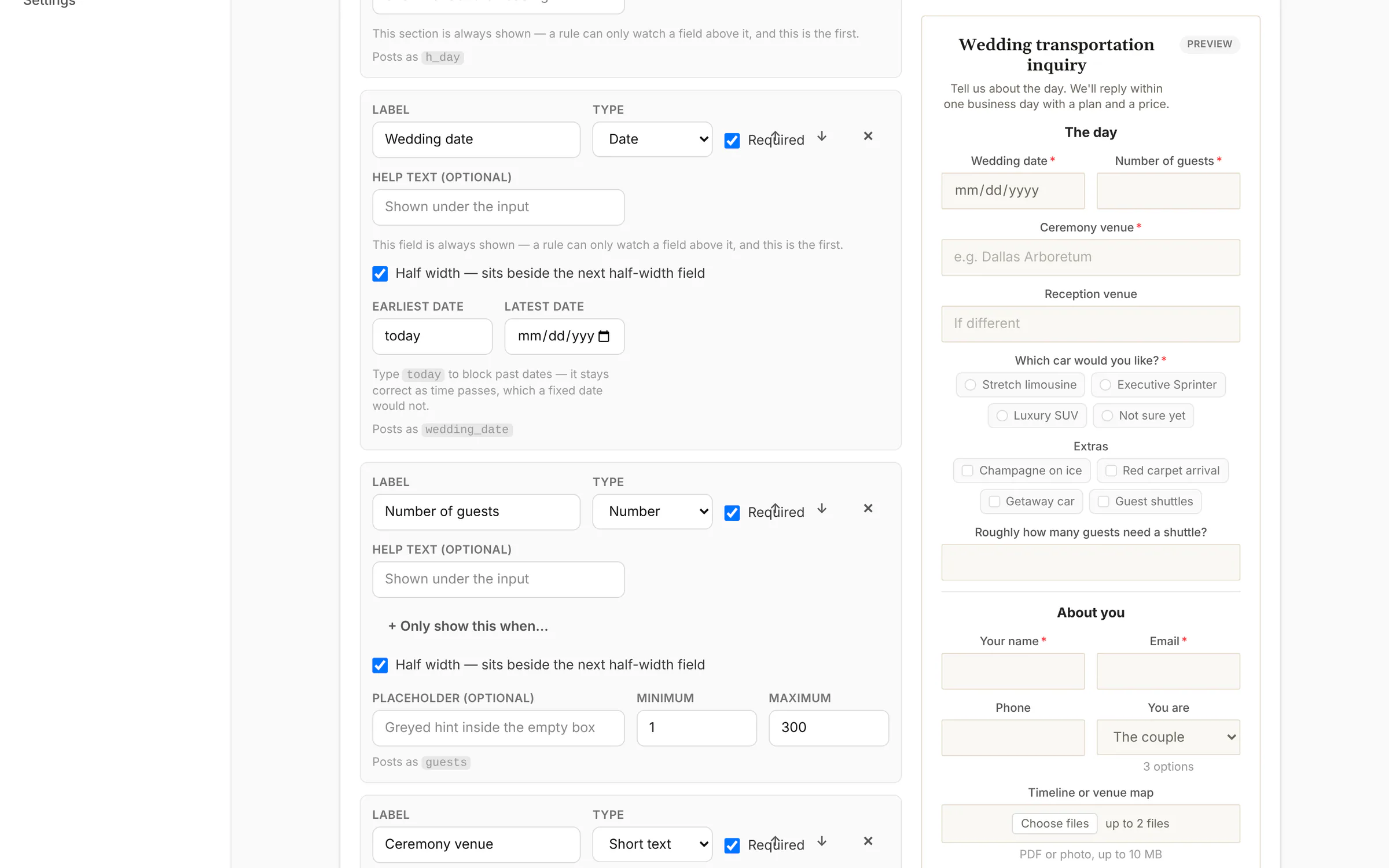 |
| Design to match your site | Presets, your colours, fonts, corners and width — or plain mode that inherits your site's own styles. | Add-on | 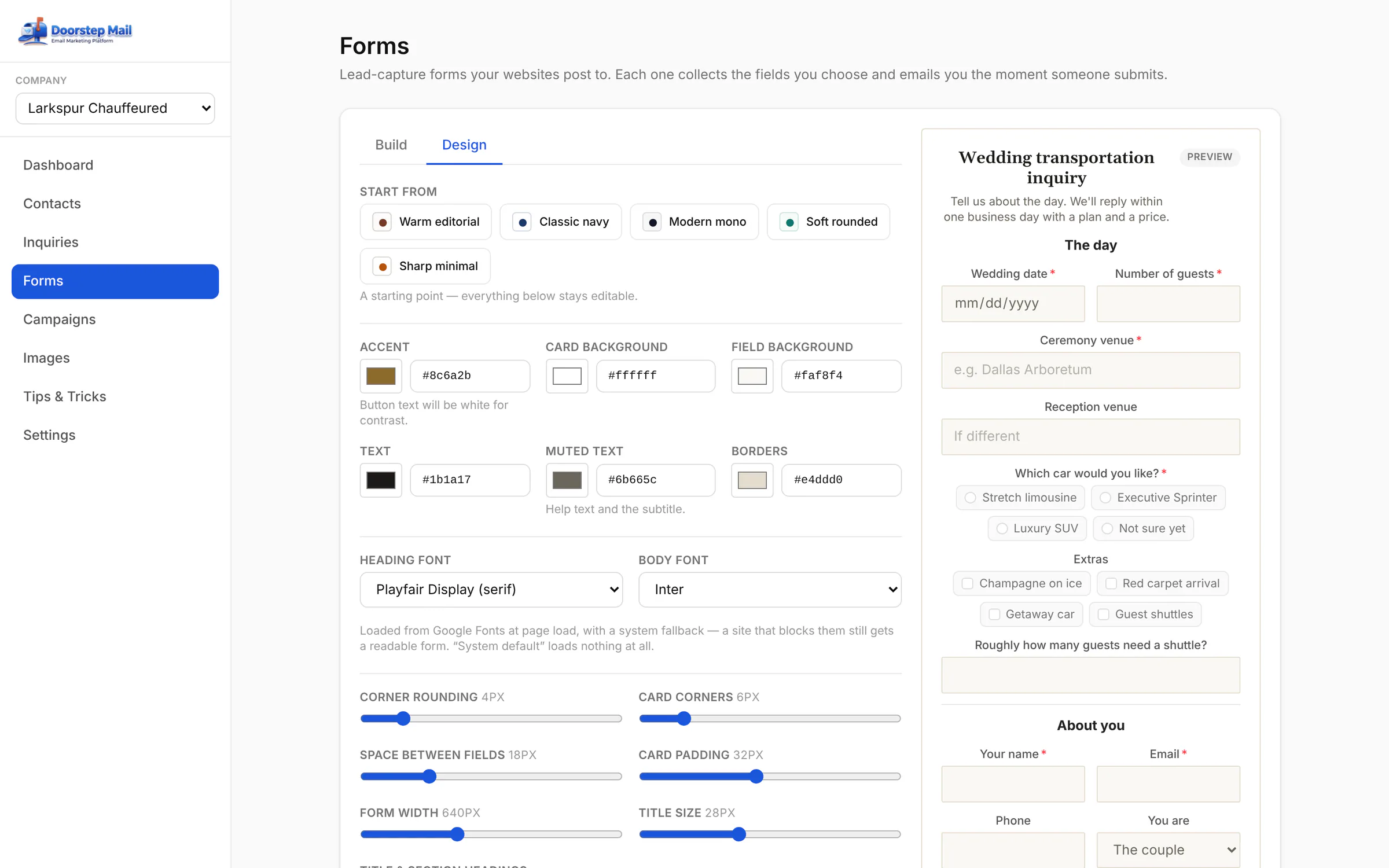 |
| Campaigns | Drafts, scheduled sends, one mid-send and the ones already out — with their numbers. | Add-on | 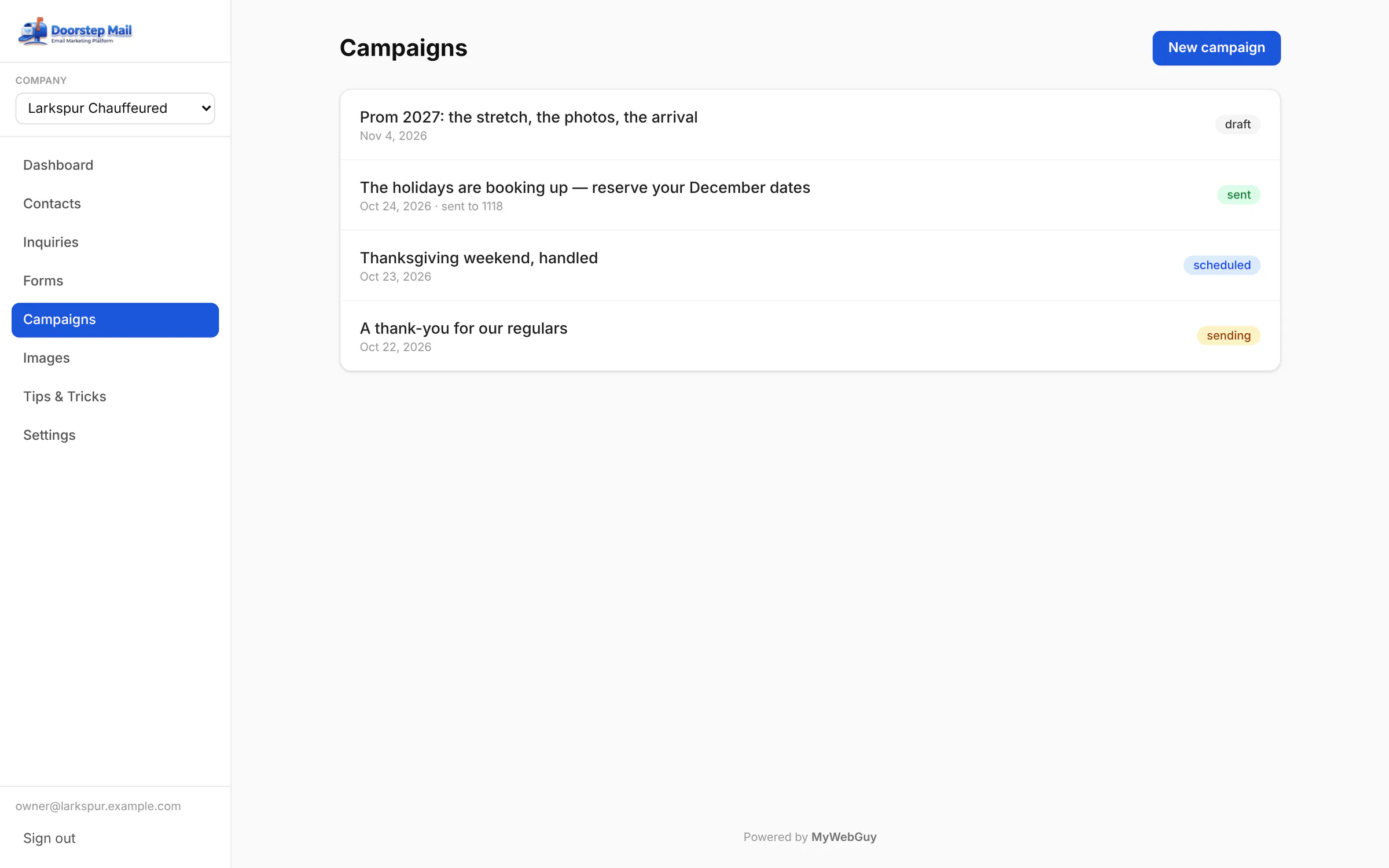 |
| Start from a template | Ten ready-made emails — announcement, promotion, newsletter, review request — with your logo in the header. | Add-on | 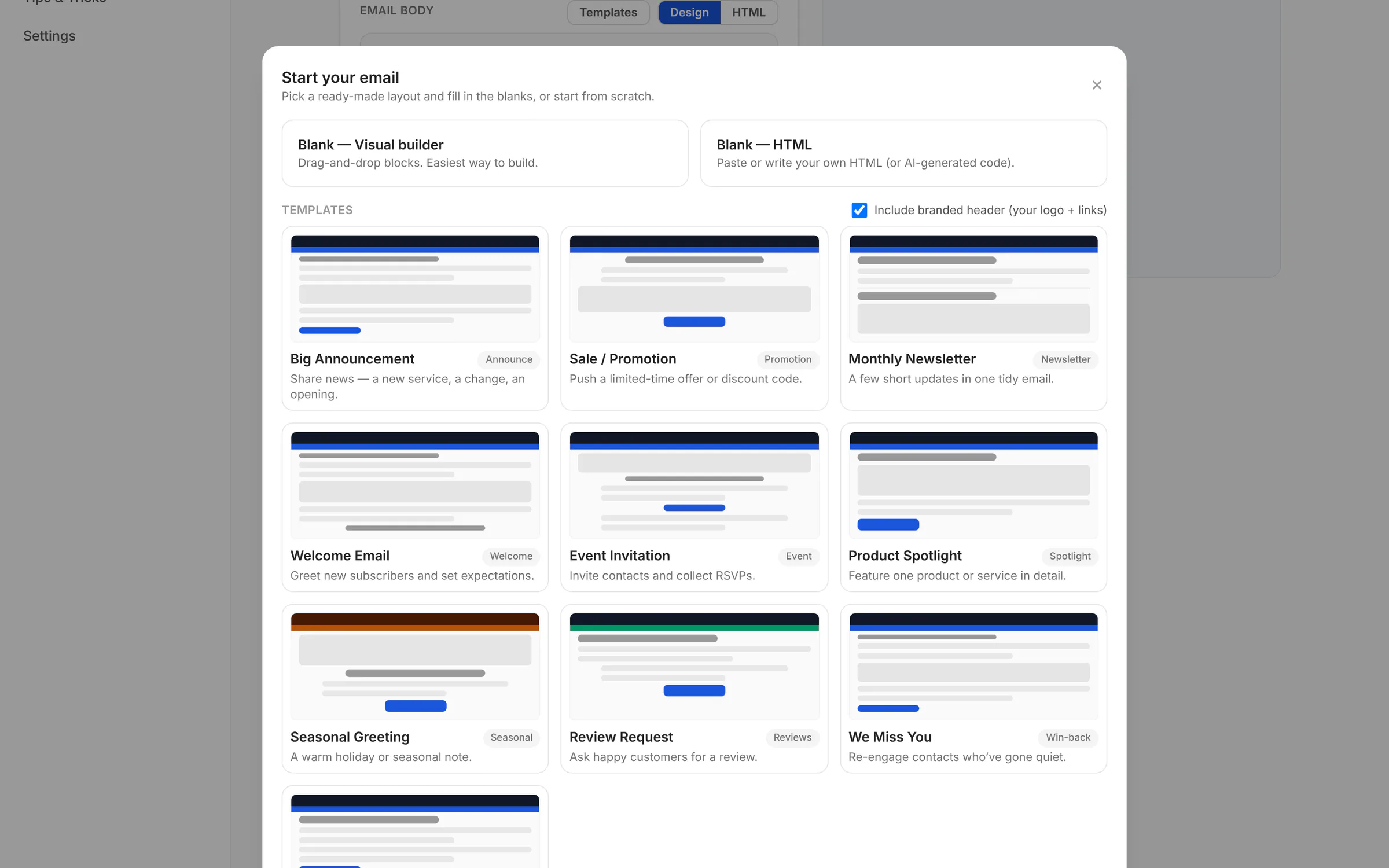 |
| The email builder | Drag-free blocks — heading, text, image, button — beside a live preview of exactly what lands in the inbox. | Add-on | 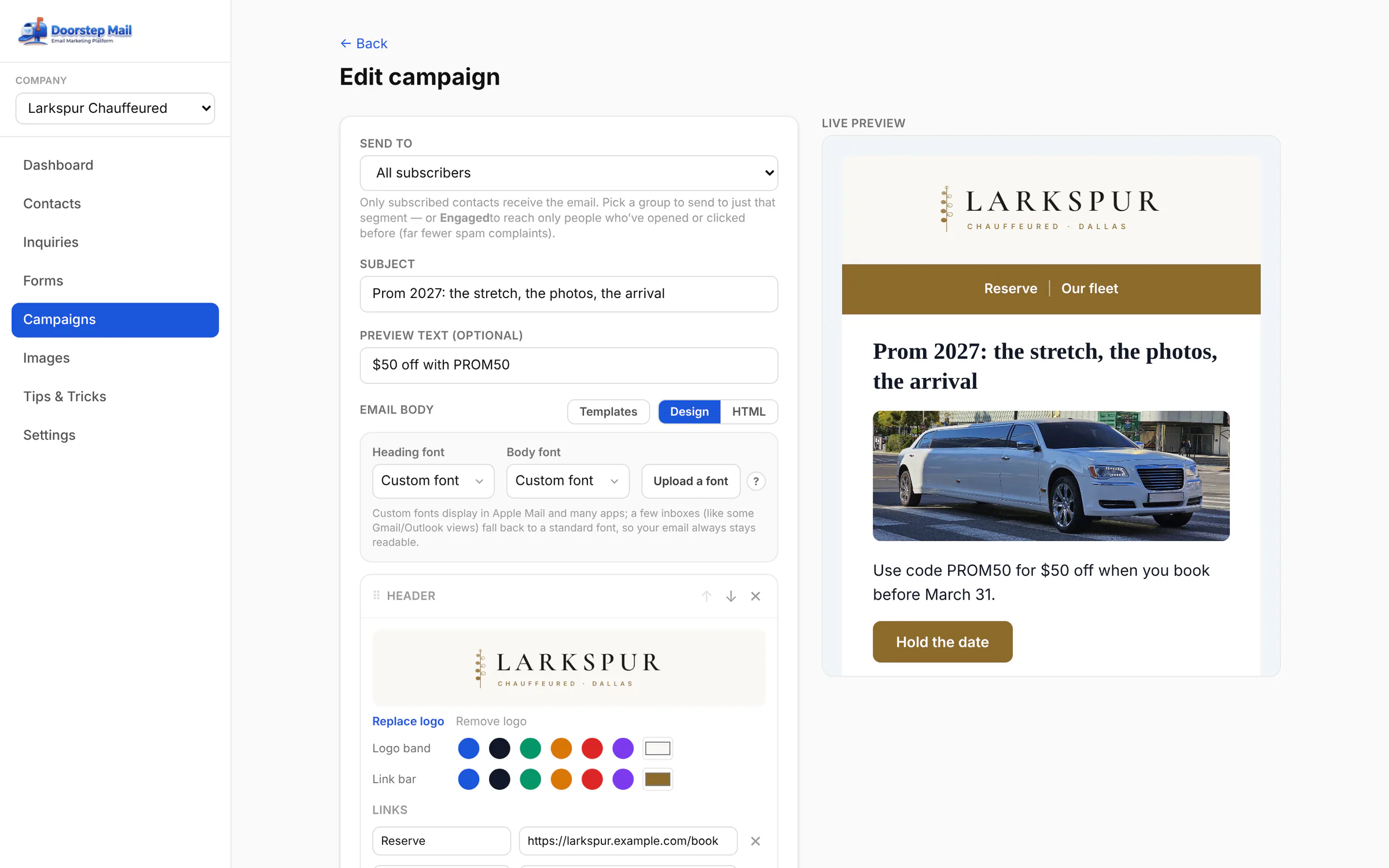 |
| Who opened, who clicked | Per-recipient results — opened, clicked, unsubscribed, bounced — with security-scanner clicks filtered out. | Add-on |  |
| Sending, safely | A queued send with a progress bar; if a send is interrupted it resumes without double-sending. | Add-on | 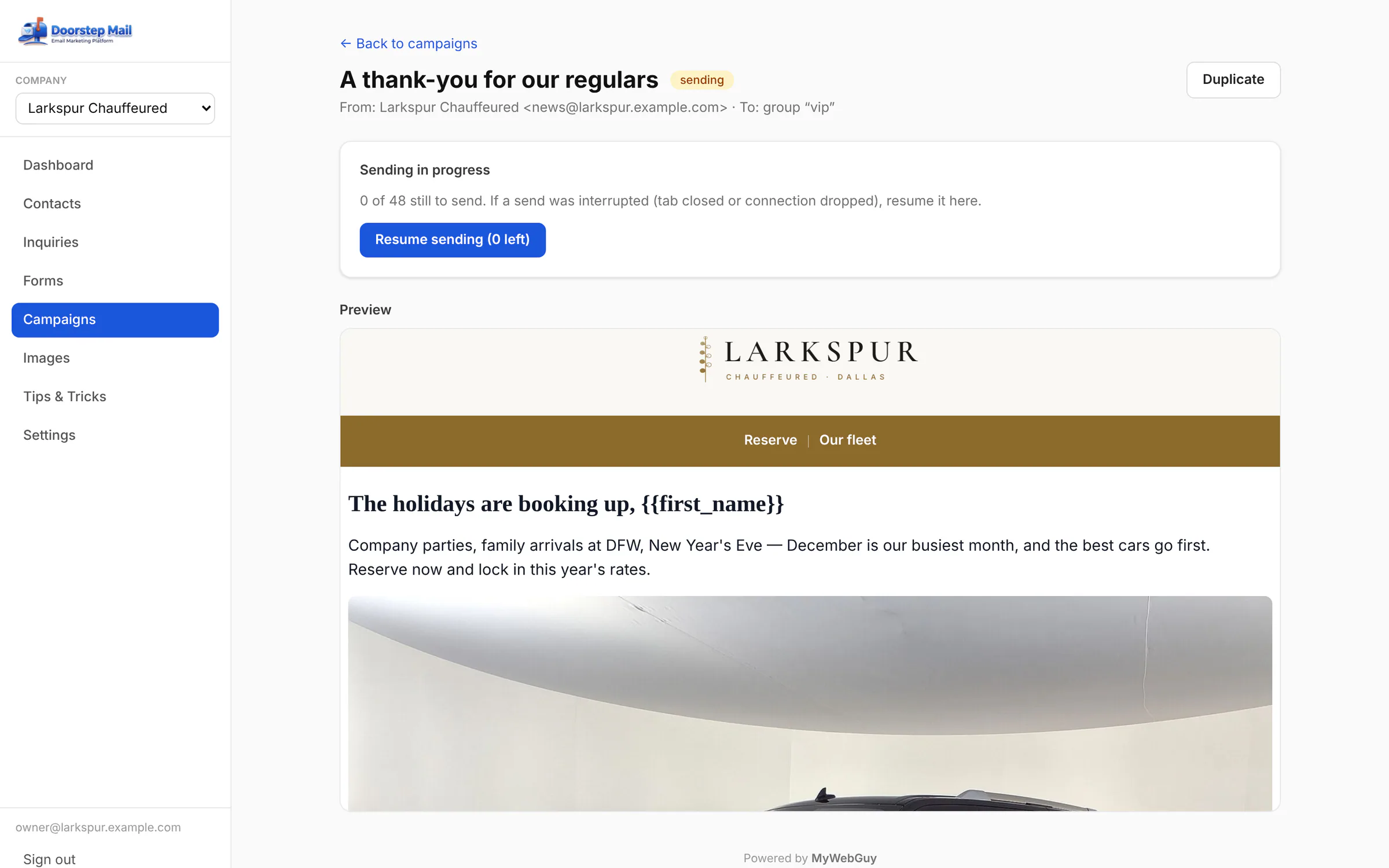 |
| Schedule it | Write it today, send it Friday at 10 — in your own timezone. | Add-on | 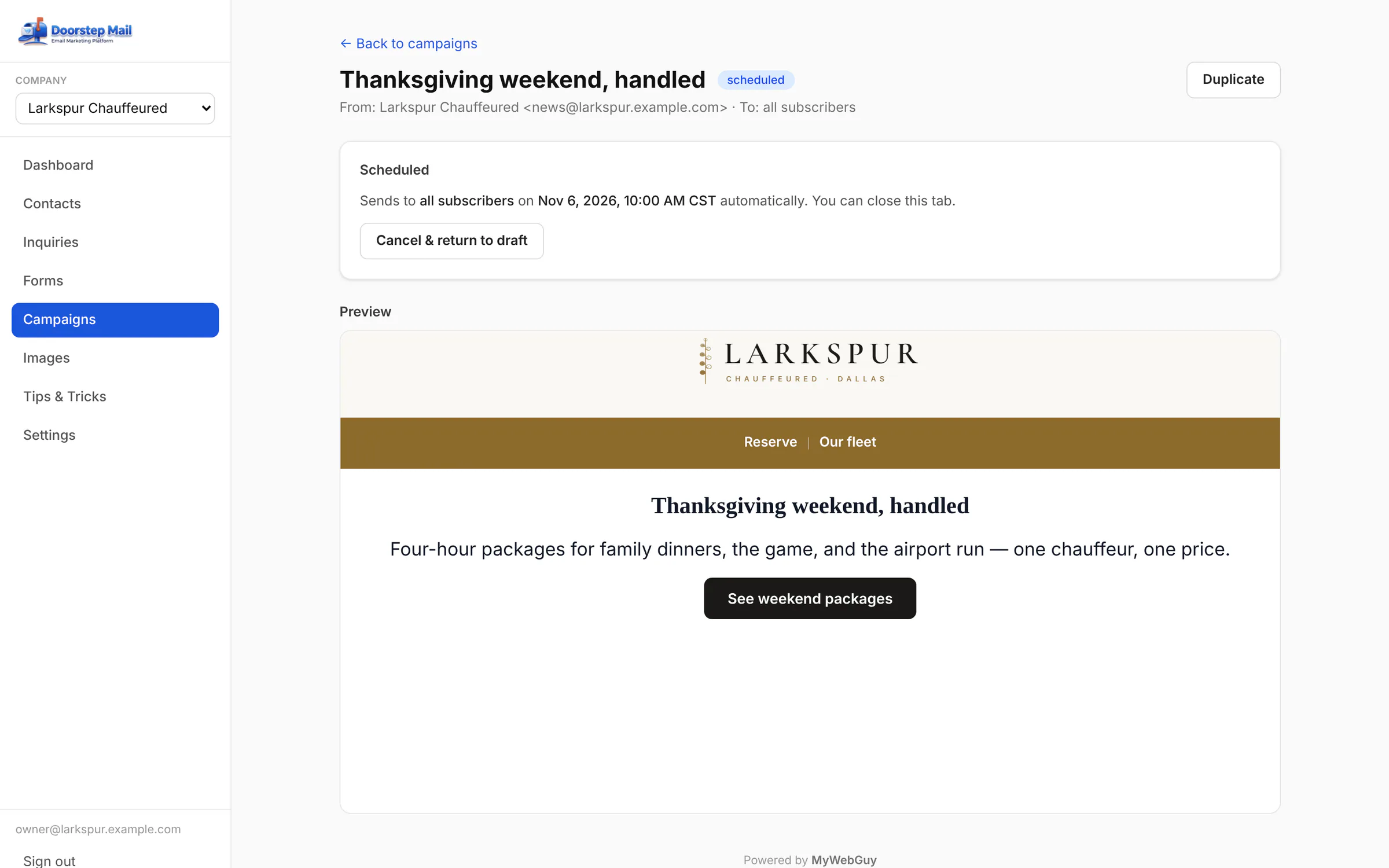 |
| Image library | Your fleet photos and logo, ready to drop into any email. | Add-on | 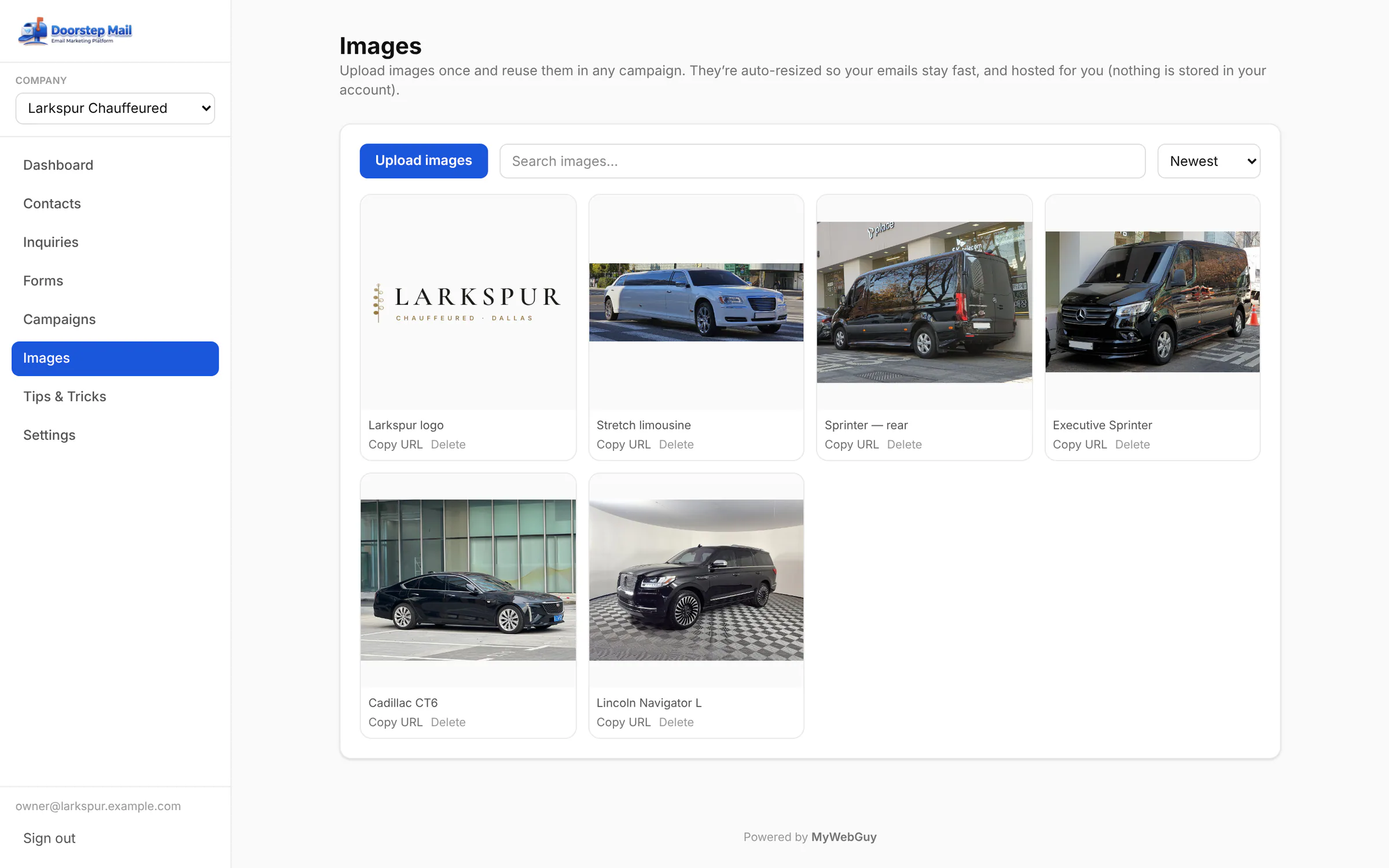 |
| Linked to ZDT Booking | Connect your ZDT company and sync your booking clients into Doorstep Mail with one click. | Add-on | 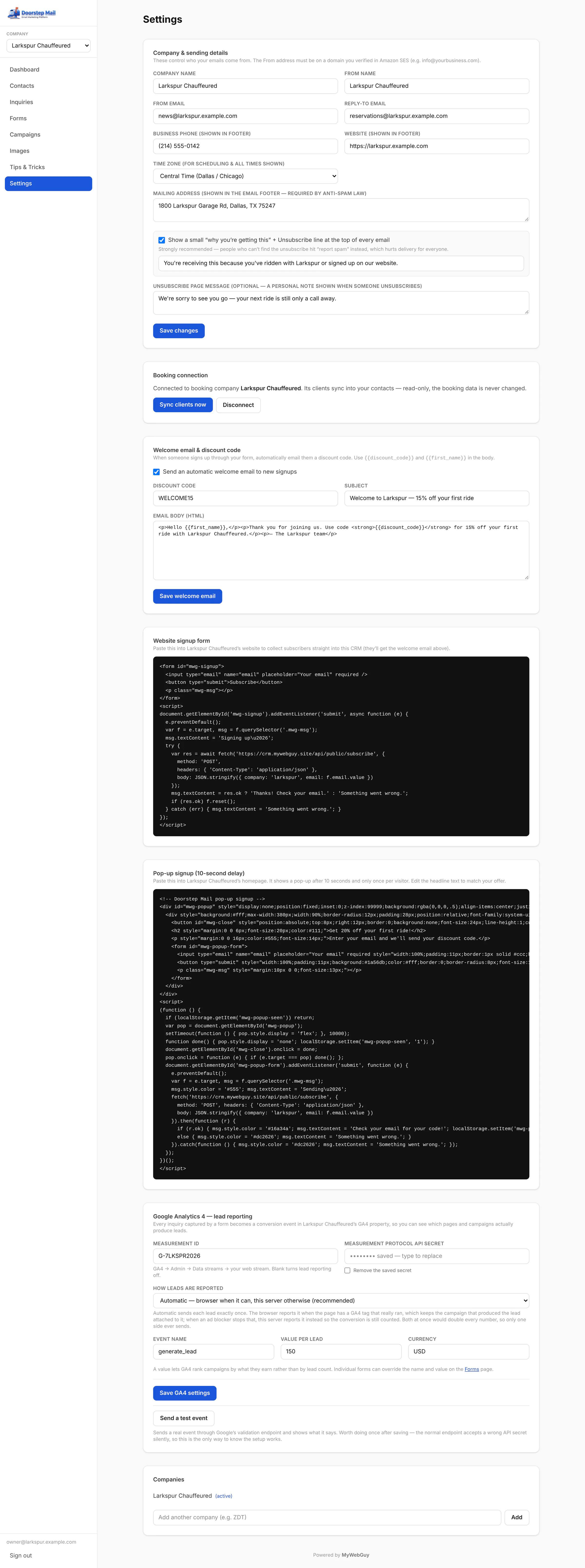 |
| Welcome email and code | New subscribers get a welcome email with your discount code — WELCOME15 here, the same code your booking page accepts. | Add-on | 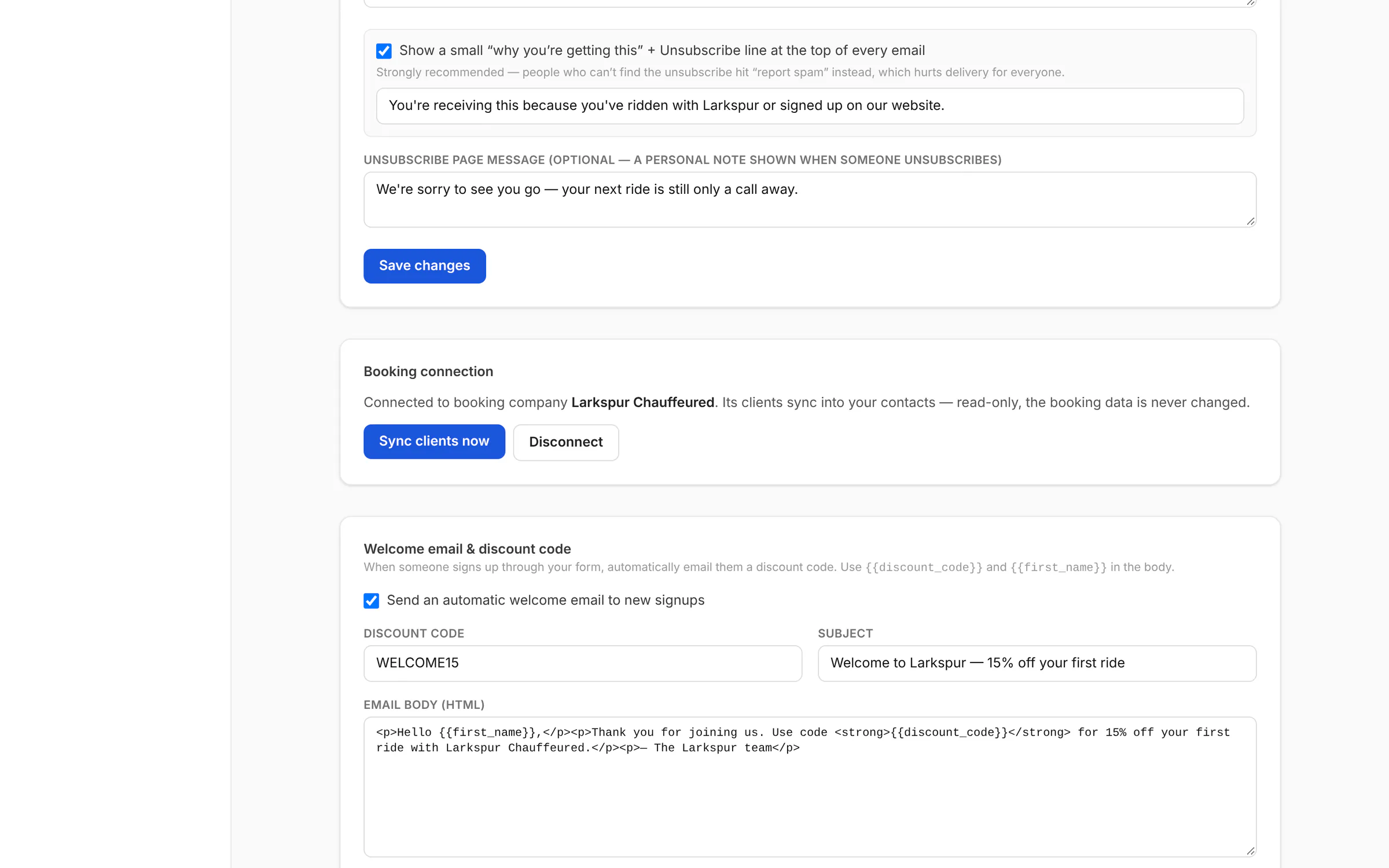 |
| Leads counted in GA4 | Every inquiry is reported to Google Analytics 4 as a conversion — exactly once, from the browser or the server. | Add-on | 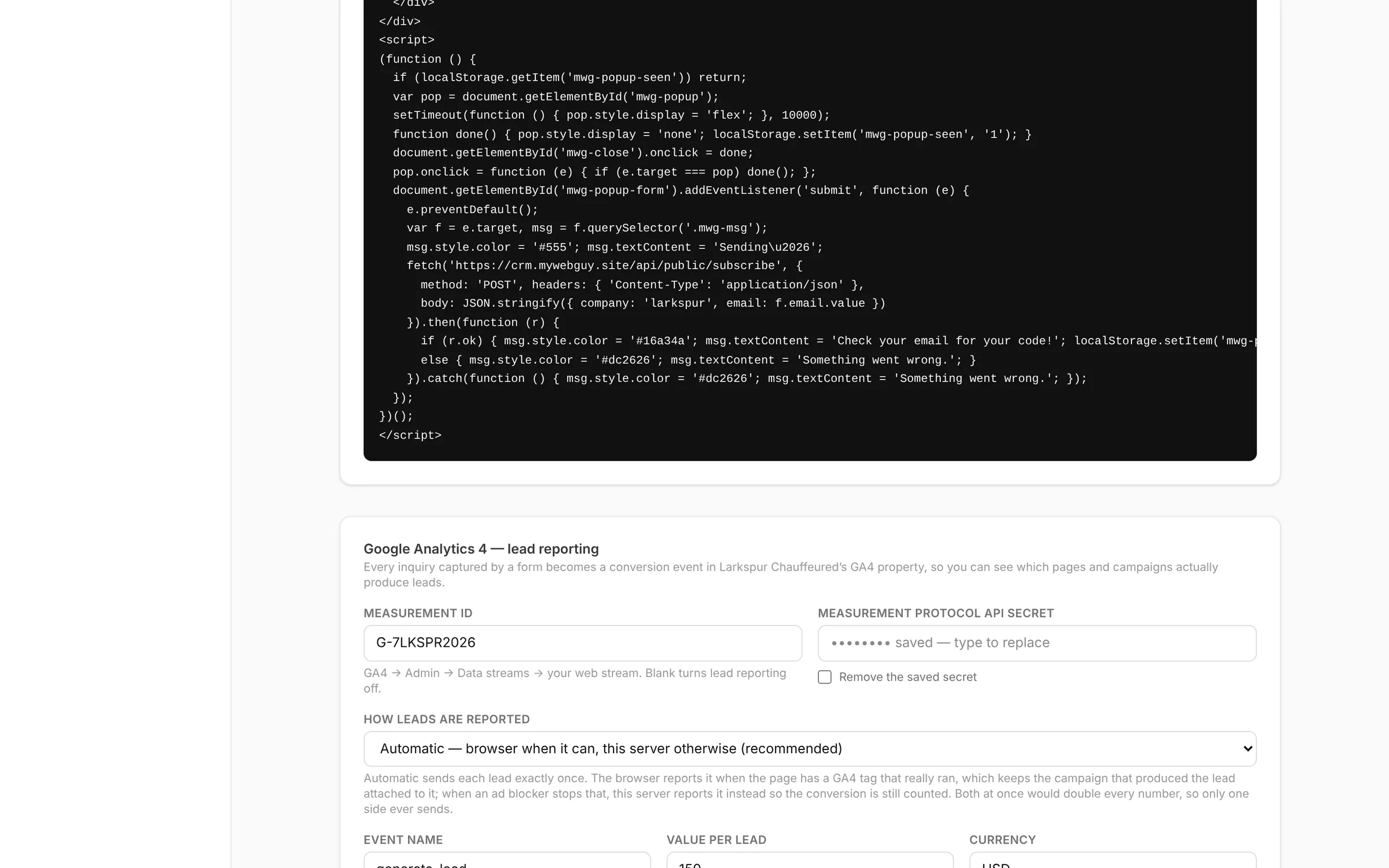 |
| Tips & Tricks | A built-in guide to everything Doorstep Mail does, with copy-paste prompts for writing emails and forms. | Add-on | 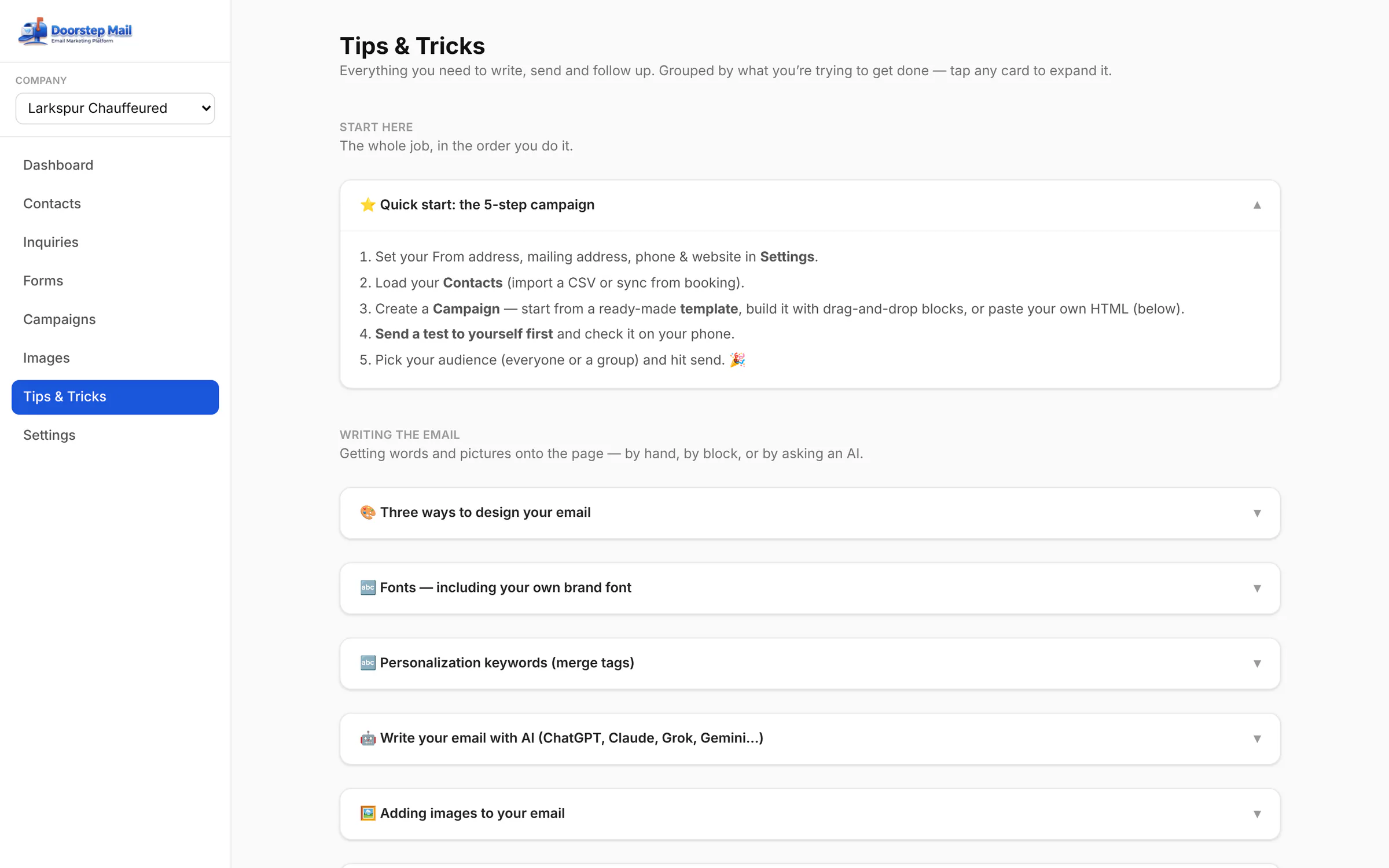 |
| Inquiry forms on your website | Doorstep Mail: build a form in the CRM, paste one script tag, and leads land in your inbox. | Add-on | 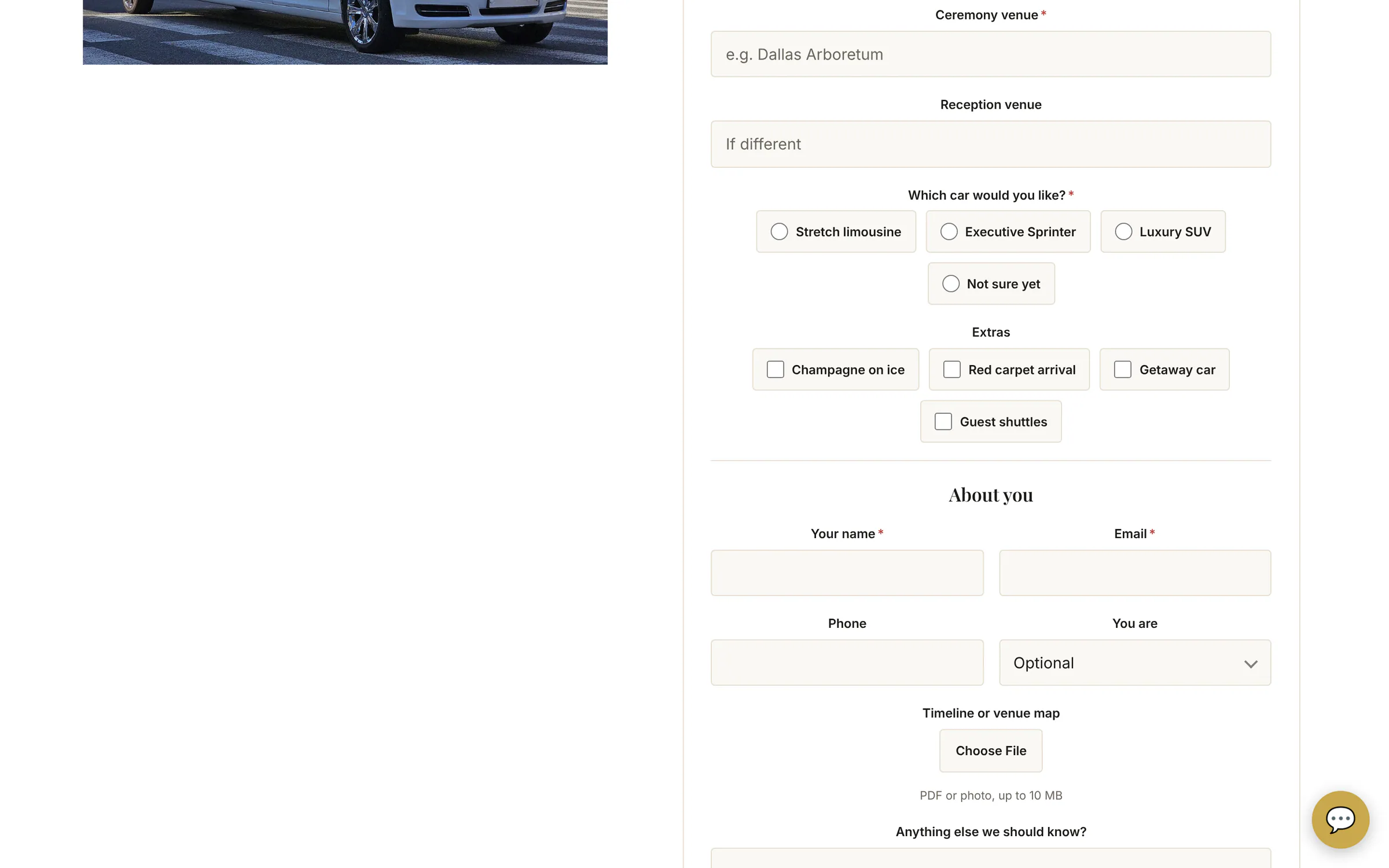 |
| Pop-up signup with a welcome code | A pop-up that grows your list and emails new subscribers a discount code automatically. | Add-on | 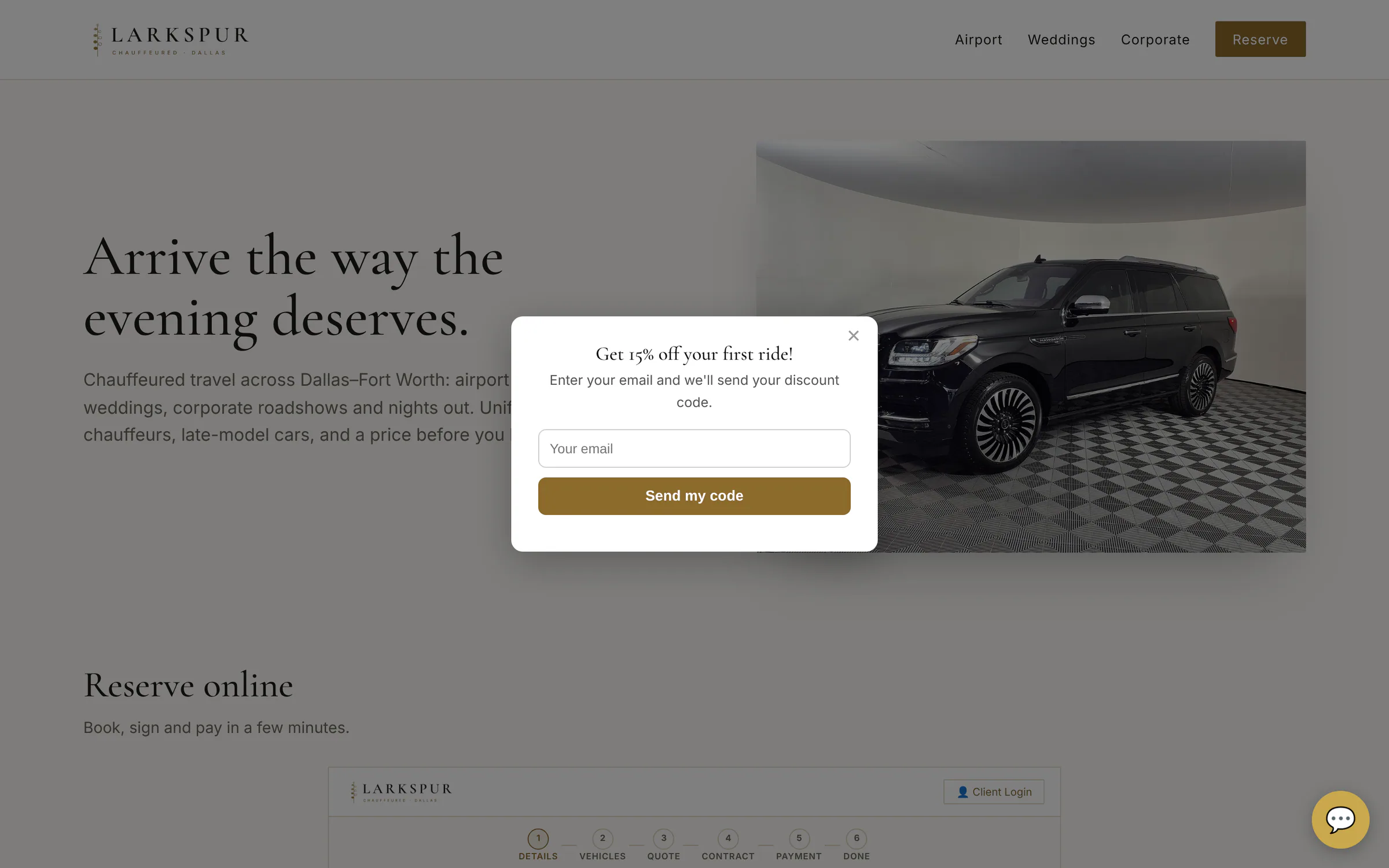 |
Private beta
Be one of the first operators on ZDT.
We're onboarding operators one at a time, by hand. Join the waitlist and we'll reach out personally when a spot opens.