The chauffeur app

Everything a chauffeur needs — and nothing they don't.

Your chauffeurs sign in on their own phone and see only their rides. Every tap time-stamps the trip on your booking page, live.

One button for the next step

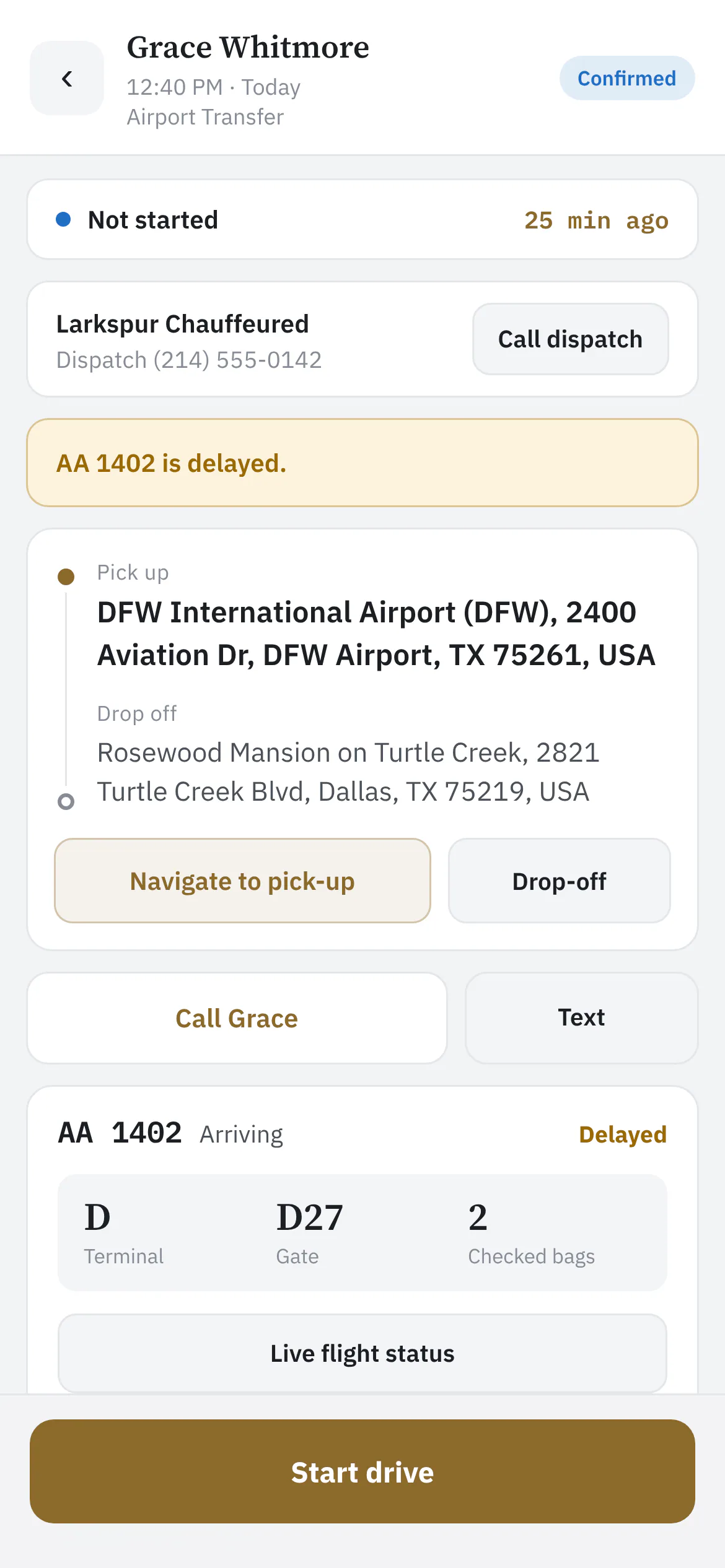
Start drive, on location, passenger on board, complete — each tap time-stamped on your booking page and, with texting on, sent to the client.

  • Navigate, call or text the passenger
  • Trip notes from the office
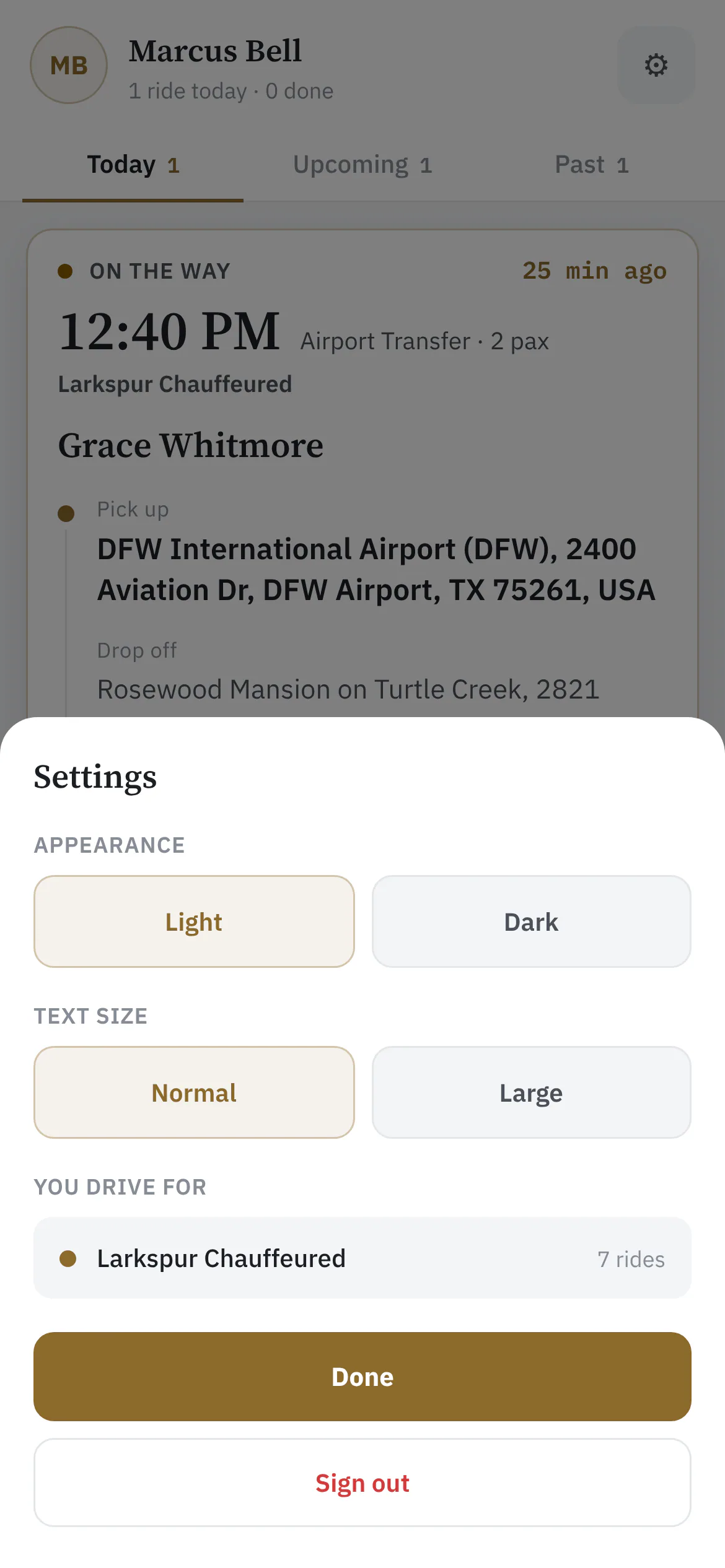
  • Light or dark, bigger text
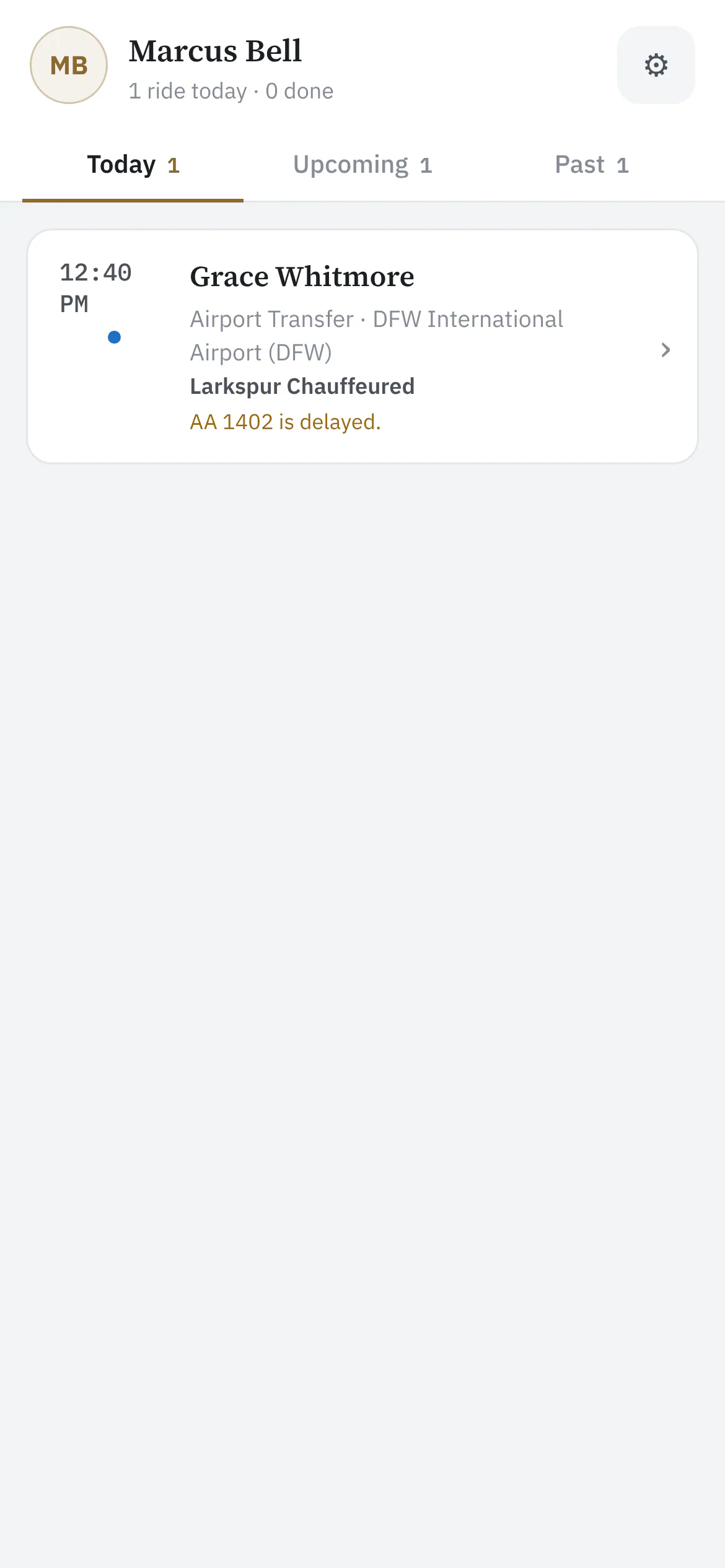
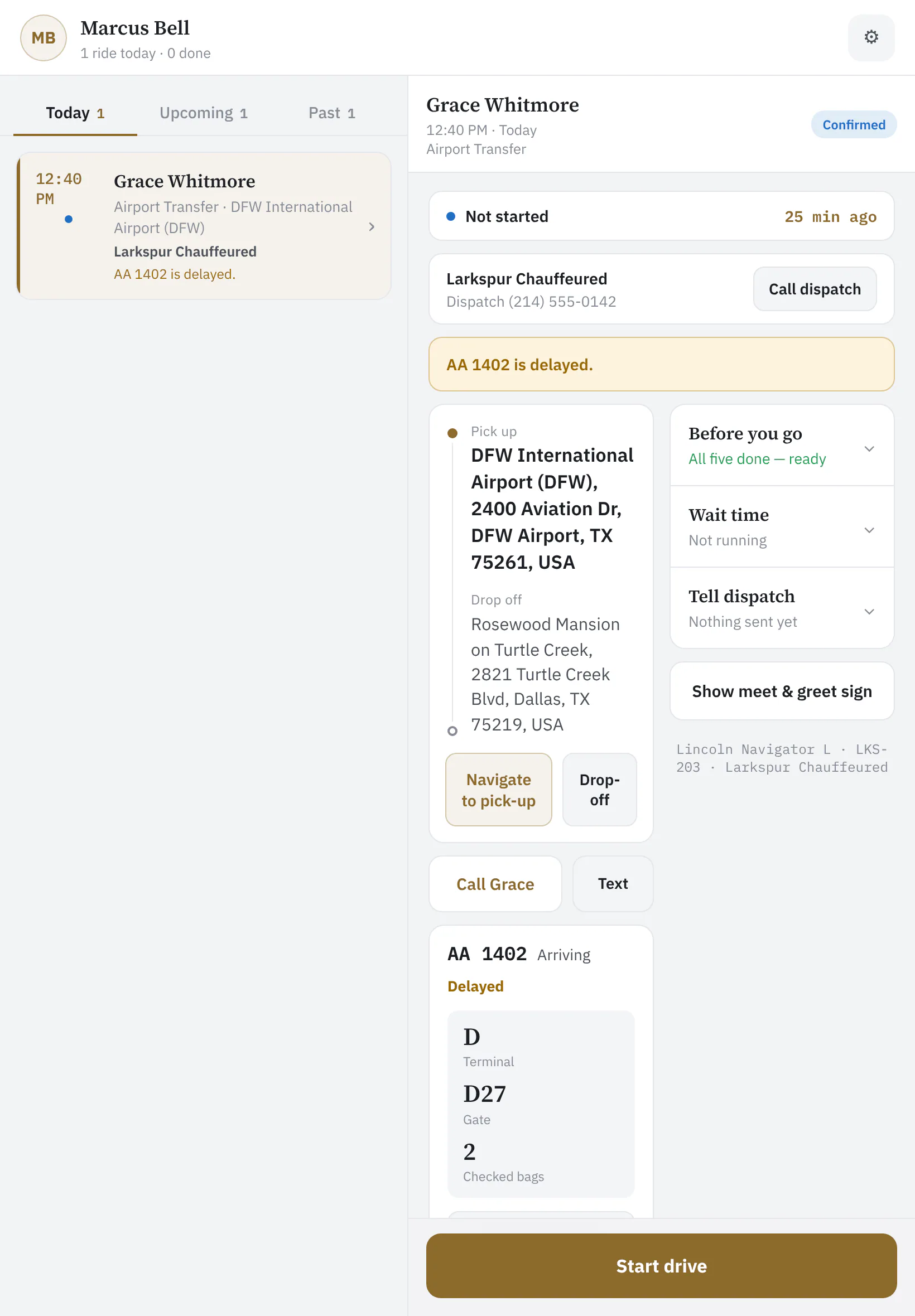
Chauffeur app Today tab listing Grace Whitmore's DFW pickup with AA 1402 delayed
Today's ridesEach chauffeur sees only their own rides — with the flight already flagged if it's late.
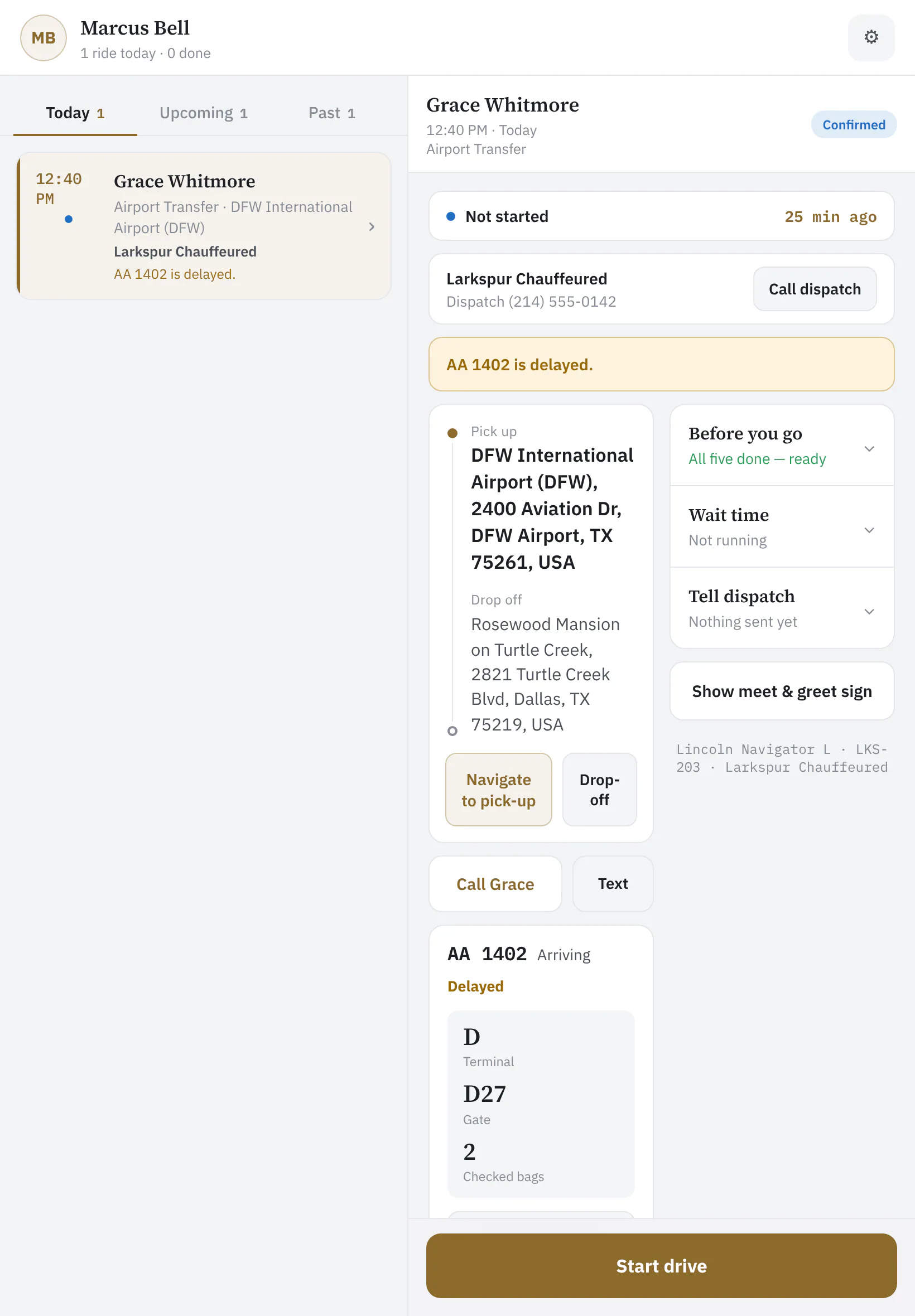
Chauffeur app ride view with status strip, the next-step button, navigate and call buttons
The ridePickup, passenger, flight, notes — and one big button for the next step: start drive, on location, passenger on board, complete.

The flight, already checked

Terminal, gate, baggage belt and the delay on the ride itself — so the chauffeur is at the curb when the plane actually lands.
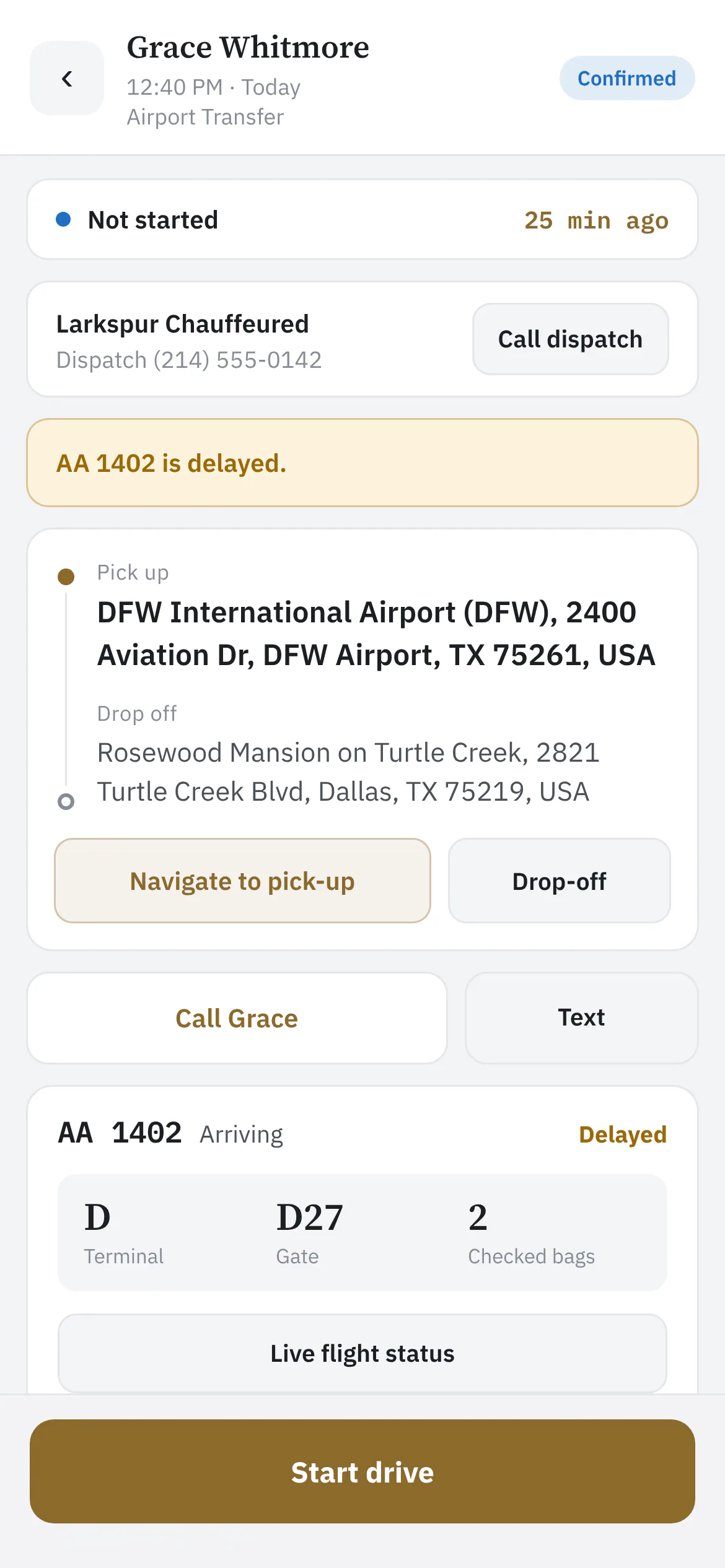
Flight panel showing terminal D, gate D27, belt D18 and a 25-minute delay
Live flight detailsTerminal, gate, baggage belt and the delay, without leaving the ride.
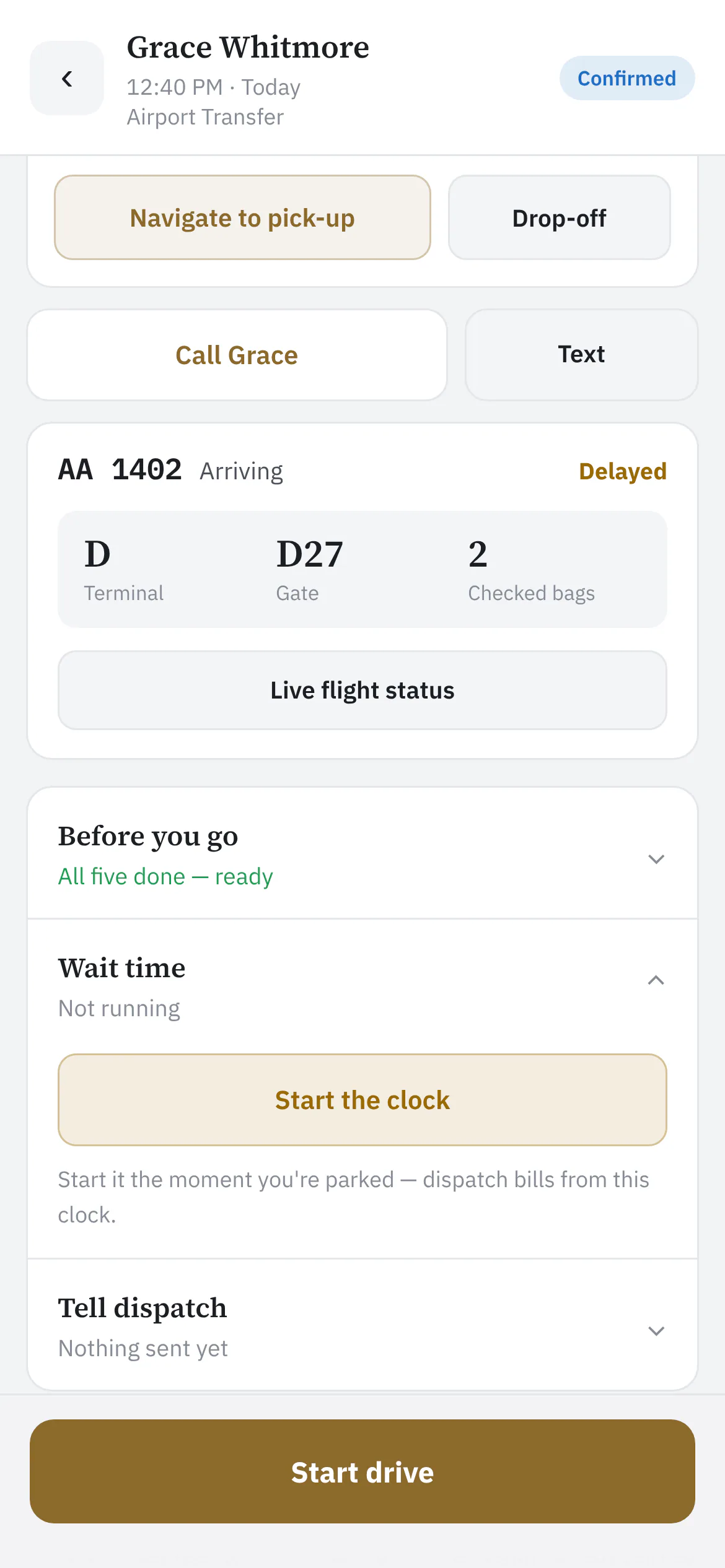
Wait clock section of the ride
The wait clockStart the clock the moment you're parked — dispatch bills wait time from it, and the minutes land on the booking.

Nothing goes out by accident

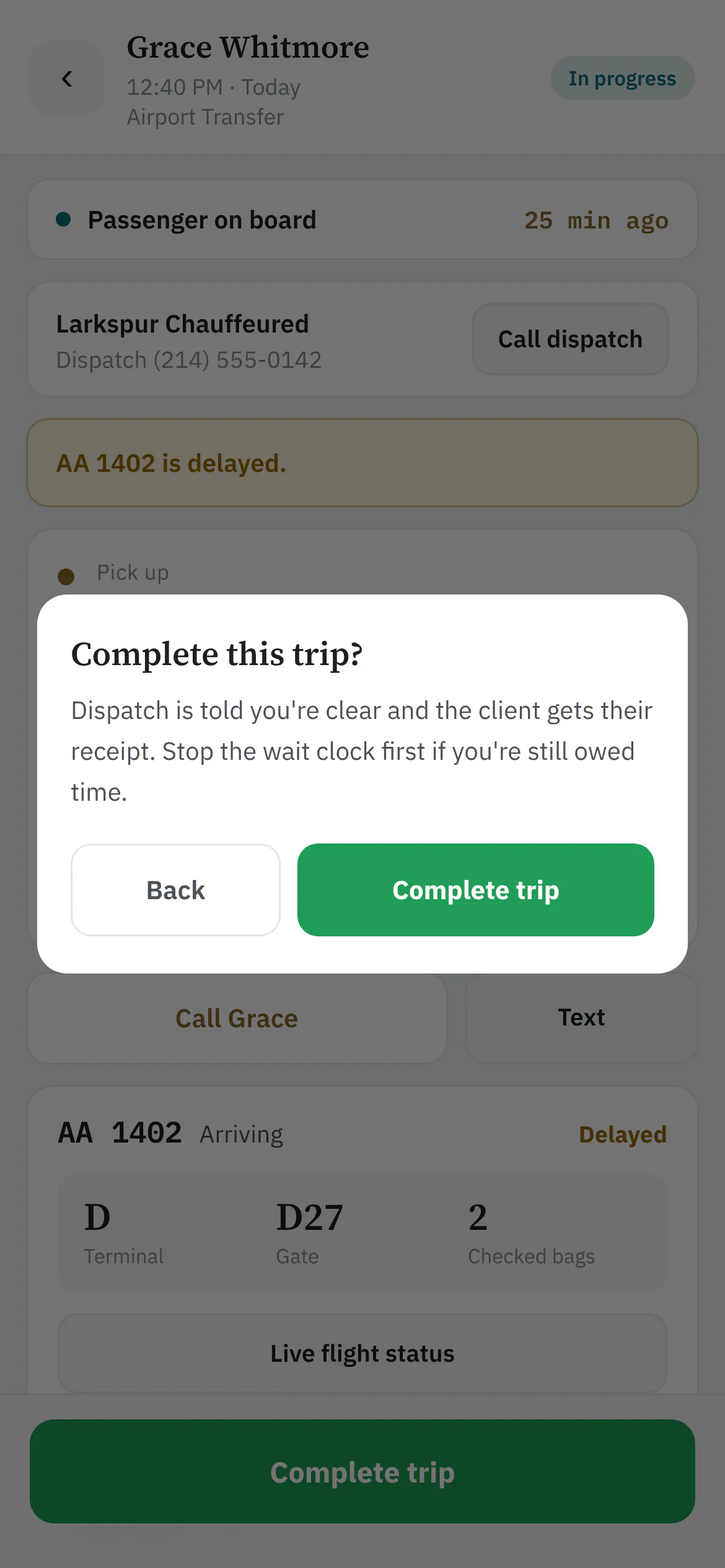
Starting the drive asks how far away the chauffeur is before anything is texted to the client. Finishing the ride says what happens next — the office is told and the client gets their receipt — and asks first.
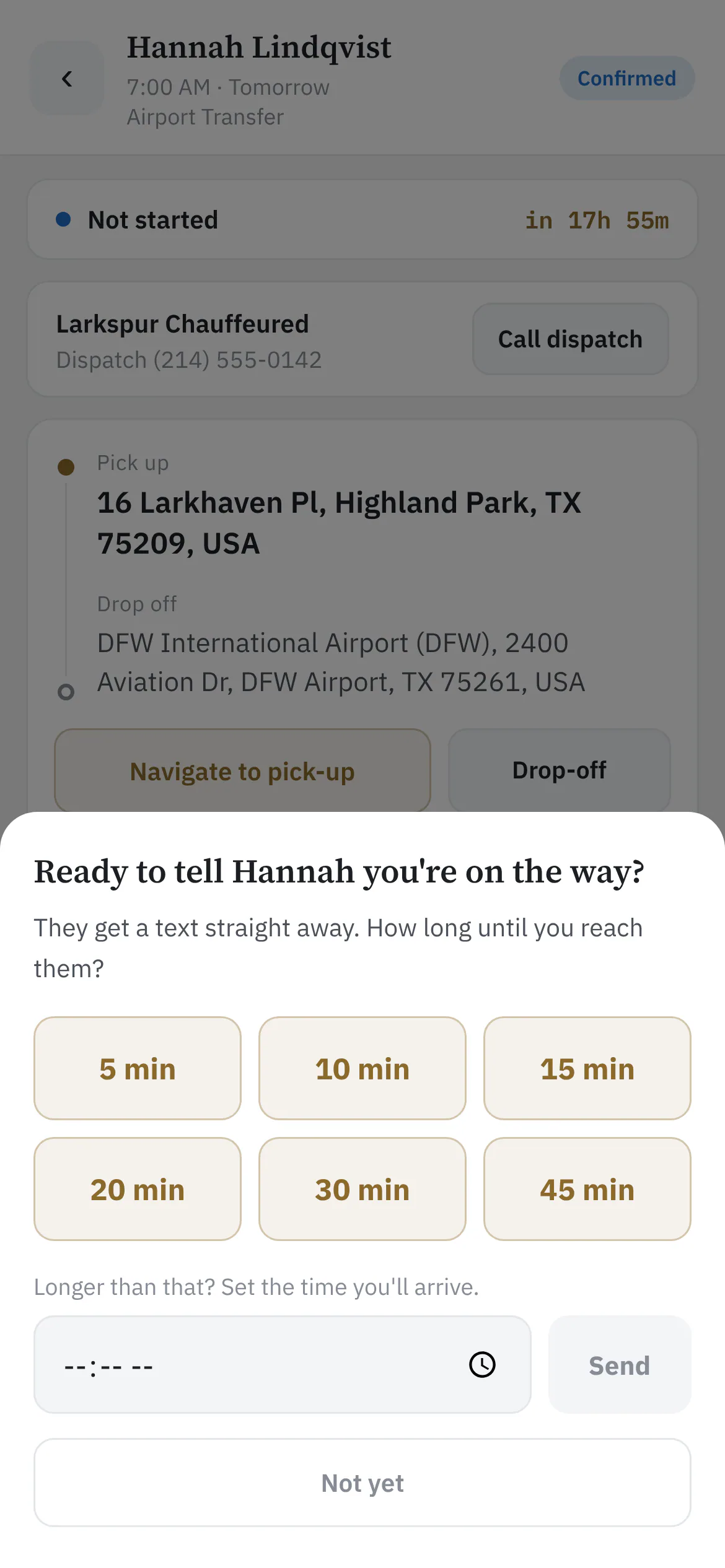
Ready to tell Hannah you're on the way, with minute buttons and an arrival time
Tell the client you're on the wayStarting the drive asks for an ETA first — nothing is texted until the chauffeur picks one, so a mis-tap never sends anyone to the kerb.
Complete this trip confirmation in the chauffeur app
Finish the rideCompleting a trip tells dispatch the chauffeur is clear and sends the client their receipt — so it asks first.

The phone becomes the sign

A full-screen meet & greet sign with your logo and the passenger's name, screen kept awake for baggage claim.
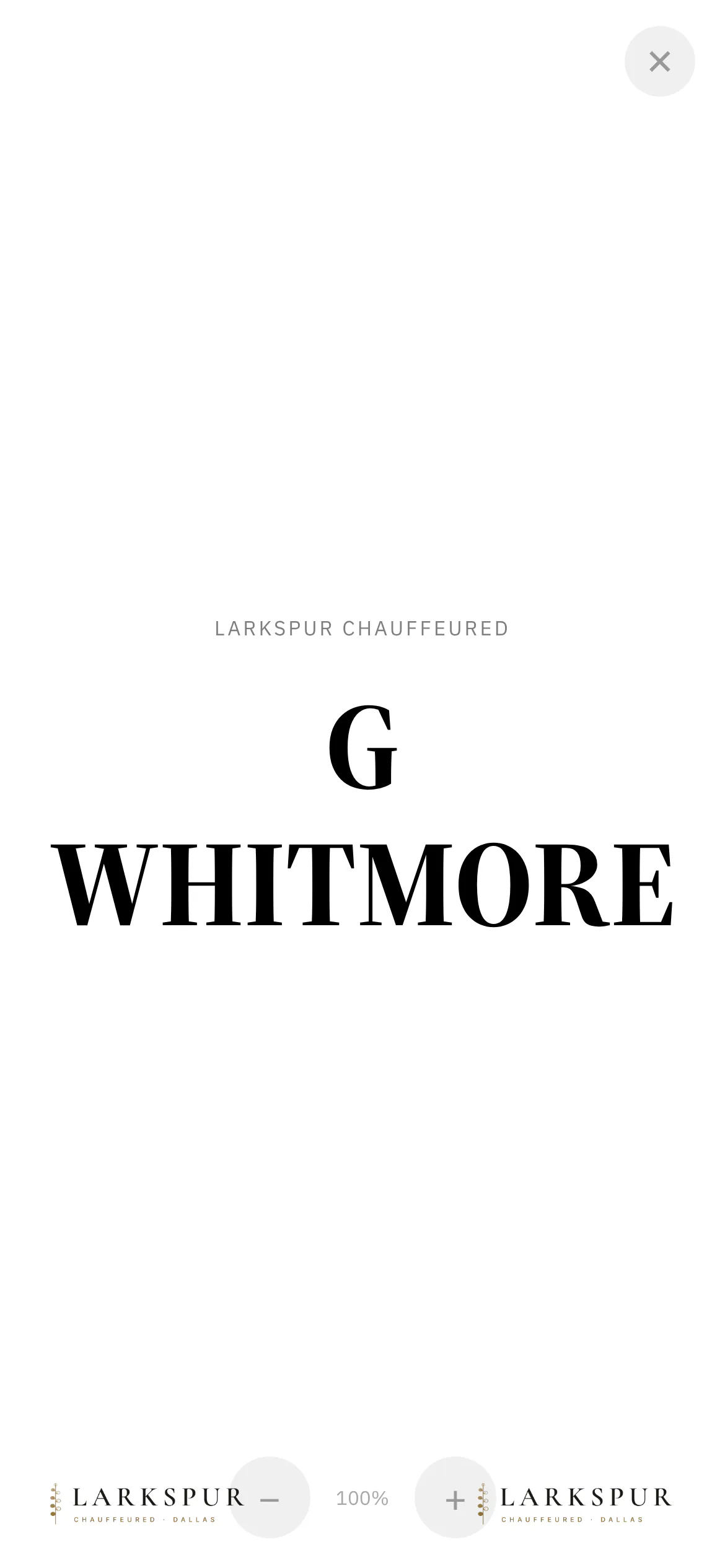
Meet and greet sign full screen with the Larkspur logo and the name Grace Whitmore
The Meet & Greet signFull screen, white paper, the passenger's name and your logo — the phone becomes the sign at baggage claim.
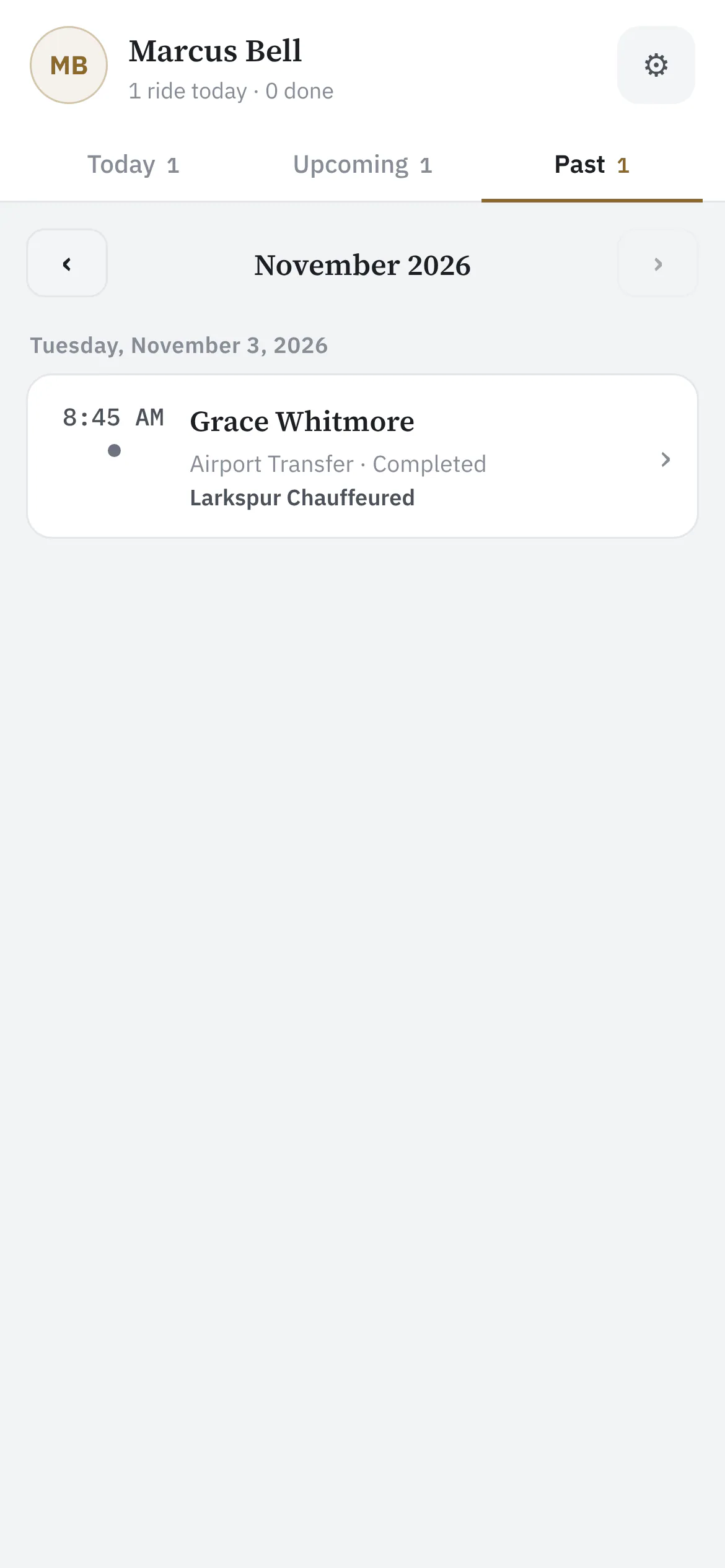
Past rides grouped by month
Past tripsFinished rides by month — completed, cancelled or no-show — with addresses and phone numbers no longer shown once a ride is done.
Chauffeur app settings with appearance, text size and the companies they drive for
The chauffeur's own settingsLight or dark, normal or large text, and every company they drive for — set once on their own phone.
Private beta

Be one of the first operators on ZDT.

We're onboarding operators one at a time, by hand. Join the waitlist and we'll reach out personally when a spot opens.