
Run the whole company from one screen — under your own name.
Customers book, sign and pay on a page that looks like your company. You dispatch, track every run and see the money on one console. Your chauffeurs get an app of their own.
Private beta — we're onboarding operators one at a time, by hand. Built and run every day by a working limo operator; payments go to your own Stripe, and we take 0% of your rides.
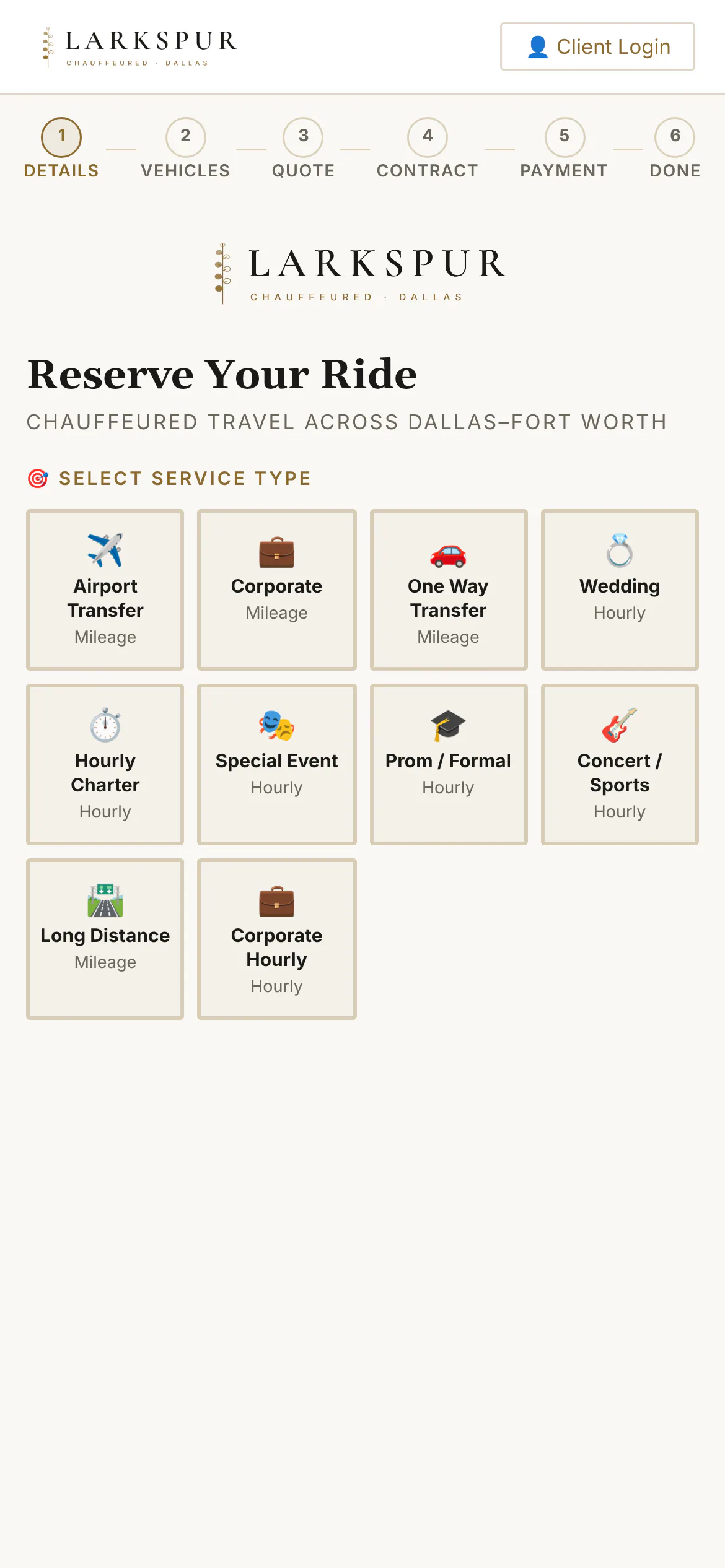
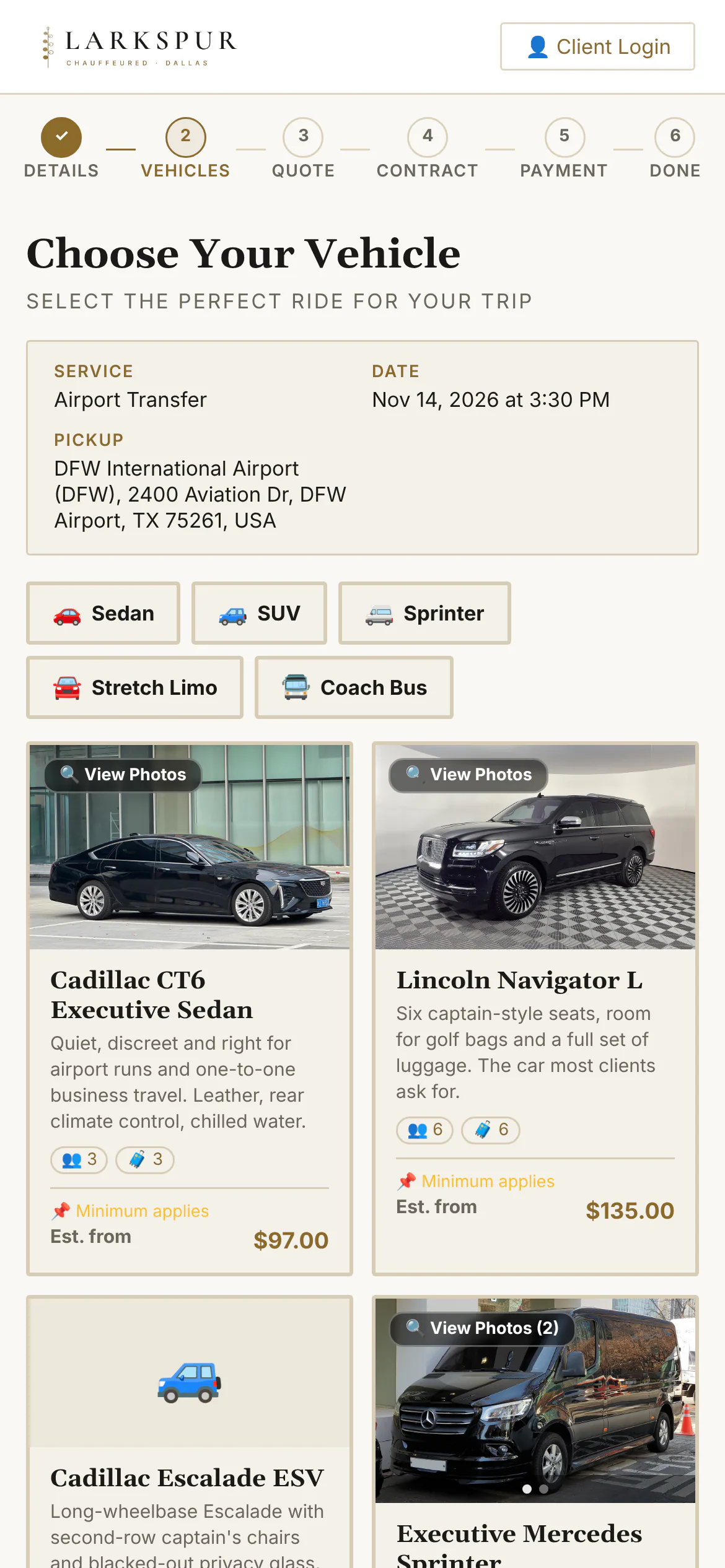
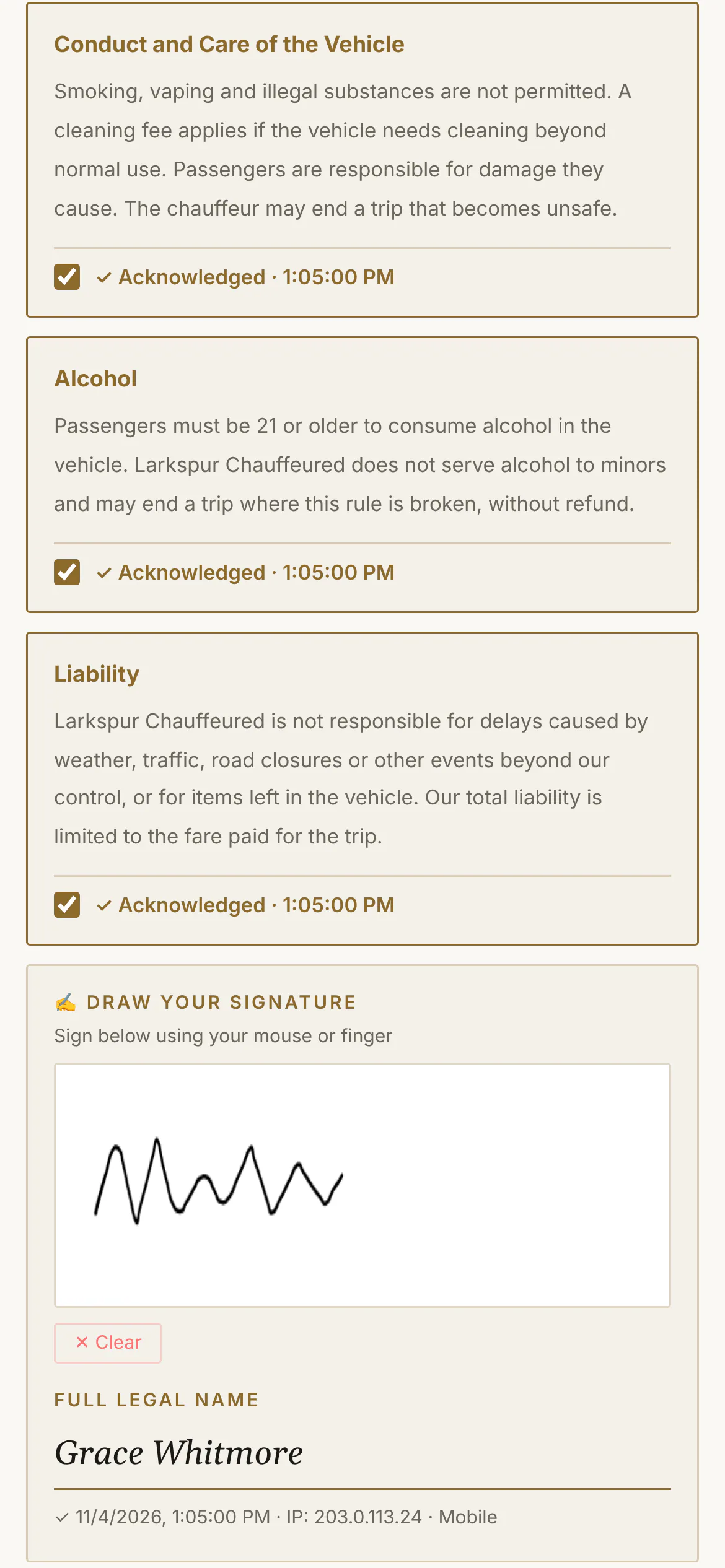
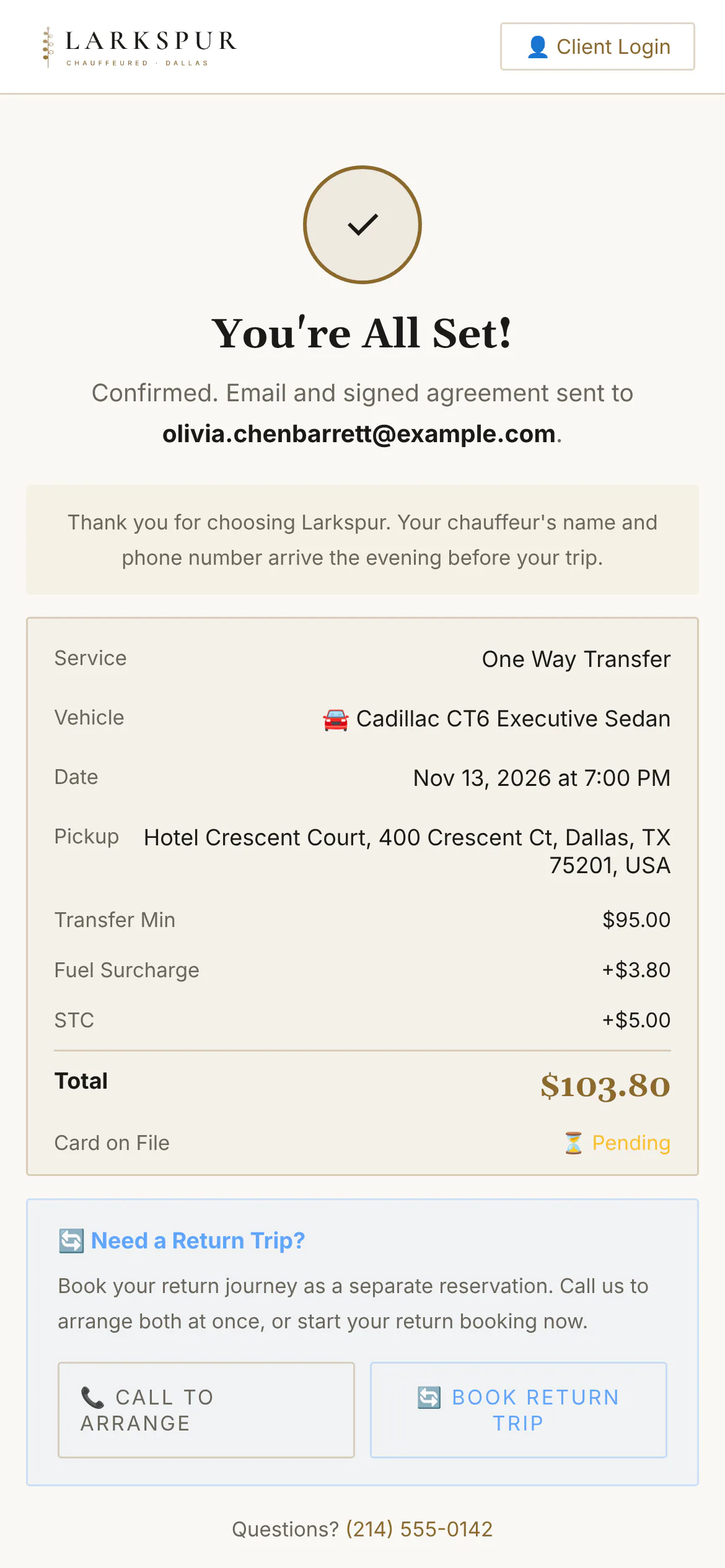
From “where to?” to a signed, paid booking — in minutes.
One booking page in your colours: service, time, addresses, car, an itemised quote, your agreement, and payment. No phone tag, no back-and-forth emails.
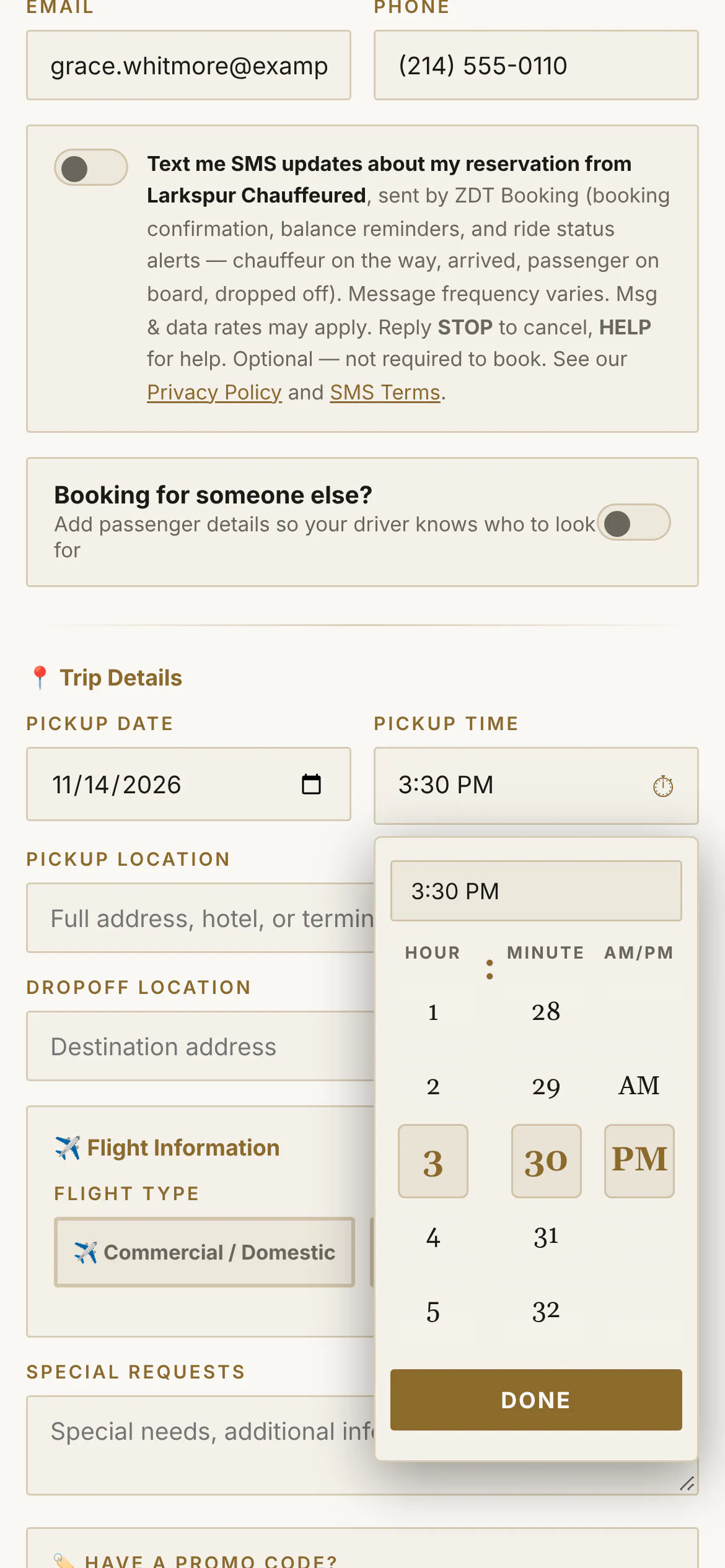
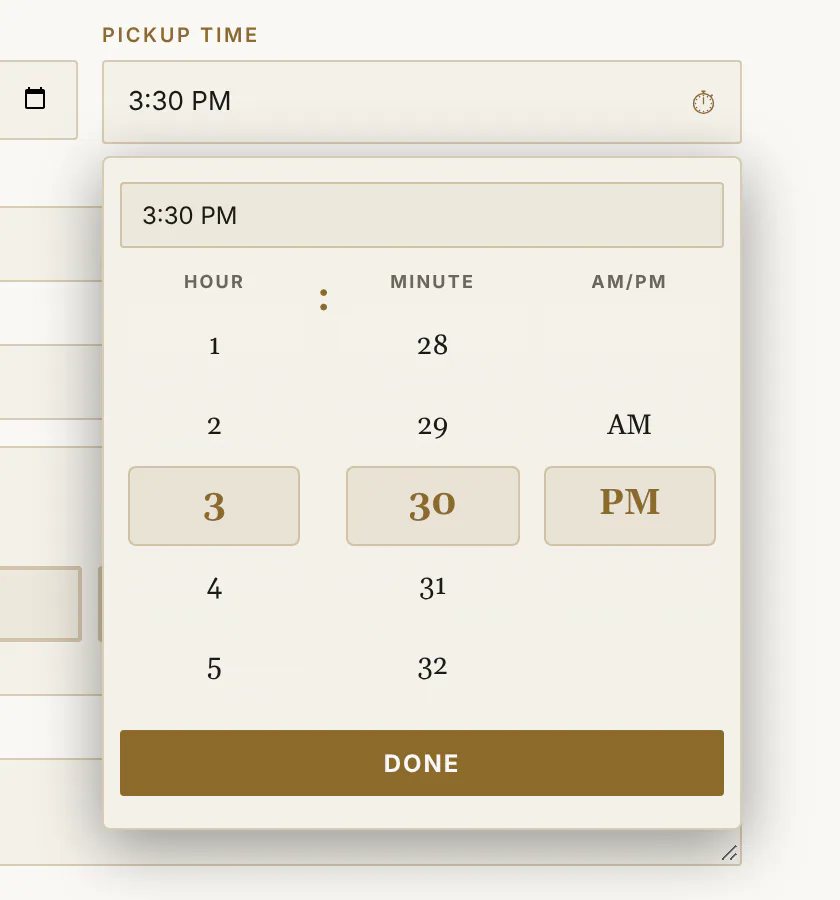
Picking a time should feel like turning a dial.
Hour, minute and AM/PM on three reels you spin with a thumb — or type “2:37 PM” and it lands there. It's on the booking page, the client portal and your own New Booking screen.
- Every minute, not fifteen-minute steps
- Spin, drag or type — whichever is faster
- Your accent colour and display font
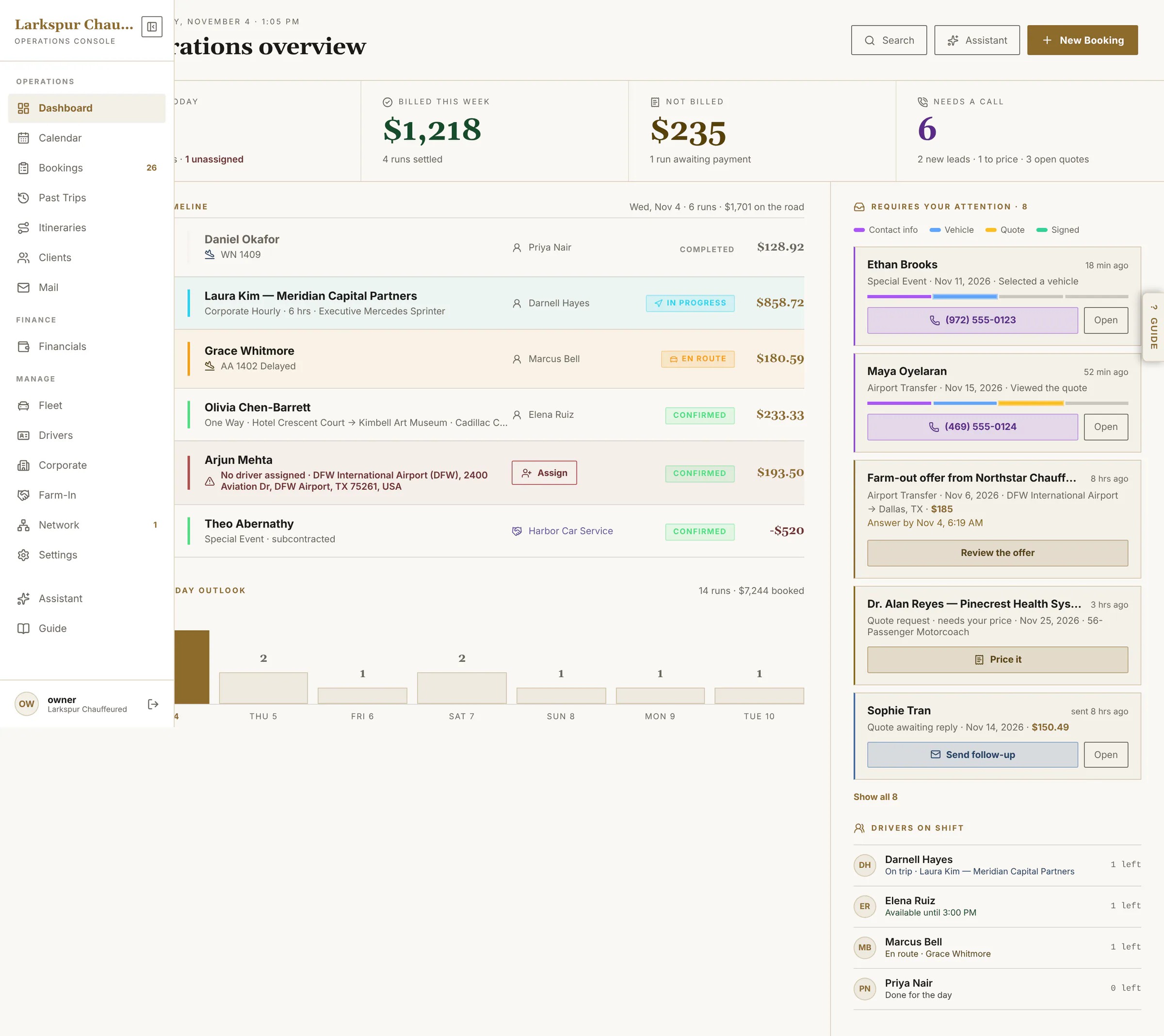
The operator console.
Built around one question: what needs me right now?
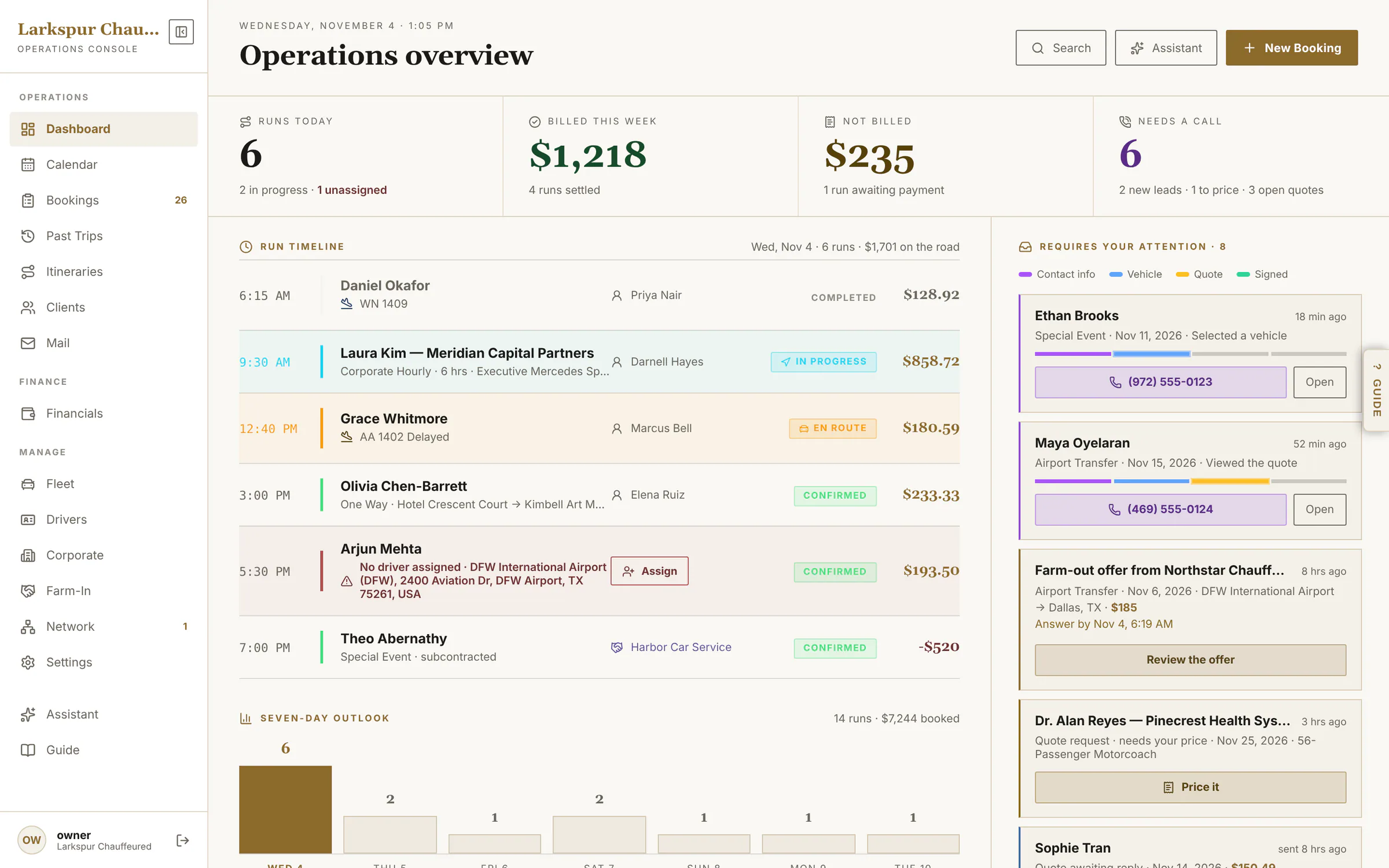
Today, at a glance
Runs today, what's billed and what isn't, who needs a call back — and every run without a chauffeur in red, assignable from right there.
- Ranked attention queue: leads, quotes, expiring agreements
- Seven-day outlook
- Chauffeurs on shift and recent activity
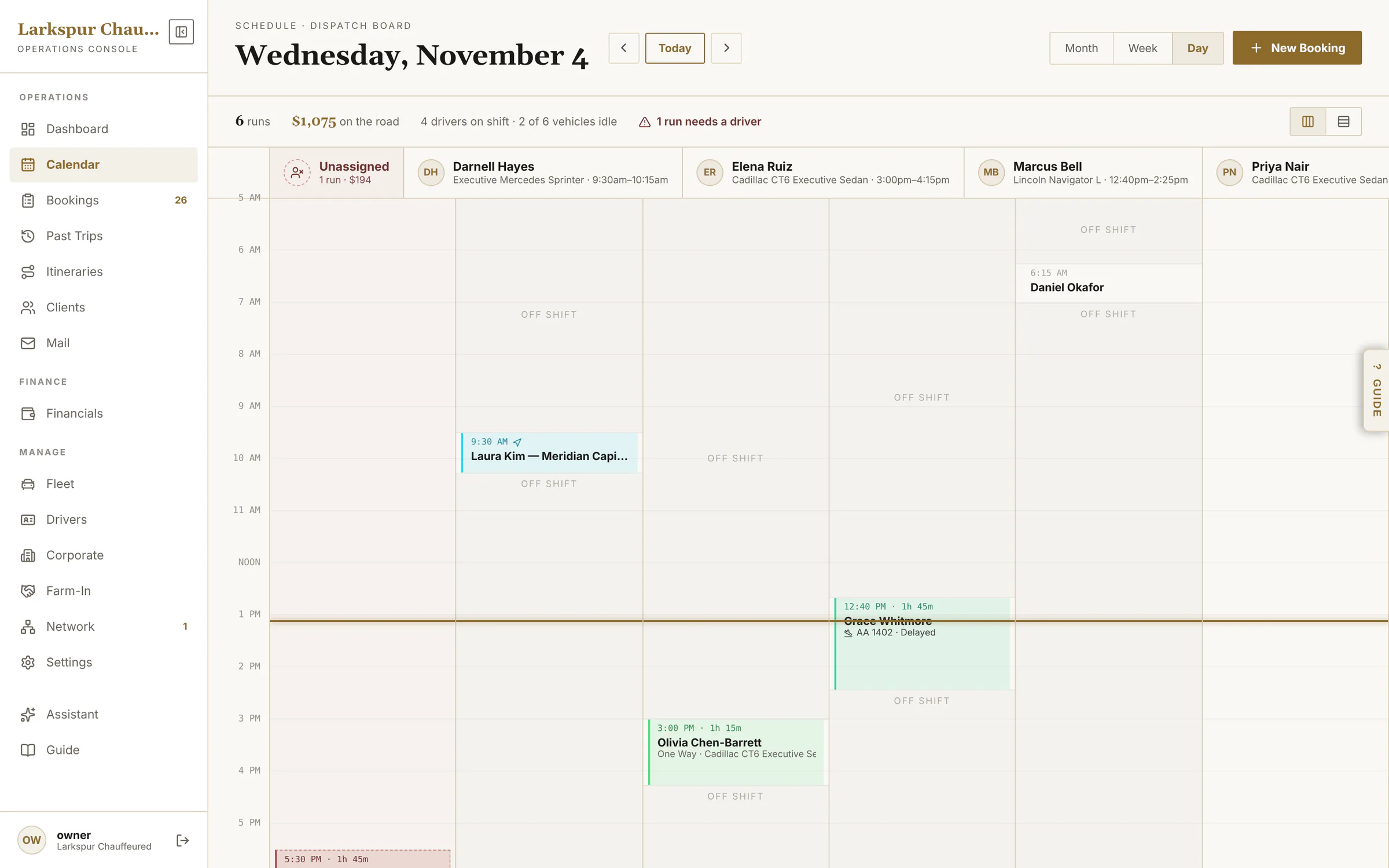
The day as a dispatch board
Month, week and a day view with a lane per chauffeur — see the gaps and the double-bookings before your clients do.
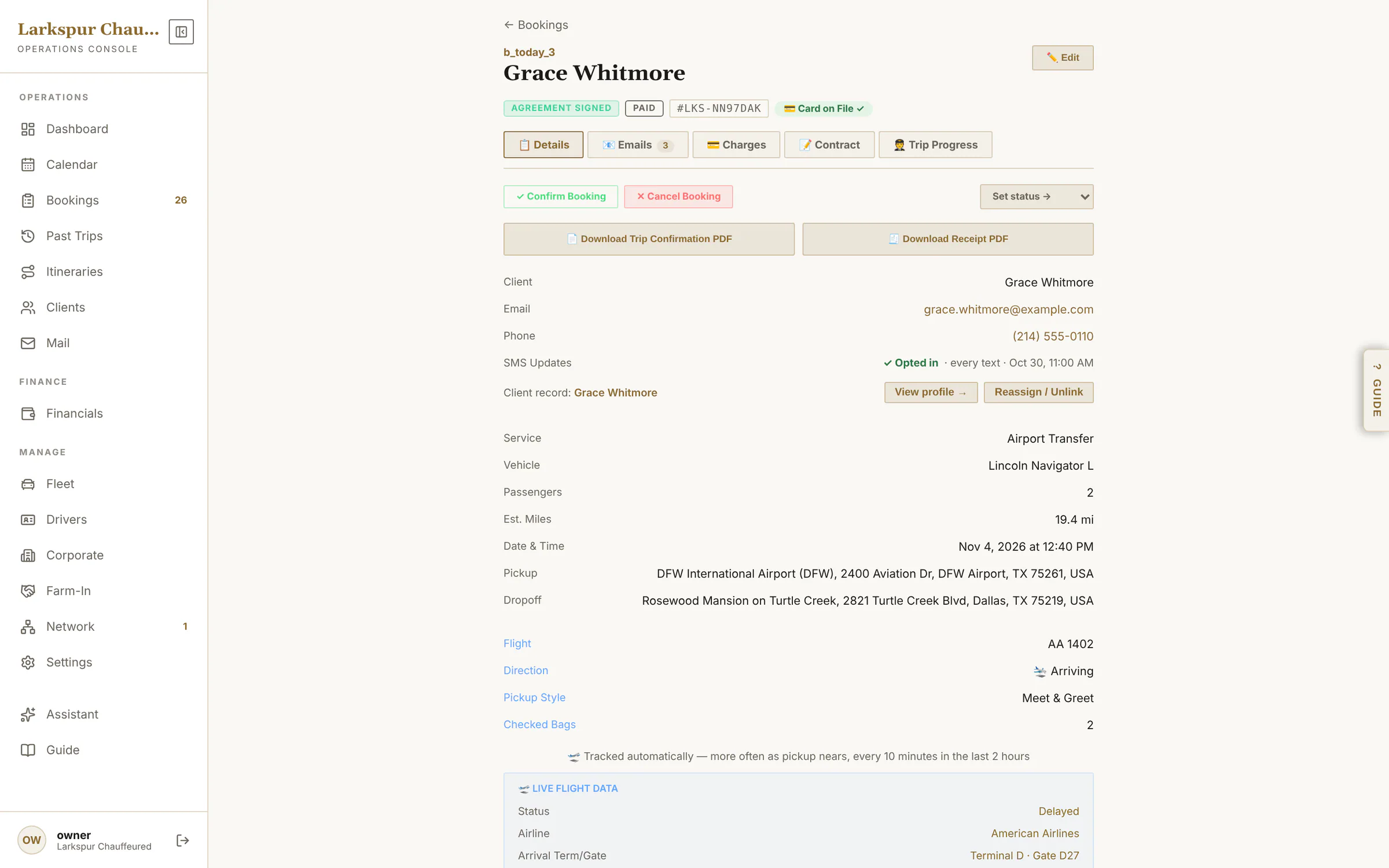
One page per trip
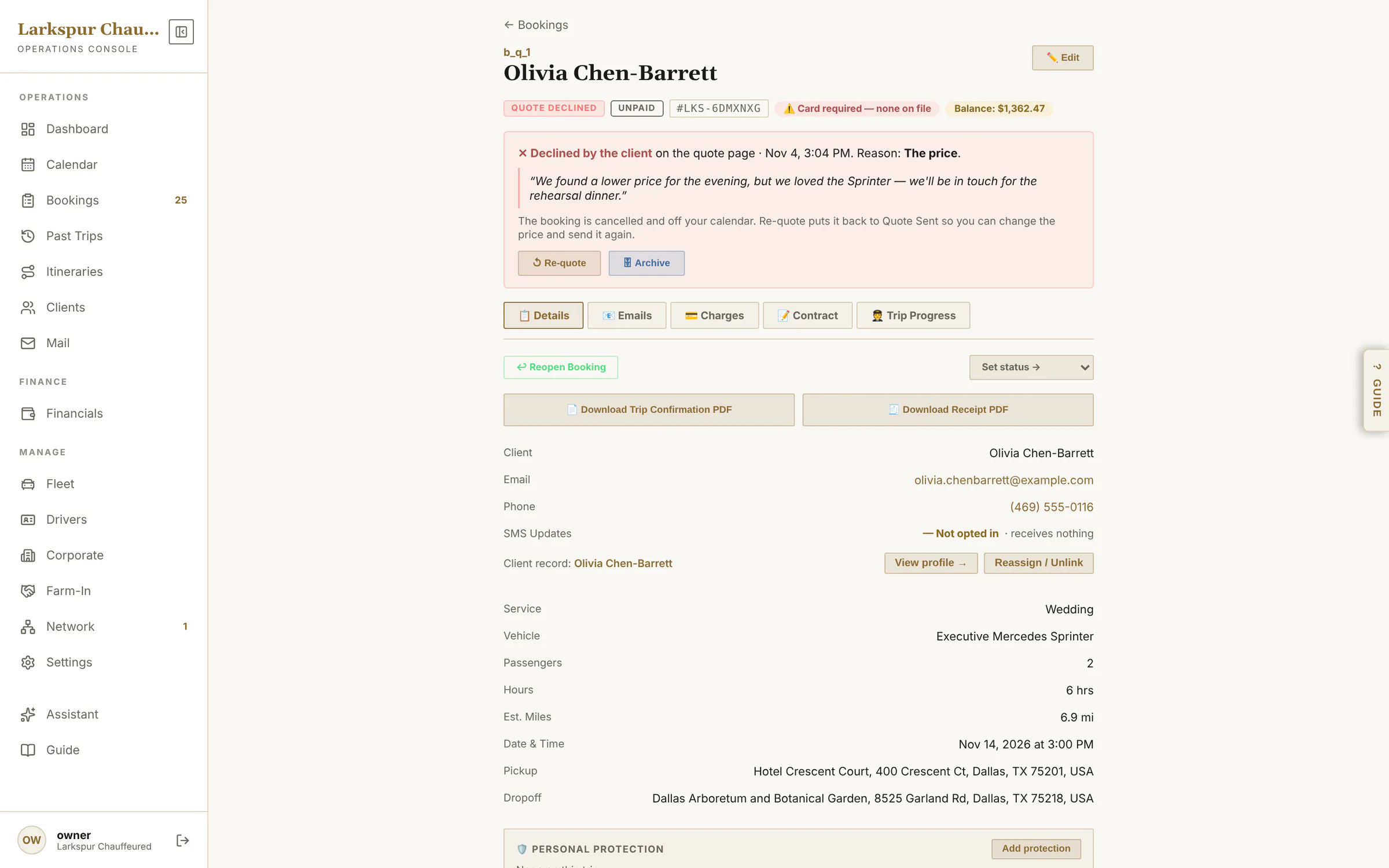
Status, flight, car, chauffeur, cards on file, charges, the signed agreement and every email sent — with proof it was delivered and opened.
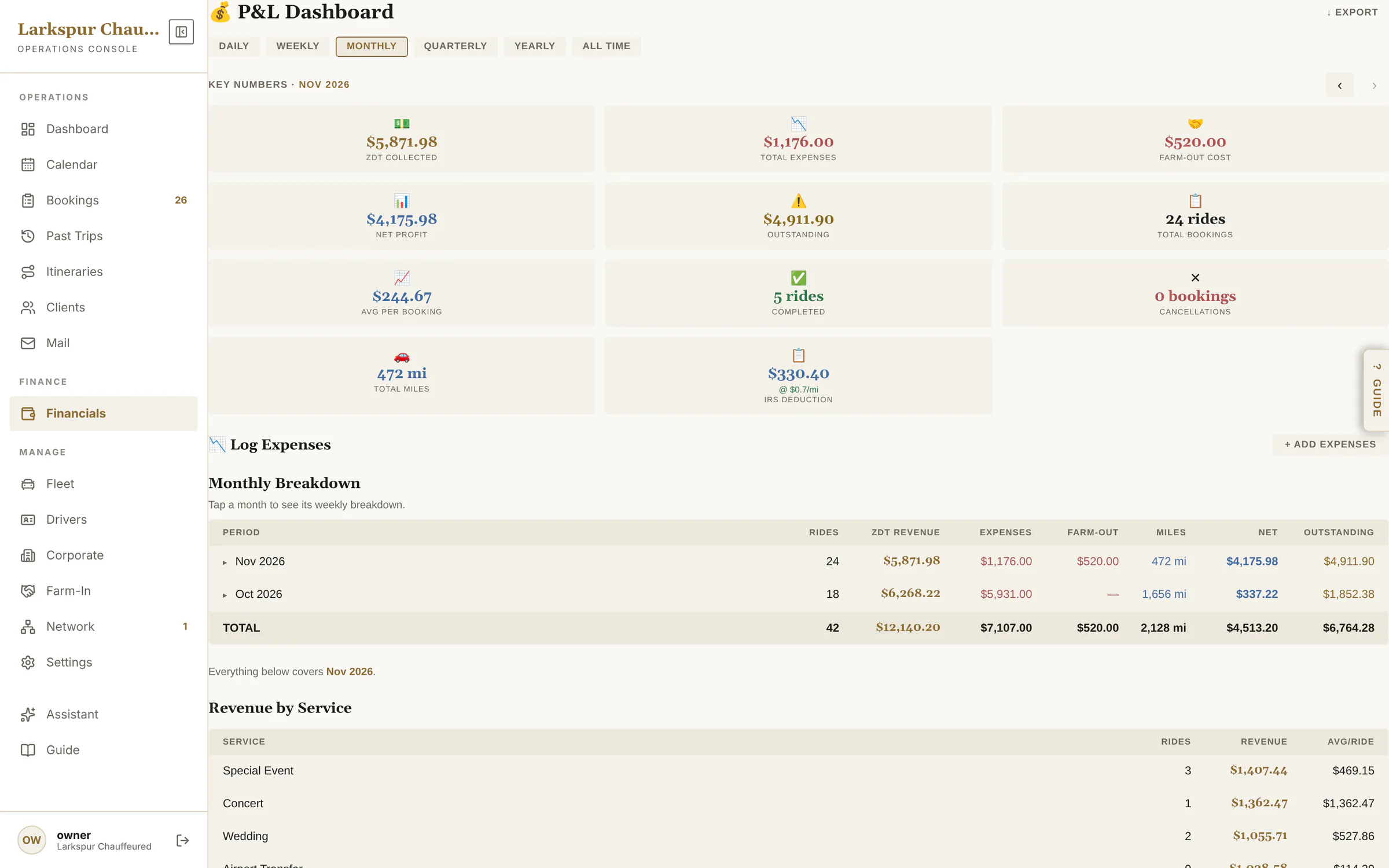
Know your numbers
Collected, expenses, farm-out cost, net profit and who still owes you — daily to all-time, exportable.
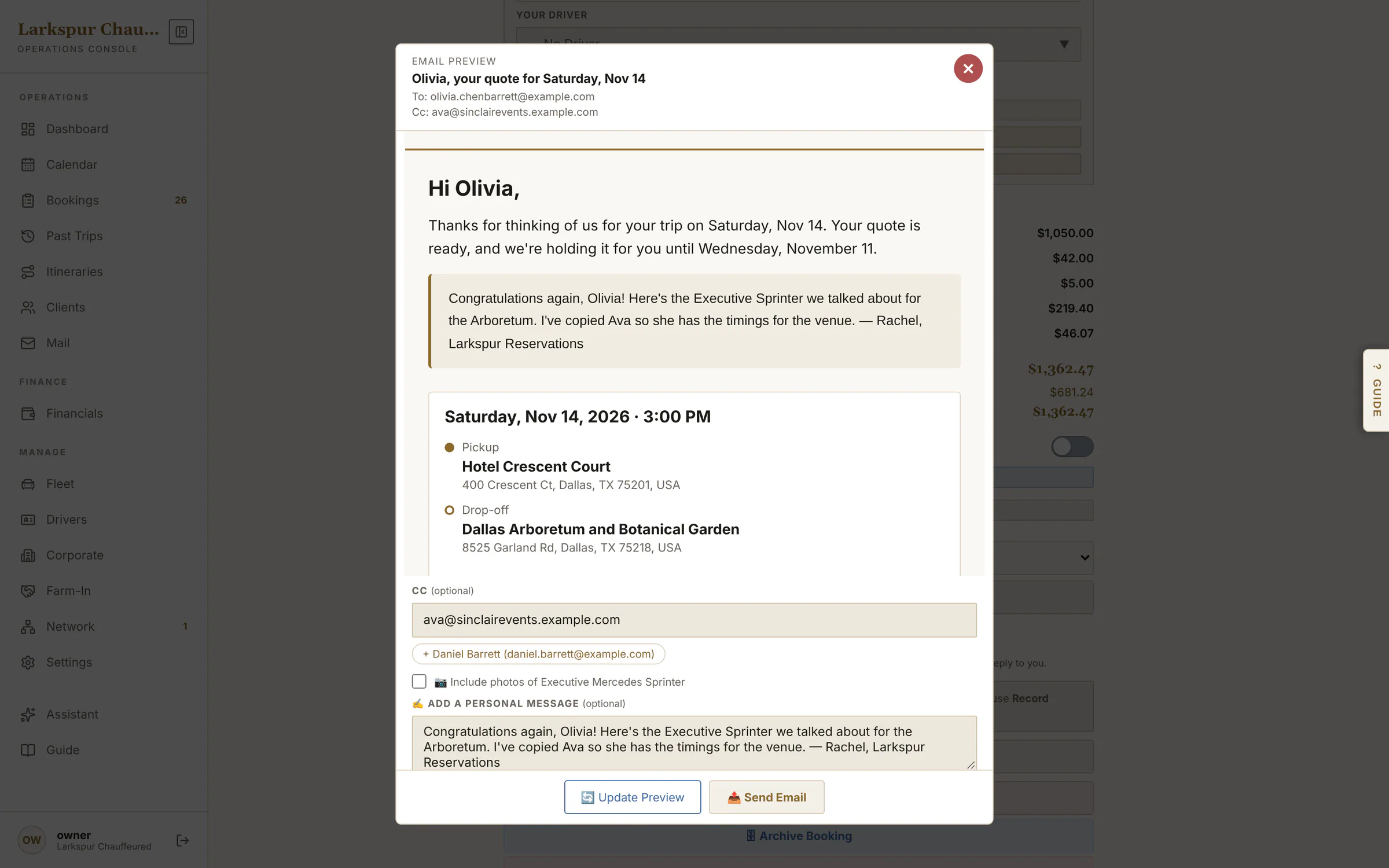
Every email, checked before it goes
Quotes, confirmations and receipts open in a preview first — exactly what the client will get. Copy in a planner or an assistant, add a personal note at the top, then send.
- Cc anyone — the account's people are one tap away
- A personal note at the top of any email
- Accepted or declined, and why, on the booking
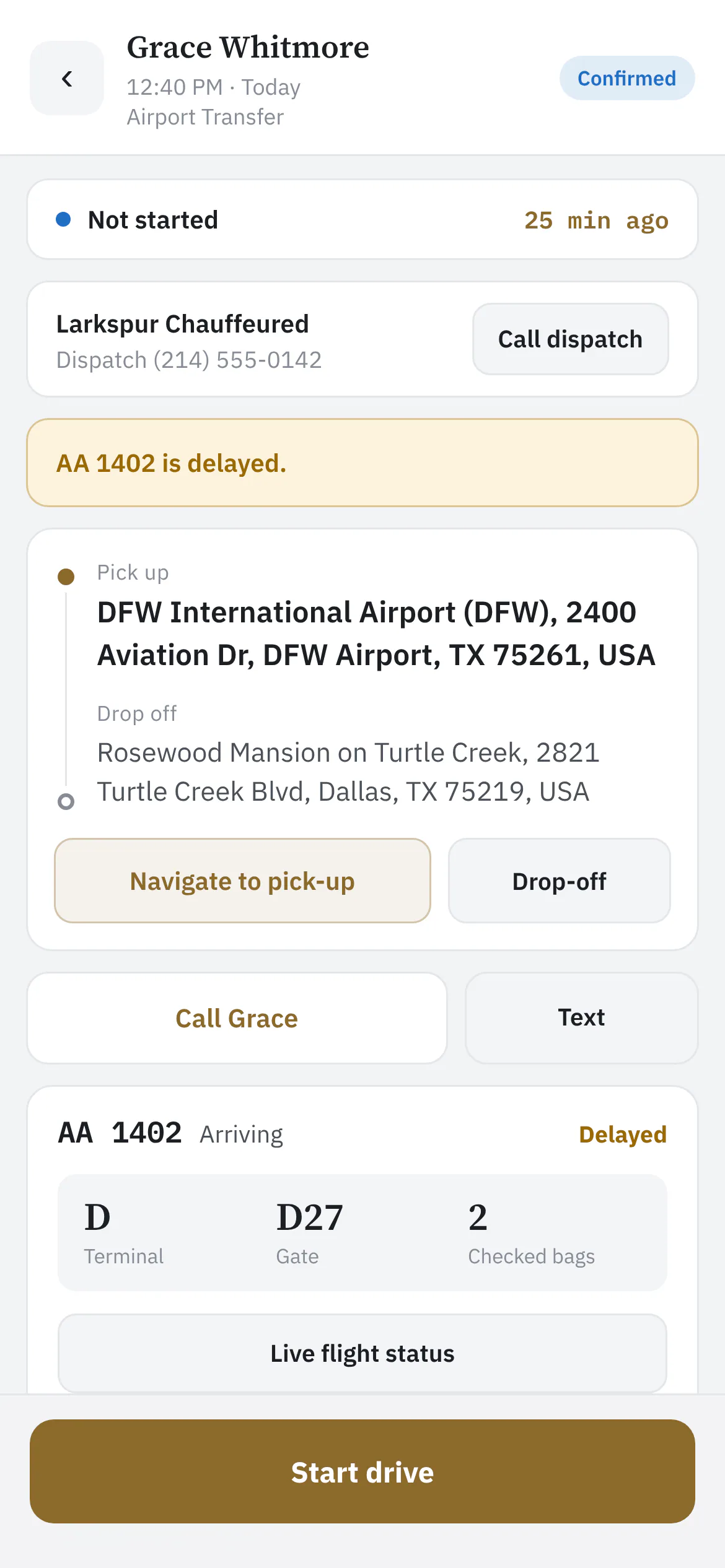
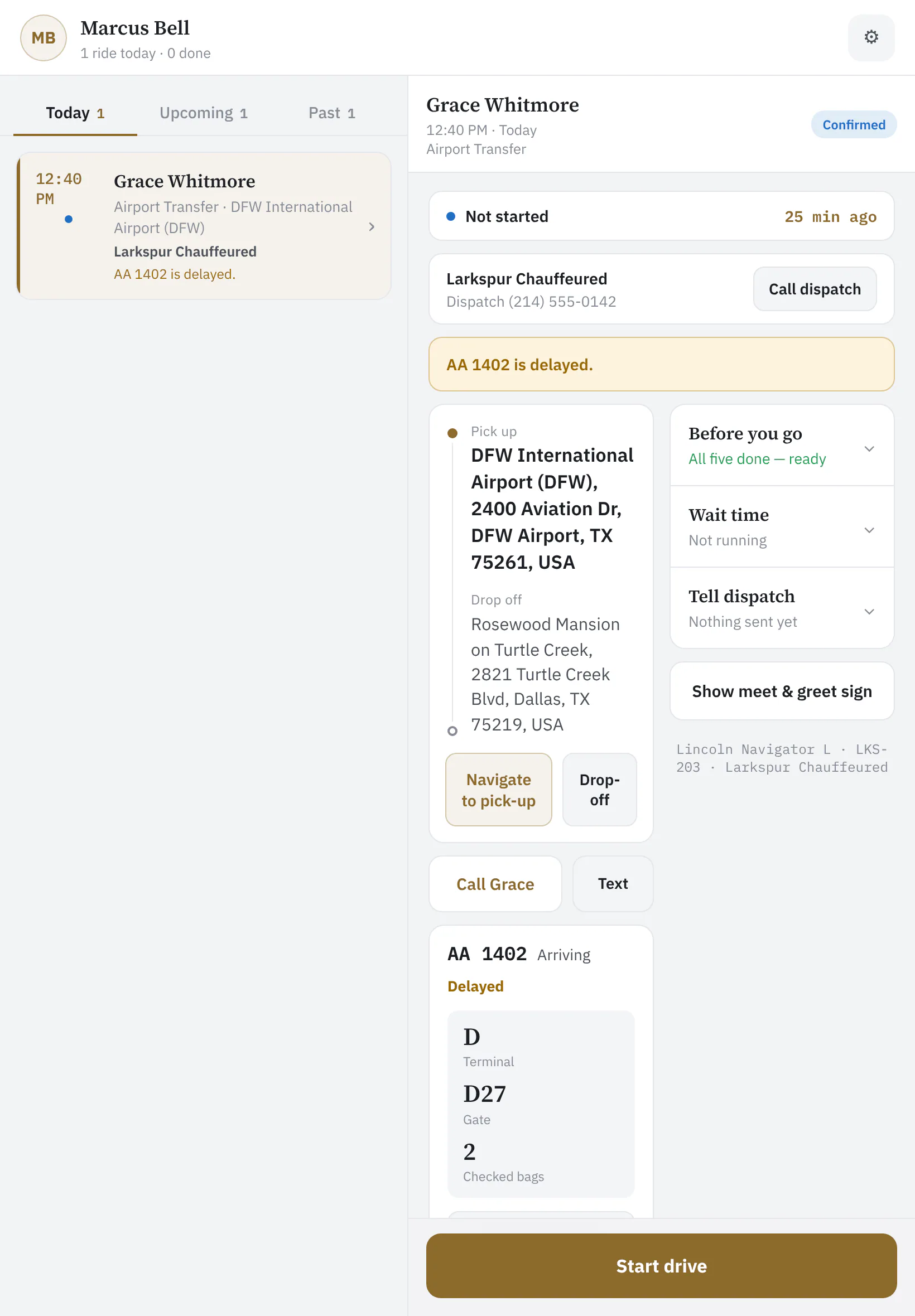
An app your chauffeurs actually like.
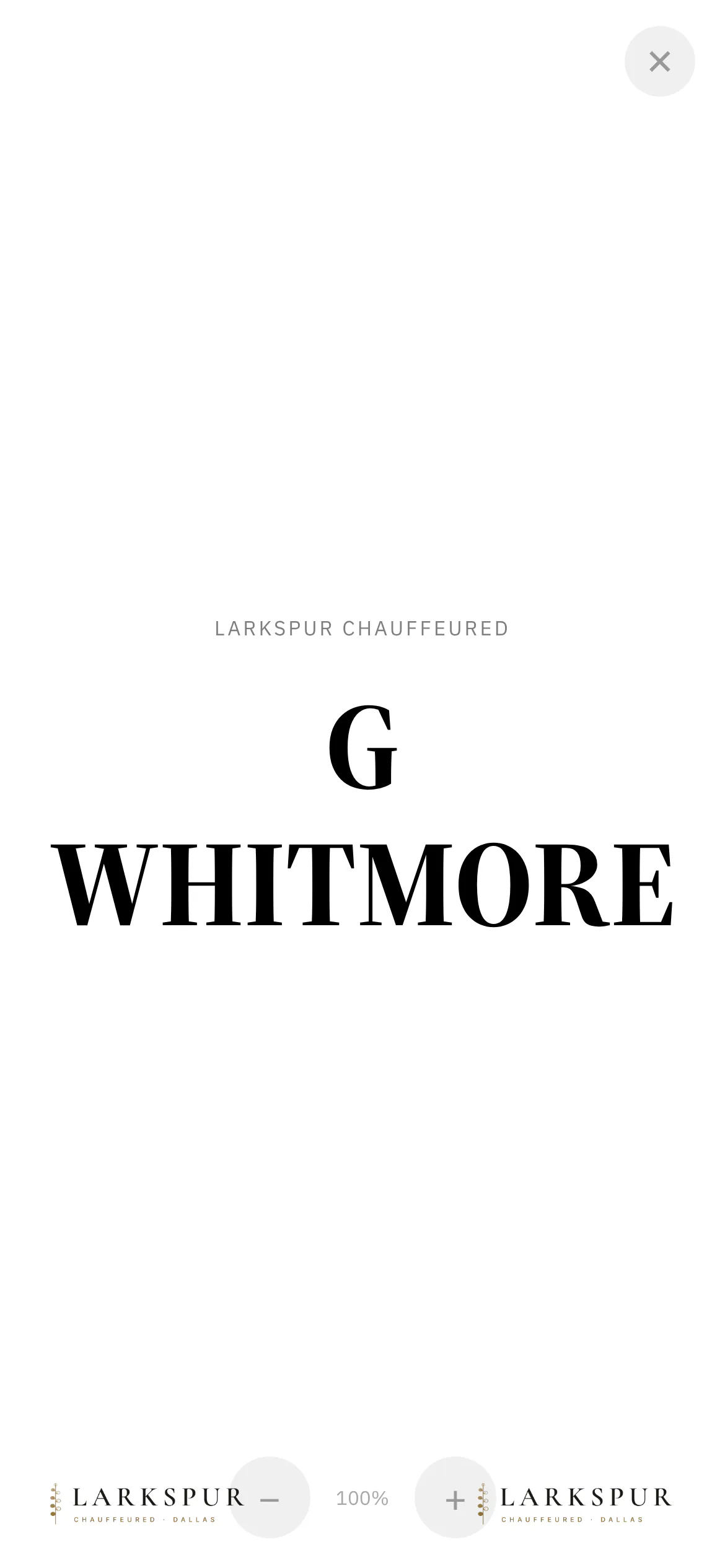
Each chauffeur sees only their own rides: one big button for the next step, the flight already checked, a wait clock, and a full-screen sign for baggage claim.
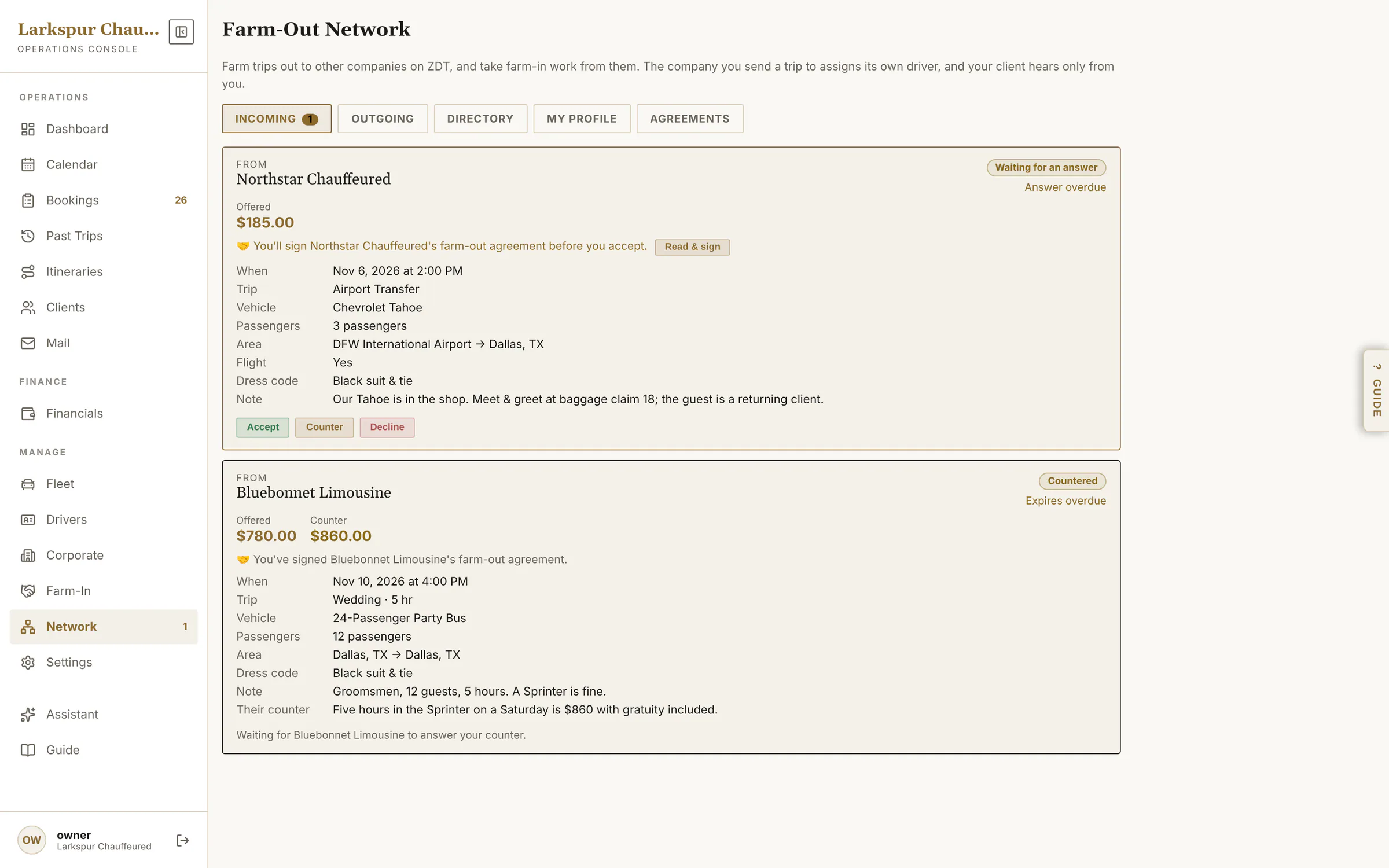
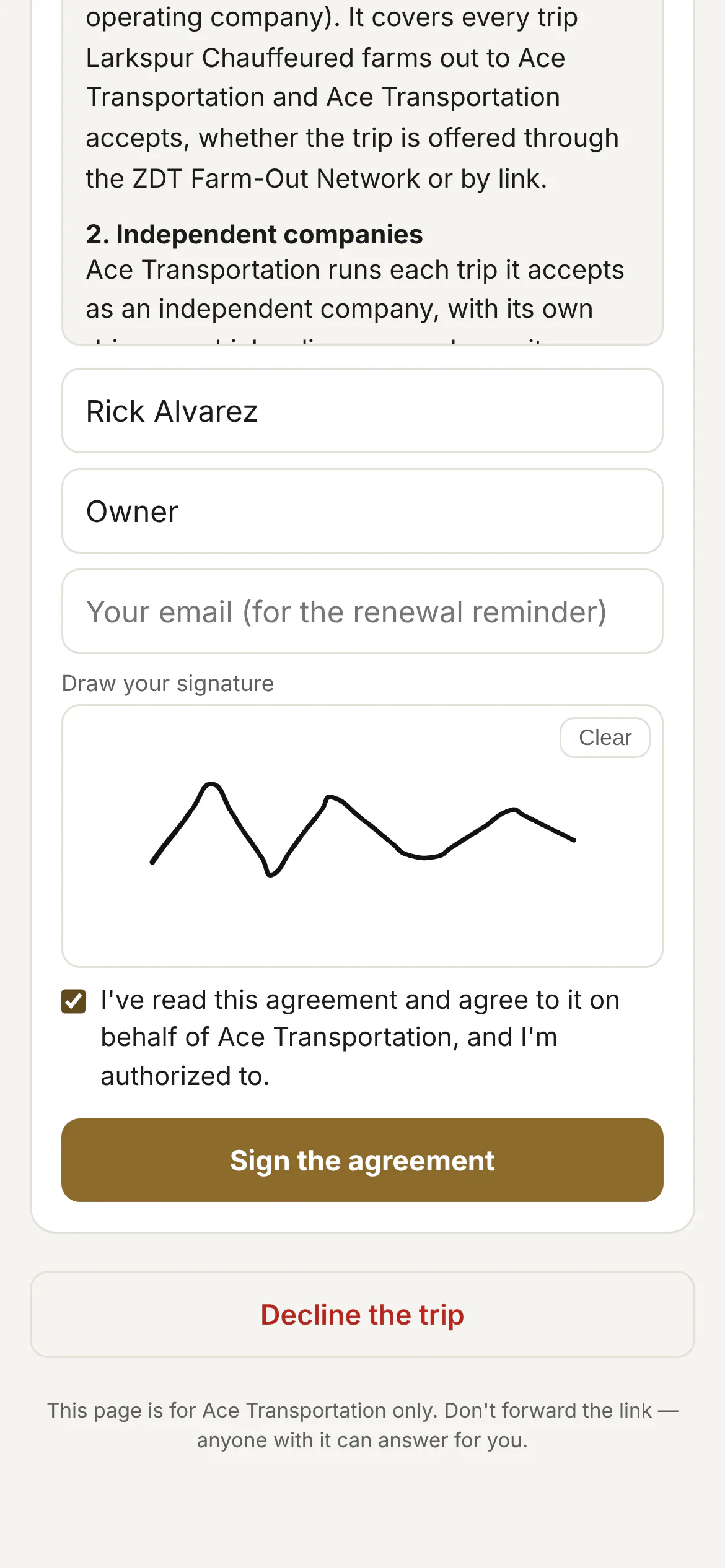
Trade trips with operators you trust. Rolling out
The Farm-Out Network: send a trip you can't cover to another operator — on ZDT, or by link if they aren't — with your agreement signed, their chauffeur tracked, and the payout recorded.
Add what your operation needs.
The core platform runs your bookings, dispatch and payments. Switch these on when you want them.
AI concierge & copilot Add-on
A website chat that quotes from your real rates, a phone receptionist, and a copilot that proposes changes for you to confirm.
Doorstep Mail Add-on
CRM and lead forms: inquiry forms on your website, an inbox, campaigns with real open and click reports.
Flight tracking Add-on
Live status on every airport booking, delay alerts and a suggested new pickup time.
Text messages Add-on
Confirmations and “chauffeur on the way” texts from your own number, once your texting registration is approved.
White label Add-on
Remove the “Powered by” line; your own domain and sending address are rolling out.
Client portal Add-on
Clients sign in with a code to see their trips, pay balances, repeat rides and keep their cards on file.
Straight answers.
Do I need my own website?
No — you get a branded booking page you can share anywhere. If you have a site, the booking page embeds in it with one line of code.
How do payments reach me?
You connect your own Stripe account, so customer payments go directly to you. ZDT never holds your funds and takes no cut of your rides. Zelle, Venmo, Cash App and cash work too.
Can customers pay a deposit instead of the full amount?
Yes — deposit, pay in full, or card on file, set per service.
Does it handle airport runs and flight delays?
Yes. Airport bookings take the flight number; with the Flight Tracking add-on, bookings show live flight status and alert you and the chauffeur when a flight moves.
Can I move my existing client list over?
Yes — import from a spreadsheet; names, phones, emails, notes and VIP status carry across, with duplicate protection.
Will it look like my company or like software?
Your company. Booking, quote, signing and payment pages carry your logo and colours. The White Label add-on removes the attribution; your own domain is rolling out.
Can my chauffeurs use it on their phones?
Yes. Each chauffeur signs in to an app that shows only their own rides, with status buttons, flight details, a wait clock and a meet & greet sign.
What's Doorstep Mail?
The CRM and lead-form add-on: inquiry forms for your website, an inbox for leads, your booking clients on one list, and email campaigns with open and click reports.
Do I have to sign a long contract?
No — it's a monthly subscription. Join the waitlist and we'll walk you through the plans when your spot opens.
Is my data secure?
Card payments run through Stripe and card numbers never touch our servers; each company's data is isolated; every link you send is token-protected.
Be one of the first operators on ZDT.
We're onboarding operators one at a time, by hand. Join the waitlist and we'll reach out personally when a spot opens.