Dispatch, money, clients, pricing and every email — the screens Larkspur's office works in all day. Click any screenshot to zoom in.
Dispatch & bookings
The dashboard, every reservation in one ledger, leads from unfinished bookings, and each chauffeur's history.
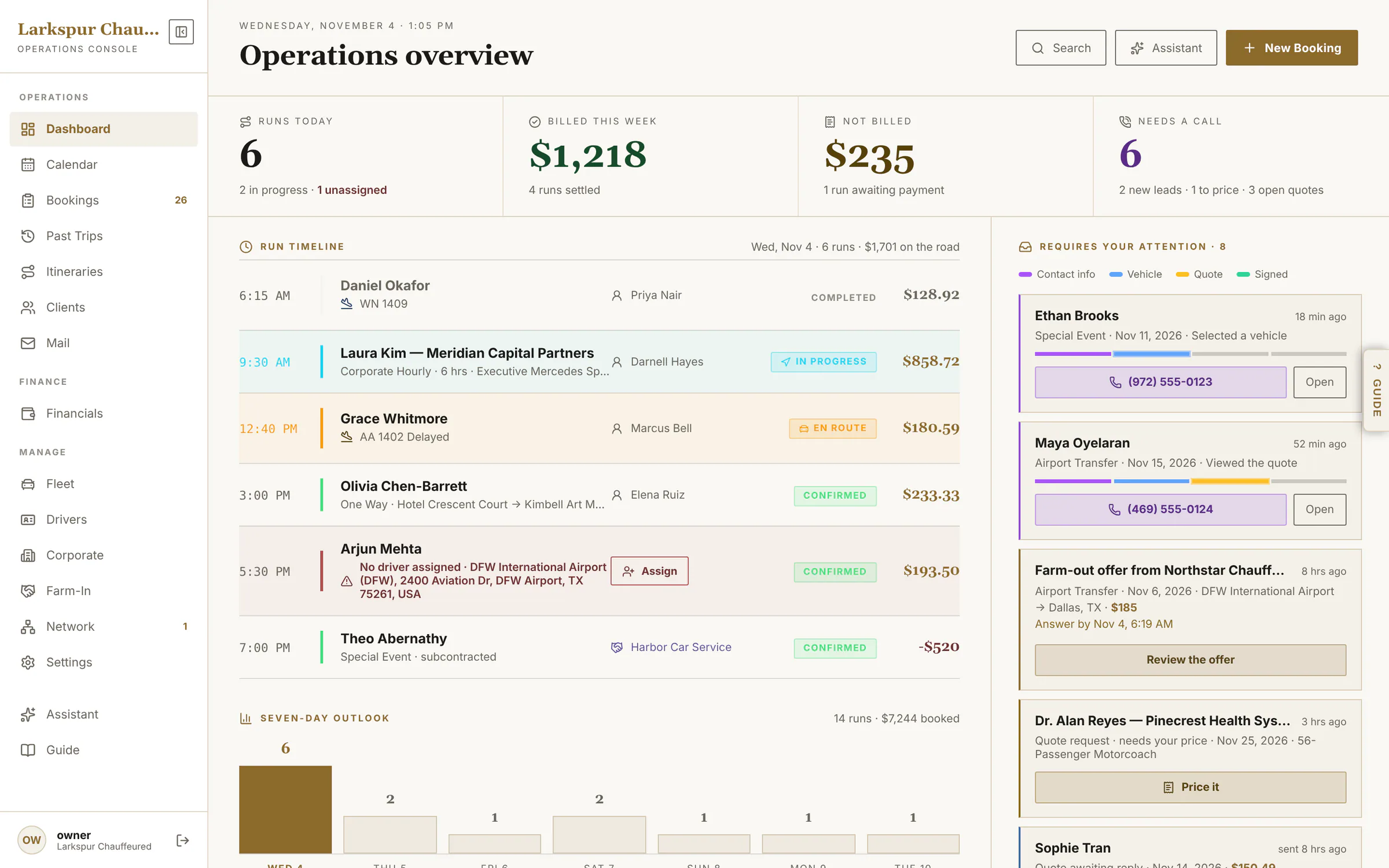
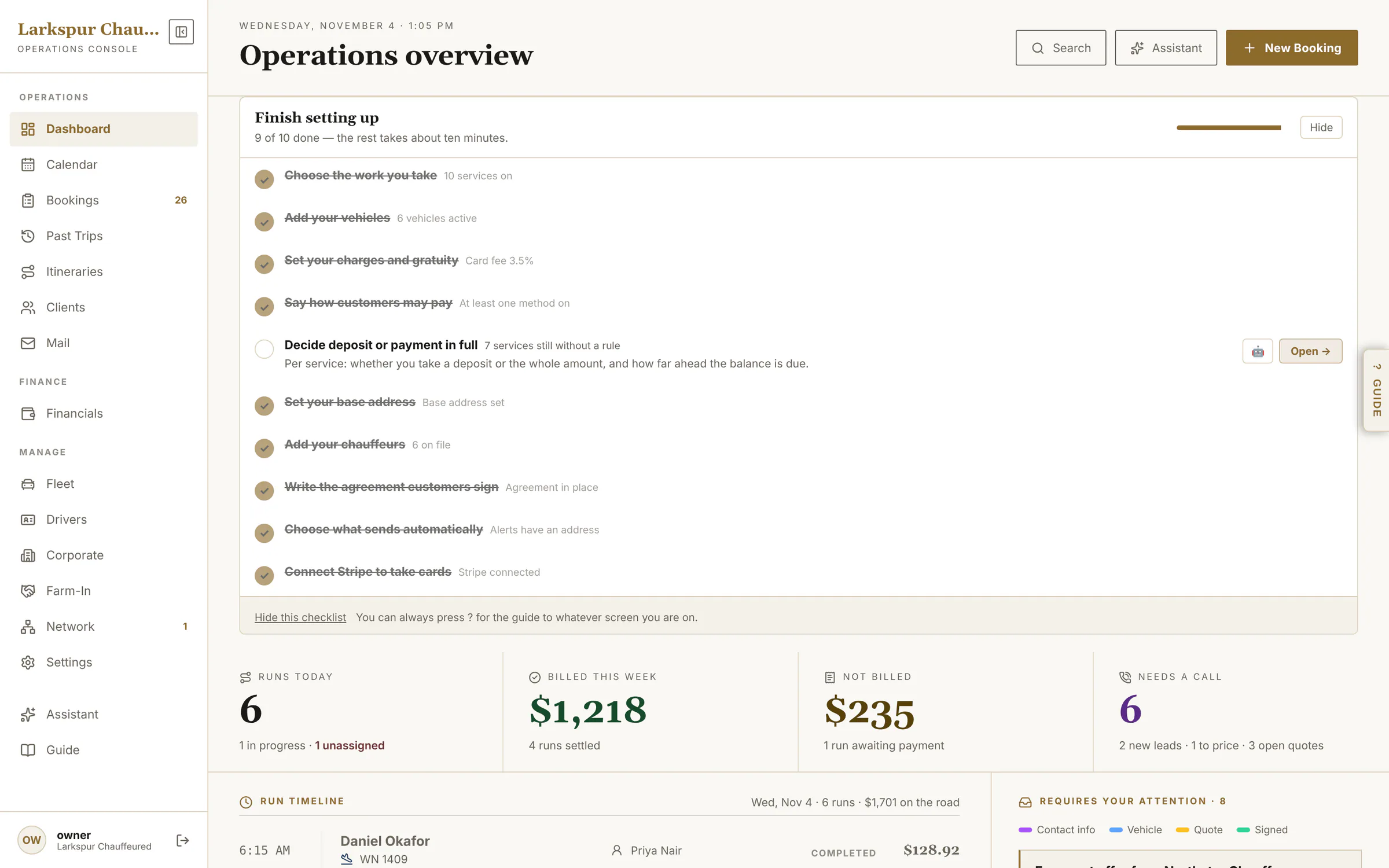
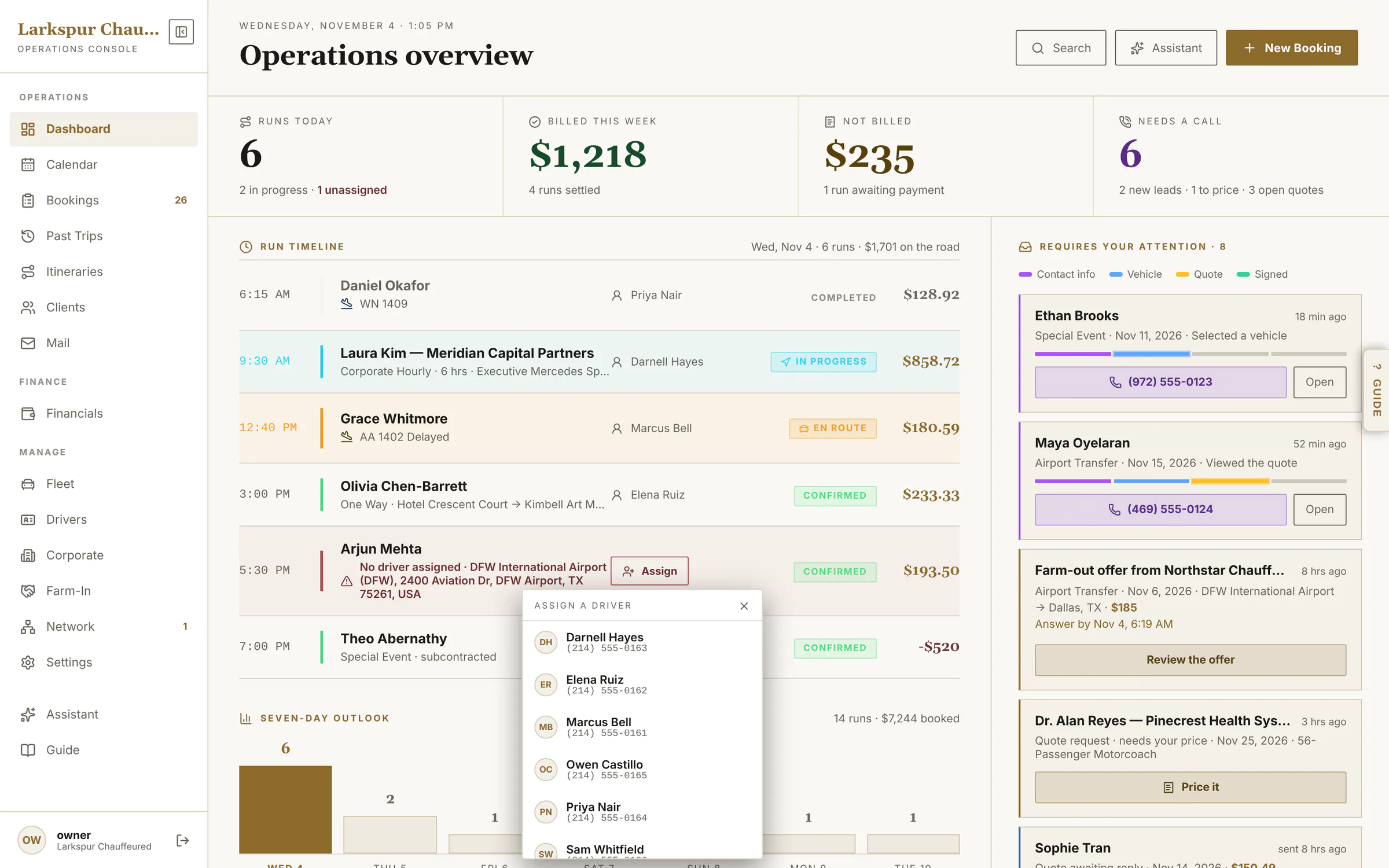
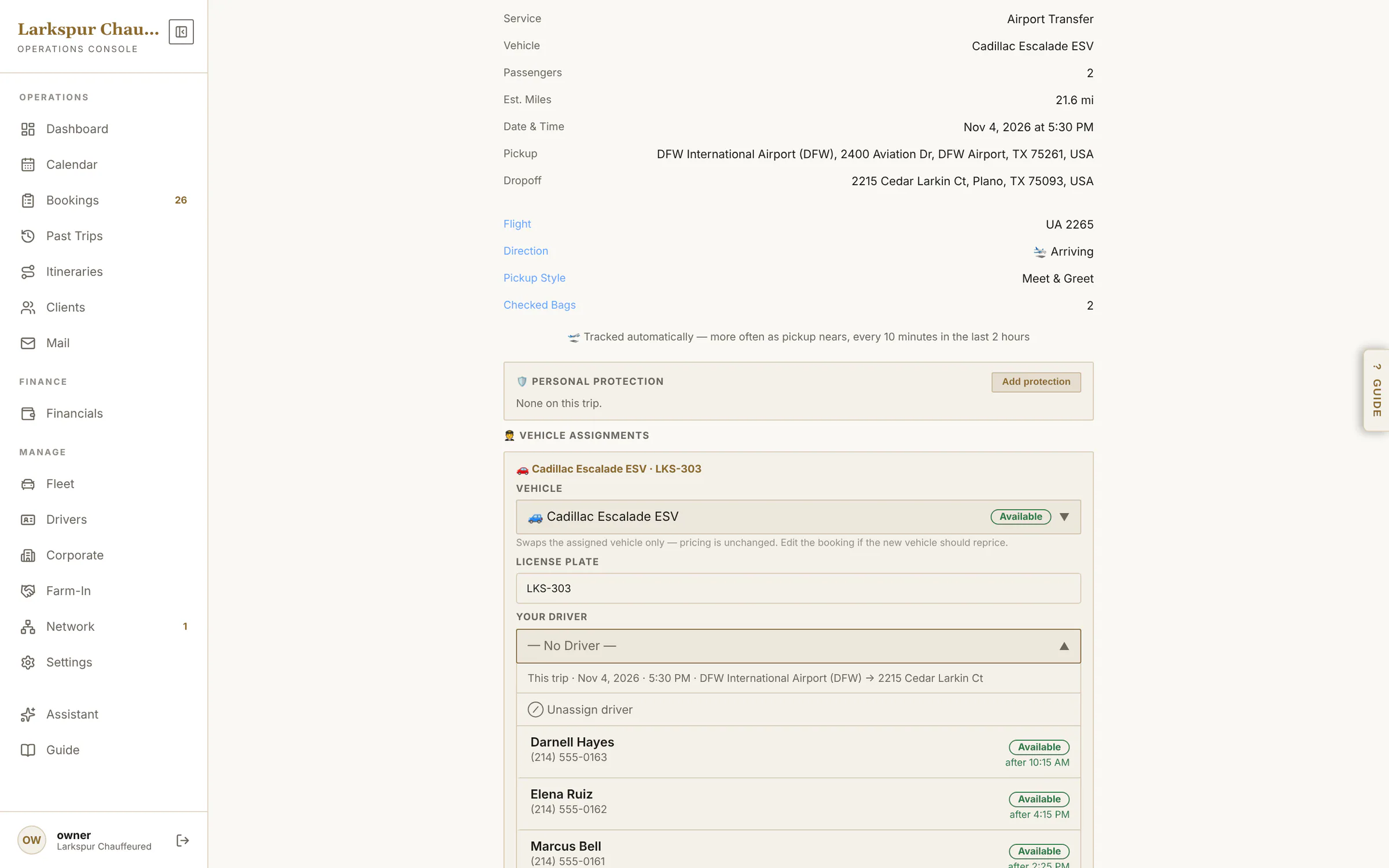
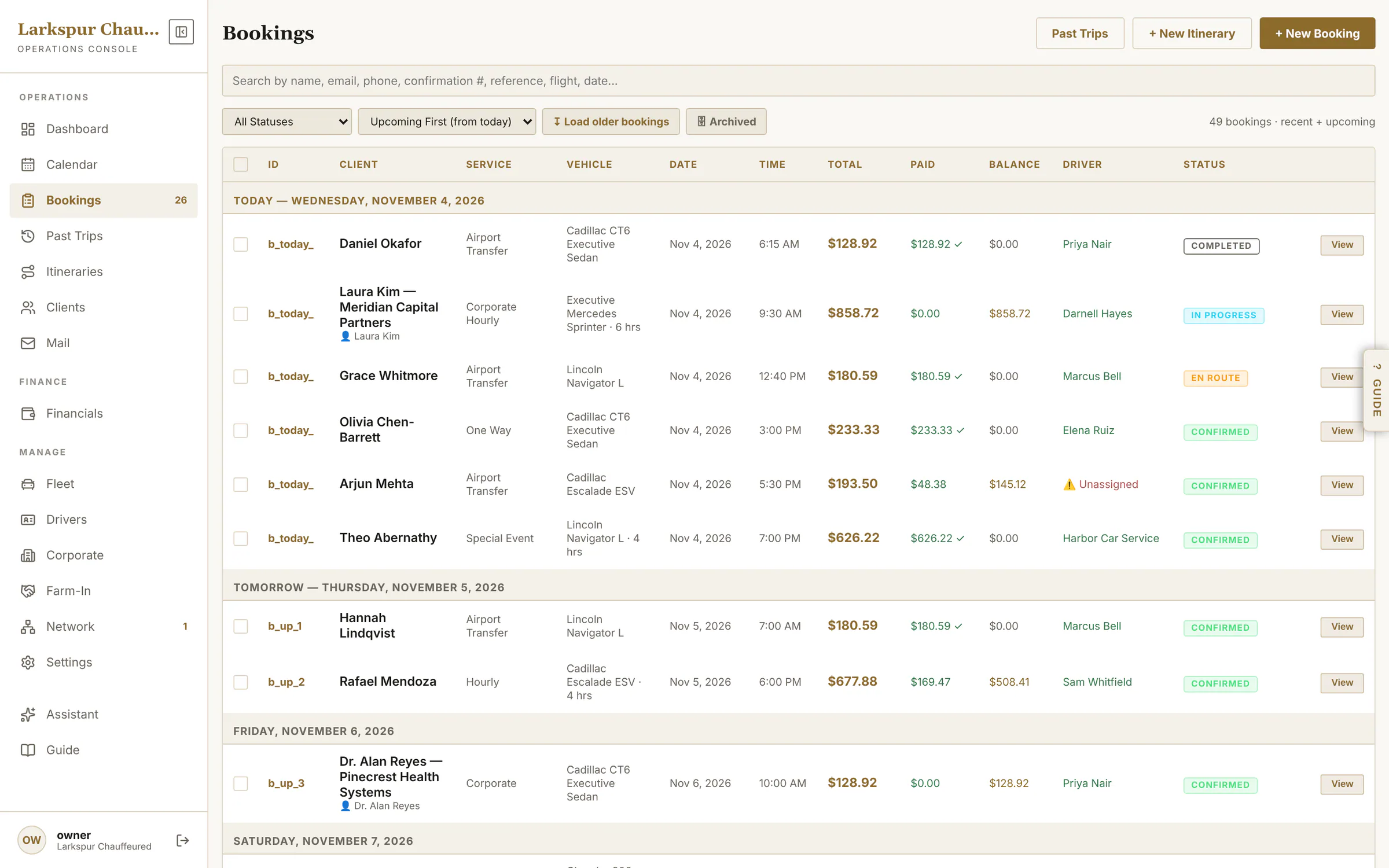
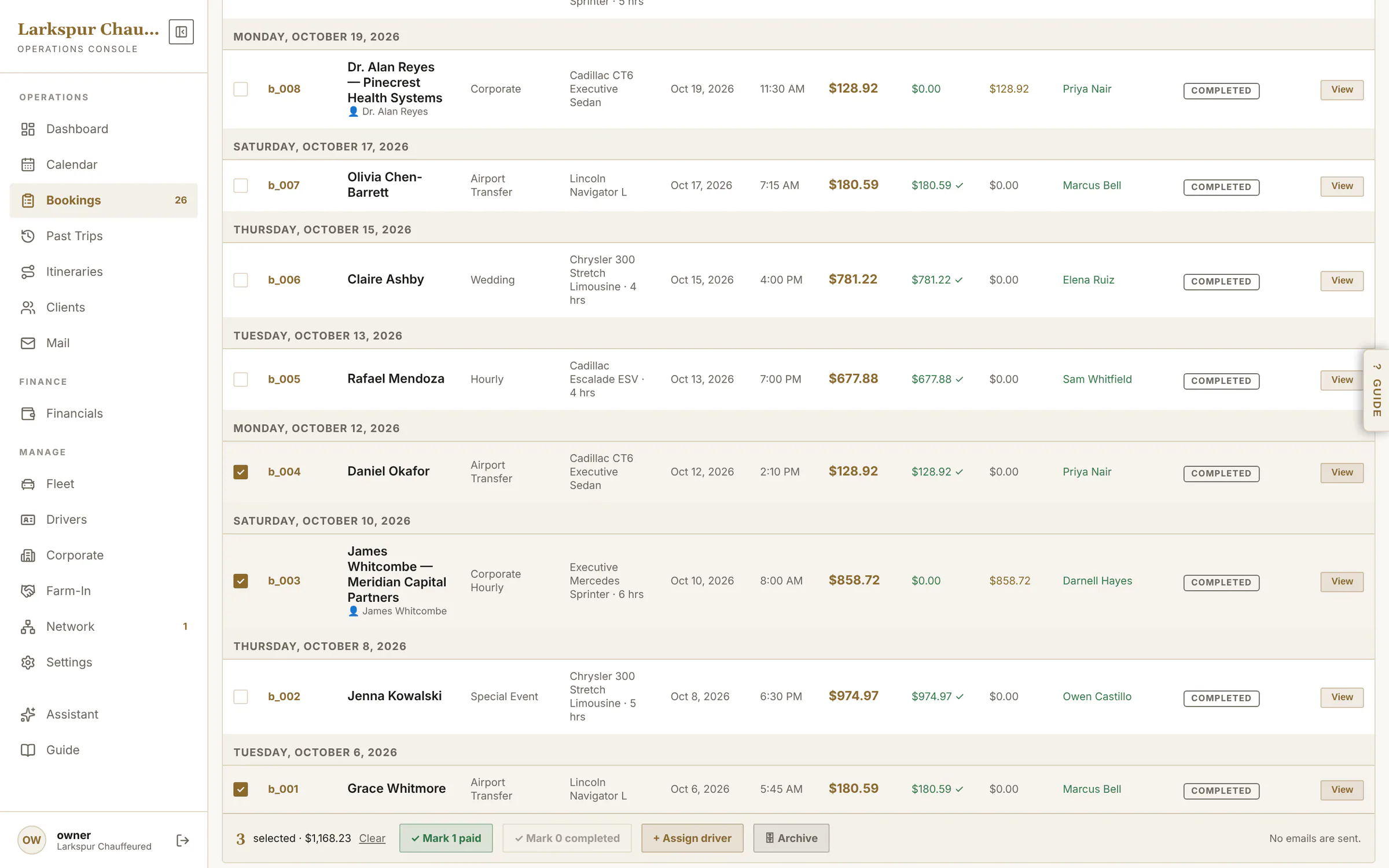
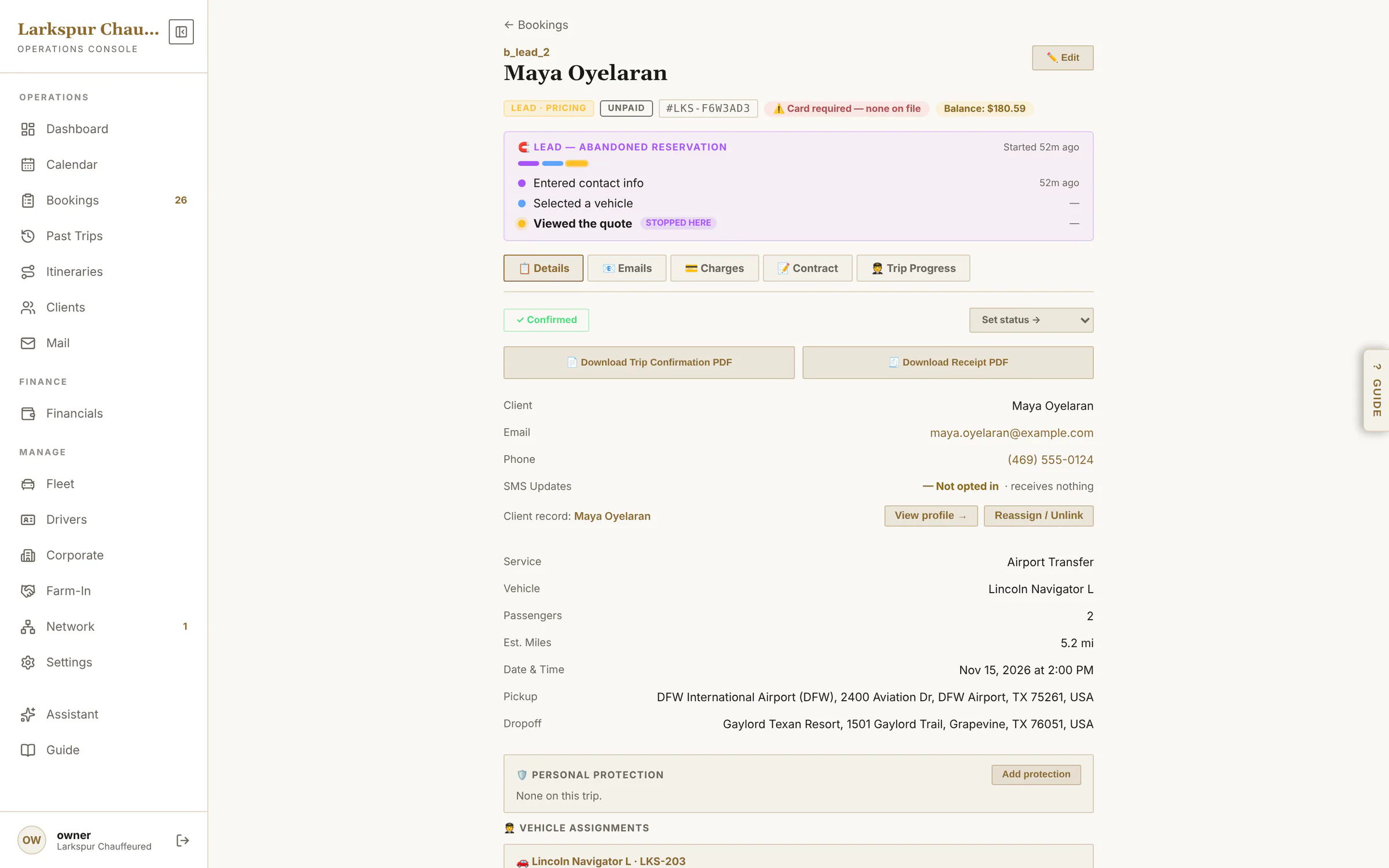
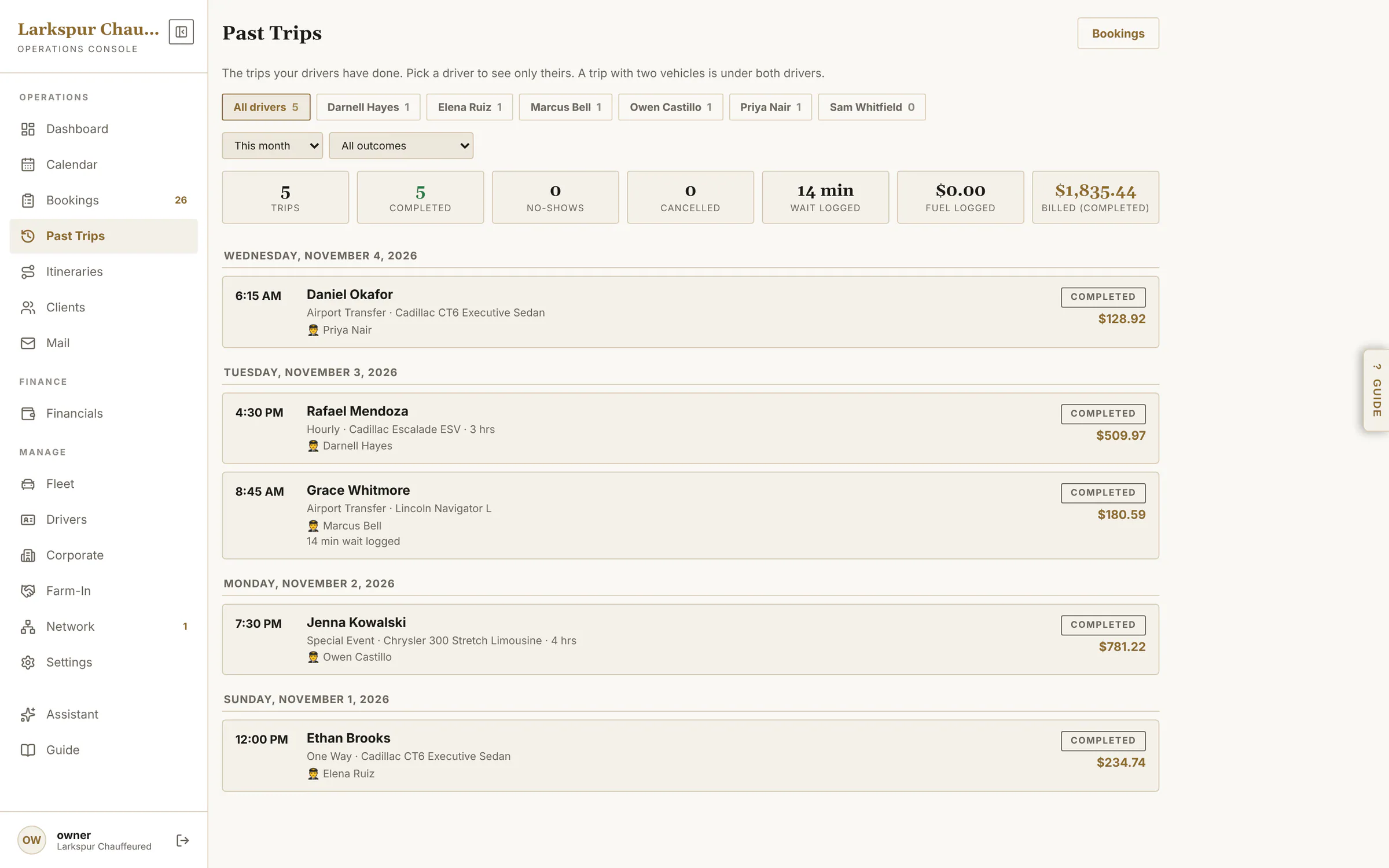
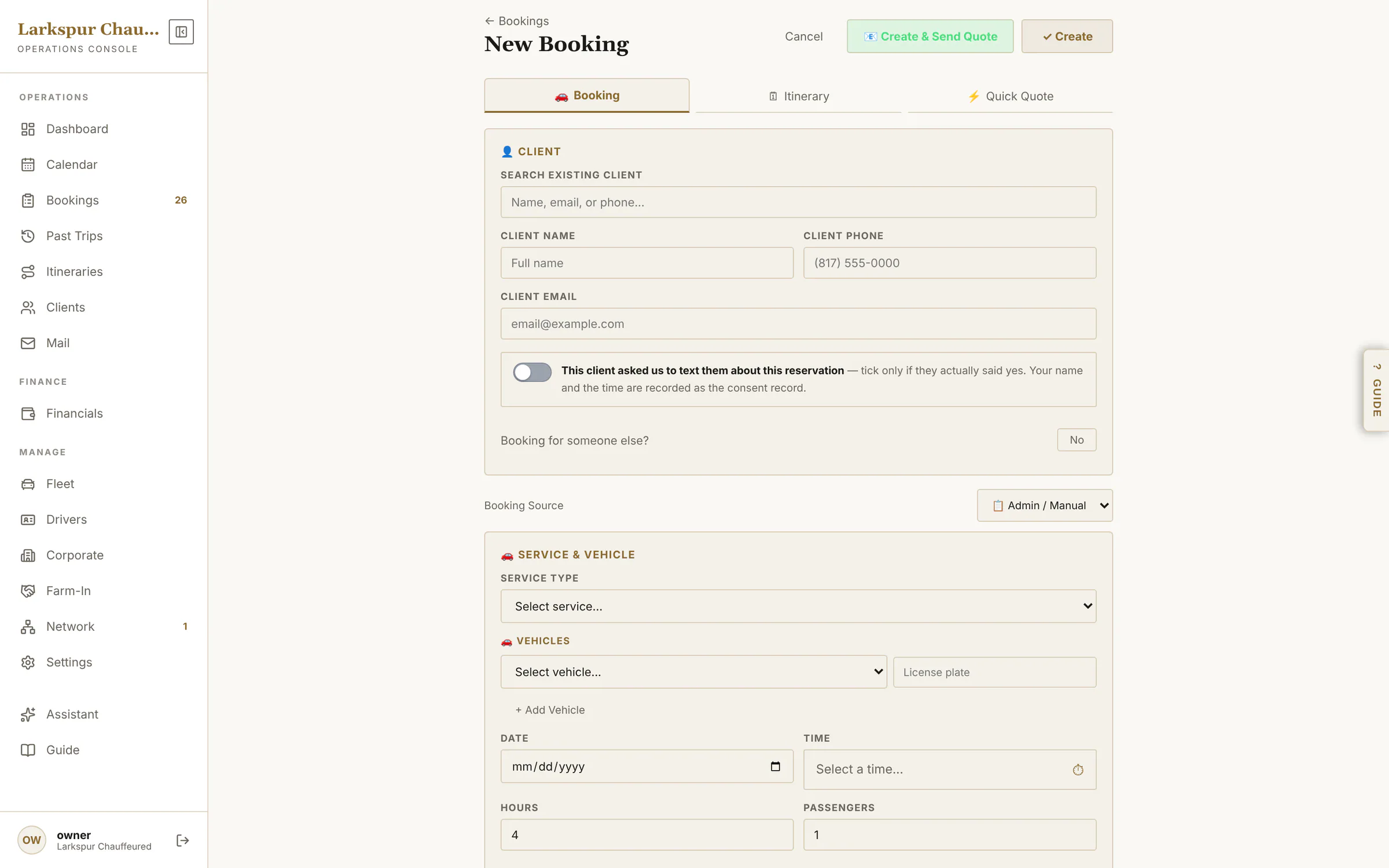
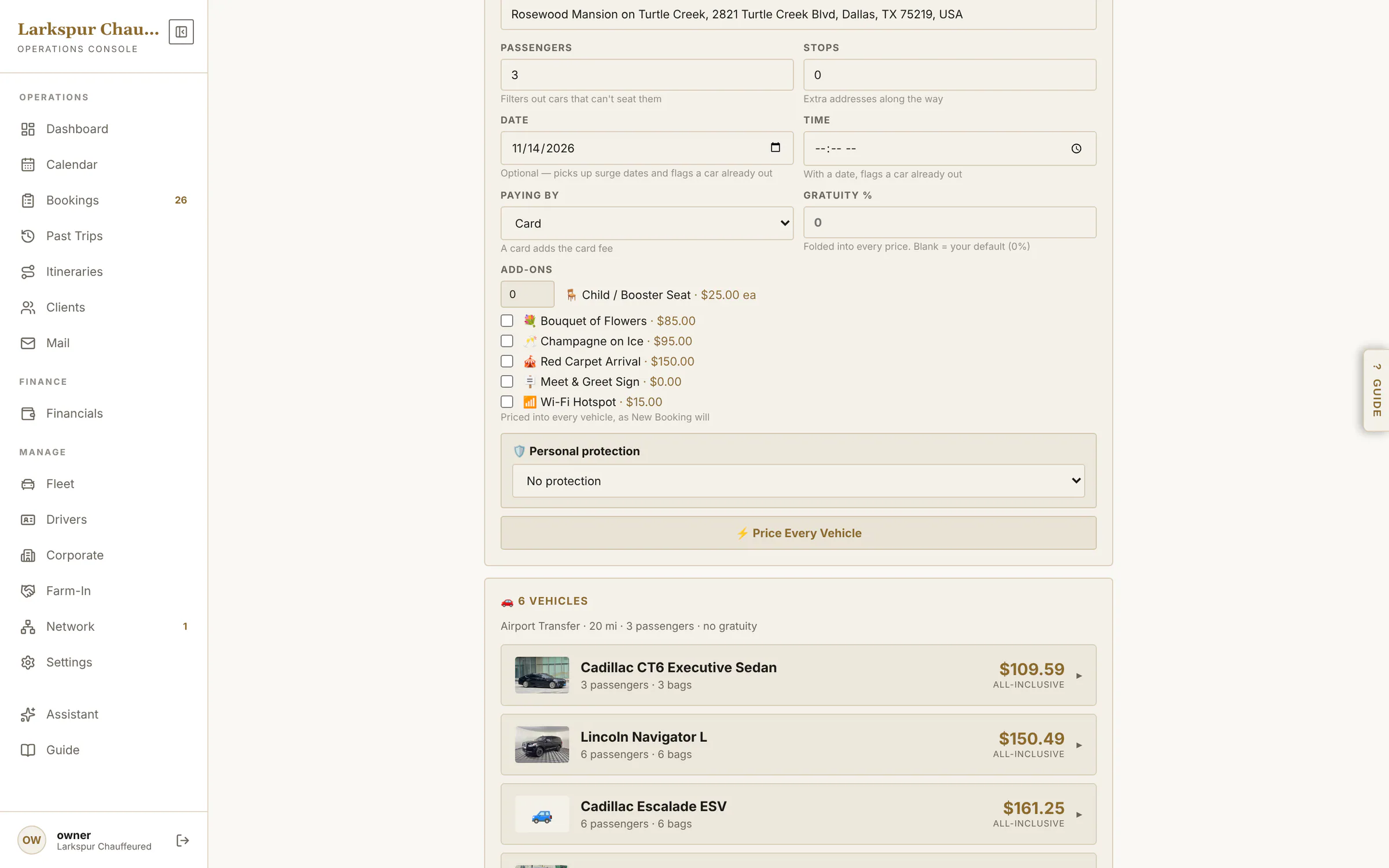
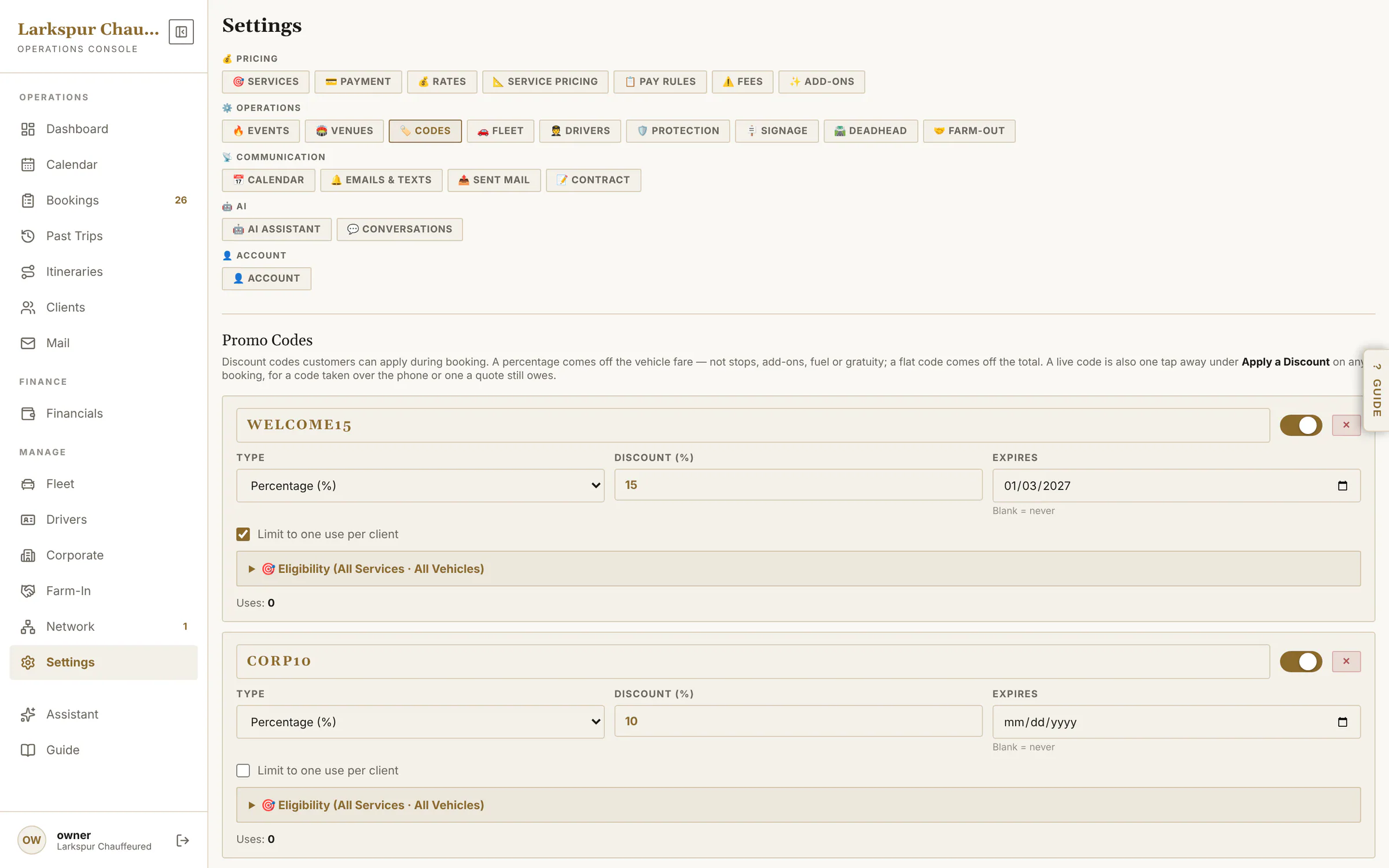
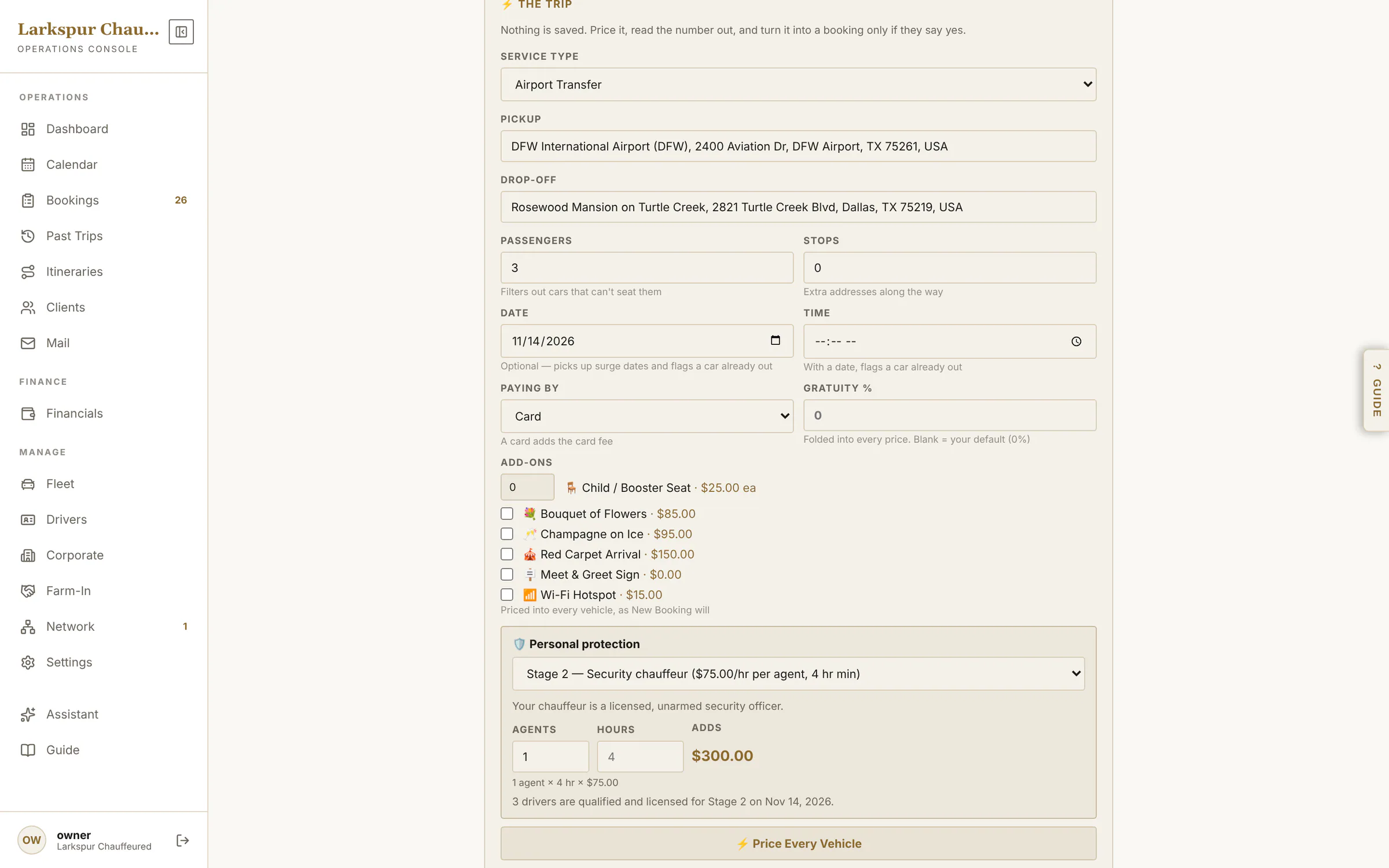
app.zdtbooking.com/adminTap to zoomOperations overviewToday's runs, what's billed and what isn't, who needs a call — and every unassigned run in red, fixable from here.app.zdtbooking.com/adminTap to zoomA setup checklist that checks itselfNew accounts get ten steps, from services to Stripe — each ticked off from your real data, with a button to open it and one to ask the assistant.app.zdtbooking.com/adminTap to zoomAssign from the dashboardPick a chauffeur for an unassigned run without leaving the dashboard — with their schedule checked.app.zdtbooking.com/adminTap to zoomWho's free, who's tight, who's bookedEvery chauffeur and car is checked against the schedule as you pick — Available, Tight or Conflict, with the reason.app.zdtbooking.com/adminTap to zoomEvery reservation in one ledgerGrouped by day: filter by status, search anything, and tick rows to act on several at once.app.zdtbooking.com/adminTap to zoomBulk actionsTick several bookings to mark them paid or completed, assign a chauffeur or archive them — with the total of what's selected, and Undo.app.zdtbooking.com/adminTap to zoomUnfinished bookings become leadsSomeone who gives their details on your booking page and stops is saved as a lead: how far they got, when, and where they stopped — call while it's warm.app.zdtbooking.com/adminTap to zoomPast trips by chauffeurEach chauffeur's completed rides by month, plus farm-outs and anything left unassigned.app.zdtbooking.com/adminTap to zoomTake a phone bookingClient search, service, vehicle, addresses and flight — priced live as you type.app.zdtbooking.com/adminTap to zoomQuick Quote“What does a Navigator to the Rosewood cost?” Every car, all-in, in seconds — then one tap turns it into a booking.
One trip, every detail
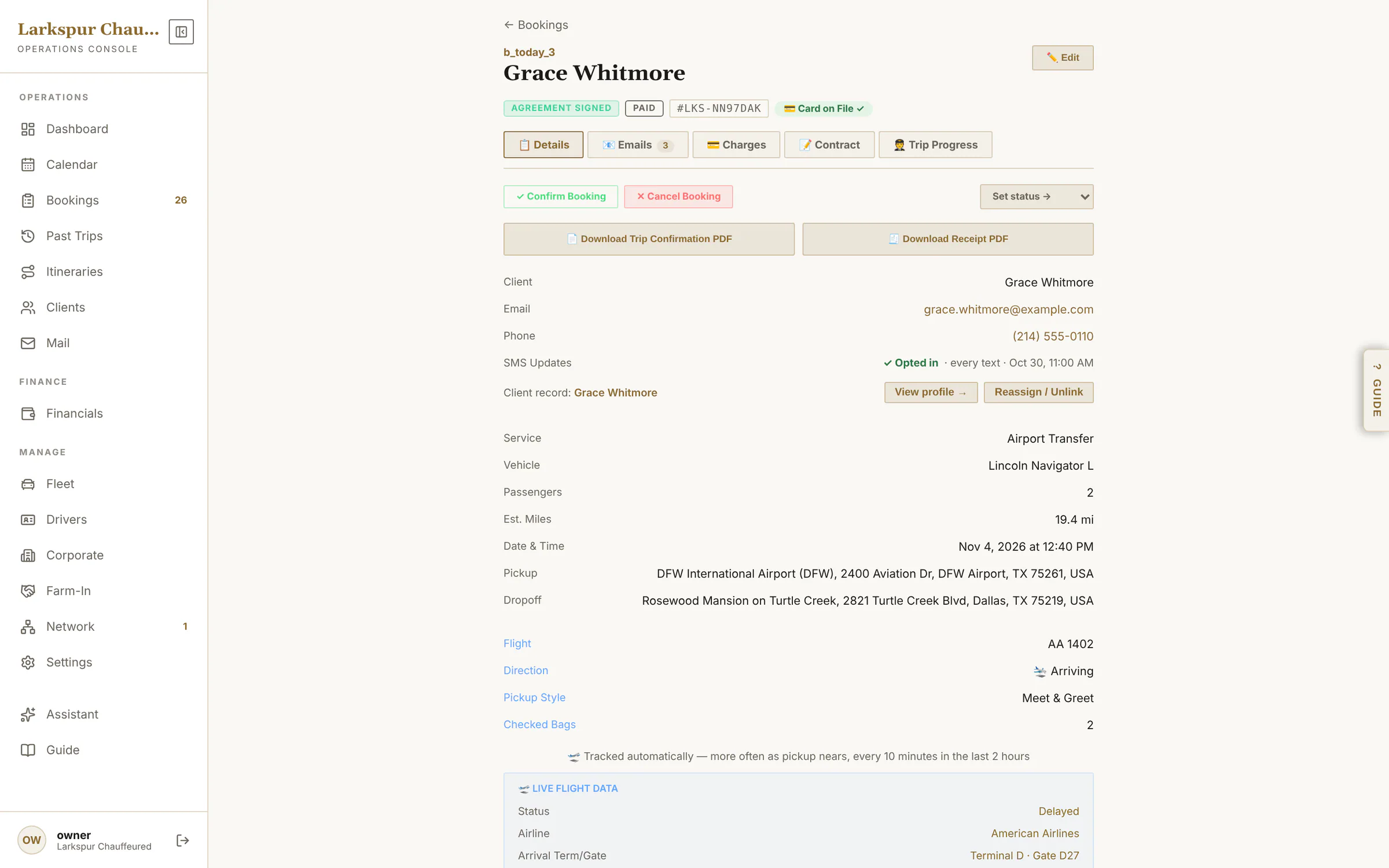
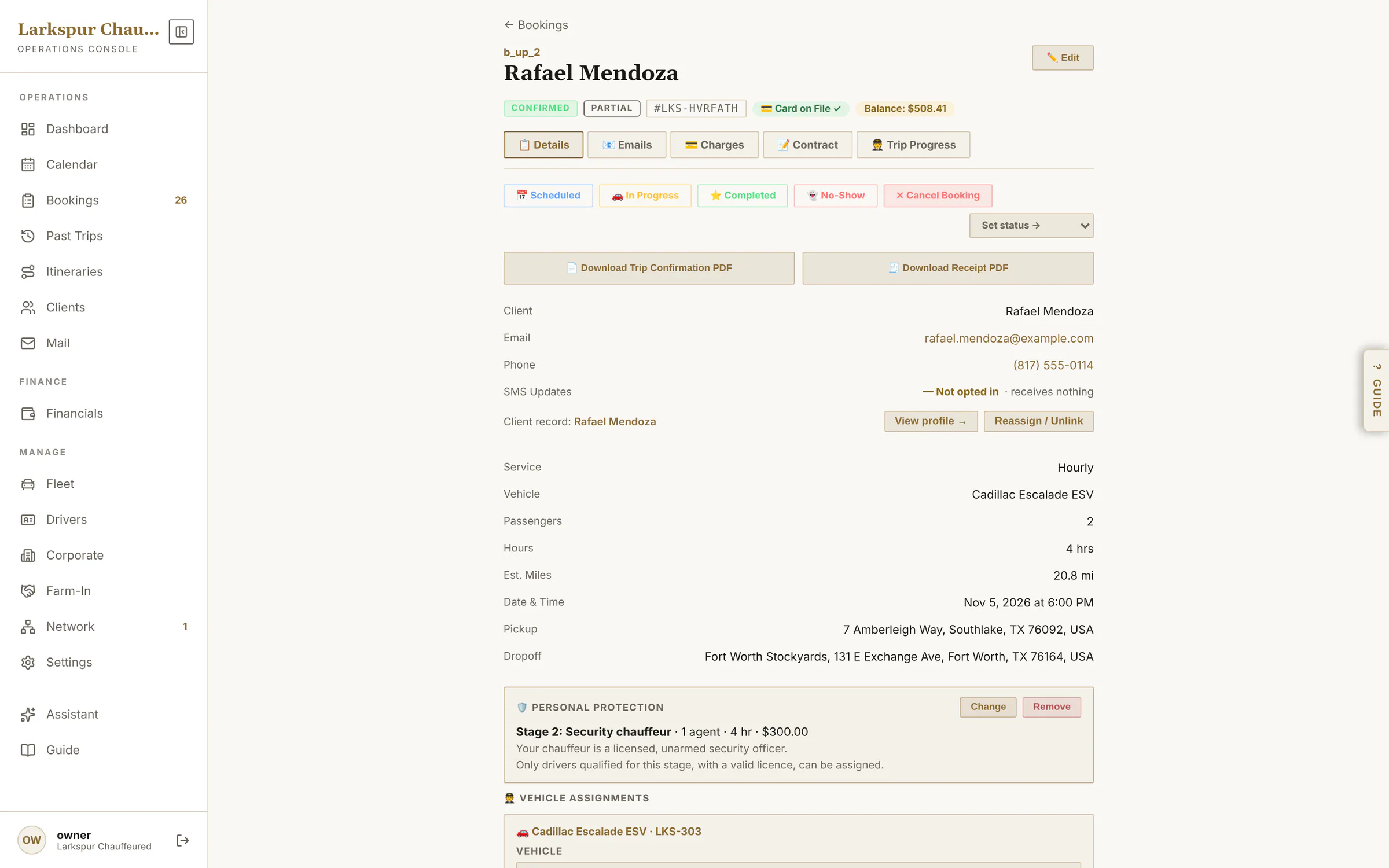
Status, flight, car and chauffeur, charges and payments, the signed agreement, every email, and the trip's live progress.
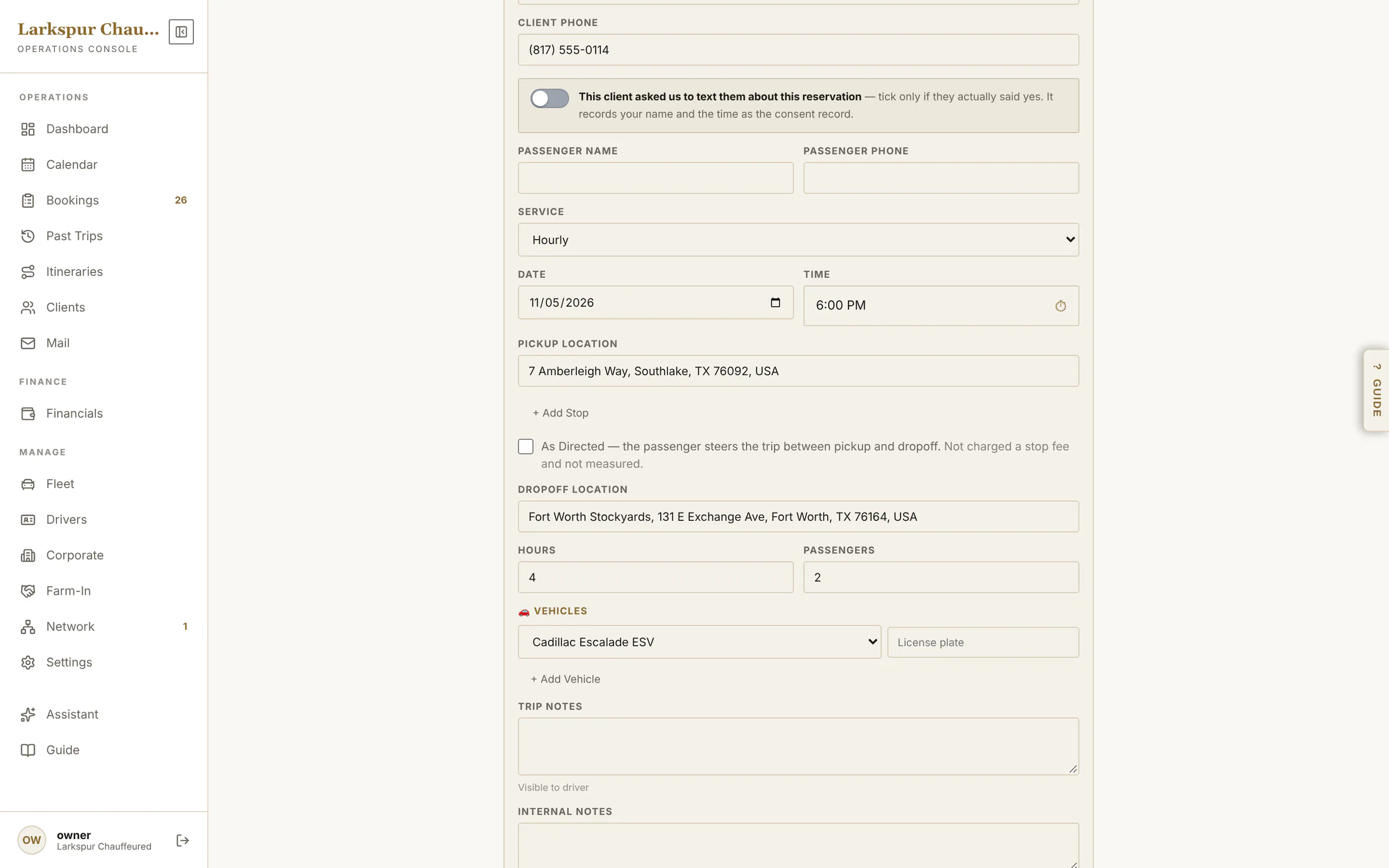
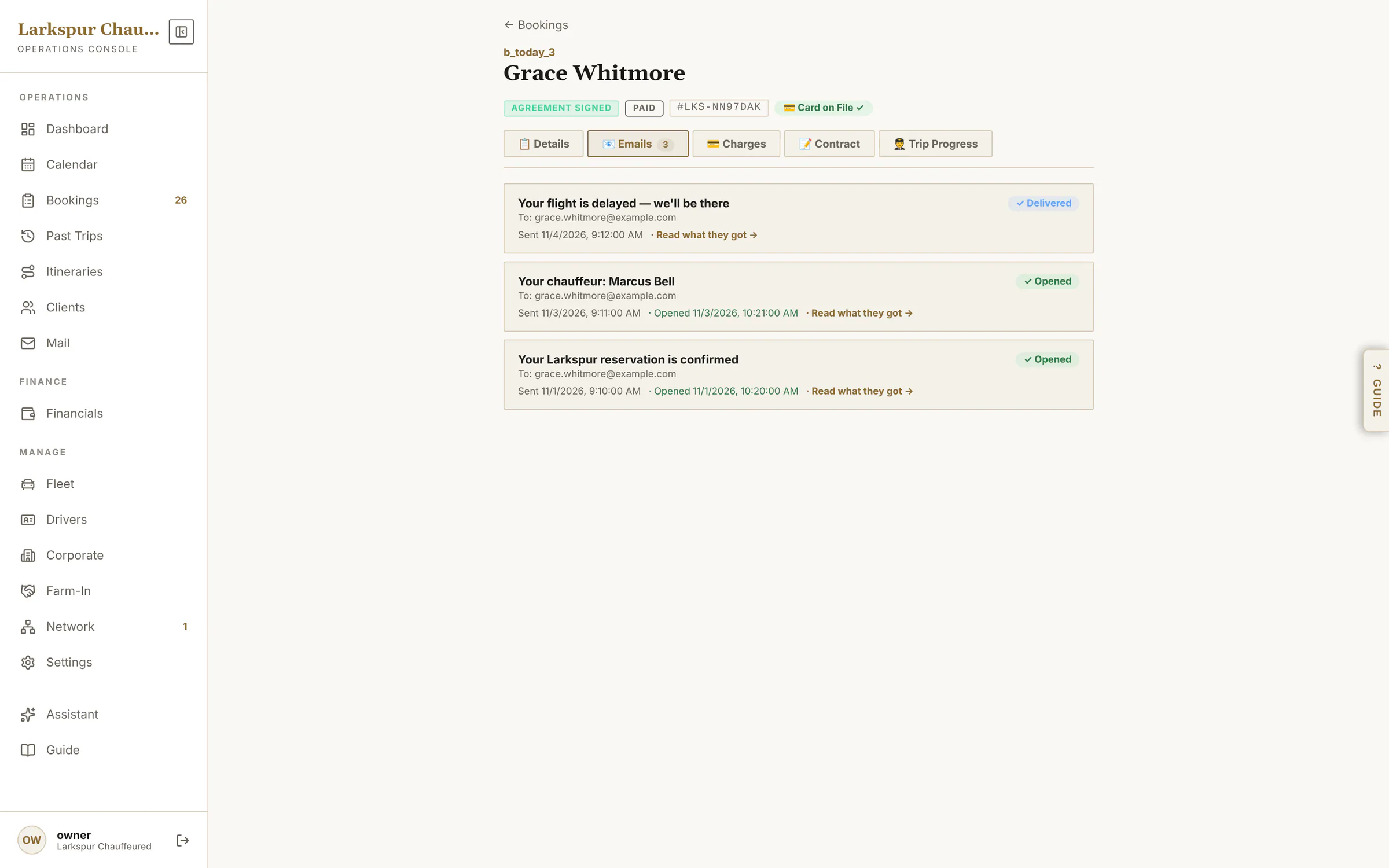
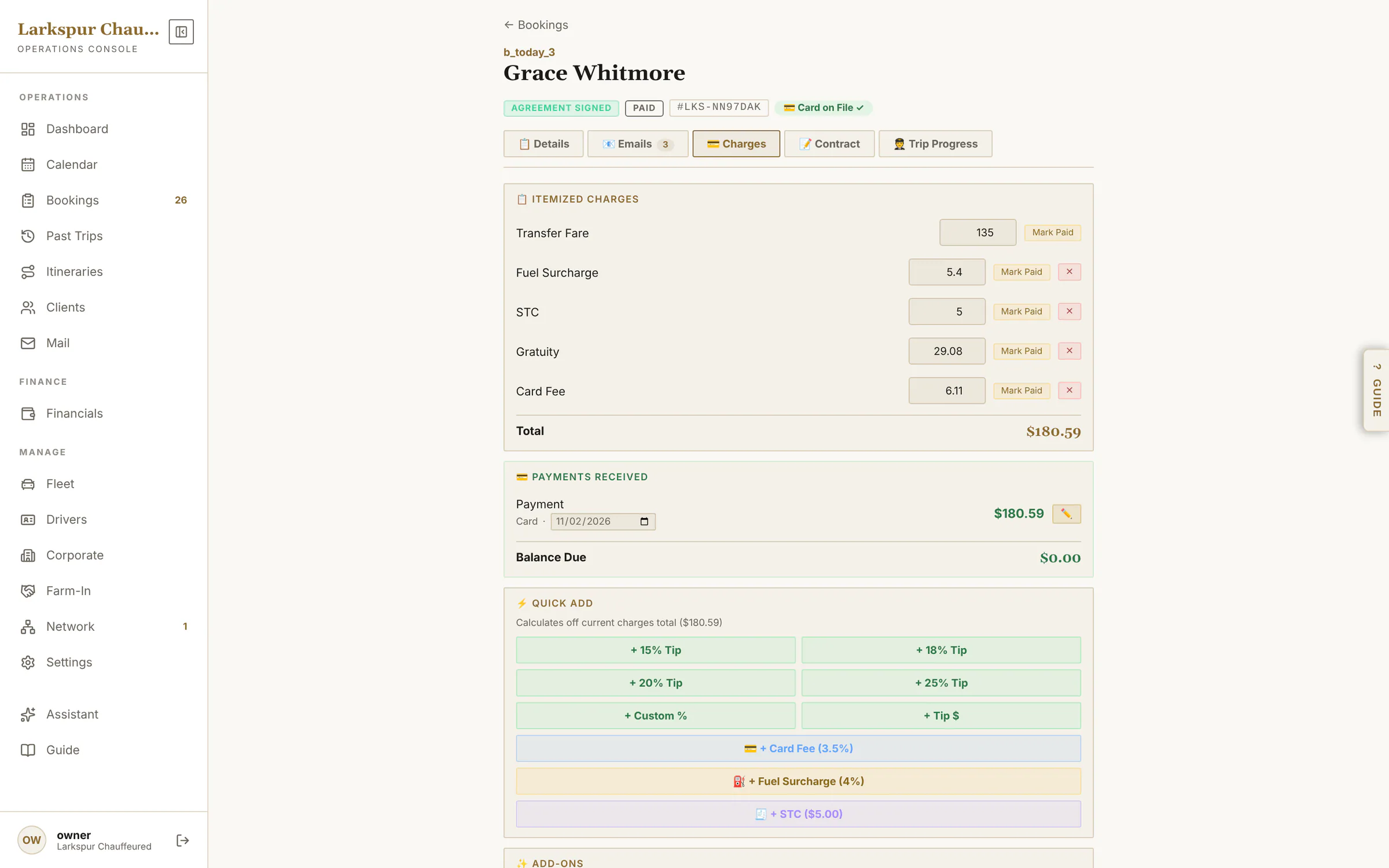
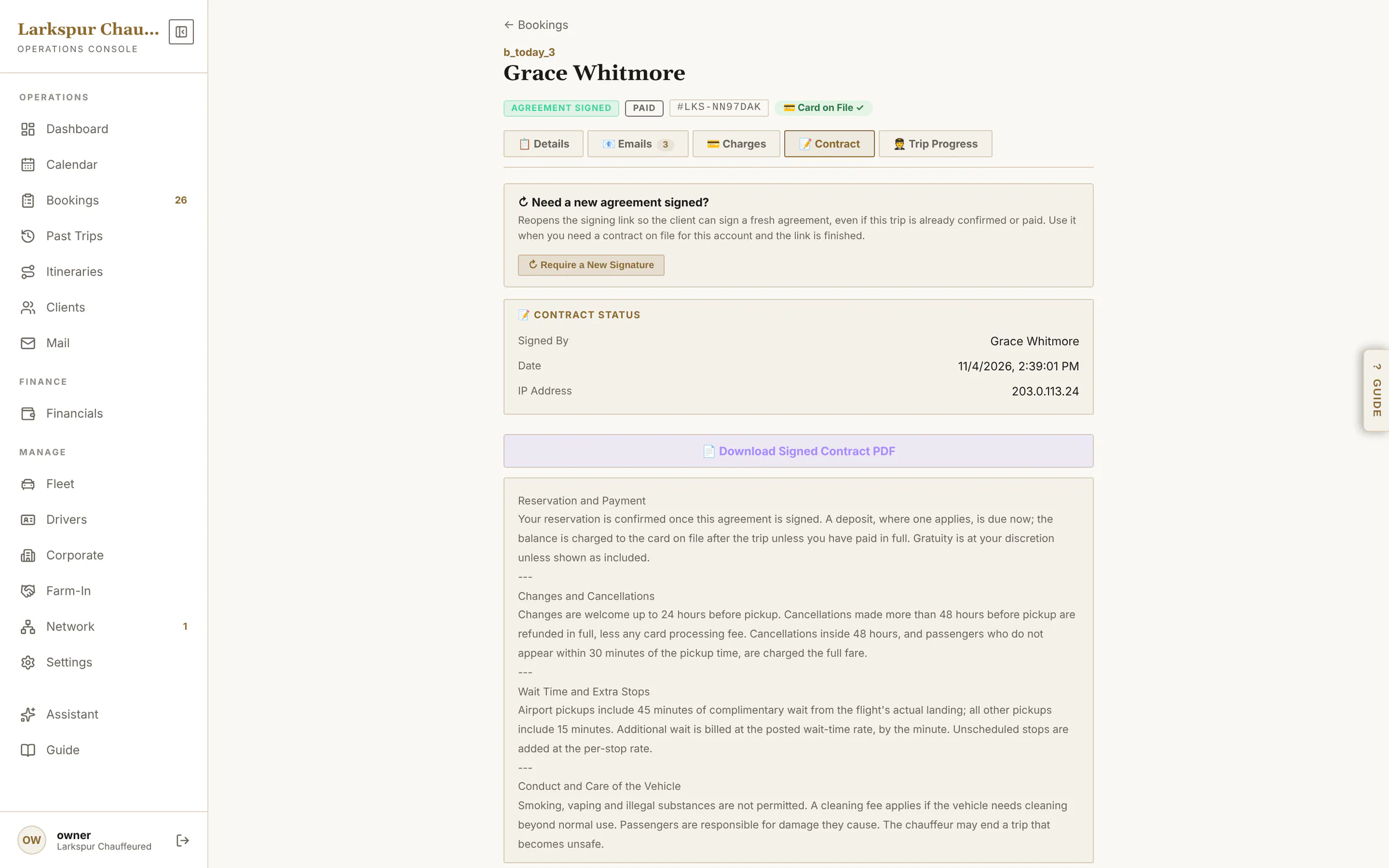
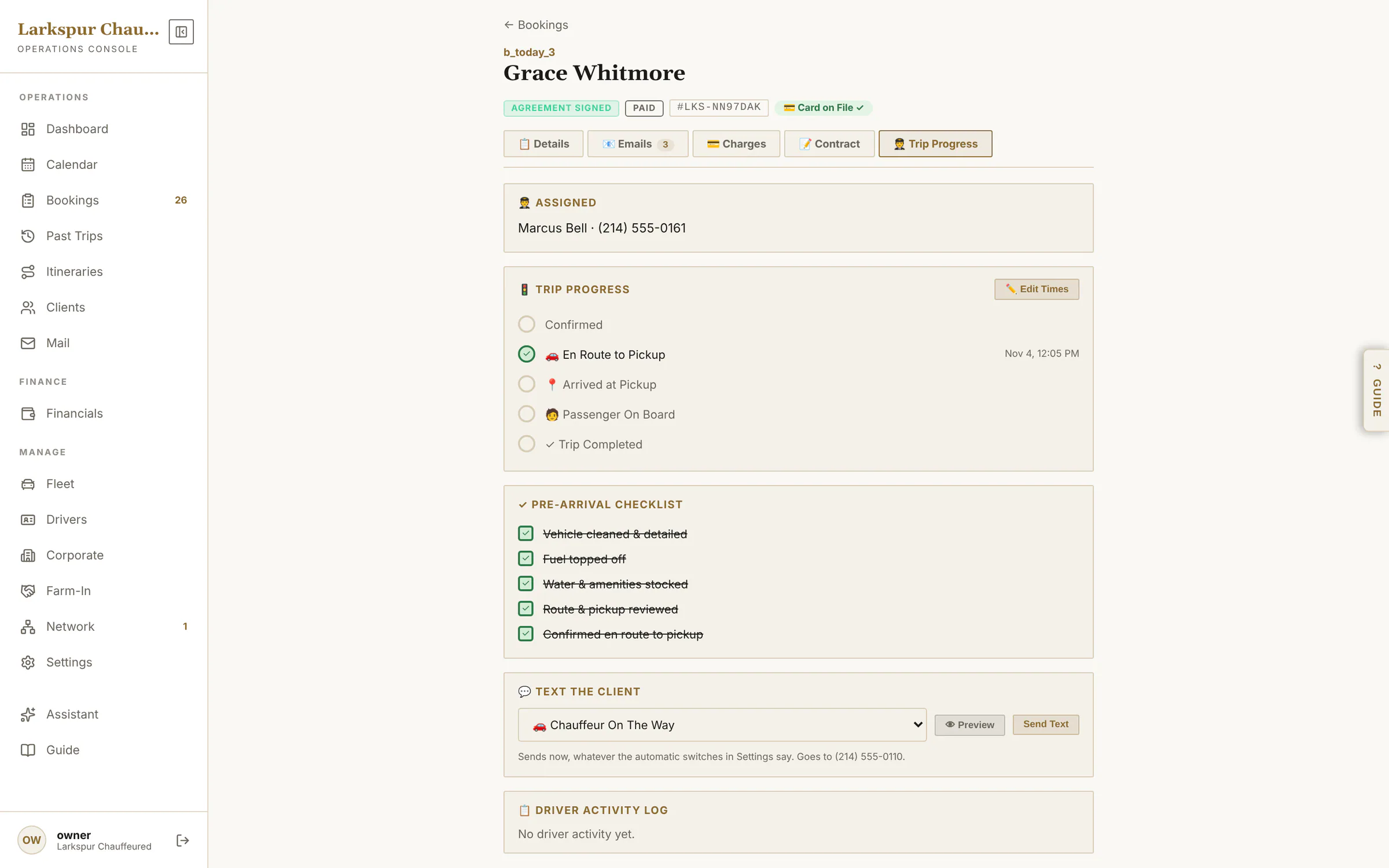
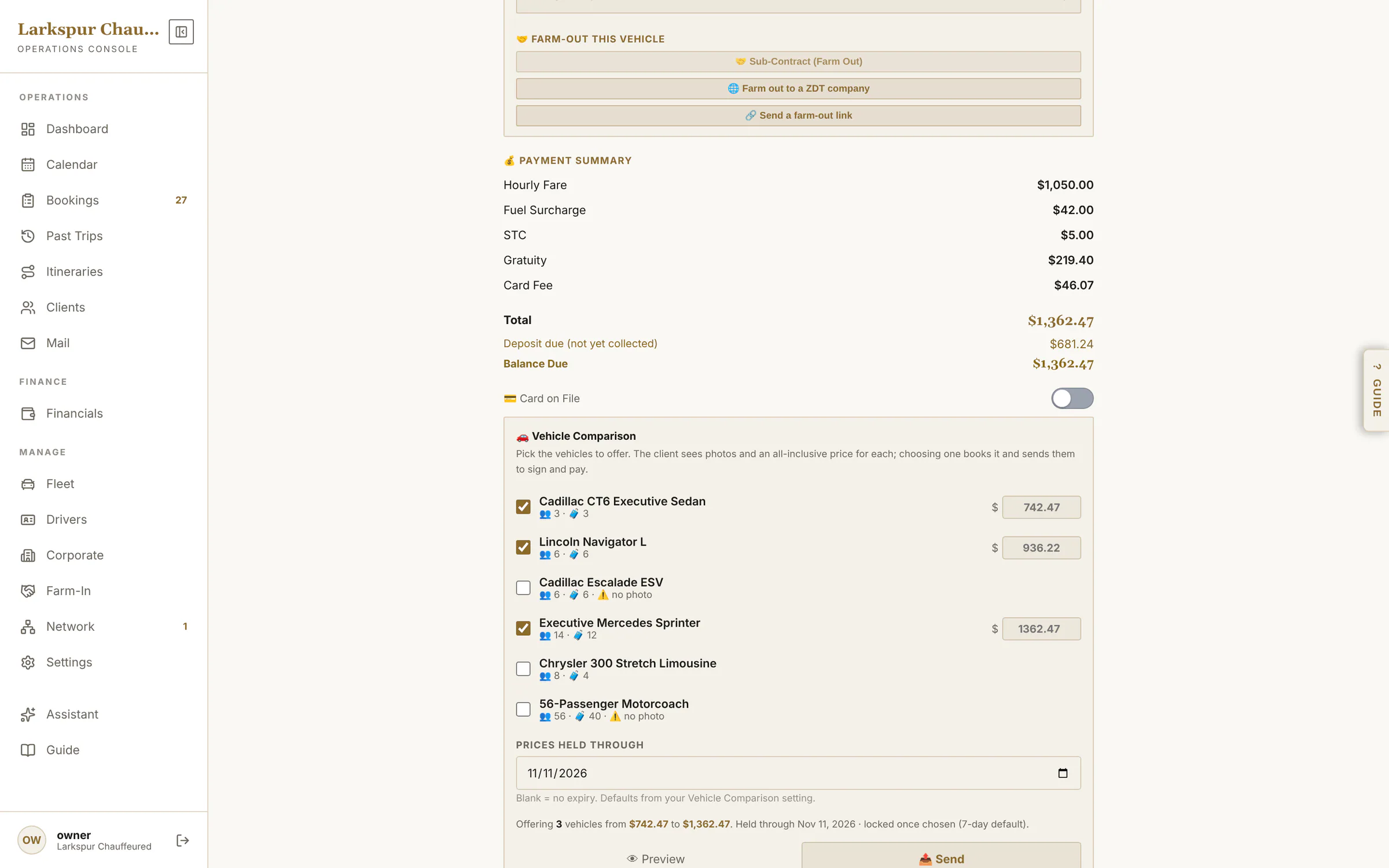
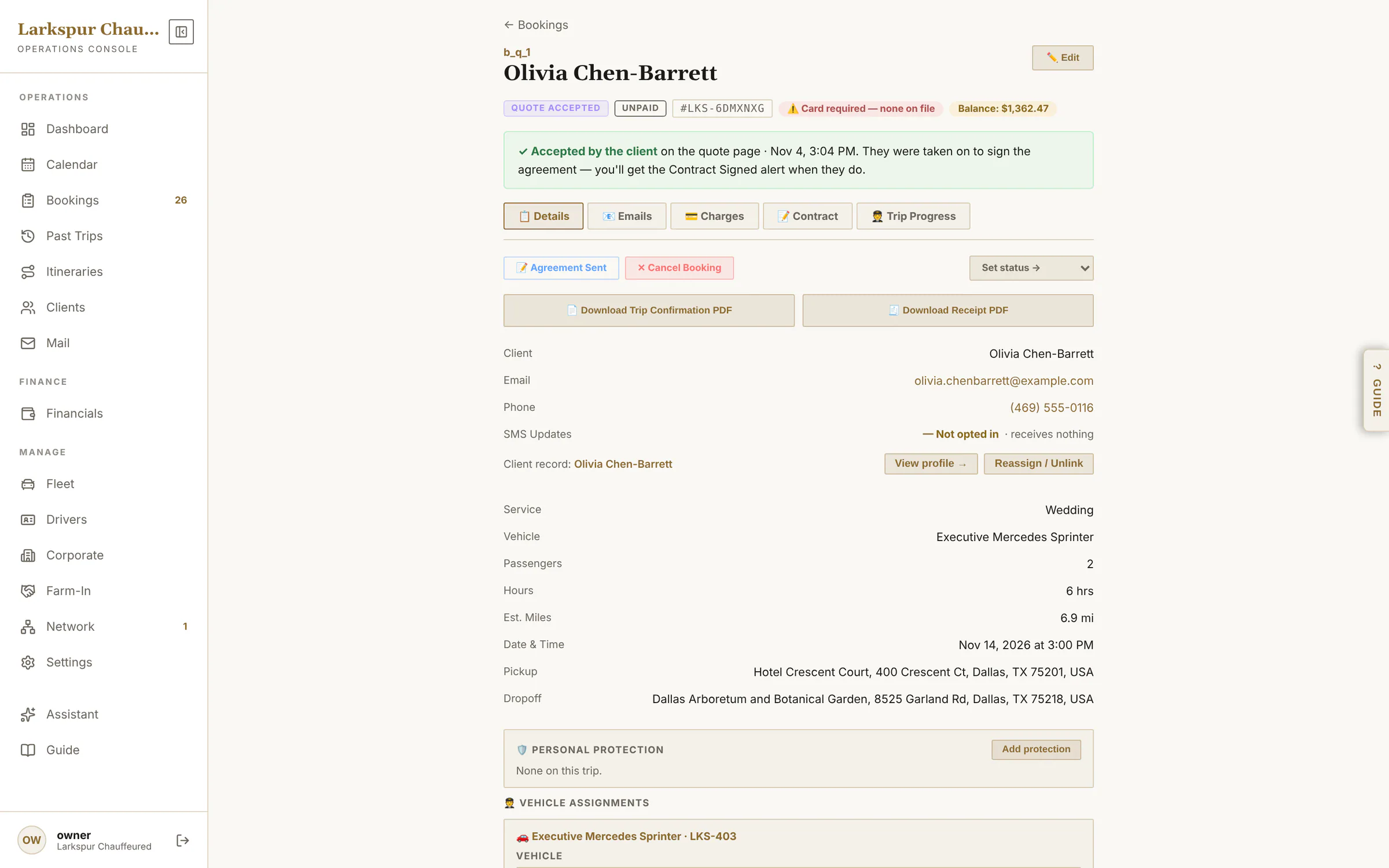
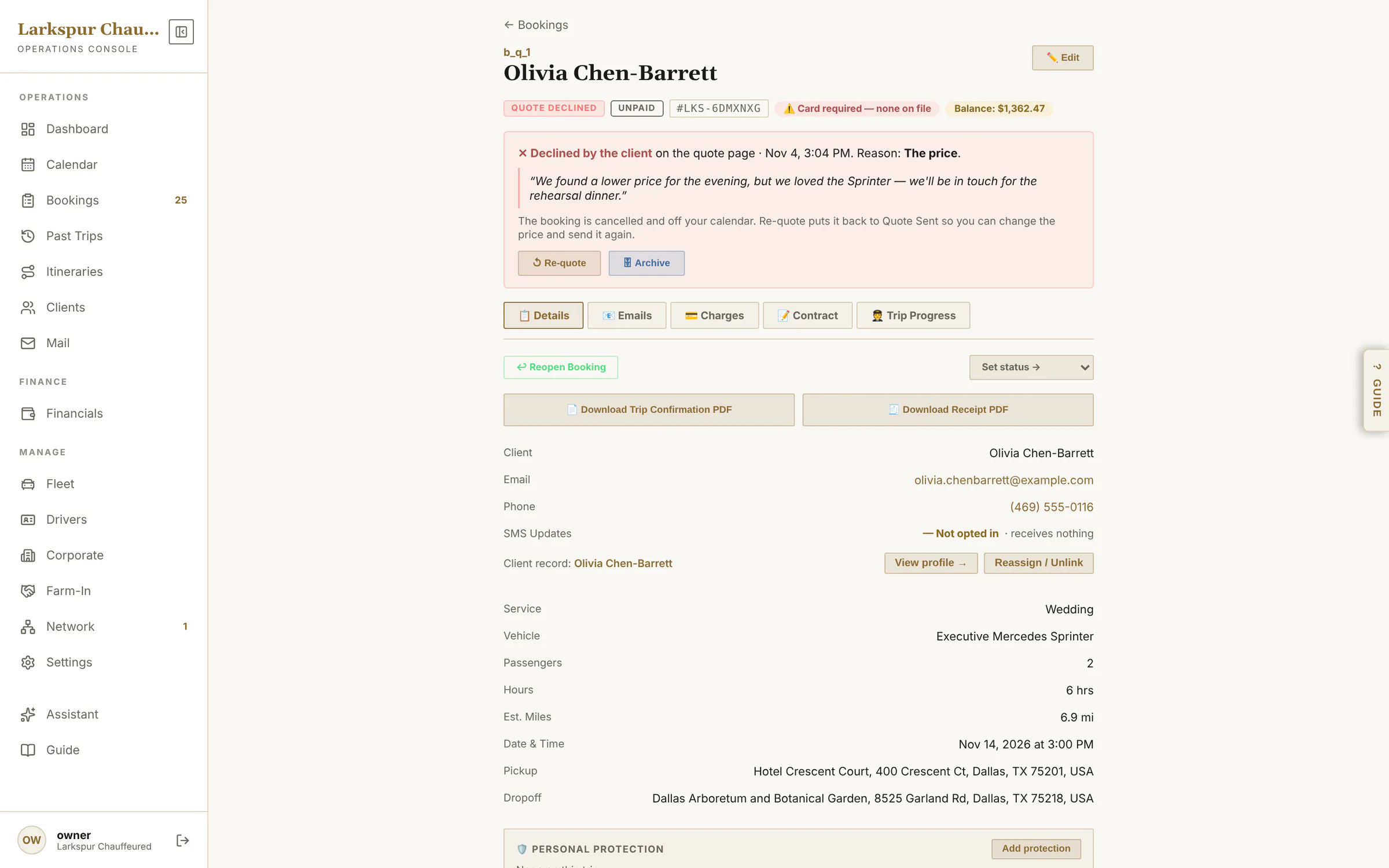
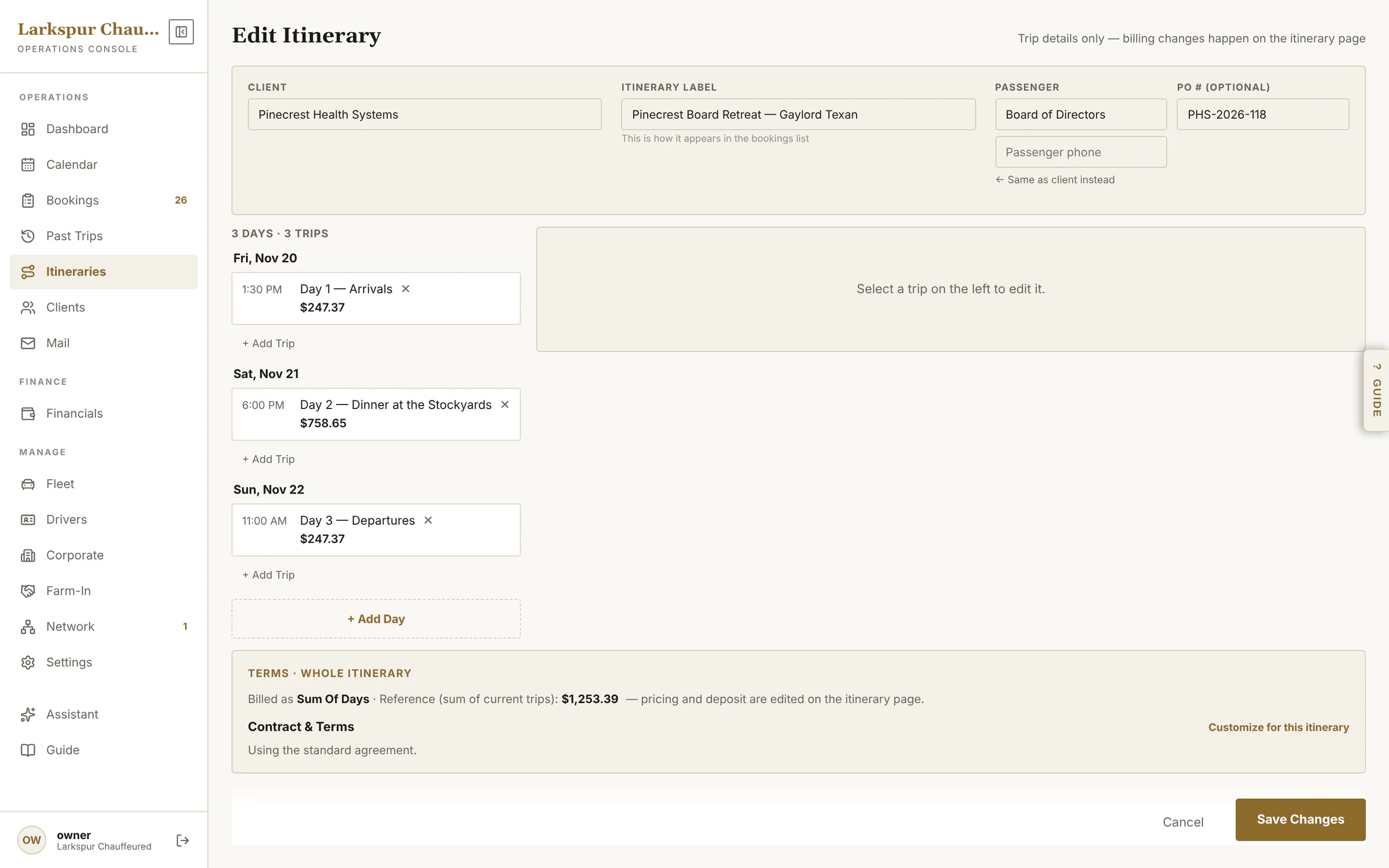
app.zdtbooking.com/adminTap to zoomThe booking pageEverything about one trip on one page: status, flight, car, chauffeur, cards, money and every email sent.app.zdtbooking.com/adminTap to zoomChange anything, re-price in one tapEdit the trip — stops, hours, a second vehicle, a fare override or no service charge — and Recalculate Total from your rates.app.zdtbooking.com/adminTap to zoomEvery email, with proofSent, delivered, opened — for every email on the booking.app.zdtbooking.com/adminTap to zoomCharges and paymentsItemised charges, quick-adds for gratuity, fuel and wait time, payments, credits and refunds.app.zdtbooking.com/adminTap to zoomThe signed agreementThe agreement as signed, each section's time stamp, the signature, IP and device.app.zdtbooking.com/adminTap to zoomLive trip progressEvery chauffeur status time-stamped, the pre-trip checklist, wait time and a Text the client button.app.zdtbooking.com/adminTap to zoomProtection on the bookingStage, agents and hours on the booking — and only chauffeurs licensed for that stage can be assigned. Rolling outapp.zdtbooking.com/adminTap to zoomOffer a choice of carsPick two to four vehicles, each priced all-in from your rates — override any price, set how long they're held — and send one link.app.zdtbooking.com/adminTap to zoomThe office sees the answerThe booking shows the client accepted, when, and that they've gone on to sign.app.zdtbooking.com/adminTap to zoomWhy you lost it — and Re-quoteA declined quote shows the reason and the client's own words, comes off the calendar, and can be re-quoted in one tap.
Before an email goes
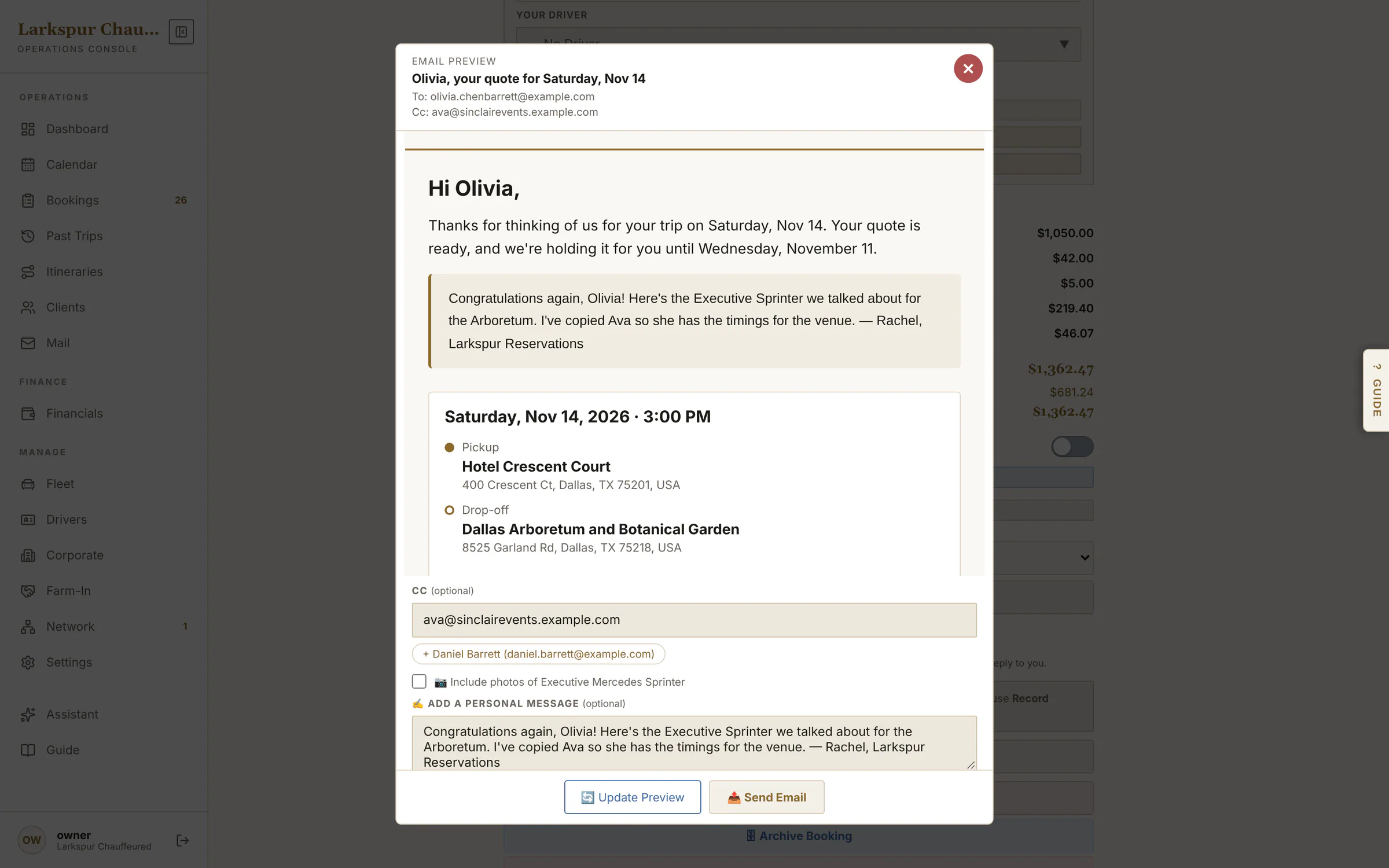
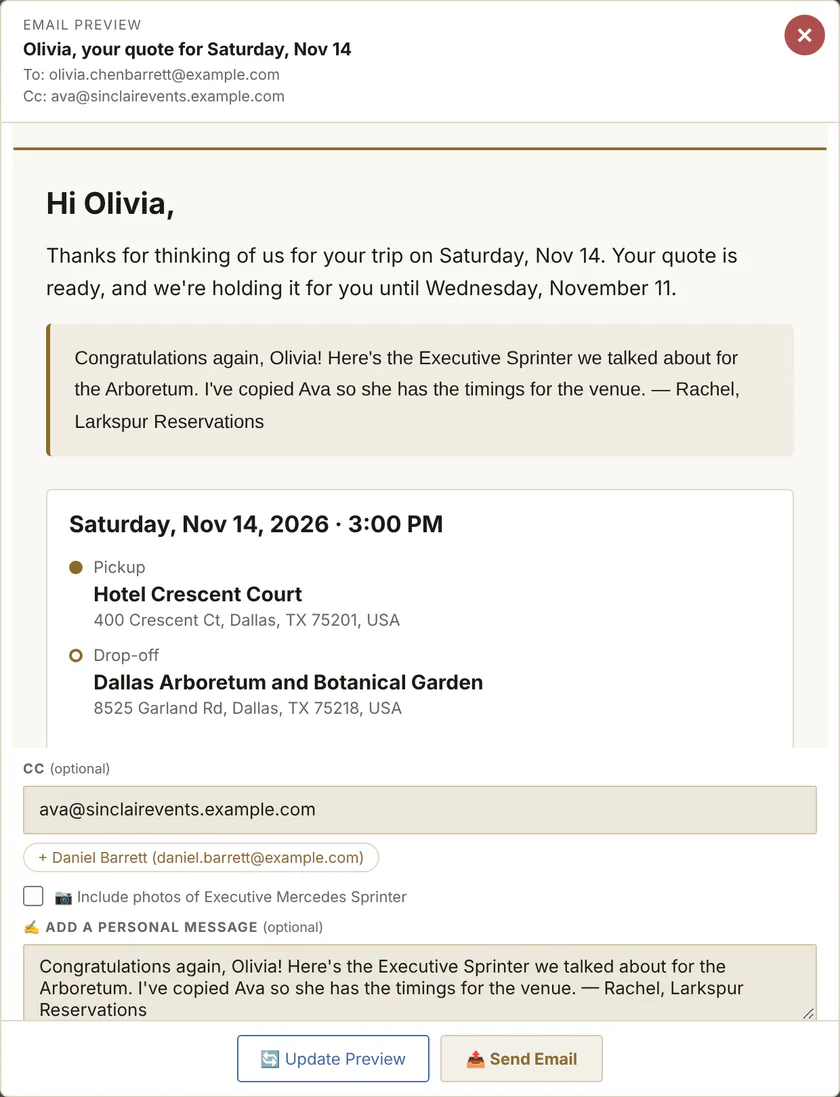
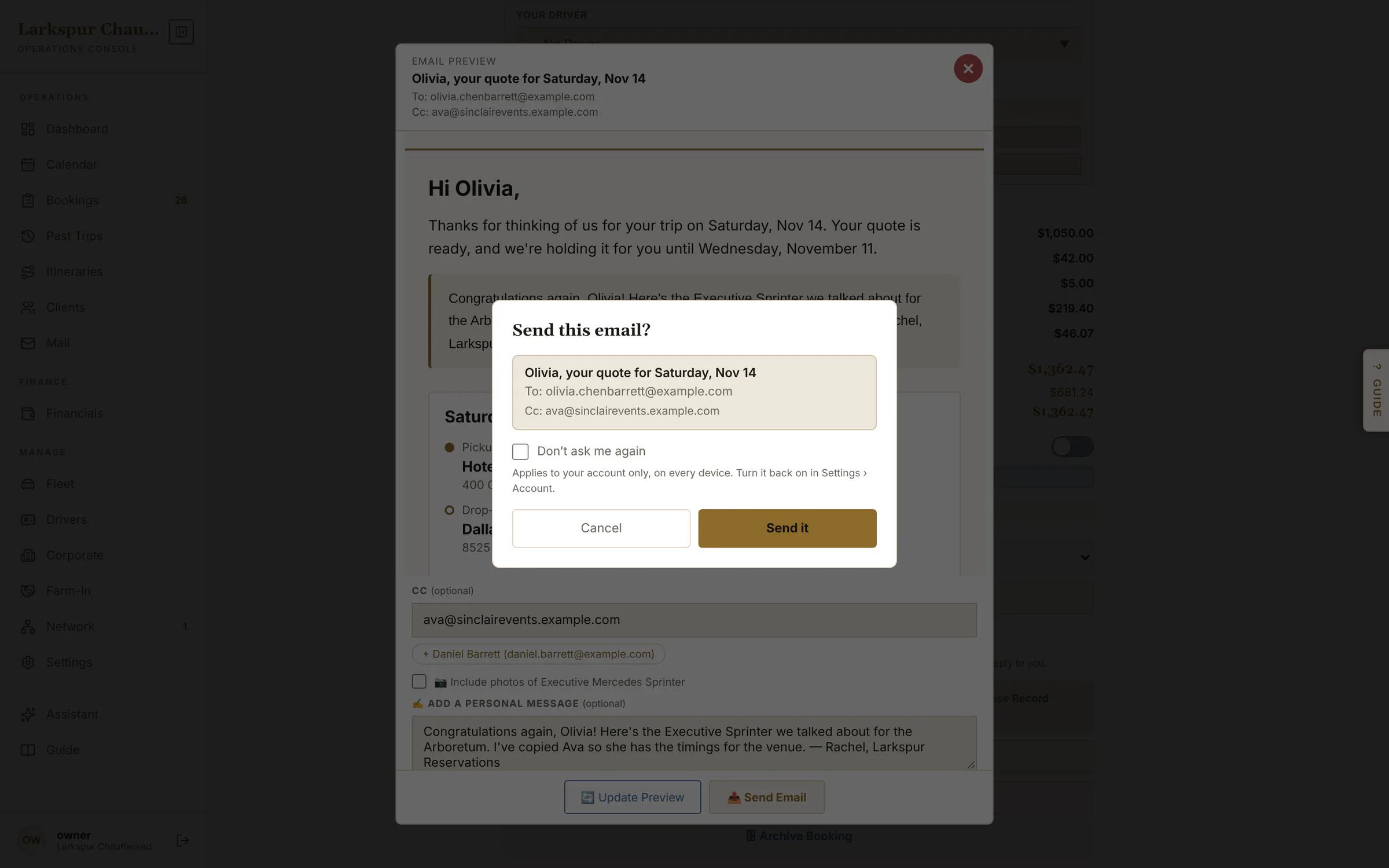
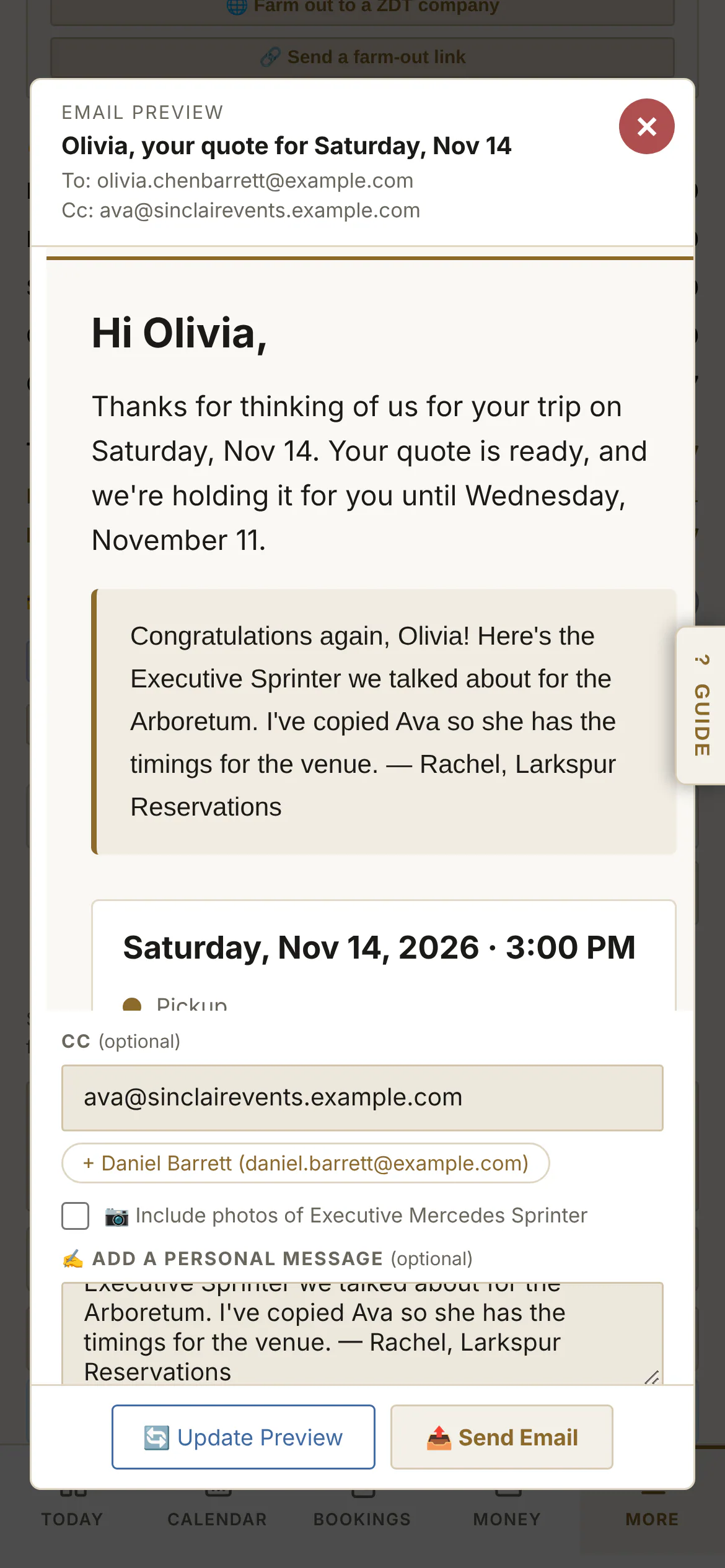
Every email opens in a preview of exactly what the client will get. Cc a planner, an assistant or a spouse — the account's people are one tap away — add a personal note at the top, and confirm who it's going to before it sends.
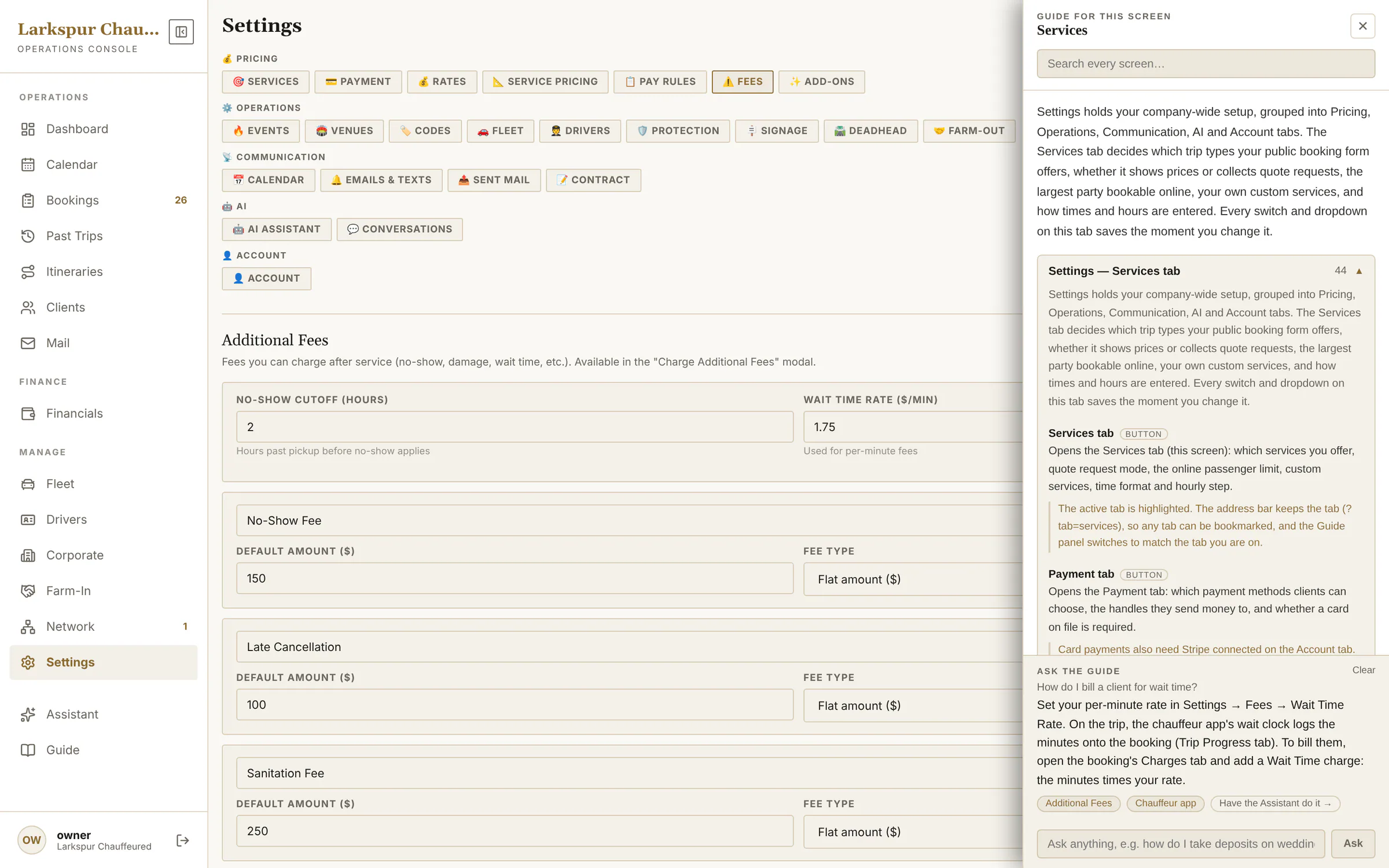
app.zdtbooking.com/adminTap to zoomSee the email before it goesEvery email opens in a preview first — exactly what lands in the client's inbox, your personal note at the top.Tap to zoomCc anyone, add a personal noteCopy in a planner, an assistant or a spouse — the people on the account are one tap away — and write a note that appears at the top of the email.app.zdtbooking.com/adminTap to zoomNothing goes by accidentOne last check names who gets it — Cc included — before anything is sent.Tap to zoomSee the email before it goesEvery email opens in a preview first — exactly what lands in the client's inbox, your personal note at the top.
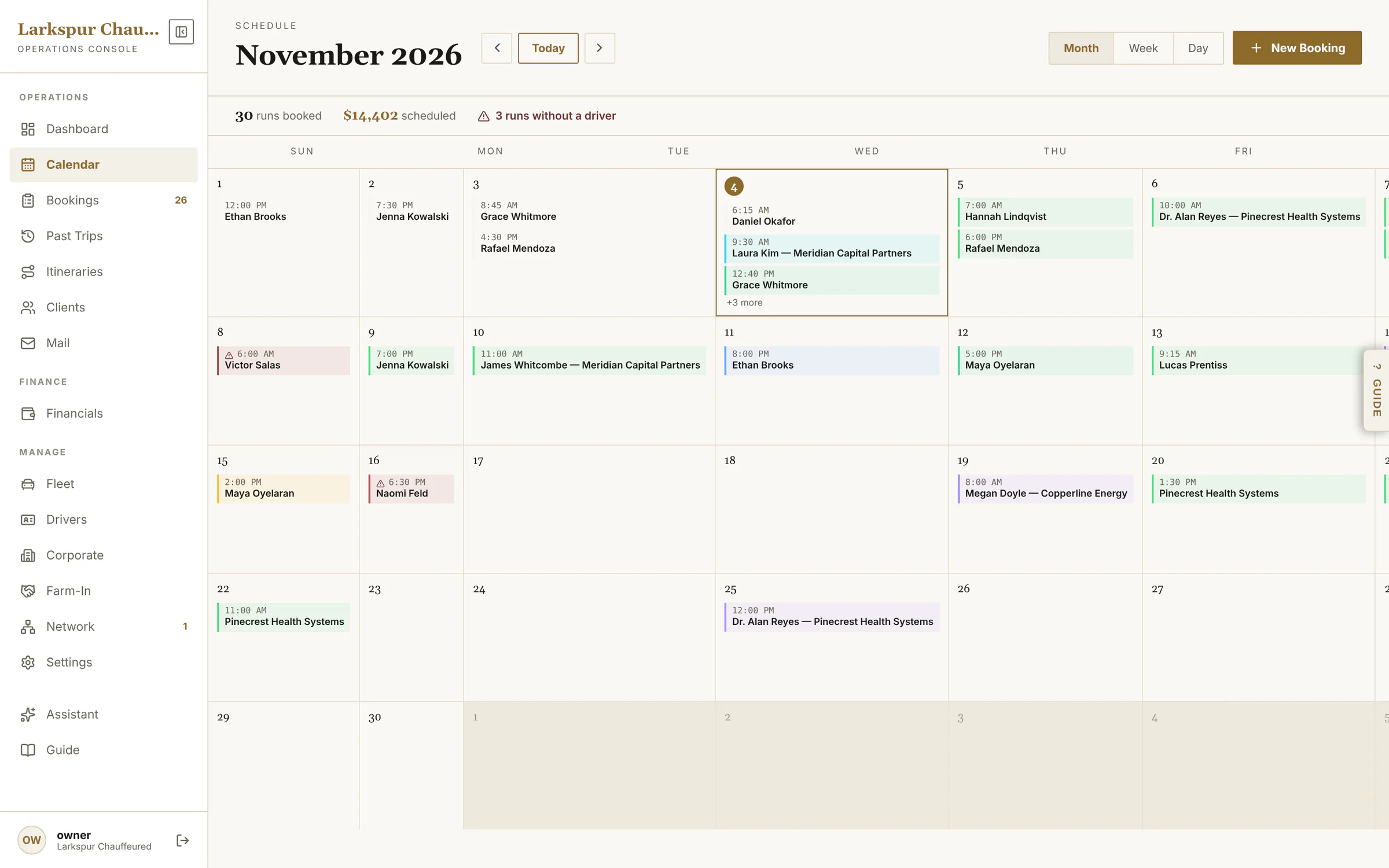
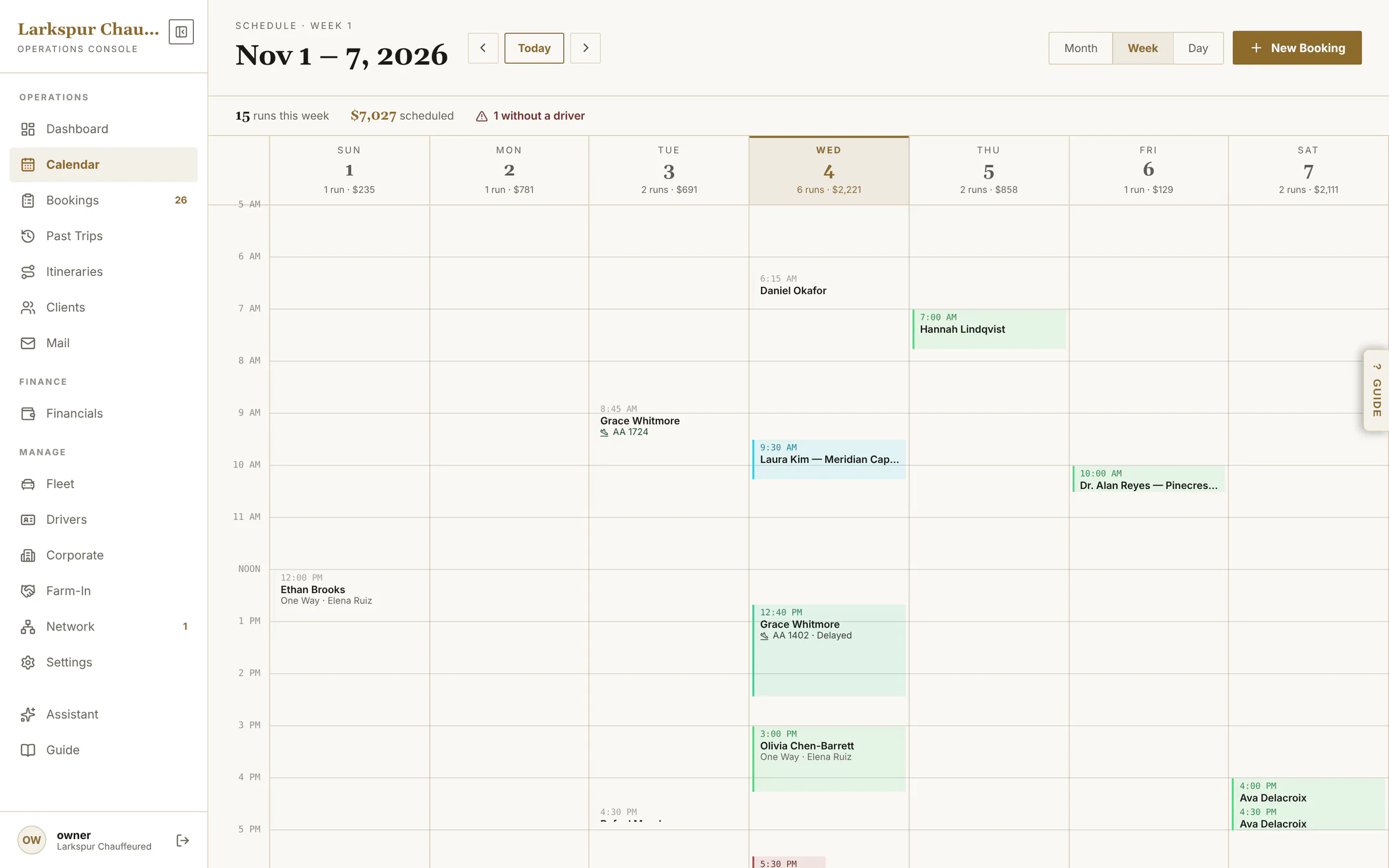
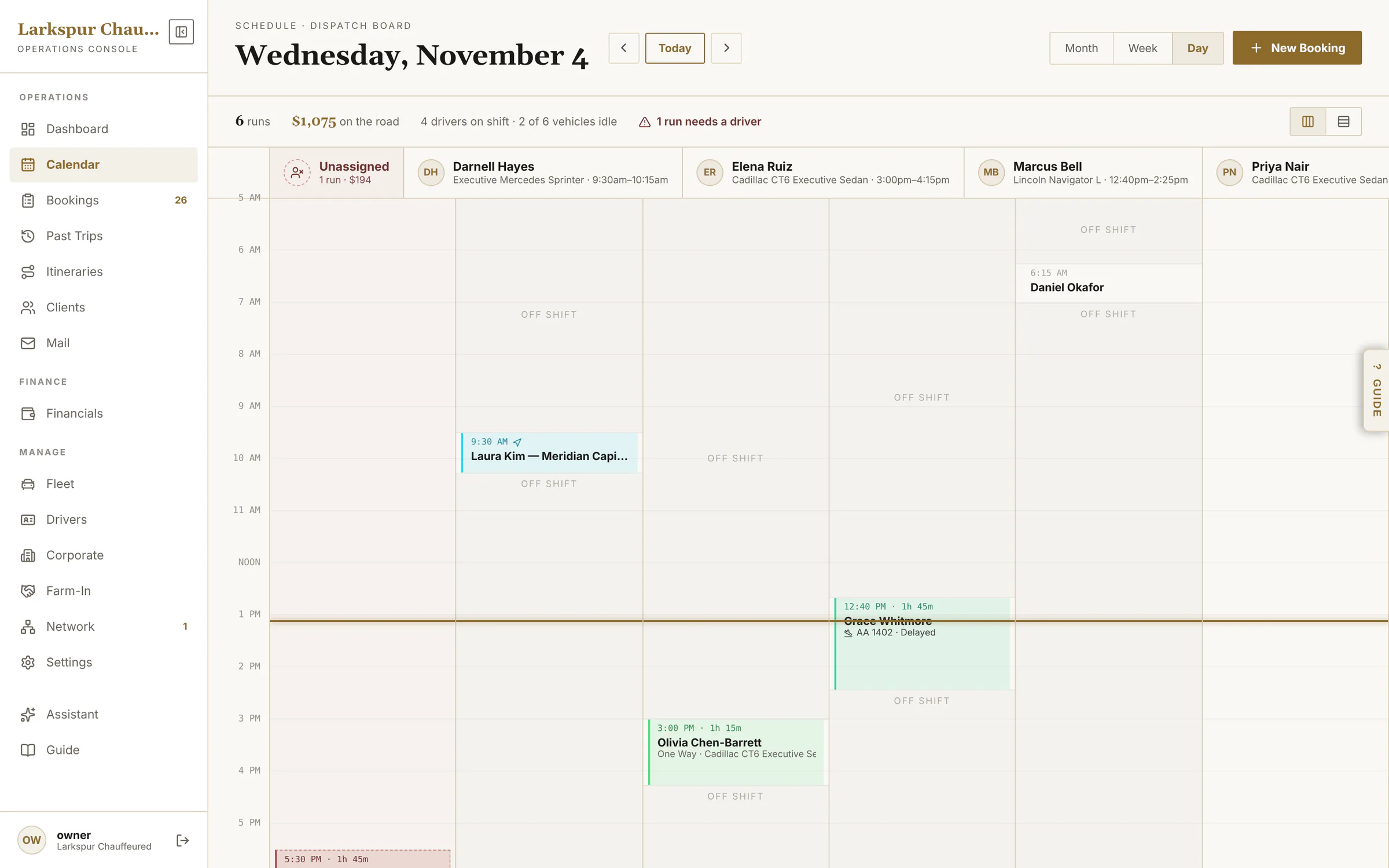
Calendar
Month, week, and a day view that works as a dispatch board.
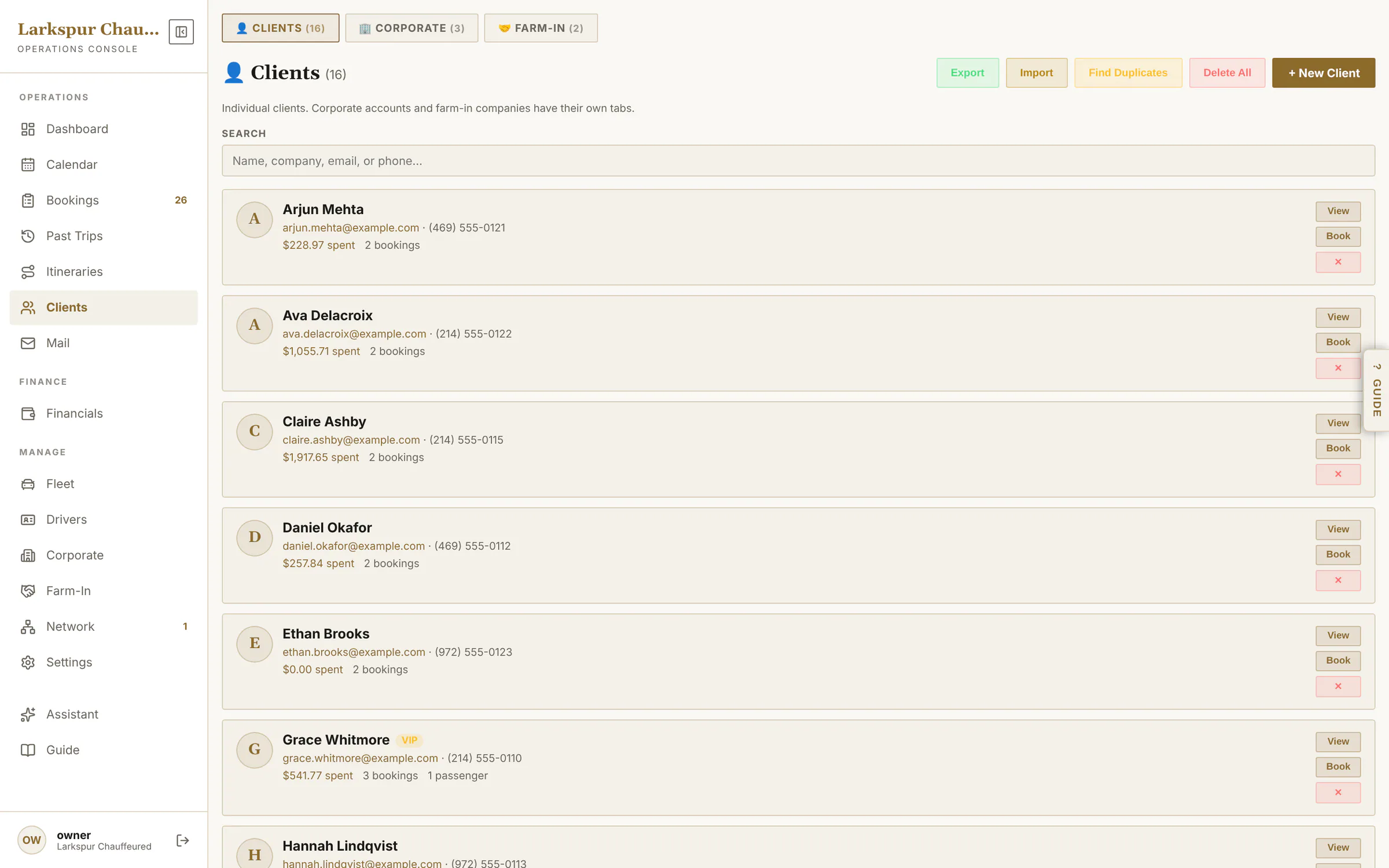
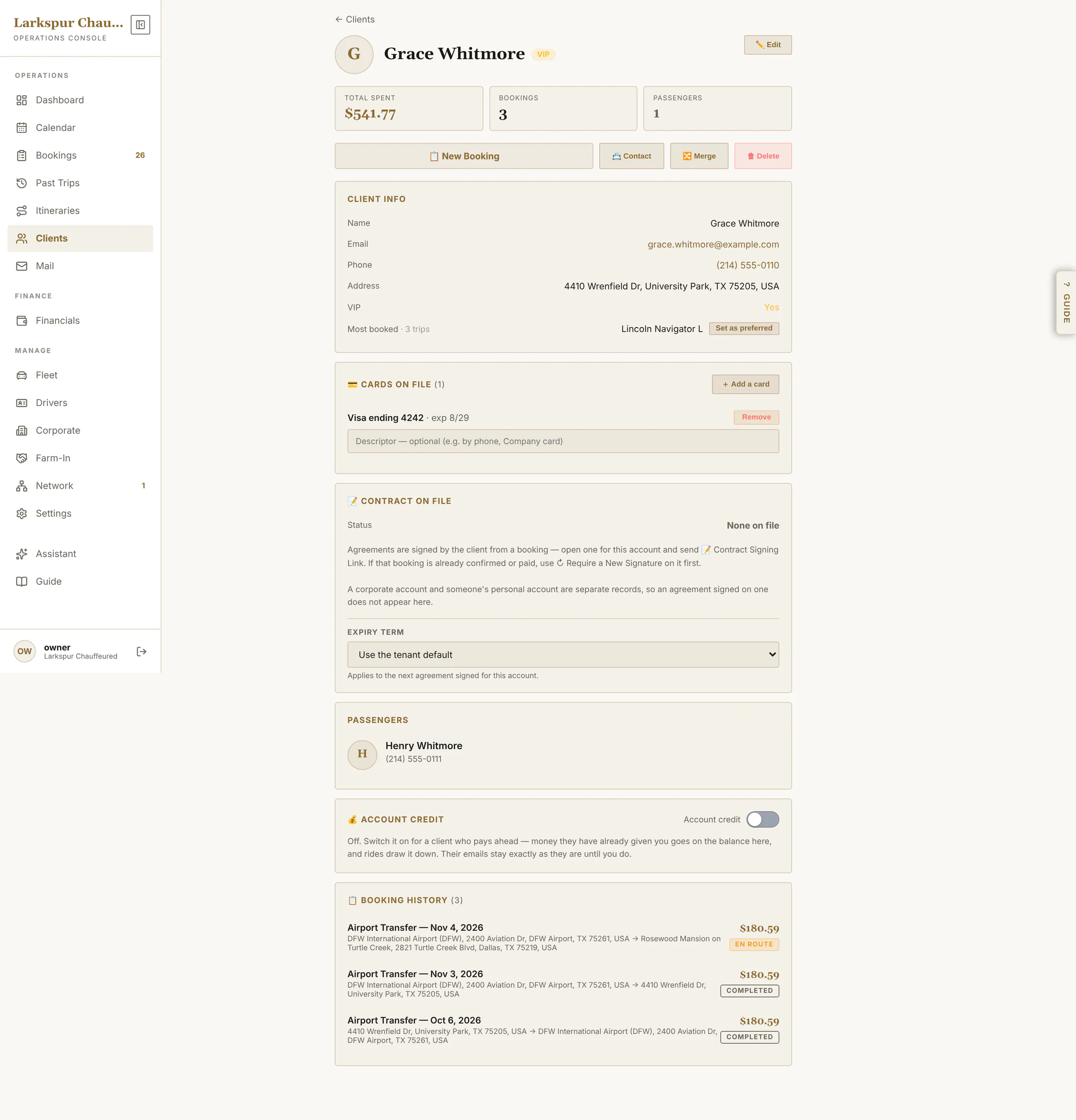
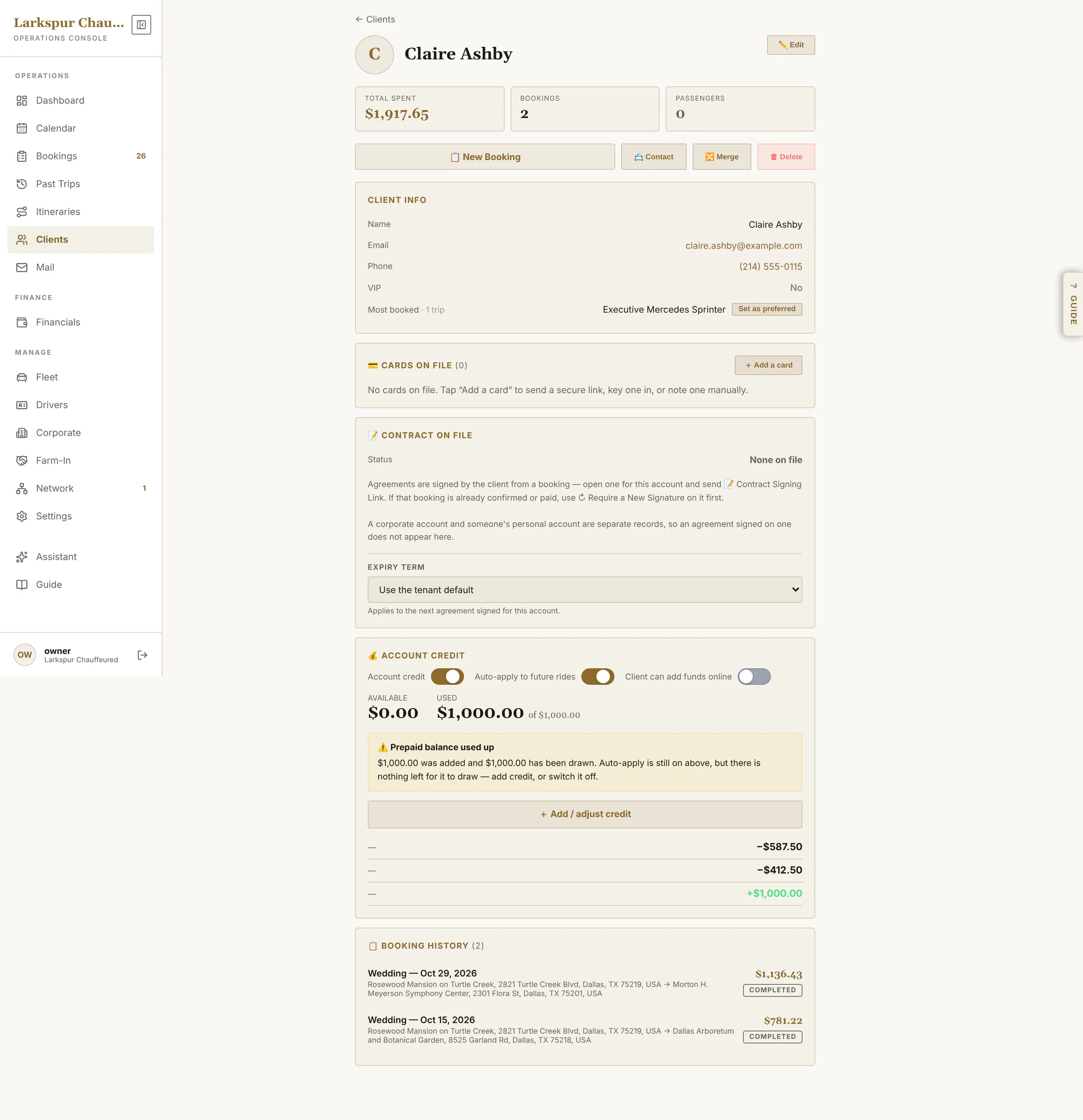
Cards and agreements on file, passengers, prepaid credit, corporate accounts, and multi-day itineraries on one bill.
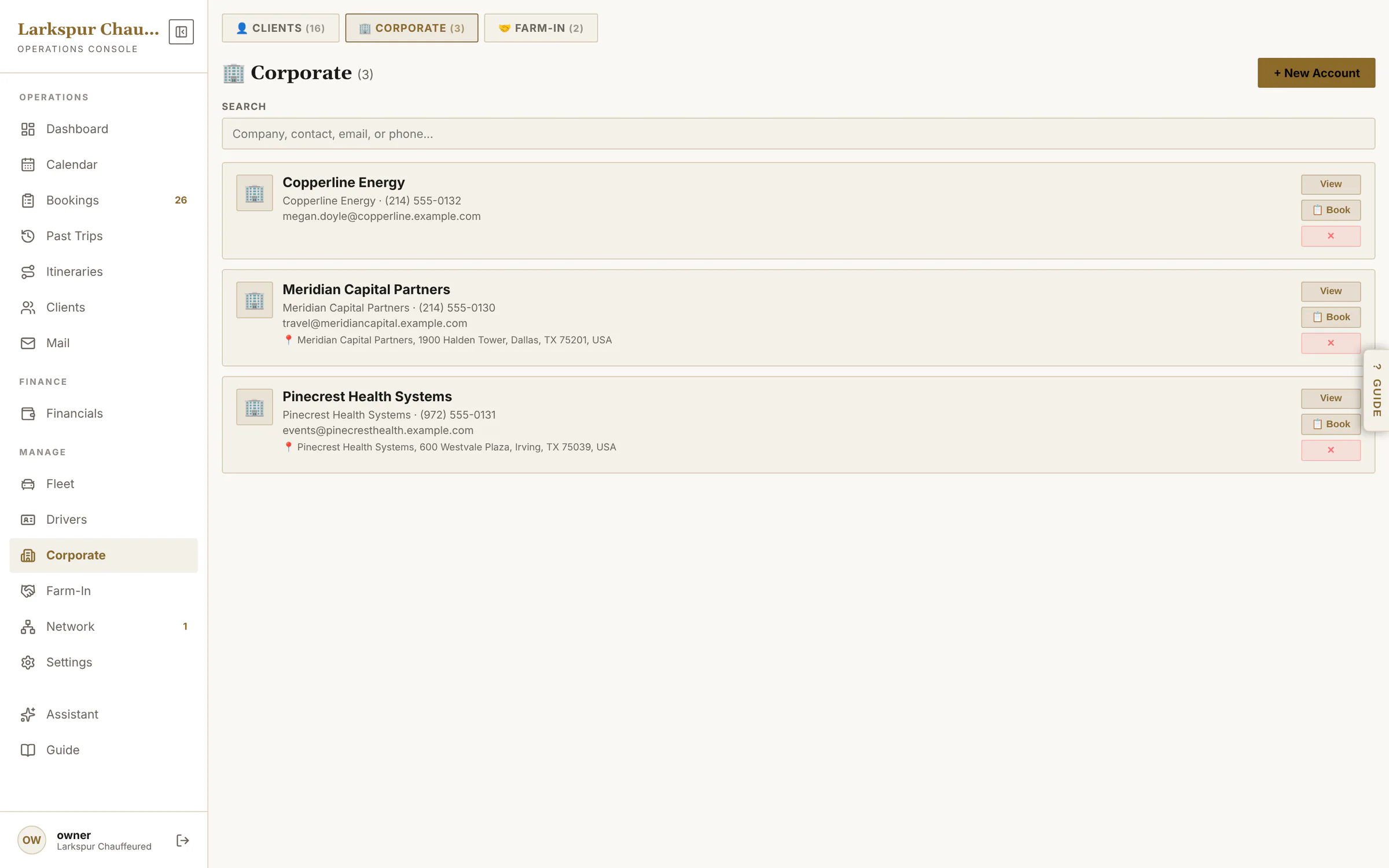
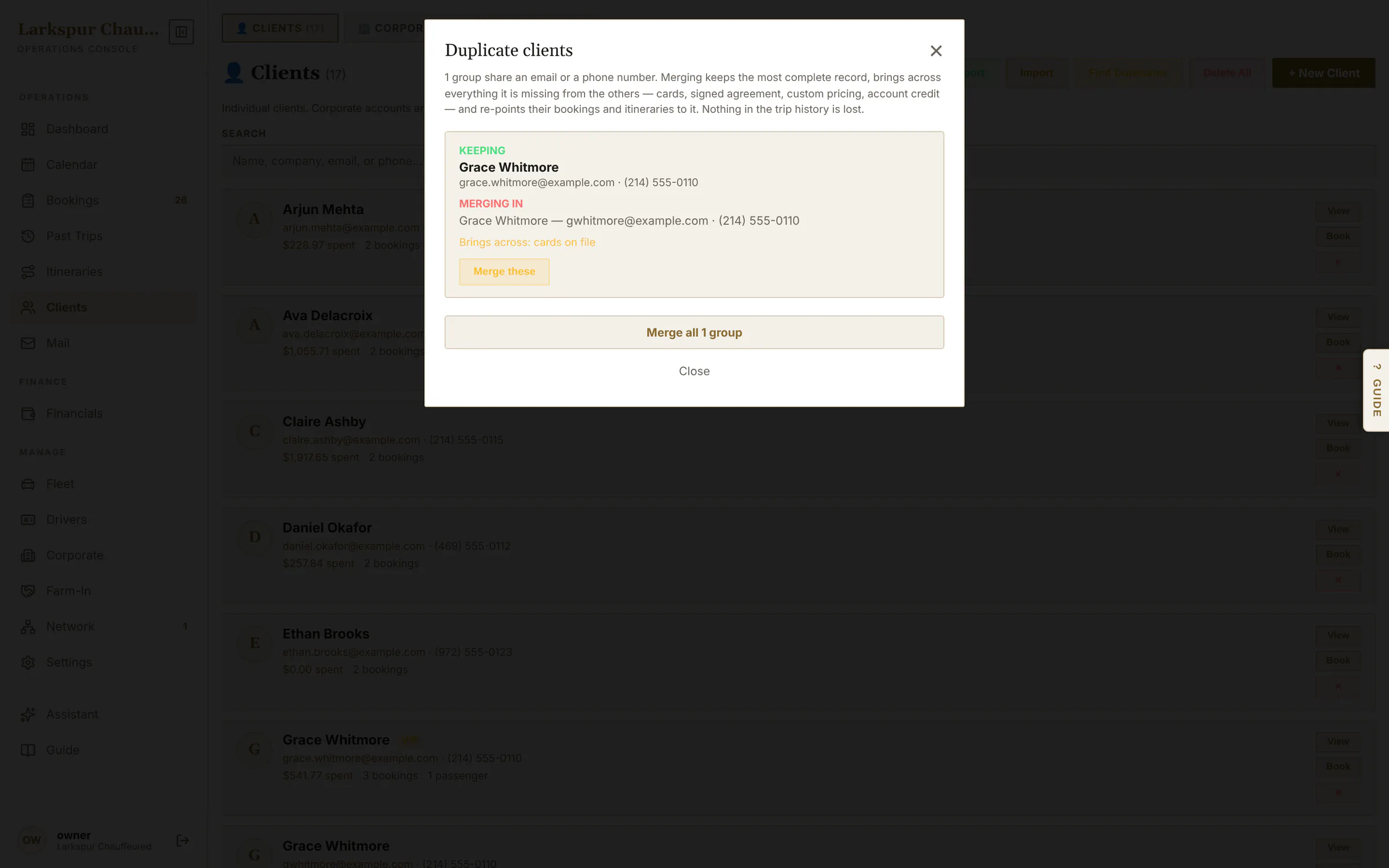
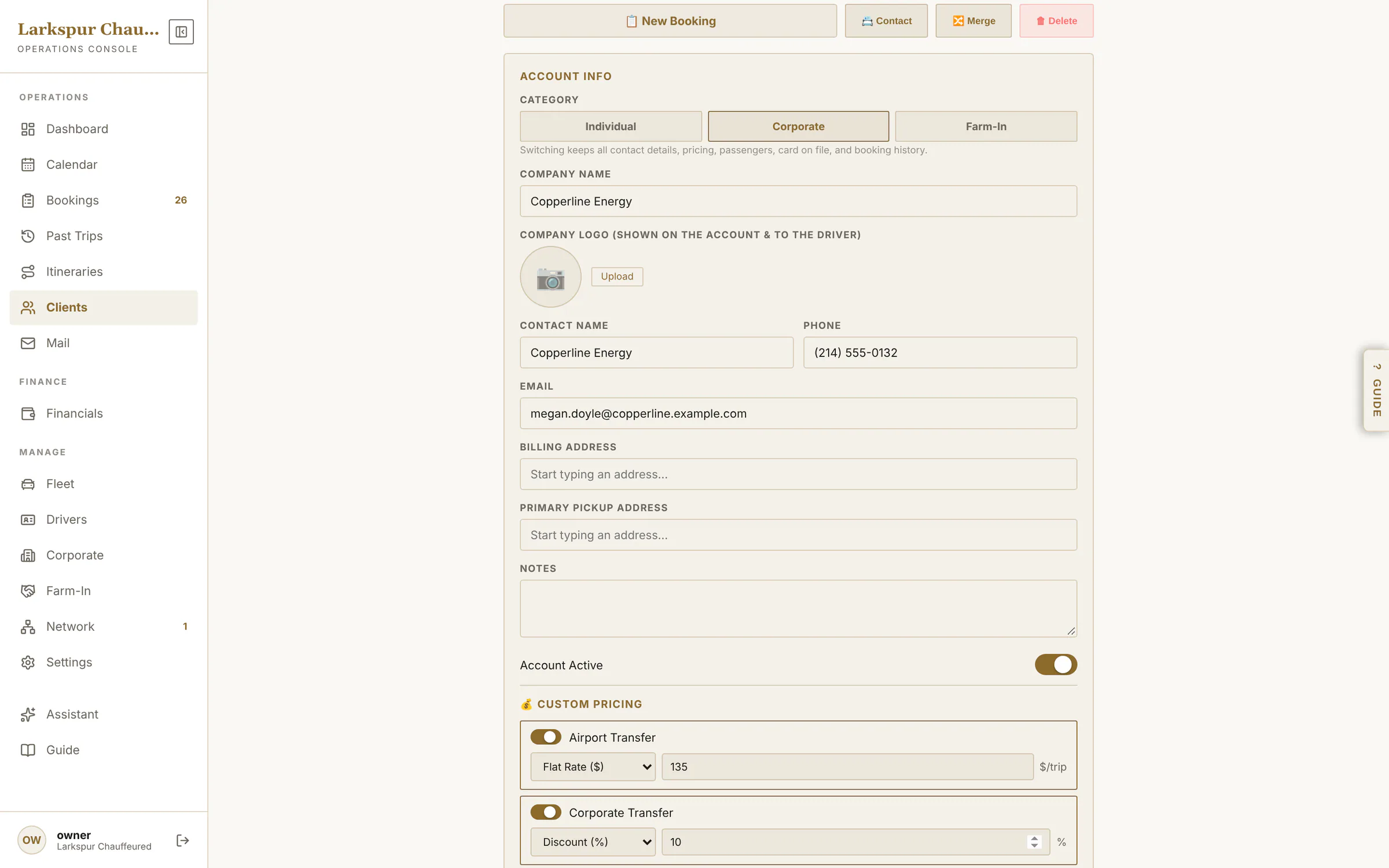
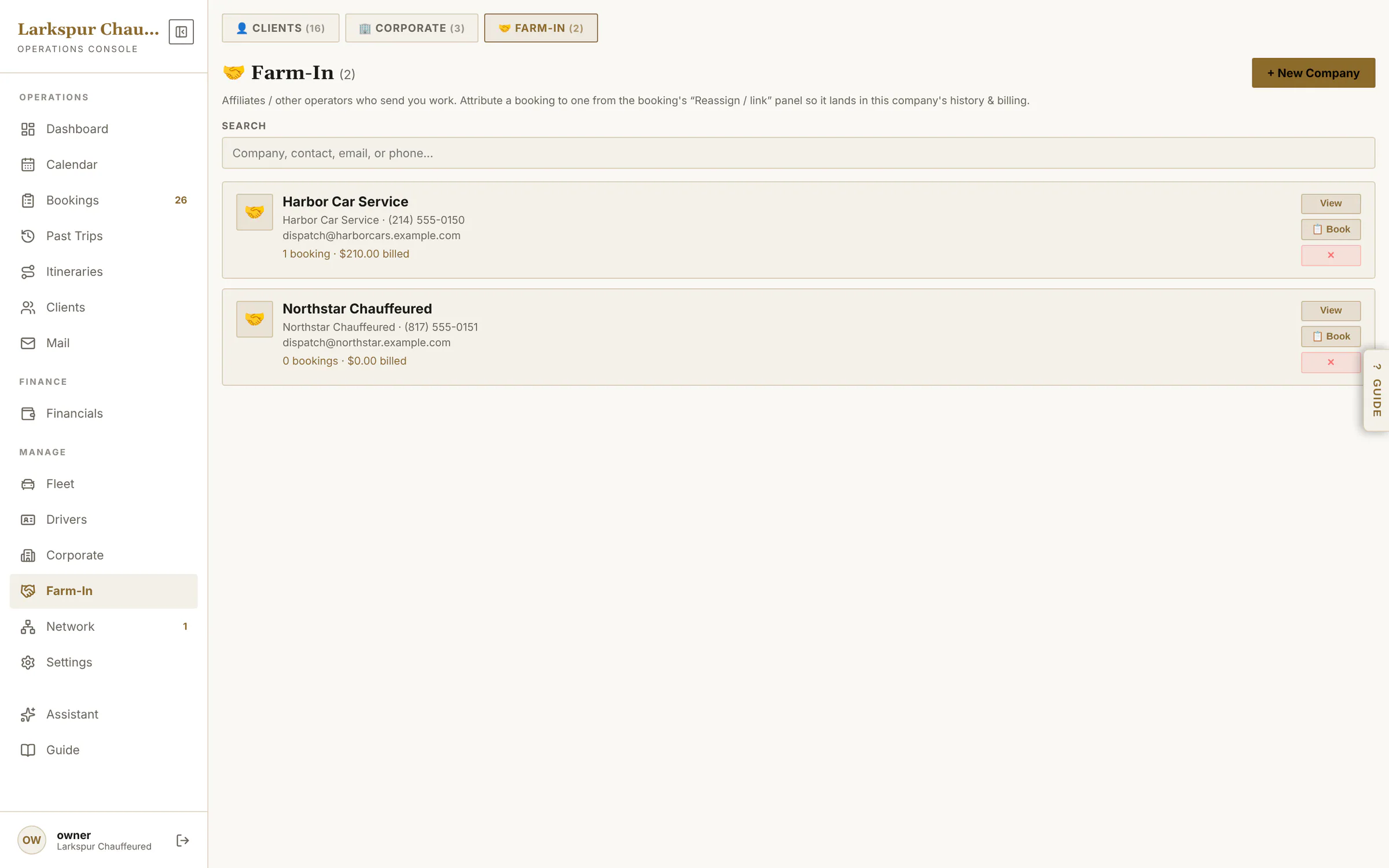
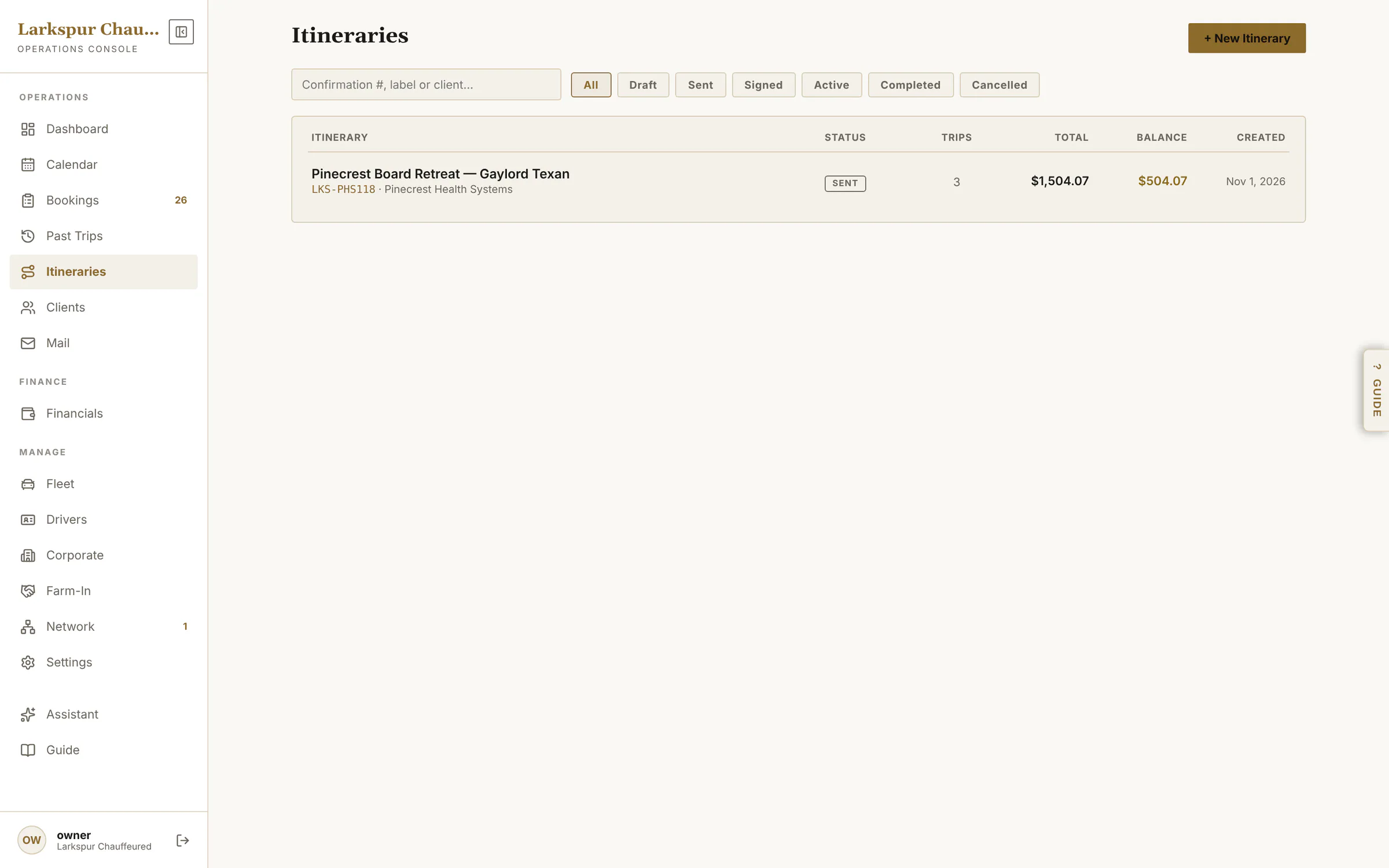
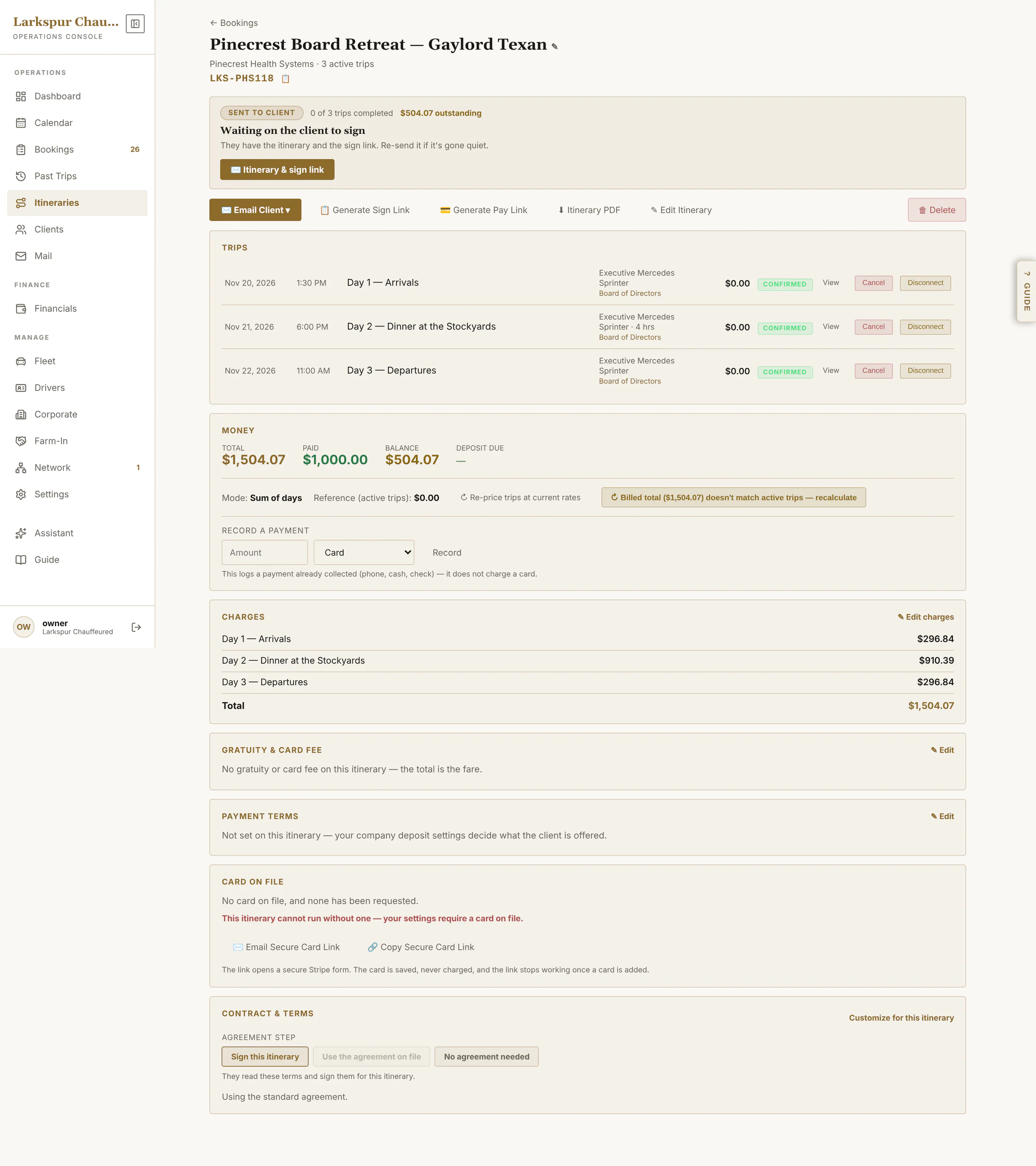
app.zdtbooking.com/adminTap to zoomClientsYour client book — individuals, corporate accounts and farm-in partners — with import, export and duplicate cleanup.app.zdtbooking.com/adminTap to zoomClient profileCards on file, agreement on file, passengers and the whole trip history.app.zdtbooking.com/adminTap to zoomPrepaid creditSell packages: a client's prepaid balance, every draw against it, and a warning before it runs out.app.zdtbooking.com/adminTap to zoomCorporate accountsCompany accounts with their contact, billing address and employees — open one to give it negotiated rates.app.zdtbooking.com/adminTap to zoomFind and merge duplicatesThe same person entered twice — by phone, email or name — found in one pass and merged, bookings and cards included.app.zdtbooking.com/adminTap to zoomNegotiated rates per accountGive a corporate account — or one client, or one employee — a flat rate or a percentage off, service by service.app.zdtbooking.com/adminTap to zoomFarm-in partnersThe companies that send you work, what each has billed, and a Book button that starts their next trip.app.zdtbooking.com/adminTap to zoomItinerariesMulti-day weddings and roadshows on one bill and one agreement.app.zdtbooking.com/adminTap to zoomOne itinerary, three daysEvery leg dispatched as normal; the money, the signature and the changes kept together.app.zdtbooking.com/adminTap to zoomBuild a multi-day jobDays down the side, each trip in turn, then one price for the package or per trip — and one link for the client to sign.
Money
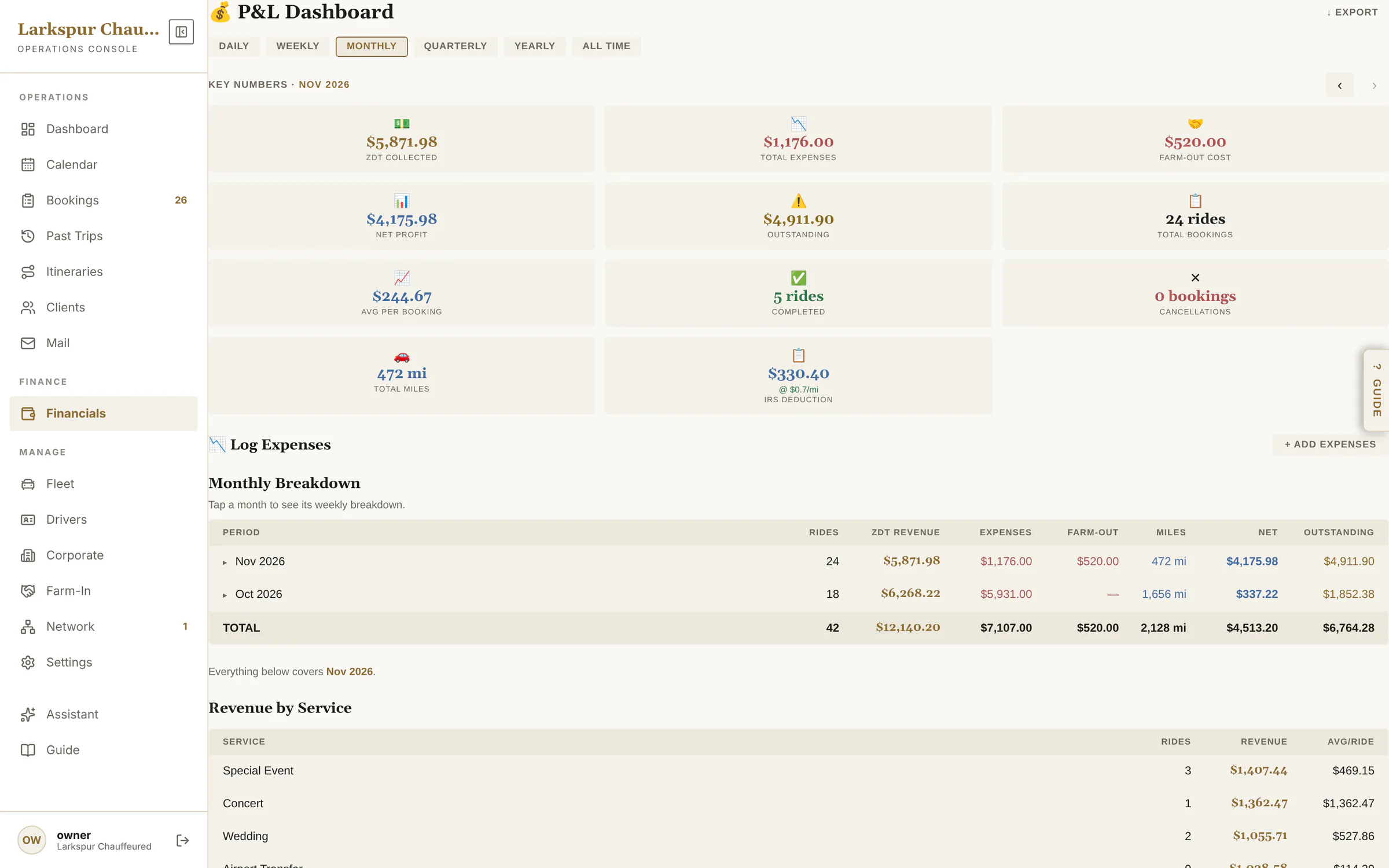
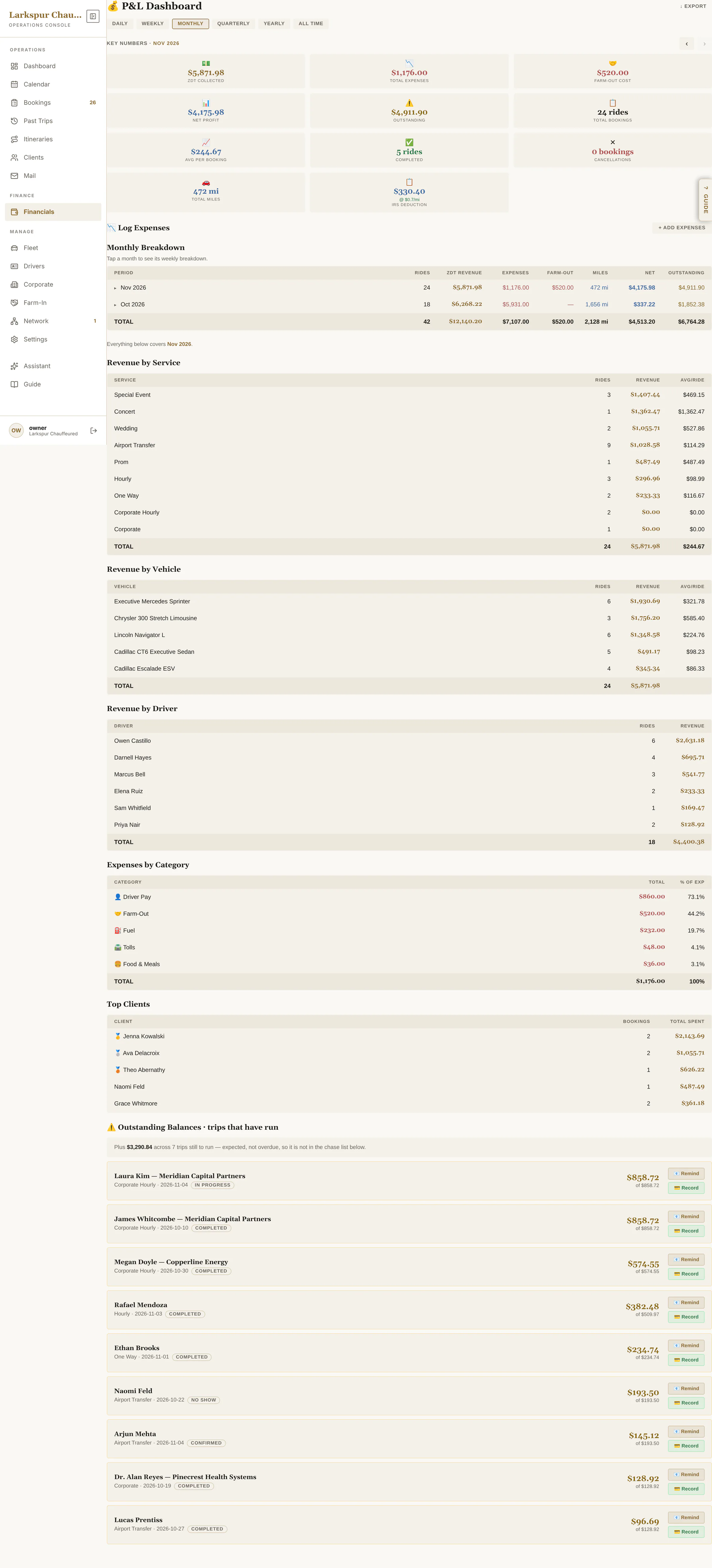
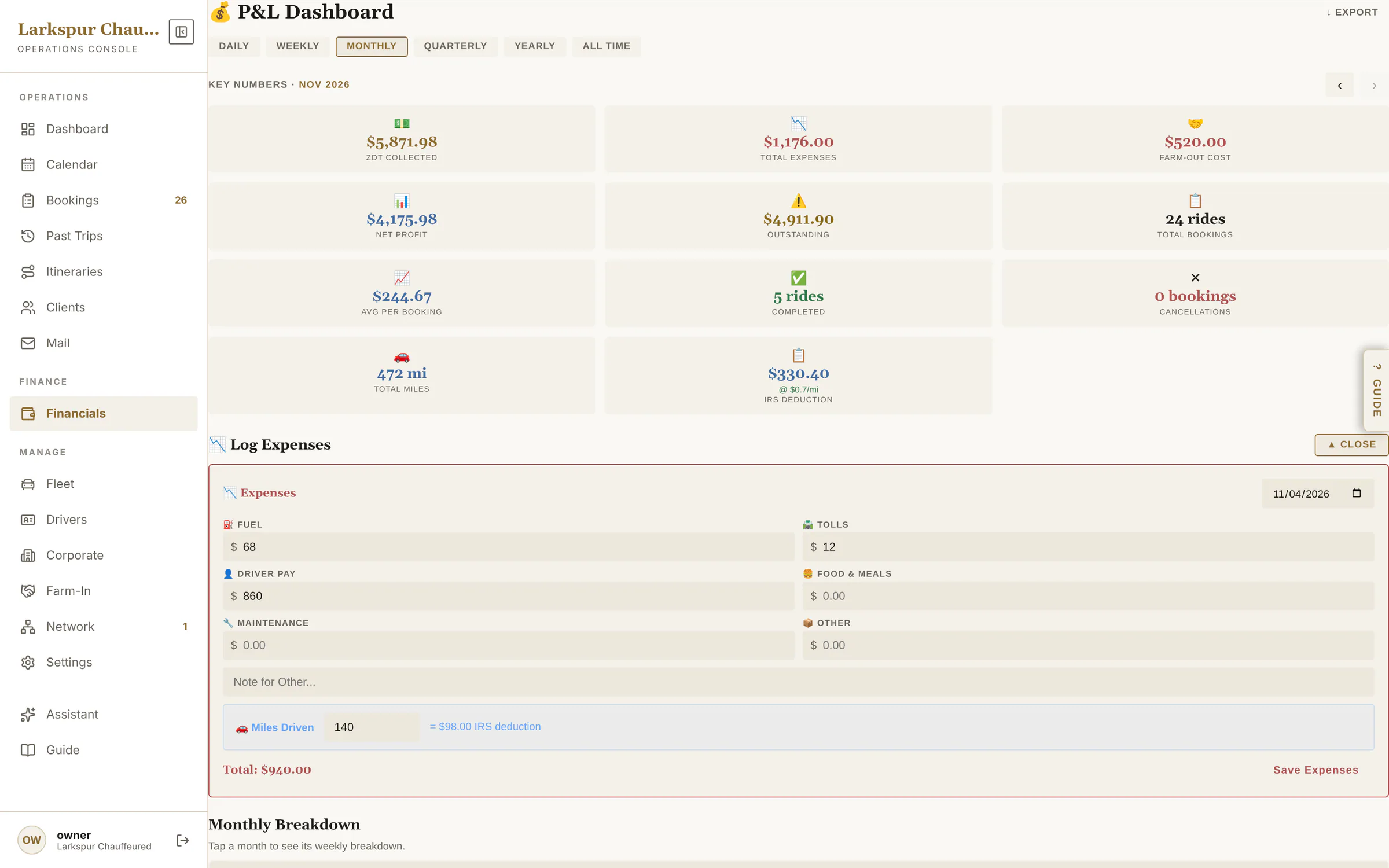
Profit and loss by any period, what's outstanding, expenses and mileage.
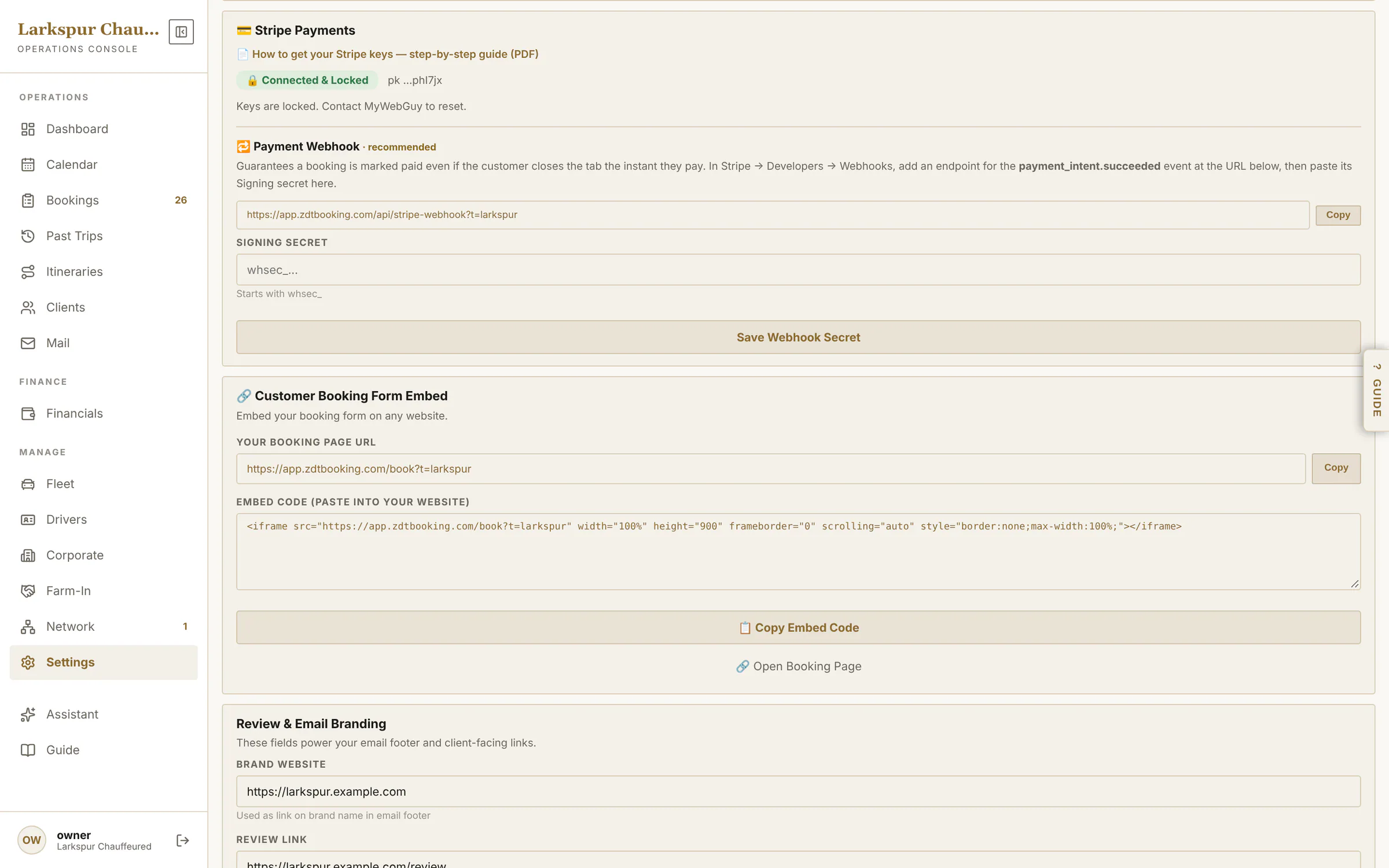
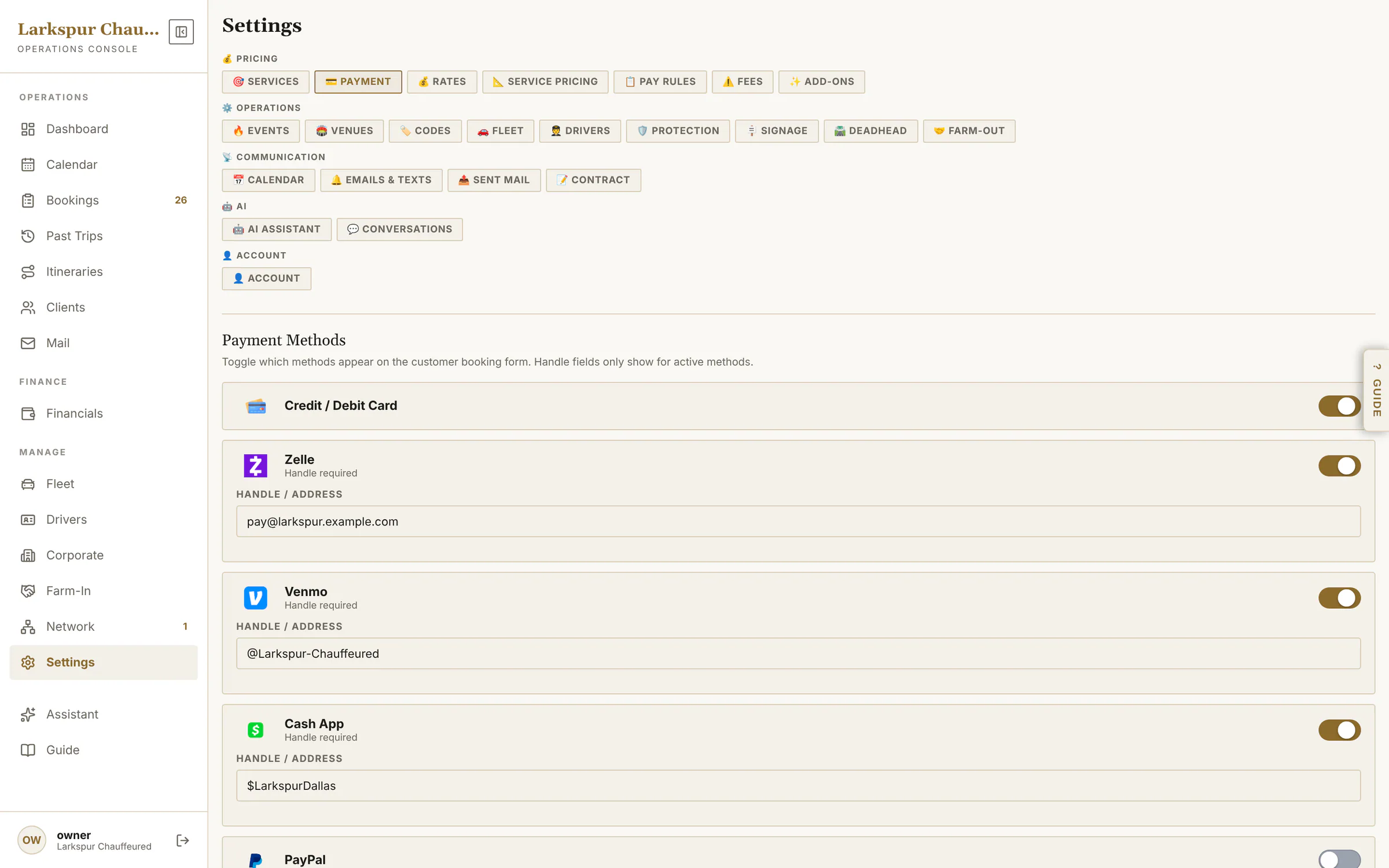
app.zdtbooking.com/adminTap to zoomFinancialsCollected, expenses, farm-out cost, farm-in revenue, net profit and outstanding — for any period.app.zdtbooking.com/adminTap to zoomProfit and loss, in fullRevenue by service, vehicle and chauffeur, expenses by category, top clients and who still owes you.app.zdtbooking.com/adminTap to zoomLog expenses and mileageFuel, tolls, insurance and the rest, by category — miles too, with the standard mileage deduction worked out for you.app.zdtbooking.com/adminTap to zoomPaid into your own StripeYour Stripe account, connected and locked — card payments go straight to you. Below it, your booking page link and one-line embed code.
Pricing that matches how you quote
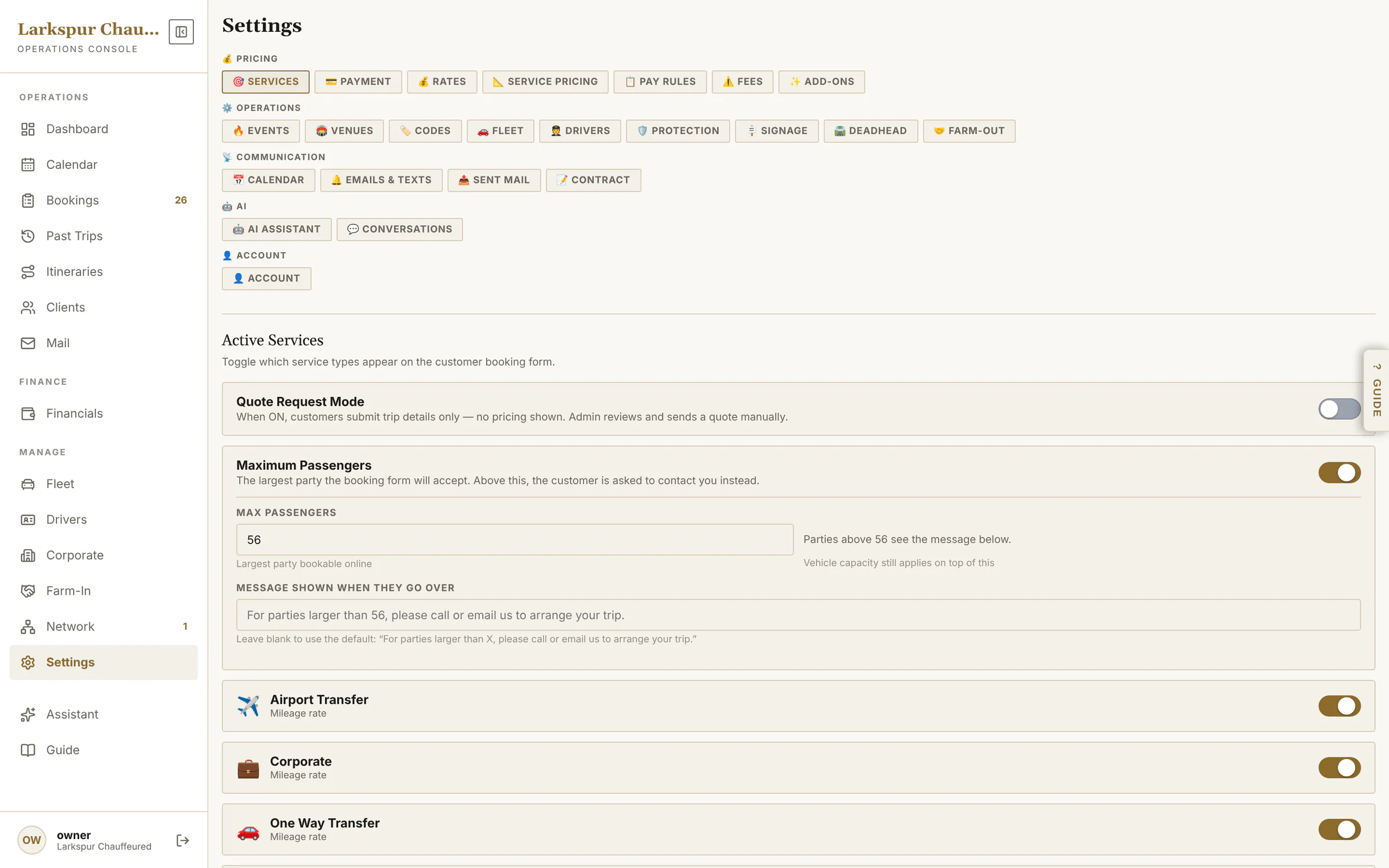
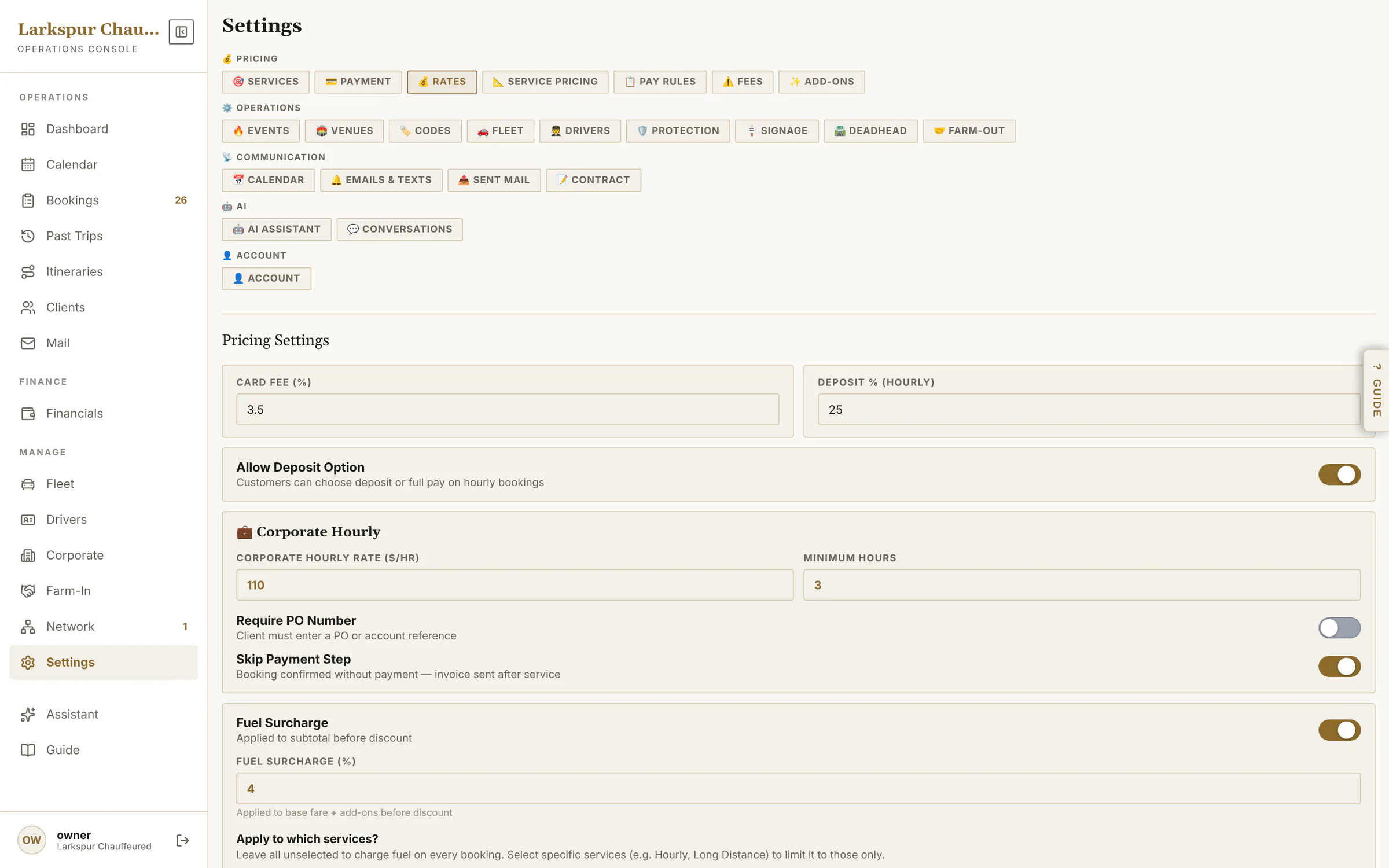
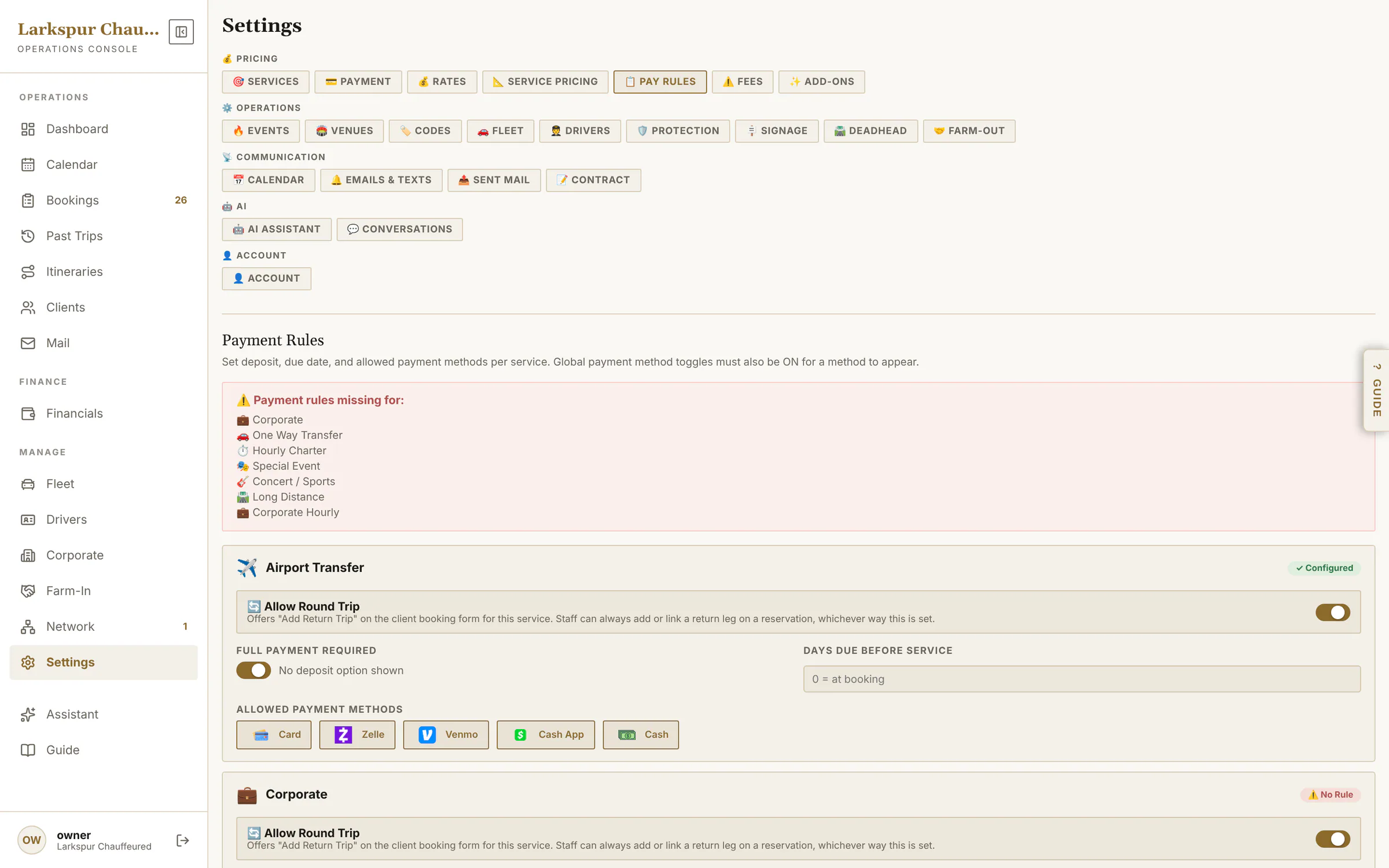
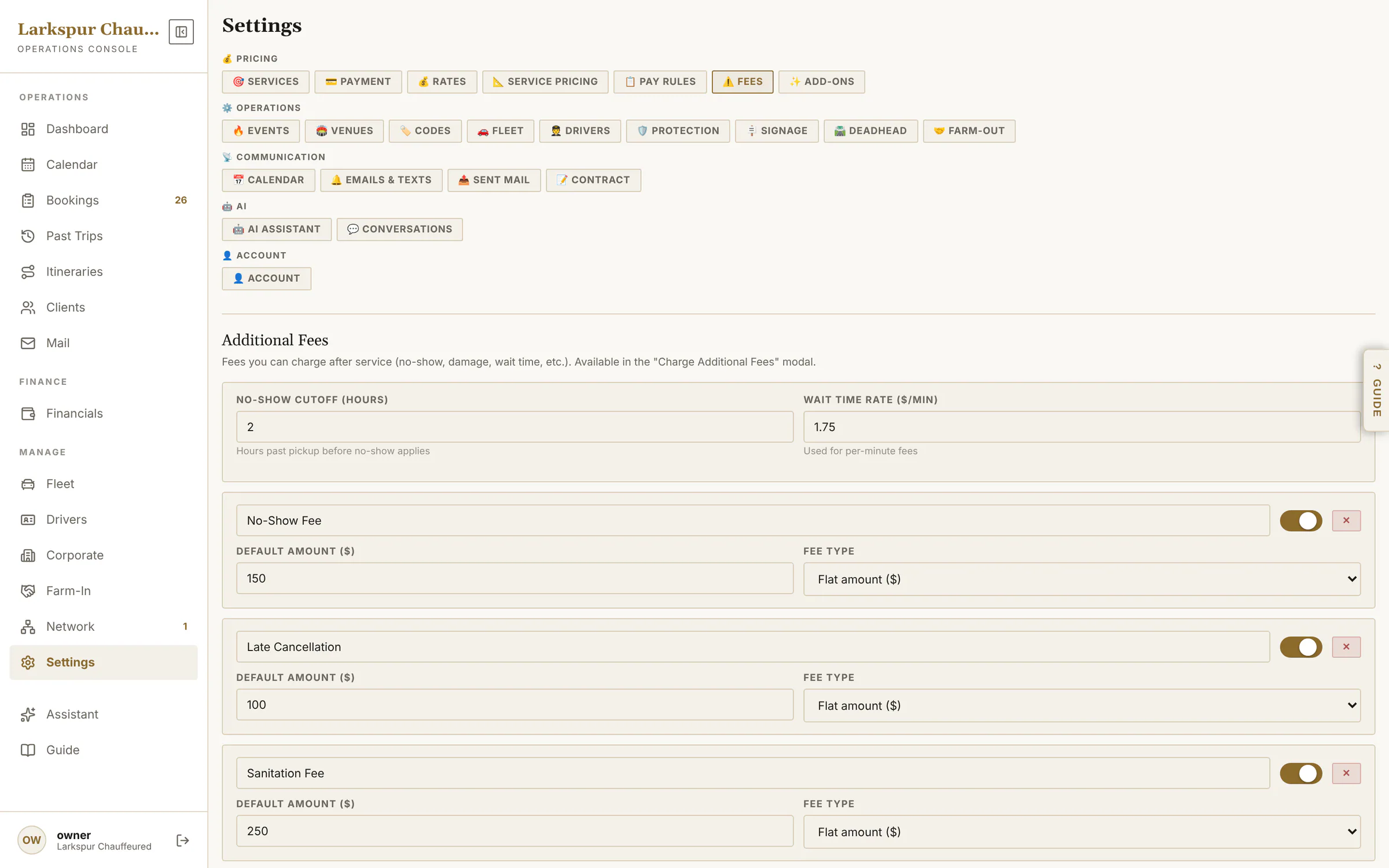
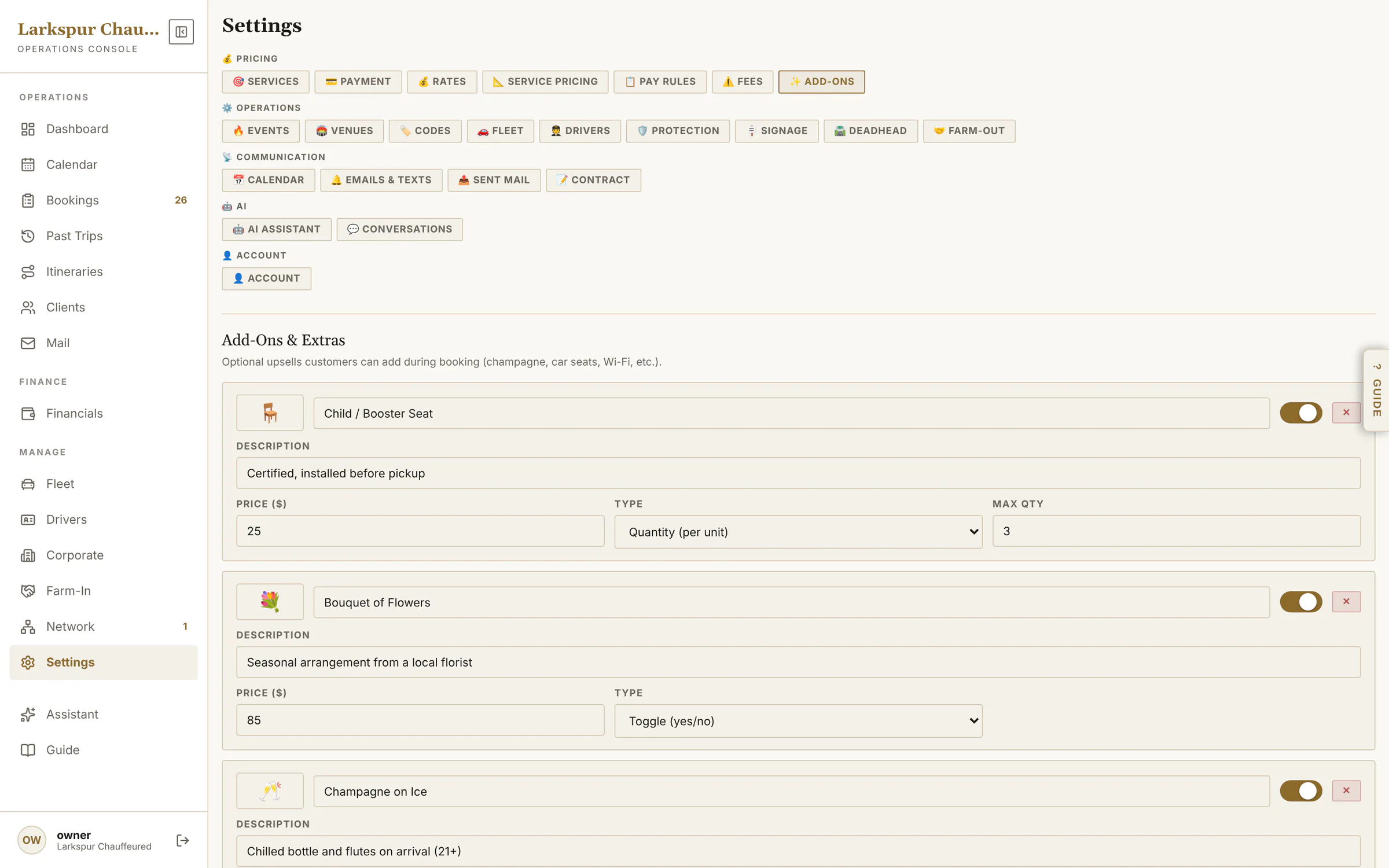
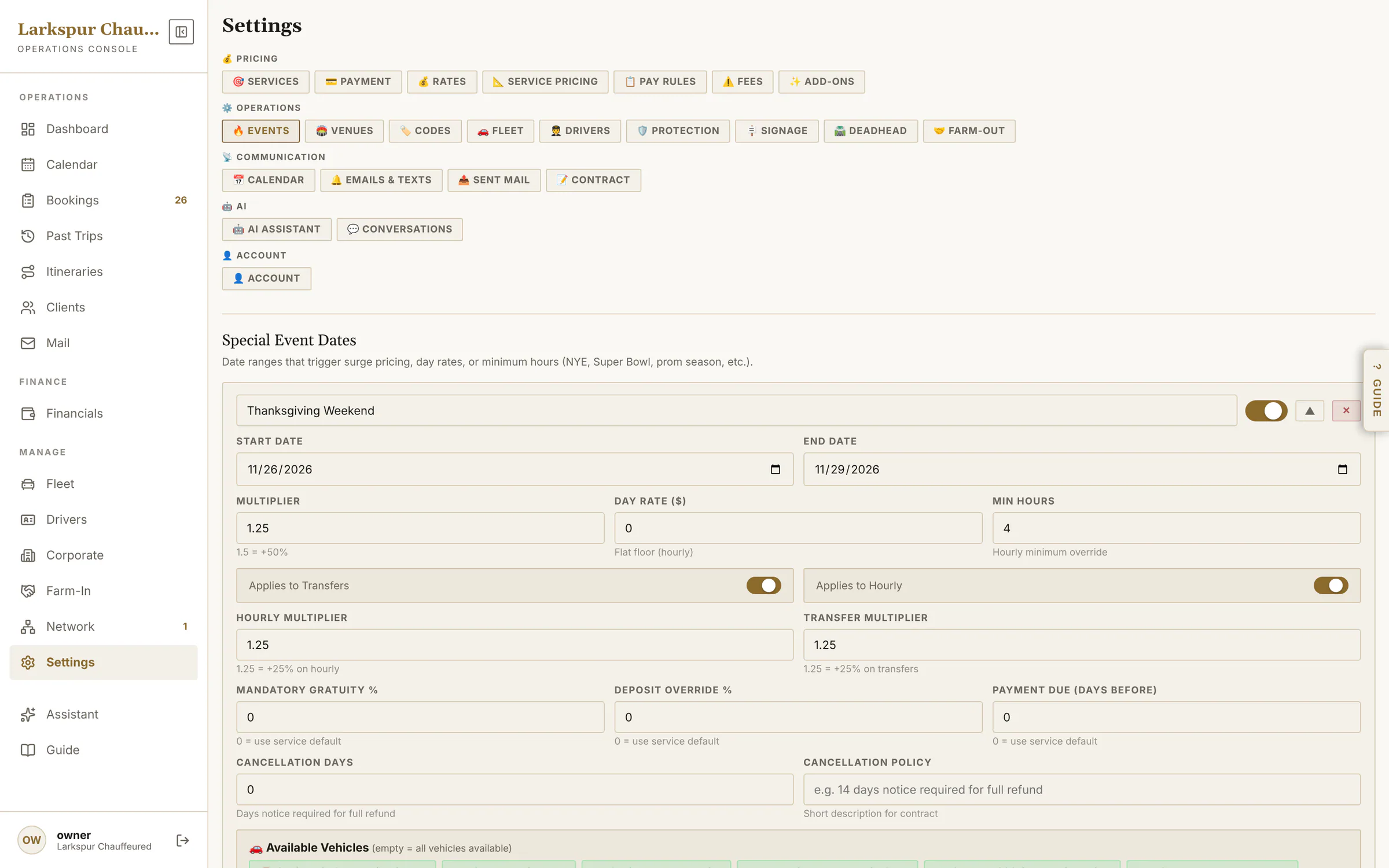
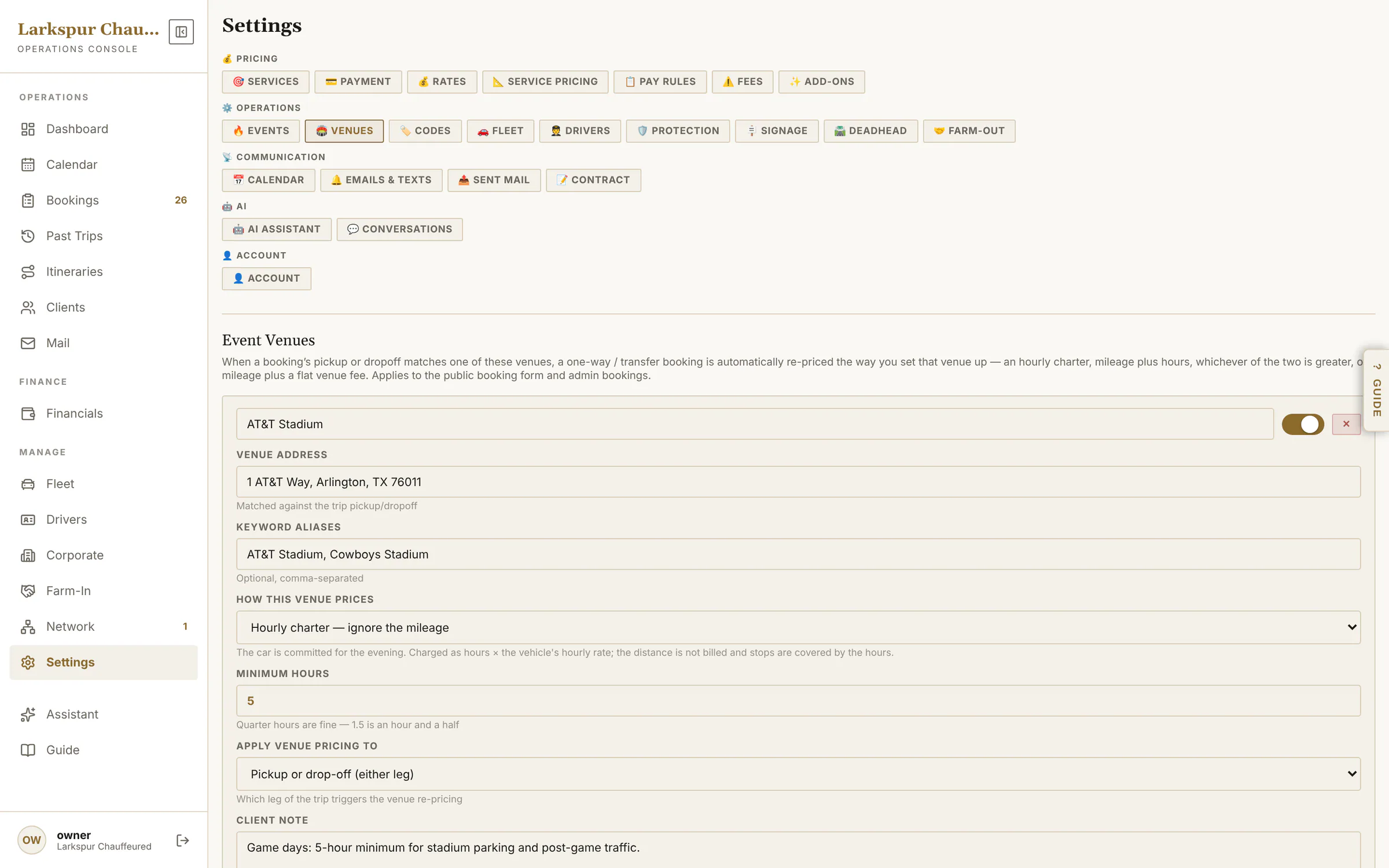
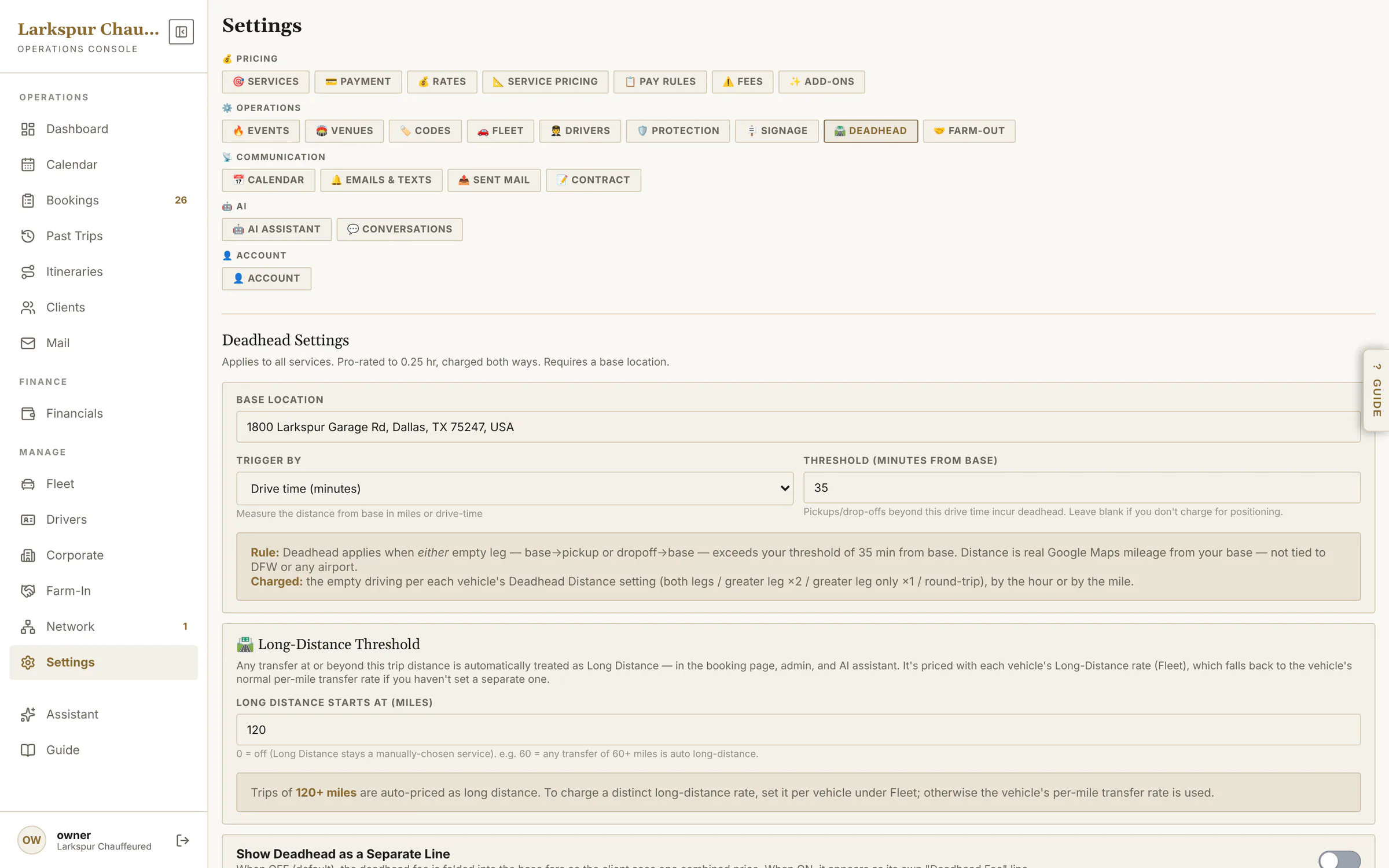
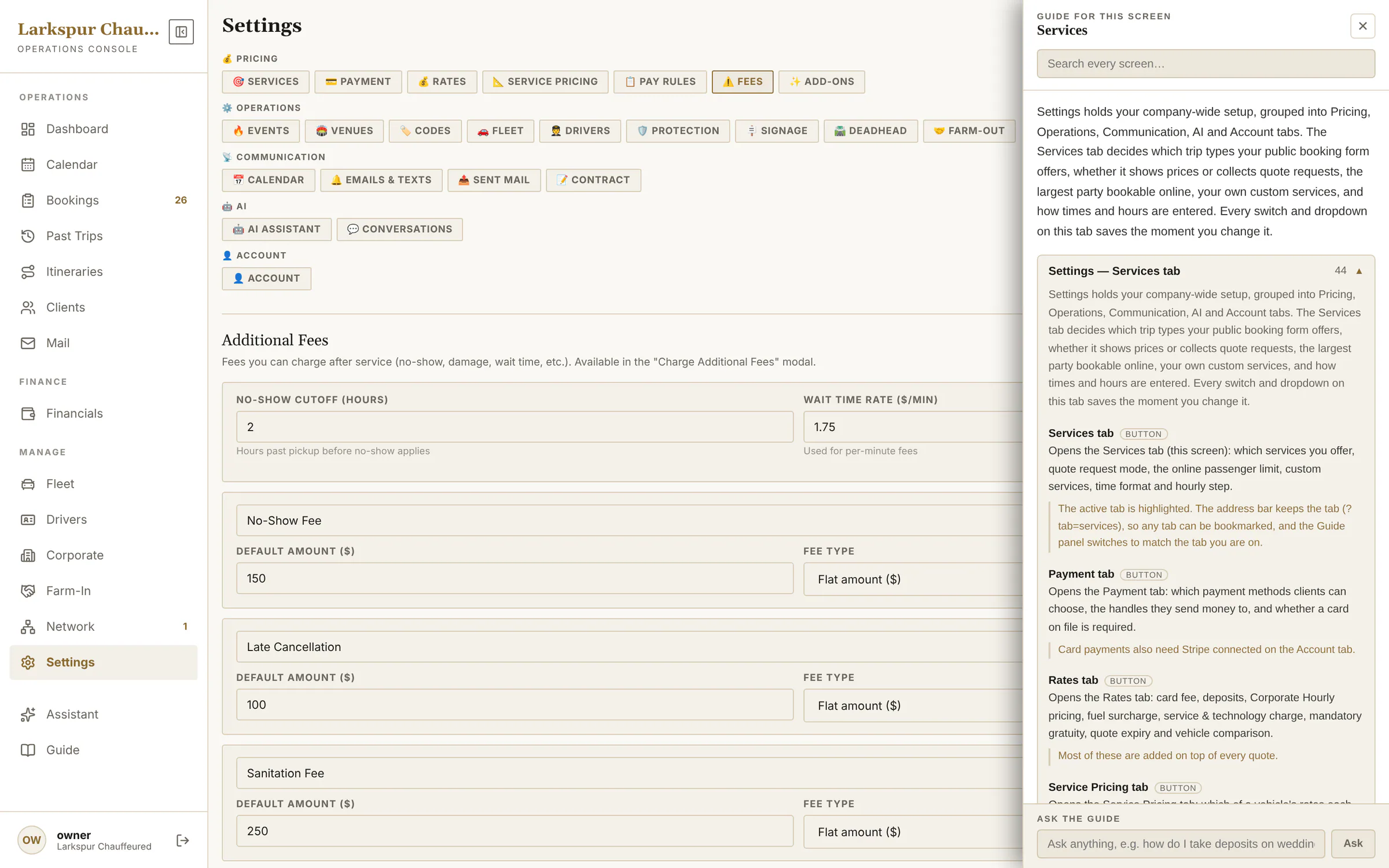
Rates, service pricing, pay rules, fees, add-ons, event dates, venue rules, promo codes and deadhead.
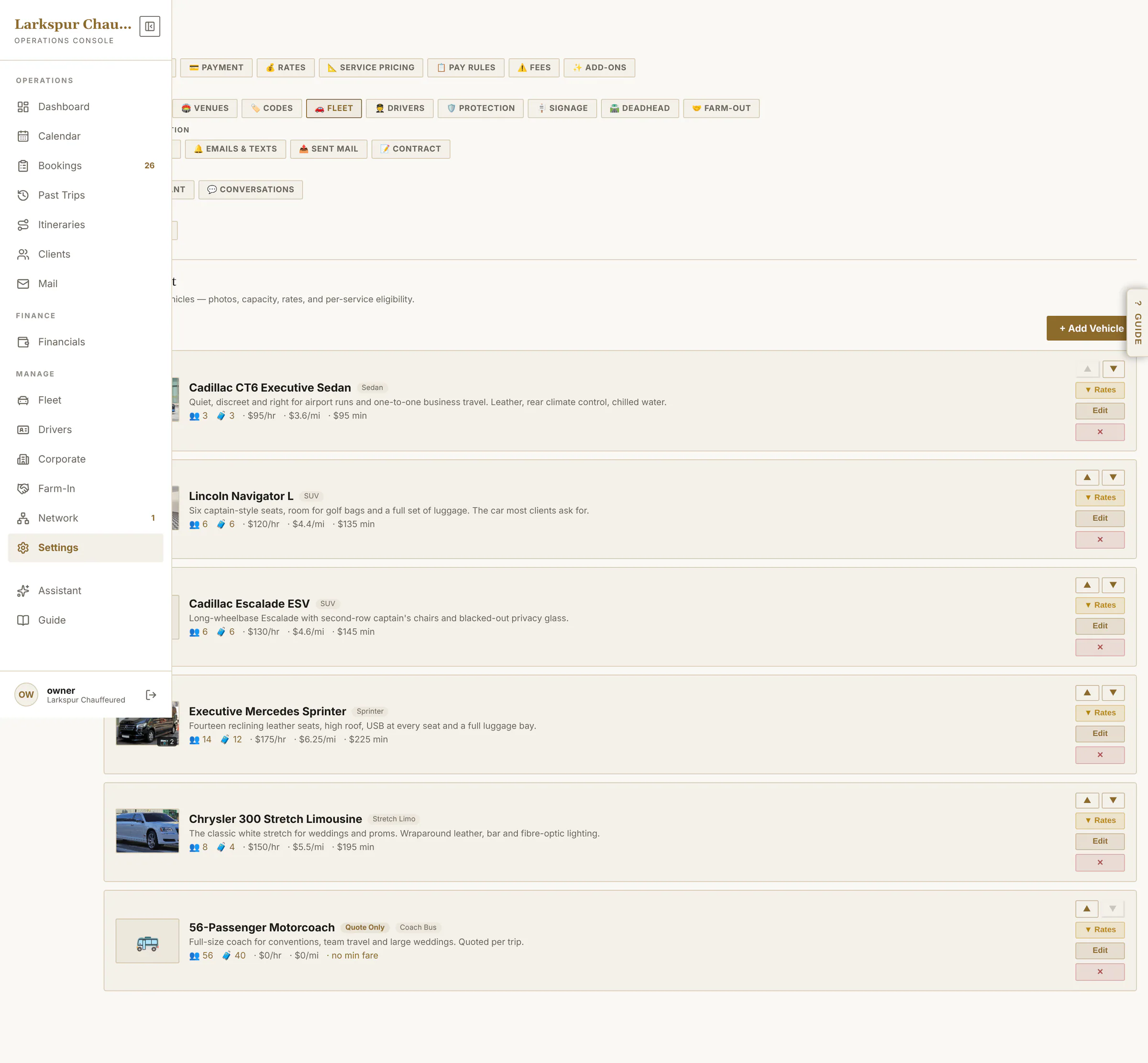
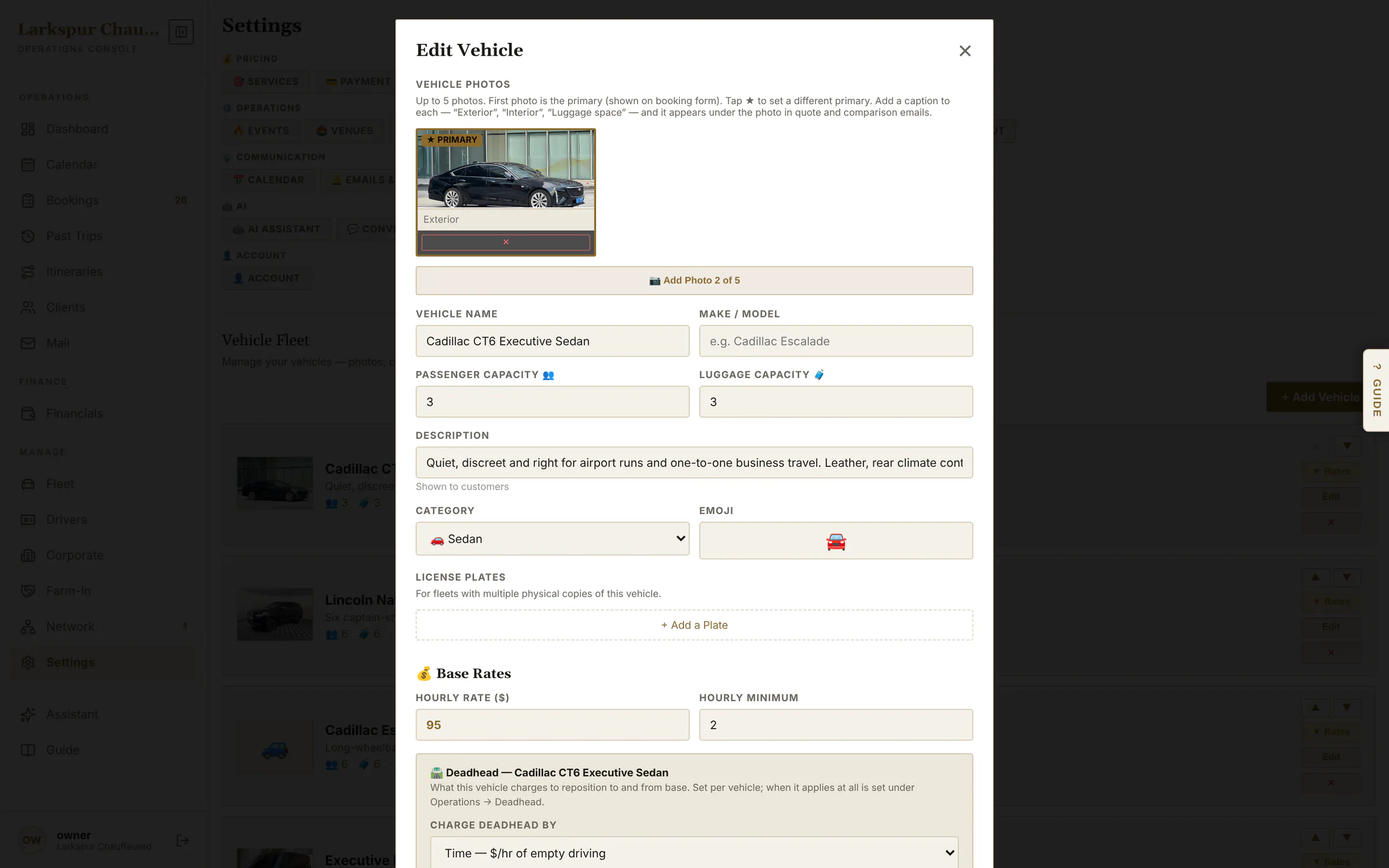
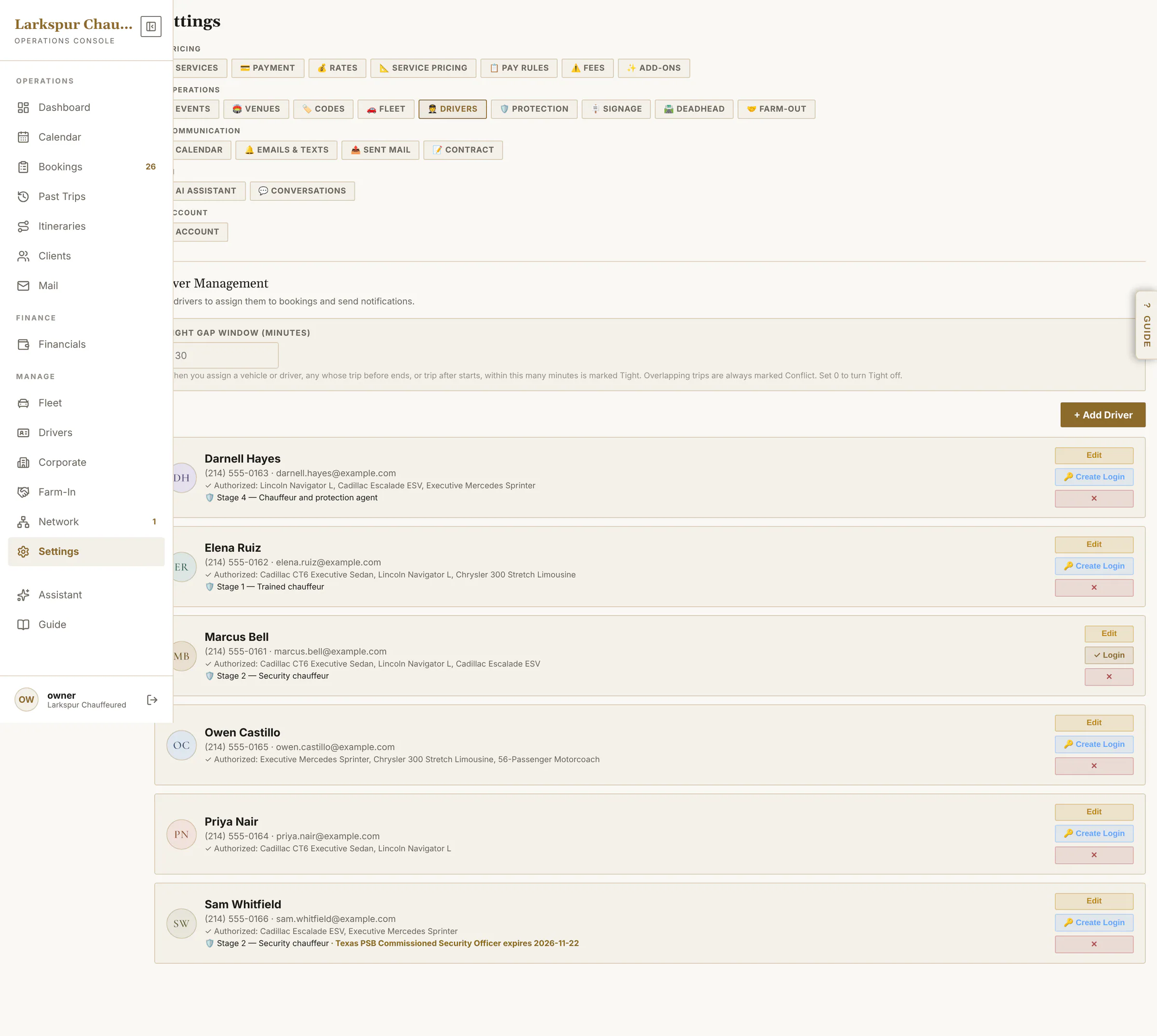
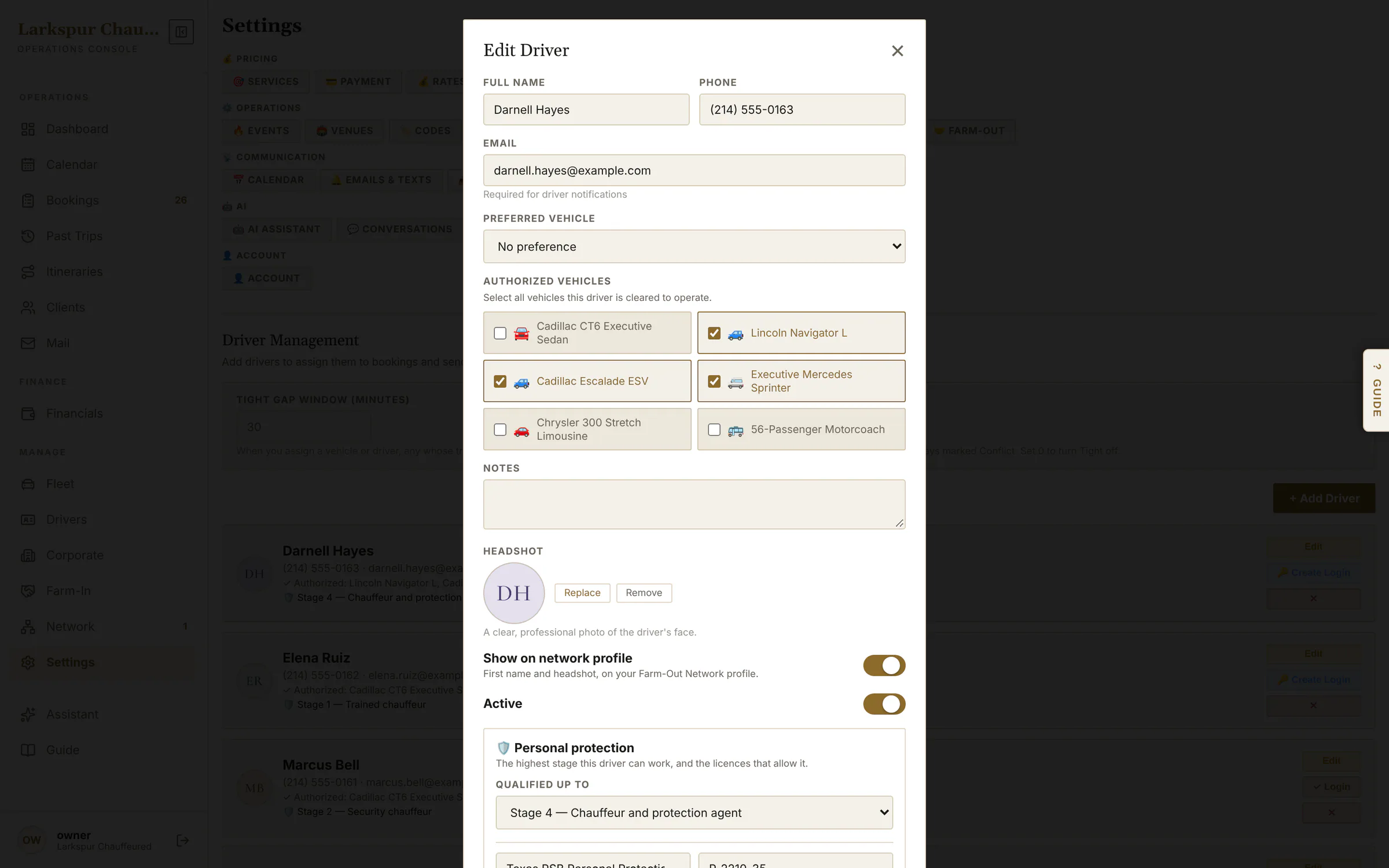
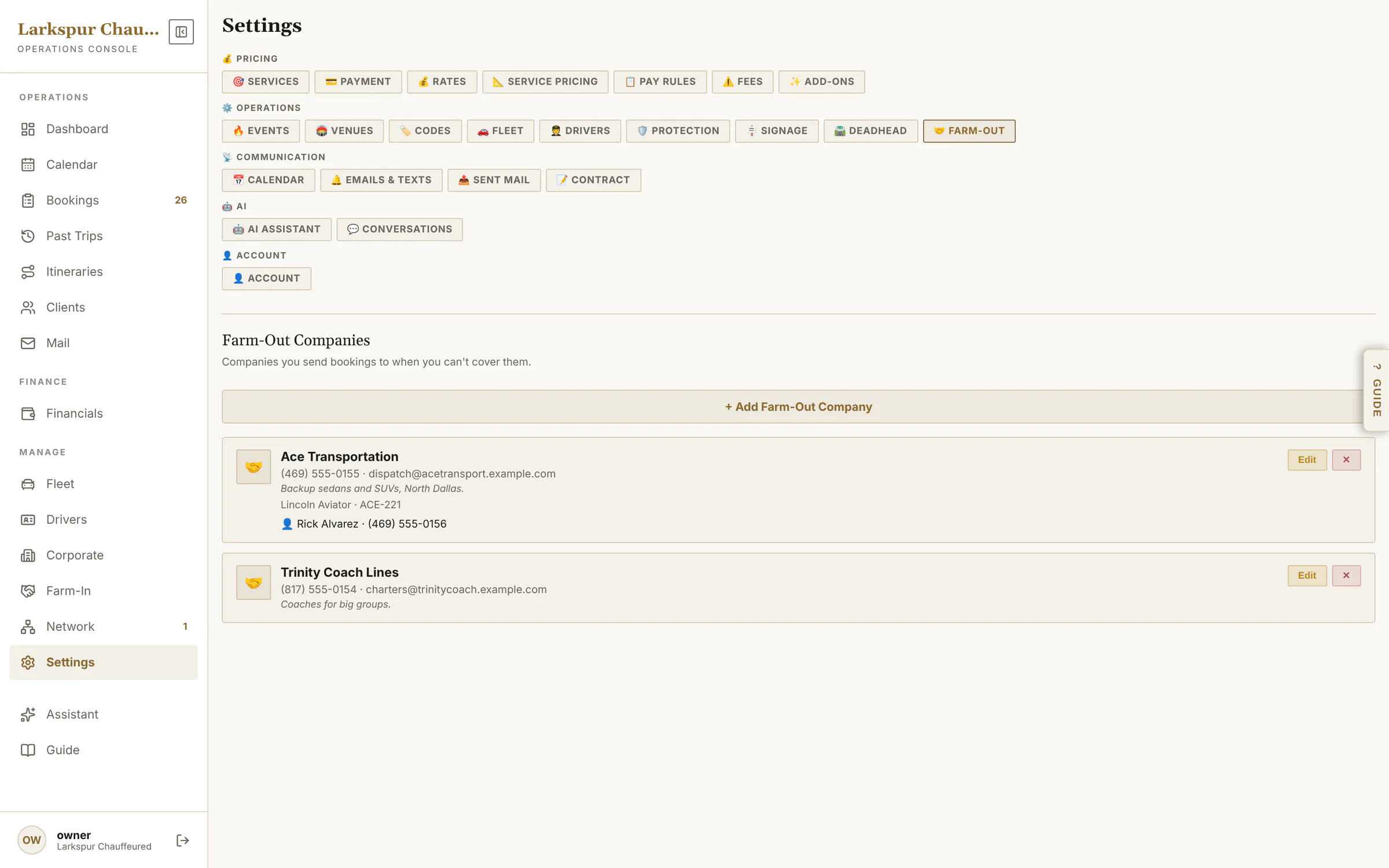
Vehicles and their rates, chauffeurs and their logins, personal protection stages, farm-out partners.
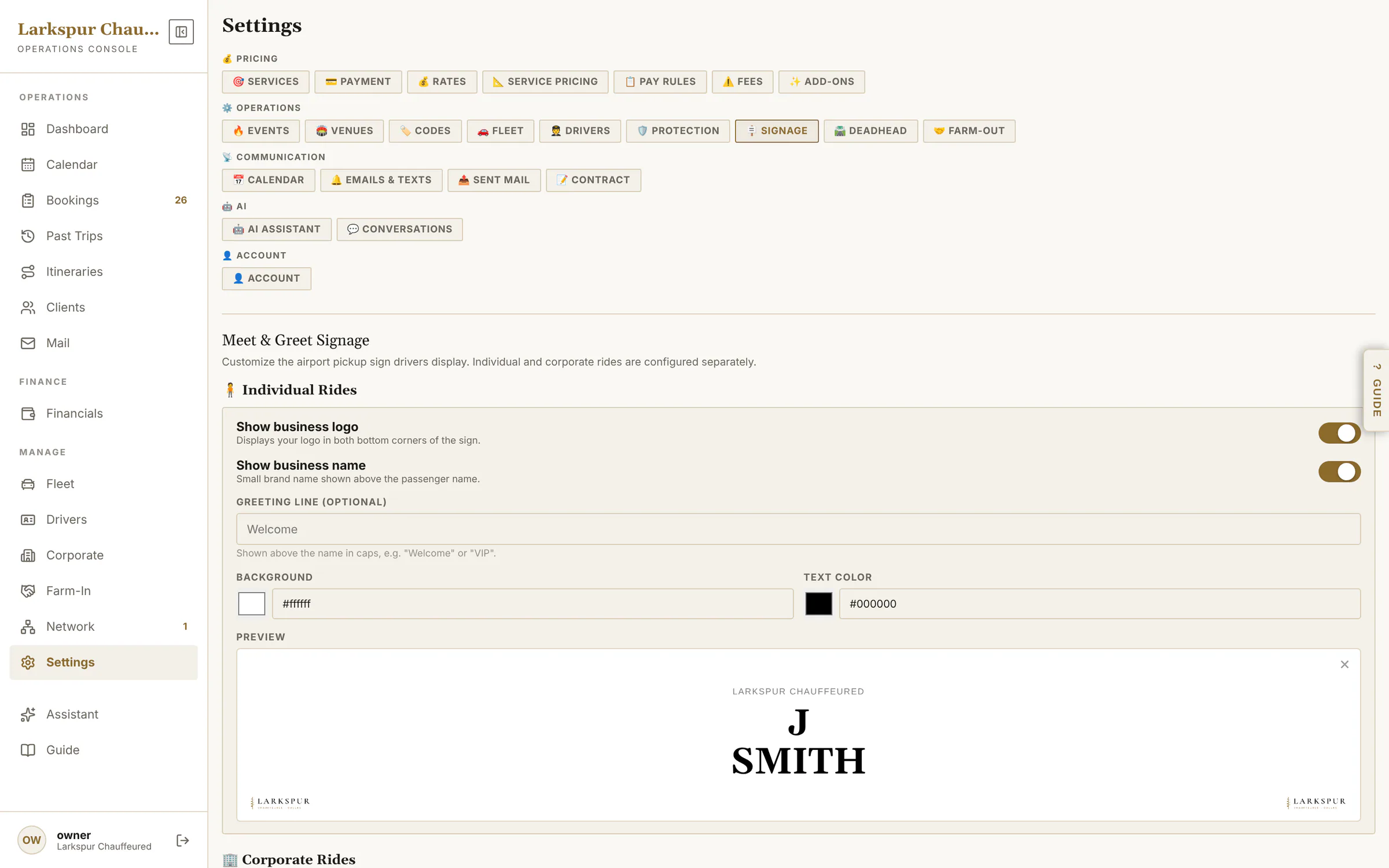
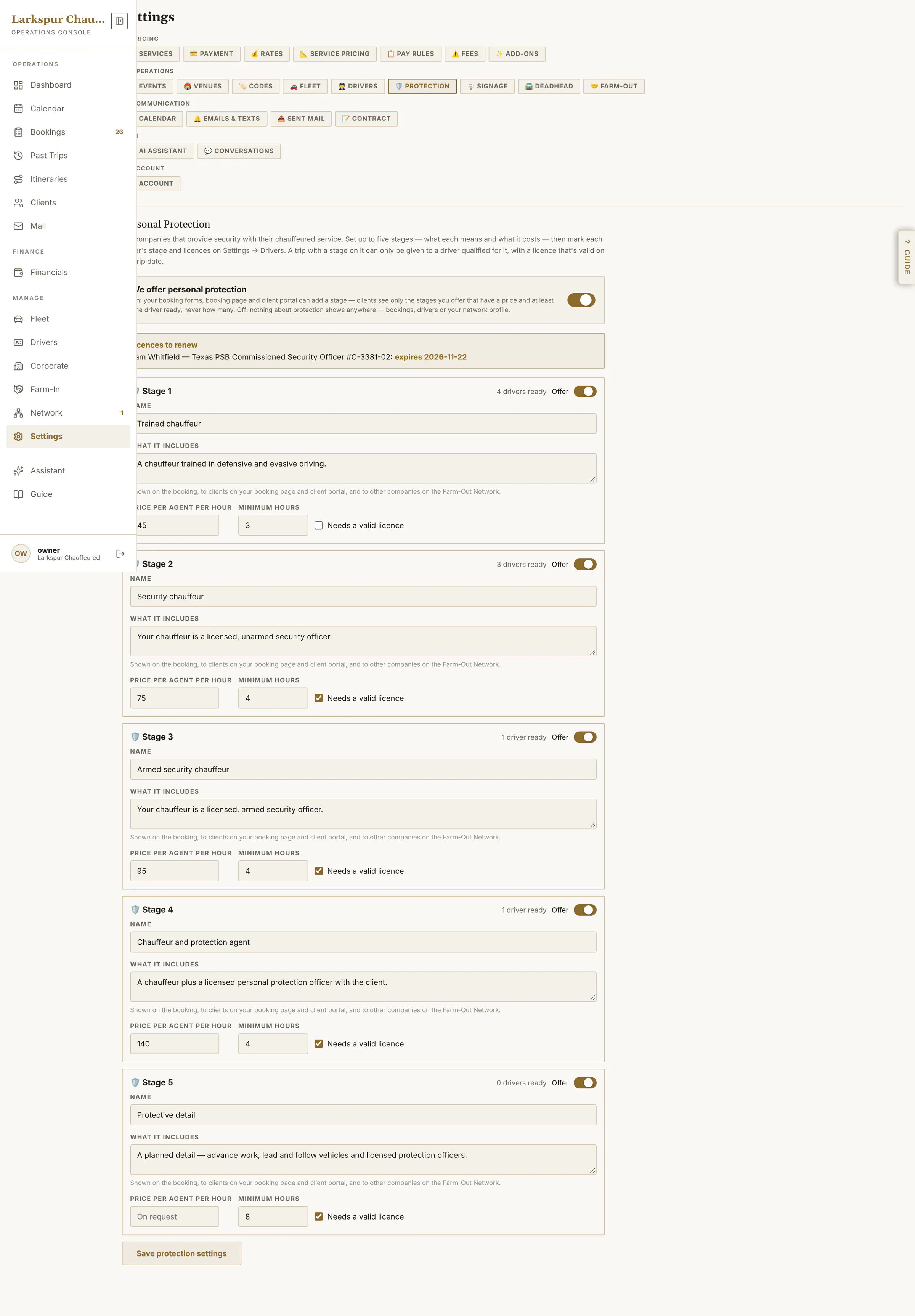
app.zdtbooking.com/adminTap to zoomFleetEvery price starts from your vehicles: photos, seats, rates and which services each car runs.app.zdtbooking.com/adminTap to zoomEdit a vehicleBase rates, mileage bands, per-passenger and luggage pricing, long distance, and which services it runs.app.zdtbooking.com/adminTap to zoomChauffeursProfiles, licence alerts, logins for the chauffeur app and protection qualifications.app.zdtbooking.com/adminTap to zoomEach chauffeur's recordLogin, the cars they're cleared to drive, their photo for the client, protection licences and what partners see on the network.app.zdtbooking.com/adminTap to zoomDesign the meet & greet signYour logo, colours and greeting — one sign for individuals and one for corporate guests — previewed exactly as the chauffeur's phone shows it.app.zdtbooking.com/adminTap to zoomPersonal protectionFive stages, priced per agent-hour, offered only where your licensed chauffeurs can staff them. Rolling outapp.zdtbooking.com/adminTap to zoomFarm-out partnersCompanies you send work to, with their drivers and cars.
Email, texts and proof
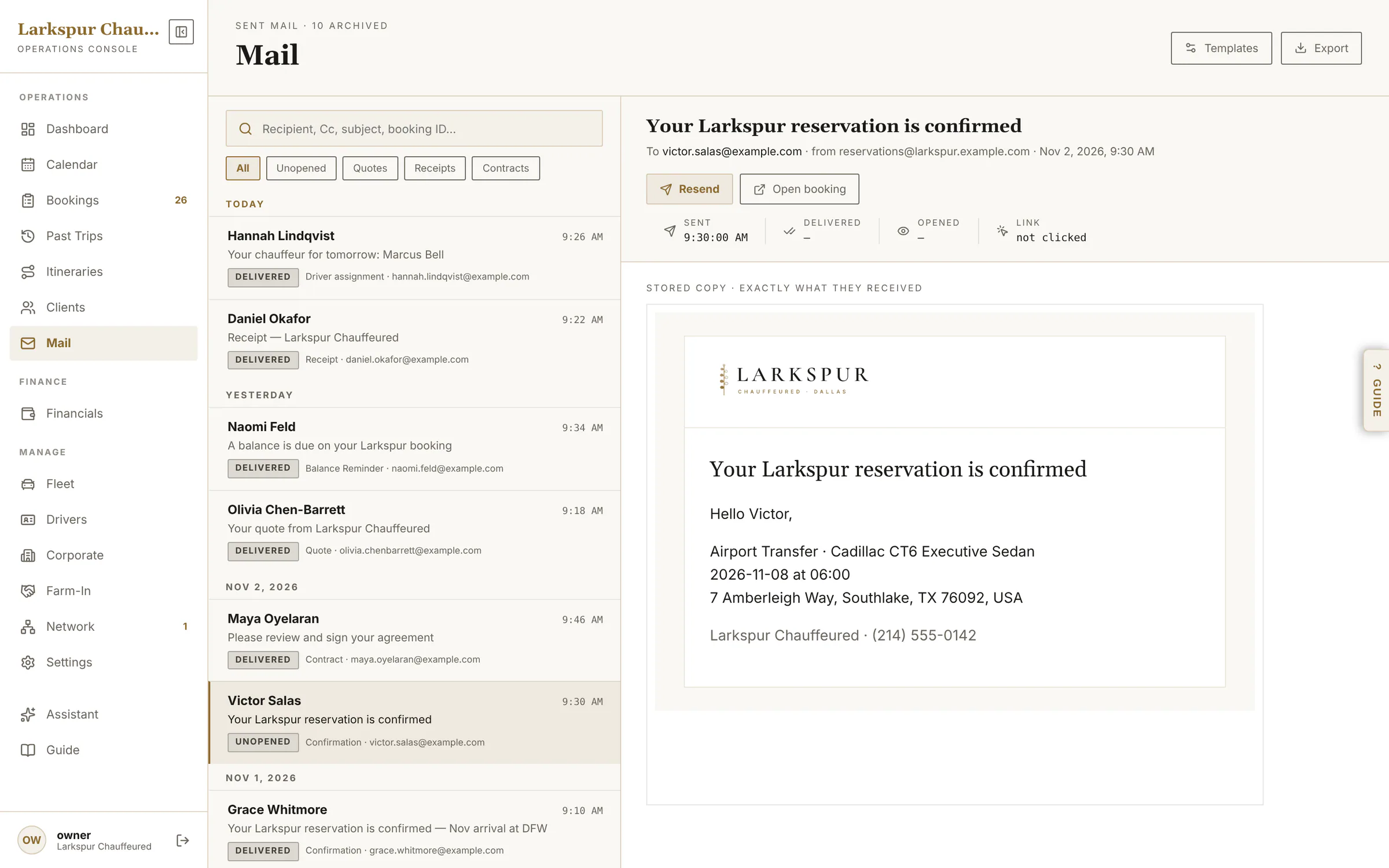
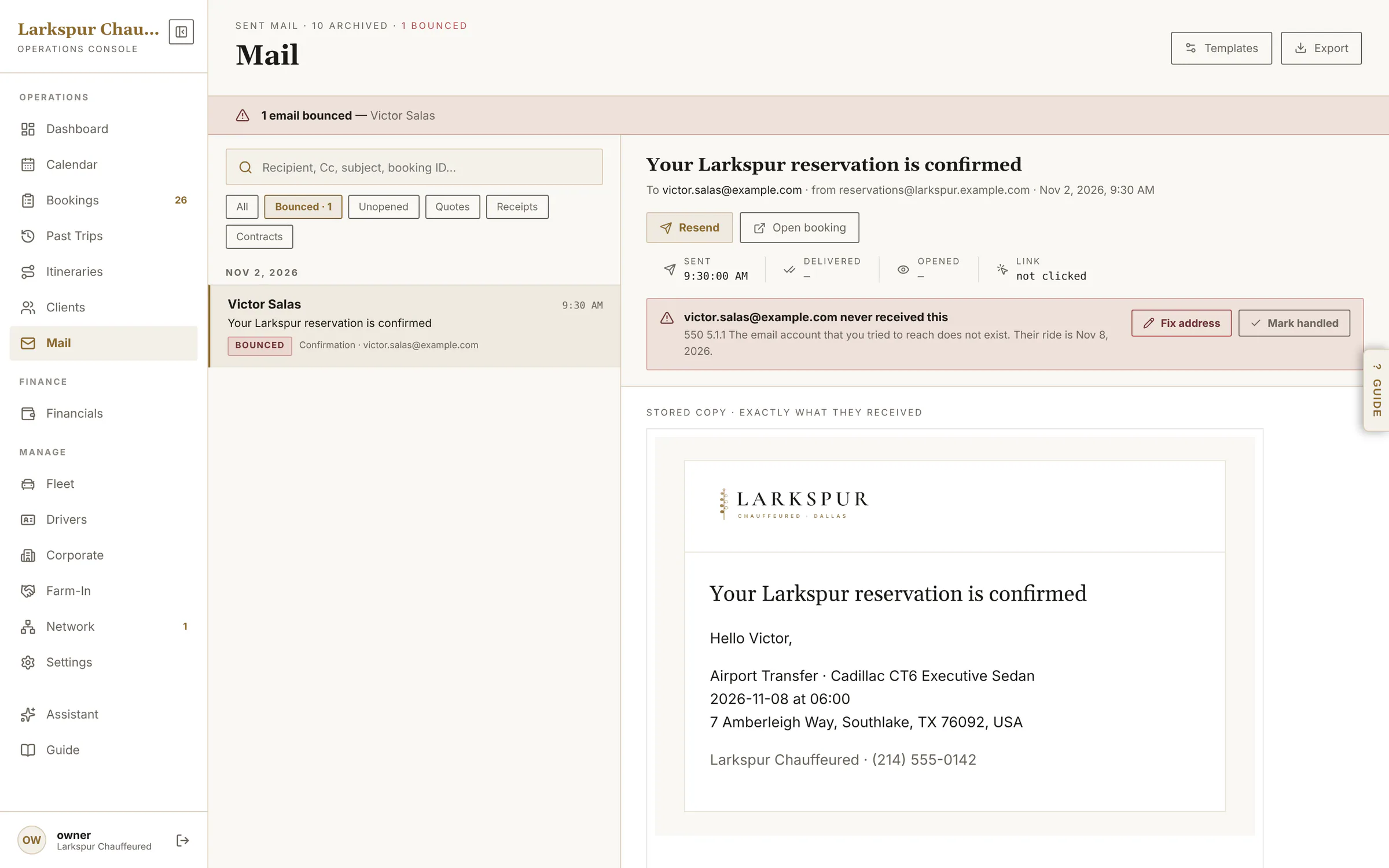
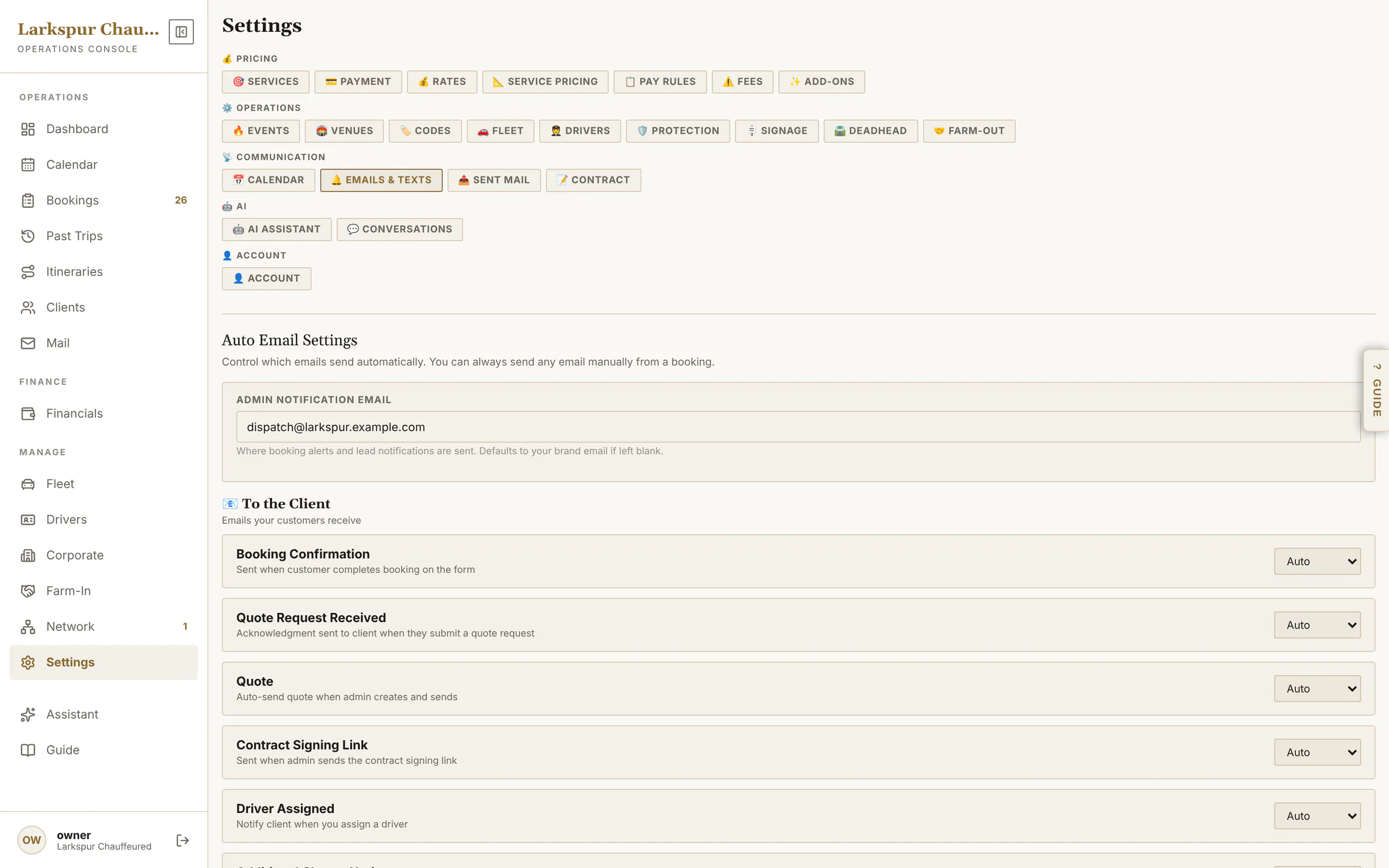
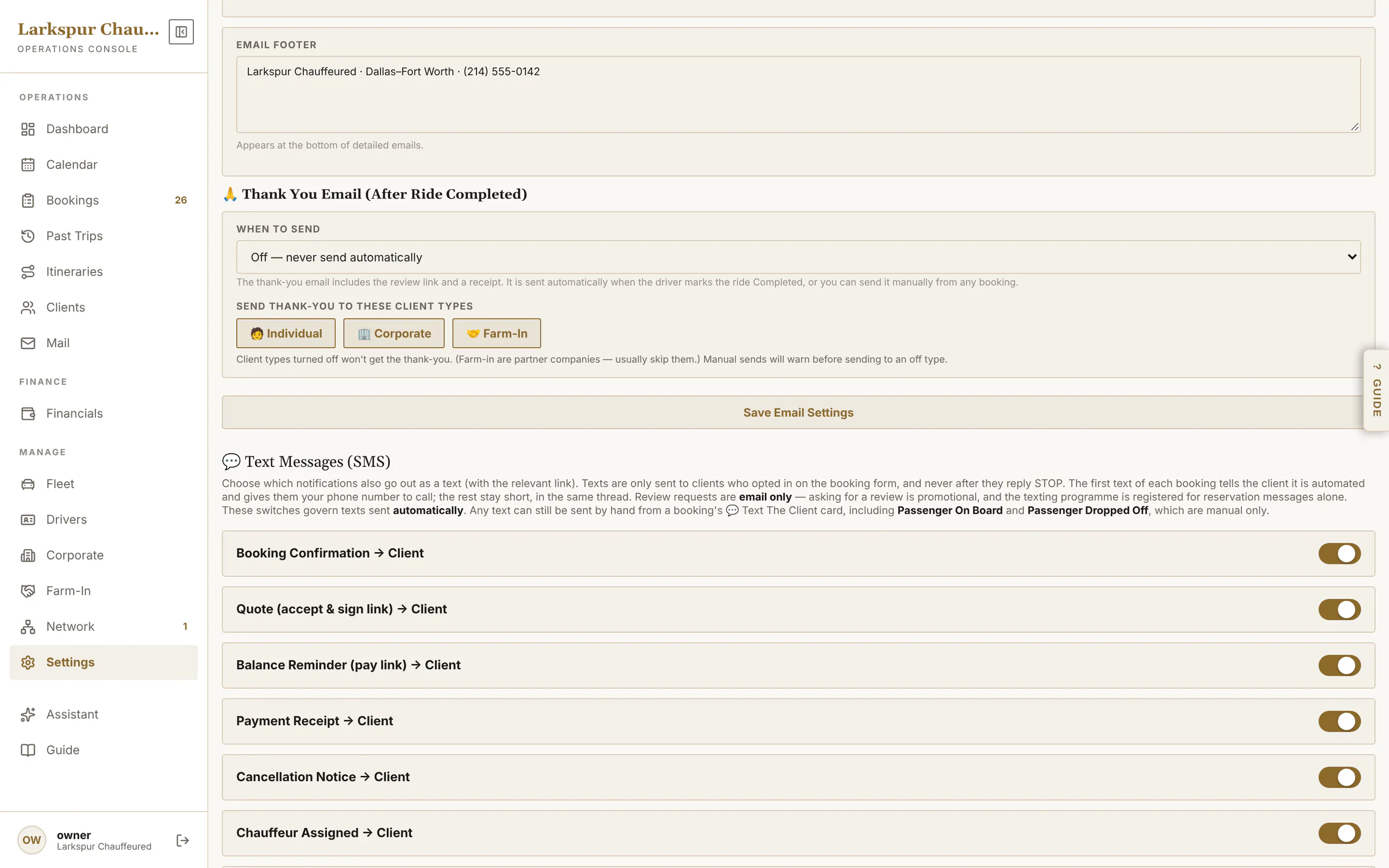
Every email on Auto, Manual or Off and each text on or off — and a Mail screen that shows each one delivered, opened or bounced.
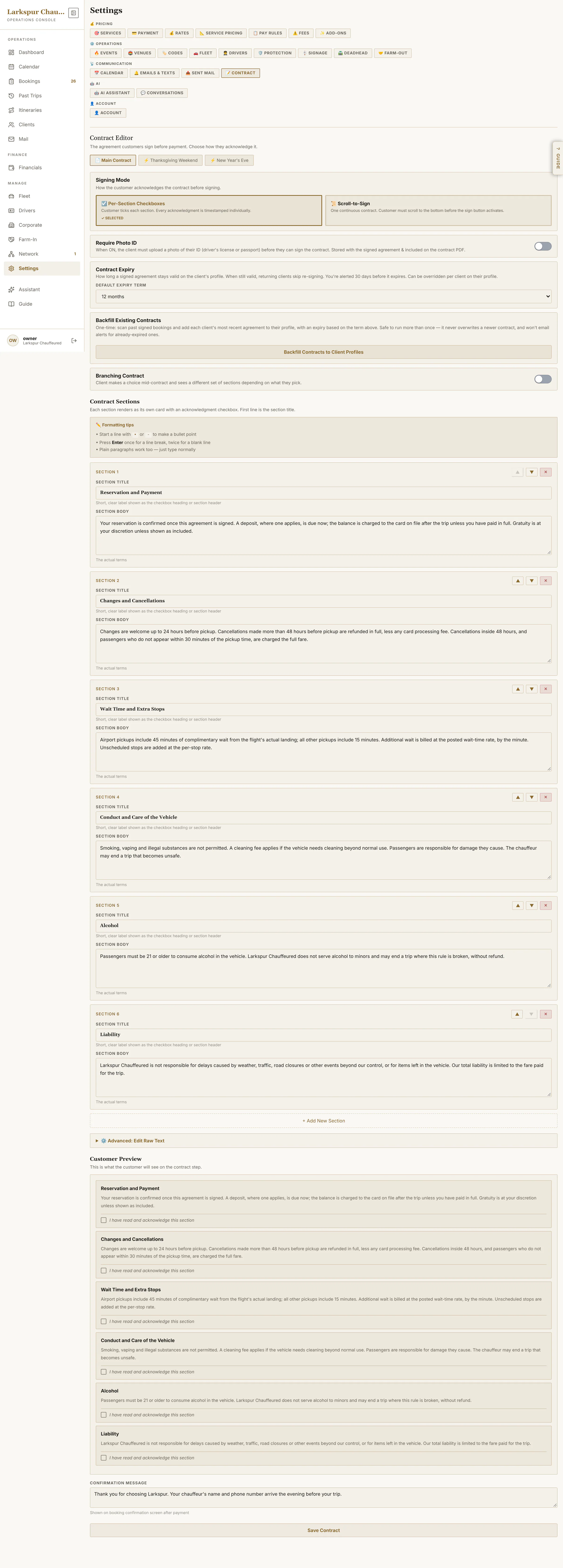
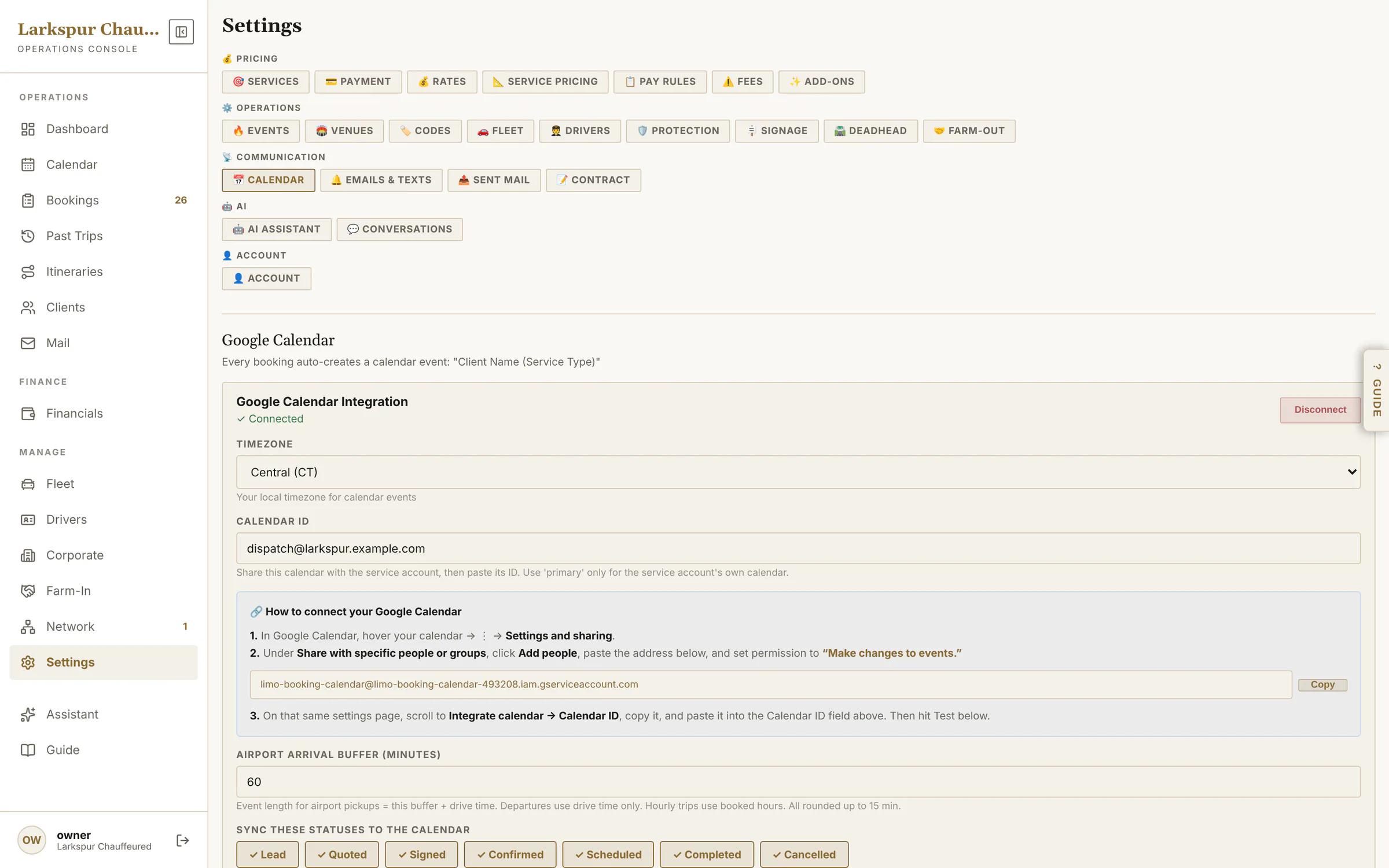
app.zdtbooking.com/adminTap to zoomProof of every emailEvery email the system sent: delivered, opened, clicked or bounced — and the email itself.app.zdtbooking.com/adminTap to zoomWhen an email doesn't arriveA bounced email is flagged in red — on Mail and on the booking — with the mail server's reason, so you can call or fix the address.app.zdtbooking.com/adminTap to zoomEmails and textsEvery email — Auto, Manual or Off — for the client, for you and for the chauffeur, with your own sign-off.app.zdtbooking.com/adminTap to zoomText messagesOn the way, arrived, on board, receipts and pay links by text — each on or off — plus staff alerts, all from your own number.app.zdtbooking.com/adminTap to zoomYour agreementWrite your agreement in sections, preview it as the client sees it, and require photo ID.app.zdtbooking.com/adminTap to zoomGoogle CalendarEvery booking goes onto your Google Calendar — added, moved and removed as it changes, with a nightly tidy-up — plus an iCal feed for anyone else.
AI and the Guide
The copilot, a built-in manual that follows you from screen to screen, and the assistant's settings.
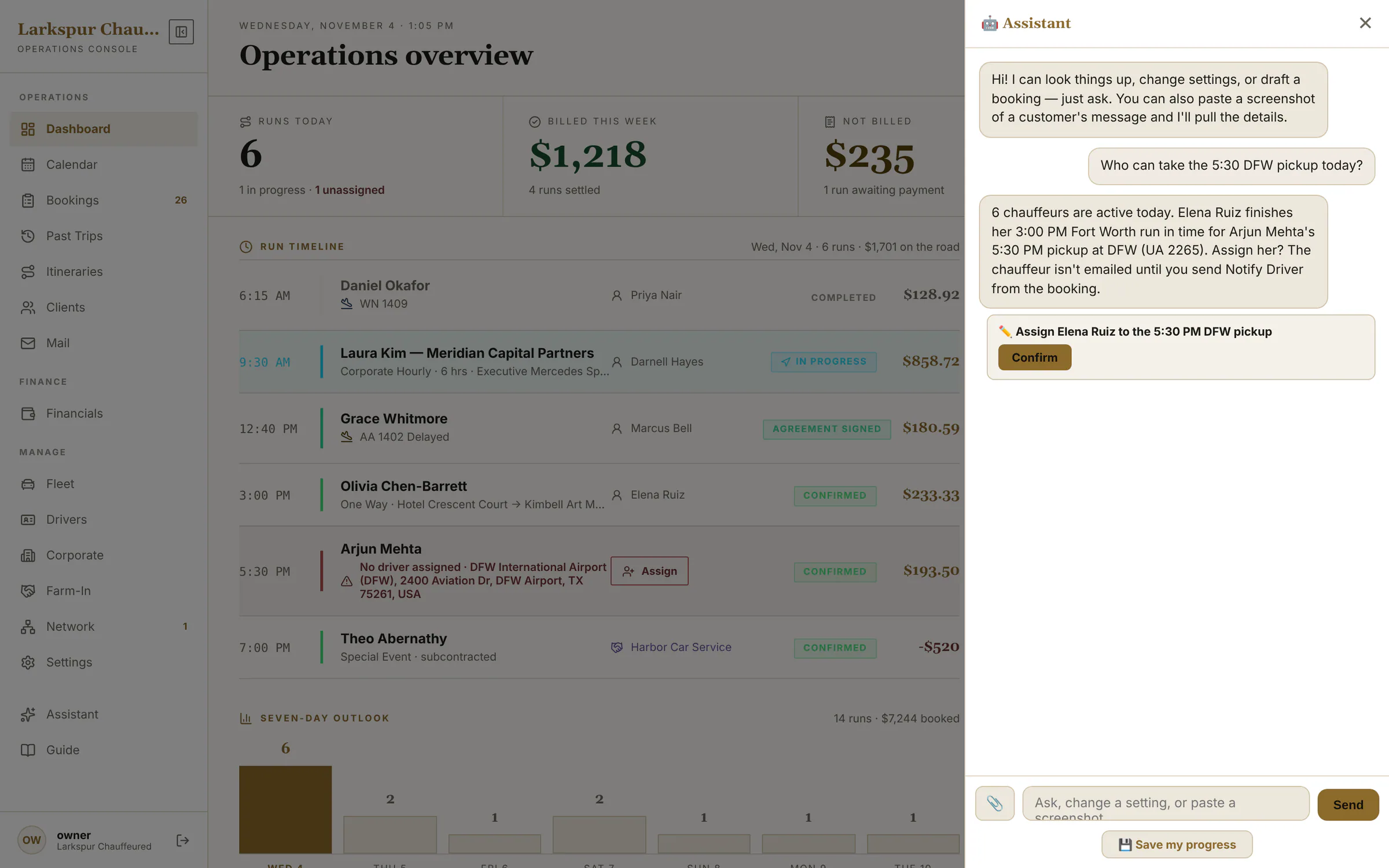
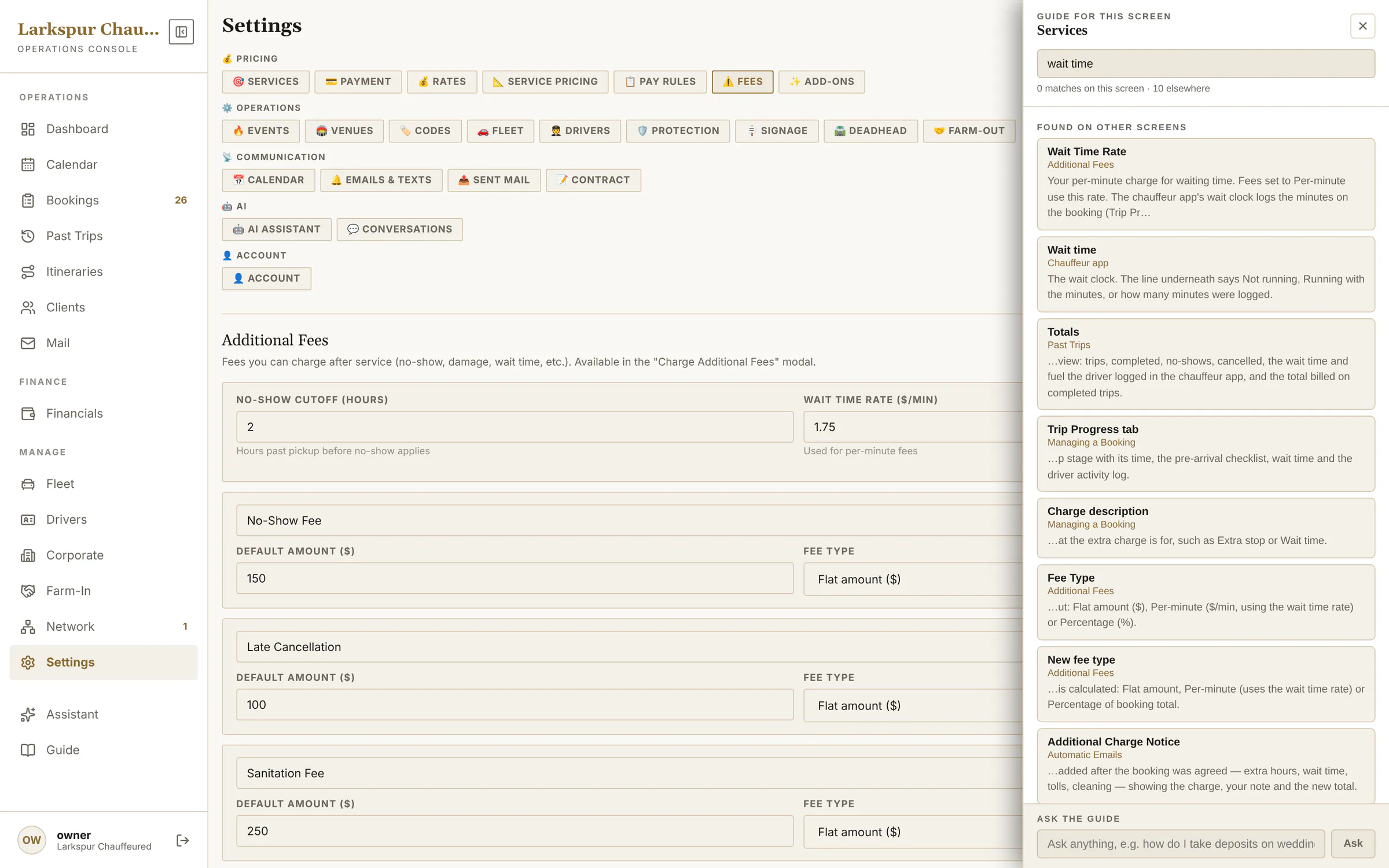
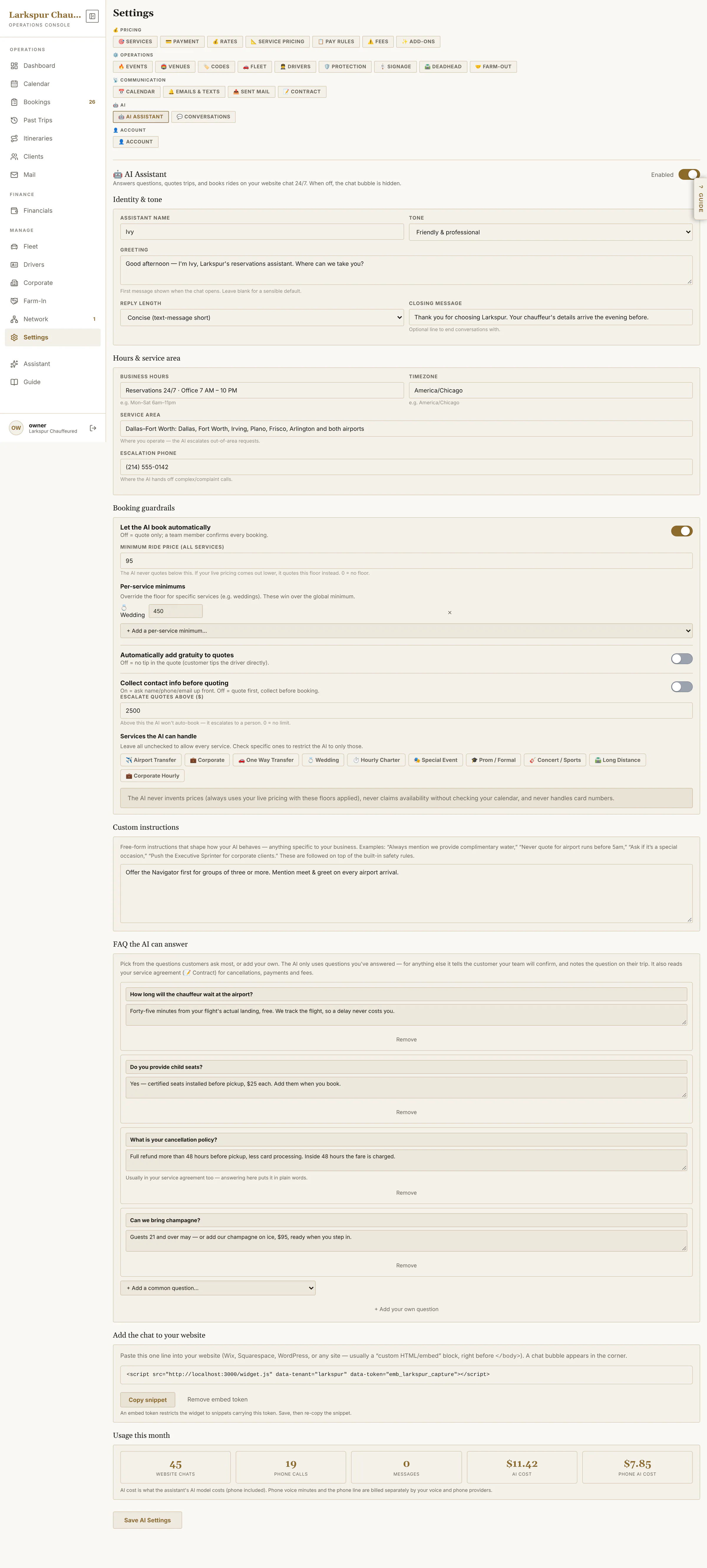
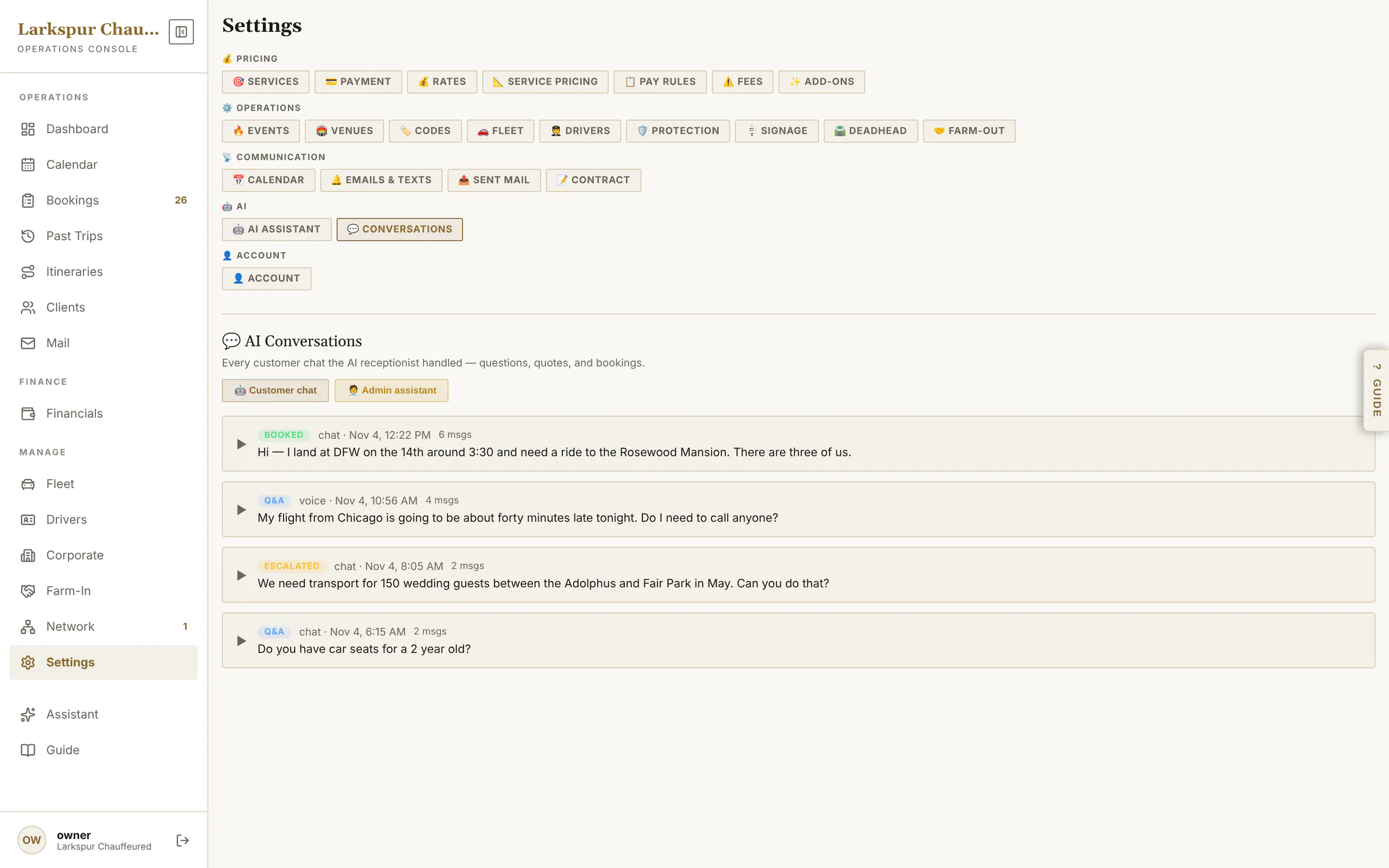
app.zdtbooking.com/adminTap to zoomThe admin copilotAsk in plain English. It reads your bookings and proposes the change — nothing happens until you press Confirm. Add-onapp.zdtbooking.com/adminTap to zoomThe Guide, beside every screenA manual that follows you: open it on any screen and it explains that screen's every setting.app.zdtbooking.com/adminTap to zoomSearch the whole manualSearch every screen's help at once — instant, no AI needed.app.zdtbooking.com/adminTap to zoomAsk the GuideAsk a how-to question; the answer is written from the Guide itself and links to the screens it used.app.zdtbooking.com/adminTap to zoomAI Assistant settingsName, tone, hours, guardrails, FAQs, the chat snippet for your website, and this month's usage. Add-onapp.zdtbooking.com/adminTap to zoomAI conversationsEvery chat and phone call the assistant handled: booked, escalated or answered. Add-on
Private beta
Be one of the first operators on ZDT.
We're onboarding operators one at a time, by hand. Join the waitlist and we'll reach out personally when a spot opens.